Logic World Wednesdays: Chairs, Consoles, and More
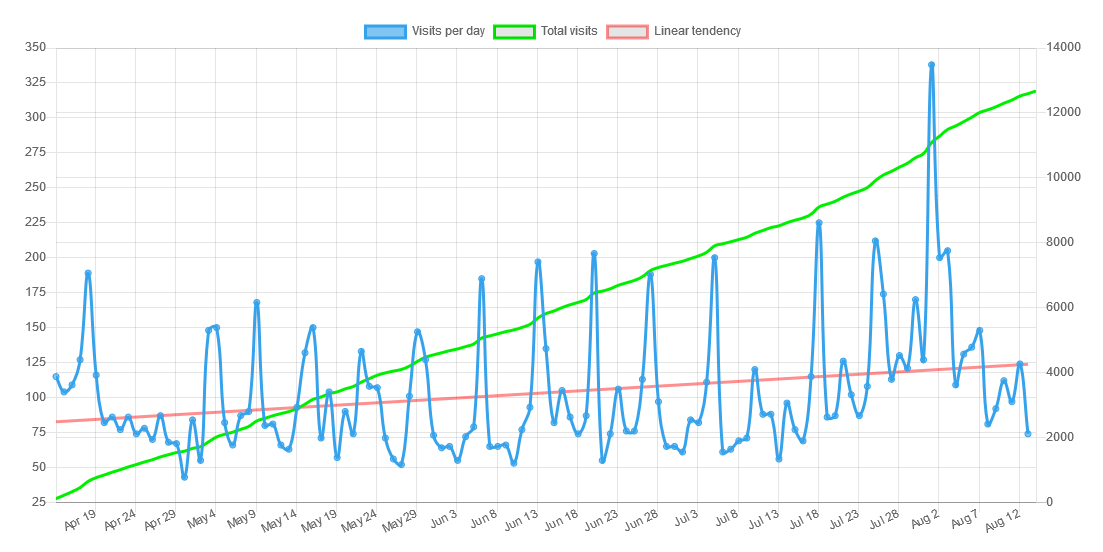
Welcome back to another Logic World Wednesday! This week Logic World passed 4,000 wishlists on Steam. Thank you to everyone who has wishlisted, that number is just crazy!!!
I’ve made a number of enhancements to Keys, and added placeable Chair objects to go along with them.
https://www.youtube.com/watch?v=E3VGKl7cW30
I think Chairs are a really nice system. You place one down then lay out a bunch of Keys in front of it, and now sitting in the chair is like sitting down in front of a keyboard.
If you’ve ever played games like Minecraft you probably know that there are commands. Commands are a way of telling the game what to do, for example to quit the game or kick a player.
Right now the client uses a different method of registering and handling commands from the server, meaning that sharing commands between them is practically impossible. That’s why we decided to make a library that handles everything for you, from parsing user input to registering and executing commands. Now, with a single method, a mod can register a command that will work on both the client and the server.
Here’s an example of a command in the code:
As you can see, all you have to do to register a command is to add the [Command] attribute to a static method.
You may have noticed that we are using LConsole.WriteLine instead of Console.WriteLine, this is because we need to provide a way of outputting text that works regardless of where the command is running on. On the client it will output to the console window, and on the server it’ll write to the regular console output.
Because of this, LICC* is split into two parts: the backend and the frontend. The backend is shared and provides the base functionality like command registering and executing, while the frontend takes care of interacting with the user: receiving input and sending output.
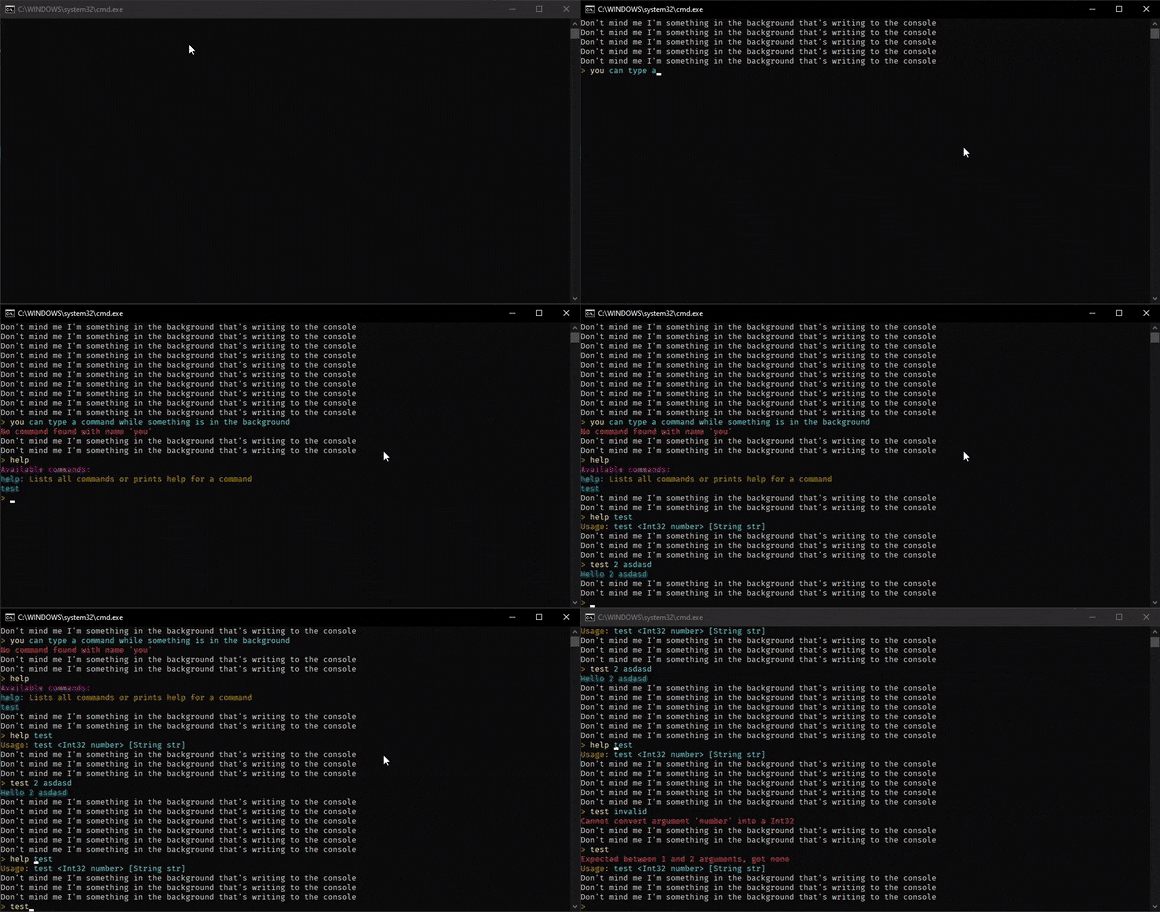
This is a little demo of the console frontend:
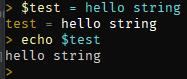
LICC also supports variables, similar to those in Bash (and less powerful (for now)):
* LICC: Library for Implementing C# Commands
Using the wonderful backend code Felipe wrote, I’ve made a slick in-game interface for the LICC console.
https://www.youtube.com/watch?v=E3VGKl7cW30
The new console will speed up developing and testing, but most importantly it will let power users go wild with hotkeys and scripts.
A while ago I added searching to the Selection Menu. This week I’ve abstracted the code for searching components and reused it in a number of places. You can now search:
The searching code is really easy to reuse now, so all future menus that are a list of things (like your list of multiplayer servers) will have searching :D
I’ve updated our system for playing sound effects so that there is a slight random variation in pitch and volume each time a sound is played. This helps the sound effects to feel more natural, since it’s not exactly the same sound every time.
https://www.youtube.com/watch?v=iqPydtVdccA
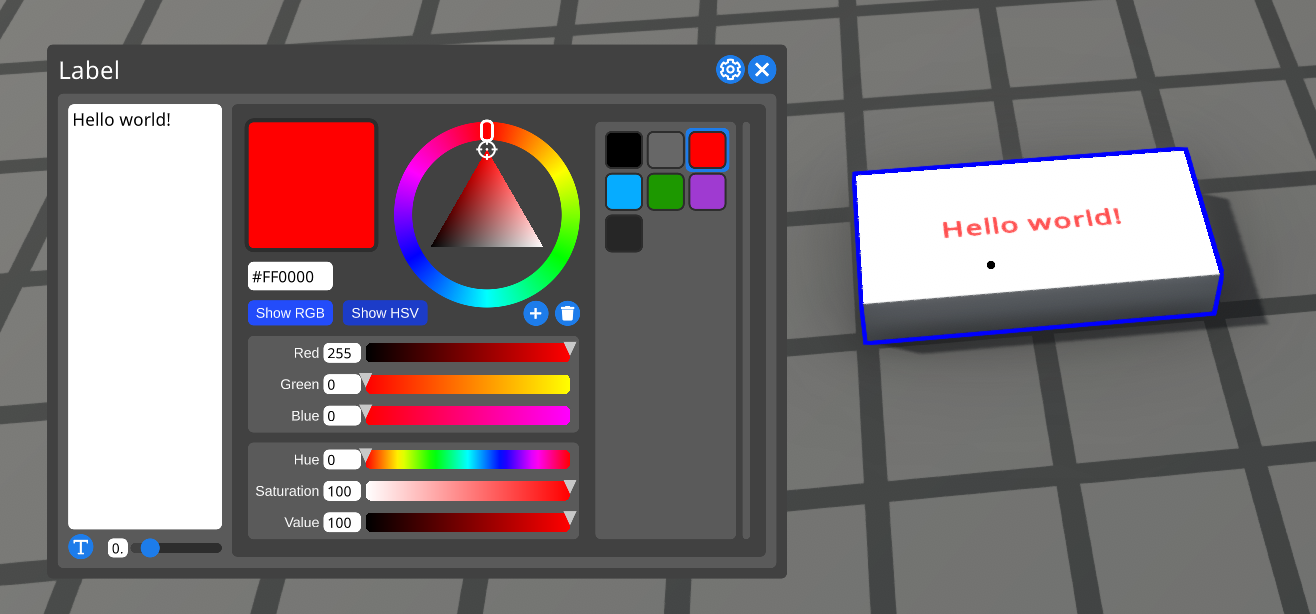
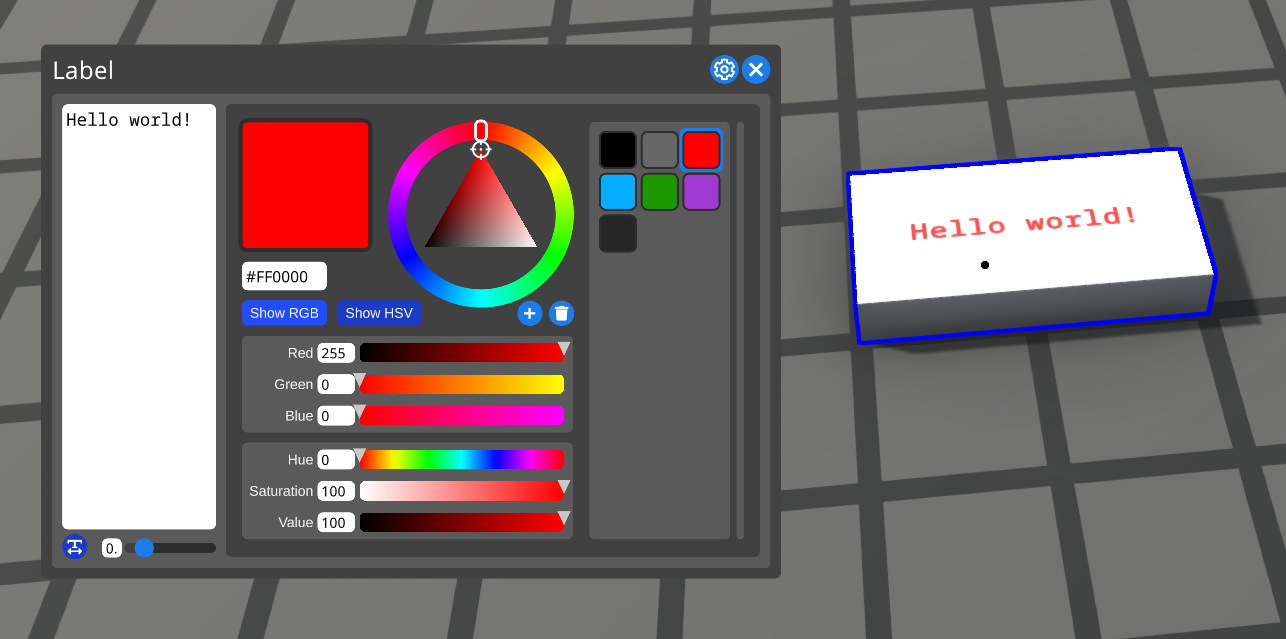
For all the Master Hackers out there, I’ve added an option to labels for making their text monospaced.
This week I’ve made various tweaks to the website, however they’re too small to warrant their own section:
---------------------------------------------
If you’d like to receive an email each time we post one of these blogs, you can sign up for our newsletter. Be sure also to join the official Discord and follow @LogicWorldGame on twitter.
See you next Wednesday!
View this post on logicworld.net. Read previous Logic World Wednesdays
https://store.steampowered.com/app/1054340/Logic_World/
Chairs and Better Keys - Jimmy
I’ve made a number of enhancements to Keys, and added placeable Chair objects to go along with them.
https://www.youtube.com/watch?v=E3VGKl7cW30
I think Chairs are a really nice system. You place one down then lay out a bunch of Keys in front of it, and now sitting in the chair is like sitting down in front of a keyboard.
LICC: Console Backend - Felipe
If you’ve ever played games like Minecraft you probably know that there are commands. Commands are a way of telling the game what to do, for example to quit the game or kick a player.
Right now the client uses a different method of registering and handling commands from the server, meaning that sharing commands between them is practically impossible. That’s why we decided to make a library that handles everything for you, from parsing user input to registering and executing commands. Now, with a single method, a mod can register a command that will work on both the client and the server.
Here’s an example of a command in the code:
[Command]
public static void Say(string what)
{
    LConsole.WriteLine("You said: " + what);
}
As you can see, all you have to do to register a command is to add the [Command] attribute to a static method.
You may have noticed that we are using LConsole.WriteLine instead of Console.WriteLine, this is because we need to provide a way of outputting text that works regardless of where the command is running on. On the client it will output to the console window, and on the server it’ll write to the regular console output.
Because of this, LICC* is split into two parts: the backend and the frontend. The backend is shared and provides the base functionality like command registering and executing, while the frontend takes care of interacting with the user: receiving input and sending output.
This is a little demo of the console frontend:
LICC also supports variables, similar to those in Bash (and less powerful (for now)):
* LICC: Library for Implementing C# Commands
Fancy Pants Console Frontend - Jimmy
Using the wonderful backend code Felipe wrote, I’ve made a slick in-game interface for the LICC console.
https://www.youtube.com/watch?v=E3VGKl7cW30
The new console will speed up developing and testing, but most importantly it will let power users go wild with hotkeys and scripts.
Search All the Things - Jimmy
A while ago I added searching to the Selection Menu. This week I’ve abstracted the code for searching components and reused it in a number of places. You can now search:
- the Selection Menu
- your Saved Boards
- the list of Singer instruments
- the list of Drum instruments
- messages in the new Console (shown above)
The searching code is really easy to reuse now, so all future menus that are a list of things (like your list of multiplayer servers) will have searching :D
Sound Effect Randomization - Jimmy
I’ve updated our system for playing sound effects so that there is a slight random variation in pitch and volume each time a sound is played. This helps the sound effects to feel more natural, since it’s not exactly the same sound every time.
https://www.youtube.com/watch?v=iqPydtVdccA
Monospaced Labels - Jimmy
For all the Master Hackers out there, I’ve added an option to labels for making their text monospaced.
Miscellaneous Website Tweaks - Felipe
This week I’ve made various tweaks to the website, however they’re too small to warrant their own section:
- Comment likes now count towards your profile’s total likes
- Timestamps are now updated in real time
- You can now automatically quote comments by selecting some text and pressing “reply”
- You will now get a notification when someone mentions you in a comment or post (this can be adjusted in your account settings
- Now there are breadcrumbs in all forum pages, for example:

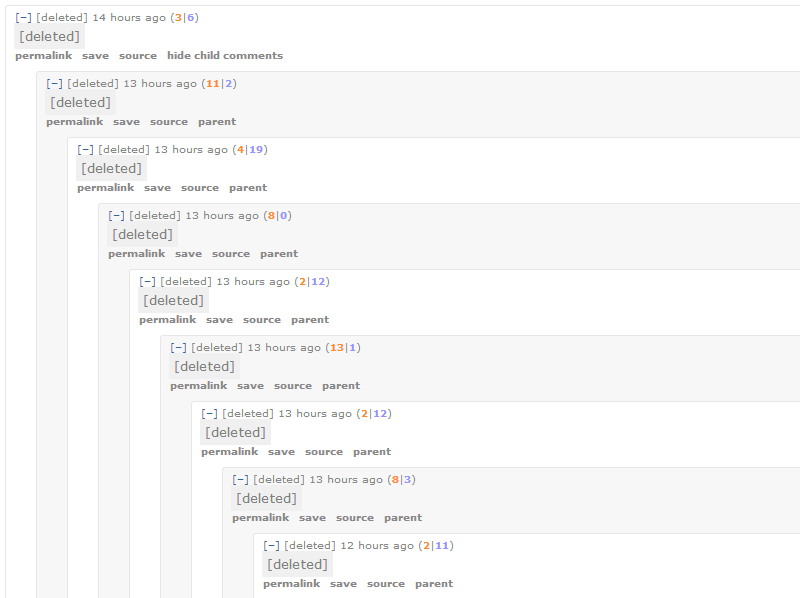
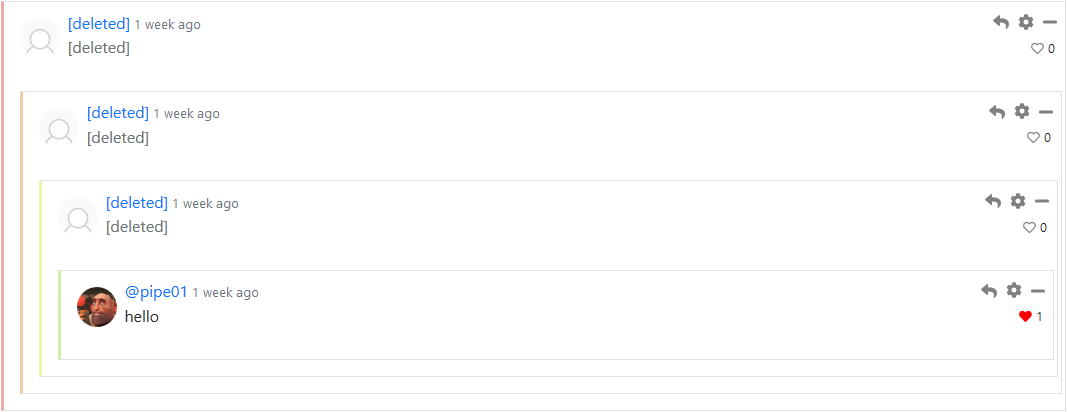
- Collapsed comments are now more collapsed:
Before: After:
- The comments section now has some more space and a comment counter:
Before: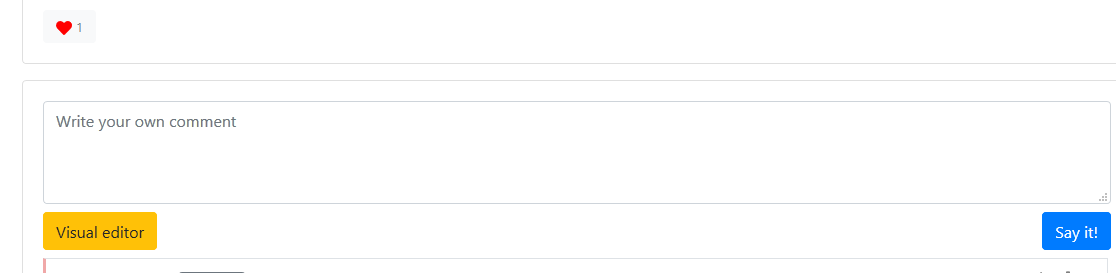 After: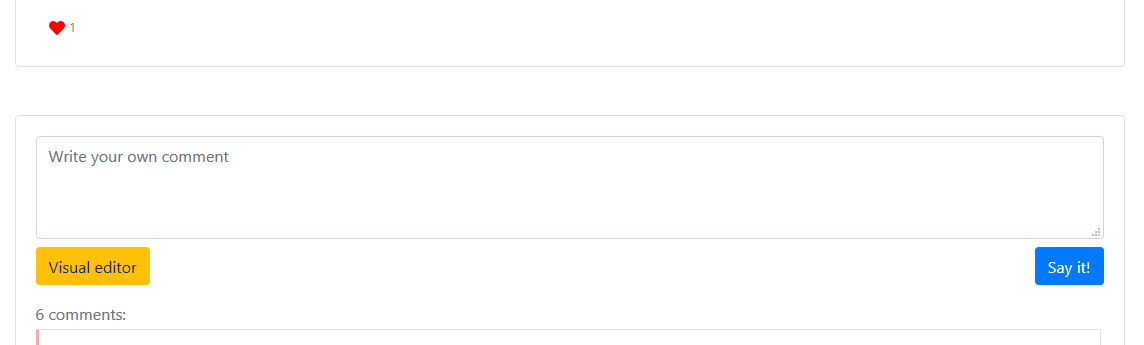
---------------------------------------------
If you’d like to receive an email each time we post one of these blogs, you can sign up for our newsletter. Be sure also to join the official Discord and follow @LogicWorldGame on twitter.
See you next Wednesday!
View this post on logicworld.net. Read previous Logic World Wednesdays
https://store.steampowered.com/app/1054340/Logic_World/