1. KartRider: Drift
  2. News

KartRider: Drift News

Thank You for Racing!

It's been a blast on the track all week during the Global Racing Test, but all things must come to an end, so thank you for joining us in KartRider: Drift and helping us give this latest client a thorough examination! We hope to have news about where we go from here soon, so keep your eyes peeled!

We want to hear your thoughts on what's working and what could be improved, so head over to the KartRider: Drift Official Forums to give us your feedback.

Be sure to follow our official social media pages to stay up to date with the latest news and chat with your fellow Racers.

Thank you for participating in the Global Racing Test and enjoying KartRider: Drift. We can't wait to hear your thoughts and feedback as we race towards something awesome.

The Global Racing Test Begins!

Racers on Steam, Nexon Launcher, Xbox, PlayStation, and Android can now download KartRider: Drift's beta client and hit the track for a week full of racing fun! Remember, there's no keys required on these platforms, all you need to do is set up your Nexon account, download the client, and drift!
  • Nexon Launcher (PC)
  • Steam (PC)
  • Xbox
  • PlayStation
  • Android
[Update 9:00 AM PDT SEP 2] The iOS TestFlight Closed Beta has reached capacity. Please join the Global Racing Test on Nexon Launcher, Steam, Xbox, PlayStation, or Android instead.

[h2]Global Racing Test Schedule:[/h2]
  • PDT (UTC -7): 6:00 PM Wednesday, August 31st - 6:00 AM Tuesday, September 6th
  • CEST (UTC +2): 3:00 AM Thursday, September 1st- 3:00 PM Tuesday, September 6th
  • AEST (UTC +10): 11:00 AM Thursday, September 1st - 11:00 PM Tuesday, September 6th
[h2]Downloading and Launching KartRider: Drift[/h2]
Follow the instructions below to download KartRider: Drift and get ready for fun when the Global Racing Test begins!

Nexon Launcher (PC):
  1. Download and install the Nexon Launcher (if you don't have it installed already).
  2. Launch the Nexon Launcher and sign into your Nexon account.
  3. Go to the "All Games" section and select KartRider: Drift.
  4. Click the Install button to begin to download and install the game client.
  5. Go to the KartRider: Drift entry in your library and click "Play Now" to launch!
Steam (PC):
  1. Download and install Steam (if you don't have it installed already).
  2. Launch Steam and sign into your Steam account.
  3. Go to the KartRider: Drift Steam Store page and scroll down to the Steam Playtest section.
  4. Click on "Request Access" and then "Play Now" to begin to download the game client.
  5. Go to the KartRider: Drift entry in your library and click "Play Now" to launch!
Xbox:
  1. Turn on your Xbox and sign into your Xbox account.
  2. Open the Microsoft Store app.
  3. Press "Y" to open the Search bar.
  4. Search for "KartRider: Drift Global Racing Test".
  5. Select Get Free* and start downloading the game client.
  6. Once downloaded, launch KartRider Drift and join us on the track!
PlayStation - New Players:
  1. Turn on your PlayStation and sign into your PSN account.
  2. Open the PlayStation Store app and search for "KartRider: Drift Global Racing Test".
  3. Select Download to begin downloading the game client. You can also add KartRider: Drift to your PlayStation account through a web browser on the PlayStation Store website.
  4. Once downloaded, launch KartRider Drift and join us on the track!
PlayStation - Returning Players:
  1. Turn on your PlayStation and sign into your PSN account.
  2. Go to your Library and look for "KartRider: Drift Closed Beta", the previous name used by the game client.
  3. Press the Start button and select "Check for Updates" to begin updating the game client.
  4. Once updated, launch KartRider Drift and join us on the track!
Android:
  1. Launch the Google Play Store app.
  2. After signing into your account, search for "[Beta] KartRider: Drift". Make sure to select the "Global Test" version.
  3. Press the download button to begin downloading the game client.
  4. Select the KartRider: Drift app and launch to play!
iOS:
  1. Go to the App Store and download the "Test Flight" application.
  2. Go to the Global Racing Test Test Flight page.
  3. Download KartRider: Drift through the Test Flight app. Up to 10,000 Racers can participate in the test, and when the number of participants hits that limit, the download button will be disabled.
  4. When the Global Racing Test begins, select the KartRider: Drift app and launch to play!
[h2]Pre-Register for Official Launch Rewards![/h2]
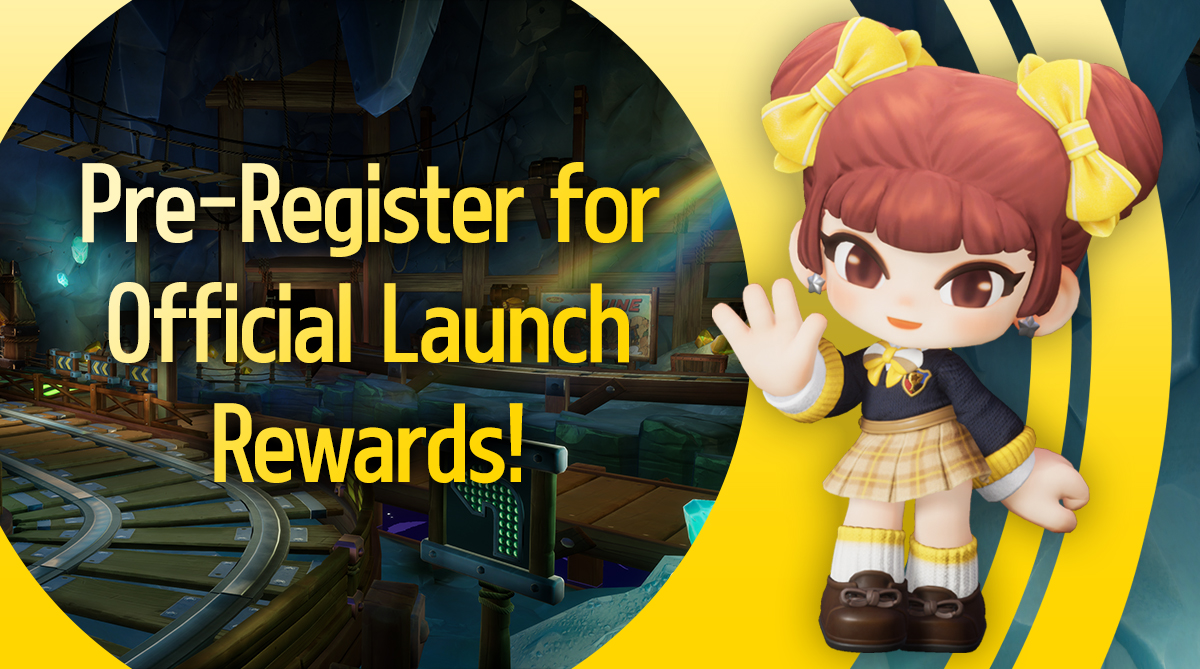

Sign-up today to receive the special Model Student Diz item when KartRider: Drift launches, and learn about the unique platform-specific rewards that you'll earn when playing on Nexon Launcher, Steam, Xbox, PlayStation, Android, or iOS!

Learn more in the Pre-Register for Official Launch Rewards post!
[h2]Global Racing Test FAQ[/h2]


Got questions about the Global Racing Test? Check out all the details, including some special info on all the changes we've been working on since the last Closed Beta and answers to many of the questions you've had all year long.

Check out the Global Racing Test FAQ!
[h2]KartRider: Drift Service Regions[/h2]


Finally, we've updated the service regions for KartRider: Drift. Please make certain that we are able to support your region before downloading the Global Racing Test client.

Global Racing Test Livestream Schedule


Hey Racers!

We are delighted to announce a new series of livestreams for KartRider: Drift's Global Racing Test! CM Smallerbee will be live with both viewer games and some showcases on Thursday, September 1st and Friday, September 2nd at 5:00 PM PDT. Don't worry! We didn't forget about our European friends; we'll have another livestream on Sunday, September 4th at 1:00 PM PDT/10:00 PM CEST.

Don't forget to head to our Discord server to sign up to play with CM Smallerbee on stream! You can do so by signing up in the #GRT-Stream-Sign-Ups channel.

These livestreams will be available on the following platforms:

Join the August 31st Global Racing Test!

[Update 6:00 PM PDT AUG 30]: Steam pre-download is now available! Racers on all platforms (besides PlayStation for new players) should now be able to pre-download the game client and get ready for the Global Racing Test, which begins at 6:00 PM PDT on August 31st. See you on the tracks!
Thank you,
- The KartRider: Drift Team

----
[Update 11:00 AM PDT AUG 30]: The Xbox game client is now available for pre-download! However, the PlayStation game client will not be available for pre-download for accounts that did not participate in an earlier Closed Beta. We apologize for the inconvenience, the PS4 client will be available when the Global Racing Test begins at 6:00 PM PDT on August 31st.
Thank you,
- The KartRider: Drift Team

----

[Update 9:00 PM PDT AUG 29 - English Only]: Hello Racers,

We are aware of issues that are currently preventing pre-download of the Xbox Global Racing Test game client. We are working on resolving these issues, thank you for your patience, we will let you know when there are any updates.

Thank you,

- The KartRider: Drift Team

----

It's been a long time since our last Closed Beta, but we're just about ready to roll with the latest version of this epic kart racer with a Global Racing Test! Join us from 6:00 PM PDT August 31st through 6:00 AM PDT September 6th for the KartRider: Drift Global Racing Test and get your hands on what we've been working on all year long!
[h2]The Global Racing Test Begins August 31st![/h2]
Get a look at everything we've been working on when the latest entry in this classic kart racing series begins a Global Racing Test on August 31st! There's no need for keys or sign-ups; everyone will be able to play in this open beta on any of the following platforms!
  • Nexon Launcher (PC) - Pre-Download now available!
  • Steam (PC) - Pre-Download now available!
  • Xbox One - Pre-Download now available!
  • PlayStation 4
  • Android - Pre-Download now available!
Note: While Steam will be freely available to play during the Global Racing Test, the game client is not yet available for download.

Racers on iOS are able to sign-up for a special closed beta during the Global Racing Test, with 10,000 slots up for grabs. Learn more and sign up on the TestFlight iOS Closed Beta page!

[h2]Global Racing Test Schedule[/h2]
  • PDT (UTC -7): 6:00 PM Wednesday, August 31st - 6:00 AM Tuesday, September 6th
  • CEST (UTC +2): 3:00 AM Thursday, September 1st- 3:00 PM Tuesday, September 6th
  • AEST (UTC +10): 11:00 AM Thursday, September 1st - 11:00 PM Tuesday, September 6th
[h2]So, What's Changed?[/h2]
The biggest change you'll find in KartRider: Drift since Closed Beta 3 is the addition of Mobile play! With its own control scheme designed to be used with Android and iOS devices, we hope to give you the same thrilling gameplay when you're on the go as when you're playing on your computer or console!

We've also been working hard to flesh out KartRider: Drift and taking your feedback from our previous betas into account. Our goal with this Global Racing Test is for the game you're playing to be as close as possible to what will be released. New maps, new characters, new outfits, new features, and more, we hope you enjoy everything we've been working on in 2022!
[h2]Downloading and Launching KartRider: Drift[/h2]
Follow the instructions below to download KartRider: Drift and get ready for fun when the Global Racing Test begins!

Nexon Launcher (PC):
  1. Download and install the Nexon Launcher (if you don't have it installed already).
  2. Launch the Nexon Launcher and sign into your Nexon account.
  3. Go to the "All Games" section and select KartRider: Drift.
  4. Click the Install button to begin to download and install the game client.
  5. When the Global Racing Test begins, go to the KartRider: Drift entry in your library and click "Play Now" to launch!
Steam (PC):
  1. Download and install Steam (if you don't have it installed already).
  2. Launch Steam and sign into your Steam account.
  3. Go to the KartRider: Drift Steam Store page and scroll down to the Steam Playtest section.
  4. Click on "Request Access" and then "Play Now" to begin to download the game client.
  5. When the Global Racing Test begins, go to the KartRider: Drift entry in your library and click "Play Now" to launch!
Xbox One:
  1. Turn on your Xbox and sign into your Xbox account.
  2. Open the Microsoft Store app.
  3. Press "Y" to open the Search bar.
  4. Search for "KartRider: Drift Global Racing Test".
  5. Select Get Free* and start downloading the game client.
  6. Once downloaded, launch KartRider Drift and join us on the track!
PlayStation 4 - New Players:
  1. Turn on your PlayStation and sign into your PSN account.
  2. Open the PlayStation Store app and search for "KartRider: Drift Global Racing Test".
  3. Select Download to begin downloading the game client.
  4. Once downloaded, launch KartRider Drift and join us on the track!
PlayStation 4 - Returning Players:
  1. Turn on your PlayStation and sign into your PSN account.
  2. Go to your Library and look for "KartRider: Drift Closed Beta", the previous name used by the game client.
  3. Press the Start button and select "Check for Updates" to begin updating the game client.
  4. Once updated, launch KartRider Drift and join us on the track!
Android:
  1. Launch the Google Play Store app.
  2. After signing into your account, search for "[Beta] KartRider: Drift". Make sure to select the "Global Test" version.
  3. Press the download button to begin downloading the game client.
  4. When the Global Racing Test begins, select the KartRider: Drift app and launch to play!
iOS:
  1. Go to the App Store and download the "Test Flight" application.
  2. Go to the Global Racing Test Test Flight page.
  3. Download KartRider: Drift through the Test Flight app. Up to 10,000 Racers can participate in the test, and when the number of participants hits that limit, the download button will be disabled.
  4. When the Global Racing Test begins, select the KartRider: Drift app and launch to play!
[h2]Pre-Register for Official Launch Rewards![/h2]


Sign-up today to receive the special Model Student Diz item when KartRider: Drift launches, and learn about the unique platform-specific rewards that you'll earn when playing on Nexon Launcher, Steam, Xbox, PlayStation, Android, or iOS!

Learn more in the Pre-Register for Official Launch Rewards post!
[h2]Global Racing Test FAQ[/h2]


Got questions about the Global Racing Test? Check out all the details, including some special info on all the changes we've been working on since the last Closed Beta and answers to many of the questions you've had all year long.

Check out the Global Racing Test FAQ!
[h2]KartRider: Drift Service Regions[/h2]


Finally, we've updated the service regions for KartRider: Drift. Please make certain that we are able to support your region before downloading the Global Racing Test client.

Dev Blog - The Global Racing Test!

Hey there, Racers!

We're pleased to announce that KartRider: Drift will have a Global Racing Test starting at 6:00 PM PDT on Wednesday, August 31st and running until 6:00 AM PDT on Tuesday, September 6th.

This Global Racing Test will be a test of all platforms available before the official release of KartRider: Drift, with an open beta on PC, consoles, and Android devices and a closed TestFlight beta on iOS devices. Whether you play on PC, console, or mobile, you can enjoy the game anytime and anywhere no matter the location or platform!

The KartRider: Drift development team has put all their effort into creating a cross-play game. The goal has always been for an environment where anyone can easily take to the tracks and race on the device of their choice.

Please join us on this next step towards the release of KartRider: Drift, and we hope to see all of our Racers on the tracks in the Global Racing Test!

Thank you,

-JL & the KartRider: Drift Team-

PS:

Racers! Have you pre-registered for the official release of KartRider: Drift? The official release of KartRider: Drift is just around the corner, and you can claim a special item for when KartRider: Drift finally arrives! Pre-register here!