1. Borderlands® 4
  2. News

Borderlands® 4 News

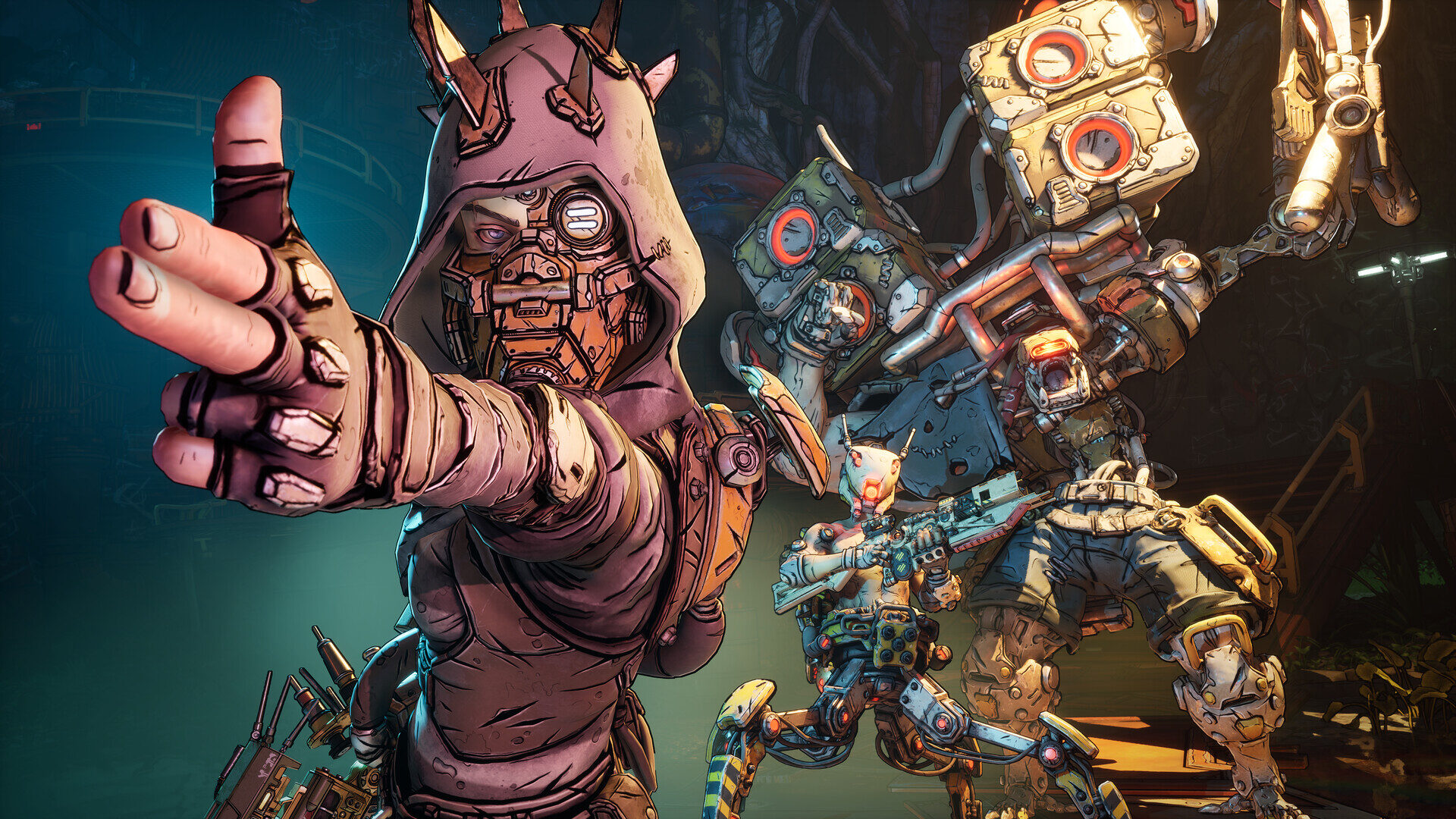
Borderlands 4 enhancements explained

What are Borderlands 4 enhancements? These handy items buff your vault hunter's abilities, providing even more ways to tweak their skills to your liking. There are dozens to choose from, and while they all offer their own benefits, some will clearly be more helpful than others depending on your class and playstyle.


We're going to run through how enhancements work and detail some of the best ones we've seen in Borderlands 4 so far. Before we get into the nitty-gritty, you'll first want to be sure you've picked the right Borderlands 4 character for you, and that you're prepared for the toughest fights ahead by perusing our complete Borderlands 4 bosses list.


Read the rest of the story...


RELATED LINKS:

How to increase Borderlands 4 inventory space

Borderlands 4 is the lowest rated game in the series on Steam, kind of

Borderlands 4 settings failed to save? Here's how to fix it

Borderlands 4 is Out Now!

[p][/p][previewyoutube][/previewyoutube][p][/p][p]It's finally time to break free, Vault Hunter, because Borderlands 4 is available now! Borderlands 4 brings intense action, four new Vault Hunters, and billions of wild and deadly weapons to an all-new planet ruled by a ruthless tyrant. Wield powerful Action Skills, customize your build with deep skill trees, and dominate enemies with dynamic movement abilities to bring down the oppressive Timekeeper's Order. [/p][p][/p][p]Borderlands 4 brings intense action, four new Vault Hunters, and billions of wild and deadly weapons to an all-new planet ruled by a ruthless tyrant. Wield powerful Action Skills, customize your build with deep skill trees, and dominate enemies with dynamic movement abilities to bring down the oppressive Timekeeper's Order. [/p][p][/p][p]You can get a sense for what awaits on Kairos over on the Borderlands 4 Game Info page, dive right into theorycrafting the perfect builds for Vex, Rafa, Amon, or Harlowe by perusing their Vault Hunter pages, and meet the talented actors behind each of their English-language voice performances! [/p][p][/p][p]If you're already looking ahead to what awaits after the main story campaign, you can also learn more about Borderlands 4's rich endgame content and post-launch roadmap, or just watch the VOD of the Gearbox Main Theater Show at PAX West where we revealed that info! [/p][p][/p][p][/p][p][/p][h2]Get Legendary loot with new Twitch Drops*[/h2][p]Now through September 26, watching any Borderlands 4 livestream in the Borderlands 4 category on the official Borderlands 4 Twitch channel or Gearbox Twitch channel for 20 minutes earns you the "Watch, Drop, and Roll" ECHO-4 Drone Skin for use in-game![/p][p][/p][p]And to celebrate the momentous launch of Borderlands 4, you can earn two Legendary guns from September 11-30 as sweet new additions to your in-game loadout. Note that Twitch Drop rewards in the form of equippable gear will scale to whatever level your Vault Hunter is when you claim the rewards from your Twitch Drops Inventory, with a minimum of level 5.[/p][p][/p][p]By watching any Borderlands 4 livestream in the Borderlands 4 category on Twitch for 2 hours from September 11-30, you can claim the Forsaken Chaos Legendary shotgun, which was named by the Borderlands community! This shotgun will scale to whatever level your Vault Hunter is when you claim the drop on Twitch.[/p][p][/p][p]
[/p][p]In addition, by watching Borderlands 4 livestreams in the Borderlands 4 category on Twitch that are hosted by any of our partnered creators for 2 hours from September 11-30, you can claim the Midnight Defiance Legendary sniper rifle, named by a cohort of Borderlands creators! [/p][p][/p][p]Please note that the Forsaken Chaos Legendary shotgun and Midnight Defiance Legendary sniper rifle Twitch Drops rewards cannot be earned simultaneously, so you'll need to watch eligible streams for a combined total of 4 hours to earn both guns for your collection.[/p][p][/p][p]Rewards are automatically delivered to your SHiFT Account once redeemed via a linked Twitch Account by clicking "Claim" on your Twitch Drops Inventory page. Once you've logged into your SHiFT Account in Borderlands 4, you can redeem your reward via the Reward Center section of your Inventory screen, under Equipment. Note that Twitch Drop rewards in the form of equippable gear will scale to whatever level your Vault Hunter is when you claim the rewards on your Twitch Drops Inventory, with a minimum level 5.[/p][p][/p][p]Make sure to check out the Borderlands 4 Twitch Drops page for full details on these offers, including requirements and how to redeem your earned rewards. Thanks again for tuning in and spending time with us and the rest of the amazing Borderlands community![/p][p][/p][p]Then, if you'd also like to create some Borderlands 4 content yourself, applications for The Vault Network program are still open! This is a collaborative program for creators of all sizes, powered by our partners at Gamesight and supported by us. Our mission is to empower content creators to enjoy Borderlands 4 together through meaningful support, special opportunities, and community celebration.
[/p][p][/p][p][/p][h2]Get the exclusive "Hazard Pay" Weapon Skin for Borderlands 4!**[/h2]
  1. [p]Subscribe to receive newsletters and digital marketing with a SHiFT Account. You can create a free SHiFT Account or log in here![/p]
  2. [p]Log in on the SHiFT website, then link your preferred platform accounts under the "Gaming Platforms" tab.[/p]
  3. [p]At launch, log in with your SHiFT Account in Borderlands 4 to receive your exclusive "Hazard Pay" Weapon Skin![/p]
  4. [p]Whenever you receive a Borderlands email, check for extra rewards like Golden Keys granted via a SHiFT code, then follow the instructions within to redeem them for your SHiFT Account![/p]
[p][/p][p]*Requires an internet connection, a Twitch Account linked to your SHiFT Account, and a SHiFT Account linked to the platform account you'll use to play Borderlands 4. Requires Borderlands 4 to redeem rewards. SHiFT Accounts are free. One redemption per SHiFT Account. Rewards will be delivered in-game once Borderlands 4 is launched and linked to the SHiFT Account used to claim the reward via Twitch. Void where prohibited. Terms apply.[/p][p][/p][p]**Requires a copy of Borderlands 4. Offer ends at 11:59 PM PT on December 31, 2030. Users must agree to the Terms of Service and opt-in to receive newsletters and digital marketing from 2K and Gearbox via a verified SHiFT Account, then log in to the verified SHiFT Account in the game to receive rewards. For SHiFT code email rewards, offer end dates will be specified in the accompanying email. In-game loot granted by Golden Keys is randomized. Please allow for up to a week to receive your in-game rewards. One redemption per SHiFT account. Void where prohibited. Terms apply. Must be 18 or older to be eligible.[/p][p]
[dynamiclink][/dynamiclink][/p]

Borderlands 4 is out now but our review code just arrived so I'm writing about this silly bicycle game instead

Borderlands 4 is out now. Our Borderlands 4 review is not, because we have only just been sent a review code. I fear I was unduly forgiving of Team Cherry last week for not supplying Silksong code before release - they're a cute, tiny indie, after all, albeit a cute, tiny indie with the power to break Steam - so let's take a firmer stance this time: bad! Wrong! Don't you know you're suffocating games journalism, Gearbox and 2K Games, you swaggering chancers? Whither accountability and transparency in a time of choosy PR departments?


I should teach you all a lesson by diverting your brand power and googlejuice towards some other game instead. I think I will, actually. What else is on sale today. Ah yes, Try To Drive.

Read more

Borderlands 4 (PC) Review


With a franchise like Borderlands hitting its fifteenth anniversary and sixth game, there is always the worry that the series has run its course. The longer it goes, the more tiresome the repeated characters or jokes, gameplay, and writing can be. At some point, you start wondering if they can actually keep surprising you, or if they’re just coasting on old ideas with a new coat of paint. With Borderlands 3, I’ll admit, I was starting to worry we’d hit that wall. The guns still felt good, the loot loop was starting to become a problem with the balancing of drops seemingly way off, and the chaos was pure Borderlands, but something felt off about it.


The pacing dragged, the jokes didn’t always land, and were overly cringy, and the villains were the weakest of the bunch we have had. They never once felt like they earned the attention they demanded. I had fun playing it, really, but it didn’t feel like the step forward the series needed. It was loud, sure, but not sharp. Big, but... Read more

Borderlands 4 SHiFT User Guide

[p][/p][p]To enhance your looter shooter adventures on Kairos in Borderlands 4, you'll want to sign up for a free SHiFT Account if you don't have one already! Gearbox's SHiFT platform powers the online matchmaking and crossplay multiplayer of Borderlands 4, and it's also the method for redeeming all those highly coveted SHiFT codes and their associated rewards![/p][p]Creating a SHiFT Account is simple, but we've assembled these quick tips that'll ensure you're set up to have the best experience while you wreak havoc on Kairos. If you run into any issues related to SHiFT, you can contact 2K Support here for assistance.[/p][p]
[/p][h3]What is SHiFT? What are SHiFT codes?[/h3][p]SHiFT is an account system integrated into Borderlands 4 and other Borderlands titles. SHiFT Accounts are free, and are also used to redeem in-game rewards by entering SHiFT codes, which are typically available for a limited time. SHiFT codes are used to redeem in-game rewards such as Golden Keys, which can then be used to obtain rare loot![/p][p]
[/p][h3]Sign up for a free SHiFT Account[/h3][p]It's easy to sign up for a free SHiFT Account on the official Gearbox SHiFT site, using an email account or a first-party platform account (Steam, Xbox, PlayStation, Epic Games, etc). Once you've created a SHiFT Account and signed in, you can link any platforms you'll use to play Borderlands 4 (or any other Borderlands games) to your SHiFT Account.[/p][p]
[/p][h3]What happens if I enter my SHiFT Account age incorrectly?[/h3][p]If you enter your age incorrectly, you will need to contact 2K Support for assistance.[/p][p]
[/p][h3]How to link your SHiFT Accounts to your platform account(s)[/h3][p]Sign into your SHiFT Account, navigate to "Gaming Platforms" and click "Sign In" for any platform account you want linked to your SHiFT Account.[/p][p]
[/p][h3]How to claim SHiFT codes and rewards[/h3][p]SHiFT codes can be redeemed for your SHiFT Account on the Gearbox SHiFT site in the Rewards tab, or via the in-game SHiFT menu within Borderlands 4 on the Rewards tab. Each code may be redeemed once (1) per SHiFT account. Remember, SHiFT codes are often time-limited, so try to redeem the SHiFT codes you see on our social channels ASAP![/p][p]
[/p][h3]How to set up an online multiplayer squad with SHiFT[/h3][p]First, select the Session Settings button in Borderlands 4's main menu and set your preferred Party Privacy option, whether that's Friends Only, Invite Only, Public, or Local Only. You can join or invite other players who are on your friends list of your first-party platform account. When grouping up via crossplay, SHiFT is what allows you to search or manage your cross-platform friends list.[/p][p]If you want to squad up with cross-platform friends, make sure they're added to your Friends list by clicking the SHiFT option in the main menu, navigating to the Friends tab, and searching for the full SHiFT display name of anyone you haven't added yet. Once you have, they should show up under Friends in the upper-right of the game's main menu.[/p][p]You can add them to your party from there, or if you'd prefer, invite any friends associated with your platform account you don't see listed. Click the left-most button above your Party list in the top right of the screen and enter their first-party platform username into the search bar. [/p][p]Once they've joined, you can enter Matchmaking together or jump right into the action via Continue or New Game! [/p][p][/p][h3]How to join in-game Matchmaking and crossplay in Borderlands 4[/h3][p]Before you begin Matchmaking, ensure you've followed the above steps to invite or join every friend you want in your party. Then, navigate to Session Settings in Borderlands 4's main menu to adjust Party Privacy settings if needed, and toggle Personal Crossplay on or off to decide whether you'll allow players from other platforms into your party. Please note that if anyone in your party has toggled Personal Crossplay off, then the whole party will have crossplay disabled for that session.[/p][p]The Session Settings menu is also where you can set your individualized Difficulty level, which will scale appropriately so that everyone in your multiplayer party can make things as forgiving or challenging as they like without affecting their co-op partners' games.[/p][p]Once you're ready to matchmake, either select the Matchmaking option from the list on the left side of the main menu screen, or click the Matchmaking button next to your Party list on the upper-right of your screen. From there, you'll have a choice between being queued into matchmaking for Campaign missions near your level of progress, Ultimate Vault Hunter mode, Moxxi's Big Encore Runs, or Weekly Wildcard missions. Keep in mind that the latter three choices can only be selected once you've completed the campaign and unlocked Ultimate Vault Hunter ranks.[/p][p]Finally, select the Matchmaking playlist option you want, then hit "Begin Matchmaking" at the bottom-right of the screen and wait to be loaded into the game with your party![/p][p]
[/p][h3]How to link your SHiFT Account to your Twitch Account for Twitch Drop rewards*[/h3][p]Sign into your SHiFT Account, navigate to "Gaming Platforms" and click "Sign In" under the Twitch icon. Sign in using the Twitch Account on which you will be watching the Drops streams. When viewing eligible streams, be sure you are signed in to the correct account on which you want to receive rewards.[/p][p]You can find a list of all ongoing Twitch Drops rewards campaigns on the Borderlands 4 Twitch Drops page, along with full details for how to earn and redeem your rewards![/p][p]


[/p][h3]How to get the "Hazard Pay" Weapon Skin for use in Borderlands 4[/h3]
  1. [p]Subscribe to receive newsletters and digital marketing with a SHiFT Account using the "SIGN UP OR LOG IN" button on the Borderlands 4 homepage. [/p]
    • [p]If you already have a SHiFT Account, sign in via the SHiFT website, then scroll to the User Preferences of your Profile page and ensure that you've checked the boxes for "I would like to receive news and promotional messages from 2K and its affiliates" and "I wish to stay subscribed to the Gearbox newsletter."[/p]
  2. [p]Log in on the SHiFT website, then link your preferred platform accounts under the "Gaming Platforms" tab.[/p]
  3. [p]At launch, log in with your SHiFT Account in Borderlands 4 to receive your exclusive Hazard Pay Weapon Skin!**[/p]
  4. [p]Whenever you receive a Borderlands email, check for a SHiFT code and follow the instructions within to redeem additional rewards for your SHiFT Account![/p]
[p]
[/p][h3]How to report any issues[/h3][p]If you encounter any issues with your SHiFT Account, you can browse the 2K Support portal for Borderlands 4 to find a solution, or contact 2K Support here for direct assistance. When submitting a support request, it's helpful to include the SHiFT Support ID found on your SHiFT Profile page if possible. [/p][p]
[/p][p]*Requires an internet connection, a Twitch Account linked to your SHiFT Account, and a SHiFT Account linked to the platform account you'll use to play Borderlands 4. Requires Borderlands 4 to redeem rewards. SHiFT Accounts are free. One redemption per SHiFT Account. Rewards will be delivered in-game once Borderlands 4 is launched and linked to the SHiFT Account used to claim the reward via Twitch. Void where prohibited. Terms apply.[/p][p]**Requires a copy of Borderlands 4. Offer ends at 11:59 PM PT on December 31, 2030. Users must agree to the Terms of Service and opt-in to receive newsletters and digital marketing from 2K and Gearbox via a verified SHiFT Account, then log in to the verified SHiFT Account in the game to receive rewards. For SHiFT code email rewards, offer end dates will be specified in the accompanying email. In-game loot granted by Golden Keys is randomized. Please allow for up to a week to receive your in-game rewards. One redemption per SHiFT account. Void where prohibited. Terms apply. Must be 18 or older to be eligible.[/p][p]
[dynamiclink][/dynamiclink][/p][p][/p]