1. Disney Dreamlight Valley
  2. News

Disney Dreamlight Valley News

2026 may be year of the horse, but 2025 certainly gave it a good go with the amount of horse-related games, expansions, and updates we've had


I'll just go ahead and say it—it's been a huge year for horse girls. Whether you were the type of kid who asked your parents for a pony for Christmas each year, the type to head down to your local riding school each weekend to muck out, or you just had stacks of books with pretty horse pictures in, let's all take a moment to be honest and say there's a horse girl in each of us. 2025 has tried, and in most cases succeeded, to coax this inner demon out in every which way it possibly can. And, even as someone who has literally never sat atop a horse, I have no shame in admitting that I was the first to fall...
Read more.

How to unlock Cinderella in Disney Dreamlight Valley


Players have been asking for Disney Dreamlight Valley to add Cinderella to the game since it launched, and at long last our wish has been granted. In the new Winter Ball update, you can add Cinderella to the roster of characters roaming around your valley. The process to recruit her is surprisingly simple compared to the hoops we usually have to jump through to unlock our favourite characters in Dreamlight Valley...
Read more.

All About DreamTeams

[p]Hey Valley Villagers,[/p][p]We’re thrilled to introduce a brand-new social feature, DreamTeams, in Disney Dreamlight Valley, launching with the Winter Ball Update! This feature lets you connect, collaborate, and celebrate with your friends. [/p][p]To help you get started and fully understand how DreamTeams works, we’ve prepared a Q&A that highlights key details about the feature. [/p][p]Note: DreamTeams will not be available in the Disney Dreamlight Valley Apple Arcade Edition.[/p]
  1. [p]What is DreamTeams?[/p]
[p]DreamTeams is a new social feature that lets players create or join a private community with up to seven friends. Teams can fully customize their name, motto, and emblem, allowing for a unique identity that represents your group. [/p][p]Within a DreamTeam, you can request or trade items, share photos, track each other’s progress, and celebrate milestones together. It’s designed to encourage collaboration, friendly competition, and stronger social connections within your Valley.[/p][p][/p][p]2. When does DreamTeams become available?[/p][p]DreamTeams unlock after completing the “Friendship is Everything” quest – which is part of main story quest in the Peaceful Meadow that becomes available shortly after unlocking the Dream Castle. This ensures you’ve experienced the basics of exploring your Valley, helping Villagers, and mastering key game mechanics before jumping into team play. Once unlocked, DreamTeams will appear in a new menu tab, giving you full access to create, join, and manage your own team right away.[/p][p][/p][p]3. What can I do in the “Your DreamTeam” tab?[/p][p]The “Your DreamTeam” tab is your central hub for managing and viewing your team, whether you are an Owner or a Member.[/p]
  • [p]Non-Members: Can browse, join, or create their own DreamTeam, giving everyone a chance to participate.[/p]
  • [p]Owners: Can customize the team’s name, motto, and icon, invite new members, review the Activity Log to see recent team interactions, transfer ownership to another member, or dissolve the team entirely.[/p]
  • [p]Members: Can view the team’s information, explore other members’ Activity Logs, and leave the team if they choose. This tab provides a complete overview of team dynamics, roles, and ongoing collaboration.[/p]
[p]                                  [/p][p]4. What is the “Members” tab?
 The “Members” tab gives a detailed look at everyone in your DreamTeam and allows you to engage more deeply:[/p]
  • [p]Owners: Can manage members, remove inactive players, and maintain a healthy team environment.[/p]
  • [p]Members: Can see other members’ portraits, names, collections, Realm Door progression, and items shared, helping you coordinate gameplay and celebrate accomplishments.[/p]
  • [p]Detailed Profile Cards: Both Members and Owners can access these cards for each team member, DreamSnap rankings and Main Story progression. This makes it easier to know each teammate’s strengths and how to collaborate effectively.[/p]
[p][/p][p][/p][p]5. How does item sharing and item requests work?[/p][p]The Item Sharing tab lets members request and donate items to help one another progress:[/p]
  • [p]Each member has 1 Request Box with 4 slots, and they can make up to 2 requests per day. Over two days, all 4 slots can be filled if no donations are received.[/p]
  • [p]Members can browse other members’ Request Boxes, select which items they can donate, and contribute from their own inventory.[/p][p][/p]
[p]6. What is the Team Feed?[/p][p]The Team Feed is a dedicated space for sharing, celebrating, and engaging with your DreamTeam:[/p]
  • [p]Members can share photos from Photo Mode or Galleries, showcasing accomplishments, decorated Valleys, or creative outfits.[/p]
  • [p]Each member can have up to 2 active shared pictures at a time. Sharing a new one replaces the oldest, keeping the feed fresh and dynamic.[/p]
  • [p]Team members can react to pictures and view DreamSnaps submissions.[/p]
[p]7. Can I leave a DreamTeam?[/p][p]Yes. Members can leave their DreamTeam at any time from the “Your DreamTeam” tab. Owners will need to pass ownership or dissolve the team if they leave.[/p][p]8. Can I reject a DreamTeam request?[/p][p]Yes. When someone invites you to join their DreamTeam, you’ll get a notification with a few options:[/p]
  • [p]Accept: Join the team.[/p]
  • [p]Ignore: Declines the invite, but the player can still send you another request later if you change your mind.[/p]
  • [p]Cancel: If you’re the one who sent the invite, you can cancel it any time before it’s accepted.[/p]
  • [p]Reject: Declines the invite and blocks the players from sending you another one[/p]
[p](Note: At the moment, rejecting a request permanently blocks that player from inviting you again. There’s no way to undo it, so be sure before selecting “Reject.”)[/p][p]9. Can I be in more than one DreamTeam?[/p][p]No, each player can only belong to one DreamTeam at a time. You can leave your current team and join another if you wish.[/p][p]10. Can I see what my friends are doing?[/p][p]Yes! Owners and members can view Activity Logs to see team actions, such as:[/p]
  • [p]Sharing a photo in the Team Feed[/p]
  • [p]Adding an Item Request[/p]
  • [p]Ranking in DreamSnaps[/p]
  • [p]Unlocking a Realm or Biome[/p]
  • [p]Leveling up Friendship with a Villager[/p]
  • [p]Progressing through an Achievement[/p]
  • [p]Opening a Valley Visit (with code shown)[/p]
  • [p]Updating their Player’s Boutique stock[/p]
[p]You can also customize your visibility in the DreamTeam Settings tab. For example, you can choose to hide your DreamSnaps rank or remove your activity from the log entirely, giving you full control over what teammates can see.[/p][p]11. Are there rewards for participating in a DreamTeam?[/p][p]While the main benefit is social and collaborative gameplay, participating in a DreamTeam can speed up progress, make item collection easier, and create opportunities to showcase your creativity with friends.[/p]
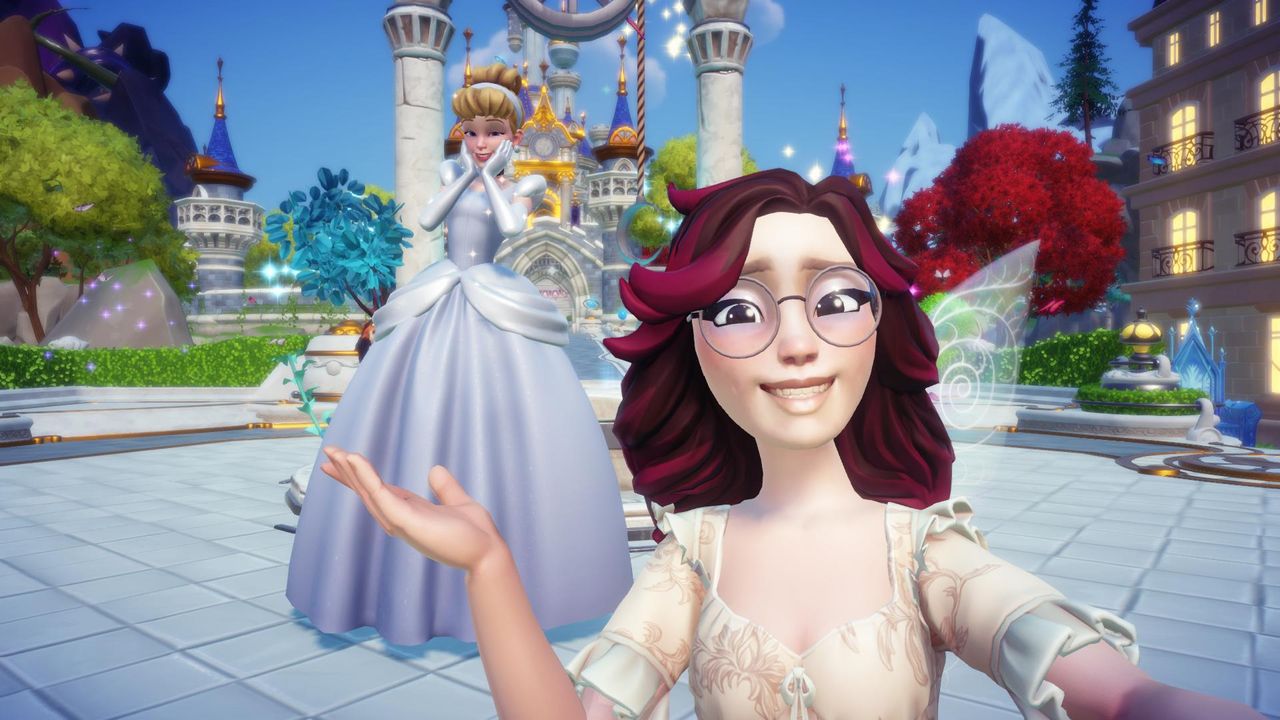
Discover the Winter Ball Update!

[p]Hey Valley Villagers,[/p][p]The holidays are shining brighter than ever with the arrival of the Winter Ball Update, available today on all platforms![/p][p]Get ready to lift an old enchantment, and welcome Cinderella, the iconic princess from Disney’s Cinderella to your Valley! Then, celebrate the festive season with a royal twist at the grandest event in the Valley – a ball thrown in YOUR honor! [/p][p][/p][previewyoutube][/previewyoutube][p][/p][h2]A Royal Return[/h2][p]During the Forgetting, the Fairy Godmother sent Cinderella away with a protective spell to keep her safe from the darkness spreading through the Valley. Now, it’s up to you to follow the glimmer of a single glass slipper and bring her safely back.[/p][p]Join the Fairy Godmother on a heartfelt journey to reverse the magic and welcome Cinderella back to your Village. Along the way, you’ll brew potions, tend enchanted gardens, and channel Dreamlight to bring her home - just in time to celebrate the most magical season of all.[/p][p][/p][p][/p][p]Cinderella’s arrival begins a new chapter filled with dreamy discoveries, and holiday wonder. Help her pursue her passion for design, recover missing tools from new animal friends, create a grand outfit fit for a ball, and reflect on dreams that need a little extra help to come true.[/p][p]Everything leads up to the Friendship Ball, a spectacular evening of music, magic, and celebration. Plan the event, dress to impress, and enjoy a night to remember with your favorite Villagers.[/p][p][/p][p][/p][p][/p][h2]Stay Connected with DreamTeams[/h2][p]There’s a new way to stay close to friends this season. With DreamTeams, you can now create a group with up to seven friends and interact in real time through a shared menu. Trade items, post photos in the Team Feed, and customize your DreamTeam’s name, motto and emblem to match your vibe. [/p][p][/p][p][/p][p][/p][h2]Winter Warmth Star Path [/h2][p]Wrap yourself in festive cheer with the Winter Warmth Star Path! Dress in cozy winter fashions, decorate your Valley with festive furnishings, and welcome a brand-new companion: the adorable holiday Baby Pegasus. [/p][p]Progressing through the Star Path will also unlock exclusive rewards, including the charming Cozy Winter Anna Dream Style and the stylish Main Street Emporium house skin - perfect for your seasonal Valley setup![/p][h2]New Arrivals in the Premium Shop[/h2][p]This update brings the magical Cinderella Mega Bundle to the Premium Shop, along with the Icy Frozen Palace, an adorable Husky Puppy, and much more! Dress Elsa in a regal new Dream Style, decorate with the Icy Frozen Palace house skin, and let EVE shine with her luminous new look. Each new addition adds extra sparkle to your Valley, just in time for the holidays.[/p][p][/p][h2]Valley Events[/h2][p]There’s even more to celebrate this season with not one, but two festive events arriving in your Valley.[/p][p]From December 17th to December 31st, the Valley transforms into a winter wonderland with the return of the Gift of Giving event. Share presents, build snowmen, and find daily gifts around your Valley to unlock new Touch of Magic recipes and returning holiday rewards. Plus, be sure to log in on December 25th for a special surprise, available to claim until December 31st![/p][p]As we welcome the new year, a frosty new adventure also arrives in the Valley. From January 7th to January 28th, a mysterious floating island will appear as part of the Winter Floating Festival. Complete weekly challenges, such as hot chocolate making and trivia contests to earn exclusive seasonal prizes![/p][p]------------[/p][p]We can’t wait for you to celebrate the season with Cinderella and all the beloved Villagers! Don’t forget to connect with us on our official social media to share your in-game adventures with us by tagging us in your content.[/p][p]As always, should you run into any issues while playing  Disney Dreamlight Valley, we first recommend that you check out our known issues here. If you don’t see the issue you’re running into, you can get in touch with our Support team via our contact form. Stumped with a certain quest or objective? Check out our friendly Discord Community for some Disney Dreamlight Valley tips and tricks![/p]

The Winter Ball Update Patch Notes

[p]Hey Valley Villagers![/p][p][/p][p]We’re over the moon to share a first look at The Winter Ball free update in our latest \[Developer Update] video! Now, let’s take a running start and dive into all the details of what you can expect in The Winter Ball.[/p][p]You won’t have to wait until midnight to meet the delightful Cinderella, from Disney’s classic Cinderella! With a little help from the Fairy Godmother, you’ll soon be able to bring this magical princess to your Valley.[/p][p]Disney Dreamlight Valley’s The Winter Ball free update arrives on December 10th, 2025. Check out all the details below![/p][p][/p][h2]NEW CONTENT[/h2]
  • [p]A familiar glass slipper will lead you to discover where the magical princess from Disney’s Cinderella has been all this time.[/p]
  • [p]To kick off this first quest, you’ll need to have unlocked the Fairy Godmother from Disney’s Cinderella.[/p]
  • [p]With the Fairy Godmother’s help, break the protective pumpkin enchantment to bring Cinderella to your Valley![/p]
  • [p]Assist Cinderella in her friendship quests, explore a new hobby, befriend curious critters, and plan a Valley-wide Friendship Ball, to unlock her dazzling friendship rewards.[/p]
  • [p]Ring in the holiday cheer with the Winter Warmth Star Path! Decorate your Valley with festive furnishings and welcome a cozy new holiday Baby Pegasus companion.[/p]
  • [p]The Gift of Giving event returns from December 17th to 31st. Complete previous years’ achievements, earn new rewards, and log in on December 25th for an extra surprise, claimable until December 31st![/p]
  • [p]From January 7th to 28th, brave the cold and explore the Winter Floating Festival to tackle weekly puzzles for exclusive wintry rewards.[/p]
  • [p]Keep an eye out for the magical Cinderella Mega Bundle coming to the Premium Shop this season, alongside the Icy Frozen Palace, an adorable Husky Puppy, and much more![/p]
  • [p]Seasonal Moonstone packs will also be available for a limited time, with different cosmetic items arriving in future updates.[/p]
[p]Please note: Disney Dreamlight Valley Apple Arcade Edition does not include seasonal Star Paths or access to the Premium Shop.[/p][p][/p][h3]DREAMTEAMS[/h3][p]DreamTeams become available once the “Friendship is Everything” quest is completed.[/p][p]Create or join a community with up to seven friends! Customize your team’s name, motto, and motif, and request or trade items with other members. This new feature is made up of 4 subsections:[/p][p]Your DreamTeam[/p][p]This tab of the DreamTeam menu allows you to manage your DreamTeam’s identity.[/p]
  • [p]Join or create your own DreamTeam.[/p]
  • [p]Once part of a DreamTeam, you can view your team's information and Activity Log, as well as leave the group.[/p]
  • [p]For owners: you can manage your team’s name, motto, and icon, as well as invite others and view your members’ Activity Logs. You can also transfer ownership to another member or dissolve your DreamTeam entirely.[/p]
[p]Members[/p][p]This section lists all members of the DreamTeam, along with key details about each of them.[/p]
  • [p]You can view all members’ portraits, names, overall collections, and Realm Door unlocked.[/p]
  • [p]You can also open a Detailed Profile Card for each member, which includes information such as Current DreamSnaps Ranking, and Main Story Progression.[/p]
  • [p]For owners: you can manage and remove other members from the DreamTeam.[/p]
[p]Item Sharing[/p][p]Members of a DreamTeam can use this tab to request items they need and fulfill requests made by others.[/p]
  • [p]To request an item, open your Request Box and add an item - you'll need to have previously owned it in order to request it.[/p]
  • [p]You can make up to two requests per day. This means all four Request Boxes can be filled over two days if no donations are received.[/p]
  • [p]To donate, open a member’s Request Box, select one of their requested items, then select from your own inventory, and send them a specific quantity of that item.[/p]
[p]IMPORTANT: When playing on a Nintendo or MacOS device, the Pixel Shards received for making donations will not be added to your inventory. A fix for this will be implemented shortly.[/p][p]Team Feed[/p][p]Members of a DreamTeam can share and react to pictures with one another.[/p]
  • [p]You can share pictures to your Team Feed directly through Photo Mode. You’ll also be able to view and react to other members’ pictures here.[/p]
  • [p]DreamSnaps are automatically shared in the Team Feed. This function can be turned off in the settings.[/p]
  • [p]You will have a maximum of two active shared pictures. Once this limit is reached, sharing a new picture will replace the oldest one.[/p]
[p]Note: DreamTeams will not be available in the Disney Dreamlight Valley Apple Arcade Edition.[/p][p][/p][h2]IMPROVEMENTS[/h2][p][/p][h3]STAR PATH[/h3][p]Track All Duties[/p]
  • [p]You can now track all your active Star Path Duties at once.[/p]
[p]Updated UI[/p]
  • [p]A refreshed interface now highlights which rewards have been collected.[/p]
[p]Auto-Claim[/p]
  • [p]A new Auto-Claim feature for both Duties and Rewards can now be toggled on for those using the Premium Star Path.[/p]
  • [p]Auto-claimed rewards will follow the numerical order shown on the Rewards screen (e.g., Reward 1, then Reward 2, and so on).[/p]
[p]Active Period[/p]
  • [p]As of The Winter Ball update, Star Path Duties will be prolonged by 24 hours (1 day). This means that the grace period will now last 24 hours.[/p]
[p][/p][h3]SCROOGE MCDUCK STORE[/h3][p]Scrooge McDuck Store’s New Return Policy[/p]
  • [p]You can now sell purchasable items back to Scrooge at 75% of their Star Coin value.[/p]
[p]Shopping Improvements[/p]
  • [p]A new search bar, filters, and sorting options have been added to Scrooge’s Delivery System to make browsing and purchasing easier.[/p]
[p][/p][h3]PHOTO MODE[/h3][p]Villager Toggle[/p]
  • [p]You can now use a toggle to select which of your Valley’s Villagers appear in your photos.[/p]
  • [p]Up to 15 unlocked Disney Dreamlight Villagers will be available to display.[/p]
[p][/p][h3]DYNAMIC REALM UNLOCKS[/h3][p]New dynamic Dreamlight prices to unlock realm doors will allow for a more customized experience! After the first 3 doors, you can choose which realm door to unlock next.[/p]
  • [p]Doors 1, 2, and 3 (Remy, Moana, Wall•E) remain unchanged: 1st is free, 2nd and 3rd are each 3000.[/p]
  • [p]Door 4 is 4000[/p]
  • [p]Door 5 is 5000[/p]
  • [p]Door 6 is 6000[/p]
  • [p]Door 7 is 7000[/p]
  • [p]Door 8 is 8000[/p]
  • [p]Door 9 is 9000[/p]
  • [p]Door 10 is 10000[/p]
  • [p]Door 11 is 11000[/p]
  • [p]Door 12 is 12000[/p]
  • [p]Door 13 is 13000[/p]
  • [p]Door 14 is 14000[/p]
  • [p]Door 15 and beyond are 15000[/p]
[p][/p][h3]OTHER[/h3][p]Companion Abilities[/p][p]Ever have trouble remembering which Animal Companion helps you collect which resource, or wish your Rabbits could lend a paw with Grains, too? With this update, your loyal pets will now assist you more broadly based on Activity types:[/p]
  • [p]🐇 Rabbits → Gardening[/p]
  • [p]🐿️ Squirrels → Foraging[/p]
  • [p]🦊🐊🐢 Foxes, Crocodiles, Turtles → Fishing[/p]
  • [p]🦝✨ Raccoons, Whimsical Creatures → Mining[/p]
  • [p]🐦 Ravens → Digging[/p]
  • [p]🦦🐍🐒 Capybaras, Snakes, Monkeys → Timebending[/p]
  • [p]🦉🐉🪽 Owls, Baby Dragons, Pegasi → Snippet Catching[/p]
  • [p]🌺 Sunbirds → Flower Pick-Up[/p]
  • [p]🐕 Dogs → Wood Pick-Up[/p]
[p]Community Companion[/p]
  • [p]Rejoice! The Sakura Blossom Dragon 🐉, the Community Companion created with your help earlier this year, is making its way to your Valley with The Winter Ball update![/p]
  • [p]To claim it, simply enter the following redeemable code in your Menu once the update goes live: COMMUNITYCOMPANIONDRAGON2025[/p]
[p][/p][h2]WISHBLOSSOM RANCH UPDATES[/h2][p]The following updates impact Wishblossom Ranch expansion owners.[/p][p]Leveling Up Mounts[/p]
  • [p]Simply riding a mount will now grant significantly more XP.[/p]
  • [p]Mining and removing Dead Wishblossoms, Splinters of Fate, Inkies, and Night Thorns will also grant increased XP.[/p]
  • [p]Finally, watering and harvesting will now grant more XP as well — with harvesting awarding more than double the amount it previously did.[/p]
[p]Valley Stable[/p]
  • [p]Just like Stalls, you can now place a copy of the Wishblossom Ranch Stable in the Valley and across any other expansion you own.[/p]
[p][/p][h2]TOP CHANGES AND BUG FIXES[/h2]
  • [p]Fixed an issue where you could not progress the Crystal Cavern: Pixie Acres quest if the elevator was stuck in the wrong position.[/p]
  • [p]Fixed an issue in The Decay quest where the crystals would not be recognized as broken if talking to the Wishblossom was bypassed [/p]
  • [p]Fixed an issue where the Button Mushroom ingredient would not fit in the cooking pot.[/p]
  • [p]Fixed an issue where Button Mushroom’s were not recognized as an ingredient. [/p]
  • [p]Fixed an issue that prevented Aladdin's Gem Stall from being placed in Wishblossom Ranch. [/p]
  • [p]Fixed an issue in The Balloon Family quest where the red balloon blocker would reappear/duplicate after changing scenes.[/p]
  • [p]Fixed an issue where some rocks were missing textures in the Wishing Way area.[/p]
  • [p]Fixed an issue where NPCs with the Mining role would run too far to deliver extras when you mined while on horseback.[/p]
  • [p]Fixed an issue where you could leave the Crystal Caverns through the entrance after reviving the Wishblossom, leading to early prompts requiring a leveled-up Maximus.[/p]
  • [p]Fixed an issue where you could become invisible if Snow White was unlocked while you were riding a horse.[/p]
  • [p]Fixed an issue where scrolling the horse eye customization menu also zoomed the camera in and out.[/p]
  • [p]Fixed an issue where the Alpine Chicken Coop was not functioning as a Companion House.[/p]
  • [p]Fixed an issue where the Snowy Alpine Ranch House was too small.[/p]
  • [p]Fixed an issue where horse hoof colors were not applying correctly.[/p]
  • [p]Fixed an issue where you could not harvest crops from the left side using the horse ability.[/p]
  • [p]Fixed an issue where some Wishblossom Ranch landscaping items were available before their biomes were unlocked.[/p]
  • [p]Fixed an issue where the incorrect Caravan slots had a 10-item limit.[/p]
  • [p]Fixed an issue where it was possible to farm XP with the horse by attempting to jump over an unjumpable object.[/p]
  • [p]Fixed an issue where camp mud in the Army of Dragons quest could spawn in an unreachable location.[/p]
  • [p]Fixed an issue in the Imagination Land quest where there may not be enough Night Thorns available to complete the quest.[/p]
  • [p]Fixed an issue where fires in the Lasers & Crafts quest did not count toward quest completion[/p]
  • [p]Fixed an issue where you were unable to plant the Orb of Nurturing during the Nature & Nurture quest.[/p]
  • [p]Fixed an issue where Belle and the Beast would not dance after completing the Once Upon a Dance Dream Bundle quest line.[/p]
  • [p]Fixed an issue where Remy’s Restaurant and the Scrooge McDuck Store could become downgraded if launching the previous update with a save from the Sew Delightful update or older. [/p]
  • [p]Fixed an issue where Animal Companions were not picking up certain resources, such as Shiny Gems, Rich Soil, and some types of fish and seafood.[/p]
  • [p]Fixed an issue where soil patches for planting trees in Protecting the Camp were barely visible and difficult to locate.[/p]
  • [p]Fixed an issue where Empty Vials and Tinkering Parts couldn't be placed on tables.[/p]
  • [p]Fixed an issue where Wishing Well skins reset to default upon relaunching the game or traveling between Villages.[/p]
  • [p]Fixed an issue where you couldn't claim materials when uncrafting a very large quantity of items at the Uncrafting Station.[/p]
  • [p]Fixed an issue where a specific Star Path duty could not be claimed if you had two Level 2 Critter Companions equipped when completing it.[/p]
  • [p]Fixed an issue where placing the Wagon of Autumn Leaves near Paths, Rugs, or Underbrush Path items in Edit Mode caused those items to become unselectable.[/p]
  • [p]Fixed an issue where the Web Witch Dress and Purple Witch Dress appeared in the wrong Wardrobe category.[/p]
  • [p]Fixed an issue where companions that collect snippets did not pick up Red Bird Snippets or any type of Shadowy Snippets.[/p]
  • [p]Fixed an issue where cat companions spun in place several times after stopping their running animation.[/p]
  • [p]Fixed an issue where it was not possible to place small items under the Magical Flurry Cloud.[/p]
  • [p]Fixed an issue where placing furniture in the path of the Flower Cart caused it to become unselectable.[/p]
  • [p]Fixed an issue where wallpaper in your house appeared blurry in the corners.[/p]
  • [p]Fixed an issue where the Mermaid Fantasy Asymmetrical Skirt clipped with some body types.[/p]
  • [p]Fixed an issue where the Grand Reading Nook displayed graphical errors.[/p]
  • [p]Fixed an issue where the Headquarters Book Nook had a broken preview image in Scrooge’s Delivery menu.[/p]
  • [p]Fixed an issue where the UI blocked you from moving the Harp on iOS touch devices.[/p]
  • [p]Fixed some text spill issues on iOS touch devices.[/p]