1. Little Witch in the Woods
  2. News

Little Witch in the Woods News

[Beta] Save Data Announcement

Firstly, we're terribly sorry for the inconvenience caused by in-game bugs to all the players.
Features of the test version are experimental to some extent. We hope you could understand the challenges of ensuring that all save files can run properly while keeping the updates coming fast.
If you run into either of the issues below after loading a save file in the test version, please abandon the save file and continue via the chapter feature of the test version.
  • Accepted quests are not displayed in villagers' quest UI.
  • Kyla disappears after a save file is loaded or on the second day.

Again, our sincere apologies to affected players. We will try our best to prevent similar issues in the full version.

Thank you very much.
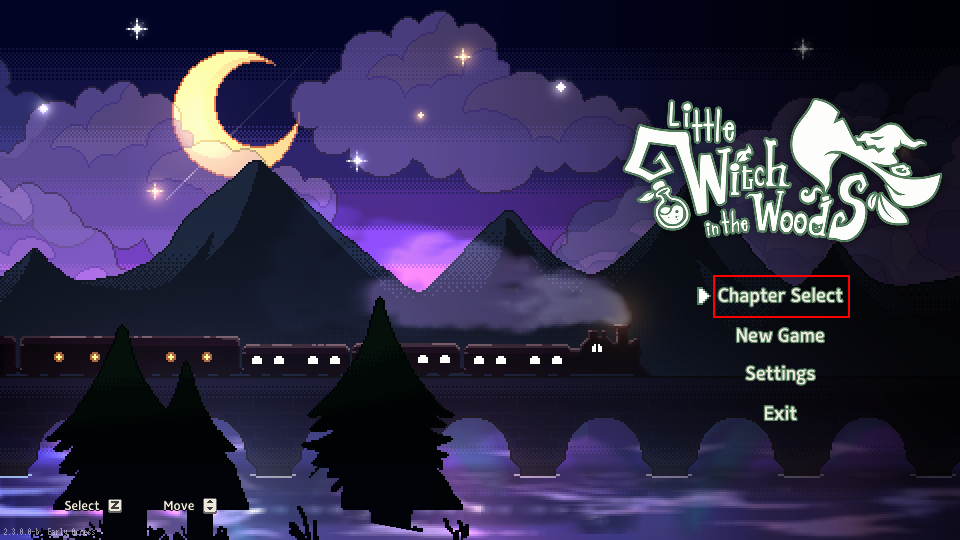


It is available through [Game Title - Chapter Select].

EA Release Beta 3.10.4.0-b Patch Notes

[h2]Beta 3.10.4.0-b[/h2]
  • Fixed an issue where crafting was not working after expanding the basement.
  • Fixed an issue where certain processed items were not appearing in the processing list.
  • Fixed an issue where the score Research Topic for potion quests was being achieved in the opposite direction.
  • Fixed an issue where text was displayed only in Korean when the store was empty (not an official translation).
  • Fixed an issue where some items couldn't be placed in the warehouse before expansion.
  • Fixed an issue where Kyla was missing on the next day when starting Chapter 3.
  • Disabled the broom warehouse tutorial from appearing.

EA Release Beta 3.10.3.0-b Patch Notes

[h2]Beta 3.10.3.0-b[/h2]
  • Fixed an issue where player character controls were unresponsive during save/load.
  • Fixed an issue during save/load where the path was blocked, preventing you from leaving your house.
  • Fixed an issue during save/load where the potion delivery quest couldn't be obtained.

[Beta] Release 3.10.2.0-b Patch Notes

[h2]This update only applies to the Beta build.[/h2]

[h3]To access the update content, please follow the following guide to change the game to Beta build and re-enter the game.[/h3]


Hello, this is Sunny Side Up!

Please refer to the following URL for a tutorial on how to play the game in beta.

[h3][/h3]
-------------------------------------------------------------------------------------------------------------


[h3]Crafting system update[/h3]
Added a new crafting system.
  • Added a new crafting tutorial.


[h3]Changes to Encyclopedia due to crafting updates[/h3]
Changed the display of potion/candy recipes.
  • Changed the visual of potion/candy page in Encyclopedia based on crafting updates.

Added potion/candy Achievements.
  • Added new potion/candy Achievements and rewards too.


[h3]Balance of potion delivery system[/h3]
Added potion delivery tutorial quests.
  • Added tutorial quests to provide guidance for delivery quests.

Changed rules for accepting potion delivery quests.
  • You can now ignore the update date and accept quests anytime.

Changed delivery date reminder.
  • Changed the display to make delivery dates more visible.


[h3]Added candy recipes[/h3]
Added 7 new candies.
  • Sleepy Candy
  • Sigh Candy
  • Keen Eye Candy
  • Workout Candy
  • Deep Breath Candy
  • Bugproof Candy
  • Good Luck Candy


[h3]Added preview UI[/h3]
Added preview UI for the following content to boost convenience.
  • Villager quest preview
  • Preview of Diane's and Aurea's potion delivery quests
  • Preview of shop's furniture items


[h3]Changed basement[/h3]
  • Changed the basement layout before expanding the Witch's House.


[h3]Changed Witch's House expansion procedure[/h3]
When you expand the Witch's House, you can now expand and decorate the basement as well.
  • Slight changes to Witch's House expansion quests.
  • Removed work tool upgrade option.


[h3]Changed compulsory rest time[/h3]
  • Changed compulsory rest from 0:00 to 2:00 AM.


[h3]New UI for processing tools[/h3]
Added UI for processing tools.
  • You can now "View All" or "Sort by Theme."


[h3]Officially included Incubator[/h3]
Incubator can now be used.
  • Added Incubator unlocking quest.


[h3]Decorative furniture shop feature[/h3]
  • Updated decorative furniture shop menu.


[h3]Updated potion usage[/h3]
Potion usage is now restricted to areas of specified themes.
  • Changed potion casting tutorial.
  • Added HUD dedicated to potion selection.
  • Removed potion shortcut.
  • Changed the way to use quest potions.


[h3]Optimized visual[/h3]
  • Added water visual effect. (Green Forest Waterfall)


[h3]Other changes[/h3]
  • When the inventory is full, quest items will be sent to mailbox.
  • Changed the "Drawing With A Quill" tutorial.
  • Removed Energy consumption when using tools in situations other than collecting.
  • Changed the Twinkle-Twinkle Juice recipe.
  • Changed the "Repairing the Streetlamp" quest.
  • Removed the "Expand storage" option from dialogue with Kyla.
  • Increased storage capacity.


Dev Log #11


No matter how you repair the Witch's House, it only changes the part above the ground and not the basement. Isn't it a bit disappointing?
Now, you can decorate the basement too. You can relocate the processing tools that you originally couldn't move, and decorate the interior of the basement with tools purchased from the shop.
Besides, you can also ask Diane to expand the basement in whichever direction you want.
Design an efficient route across the basement or decorate it to your liking!


The previous patch added the Tool Selector to the game for easier tool switching.
This time, a "Use Potions" UI is added for you to equip the potions to use.
Now, you just need to open the "Use Potions" UI to check the available potions and select the one you want to use.


Does this sound familiar to you? You go to the shop to buy decoration items, but can't decide on any because you can't preview how they look.
To address such inconvenience, we've added a "Preview" UI to the "Shop" UI.
In the "Preview" UI, you can check "an item's appearance, placement and how many you currently own" before you buy it from the shop.
A more convenient decoration system awaits you.


A small life form that appears in the new region.
It has gorgeous wings and is pleasing to the eye when it flies. But don't be too bewitched by that sight to forget to collect it. Besides, Beemoths only fly at certain locations. Please think carefully before you collect them.


Cable cars are installed everywhere in the new region to assist Ellie's exploration.
You can adjust the speed of the cable car to head to your destination faster or take time to enjoy the scenery of the forest. Are you already itching to go explore new locations by cable car? It will provide an experience different from that of the Green Forest and add more varieties to your apprenticeship.


Added a new processing tool — Mixer, so that you can process your collected items in a new way.
The "Mixer" mixes and compresses collected items, turning them into cubes.
It also has another feature: The longer Ellie holds down the button, the faster the Mixer does its work.


The current crafting is relatively straightforward. You just need to recite the ingredients in the Encyclopedia, and adjust the fire setting and the ladle direction.
However, as the game has a witch as its protagonist, we want potion crafting to play a more important role in the game and be more fun. So we've overhauled the potion crafting mechanism to make it feel more convincing.
Oh, and! Reciting potion recipes was a torture, wasn't it?
After the update, the recipe will be displayed on the top of the screen when you're crafting, saving you the recitation.
At first, the ingredients may occasionally fume or cake and not turn into the potion properly, but your success rate will spike just after a few tries!
You will definitely like this more convincing potion crafting experience!


That concludes today's development log.
The next development log will be posted as scheduled.
Thanks for reading!