1. Rhythm Quest
  2. News

Rhythm Quest News

Devlog 77 - More and More Bonus Levels

Everyone's favorite thing to see (?) -- new levels! I had a bunch of different life things to tend to this past month (and the rest of Spring is going to be no different...) but I managed to crank out some more charts while in the midst of travelling. Here's a video of those in action:

[previewyoutube][/previewyoutube]

Scherzo of Magical Science is a whimsical song initially released as part of the Hero Hours Contract OST. At 155 BPM, it's quick, but not blazing fast.
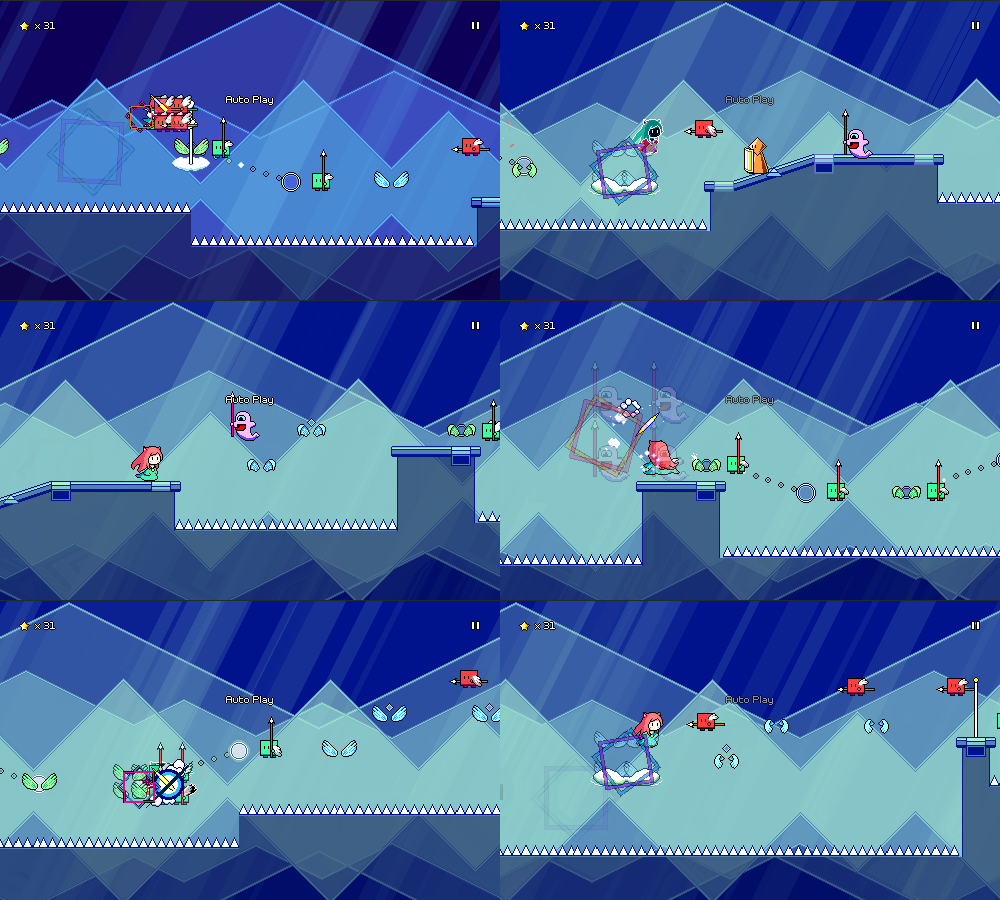


There's a really distinctive 16th note pattern (using a whole-tone scale) at the beginning of the main musical riff. It's too fast for my tastes to chart each of those notes (at least for an official chart), so I ended up using the green attack+jump combo enemies along with flight paths to accentuate that rhythm instead.

Claustrophobia is a song off of the Nyamo's Adventure OST. It's written at 90 BPM, but charted at 180, making it the fastest chart I've made so far.
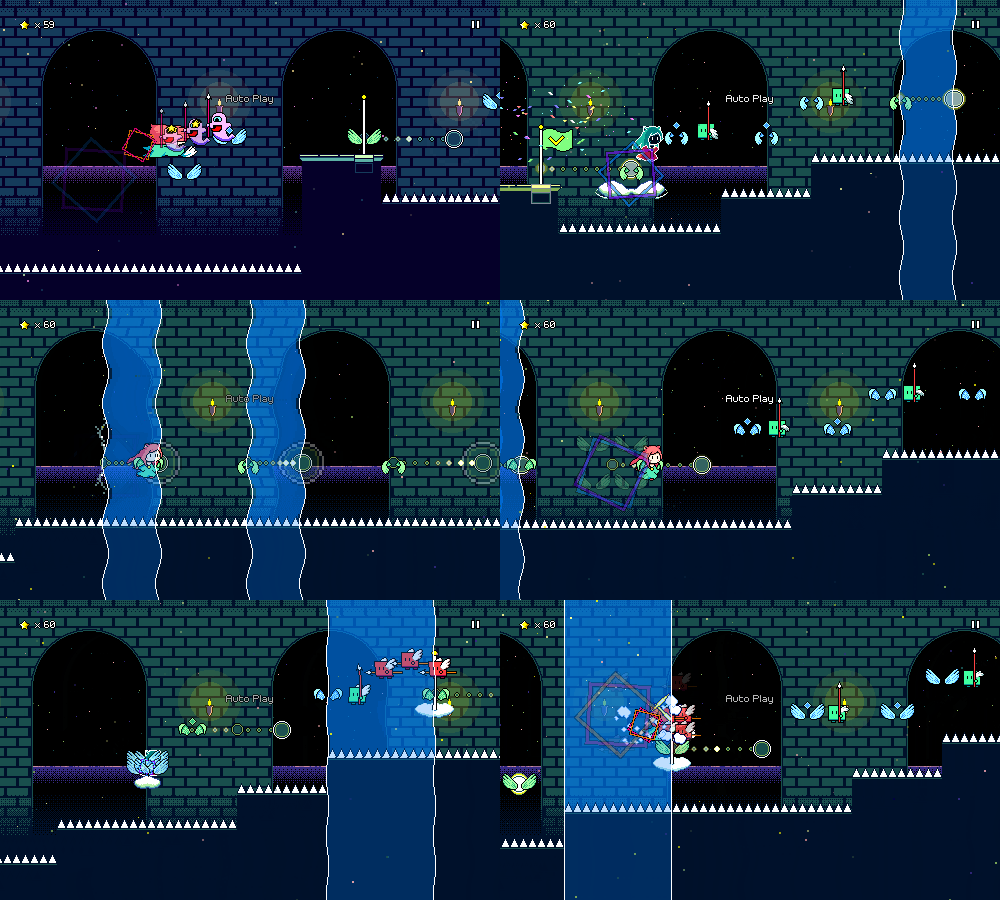


Again, there are actually some 16th note patterns in the music that you could theoretically add here, but I'm pretty committed to making sure that extremely quick double-taps are not required for any of my charts. Those become more doable when using multiple keybinds/buttons for attacking, but that's just not something I want to get into.

The Warrior Wakes in the Sunrise Dawn is a guzheng piece that I made in an hour, featured in the All in a Day's Work 5 album. This one had to be edited to get rid of the freeform solo portion in the middle, but the rhythms in the rest of the song still feel nice to play through.
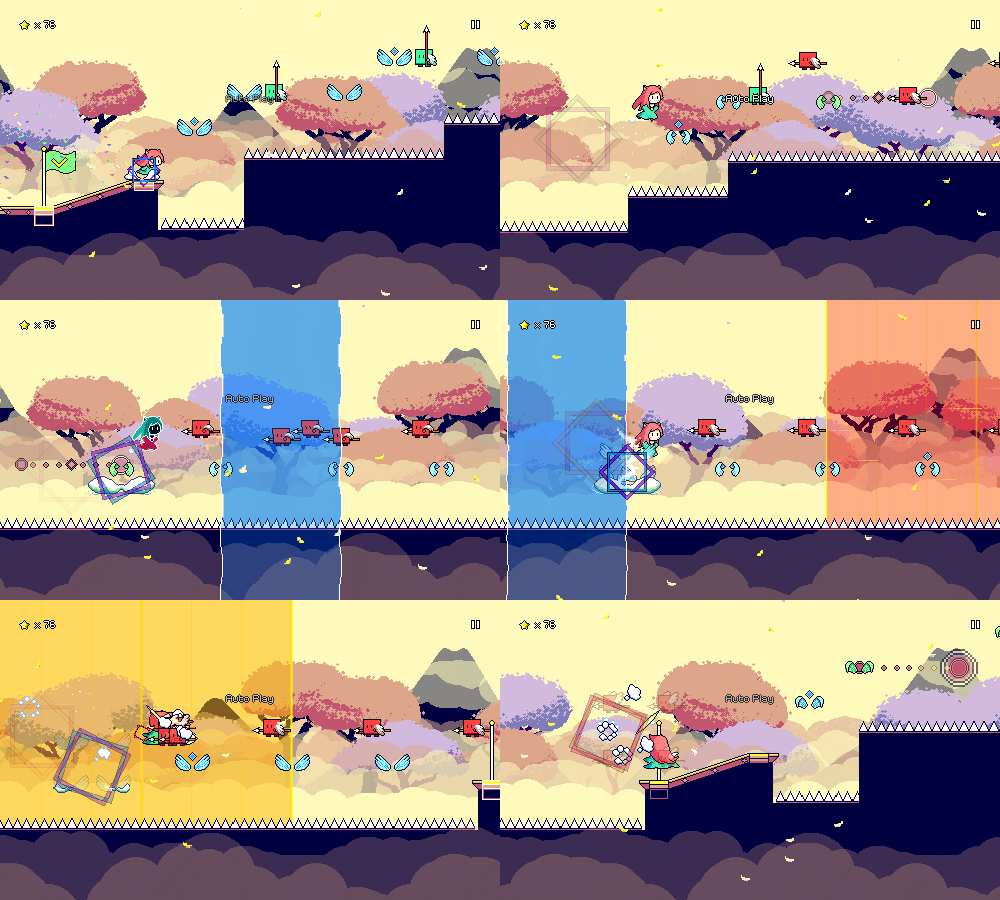


The hard version of the chart features some speed zone runs that are difficult but satisfying to pull off. I've had some mixed feelings about the speed zones from time to time because their design space is a little limited, but using them sparingly for fills like this seems to work really well.

Along with the new charts, I spent some time finally pushing out a new release of the demo, which includes most of the new functionality I've been working on in the past months, such as the level browser menu, the new tutorial, and the big scene/level loading refactor. Unfortunately, between the new tutorial and the level load rework there were a big batch of bugs that I didn't catch. Turns out testing the behavior of re-used object instances requires you to actually play through more than just one level at a time, whoops!

I've also added the option to display the diamond-shaped offbeat markers (or downbeat markers, if you configure them that way) on enemies as well as winged jumps, in case that ends up being helpful. I don't think I'm a big fan of having these on everything as a default, so the initial setting is just to have it on wings that are on offbeats. As I said in a previous devlog, these are honestly primarily intended to help with level 2-1, so if they don't end up doing that job, I might end up having to come up with a different solution.


There's still some bugfixes to be ironed out here and there, but besides that I don't have any big aspirations for the next month given my busy schedule outside of Rhythm Quest. Just working on =something= is going to be enough for me to call it a success, I think, but I guess there are one or two specifics that I might try to complete...
Rhythm Quest Demo v0.36.4 Released

The Rhythm Quest Demo has been updated to version 0.36.4. This bugfix patch (along with the previous few) addresses various lingering issues present in the initial 0.36.x release.

Full changelog:


Version 0.36.4
- Fixed checkpoint scheduled sounds not playing on subsequent level loads
- Fixed inconsistent input timeline on subsequent level loads
- Fixed inconsistent obstacle coloration on subsequent level loads
- Fixed inconsistent coin count for level 1-1
- Fixed wrong keybinds showing for tutorial when using custom keybinds
- Fixed UI binds (e.g. arrow keys) not working for custom keybinds
- Hide tutorial icons when skipping level 1-1 tutorial
- Added up arrow as a default keybind for Jump
- Fix pixel artifacts for level tilesets via uv clamping
- Fixed bug when pausing game immediately on level load

Rhythm Quest Demo v0.36.0 Released

The Rhythm Quest Demo has been updated to version 0.36.0! This patch includes a number of changes and improvements all around, including a reworked tutorial sequence, offbeat markers for wings, practice mode improvements, and the addition of the level browser menu.

Full changelog:


Version 0.36.3
- Fix additional level load issues

Version 0.36.2
- Fixed WebGL level load issues
- Fixed WebGL input timing issue

Version 0.36.1
- Fixed various bugs with the 0.36.0 release
- Fixed level 1-1 tutorial for easy/hard difficulties
- Fixed autoplay interactions with level 1-1 tutorial
- Fixed input not being blocked during world 1 banner
- Fixed ui layering issues
- Fixed various level load issues when reusing obstacle instances

Version 0.36.0
- Added level browser menu with streaming previews of all songs
- Reworked level 1-1 tutorial sequence
- Add toggleable diamond markers for obstacles that are not on downbeats
(enabled by default for wings only)
- Tweaked hard chart for level 1-1
- Increased scroll speed for level 2-1
- Add shortcuts for warping to checkpoints in practice mode
- Allow increasing speed beyond 100% in practice/assist mode
- Hide input timeline in practice mode if helpers are disabled
- Fixed coins not reappearing after exiting practice mode
- Spawn (fake) enemy coins in practice mode
- Fixed ugly pixel artifacts in backdrop rendering
- Fixed audio not playing when exiting practice mode
- Slightly reduce sfx/ui volumes in comparison to music volume
- Fixed bugs involving pressing multiple jump inputs for a flight path
- Use pre-existing pitched coin sfx for different music speeds instead of modifying them
- Better updating of scheduled sounds when game settings are changed mid-game
- Update pitch of metronome when music speed is changed
- Major refactor of scene loading implementation
- Reuse obstacle instance between levels to reduce load times
- Major refactor of particle system implementation
- Resize unicode pixel font, force smoothed version at low resolutions
- Updated localizations/translations
- Decreased audio quality for WebGL builds to decrease download size

Devlog 76 - Tutorial Revamp

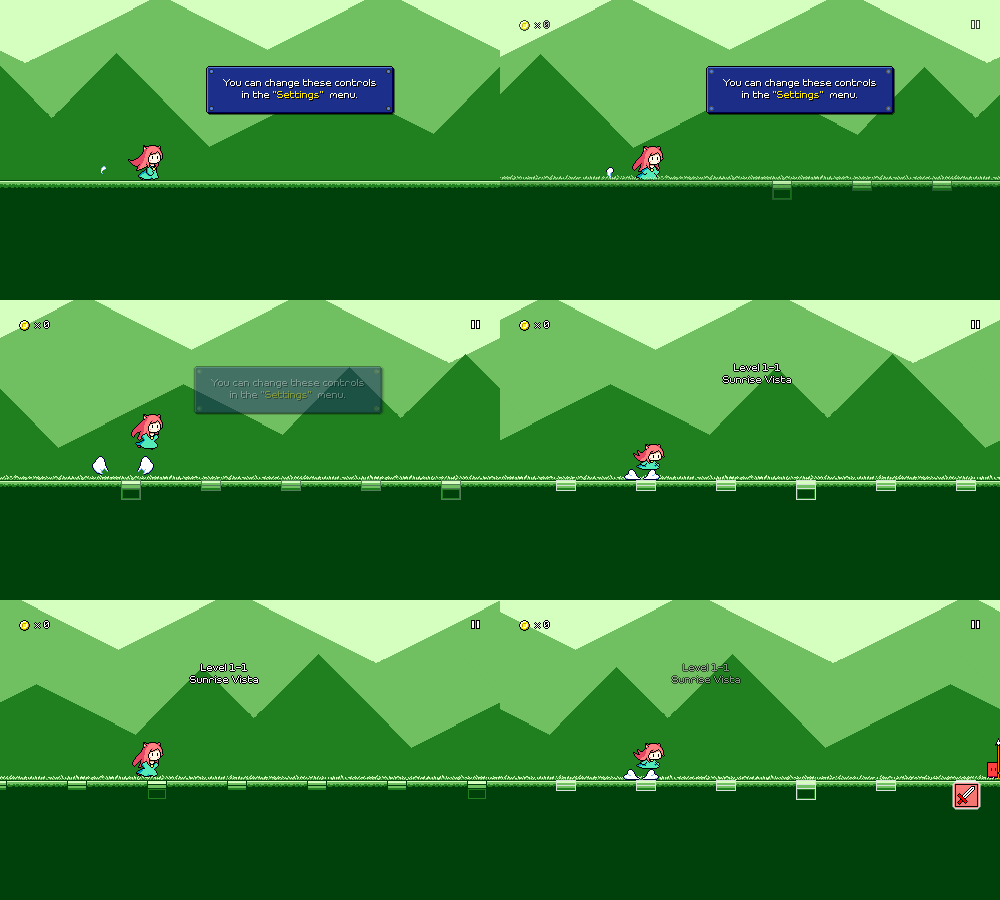
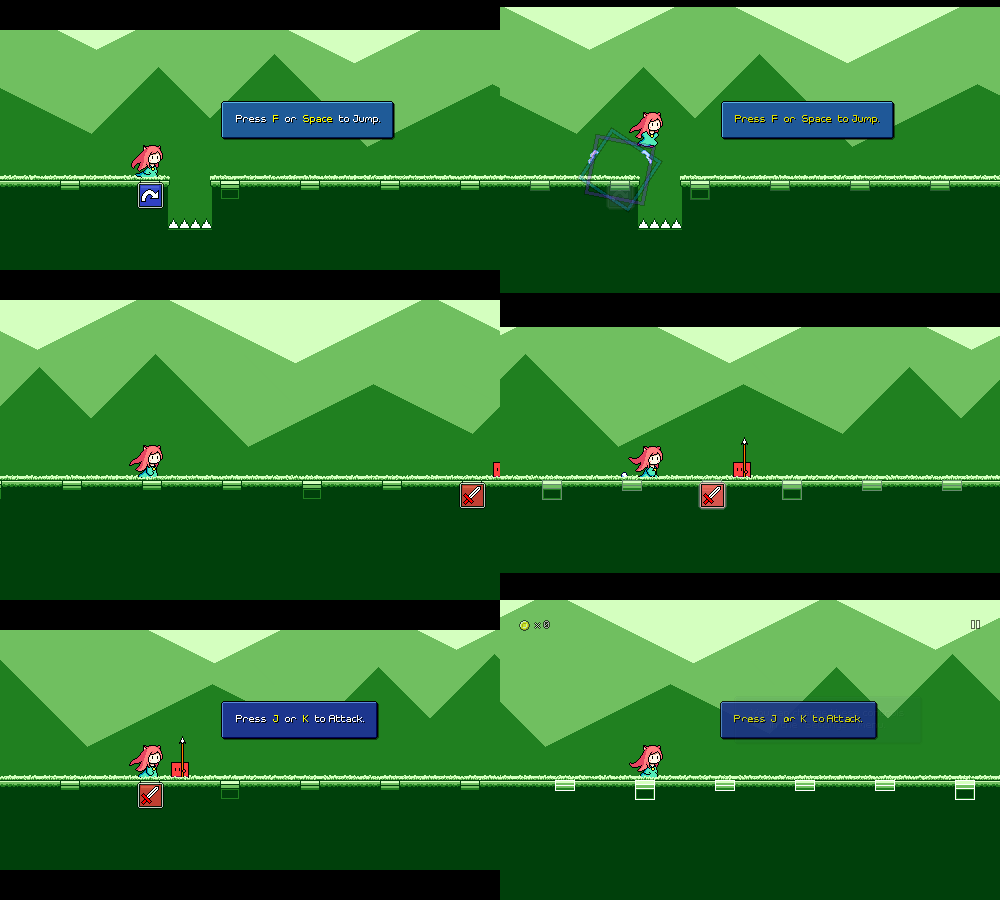
Last week I completely broke the tutorial setup for level 1-1 and while I was thinking about the best way to fix it up, I figured that I may as well just rework the tutorial since I've been wanting to revamp it for a while anyways...

[h2]Showing Obstacles[/h2]

Probably the biggest thing I wanted to fix about the old tutorial was the fact that it only taught you the controls of the game, without showing you how you should use them for the basic obstacles in the first level.


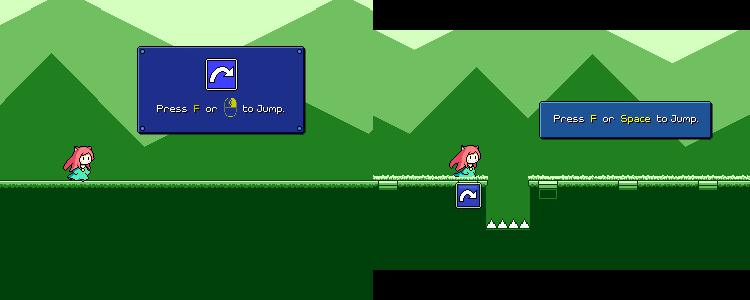
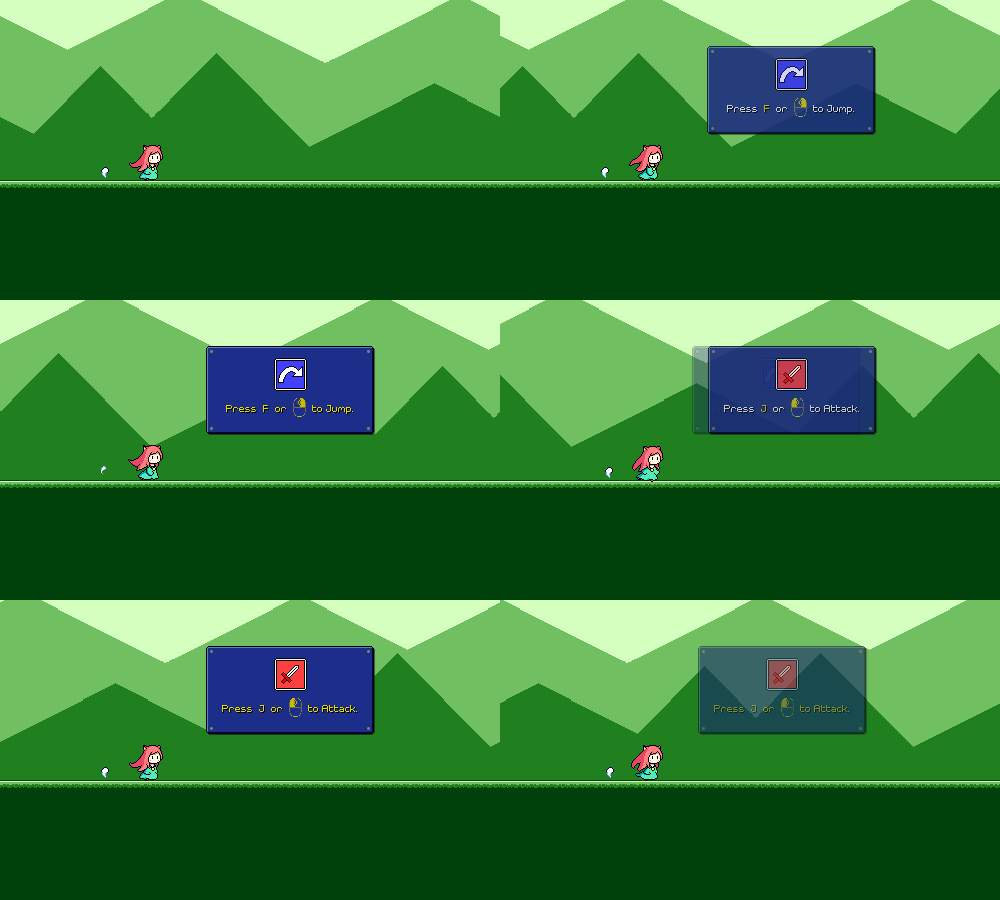
I knew this was a problem because I had at least one playtester reach the first enemy and say "Hm, what am I supposed to do here, jump over this?" Of course, I already attempt to convey what you should be doing by putting the red "sword" icon as a prompt for the first enemy that you get to, but it's probably better to just have that correlation established more directly, like this:


[h2]Beat Grid Markers[/h2]

The above probably also helps with the second issue I've noticed, which is that at the end of the old tutorial sequence, the "real" level graphics fade in, and you see the flashing beat markers for the first time. I had some players thinking that they were supposed to jump on every one of these. Which, I mean, you can if you want to, I've got no problem with that, but if you think that's an expectation then that's more of a signalling issue on my part.


Now the beat grids are there from the beginning, before you even make any inputs, so it should hopefully be more clear that they're not indicative of some sort of action you need to take.


[h2]Pacing[/h2]

One of the neat things about the old tutorial is that everything is synced with the music -- all of the tutorial prompts are done on downbeats, for example. Unfortunately, this also meant that there were a lot of pockets of "dead time" where nothing was really happening since the tutorial was waiting for the next measure in the music to begin. Anecdotally I've seen players hop around during these pauses, which is a fine way to get acclimated to the controls, but it also means I've lost their active engagement.

[previewyoutube][/previewyoutube]

I'm always looking for opportunities to get out of the player's way and reduce the time/button presses it takes them to "get to the actual game" from first boot, so the new tutorial tries to be more streamlined with its timing, using a different structure where it pauses the music and waits for you to make the correct input:

[previewyoutube][/previewyoutube]

I'm a fan of this because if you don't need a lot of time to process the prompt you can do the correct action and get a quick move-on, but if you need some time to find the right buttons on your gamepad or whatever, the game is clearly waiting for you and you can just progress whenever you're ready. I also added some black bars at the top and bottom of the screen to denote a "hey, read this!" moment (this is also when I disable inputs for a brief period before the tutorial prompt comes up, so that you aren't in midair or whatever when the game pauses).

[h2]Other Tweaks[/h2]

Because the blue "jump" icon is now placed in the game world itself (like it is when all of the other mechanics are introduced...) I've also removed that from the text box as it felt weird having two of them on screen at once. I also decided to do away with mentioning the mouse controls in the desktop version of the tutorial. Mouse input is of course still supported, but IMHO gets to feeling awkward once you're dealing with more complex input sequences, so I'd rather push players toward using keyboard controls as a default.


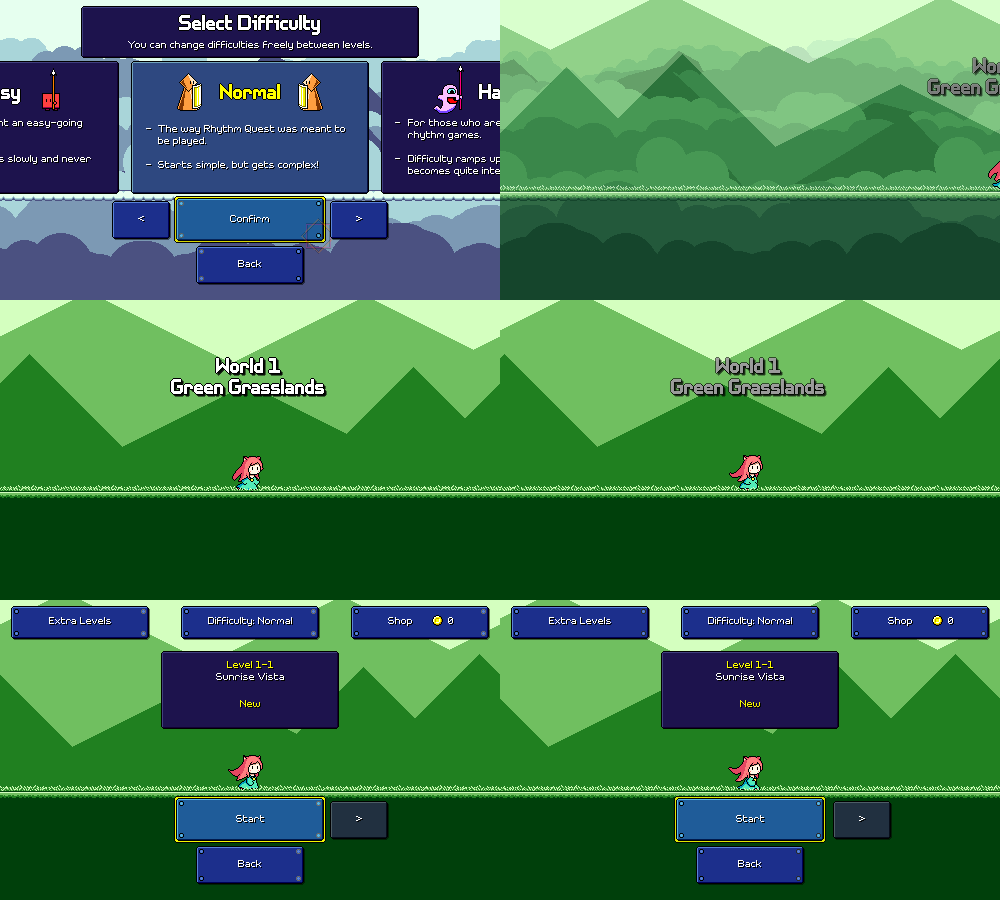
In an attempt to remove one of the menu steps for a first-time player, I've also added logic so that when you first select a difficulty, you skip the world select screen and jump straight into level selection for world 1. While the world select screen is a good way of advertising how much content there is in the game, I don't think it's super necessary to show at first, and I also don't like how it breaks the UI flow since it uses a different UI paradigm than the preceding and following screens.

This also gives me a sensible opportunity to show the "World 1" banner, which previously was never displayed anywhere (was only displayed when you first unlock a new world, but world 1 is always available from the start).


My new player experience still needs a bunch of additional work (the calibration sequence is really not working out and the difficulty selection screen is cluttered), but this is hopefully a step in the right direction. And hey, at least the tutorial is no longer broken!

Devlog 75 - Game Scene Refactors

I planned on making an update to the Rhythm Quest demo to release the new level browser menu, but I got caught up in more work and ended up embarking on a different big refactor that'll be rolling into the same update. It'll be a big one! Nothing too visibly exciting, but cleans things up a lot implementation-wise, and enables some new functionality as an added bonus (which y'all will probably be more excited about than the actual refactor)...

[h2]Object Pooling[/h2]

In a previous devlog I mentioned that I had done away with "baking" all of the different levels in the game (pre-generating all of the object instances) and have switched to just always generating the levels dynamically. I had also mentioned that it would be possible for me to make a further optimization where instead of destroying the instances between levels I keep them around so that I can reuse them -- the common ones that are the same between each level, at least (enemies, wings, anything else that doesn't change with the tileset).

What about everything that =does= change with the tileset, though? Things like the floor, ramps, jumps, etc. all change their appearance from world to world, which is why each world has a different "level generator" object that contains references to all of the tileset objects that are used for that level.


I =could= try to keep these around, but they'd only be useful if you play another level with the same tileset. Otherwise, I'd just accumulate a bunch of unused objects in memory, which is probably a bad idea...

[h2]Universal Tileset Objects[/h2]

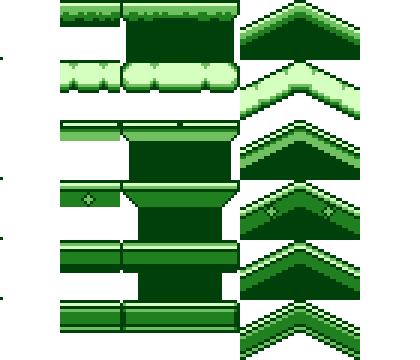
The solution was to make "universal" versions of these tileset objects which are capable of displaying the graphics for any world. So instead of having floor_1, floor_2, floor_3, ... I now have floor_universal which has 6 different sprites inside of it, and then I dynamically enable/disable the correct one depending on what tileset you're using.

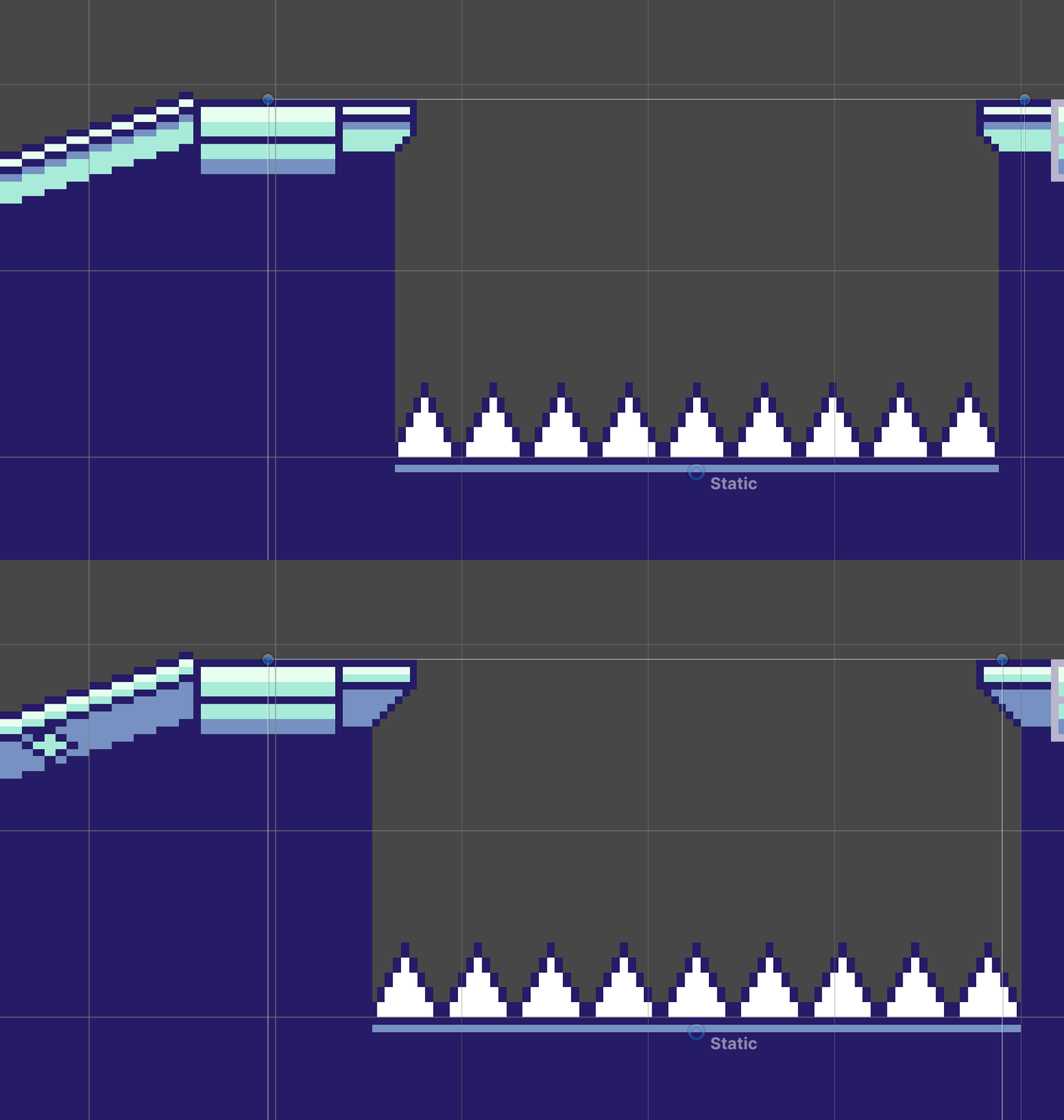
Unfortunately it wasn't =quite= that simple. Different tilesets actually have slightly different properties at level-generation time, most notably for the little "ledges" that jut out (or not!) for jumps. As you can see here, because the "overhang" amount varies per tileset, the ground below is also a little wider or thinner to accommodate:


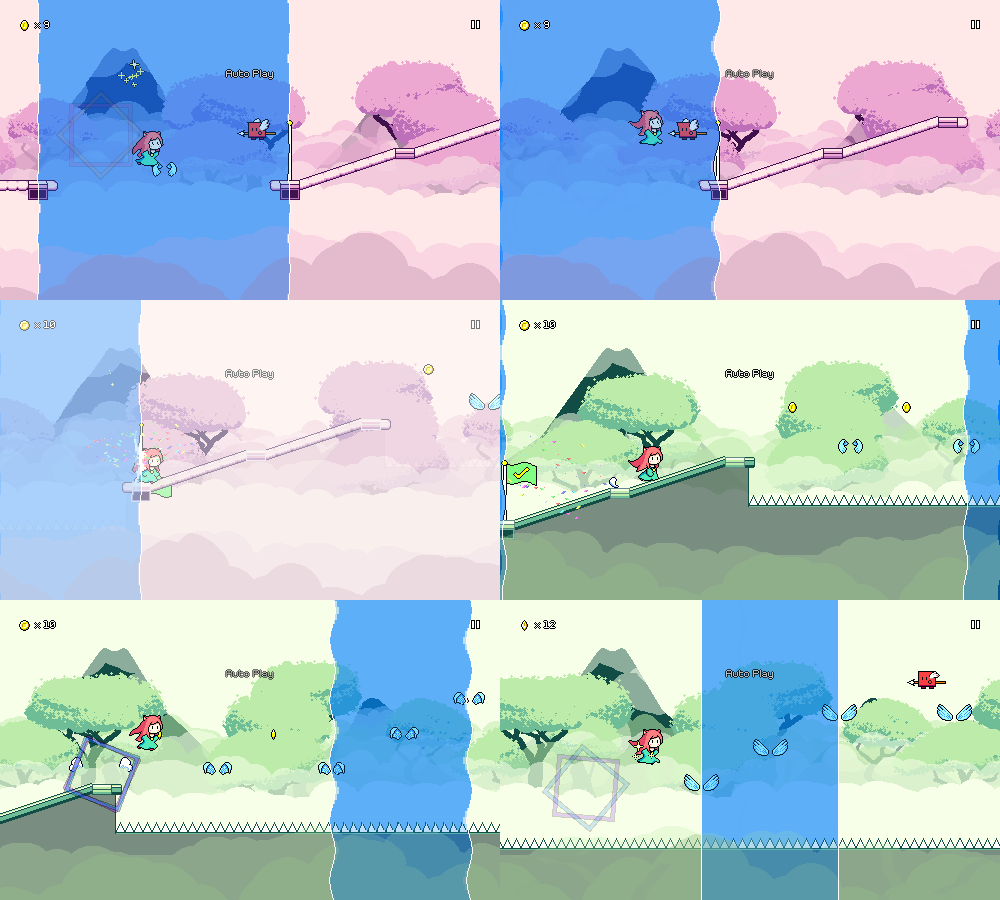
I was up to the task, however, and managed to bake these offsets into the universal tileset objects, so everything "Just Works" the way that it should (hooray!). Not only does this allow me to do the object pooling across scenes that I mentioned above, it also allows me to potentially specify a different tileset per-checkpoint and fade them (mostly) nicely across each other:


Of course the "gameplay trailer" level already had multiple tilesets, but that was done in a very hacky (and non-performant) way; it feels much nicer that this is now a first-class feature and it shouldn't be too hard to expose this in the level editor in the future. More importantly, I'll be able to use this in level 6-5, which as the final level of the game will potentially (?) be some sort of recap medley that takes you through all 6 different worlds. That's something I'm definitely feeling intimidated about writing, but knowing me I'll just eventually sit down one day and just sort of knock it out in one go...

[h2]Backdrops[/h2]

Kind of along the same lines, I've re-coded the backdrop scripts and shaders to support having a different backdrop per checkpoint. Fortunately, the work I mentioned in a previous devlog that I did for the menu scene meant that I already had an optimized setup for taking an arbitrary number of backdrops and being able to fade between them without losing too much performance. So now you can do this, too:


The level loading code now iterates through all of the checkpoints in the level and loads in all of the backdrops that are used for the level at load time. Of course, the more backdrops you have loaded, the more memory gets used, but luckily I already know this isn't really an issue, as the menu scene already needs to have every backdrop in the game loaded!

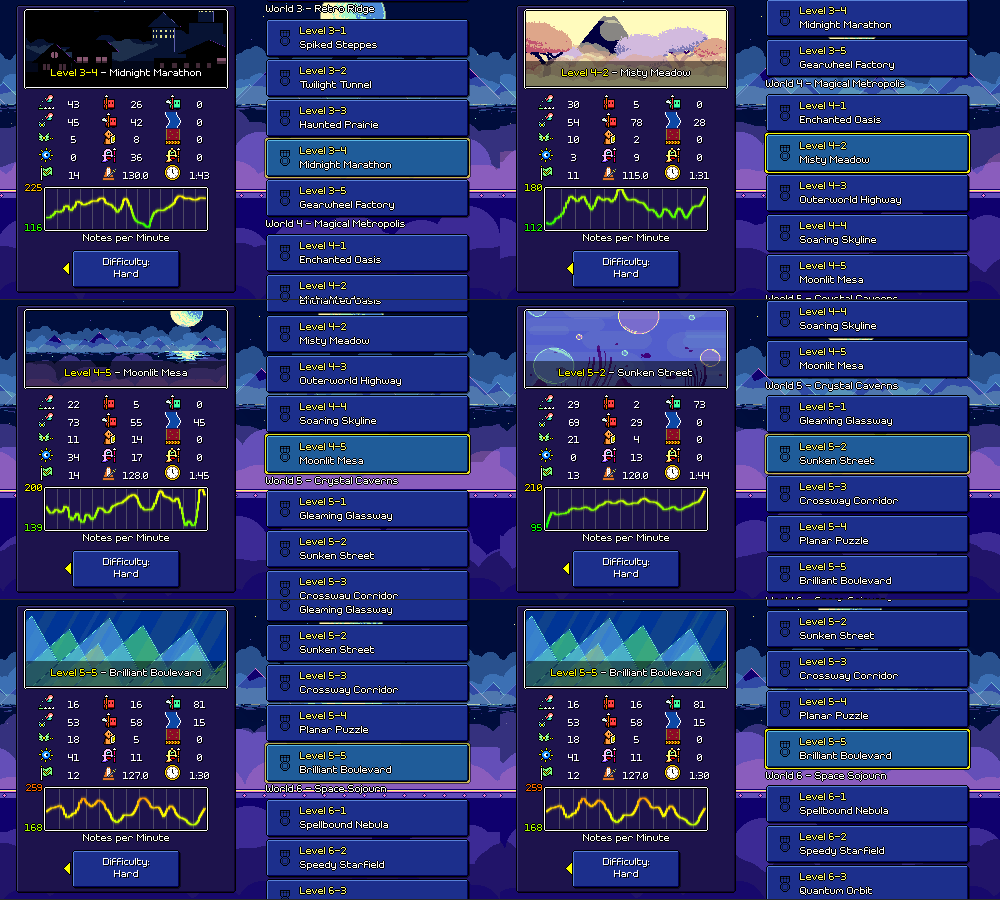
As a final bonus, I no longer need a manual listing of which levels use which backdrops for displaying the preview image in the level browser -- I now just pull the appropriate image based on whatever backdrop set the first checkpoint uses. Yay!


[h2]Particle Refactors[/h2]

With all of the above work done there was only one remaining element that was still specific to each individual level scene -- the particle effects for each level. I had already done some work toward creating a set of common particle effects that you can use in your custom levels, but...none of the levels I authored were actually using them, they still just had hardcoded particle system instances.

Loading those dynamically (just like the backdrops) was not very difficult, but while I was at it I ended up digging into the particle systems and trying to clean up some longstanding issues.

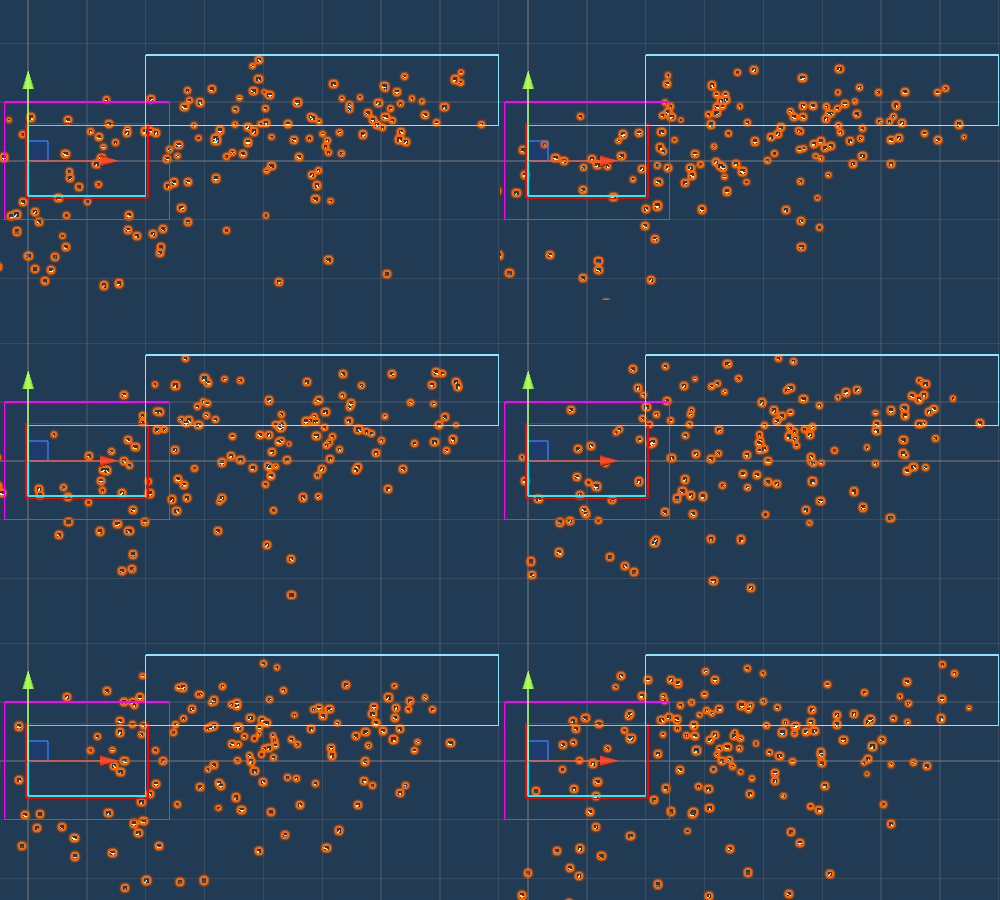
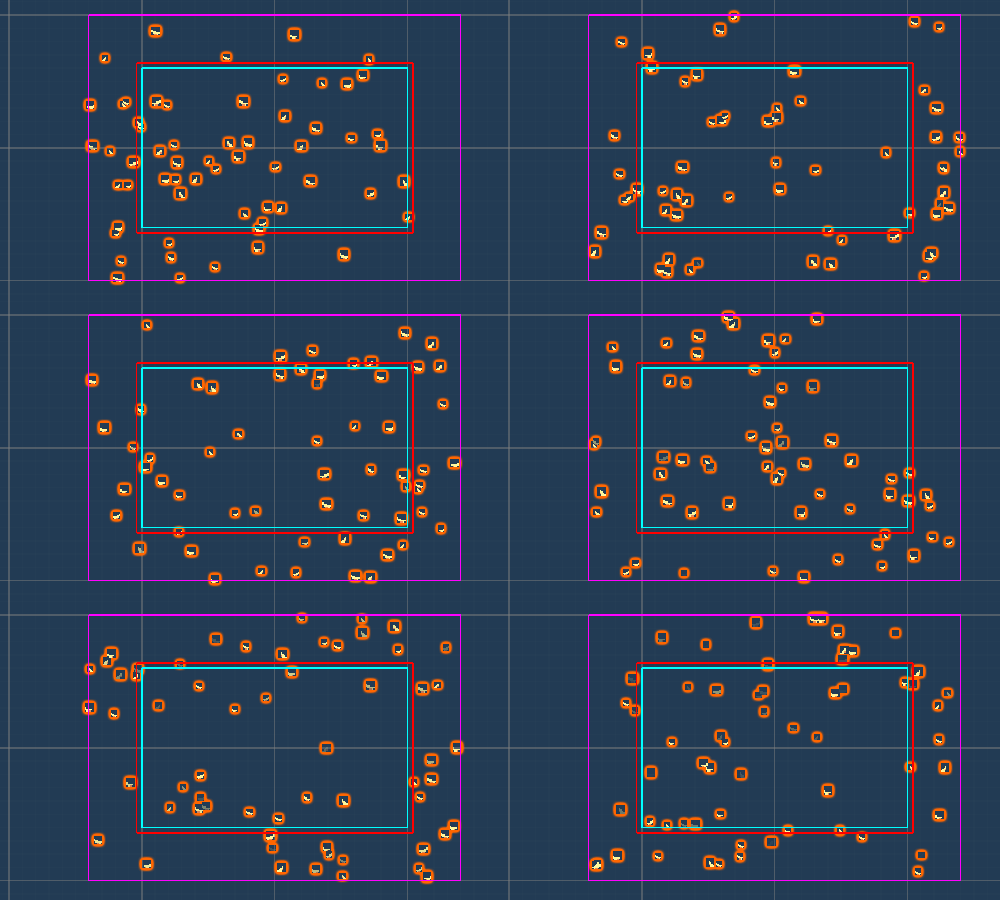
First off, you know how the particles cover the whole screen nicely, regardless of your screen resolution? Yeah...it's actually not so nice. This is done simply by generating a ton of particles (many of which you never see) in a really big area that hopefully accounts for whatever is in view:


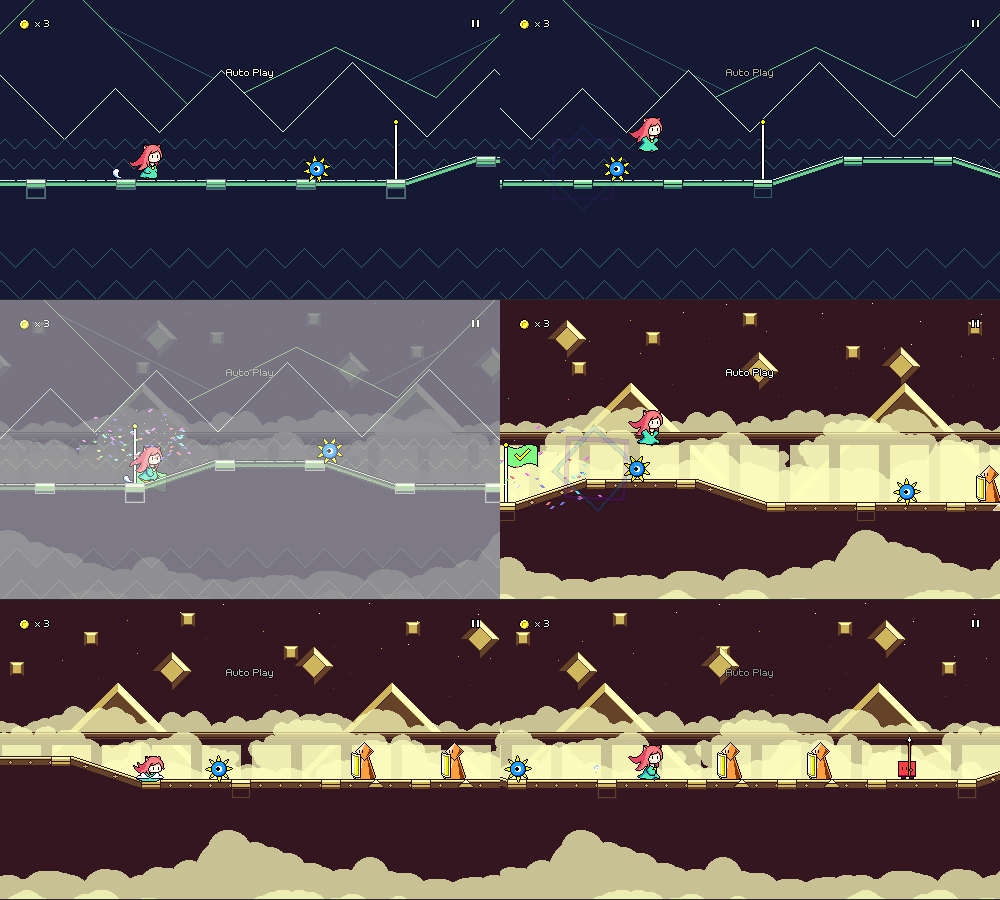
I decided to finally go ahead and tackle this in a more elegant way. Now I have scripting that inspects each individual particle and detects when it goes offscreen. When it does, I either despawn the particle and instantly spawn in a new one (I can make sure the spawns happen offscreen), or I just warp the particle's position so that it screenwraps. Here's what it looks like when you just have the same set of particles wrapping around:


I know, I know, in-game it usually doesn't look much different, so it's not really a noticeable change. But one nice thing about this is that since I'm managing the particle lifetimes myself I can specify the number of particles as a density relative to the screen size, so something like "1 particle per 2000 square pixels", which feels much more elegant than just spawning a whole crapload of particles offscreen and adjusting the numbers until it "looks right". My code automatically takes care of spawning in new particles (or destroying older ones) if the camera size is changed at runtime, and this also handles camera movement in a much nicer way.

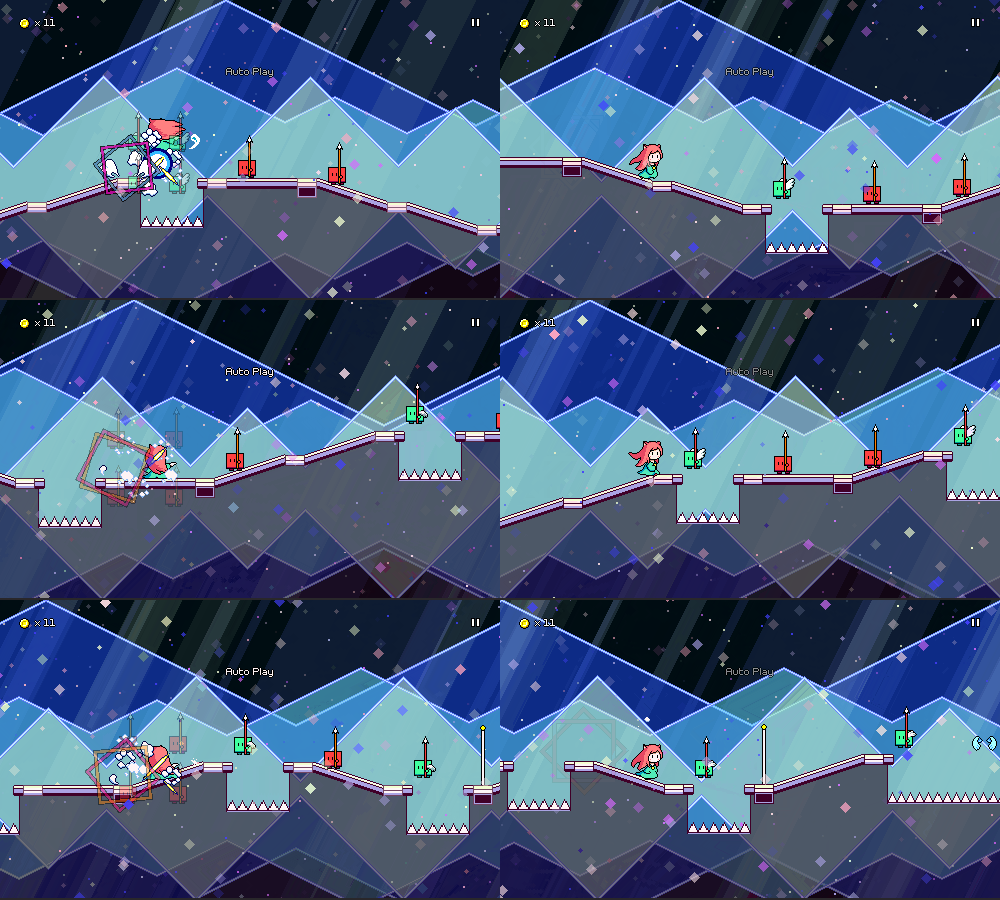
You might think that going in and modifying the particles individually is computationally expensive, but I'm using Unity's "burst" compilation feature to make sure that is all done in parallel in an optimized way -- plus, there are less particles to handle since the system doesn't have to process all of those previously "wasted" off-screen ones. As an actual added functional bonus, this also let me implement parallax scrolling for particles, which wasn't possible before. So now I can have different layers of particle effects that scroll at different rates if I want:


Of course, before this was also possible to sort of "fake" by just having the particles scroll to the left at different rates, but now it's actually keying off of the camera movement, so it'll behave correctly for things like respawns, as well as being able to handle vertical camera movement.

With all of these refactors in place I can finally delete all ~50 of the individual level scenes that I previously had in the project and simply replace them all with a single universal game scene (woo!). Of course, there's still some cleanup to do -- level 1-1 is broken because I haven't handled the tutorial backdrops yet, and the level editor/custom level setup needs to be redone to reflect all of these changes...but progress is progress!

[h2]Other Stuff[/h2]

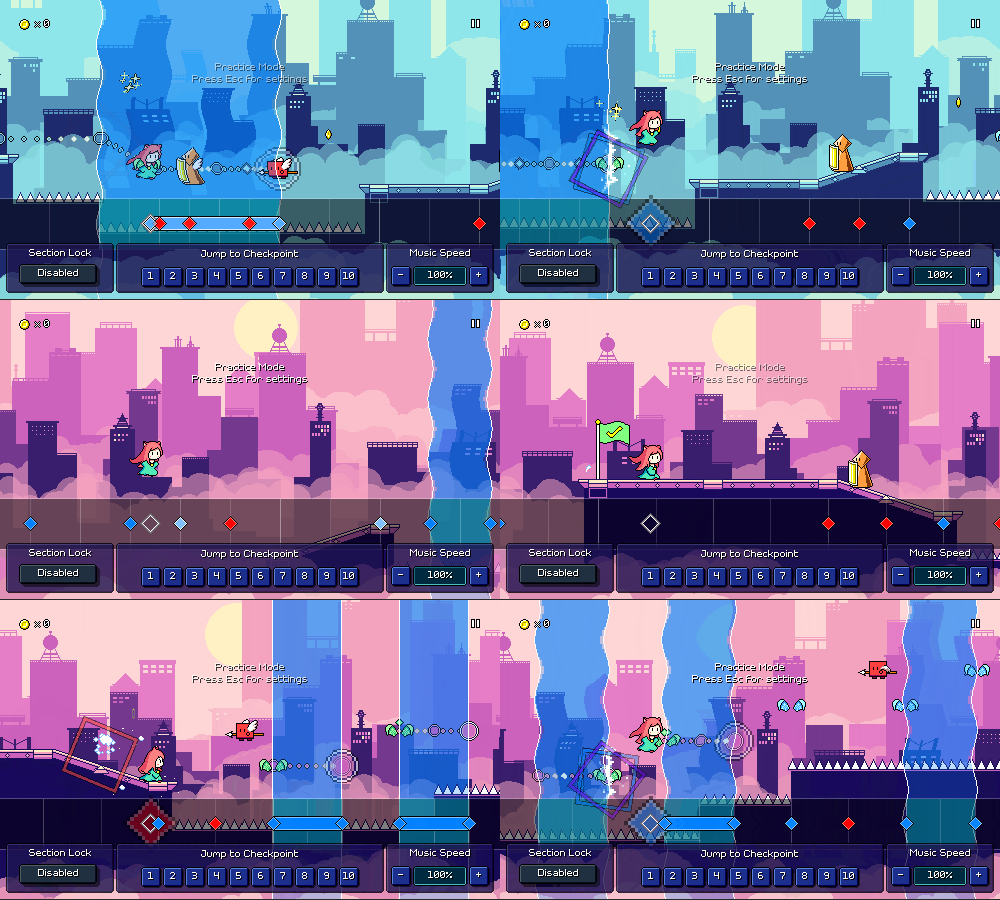
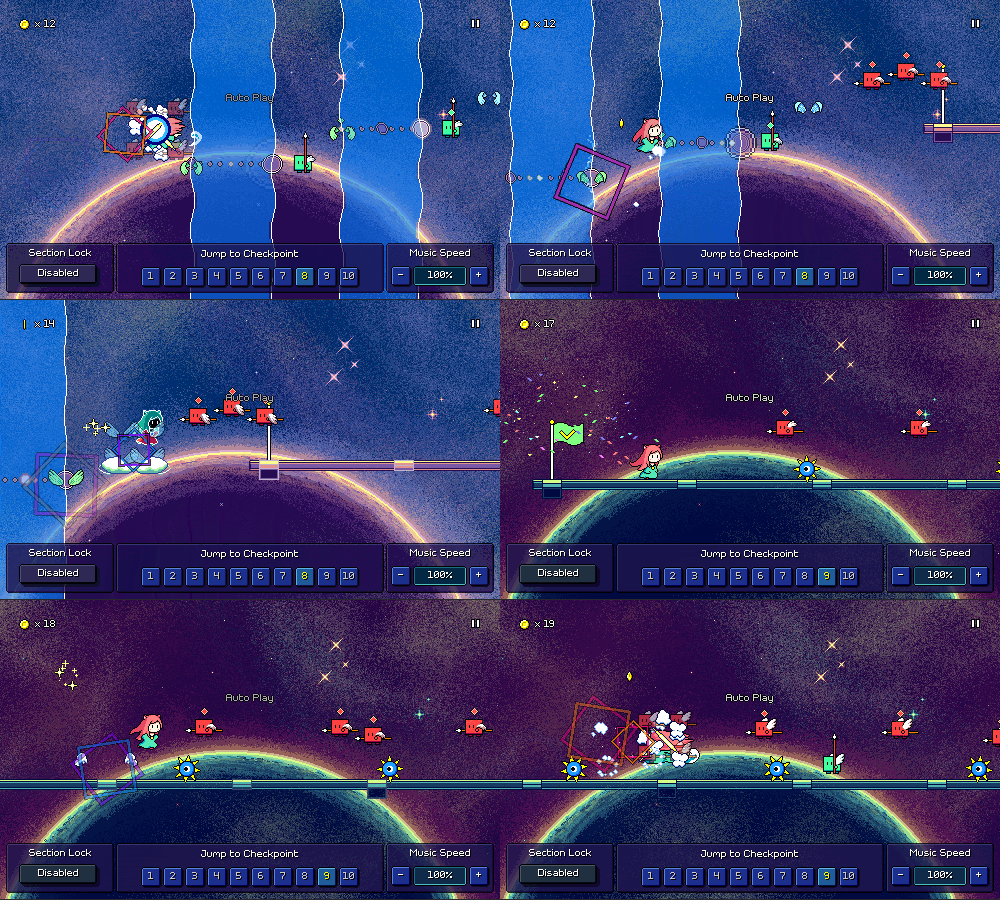
I've been working on other stuff here and there as well...for example, the "test UI" that lets you jump between checkpoints (previously only available in the level editor) is now shown in the in-game "practice mode", letting you jump between checkpoints freely to practice whatever section you want, or quickly change the speed of the music (you can now raise the speed past 100% in practice mode as well).


Through this all, the game will remember what checkpoint you were at before starting practice mode -- and will now also handle resetting coins correctly (this was previously bugged)! There's a new "Section Lock" setting that controls whether practice mode will lock you to only practicing a single section or whether it'll let you proceed through the level normally until reaching the end (at which point it'll bring you back to the beginning).

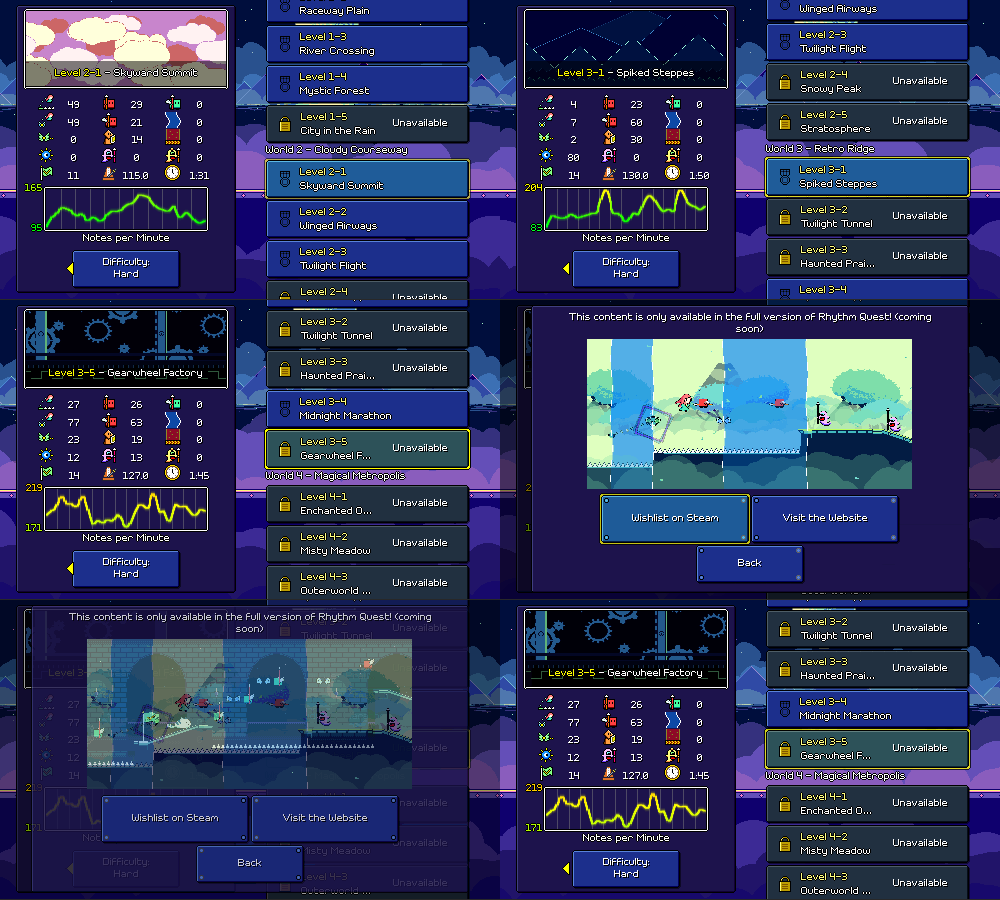
For the demo version of the game, the "Unavailable" lock logic is fully hooked up in the level browser:


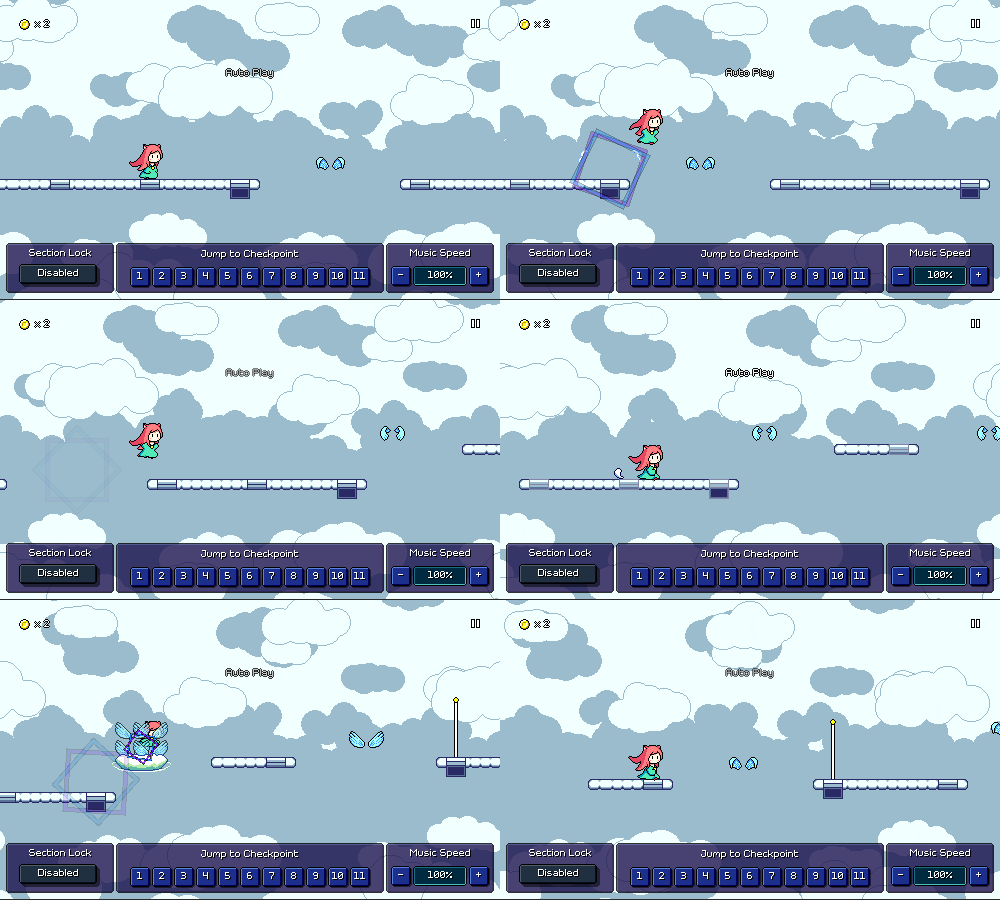
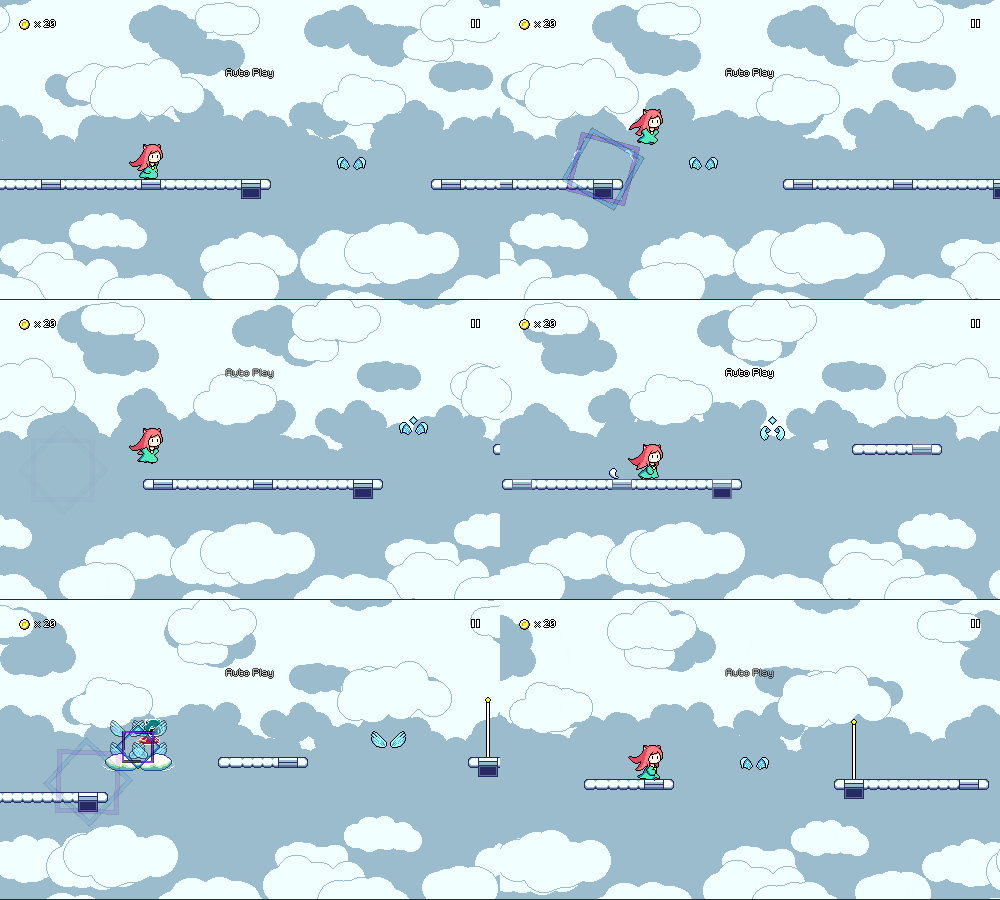
And last but not least, I've been experimenting with "diamond" shaped markers on winged air jumps to denote off-beats vs on-beats. This comes in response to an issue I've seen crop up with players going through level 2-1 where you have to distinguish between the following two airjump patterns:


There's multiple solutions to this -- change the music + chart, increase the scrolling speed, add visual markers of some sort, change the default noteskin for air jumps to reflect the beat they're on. I've mostly seen this be a problem in level 2-1, unlike level 2-3 which is at a slower tempo despite having more complicated airjump strings.

By far the =cleanest= solution would be to simply redesign the chart here, so that I can intentionally segment the level into introducing whole-beat airjump patterns and then half-beat airjump patterns separately. But that's easier said than done, because the main melodies in the song weren't designed with this in mind at all. I'd probably have to just make a brand new level 2-1 track if I want that to happen, and that isn't something I'm ready to bite off at this moment.

As a stopgap solution, I've slightly increased the scrolling speed (which marginally increases the difference in horizontal spacing between the two patterns), as well as started experimenting with a new "diamond" marker for obstacles that are put on off-beats, which could end up being useful for other obstacles as well (basic enemies on offbeats, for example). I'll probably be adding some different settings/toggles for this behavior later.


I have no idea whether this helps or not because to me it's trivial to read the rhythmic differences based on the relative height of the airjumps, so I'll have to revisit this change later after I publish it in the new demo to see if it actually does anything for new players or not!