1. Tiny Bookshop
  2. News

Tiny Bookshop News

Version 1.0.6

General Fixes:

Hi everyone, we’re back after recovering from Gamescom, and the stress that has been the release of our first game, with our latest patch!
This one took a bit longer to figure out, because we made changes to the save system, and that requires a ton of testing and consideration, to make sure nothing breaks. Plus, it seems like the life we’ve been putting on hold before the release of TB finally caught up with us! Two of our team members got married last month, and we all had to spend some much-needed time to take care of our personal lives, after the crunch-free but still very all-consuming development that was Tiny Bookshop.

Without further ado, let’s jump into what we’ve fixed and addressed with this update 🔧♥️


Fixed some UI scaling issues and some edge case problems with dialog bubbles
Fixed some item and book tags.
Fixed some more typos.

Save System Rework

Improved Save System to try to recover saves automatically and support multiple users. This is a preparation for enabling Steam Auto Cloud in the future.
From now on, the correct directory of your save files is:

Windows:
%userprofile%\AppData\LocalLow\neoludic games\Tiny Bookshop\YOUR_STEAM_ID\Saves\

Mac:
~/Library/Application Support/neoludic games/Tiny Bookshop/YOUR_STEAM_ID/Saves/

Linux:
~/.config/unity3d/neoludic games/Tiny Bookshop/YOUR_STEAM_ID/Saves/

The save files will be loaded from old paths and will be automatically moved once you save. The game saves during any scene load during game play.

Introducing: Self Repairing Save Files!

There is still the archive we introduced, and the Backup folder in your saves, just to make sure your files can never get fully lost! For this we introduced an automatic way, trying to recover the saves if something breaks. This should prevent some of you from having to deal with copying save files from one folder to another in case a save got corrupted.

[h2]Regarding the Missing Save Files on Steam Deck:[/h2]
We sadly can’t automatically port over the save files here, as this has to do with Steam deciding to default to Proton instead of Linux to run our game. Proton uses an emulated file system, so we can’t “reach” the previously created files from within the game. We contacted Steam Support about this, but we aren’t able to change the default behaviour ourselves.
Once we have cloud sync enabled, we’ll return the game to run natively on your deck as intended, but this requires careful consideration to make sure any save files created between the change Valve introduced, and the change back are synced using Steam Cloud.

Until then, we have two fixes for you:

If you want to continue on Linux this is the version we will support in the future (Recommended):
Select Properties->Compatibility and choose Steam Linux Runtime from the dropdown to run natively the Linux version on your device, as we intended.

If you want to stay on Proton and your save files are missing:
Enter Desktop mode, head to “~/.config/unity3d/neoludic games/Tiny Bookshop/YOUR_STEAM_ID/Saves/” or if you have not played on the current patch,yet: “~/.config/unity3d/neoludic games/Tiny Bookshop/Steam/Saves/” and copy the files there to ""~/.steam/steam/steamapps/compatdata/2133760/pfx/drive_c/users/steamuser/AppData/LocalLow/neoludic games/Tiny Bookshop/YOUR_STEAM_ID/Saves""


Tech-y Deep Dive

For those who are really into the tech side of things, we dug deep to figure out what happened the two times there were save shenanigans:

[h2]What Happened, when the MAC saves got lost in the first week of release?[/h2]
So we noticed the following:
We are using the Unity game engine, and noticed that its persistentDataPath is not actually persistent. The behaviour of the persistentDataPath changes on Mac if there is a different folder under a specific path available, which was the case after we tested Auto-cloud in development mode.
That this would happen despite setting the development mode toggle was not clearly documented on the Steamworks backend, but this led to the mac version reading from a different folder after the folder showed up.

We have fixed this by directly specifying the correct path across all platforms, so this should never happen again!

[h2]What happened, when the SteamDeck saves got “lost” a few weeks ago?[/h2]
On Steam Deck, the problem lies with the Steam Deck compatibility review. By default, they only test using Proton, even if a Linux version is available. We noticed they had done a compatibility review, but wanted to hold off on publishing it, as we were still working on adjusting the text scaling and were pretty busy with everything else around release. Somehow, this review was published regardless. As soon as the review was live, Steam changed the default compatibility setting for the Steam Deck from “Linux Native” (What we intended, tested and support) to Proton (Which works, but is not being tested by us). Proton “simulates” the windows file system, leading to the game looking for save files in a different path. We’ll work with Steam Support to undo this default in the future, but only after we enable Steam Cloud for a bit, to make sure the saves between Proton and Linux versions on the Steam Deck are synced correctly.

Over 300,000 Copies! What's Next?

[p]Hello, everyone! We’re back from an incredible week of Gamescom! After 3 years of attempts, we finally came back with an award, winning Gamescom's "Games for Impact" 2025! Thank you to everyone who has voted for us! 🎉 After another week off to recover and purge any remaining "con cough", the team is now back in the office and excited to continue supporting Tiny Bookshop. 💛

[/p][h2]⭐ Tiny Bookshop has sold over 300,000 Copies![/h2][p]It's still not been a month since the release of Tiny Bookshop, and we already sold over 300,000 copies across both Steam and Switch! At this rate, Bookstonbury is going to face over-tourism, and we'll have to call in more seagulls!

In all seriousness, we are absolutely blown away! Thank you so very much for the support!


[/p][h2]✨ What’s next for Tiny Bookshop?[/h2][p]Throughout this month, we will be going through our backlog of player reports, focusing on bug fixes, such as fixing issues with Steam Cloud saves, as well as improving the player experience of Tiny Bookshop. We have received lots of feedback and will be working to bring some much-needed quality-of-life updates, such as the ability to save your Bookshop loadouts 👀! While we're at it, we'll also be taking some time to think about new content we'd like to create! So stay tuned for that and much more coming soon.

[/p][h2]📚 Tiny Bookshop Book Council[/h2][p]You might have already known, we’ve recently opened applications for a Book Council through our Discord server. We want the Book Council to help expand the current book selections available in Tiny Bookshop. Since our initial announcement, we’ve already received over 700 applications! While we’ve had many applications from people with expertise in books of the English language, we’d love to encourage more applicants with backgrounds in Japanese, Chinese, Ukrainian, Turkish, or Russian language books. If this sounds like you (or someone you know), we’d love for you to apply and help bring even more cultural diversity to Tiny Bookshop.

As always, thank you all for your support and passion. You’ve helped make Tiny Bookshop what it is today, and we’re excited to keep building it together with you!


Yours ever gratefully,
neoludic games 🧡[/p]

Tiny Bookshop has sold over 200,000 Copies!!!


It's been a bit over a week since Tiny Bookshop was released. Can you believe there are already over 200,000 of you making Bookstonbury unsafe with your book recommendations 📚, prickly cacti, and smelly fish??? 🐟

I know, it's still hitting me... This has been the most chaotic and wonderful week of our careers; we cannot thank you enough for all the love you have shown for Tiny Bookshop. Now go out there and sell some more books to the world! 💖

Tiny Bookshop - ver 1.0.5

Hi everyone, it’s now officially 7 days since Tiny Bookshop released, and finally, after tackling the most serious bugs, we found some time to take care of more UX and feedback.


  • Adjusted/Fixed Maryam’s recommendation quest at the café not saving the progress consistently.
  • Increased rain chance in spring slightly.
  • Inspiring Klaus now counts anywhere, and not just at the supermarket.
  • Adjusted Historic Tag. Changed it from “Written about the past” to “meeting a need of immersing yourself in the past”.
  • Nerfed Professor Quest to make it less frustrating.
  • Made cases visible and visually distinct to help you identify which one is currently active.
  • Removed a dialogue gamepad deselection, that would lead to having to re-select dialogue.
  • Made Play and Long mutually exclusive, as plays don’t tend to be over 450 pages.
  • Added a bail-out book box, in case you are out of money and out of books.
  • Adjusted the gardening fundraiser so it doesn’t keep subtracting money after the quest is completed.
  • Fixed snow at Park.
  • Fixed Nightmare Fuel-Effect never disappearing.
  • Adjusted spacing of location genres in the journal to avoid overlaps.
  • Improved the UX of colouring your bookshop.
  • Made Spoiled Fish only placeable in one slot at a time, to avoid accidental smells.
  • Fixed wildlife-board being obstructed at the fish-market.
  • Made the Antique Lantern slightly stronger.
  • Fixed a glitching shadow at the Café.
  • Made rain a little more likely in spring.


[h2]Known Issue:[/h2]
Steam Cloud is still disabled, until we can figure out a way to test it safely. We are in contact with Steam Support! 🙏🙏🙏

[h2]Weekend:[/h2]
We’ll be taking this weekend off, after having worked through the last one. So I hope you’ll understand that we’ll try not to respond during this weekend.

Next week is also the Gamescom, where we will have a booth in the Indie Arena! We’ll still try to find time to respond to your questions, and fix urgent bugs if there are any, but communications might be a bit slower next week, as our 5-person-team has to staff the booth, too.


[h2]The First Week:[/h2]
This last week has been a blur for us. We never imagined that this many people would pick up our game! We are simply blown-away and exceptionally thankful for your support and passion for the game, and the kindness and positivity you bring to every conversation we had with you. We are lucky to have made a game for such a wonderful community! ♥️

As always, here is the link to the previous patch notes: https://steamcommunity.com/app/2133760/discussions/0/601912361526467372/

Tiny Bookshop (Switch) Review


Despite how popular the “cozy games” genre has become, many titles that fall under its umbrella lose sight of the “cozy” part—but not Tiny Bookshop.


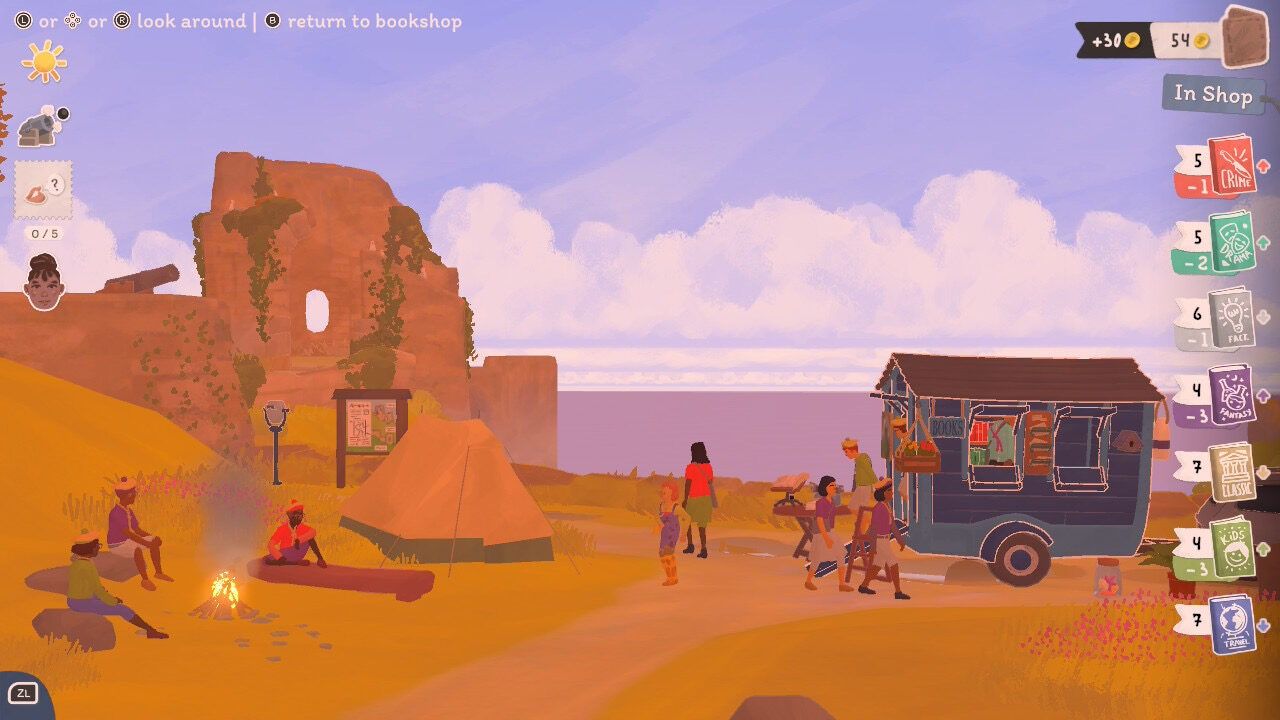
The latest indie sim darling is precisely what its name implies: you’ve started a mobile secondhand book store, operating out of a trailer pulled by your car. Each day, you venture out to one of the charming locales around the idyllic town of Bookstonbury-by-the-Sea to hawk your wares. Success depends on how well you stock your shelves and make recommendations to your indecisive patrons.


Or at least, this is the core of Tiny Bookshop‘s experience—as much of a puzzle game as it is a business sim. Your stocks are replenished by buying used book lots out of the newspaper classifieds. Deftly dividing your shelf space amongst the various genres will help cover your bases when customers come looking for specific requests. Then it’s a matter of picking the right book from your daily inventory... Read more