1. Driver Fusion
  2. News

Driver Fusion News

Windows 10 October 2018 Update

As we received several questions about Driver Fusion's compatibility with Microsoft's Windows 10 October 2018 Update, we just wanted to let everyone know that Driver Fusion is of course completely compatible.

This also applies to any future Windows updates, unless we state otherwise.

Want to learn more about the Windows 10 October 2018 Update? You can read all about it on Microsoft's website.
Driver Fusion 6.1 Update Released

We're pleased to announce the release of Driver Fusion 6.1. With this release, we've improved various areas based on your feedback. Please send your comments and suggestions to us, we like to read and use them!

System restore
Restore points are now created with a more detailed description so you can find out which feature in Driver Fusion it was created for.

Driver backup
A driver that has been localized will now, if available, also backup files from languages other than your Windows language. This makes it easier for you to use your backups after you've changed your system language.

Driver cleaner
The cleanable drivers received new entries to be up-to-date with their latest versions. Intel's display adapter driver received the largest number of new entries.

Treexy & Steam account
Driver Fusion will no longer sign you out if you make changes that affect your internet connection, such as updating network drivers. A number of features will be limited, or unavailable, as they rely on working internet.

What else?
The issues that you've reported have all been fixed.

Treexy developer & publisher homepage

We've added a Treexy developer & publisher homepage on Steam, which allows you to discover and connect with us.

You can follow us here at the top of the page:
https://store.steampowered.com/developer/treexy

For more details on developer & publisher homepages, you can read Steam's announcement:
https://steamcommunity.com/games/593110/announcements/detail/2515705802687784921

Driver Fusion 6.0 Update Released

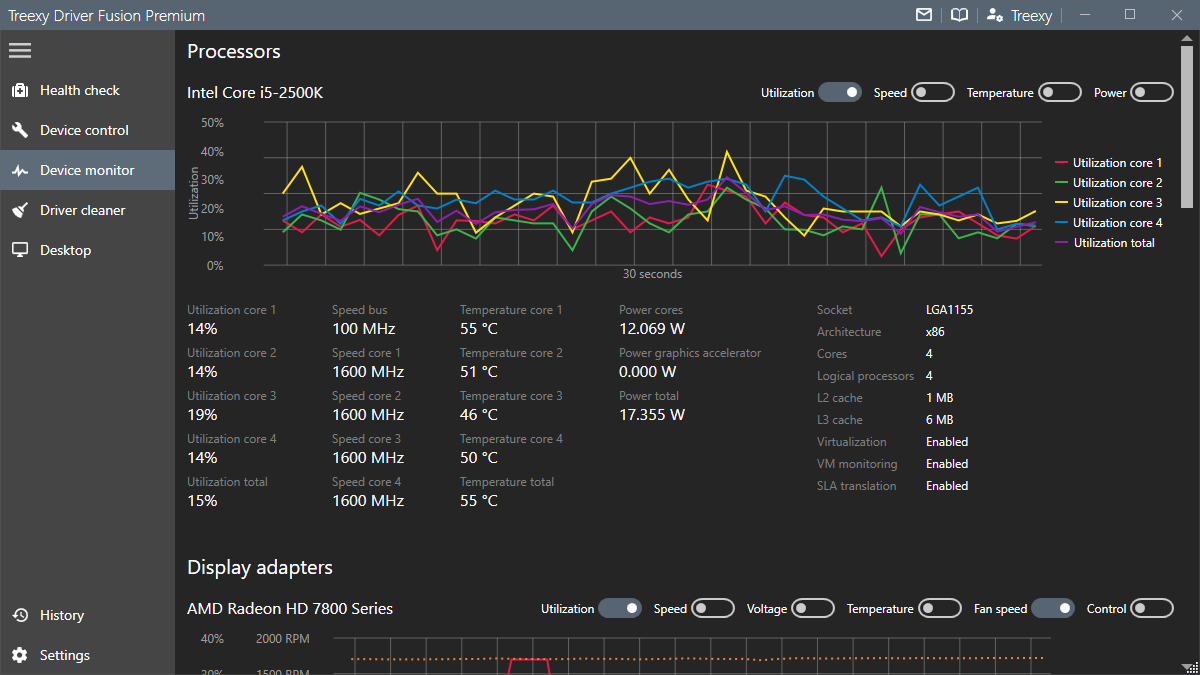
We're thrilled to announce the release of Driver Fusion 6.0. In this release, we've added a dark theme and made optimizations in a lot of areas. Please send your comments and suggestions to us and we hope you enjoy it!

Dark theme
We've added a dark theme to help ease your eyes. To switch to the new theme, simply open settings and select the dark theme. Driver Fusion will automatically use your default app mode on Windows 10, but you can also override it in the settings.


Memory usage
The amount of memory used by Driver Fusion has been greatly reduced. This will help users run Driver Fusion on machines with a small amount of available memory.

Driver cleaner
The cleanable drivers received new entries to be up-to-date with their latest versions.

What else?
The issues that you've reported have all been fixed.

Windows 10 April 2018 Update

As we received several questions about Driver Fusion's compatibility with Microsoft's Windows 10 April 2018 Update, we just wanted to let everyone know that Driver Fusion is of course completely compatible.

This also applies to any future Windows updates, unless we state otherwise.

Want to learn more about the Windows 10 April 2018 Update? You can read all about it on Microsoft's website.