1. Rocket League
  2. News

Rocket League News

Season 1 Kicks Off on September 23

[previewyoutube][/previewyoutube]

Get ready to jump into the next Rocket Pass, Competitive Season, Competitive Tournaments, and game-wide Challenges. Season 1 kicks off 8 a.m. PDT (3 p.m. UTC) on September 23 and is bringing a ton of new content.

ROCKET PASS

Get ready to Tier Up in the latest Rocket Pass, which begins with Season 1. This Rocket Pass celebrates the legacy of Rocket League, and comes with 70+ Tiers of items inspired by the history of the game. It all starts with the newest rugged car, Harbinger. Inspired by a classic from Supersonic Acrobatic Rocket-Powered Battle-Cars, Harbinger modernizes the stylings of its predecessor and is ready for Rocket League. This latest car is unlocked immediately with Rocket Pass Premium.

Rocket Pass Premium costs 1000 Credits and grants access to the full Rocket Pass experience: 70 Tiers of unlockable items, and the Pro Tiers after Tier 70 which grant Painted and Special Edition variants of select items from this Rocket Pass. Plus, players with Rocket Pass Premium will get three additional Weekly Challenges that will grant XP and Drops.

Check out the full lineup of Rocket Pass items, including Harbinger, Mister Monsoon Goal Explosion, Mandala Wheels, League Legacy Boost and so much more! How far will you go?

COMPETITIVE SEASON AND COMPETITIVE TOURNAMENTS

While Season 1 officially launches on September 23, current Rocket League players will have a short head start on the new Competitive Season which will begin shortly after Competitive Season 14 ends at 3 p.m. PT on September 22. Plus, we're revealing the Season 1 Rewards ahead of time. Without further ado, check out the Decal rewards for the upcoming season!

[previewyoutube][/previewyoutube]

Don't forget, Season 1 is bringing 3v3 Competitive Tournaments, so assemble your squad and get ready for an all new way to compete! Good luck out there!

COMPLETE YOUR CHALLENGES

Be sure to check out the all-new Challenge menu when Season 1 launches. It will be your hub that shows progress for Weekly and Season Challenges, and more events in the future. Complete available Challenges to unlock XP and Drops. Season Challenges don't expire until the end of Season 1, and more will unlock as the Season progresses. And remember, Weekly Challenges expire every Wednesday and are replaced with new Weekly Challenges, so be sure to complete yours to unlock your rewards!

Season 1 will run from September 23 to December 9, so get ready to start climbing the ranks, Tiering Up your Rocket Pass, and dominate the brackets in Competitive Tournaments! Don't forget, the Llama-Rama event is coming shortly after Season 1 kicks off, so stay tuned for more details. It's almost time to take your shot!
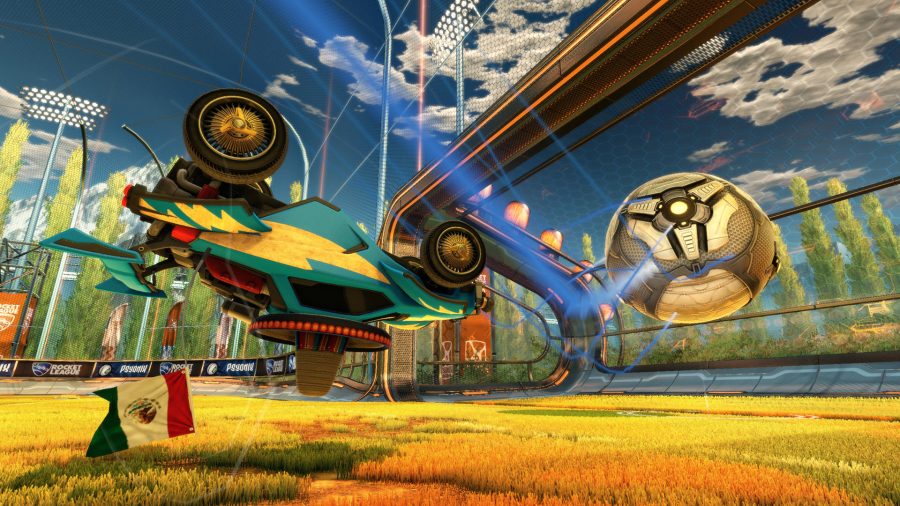
Rocket League Ranks: Ranking system explained, MMR, rewards, and more

We all love a bit of frantic, fast-paced aerial car football, don't we? Rocket League stands in a field of its own as an esport, with its mixture of teamwork, coordination and driving skills making it hard to squeeze into any pre-existing genre.


Because it's so unique, Rocket League has a massive following and has become a top tier esport. But it isn't just the pro players who get to play competitively; Rocket League has a ranking system which allows you to progress from Unranked to Grand Champion across eight different competitive game modes. If you want to up your Rocket League game, or you're just a sucker for the grind, then ranked play is where you'll want to be.


For those who have maybe never played Rocket League before and are thinking about it now that it's going free-to-play on September 23, or have only ever played casually, you might have some burning questions about competitive play. Where do I start? How many ranks are there? How do I rank up? And, most importantly, how long does it take before I can say 'completed it, mate.'


Read the rest of the story...


RELATED LINKS:

Rocket League Season 1 includes new car, Rocket Pass, competitive tournaments

Rocket League's latest patch adds cross-platform progression

Rocket League best cars explained


Rocket League's latest patch adds cross-platform progression

Rocket League's developer's Psyonix is preparing for arguably its biggest update in the game's five year history. With Rocket League on the verge of going free-to-play next week, a whole host of features have been added to the game in the latest patch.


One of the headline features included in that patch, which is now live, is that cross-platform progression is now available. Petrol heads can now link each platform they own Rocket League on to a single Epic Games account to share progression, inventory, competitive rank, and more. You'll have to select a primary platform for progress, so ideally you want to pick the one you have a higher rank on.


Old players will also be granted legacy status with this patch, so you'll find loads of new goodies in your inventory when you next log on. As part of being an original Rocket League player, you'll be given Faded Cosmos boost, Golden Cosmos boost, Dieci-Oro wheels, a Huntress player banner, and an Est. 20XX title.


Read the rest of the story...


RELATED LINKS:

The best multiplayer PS4 games in 2020

Rocket League Ranks: Ranking system explained, MMR, rewards, and more

The best PS4 games in 2020


Team Liquid's new facility is a show of faith in its European players

Over the years, Utrecht has oozed with sporting talent. The Netherlands' fourth-largest city has produced footballing icons like Marco van Basten and Wesley Sneijder, or Olympic athletes like sprinter Dafne Schippers. But it's not just traditional sports Utrecht is famous for - it's also the birthplace of Team Liquid, one of the most iconic organisations in esports.


Earlier today, Team Liquid officially cut the ribbon to its second state-of-the-art esports facility. After opening the doors of its California space in 2018, the new Alienware Training Facility in the centre of Utrecht brings all the shiny toys over for the European teams to have a go - as well as seeing Liquid invest in the city where it was first dreamt up.


From Liquid's Dota 2 team to its fresh new Valorant roster, this will be the base for a number of its esports teams to not only train, but in some cases live. The 10,000 sq ft facility is not only packed to the rafters with top-spec gaming equipment, but with all the health and wellbeing features that the world's biggest organisations are beginning to invest in heavily.


Read the rest of the story...


RELATED LINKS:

Dota 2 adds Immortal Treasure III to the battle pass

Dota 2 Bot TI returning for its third run later this month

Dota 2 7.27d patch notes - Spectre, Zeus nerfed, 27 other heroes changed


Rocket League Patch Notes: September Update

Version: Rocket League v1.79

THE HEADLINES
  • Account Linking and Cross-Platform Progression are now available
  • Nintendo Switch Online is no longer required to play Rocket League online
  • Check out all of the Menu and UI changes!
  • Added a new Vehicle Preset based on the Merc car


ACCOUNT AND CROSS-PLATFORM PROGRESSION
Progression and Account Linking
  • You can now link each platform you play Rocket League to a single account to share progression, inventory, Rocket Pass progress, Competitive Rank, and more everywhere you play
  • For progression data, you will select a Primary Platform to progress everywhere. If you’re Level 1000 and Champion II on PC, and Level 500 and Diamond III on your console, you’ll want to pick your PC profile as your Primary
  • We strongly recommend you link every account you play at the same time so you can make an informed choice when selecting your Primary Platform
  • For more information, please read our blog post on Cross-Platform Progression
  • Players who linked their existing Rocket League platforms to an account will also receive the ‘Chopper EG’ Wheels


Legacy Status
  • If you played Rocket League before September 23, you have Legacy status
  • Legacy status includes special loyalty reward items, including a Boost, Wheel, Banner, and a special Title that commemorates the year your account was created:
    • ‘Faded Cosmos’ Boost (limited to accounts created prior to July 21)
    • ‘Golden Cosmos’ Boost
    • ‘Dieci-Oro’ Wheel
    • ‘Huntress’ Player Banner
    • ‘Est. 20XX’ Title
  • Legacy status holders also get special “Legacy” quality versions of every Common item available before the changeover, as well as access to all non-licensed DLC items


Player-to-Player Trading
  • Trading with another player now requires a linked account
  • Trading with another player now requires both accounts to have purchased 500 Credits or equivalent (Esports Tokens, Starter Pack, etc.) to deter fraud.
    • Players with Legacy status are exempt from this requirement


NEW PLAYER EXPERIENCE
  • Players new to Rocket League with this update will see a new interactive intro cinematic, as well as special guidance when navigating the in-game menus
  • New players will need to reach Level 10 before they can matchmake in Competitive Playlists


TOURNAMENTS
NOTE: The new Tournaments system will be live with this release, but only a limited number of test Tournaments will be scheduled until we transition Rocket League.
  • The Tournaments system has been redesigned and now offers automated Competitive Tournaments at set times per day, per region
  • While you can still sign up with a full party, Competitive Tournament matchmaking will attempt to find you a team if you can’t join with a full group
  • Mixed-Rank parties will be placed in a Tournament based on the Rank of the highest-skill player
  • Playing at your skill - even if you lose! - is always more efficient than winning at a lower Rank
  • Teams knocked out of the tournament in the first round may be able to re-join during a ‘late joiner’ round
  • Leaving a Tournament early may lead to temporary matchmaking and Tournament bans on your account
    • If your entire team forfeits, no bans will be issued
  • Earn rewards over the course of each season by defeating opponents of similar skill
    • You’ll earn Tournament Credits based on your final placement in each Tournament combined with the difficulty of the overall bracket you were seeded into
    • The Tournament Credit reward is the same for all teammates
    • Tournament Credits can be redeemed to get Cups that will grant you a customization item of escalating quality
      • The higher level the Cup, the more often you’ll unlock an item of higher rarity
      • All Tournament items can have special attributes like Painted or Certified
      • These prizes can be traded in within their series, all the way up to Black Market
    • You can play in as many tournaments as you want each week, but most of your earnings will come from your Top 3 Weekly Placements, which reset at the end of each week on Sunday
    • Winning a Tournament earns you a Title that shows off the Rank of the Tournament you won.
      • Winning three similarly ranked tournaments throughout a season will grant you a colored Title at that Rank.
  • Players are still able to create and host their own Custom Tournaments
    • Knocked out of the Tournament you’re hosting? You’ll be able to spectate the remaining matches


MENU AND UI UPDATES
  • The Main Menu has been streamlined to reduce the number of buttons and better organize features
    • Play Submenu: Modes are now grouped into cards instead of tabs
    • Selecting a Playlist will now immediately search that playlist
    • For players who prefer to search multiple playlists at once, you can enable “Multiple Selection” within any of the Playlist groups. This setting is saved so you won’t have to toggle it each time you search.
    • You can now quickly jump into Free Play or the Garage after searching
    • Training is now accessible directly from the Play menu
    • Exhibition, Season Mode, and Private Match have been combined into the “Custom Games” card
  • The Profile Submenu now contains:
    • Career (Stats, Leaderboards, Rankings)
    • Replays
    • Create or Manage Club
    • Banner and Avatar Border customization options
  • The Extras Submenu is now found under Options - Extras
  • The appearance of the Main Menu and some submenus have been updated with new font and button/card designs


CHANGES AND UPDATES
Item Changes
  • Many items formerly classified as Common are now Uncommon or higher, and must be obtained via Drops by new players
  • Common Items are no longer unlocked in large batches per slot by playing matches. Any player with Legacy status that had not unlocked all of these items will receive remaining items in “Legacy” quality
  • Uncommon, Rare, and Very Rare Items no longer drop randomly after matches
    • These will be replaced by a new Drops system
  • Some cross-promotional items have been permanently marked as “Legacy” and can no longer be obtained by new accounts
  • Some older ‘V1’ Engine Audio options can no longer be obtained by new accounts


Support a Creator
  • You can now support your favorite content creators by applying a Creator Code to your account in the Item Shop screen
  • Your chosen creator will receive a percentage of your Credits spent while the code is active on your account


Default Settings Changes
  • Control Bindings are now organized into three presets - “Default”, “Legacy”, and “Custom”
    • “Legacy” is used for all existing accounts, and uses the same controls since our 2015 Launch
    • “Default” assigns “Air Roll” to L2/LT by default, and unbinds “Voice Chat”
    • You can switch to “Default” or “Legacy” without losing your “Custom” bindings
  • Voice Chat is now disabled by default


New Hitbox
  • Added a new Vehicle Preset based on the Merc car
  • This hitbox is both taller and narrower than the other hitboxes. Check it out and let us know what you think!


New Quick Chats
  • Informational Quick Chats
    • Bumping!
    • Faking.
    • On your left.
    • On your right.
    • Passing!
  • Compliment Quick Chats
    • Nice Bump!
    • Nice Demo!


    Keyboard Aerial Safety
  • The new “Keyboard Aerial Safety” setting prevents keyboard and mouse players from pitching down in the air while holding Throttle (W) until other inputs are recognized
  • With this setting active, your car will not begin pitching down until you either pitch up, release the throttle/pitch down key, or air roll in any direction
  • This setting can be disabled in the Options - Controls tab


General
  • [PC] DirectX9 is no longer supported
  • The Level 700 ‘Supersonic Legend’ Title has been changed to ‘Legendary Nemesis’
  • Heatseeker is now available in Private and Local Matches
  • The Solo Standard Competitive Playlist is no longer available


BUG FIXES
  • Fixed a bug preventing offending chat text from being displayed when an account is banned
  • Additional performance optimizations made to the Gravity Bomb Goal Explosion
  • Rebooting the game will no longer put the player on their oldest Car Preset
  • Tournament creators can spectate matches after leaving the tournament as a player