1. Styx: Shards of Darkness
  2. News

Styx: Shards of Darkness News

Steam Sale and Korean Language Support


We've now added Korean language support to the game! Enjoy to all the new players joining us!

Have fun taking out those pesky elves, either by yourself or with your friends!

Daily Deal - Styx: Shards of Darkness, 50% Off

Today's Deal: Save 50% on Styx: Shards of Darkness!*

Look for the deals each day on the front page of Steam. Or follow us on twitter or Facebook for instant notifications wherever you are!

*Offer ends Sunday at 10AM Pacific Time

Daily Deal - Styx: Shards of Darkness, 33% Off

Today's Deal: Save 33% on Styx: Shards of Darkness!*

Look for the deals each day on the front page of Steam. Or follow us on twitter or Facebook for instant notifications wherever you are!

*Offer ends Saturday at 10AM Pacific Time

Multiplayer Saves Added!


Hi everyone,

Thanks to all your comments and feedback, we’ve just added a much-requested feature to Styx: Shards of Darkness – a multiplayer save system! This update is available for download right now on Steam.

Here’s a summary to help you understand how the new system works:
  • Only the Host can save the game, with the following limitations:
    • Only Autosaves & Manual Saves (The “Save” option from the Pause Menu) are available.
  • Quicksaves (F5 / D-Pad Right) are not available.
  • The Client cannot save.
  • The Host cannot save if the Client is performing an action like Jumping or Killing.
  • When both players die, the Host can choose which save file to load. At the end of the Loading Screen, the Client will be in Spectator Mode and has to spawn.
  • Every time the Host saves, the save file is sent to the Client which stores it locally. This means:
    • The Client can store locally up to 3 Multiplayer save files.
    • The Client can later use this Multiplayer save file in Solo. However, when loaded, the Client will always start at the beginning of the Sector (though their character progression and inventory will stay intact).
    • If the Client leaves the Host’s game but decides to come back shortly after, their Profile choice will be overriden by their local Multiplayer save. This is due to the assumption that the player will want to use their latest save if they decide to come back to a game they just left.


Thanks again for all your feedback and comments - they’ve been a great help in our improvement of Styx’s latest adventure!

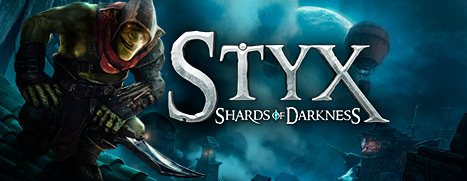
Multiplayer Saves Added!


Hi everyone,

Thanks to all your comments and feedback, we’ve just added a much-requested feature to Styx: Shards of Darkness – a multiplayer save system! This update is available for download right now on Steam.

Here’s a summary to help you understand how the new system works:
  • Only the Host can save the game, with the following limitations:
    • Only Autosaves & Manual Saves (The “Save” option from the Pause Menu) are available.
  • Quicksaves (F5 / D-Pad Right) are not available.
  • The Client cannot save.
  • The Host cannot save if the Client is performing an action like Jumping or Killing.
  • When both players die, the Host can choose which save file to load. At the end of the Loading Screen, the Client will be in Spectator Mode and has to spawn.
  • Every time the Host saves, the save file is sent to the Client which stores it locally. This means:
    • The Client can store locally up to 3 Multiplayer save files.
    • The Client can later use this Multiplayer save file in Solo. However, when loaded, the Client will always start at the beginning of the Sector (though their character progression and inventory will stay intact).
    • If the Client leaves the Host’s game but decides to come back shortly after, their Profile choice will be overriden by their local Multiplayer save. This is due to the assumption that the player will want to use their latest save if they decide to come back to a game they just left.


Thanks again for all your feedback and comments - they’ve been a great help in our improvement of Styx’s latest adventure!