1. SMILE GAME BUILDER
  2. News

SMILE GAME BUILDER News

Update Information Exporter for Unity 5.6 ver.1.0.1 (December 28th, 2017)

- We've fixed an error: the model scale was not the same between SMILE GAME BUILDER and Unity.

- We've fixed an error: when you convert it for smart phone, BGM loop sometimes doesn't play smoothly.

- We've improved an operation of when you repeat a sound effect in short intervals.

- We've fixed an error: when the start event was set to "When making contact with player" and also the control setting is free movement, some events don't work properly.

- We've fixed an error: when the player and an event overlap each other during free movement, the player cannot move.

- We've fixed an error: sometimes the motions of users' own materials are not applied properly.
Update Information 1.9.1 (December 28th, 2017)

- We've fixed an error: when you open your saved game files with the language setting other than Japanese at the configuration, some wording in the games are replaced with English.

- We've fixed an error: when you use WAV format for BGM instead of OGG format, it sometimes freezes while loop playing.

- We've fixed an error: when you export your project file using Unity Exporter to the same folder continuously, it deletes added users' materials in the project file.

- We've fixed an error: when you place a stairs block and a map object with "Allow Underpass" next each other, sometimes the player cannot go up/down the stairs.

“SMILE GAME BUILDER Exporter for Unity 5.6”, is on sale!

This product is a feature expansion DLC for "SMILE GAME BUILDER", game development software for Windows. With this product, you will be able to convert your game files into version 5.6 “Unity” projects.
If you have Unity installed in advance, you don’t need to make any tweaks to open it on Unity after conversion and you can customize your games with Unity’s powerful graphic features. You can publish your games to various platforms which Unity supports like iOS and Android for smart phones, MacOS, Linux, major game consoles and so on.


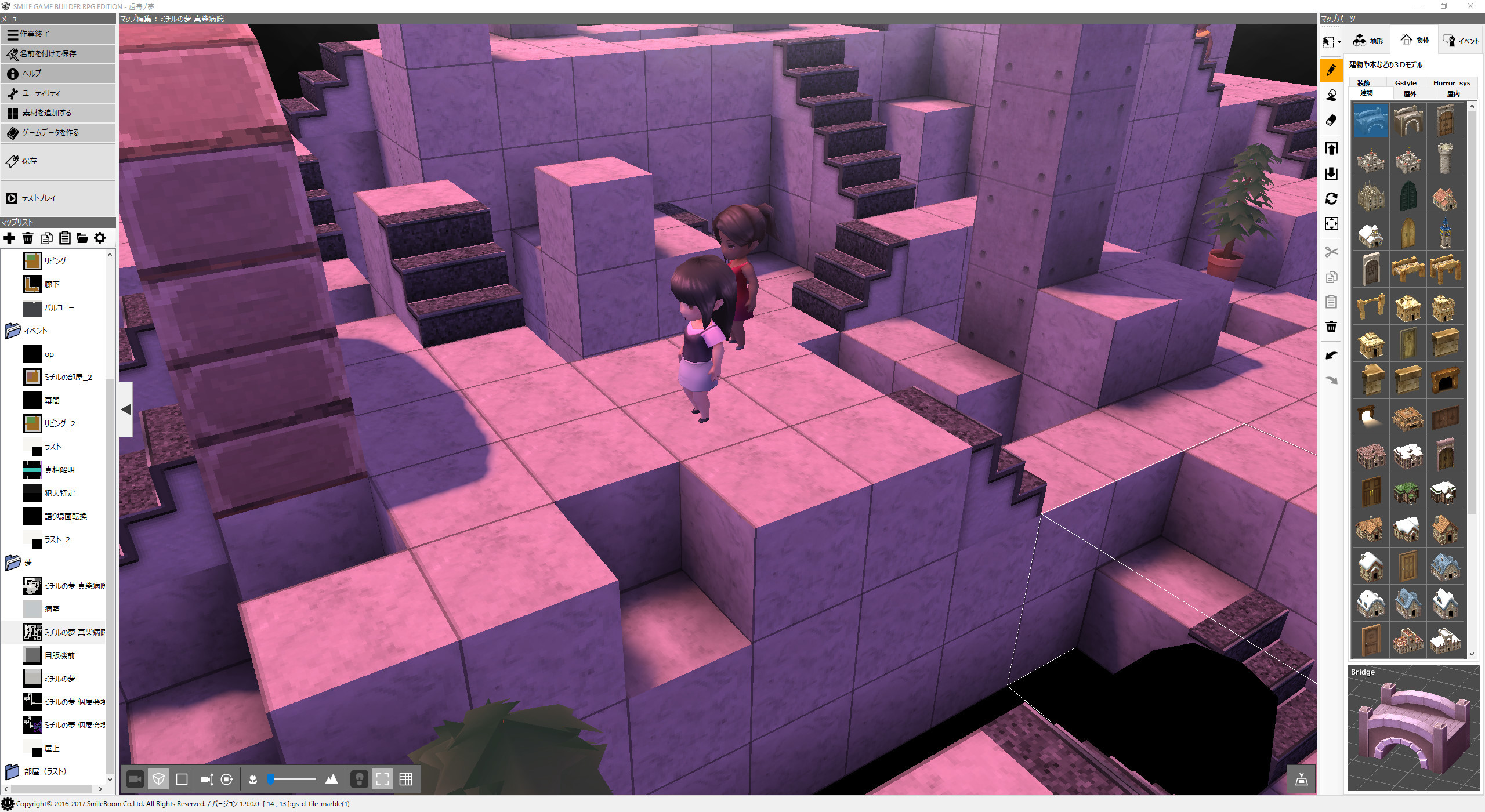
↑A screenshot in the editor of SMILE GAME BUILDER (Using a free game, “Blight Dream”)


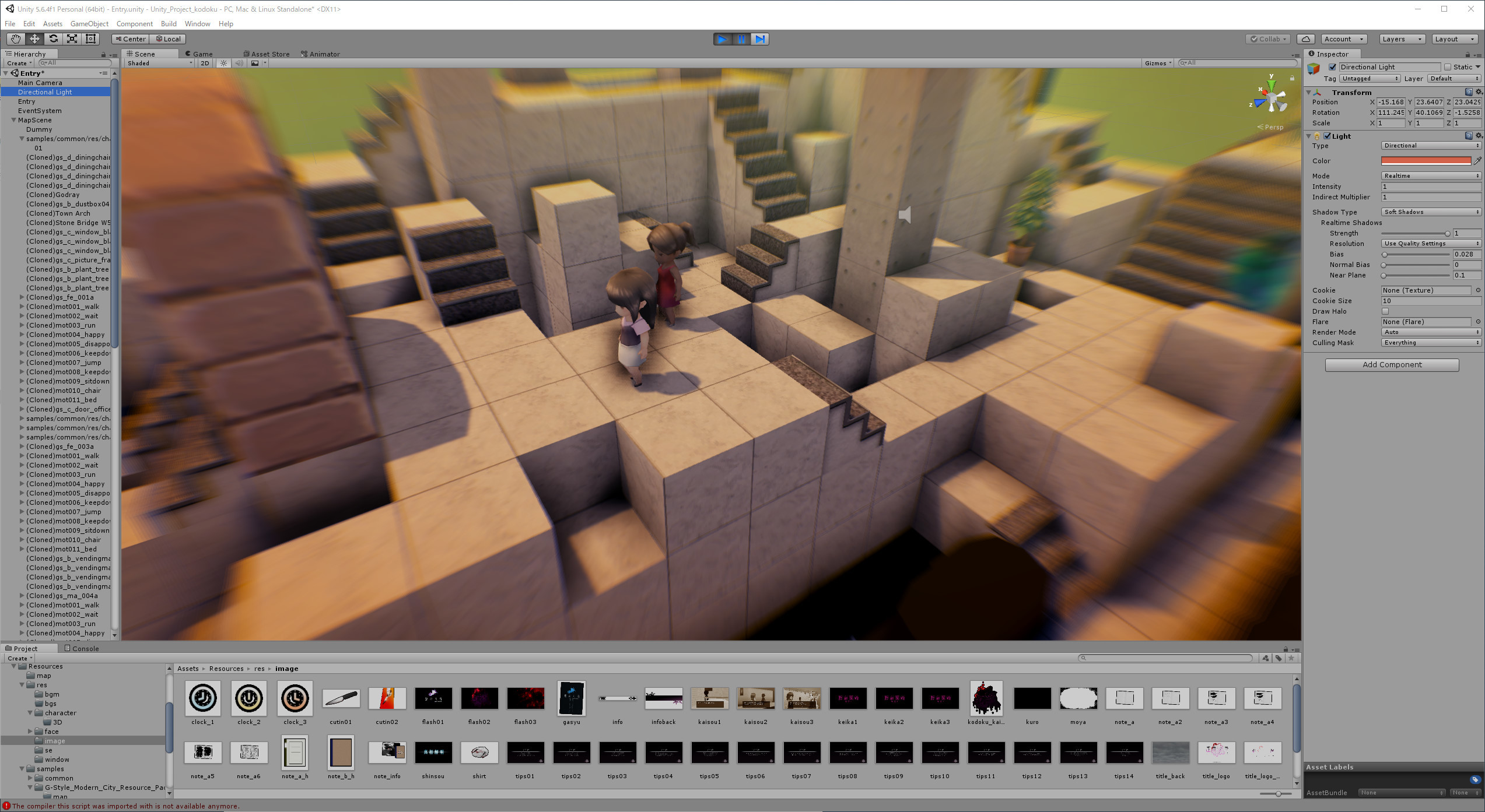
↑After Unity conversion, “Post Processing Stack” of Unity’s effect asset was used and also added image effects like Anti-Aliasing, Depth of Field and other. You can see the difference between them right away.


↑You can edit the source code of the exported game on Unity directly. It’ll be a possibility that you can create a base of your game on SMILE GAME BUILDER and spice it up on Unity. (*We are planning to release game engine source in Unity project to be open source. )

Update Information 1.9.0.1 (December 19th, 2017)

----- New Features -----
When you import FBX, the following process will be executed;
- Skin Weight Normalization
- Polygon Triangulation
- Apply Scaling
- Convert old FBX format to FBX7.4

We implement the "Common Events" feature which you can use from every map.

We implement "Grouping" feature for map objects.
When you rotate a grouped map object, it rotated each place, but now it can keep the relative position and rotate around the center point of the group.

You can select map objects or events by using Ctrl+left-click.

You can copy & paste map objects and events all together.

You can choose "Free Movement" when it's in the third-person view mode.

-----Bug Fixes-----
If you choose "Use the Standard Fonts" and there is "font.ttf" in the game file folder, it'll use it to display letters.

We've fixed an error: you cannot change the wording "New Game" and "Continue" on the title screen in localize tool.

We've fixed an error: when a character attacks one of the party members with an instant-death effect weapon, the character will be knocked out but its HP will not be 0.

We've fixed an error: when party members attack with weapons which give abnormal condition such as charm, confusion, sleep and so on, its state will recover quickly.

We've fixed an error: the given percentage of abnormal condition with weapons which have an attack element is based on accuracy, not elemental attack power.

We've fixed an error: in the event panel, "Change Player Movement Speed" won't execute until the event is completed.

You can assign coordinate values by variables using event panels: "Display Image" and "Move Displayed Image".

Bug Fix

"SMILE GAME BUILDER Exporter for Unity 5.6" will be released in this winter!

スマホ、Web、家庭用ゲーム機用アプリも作れるように! ゲーム統合開発環境『Unity』との、連携を可能にする機能拡張DLC「SMILE GAME BUILDER Exportr for Unity 5.6」を今冬の発売を目指し開発中です!
こちらの機能を使って、サンプルゲーム『グランブーム国物語』をスマホアプリ化したものも配信中! 是非遊んでみでください。

詳細はこちら
https://smileboom.com/press/smilegamebuilder_exporterforunity/

説明ビデオ
https://youtu.be/n-wi55_BI_E

テストスマホアプリ
[iOS] https://itunes.apple.com/jp/app/id1315529021

[Android] https://play.google.com/store/apps/details?id=com.smileboom.grandboom&hl=af