Angeldust v3.4 release notes
Here's the list of changes in Angeldust v3.4:
Introducing: holo painter! This block allows you to set a color scheme that will be applied to any hero stepping on it. You can currently select eight unique color schemes:
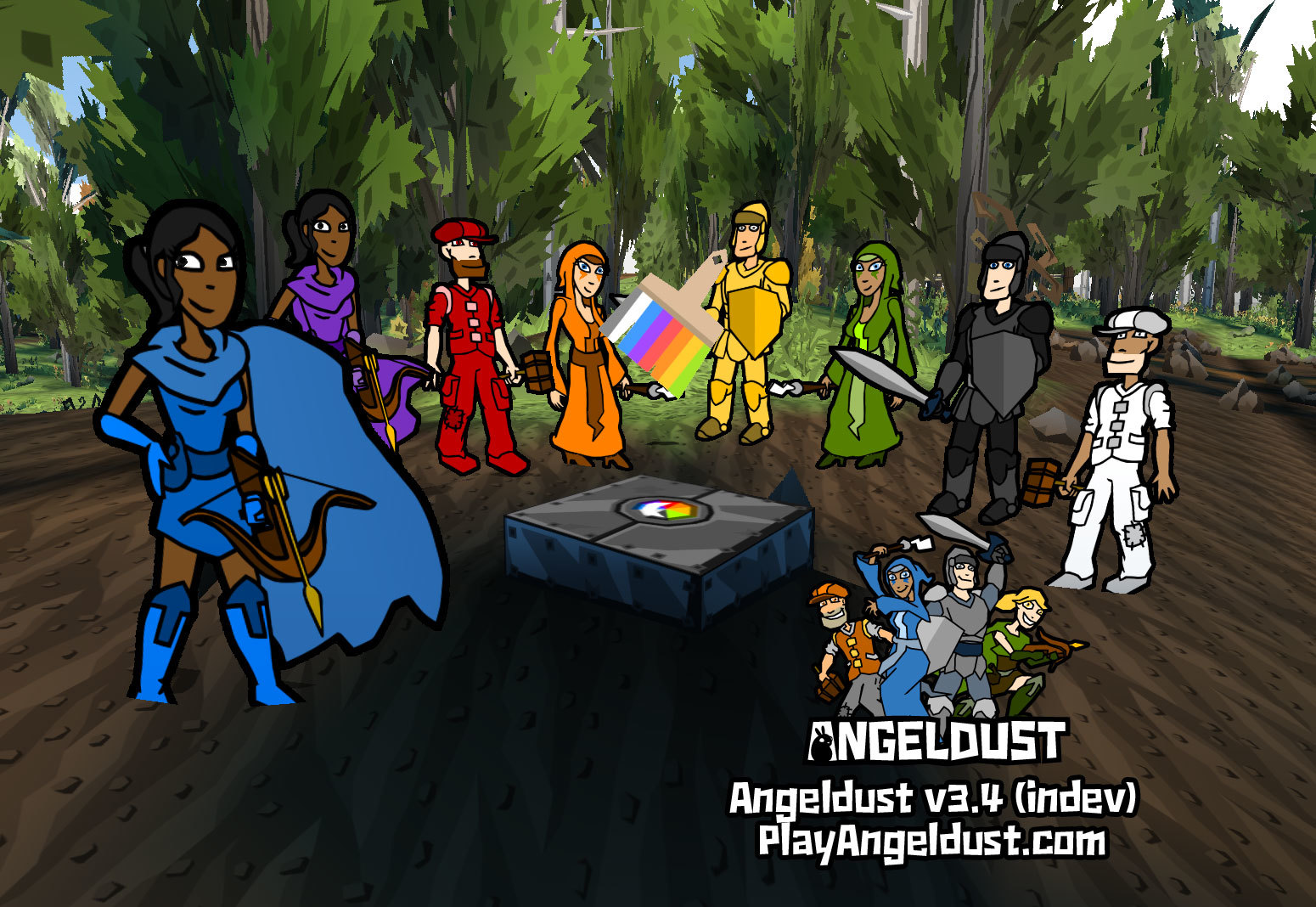
Use this block to visually split groups of heroes into teams, or make them adhere to the dress code for your house, castle or other build. Players can revert to their regular outfit by activating the holo painter a second time.
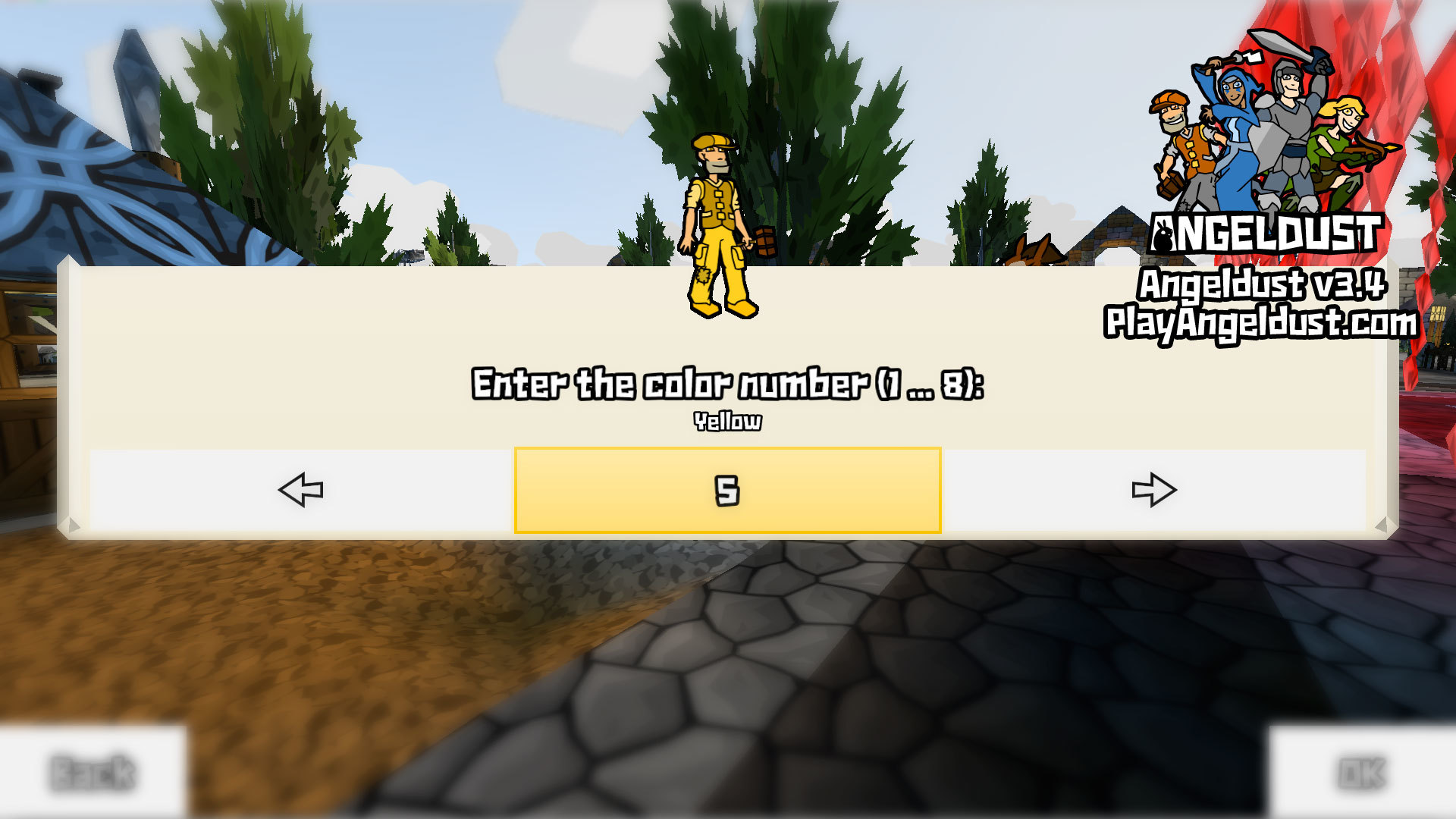
When placing a holo painter, holo charger, photon block or photon imitator you can now use the mouse scroll wheel, the right analog stick on a game controller, or on-screen buttons to select the desired numeric entry:
Angeldust v3.4 brings two brand new building tools—the first being the 'block picker'. This pipette (or eye dropper tool) allows you to select a block and identify it. Switch to the block picker using the 'Q' key on the keyboard, or the left bumper button on a game controller.
'Use' the block picker to equip the selected block from your inventory. Neat:

You can also use the block picker to inspect building techniques used by other players. Hover over blocks and see how they interact.
On top of to the block picker come the spiffy new goggles. And 'zey' certainly do something! Use the goggles to enable or disable a nifty cell targeting grid so see where you can and can not place or remove blocks:

The grid remains active until disabled by using the goggles a second time. When equipped, the goggles also hide the compass, in-game control hints and the hotbar will squeeze to half its size so you can more clearly look around.
Both the block picker and the goggles are available from the in-game item shop for a token amount of coins. So fork over your cash and get some nice building tools today!
Because I just know that players are going to like the super cute, itty-bitty hotbar when using the goggles, you can now also permanently have a halved hotbar by setting the options menu 'text size' option to the new, lowest value of 'space-saving'.
The 'text size' option is available on Windows, macOS and Linux.
Angeldust v3.4 almost doubles the effective range of blocks, trees, your shovel and your axe. This makes building way more comfortable. Take a look at the almost silly range:

It might not be fully realistic (well, what is?), but it allows for a much more fun building experience. Combined with the block picker you can now just space out and build your dreams. Indirectly placing block by nudging them into empty spaces ('bridging') is also still possible.
Your targeting crosshair is now always visible to improve your pointing accuracy. This helps a lot. Try it. You'll like it!
Conveyor belts have tiny arrows on them in Angeldust v3.4. The trampoline loses its metal frame and has a better animation. Surprisingly, I can now share the direction of conveyor belts in a static screenshot. Lo and behold (with cute hotbar):

Hard to visualize, but the entire touchscreen control interface has been revamped. New icons for common functionality, context-aware buttons to help out with building and dedicated action buttons instead RSI-inducing tap-and-hold mechanics. It's pretty good!
Just like summoning your favorite, cutely-spelled, imaginary pet from a red-and-white ball, you can now choose which of your badges you want to show in-game and on the Angeldust website. Go to the 'Account details' page of PlayAngeldust.com and choose wisely:

The ever prolific obi2002 reported that panels placed in between some girder blocks rendered with holes between them. This is now fixed, as evident in my very, very imaginative build here:

Big news: the sign-in form now shows the forest in the background instead of the empty village. This adds a splash of color and recognizability to the sign-in form, which is the first thing that new players see. Mucho importante:

For Angeldust v3.4 I've optimized disk I/O a lot. Especially if you're playing with a regular HDD (instead of an SSD) and at higher view distances you should notice much better performance when moving between game world areas.
In addition to performance improvements Angeldust will now strike a better balance between showing distant areas and updating nearby blocks when building. This reduces building latency while also rendering distant things earlier so your world feels more complete.
If you like Angeldust, please write a positive review on Steam! You can also stalk us everywhere. Thanks in advance:
Paint it black
Introducing: holo painter! This block allows you to set a color scheme that will be applied to any hero stepping on it. You can currently select eight unique color schemes:
Use this block to visually split groups of heroes into teams, or make them adhere to the dress code for your house, castle or other build. Players can revert to their regular outfit by activating the holo painter a second time.
Punching in the numbers
When placing a holo painter, holo charger, photon block or photon imitator you can now use the mouse scroll wheel, the right analog stick on a game controller, or on-screen buttons to select the desired numeric entry:
Be picky
Angeldust v3.4 brings two brand new building tools—the first being the 'block picker'. This pipette (or eye dropper tool) allows you to select a block and identify it. Switch to the block picker using the 'Q' key on the keyboard, or the left bumper button on a game controller.
'Use' the block picker to equip the selected block from your inventory. Neat:
You can also use the block picker to inspect building techniques used by other players. Hover over blocks and see how they interact.
Ze goggles, zey do nothing!
On top of to the block picker come the spiffy new goggles. And 'zey' certainly do something! Use the goggles to enable or disable a nifty cell targeting grid so see where you can and can not place or remove blocks:
The grid remains active until disabled by using the goggles a second time. When equipped, the goggles also hide the compass, in-game control hints and the hotbar will squeeze to half its size so you can more clearly look around.
Both the block picker and the goggles are available from the in-game item shop for a token amount of coins. So fork over your cash and get some nice building tools today!
Save me, save me, save me!
Because I just know that players are going to like the super cute, itty-bitty hotbar when using the goggles, you can now also permanently have a halved hotbar by setting the options menu 'text size' option to the new, lowest value of 'space-saving'.
The 'text size' option is available on Windows, macOS and Linux.
Range revolution
Angeldust v3.4 almost doubles the effective range of blocks, trees, your shovel and your axe. This makes building way more comfortable. Take a look at the almost silly range:
It might not be fully realistic (well, what is?), but it allows for a much more fun building experience. Combined with the block picker you can now just space out and build your dreams. Indirectly placing block by nudging them into empty spaces ('bridging') is also still possible.
Your targeting crosshair is now always visible to improve your pointing accuracy. This helps a lot. Try it. You'll like it!
Functional bunch
Conveyor belts have tiny arrows on them in Angeldust v3.4. The trampoline loses its metal frame and has a better animation. Surprisingly, I can now share the direction of conveyor belts in a static screenshot. Lo and behold (with cute hotbar):
Touch of gold
Hard to visualize, but the entire touchscreen control interface has been revamped. New icons for common functionality, context-aware buttons to help out with building and dedicated action buttons instead RSI-inducing tap-and-hold mechanics. It's pretty good!
"Developer of the game", I choose you!
Just like summoning your favorite, cutely-spelled, imaginary pet from a red-and-white ball, you can now choose which of your badges you want to show in-game and on the Angeldust website. Go to the 'Account details' page of PlayAngeldust.com and choose wisely:
Hole in my life
The ever prolific obi2002 reported that panels placed in between some girder blocks rendered with holes between them. This is now fixed, as evident in my very, very imaginative build here:
I'll sign for that!
Big news: the sign-in form now shows the forest in the background instead of the empty village. This adds a splash of color and recognizability to the sign-in form, which is the first thing that new players see. Mucho importante:
Quicker, smoother, better, faster
For Angeldust v3.4 I've optimized disk I/O a lot. Especially if you're playing with a regular HDD (instead of an SSD) and at higher view distances you should notice much better performance when moving between game world areas.
In addition to performance improvements Angeldust will now strike a better balance between showing distant areas and updating nearby blocks when building. This reduces building latency while also rendering distant things earlier so your world feels more complete.
Additional changes
- Fix and optimize butterfly and firefly rendering
- Improve background ground plane aesthetics
- Tweak in-game displayed hero level resolution and range
- Fix Android crashes related to device configuration changes
- Support even more game controller models
Be social!
If you like Angeldust, please write a positive review on Steam! You can also stalk us everywhere. Thanks in advance:


