1. Monster Hunter: World
  2. News

Monster Hunter: World News

Title Update 1

Title Update 1 releases on Thursday, February 6, 0:00 UTC, and will include new features and bug fixes!


[Major Features]
- "Rajang" added to the game.

Quests that feature Rajang can be unlocked by talking to the Admiral in Seliana after (1) having beaten the game and (2) having visited the Guiding Lands at least once.

New Rajang-based hunter and Palico equipment have also been added!

You can also obtain a new weapon pendant, Rajang Claws, by completing all of the quests given to you by the Admiral.

- "Volcanic Region" unlocked in the Guiding Lands.

- Player Room Updates

You can now set your room to "public" via the Housekeeping or start menus. Setting your room to public allows other hunters in your online session to visit your room (all rooms will be set to public by default). You can also add a passcode to your room or make it completely private.


[Featured Events]
- Holiday Joy Fest

- Weapon Design Contest Event Quest, "Every Hunter's Dream II" — February 6 to March 12 (UTC)

- Weapon Design Contest Event Quest, "Every Hunter's Dream III" — February 6 to March 12 (UTC)

- Raccoon City Collaboration Event Quest, "RE: Return of the Bioweapon" — February 6 to March 12 (UTC)


[Bug Fixes]
- Fixed an issue where temporary files were saved to the wrong location when taking in-game screenshots while the Steam Cloud is active.

Please note that this issue has no effect on game progression, but if the folder "_TempPhoto" has been created in the root folder of the drive where you have the application installed, it may be safely deleted. Once the patch has been applied, future files will be saved to the same folder as save data.

- Added a wider range of framerate options.

- Fixed other minor bugs.


Important:
Matchmaking in Monster Hunter World: Iceborne requires players to have updated to the same version. Keep in mind that you can only match with other players who have the same update. You can verify the version number in the bottom-right corner of the title screen.

For other questions, please visit the official Monster Hunter World: Iceborne support portal below.
http://www.capcom.com/mhwsupport/
Troubleshooting for Performance Drops Affecting Some Users

[Notification]
We are still looking into reported issues of frame rate instability. While looking into the issue, we were able to identify specific settings which triggered this issue, as well as several temporary countermeasures. The problem has been confirmed to occur when all of the following settings are true:

- The refresh rate on your monitor is set higher than 60 Hz;
- You are using windowed or borderless windowed mode;
- You are using a G-SYNC compatible display;
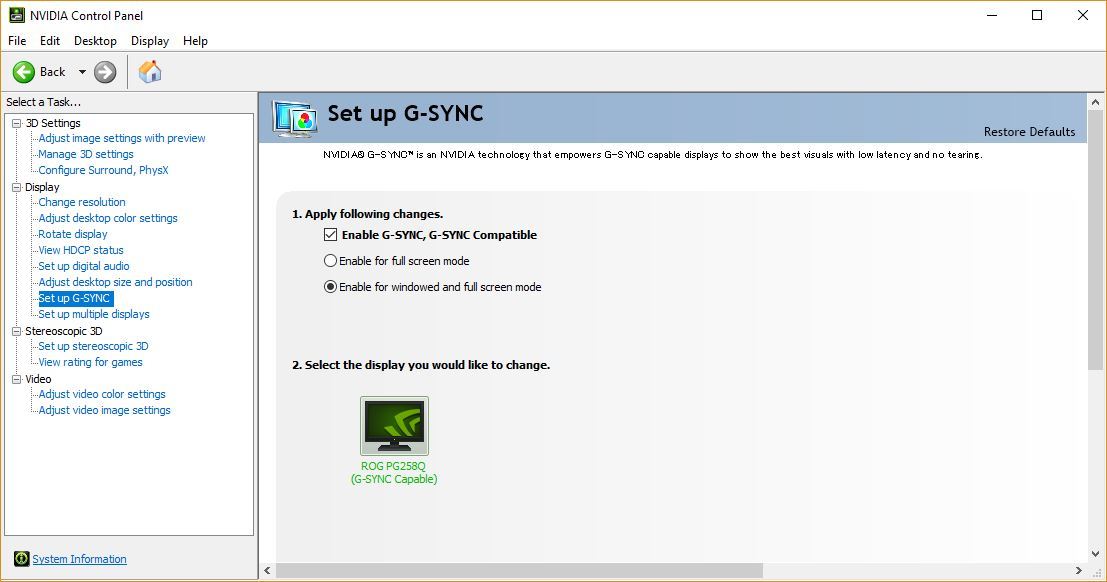
- You have selected "Enable for windowed and full screen mode" under "Set up G-SYNC" in the NVIDIA control panel

Note: We have confirmed that this issue only affects some, but not all, G-SYNC and Adaptive-Sync compatible monitors.

If the above settings apply to you, please try the following:
- Change the game to full screen mode
- If you still wish to try playing in windowed or borderless windowed mode, open the NVIDIA Control Panel, select "Set up G-SYNC" from the left column, and either:
(a) Uncheck the box for "Enable G-SYNC, G-SYNC Compatible", or
(b) Change the option from "Enable for windowed and full screen mode" to "Enable for full screen mode"


There is a good chance that this will fix the issue temporarily, so we ask that affected users please try this while we look into more permanent solutions.


Thank you for your patience as we continue to look into this issue and others that may affect drops in frame rate. Please stay tuned for news on any future developments.


Important:
Matchmaking in MONSTER HUNTER WORLD: ICEBORNE requires players to have updated to the same version. Keep in mind that you can only match with other players who have the same update. You can verify the version number in the bottom-right corner of the title screen.

For other questions, please visit the official MONSTER HUNTER WORLD: ICEBORNE support portal below.
http://www.capcom.com/mhwsupport/

Fix Patch Notification

Notification
We released a patch that addresses the following previously reported issues concerning screen freezes and performance drops for some users.

- Screen freeze that affects users with certain graphics cards. (Occurs with DirectX 11 only.)

We implemented improvements to address this issue, which occurs more often with CPUs with lower core counts.

- Performance issue that affects users with certain system specifications.

We addressed an issue that could potentially cause a drop in FPS for users with certain specifications when using DirectX 12.

- We added measures to reduce CPU usage. Please note that effects of this improvement depend on your system specifications.

- We fixed an issue where the game would crash when using certain monitors after starting the game in windowed mode, starting the game in remote desktop, or when pressing Alt+Tab.


Important:
Matchmaking in MONSTER HUNTER WORLD: ICEBORNE requires players to have updated to the same version. Keep in mind that you can only match with other players who have the same update. You can verify the version number in the bottom-right corner of the title screen.

For other questions, please visit the official MONSTER HUNTER WORLD: ICEBORNE support portal below.
http://www.capcom.com/mhwsupport/

Grand Appreciation Fest beams onto Monster Hunter World: Iceborne!


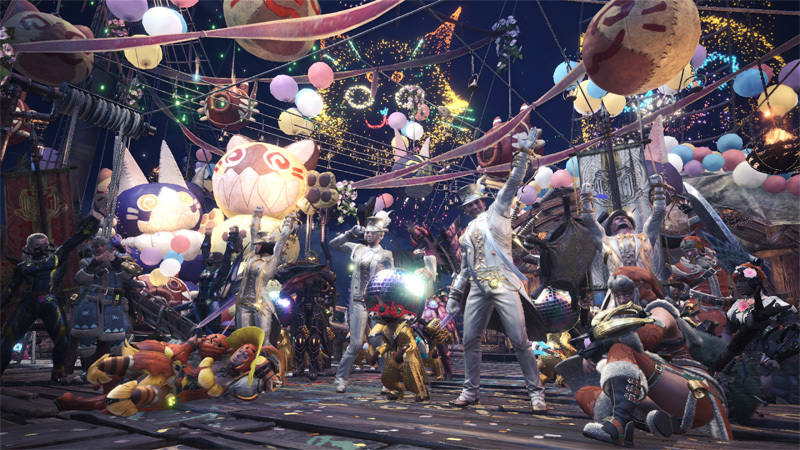
Put on your party hats and get ready to celebrate the 2nd anniversary of the original release of Monster Hunter: World! Starting on January 24th 00:00 UTC, we’ll be decking out both Gathering Hubs (Astera & Seliana) to bring out the starry festive spirit in all of us.
Appreciation Fest

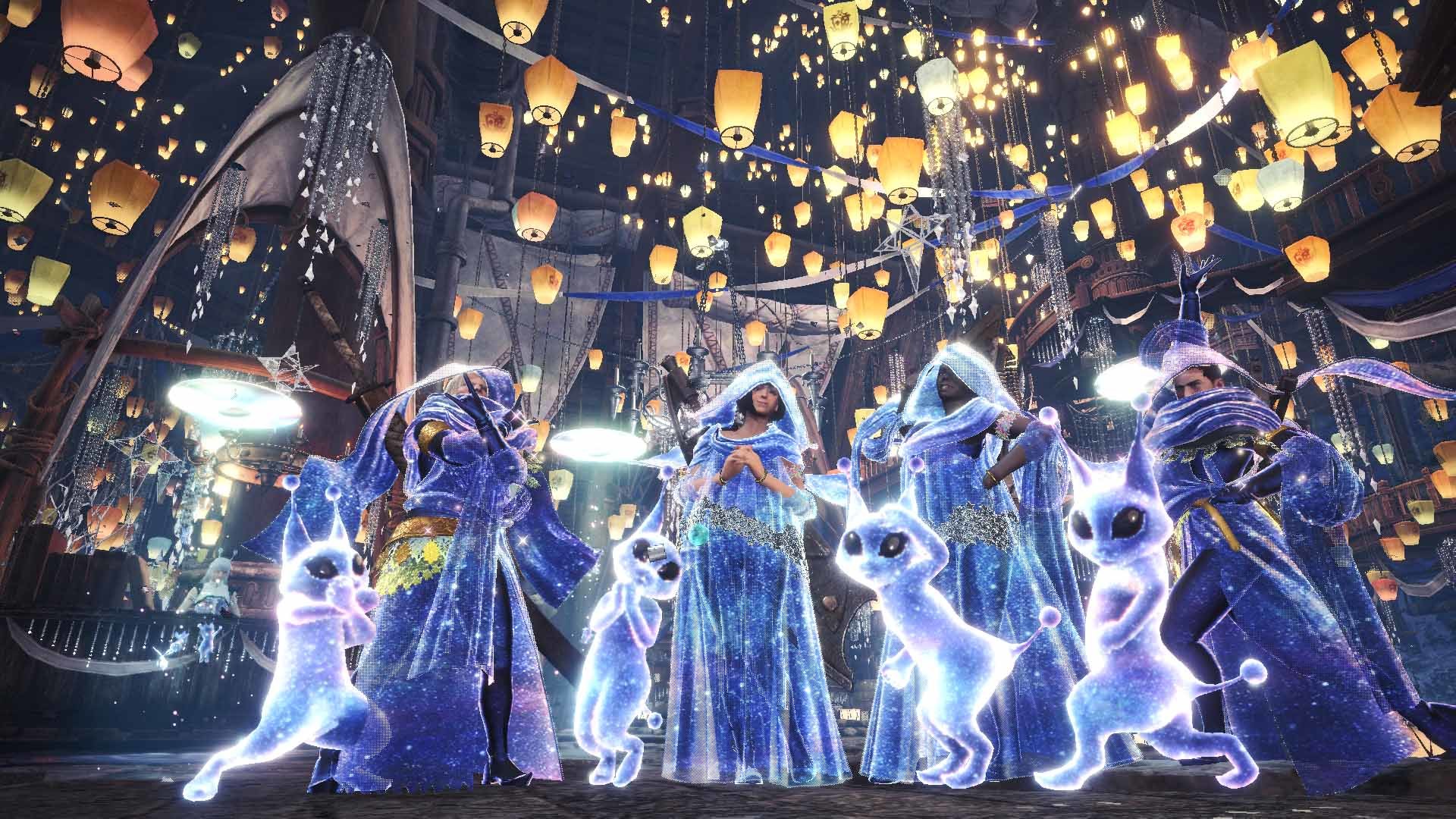
The Appreciation Fest (Astera Gathering Hub, all players) reflects the star theme in a more metaphorical way, with super elegant Gala Suits for armor sets, and the Felyne Star set for your Palico exerting full celebrity vibes. And remember to get your daily free Appreciation Fireworks to light up the sky when out hunting some monsters.

Grand Appreciation Fest
The Grand Appreciation Fest (Seliana Gathering Hub, Iceborne only) embraces the cosmic themes head on with an assortment of celestial equipment pieces and cosmetic items for you to earn.
While the event is live, claim your Login Bonus and complete daily Limited Bounties as you hunt to get “Gratitude Tickets” and the “Snowman” item. Gratitude Tickets can be used to craft a variety of special gear:

•Astral Armor – this dazzling set covered in stars exudes an energy from out of this world. Each armor piece comes with useful skill points, and the set bonus grants you increased chance to earn special Grand Appreciation rewards: “VIP Gratitude Tickets.”
•Felyne Space Set – give your Palico this sparkling outfit so it can fit in and party with the rest of the crew.
•Sky Blue Silverwisp – a shining pendant that can be attached to your favorite weapons.
•Snowman – exchange your Gratitude Tickets for Snowman at the Elder Melder then “build” it out in the field and have friendly snowball fights with your teammates… or with your prey. Your call.

As you partake in various event related activities, and help out Low Rank & High Rank hunters via the Hunter Helper system, you’ll also earn the aforementioned VIP Gratitude Tickets. They don’t drop every time, so the Astral Armor Set Bonus really comes in handy with those increased odds. Here’s what you can craft once you collect enough of them:

•Astral Layered Armor – put on this otherworldly layered armor to change just your looks while keeping your existing selected armor’s stats, skills, decorations, etc. The best of both worlds.
•Silverwisp pendants – match your weapons’ color schemes with a selection of color variations of the original Sky Blue Silverwisp.
•Room Décor – Talk to your housekeeper to see the full selection of new Room Décor… and keep an eye out for a free set of masterpiece portraits.

Event Quests
To keep the party going, we’re bringing back nearly all previously available Event Quests as well as debuting some new ones! Some key events to look out for:

•“Flora Frostbite” – fulfill a quick delivery request of 10 Iceblooms to get items to craft the Wyverian Ears headgear.
•“50 Shades of White” – successfully hunt a Barioth in the Arena and get special materials to craft a dazzling assortment of weapons!
•“Beef is Never a Mi-Steak” – Something “so tasty” is making its way back onto the menu... as a hammer! Survive this Wildspire Waste hunt to craft your own!
•“A Shocking Climax” – overcome this special quest to earn the coveted Unity Symbol. This item can be used to craft a variety of unique gear (including a Hammer and some Palico sets), and upgrade several special collaboration weapons into Master Rank.
Appreciation Fest and Grand Appreciation Fest are live from January 24th 00:00 UTC until February 13th at 23:59 UTC.

Have fun, Sapphire Stars!


Important:
Matchmaking in Monster Hunter World: Iceborne requires players to have updated to the same version. Keep in mind that you can only match with other players who have the same update. You can verify the version number in the bottom-right corner of the title screen.

For other questions, please visit the official Monster Hunter World: Iceborne support portal below.
http://www.capcom.com/mhwsupport/
Upcoming Patch Pre-release Notification

[Notification]
The following previously reported issues, first announced on January 10, will be addressed in an upcoming patch at the end of January.

- Screen freeze that affects users with certain graphics cards. (Occurs with DirectX 11 only.)

- Performance issue that affects users with certain system specifications.

We are working diligently on additional improvements for the CPU utilization issue. We greatly appreciate your continued patience as we work to implement the upcoming patch and will keep everyone informed of any future developments.


Important:
Matchmaking in MONSTER HUNTER WORLD: ICEBORNE requires players to have updated to the same version. Keep in mind that you can only match with other players who have the same update. You can verify the version number in the bottom-right corner of the title screen.

For other questions, please visit the official MONSTER HUNTER WORLD: ICEBORNE support portal below.
http://www.capcom.com/mhwsupport/