January 2021 Dev Log
Hello, dear friends!
Today's dev log will focus on items and item system changes. I get a lot of requests for more content to play with and most of my updates tend to focus on making features and/or improving previous features based on feedback because I think it's important to do that stuff first. The 0.10.0.0 update I'm working on has SO many new features and improvements but I wanted to ensure there's lots of new content for players to discover as well.
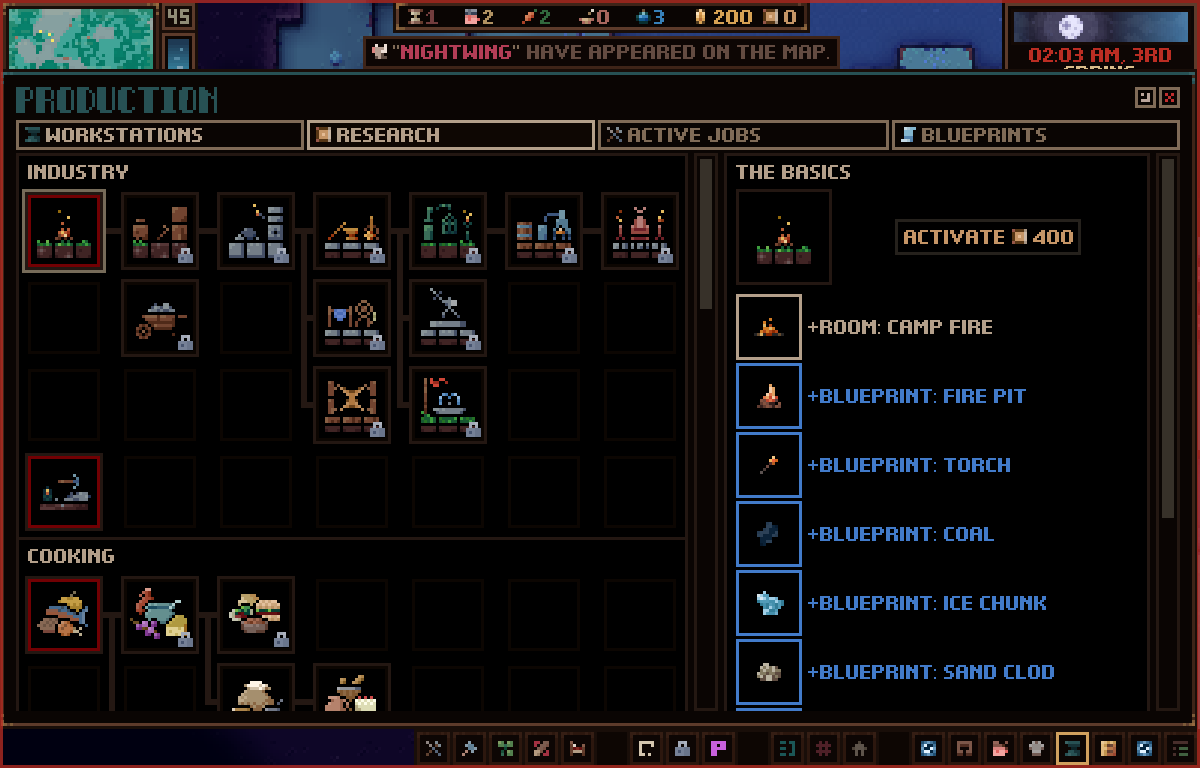
During the month since my last post, I spent a bunch of time making about 60 new tools and weapons for the game. A lot of these new items can be unlocked in the new tech tree and some are only discovered by exploring the world. I've also created two new projectile types--rocks and spears--to support new items such as, bolas, slings, darts, and spears. I've even added some new spellbooks too!
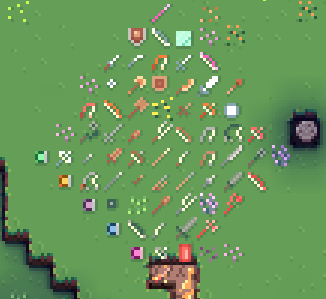
Creating all these new items surfaced some UX issues that I needed to address. Namely, how confusing outgoing damage is. In the live version of the game, it's not too clear how much damage an item will do to a block or entity. For example, you have a pickaxe which says a damage amount but doesn't apply that to a target entity in a fight. This is because the tool isn't intended to be proficient in combat. I've solved this issue by giving ALL tools/weapons their own set of attacks which are now displayed on tooltips and in a 'Attacks' window you can see on entities and uniforms. Each item 'Attack' has a partnered skill with it. So, the attack will only be used for that specific skill.
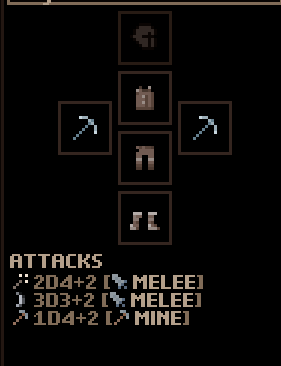
For the above image, we see that the stone pickaxe has 3 attacks:
2d4+2 Strike [Melee]
3d3+2 Cut [Melee]
1d4+2 Mine [Mining]
The attack displays the damage roll, thematic name, and skill. From this, we can deduce that, in combat, the attacks, 'Strike and Cut,' are used (because they have the melee attack skill), and, when working, the attack, 'Mine,' is used (because it has the mining skill). If the entity uses a skill that doesn't have a respective attack provided by equipped tools/weapons, then their inherent default attacks are used. Every entity has a set of underlying inherent attacks for all the skills in the game.
In a later update (I'm not going to push this update back any further to do this), I'm going to add damage types for each attack to diversify combat even more. i.e., slashing (can cause bleed), piercing (ignores % of toughness), energy (ignores 100% toughness), bludgeon (additional bonus damage), and so on.
Now, all these changes had me working a ton on UI within the various equipment screens. This then led me to all the issues with the uniform screen. (And you can see why it takes me so long to finish this update.) This is one screen which I get a ton of feedback on (aside from the room screen, which has also seen a huge update for this version), and justly so.
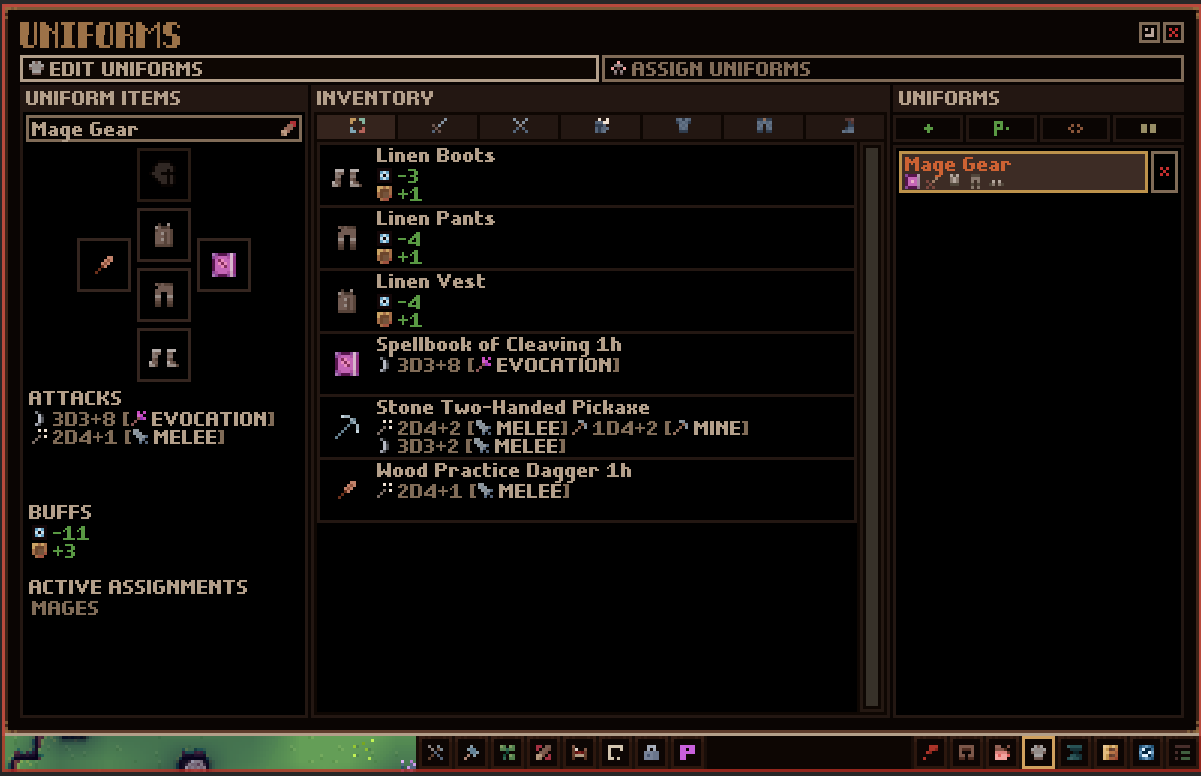
I've gone through and completely upgraded the whole thing. No longer will you see four separate screens. Instead, you'll see two: one for editing a uniform, and one for assigning uniforms.
Editing a uniform is similar to how it was but has some much clearer UI. The left 2/3rd's of the screen are dedicated to assigning items and seeing all the attacks/buffs the uniform will provide with the new addition of also showing what assignments they have. I'll get into 'Assignments' in a sec. On the right 1/3rd you have a list of all the uniforms you've created along with all the utility options (copy, duplicate, create a uniform for all professions, etc) and they will now show a preview of the items they have assigned.
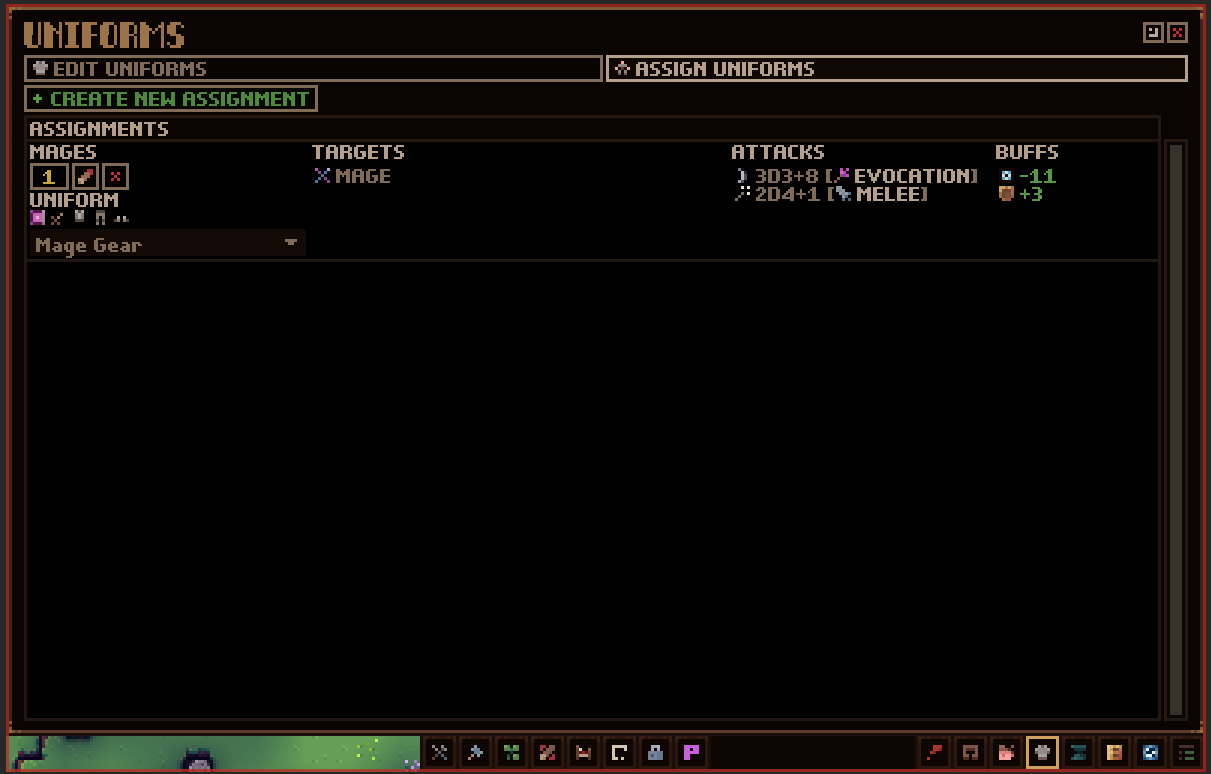
The 'Assign Uniforms' screen shows a list of 'Assignments.' These let you specify how your settlers will go about equipping items from the various uniforms you create. Just as before, you'll be able to select options from professions, control groups, and individual entities. The difference from before is that you can now mix and match these options. As before, these assignments have a priority value which you can change. Like jobs, settlers will try to select highest priorities first. So, each settler will look at all your uniform assignments from highest to lowest and filter them out based on if they match the specified requirements (are they in the control group selected or, say, of the same profession, etc.) As they're going through the list of assigned uniforms, they'll also check to see if the item is available in your inventory. If it's not, or they can't reach it (in which case a notif will be shown), they'll move on to the next highest priority assignment which they can use.
This means you might have a settler with items equipped that come from several different uniforms. Now, to help convey this information as to where a settler is getting their items from, I've added a window to the entity info screen that shows all the uniforms they are assigned to. These are ordered based on priority and will show more info when hovered over. You can also click these to go straight to the uniform to edit it. Hovering over an equipped item on a settler will also show what uniform is influencing that.
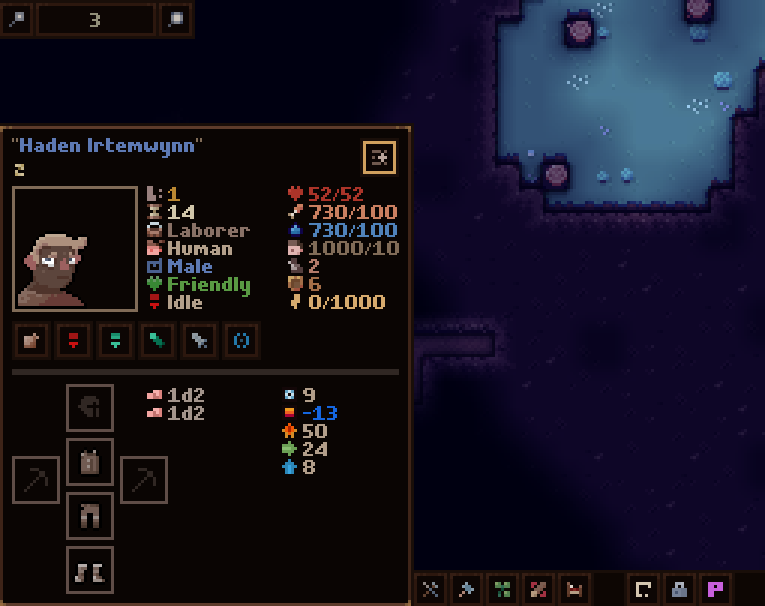
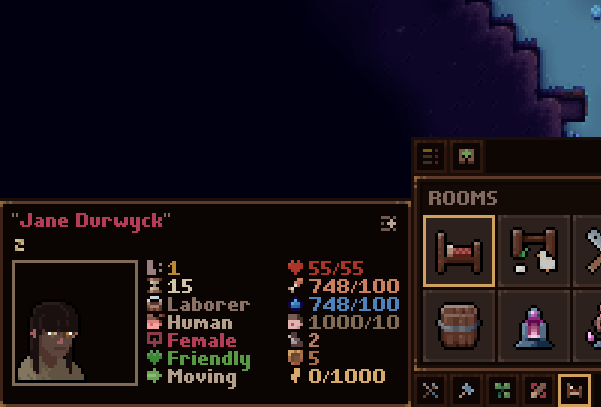
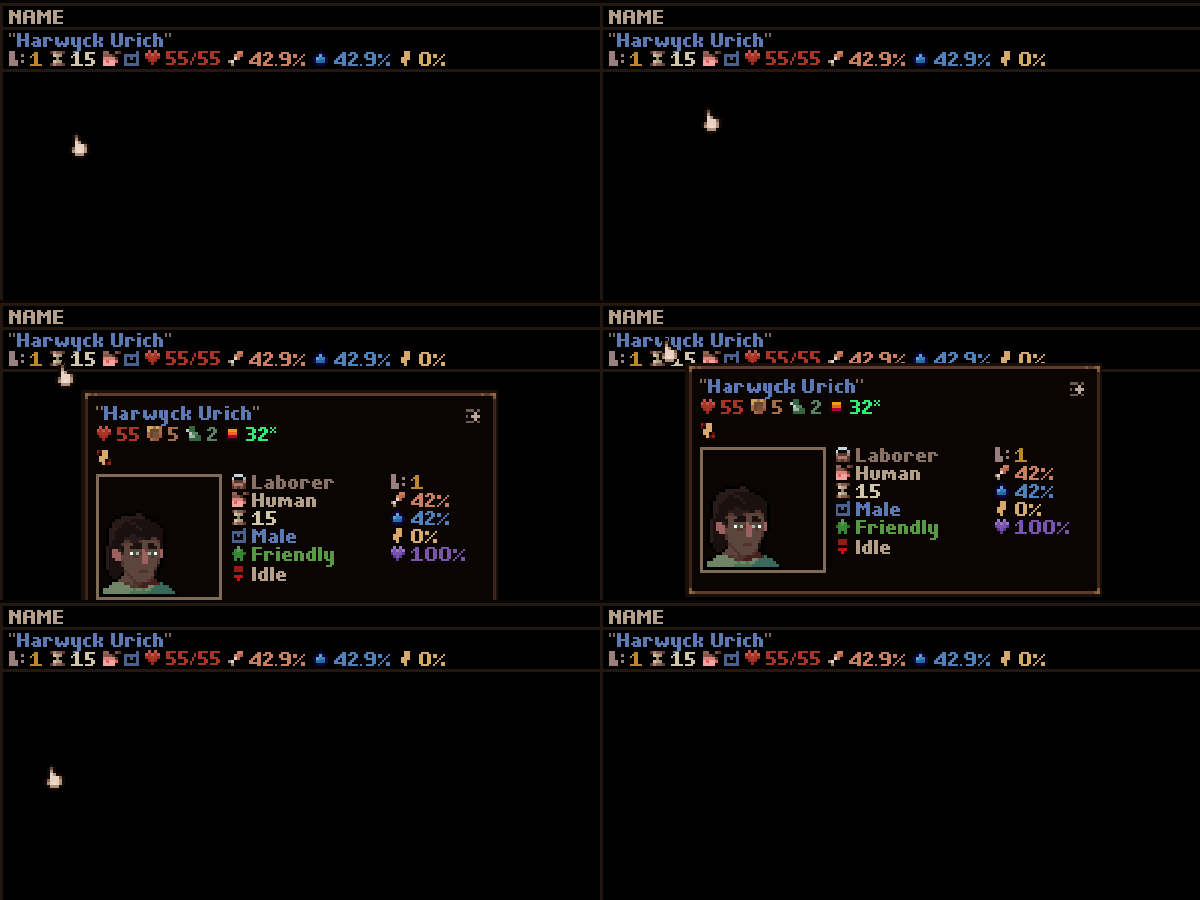
While we're on the topic of tooltips, I've gone ahead and changed it so every time you see a settler in a list, they have a detailed entity tooltip. Sometimes it's tough to tell based on just the name as to which settler you're looking at, so hovering over them will show you the same info that hovering over them in-game would.
Ok, so that covers everything I've been working on this month. However, I want to give a quick rundown of what's left to give you an idea of what I need to do to get this update out. Most of my big tasks are out of the way but I still have a couple things to tackle which will take some time:
-Encounters. I promised that I would update the encounter system of the game. Currently, the game can be pretty difficult at first but then quickly tapers off to be very easy. I want to address this for this update. I want players to have a good challenge progression. Unless, of course, they select a peaceful tile.
-Tune and test. This will also take a while because there's so much that has been changed and I know there will be lots of small issues to fix up. The good news is that I can do this with the game live in the beta branch which means you can play the version, but at your own risk.
As always, I can't say how long it will take to get this into your hands. You've all been incredibly patient and supportive. I appreciate that so much. I always try and be as transparent with my work as possible because I really respect this community and the faith you have in me. So, thank you!
I hope you are all happy and healthy and staying safe out there. Chat soon!
Waylon
Today's dev log will focus on items and item system changes. I get a lot of requests for more content to play with and most of my updates tend to focus on making features and/or improving previous features based on feedback because I think it's important to do that stuff first. The 0.10.0.0 update I'm working on has SO many new features and improvements but I wanted to ensure there's lots of new content for players to discover as well.
During the month since my last post, I spent a bunch of time making about 60 new tools and weapons for the game. A lot of these new items can be unlocked in the new tech tree and some are only discovered by exploring the world. I've also created two new projectile types--rocks and spears--to support new items such as, bolas, slings, darts, and spears. I've even added some new spellbooks too!
Creating all these new items surfaced some UX issues that I needed to address. Namely, how confusing outgoing damage is. In the live version of the game, it's not too clear how much damage an item will do to a block or entity. For example, you have a pickaxe which says a damage amount but doesn't apply that to a target entity in a fight. This is because the tool isn't intended to be proficient in combat. I've solved this issue by giving ALL tools/weapons their own set of attacks which are now displayed on tooltips and in a 'Attacks' window you can see on entities and uniforms. Each item 'Attack' has a partnered skill with it. So, the attack will only be used for that specific skill.
For the above image, we see that the stone pickaxe has 3 attacks:
2d4+2 Strike [Melee]
3d3+2 Cut [Melee]
1d4+2 Mine [Mining]
The attack displays the damage roll, thematic name, and skill. From this, we can deduce that, in combat, the attacks, 'Strike and Cut,' are used (because they have the melee attack skill), and, when working, the attack, 'Mine,' is used (because it has the mining skill). If the entity uses a skill that doesn't have a respective attack provided by equipped tools/weapons, then their inherent default attacks are used. Every entity has a set of underlying inherent attacks for all the skills in the game.
In a later update (I'm not going to push this update back any further to do this), I'm going to add damage types for each attack to diversify combat even more. i.e., slashing (can cause bleed), piercing (ignores % of toughness), energy (ignores 100% toughness), bludgeon (additional bonus damage), and so on.
Now, all these changes had me working a ton on UI within the various equipment screens. This then led me to all the issues with the uniform screen. (And you can see why it takes me so long to finish this update.) This is one screen which I get a ton of feedback on (aside from the room screen, which has also seen a huge update for this version), and justly so.
I've gone through and completely upgraded the whole thing. No longer will you see four separate screens. Instead, you'll see two: one for editing a uniform, and one for assigning uniforms.
Editing a uniform is similar to how it was but has some much clearer UI. The left 2/3rd's of the screen are dedicated to assigning items and seeing all the attacks/buffs the uniform will provide with the new addition of also showing what assignments they have. I'll get into 'Assignments' in a sec. On the right 1/3rd you have a list of all the uniforms you've created along with all the utility options (copy, duplicate, create a uniform for all professions, etc) and they will now show a preview of the items they have assigned.
The 'Assign Uniforms' screen shows a list of 'Assignments.' These let you specify how your settlers will go about equipping items from the various uniforms you create. Just as before, you'll be able to select options from professions, control groups, and individual entities. The difference from before is that you can now mix and match these options. As before, these assignments have a priority value which you can change. Like jobs, settlers will try to select highest priorities first. So, each settler will look at all your uniform assignments from highest to lowest and filter them out based on if they match the specified requirements (are they in the control group selected or, say, of the same profession, etc.) As they're going through the list of assigned uniforms, they'll also check to see if the item is available in your inventory. If it's not, or they can't reach it (in which case a notif will be shown), they'll move on to the next highest priority assignment which they can use.
This means you might have a settler with items equipped that come from several different uniforms. Now, to help convey this information as to where a settler is getting their items from, I've added a window to the entity info screen that shows all the uniforms they are assigned to. These are ordered based on priority and will show more info when hovered over. You can also click these to go straight to the uniform to edit it. Hovering over an equipped item on a settler will also show what uniform is influencing that.
While we're on the topic of tooltips, I've gone ahead and changed it so every time you see a settler in a list, they have a detailed entity tooltip. Sometimes it's tough to tell based on just the name as to which settler you're looking at, so hovering over them will show you the same info that hovering over them in-game would.
Ok, so that covers everything I've been working on this month. However, I want to give a quick rundown of what's left to give you an idea of what I need to do to get this update out. Most of my big tasks are out of the way but I still have a couple things to tackle which will take some time:
-Encounters. I promised that I would update the encounter system of the game. Currently, the game can be pretty difficult at first but then quickly tapers off to be very easy. I want to address this for this update. I want players to have a good challenge progression. Unless, of course, they select a peaceful tile.
-Tune and test. This will also take a while because there's so much that has been changed and I know there will be lots of small issues to fix up. The good news is that I can do this with the game live in the beta branch which means you can play the version, but at your own risk.
As always, I can't say how long it will take to get this into your hands. You've all been incredibly patient and supportive. I appreciate that so much. I always try and be as transparent with my work as possible because I really respect this community and the faith you have in me. So, thank you!
I hope you are all happy and healthy and staying safe out there. Chat soon!
Waylon