1. Rolling Line
  2. News

Rolling Line News

Freight loading! part 1 - v5.23


This update is a special one!
It marks the beginning of a series of major updates where I'm finally adding functional freight loading into the game, a much requested feature that I've always wanted to work on!

Since this is a very large and complex feature, I'll be working on it in smaller parts and releasing them as individual updates as they are ready. To kick things off this first update makes it possible to load any prop you want into an "inventory" which certain freight wagons have (like flatcars). These props are visually displayed on the wagon!

This system is incredibly flexible and entirely supports modding, which means you can display prop mods on freight wagons, and make your own train mods which can display freight. Wagons can even be loaded with locomotives and vehicles.

This news post will only briefly show off the new features, but there is a full guide here which goes into lots of detail about the whole system:

https://steamcommunity.com/sharedfiles/filedetails/?id=3395546391

At the moment these "freight loads" are purely visual, and there are no ways to load/unload freight automatically. These props need to be manually placed on the wagon.

But the next step in this series of updates is to add functional industries!
This means special buildings which have the ability to add/remove freight loads from wagons. Things like coal dumpers filling a wagon with coal, or a log pond to unload logs from a flatcar.
So keep an eye out for the next update, which will be all about turning this freight load display system into a fully functional industry system!


[h2]Loading wagons with props[/h2]

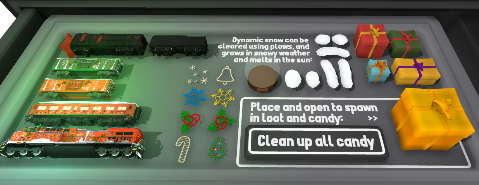
To access these new features, open the newly added drawer in the "trains" category called "freight loads":


It has a bunch of official wagons which support freight loading, as well as lots of props which can be loaded on to them.
Remember you can load ANY prop or train on to a freight wagon, not just the ones in this drawer!

Simply point at a wagon and press "L" to open the freight loads menu.
From here you can access the wagons inventory and places props in each slot:


You can customize all kinds of things, like the size & position adjustments of props, as well as control how the props are organized.
There is a full guide here which goes into lots of detail about the whole system:

https://steamcommunity.com/sharedfiles/filedetails/?id=3395546391

[h2]Modded freight loads and wagons[/h2]

This feight load display system is entirely integrated with modding, which means you can make your own prop mods which can be used as freight loads, and you can make your own train mods which can have "display points" to display props that are loaded on to them.

The above guide goes into full detail about how to use the new modding features, and has step-by-step examples on how to make a train mod which makes use of this new system.

I've also uploaded my own example freight wagon too:

https://steamcommunity.com/sharedfiles/filedetails/?id=3401617685

You can also find this example mod in the folder "Rolling Line/modding/templates/train mod examples".

On the Steam Workshop you can now also see a tag for "Freight loadable" under "mod features".
This tag is automatically added to any train mods which support the freight loading system.


[h2]New props to use as freight loads[/h2]

This update adds a few new props as dedicated freight loads.
Some of these were made by SmokeStream and are from their mod packs!


I highly recommend having a look at their mods, they are excellent!
https://steamcommunity.com/sharedfiles/filedetails/?id=3209903016

[h2]Other features & fixes in this update[/h2]

This update also includes:
  • You can now see which direction a train will be facing when placing it, there is an arrow on the "placing ghost" and you can also press Q and E to flip the placement direction while placing too:


  • When using the "Clone left/right" hover options, wagons with randomizable colors are now shuffled (instead of all being the same color). If you want to place multiple wagons with the color you can still hold shift while placing them one-by-one and they will keep their color:


  • In the modding manager, the "wagon length" option for train mods is now found in the "wheels" menu, as well as the "general options" menu.
  • When adding items to a list (like in various modding menus) the page of the list will automatically set the page which the new item was added to.
  • Some props that are very thin (like logs and containers) now have wider hitboxes when they are inside an inventory slot so they are easier to select.
  • The hand-held controllers on the wall now auto re-spawn if they are destroyed.
  • The setting which makes controllers return to their holder when dropped is now on by default.

And that's everything!
I'm so excited to finally be working on freight loading, this is a feature I've been dreaming of for years. Keep an eye on future news and updates as this system has a lot more development still to come!
The goal is to have a fully dynamic loading & unloading freight system, where freight trains can be loaded up in one location and then driven to another to then be unloaded, all with a wide range of different industry types.
In the meantime, please enjoy these new freight load display features!

Christmas! v5.22


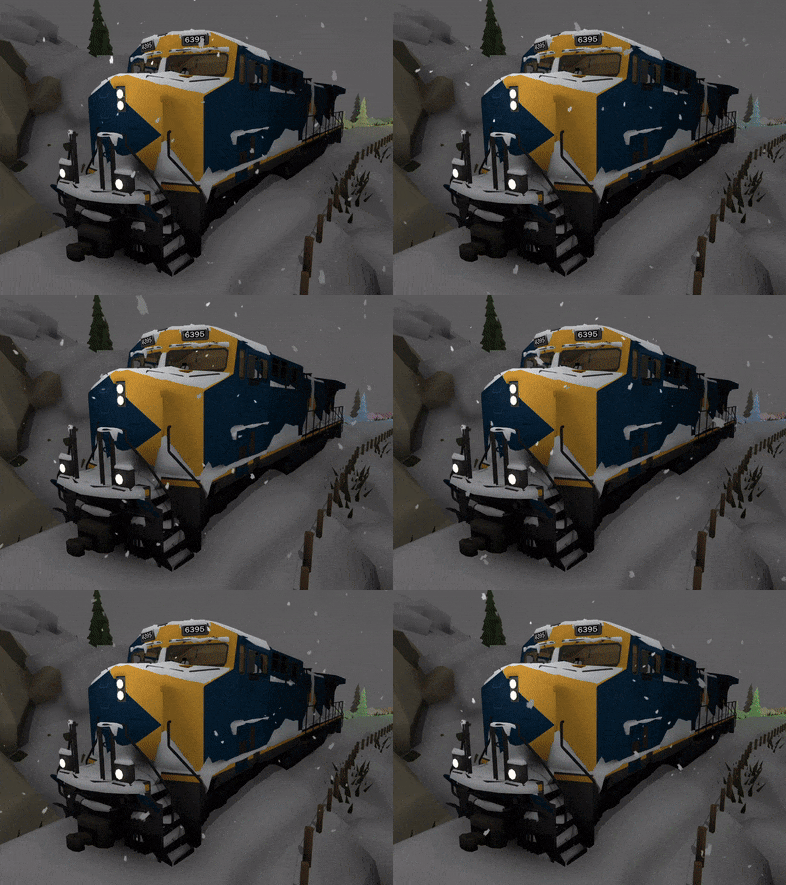
It's time for Christmas! This update adds a bunch of new features & bug fixes, and of course brings back the Christmas coat of paint for the game.

There's also a new freight loading system which is currently work-in-progress, and can optionally be played in an early state if you choose to (more info on this at the end of this news post).

Rolling Line has had several years of themed Christmas updates, so there's a lot of snow themed features to make use of already in the game!
Previous year's Christmas updates added things like:

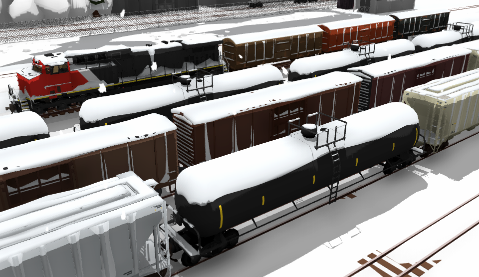
[h2]Snow cover effects for trains:[/h2]


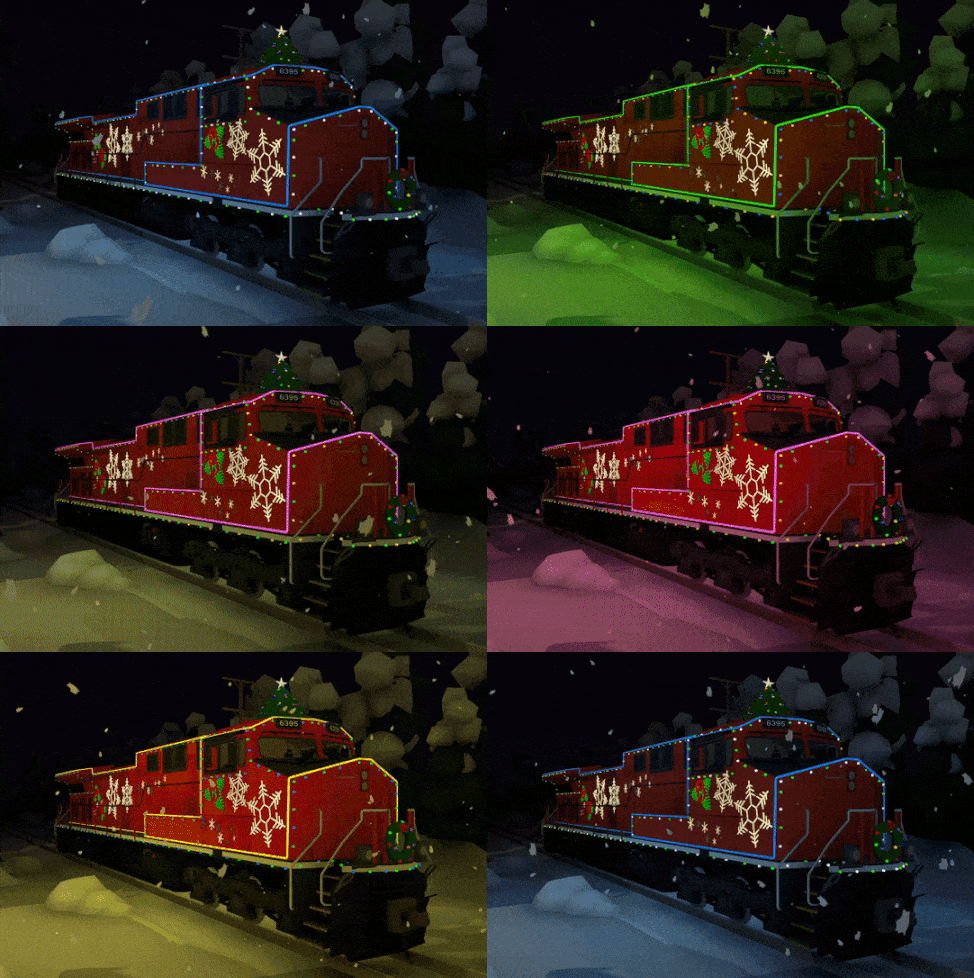
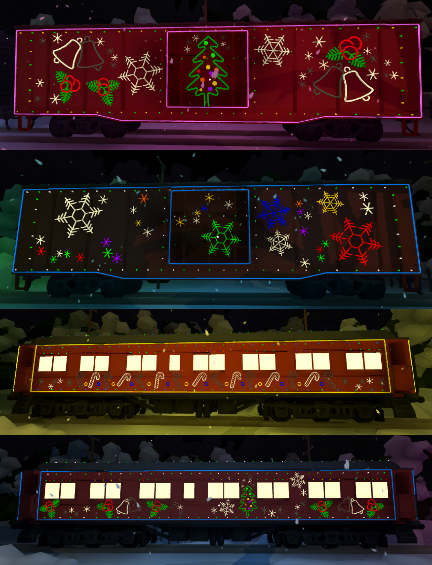
[h2]The Canadian "Christmas train":[/h2]


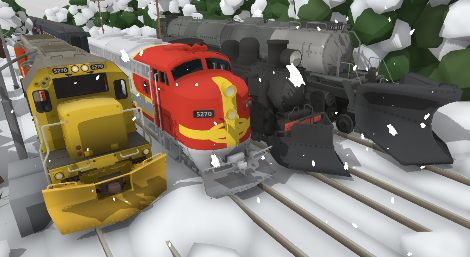
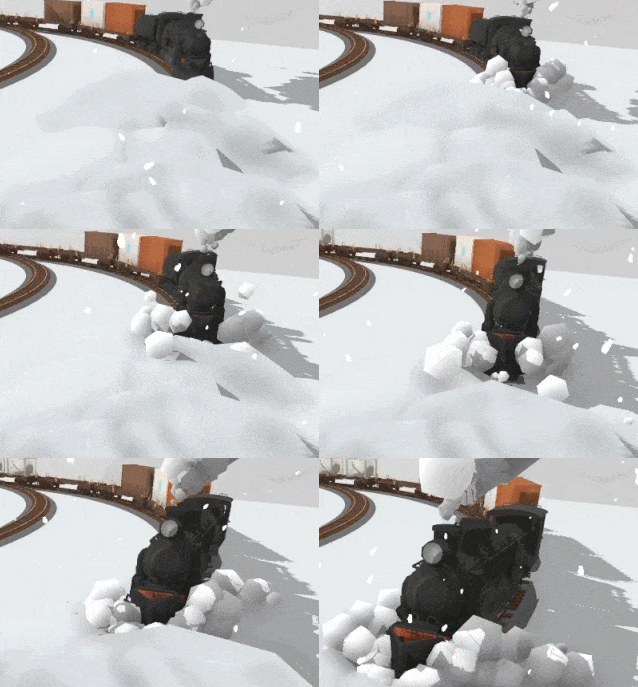
[h2]Rotary plow:[/h2]


[h2]Snow plows and snowy tracks:[/h2]


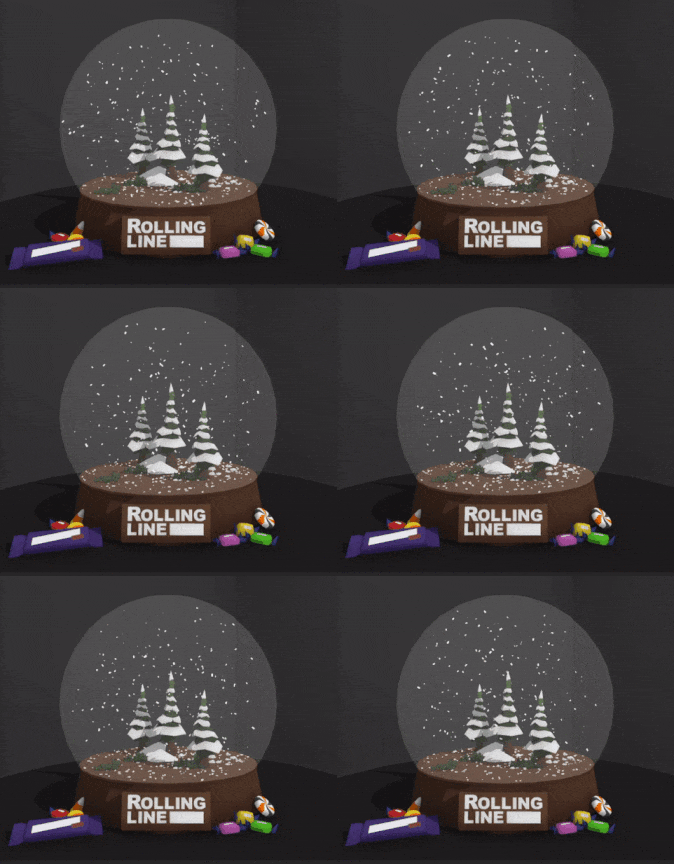
[h2]Snow globes:[/h2]


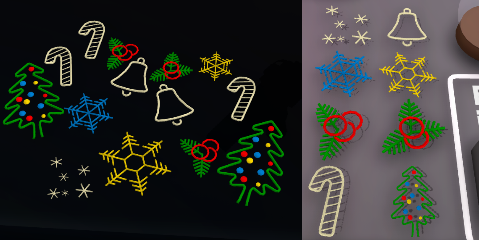
[h2]Christmas props:[/h2]


[h2]Snowy menus[/h2]

Just like with the earlier Halloween update, the game now has a set of winter themed menu scenes. You can disable these or replace them with your own in the "Pause menu -> Gameplay -> Main menu options" menu.


[h2]Other non-Christmas features[/h2]

This update also includes a bunch of fixes and features, these are:

- Added a new set of table wall props, these have an overhanging roof and fit the theme of the "official" maps in the game a bit more:


- There is now a "Next music track" button in the "pause menu -> Audio" menu, which you can click to play the next background music song (either the default music or your own custom music).


- Fixed bug where collision meshes for terrain mods would not always use the entire mesh. All models inside the fbx/obj file will now be used as collision correctly.
- Fixed broken physics on the flag props.
- Fixed bug where the save file would be clipped by view distance when saving a menu scene mod regardless of whether the "clip map size" option was used or not.
- Fixed an old bug where a single piece of floating track could be seen far off outside the room bounds.
- Made adjustments to table snapping.
- The "made with Unity" logo now shows up at the start of the game, since I no longer have a unity Plus license. Basically I use to have the "Unity Plus" plan, but they removed that option, so now it's either "Free" or "Pro", and pro is laughably expensive and removing the splash screen is the only difference it would noticeably make. So I'm back on Unity Free ːsteamhappyː

[h2]Work in progress: freight loading features! [/h2]

I was hoping to get this ready in time before Christmas, but lots has been happening around the end of the year so I haven't managed to get this update ready for release yet, but I've made it available for testing!

This update is the beginnings of a freight loading & unloading feature, and allows you to load any prop onto flatcars and display them. Wagons now effectively have an "inventory" that you can store objects in! The goal is for this system to eventually allow for automated adding and removing of objects from wagons, meaning you can set up things like logs being added to a flatcar, or iron ore filling up an ore cart.

But in the meantime this system is still very bare-bones.
If you would like to give it a try, you can add the launch tag to the game (in Steam) for:
-freightloadtesting

Adding this launch tag will enable all the work-in-progress features of this freight loading system.


And that's everything for now!
The freight loading system will be released around the start of the year, once I've had more time to finish it off. I'll also write a guide on how to use it of course!

Also while on the Christmas theme, give this awesome map a go!
(it even has a bunch of Christmas cards made by heaps of different people in the community)
Huge thanks to Camoguy for making the map!
https://steamcommunity.com/sharedfiles/filedetails/?id=3386502754

The Gorre & Daphetid Railroad!


Today is a special day, a massive community-made map project has been released after 3 years of work!
This was an entirely player-organized and player-built map, and was made entirely using the tools available in the game, including a bunch of modding and liveries!

This map is truly awe-inspiring, and really shows what kind of massive projects are possible in the game. The map is available on the Steam Workshop, and is just a simple one-click download. All required mods are packaged within the map already:

https://steamcommunity.com/sharedfiles/filedetails/?id=3369355289

For those who don't recognize the "Gorre & Daphetid", it's an incredibly famous real-world model railway that existed in the house of John Allen, which burnt down after his death in the 1970's.
The map was famous for its immense verticality and detail, and is seen as a true pioneer layout of the hobby, as it featured things like intricate scenes and stories told through the details and scenery which was very rare in the early years of model railroading. The map was so ahead of its time, and was a real sight to behold in-person. It's often referred to one of the greatest model railways of all time.


Massive congratulations to everyone who took part in the creation of this map, you might recognize a lot of them as the original "Beer Line team" who made another one of Rolling Line's most famous community projects!


More news about the next game update is soon on the way, but in the meantime I couldn't possibly not shout-out this incredible community achievement!

Patch v5.21.3_1


[h2]New error log file system[/h2]

There is now an "Error_logs" folder in the route Rolling Line folder.
It stores log data for multiple sessions! So you no longer need to use the AppData folder to report a bug (and it doesn't get erased every time the game is launched).
These log files are also cleaner and easier to read:


[h2]Disable auto-horns for AI trains[/h2]

There's now a setting to toggle the horn being played when AI trains start from a red to green light.
It's a neat feature when there's just a couple of trains, but rapidly gets annoying when a layout has tons of AI trains all stopping and starting, so you can choose to disable/enable it.
Cars also no longer honk on a green traffic light (this was a mistake, not a feature).


[h2]Toggle gravity/collision shortcut key[/h2]

You can now set a custom keyboard binding to enable/disable player collision/gravity in miniature mode. This is very useful if you want to fly the camera around (like when driving trains) without needing to go into the pause menu and disable collision completely. This binding is F8 by default and can be changed in the controls menu.


[h2]Fixed major packaged mods issues[/h2]

Turns out there was a very old bug relating to packaged mods! If a train mod livery is packaged inside a map, and the base mod that it requires is downloaded separately (off the workshop) then the game would fail to link up the livery to its base mod correctly. This has now been fixed.
There was also an additional bug relating to linked save files (where a save would look for packaged mods in a different folder directory). Sometimes this file path would become invalid, and this has been fixed and should no longer be an issue.

[h2]Other minor fixes[/h2]
  • Fixed the cloth physics on flags being broken when using transform edit mode
  • Track held by the player will no longer be included in a track mesh export
  • Both the bulk move tool and track export now select track segments more accurately
  • Removed debug overlays for photo mode that were not suppose to be accessible


[h2]In other news[/h2]

I just attended RailEx (a model train expo here in Wellington, New Zealand), next year I'm hoping to actually get organized beforehand and set up a booth running Rolling Line and have a go at selling some physical game disk copies just for fun.


I also recently dropped off a copy of Model Railroader at a very remote backcountry hut (Maungahuka Hut in the Tararua range). I hope someone gets a laugh one day out of the "Great mountain scenery" title, it's probably the only model railway magazine to ever make its way into the Tararuas ːsteamhappyː


Terrain modding! v5.21


Today's update finally replaces the old and terrible "QuickTerrain" modding system with a proper modern system with heaps of new features!

This has been on my to-do list for around 5 years, since QuickTerrain was always suppose to be a temporary feature. This new system uses the modding manager (just like train mods and prop mods) and makes the whole process infinitely easier and actually useful!

You can find a full step-by-step guide on how to make a terrain mod for a map from scratch here:
https://steamcommunity.com/sharedfiles/filedetails/?id=3360803467&tscn=1730918534

To summaries though, this terrain modding feature lets you import 3D models from external software (like Blender) to use as terrain, and you can export the track & props in your map into raw 3D models to use as a guide to create your terrain.
This means you can easily line up the track in your map with the terrain mesh!


This 3D modelling method is exactly how I make most of the official maps, and it's how I create the neat "clipped wall" effect on maps, where the scenery is aligned with the table edge of the layout. This is commonly seen in real model railways:


[h2]Full features of the terrain modding system:[/h2]
  • Import 3D models and textures in-game using the modding manager menu (just like train mods and prop mods).
  • Export in-game maps (both props and track) as raw 3D models. You can export the entire map or choose smaller sections using bounds boxes.
  • Set the view distance and low-detail view distance, and swap out to low-detail versions of the terrain when viewed from far away.
  • Set different parts of the terrain model to only be visible in large scale, or miniature only, and on different skybox regions.
  • Set a custom collision mesh.
  • Package terrain inside a save file when uploading to the Steam Workshop (just like other mods).


The map exporting feature is especially interesting, since it basically means you can take anything made inside Rolling Line and turn it into a raw 3D model!


There's also now a "Terrain Mod" category tag on the Steam Workshop:


[h2]This update also includes a few minor fixes[/h2]
  • Fixed rare freezing bug when editing roadnumbers on mods
  • Added copy-paste options to all other transform edit inputs in the modding system
  • The modding menu no longer hides when far away while open
  • Fixed shading on the popup message box
  • Fixed text alignment on the Brazil tanker freight wagon
  • Improved the collision on various road marking props
  • Disabled temporary Halloween menus (it's back to normal now)


And that's everything for now!
If you want to have a go at using the new terrain modding system, please read the full detailed guide, since there's a ton more information than I can squeeze into this news post:

https://steamcommunity.com/sharedfiles/filedetails/?id=3360803467&tscn=1730918534