1. fpsVR
  2. News

fpsVR News

fpsVR - 1.8.2

The fpsVR has been updated with the following changes:

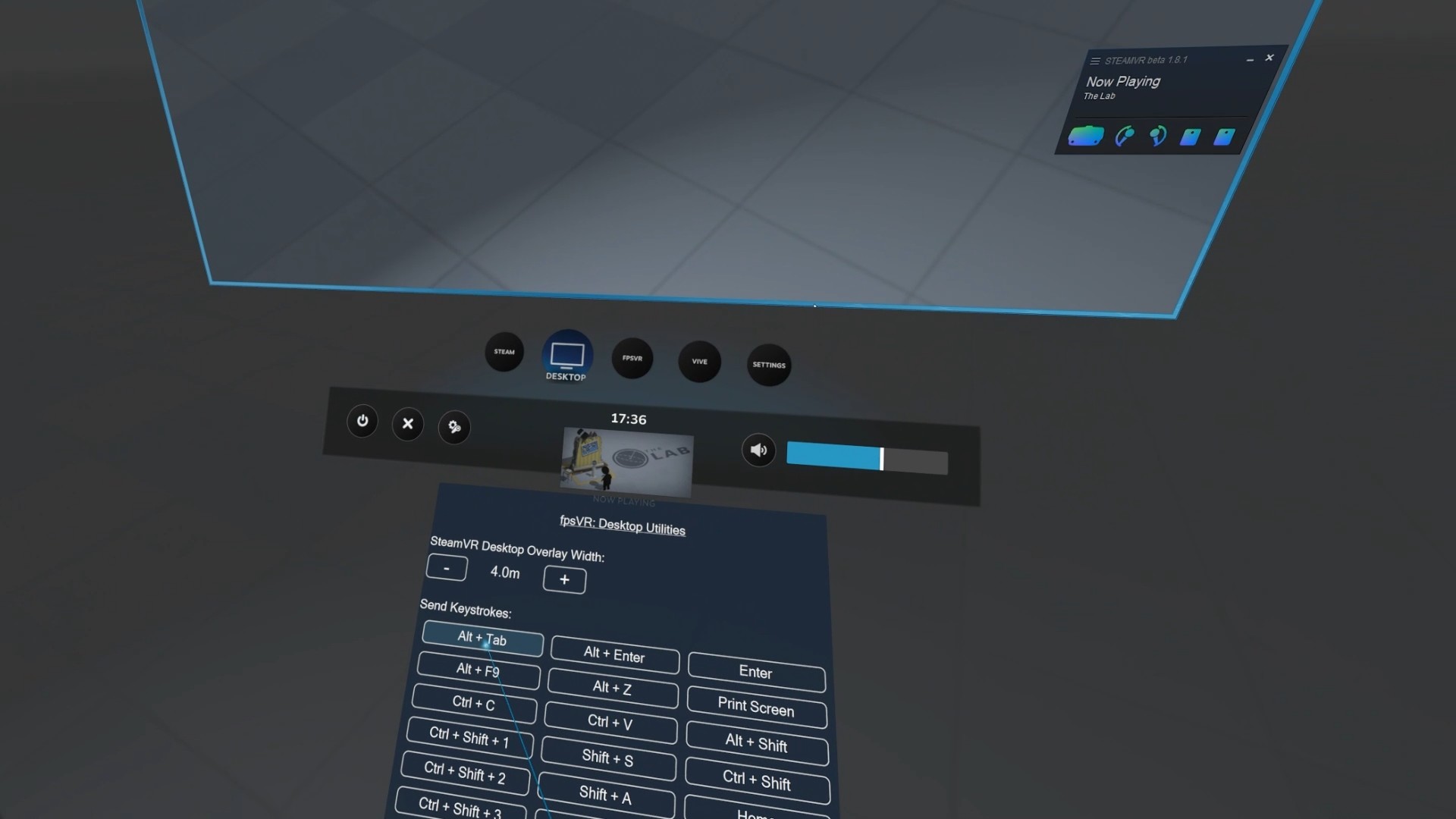
  • Desktop utilities overlay now works with SteamVR Beta.


Note: the desktop overlay resizing function does not work in the SteamVR beta, and will be removed in the future due to restrictions added in new versions of SteamVR.
fpsVR - 1.8.1

The fpsVR has been updated with the following changes:

  • Bugfix for Restart feature


Known issue: desktop utilities do not appear under desktop overlay with SteamVR beta 1.8.4+ . New SteamVR versions restrict possibility to get position of the desktop overlay.

fpsVR - 1.8

The fpsVR has been updated with the following changes:

1.8 (public branch)
  • Updated User Interface:

    • Updated interface of the fpsVR settings overlay (available in the SteamVR dashboard)
    • Some interface elements are now presented as lists, rather than as switches (through cycling).
    • The old main desktop window - removed.
    • A new main desktop window which displays only stats on the desktop (can be closed, to restore it - double click on icon in the windows tray) and new settings window (which displays settings same as in the dashboard fpsVR overlay)
    • The option “Start with SteamVR” is now also available in the tray menu, which is accessible by right-clicking on the tray icon.
    • and many other changes....
  • New tab "Advanced":

    • New feature "Refresh Rate for Valve Index"
    • New feature "Color Gain" (Vive/VivePro/Index)
    • New feature to toggle async reprojection mode (disable/enable reprojections) (Vive/VivePro/Index)
  • New tab "Restart" with new feature "Restart SteamVR"
  • Supersampling settings revamp (you can now switch the global mode)
  • Motion smoothing settings revamp (you can now change the global motion smoothing setting) (Vive/VivePro/Index)
  • Bugfixes for FloorFix feature (last update broke something...)
  • Added sound for Timer and Alarm
  • Added sound meter for mic. The app will show the sound level in the upper right corner (of the main in-game overlay) near the microphone icon (But only if microphone is used by game or any other app).
  • Added new overlay under the Desktop Overlay. Which displays desktop utilities. (Can be disabled, see option on the tab "fpsVR" in settings)
  • Added option to disable usage of the red color for fps counters, see tab "fpsVR" (red color upsets some people :D)
  • Added fpsVR launch option "-noinapp" to disable the "In-App" status for fpsVR. For more info read: Q&A
  • Added feature to control fpsVR via command line. For more info read: Q&A


1.6.3 (1.6.2 branch)
  • 1.6.2 to 1.6.3 update brings changes that should prevent issues that happen when switching between the public branch and this branch.

[Fixed] SteamVR beta 1.8.2 broke overlays.

SteamVR beta 1.8.2 broke overlays. Please revert back to the none-beta/stable version of SteamVR 1.7.15 until Valve fix it.

Update: Fixed in SteamVR Beta 1.8.3

[Fixed] Issue with SteamVR beta

SteamVR beta 1.7.11/1.7.10 returns invalid frames data. Please do not use fpsVR with SteamVR beta until this issue is resolved. Switch to the SteamVR public branch to avoid this issue.

Update: Fixed in SteamVR Beta 1.7.12