How to Change Chat Language Settings
You can now pick which language you’ll see in your chat. With this option, you can now enjoy a more appropriate and agreeable chat atmosphere.
Chat Language Settings
Just follow the steps below to choose your desired chat language settings.
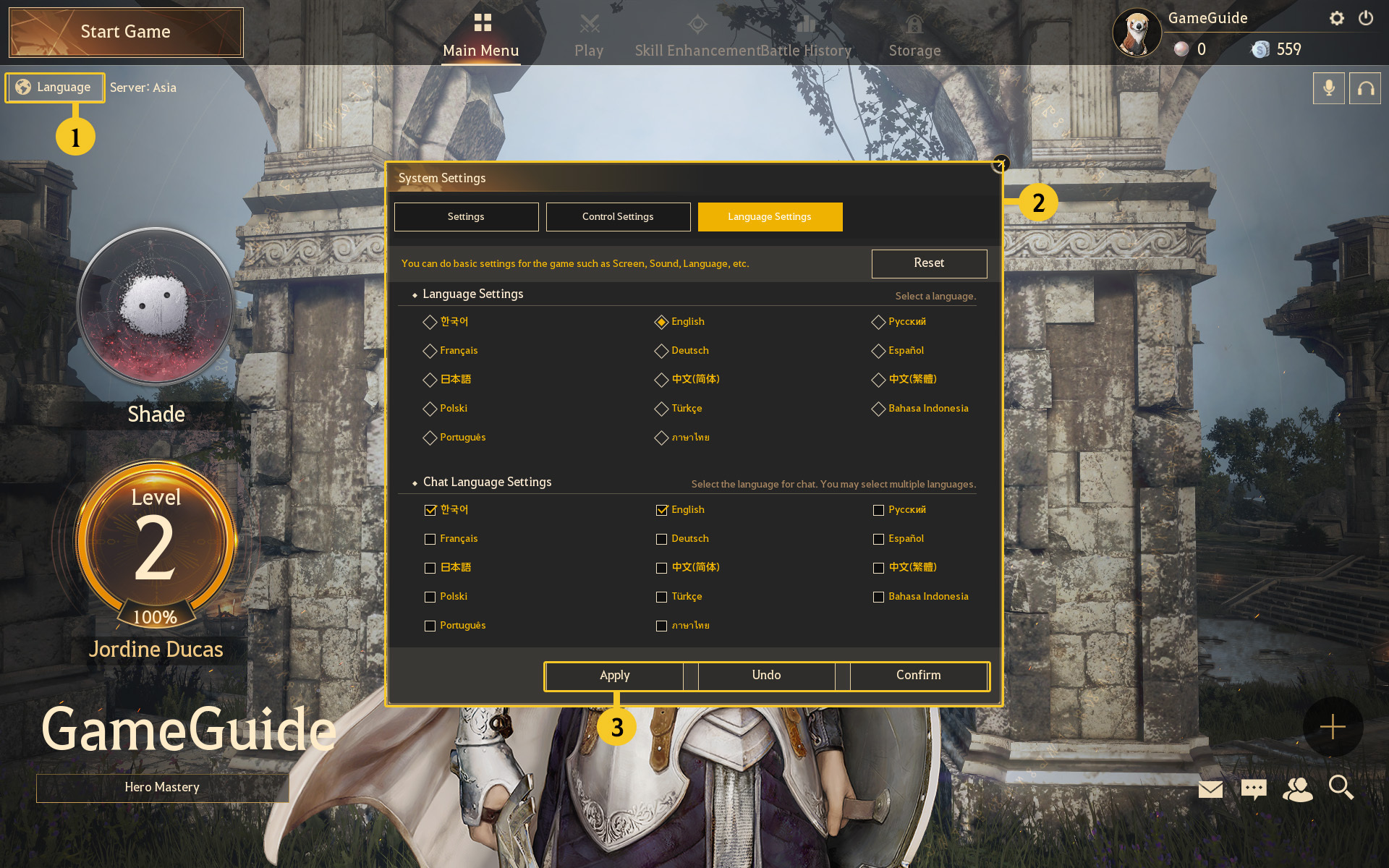
- 1. Click [Language] located in the upper-left of the screen or the gear-shaped button at the top-right of the screen.
- 2. In the System Settings, click on the [Language Settings] and select your desired languages in the [Chat Language Settings] at the bottom.
* You can select more than one language.
- 3. After selecting your desired languages, click [Apply] and [Confirm] to apply the changes immediately without having to restart your client.