1. Shadow Arena
  2. News

Shadow Arena News

[Beta] Shadow Arena Beta Schedule Information (3/2 18:45 KST)



Greetings, this is Shadow Arena.

Thank you to everyone who waited for the beta of Shadow Arena—an action-packed fantasy arena fighter set in a medieval-thematic backdrop where you can show off your true skills by becoming the sole survivor.

For more details about the Shadow Arena Beta, please refer to the information below. 

■ Shadow Arena Beta Schedule
* Beginning from March 2, the existing Europe server will be changed to the [Europe/Russia] server.
* Russia server testers can access the game through either the [Russia] or [Europe/Russia] server.
[☞ Click here for more details]

■ Shadow Arena Beta Schedule
Date
Start Time
End Time
Available Modes
February 27, 2020 (Thu)
~
March 8, 2020 (Sun)
14:00 CET
13:00 PST
16:00 EST
23:59 CET
23:00 PST
02:00 EST
Solo, Team,
Practice Match, Private Match


■ Launching Shadow Arena
The Steam Beta Key was sent to the email you provided during registration; this Beta Key can be used by being registered in your Steam library. If you lose or forget your Steam Beta Key, please contact us via [Support].


■ Notices
- The start and end time is subject to change depending on the circumstances. Any changes will be announced via a separate notice. 
- During the Beta period, we may perform unscheduled maintenance to ensure server stability or deploy patches/updates. However, the server operation time will not be extended even if there is maintenance.
- All Beta data will be reset after the Beta concludes.


Thank you.

[Beta] Shadow Arena Beta Opening Event


Greetings, this is Shadow Arena.

I’m here to let you know about an event we’ve prepared for our testers who are participating in the Shadow Arena Beta. 

So, check out the details below. 

 
[h3]EVENT 1. Super Laytenn Showdown![/h3]

In the name of the GM—I command thee—be summoned to this very battlefield, ancient weapon of despair!
O’ source of abyssal darkness, the forgotten ancient weapon, Laytenn!

Heed my call! 

Kkkkrrroooooooooooooarrrrrr

“Th..this is..! The sound of Laytenn awakening!?”

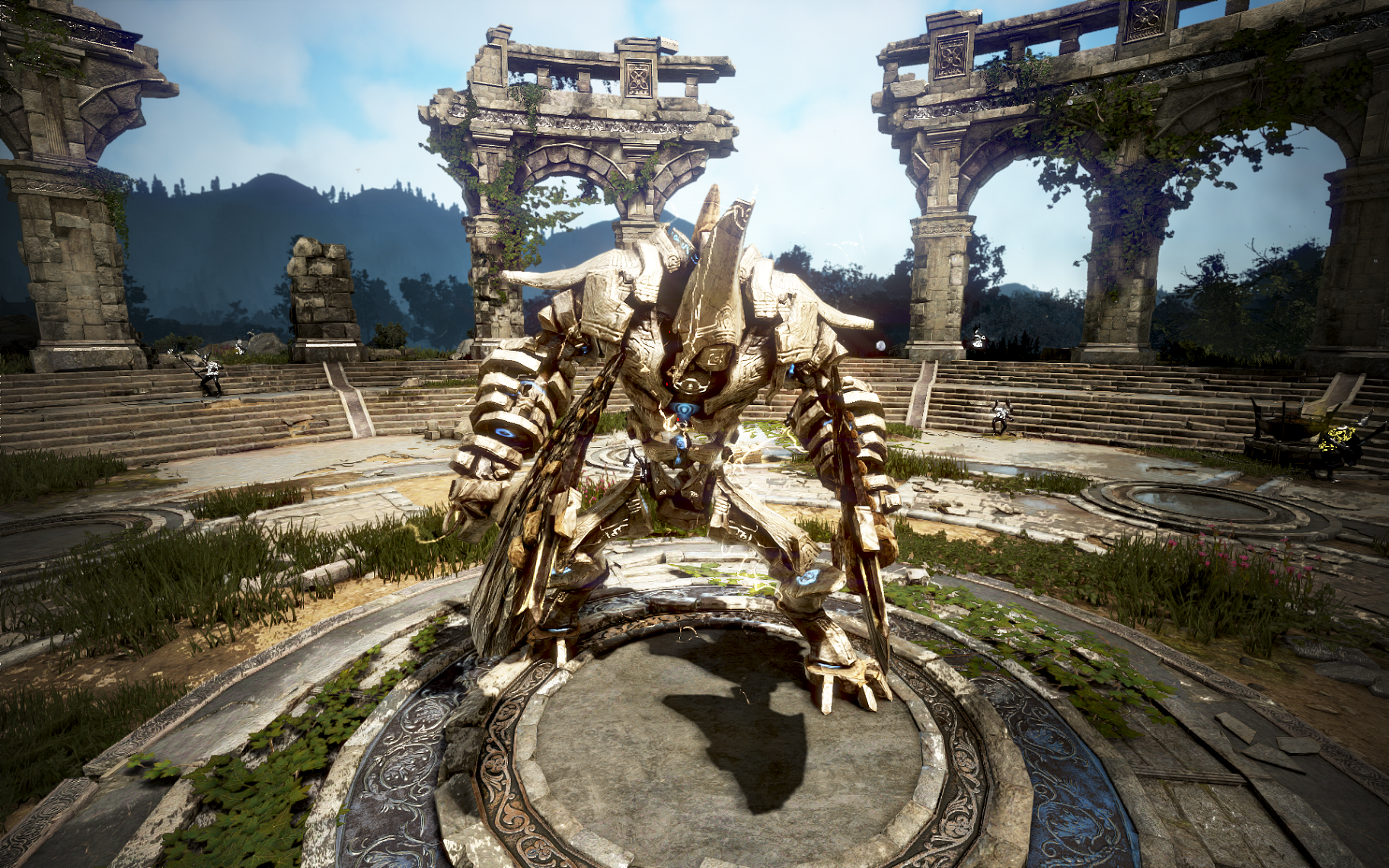
Making its appearance in Shadow Arena—it’s the ancient weaponLaytenn!
Take control of this ancient weapon summoned from the darkness and defeat your foes with Laytenn’s might!
 

■ Event Period 
Server
Event Period

Asia

February 29, 2020 (Sat) 19:00 ~ 21:00 (KST)

North America

February 29, 2020 (Sat) 19:00 ~ 21:00 (PST)

Europe

February 29, 2020 (Sat) 19:00 ~ 21:00 (CET)

Russia

February 29, 2020 (Sat) 19:00 ~ 21:00 (MSK)


■ How To Participate
1) During the event period, the GMs will create Private rooms and provide announcements by in-game notice
2) Once the match starts, GMs will summon Laytennto the battlefield.
3) Take control (Hotkey: R) of Laytenn and become the last one standing!
☞ Learn about Laytenn’s summoning requirements

 
[h3]EVENT 2. Shadow Arena Survey Event[/h3]How are you enjoying Shadow Arena? Let us know what you think of the game by filling out our survey. We’ll be sending prizes to a total of up to 100 participants who complete the survey!

Check out the details below.


■ Event Period 
Server
Event Period

Asia

February 27 (Thu) 14:00 ~ March 10, 2020 (Tue) 23:59 (KST)

North America

February 27 (Thu) 21:00 ~  March 10, 2020 (Tue) 07:59 (PST)

Europe

February 27 (Thu) 06:00 ~  March 10, 2020 (Tue) 15:59 (CET)

Russia

February 27 (Thu) 08:00 ~  March 10, 2020 (Tue) 17:59(MSK)

 
■ Winners Announcement Date: 
- March 23, 2020

■ Event Reward
- 10USD Gift Card

■ How to Participate
1) Go to the linked “Participate in the Survey” and answer all the survey questions. 
Pariticipate in the Survey
2) A total of up to 100 participants who complete the survey will be given a gift card worth 10USD. 
※However, the type of gift card sent may differ depending on the region.

■ Event Notices
- Rewards will be sent by email. Please ensure the email address you provide is accurate.
- If the nickname provided in the survey cannot be verified, it may result in rendering you ineligible to be selected as a winner.
- You can participate in the survey multiple times, but you can only be selected as a winner once. (Nickname based)
- If you have participated in the survey multiple times, only the last survey completed will be acknowledged. 
- If you have any other questions about this event, please contact us via Support.
- Any matters not listed on this page follow the Shadow Arena Event Rules.

Thank you.


Game Guide: Items

[h3]1. Silver[/h3]How to obtain: Silver is earned when you obtain items, defeat Thief Goblins in the battlefield, and when all gameplay has completed.

Source

Amount

Obtain item from monster

1 silver

Defeat Thief Goblins usually located in farms, wheat fields

50 ~ 100 silver

Destroy boxes hidden in farm buildings, other structures

10 ~ 50 silver


Where to use: Costs 100 silver to select and take items. 

 
[h3]2. Matchlock[/h3]Description: Use the matchlock to aim and fire to inflict damage 
How to use: The matchlock ignores the enemies’ armor and can inflict around -2,000 damage.

※ The matchlock also knocks over the enemy so you can continue attacking them further.


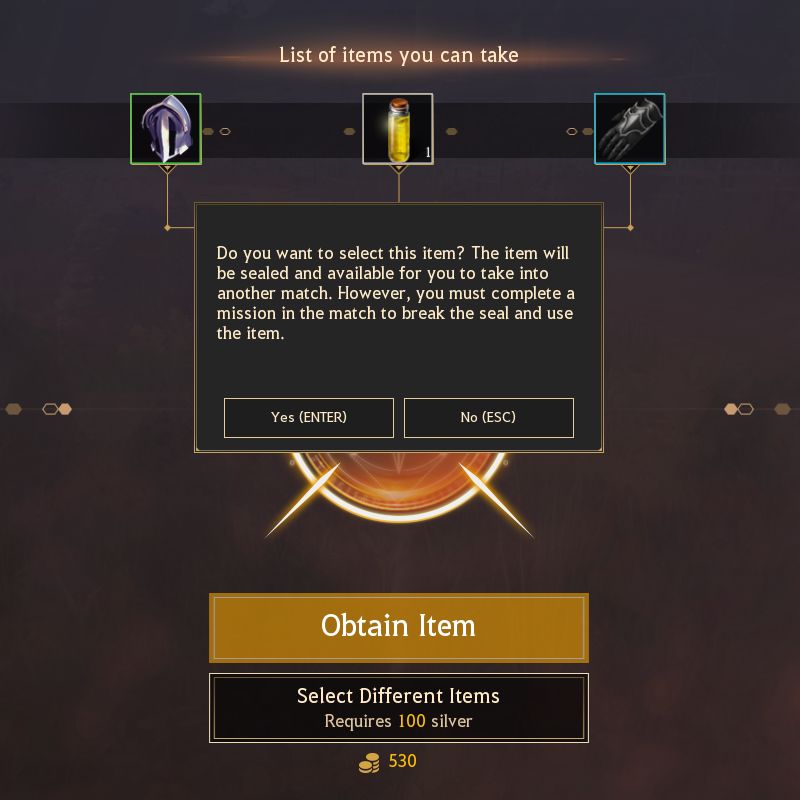
[h3]3. Sealed Item[/h3]You can take items obtained in the battlefield into other matches, as you will obtain items in your inventory by achieving certain points from defeating heroes or monsters.

■ Take out items (End Game screen)
After the match has ended, you are shown 3 of the items you obtained in the current arena at random.

※ Items in your inventory at the moment of death on the battlefield.


Spend 100 silver to view the 3 random items, choose 1, then click the [Seal] button to take it away.

■ Using Sealed Items
The sealed item you’ve taken away will be available to view in your storage.
You can select 1 item from your storage to take into different battles.

You cannot use sealed items immediately in battle
but you can break the seal if you carry out special missions listed on the right side of your screen.
These special missions involve defeating monsters or other players to gather points.Once you meet the amount of points required by a certain item’s rank, you can obtain that item.

※ Items are automatically sent to your inventory.

Game Guide: Team Battle

[h3]1. Recruit Team Members and Start[/h3]
In Team Battle, you need to either recruit other players or add players in your friend list to start.
(However, you can play by yourself  in Team Battle, and you can receive more rewards when you complete your game.)

Click the + button to invite players in your friend list or match automatically

Once all players have been invited, the Party Leader can press the Start Game button to move to select their hero.


Select the items you wish to bring to the arena in the Sealed Box, then press Ready to enter.[
However, other members of your team need to be ready as well. You can check their status on the lower right-hand corner.

 
[h3]2. Tips for Team Battle[/h3]1. Use the Minimap/Worldmap
In Team mode, you can see your team member’s location on the minimap (upper right-hand corner) and worldmap (Tab). Use the maps to plan out your strategy together with your team.

2. Throw Items Away
Open your Inventory (I) to discard gear and consumables with Shift + Left Click or by dragging them.
Items thrown away on the ground can be looted by your team member. 
However, be wary that characters not in your team can also loot them as well.

※ When one team member shares items they don’t need with another, they can collect items to combine into and obtain high-rank items. 


3. Revive Team Member
▲ 6 min after the game starts, you will see the above notification that the Relic of Revival has appeared.


▲Destroy the Relic of Revival that appears in the shrine in the center to revive fallen team members.

After a team member dies, and you destroy the Relic of Revival that appears 6 min after the game has started, you can interact with the Shadow Shrine. Interact with the Shadow Shrine to revive your team member. Also, the person who revived the team member will slowly recover all of their health.

※ After you destroy the Relic of Revival, it will reappear after a certain amount of time.

Game Guide: Ancient Altar

The Ancient Altar is a special location that offers a variety of buffs or items, and is the place you can also summon the ancient weapon Laytenn.


[h3]1. Activating the Ancient Altar[/h3]


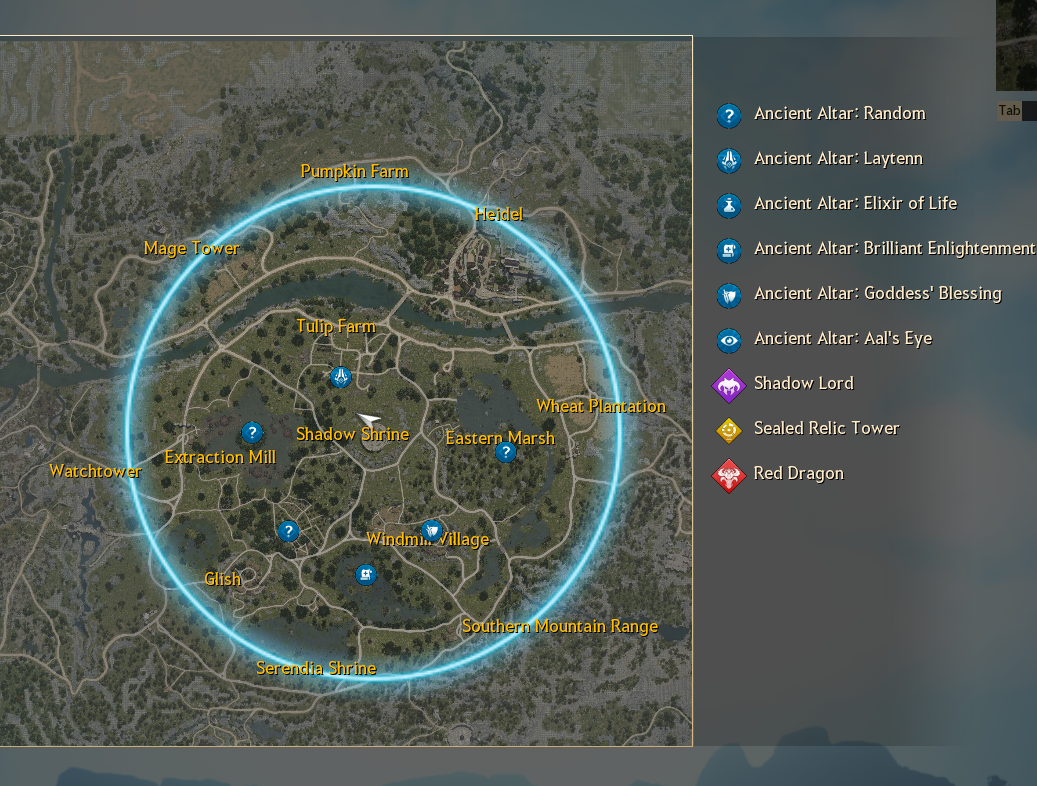
There are a total of 6 Ancient Altars within the battlefield.

You can obtain the “Call of the Ancients” buff upon defeating a Shadow Lord, and after obtaining the buff, if you destroy the Altar’s Artifact, you will activate the Ancient Altar.

[h3]2. Items and Summoned Creatures from the Ancient Altar[/h3]After activating the Ancient Altar, you obtain items and summonable creatures by destroying the relics that appear.

■ Laytenn

When you summon the mighty ancient weapon, Laytenn, you can operate it until its health is completely depleted.

While riding Laytenn, its health will steadily decrease even if you don’t take damage, and once all health is depleted you will be forced out of the weapon.

Befitting of its name, the ancient weapon Laytenn commands a fearsome presence raining destruction down on its enemies each time it moves.

 ※ You can ride a Laytenn summoned by another player.

 
■ Elixir of Life
Use the elixir of life to instantly recover 8000 HP.
Also, it does not share a cooldown with regular HP potions. 


■ Brilliant Enlightenment
Obtain Brilliant Enlightenment to gain 5 Skill Points.


■ Goddess’ Blessing
Obtain the Goddess’ Blessing to buff both AP, DP +150 for 5 min.


■ Aal’s Eye
Obtain Aal’s Eye to mark nearby enemies on the minimap.