Game Guide: Game Phases
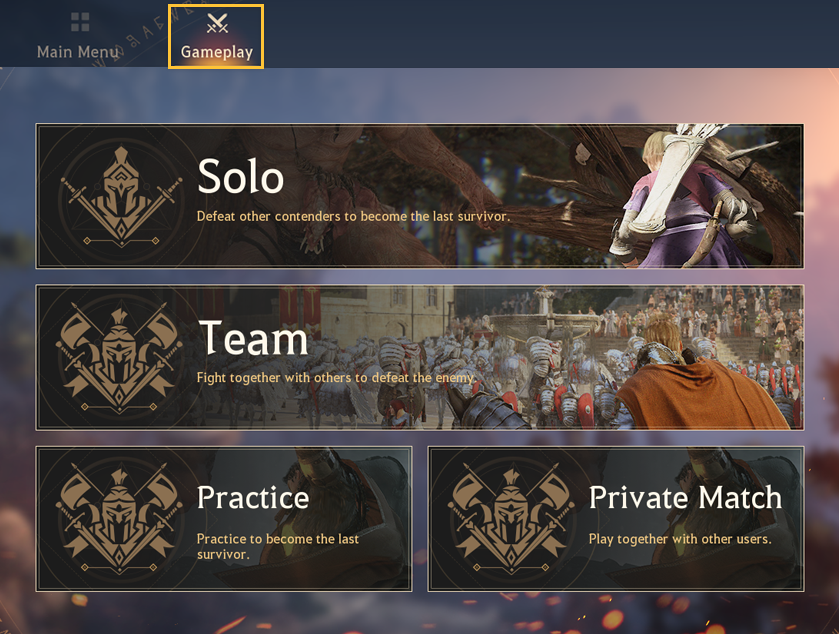
Become the sole survivor in the arena by hunting monsters and defeating other players.
There is no sin in killing and looting from your enemies.
The heroes that appear in Shadow Arena are shadow projects that Black Spirits calls forth.
Give it all you got and show that the hero you’ve chosen is the mightiest of them all!
[h3]1. Waiting to Start[/h3]When you first enter the arena, other players will be gathered at the shrine.
You can request to duel other players and practice using skills during this phase.

[h3]2. Arena Commences[/h3]Once enough players have joined, a number at the center of the screen will begin counting down.
Once arena commences, you will transform into a Black Spirit for a short time, float towards the specific direction you’re facing and land at a random location.
You can move a bit farther in Black Spirit form, or you can press LMB to revert to your hero form and begin hunting for monsters.
[h3]3. Before the Blackstar Awakens (Start - 4 min)[/h3]■ Defeating Monsters
Once you’ve reverted to your hero form, you will need to acquire gear by defeating monsters.
You can obtain gear, skill books, consumables and buffs from monsters
and the faster you gain these, the greater your advantage over other players will be in the arena.
■ Defeating Players
Upon defeating players, you will gain buffs/skill points, as well as restore a good portion of HP.
In addition, for 3 sec you will gain an effect that allows you to ignore all debuffs.
Do note that you are not able to take other players’ items yet, they will be revived without any major penalties.
[h3]4. After the Blackstar Awakens (After 4 minutes)[/h3]■ Dark Fog
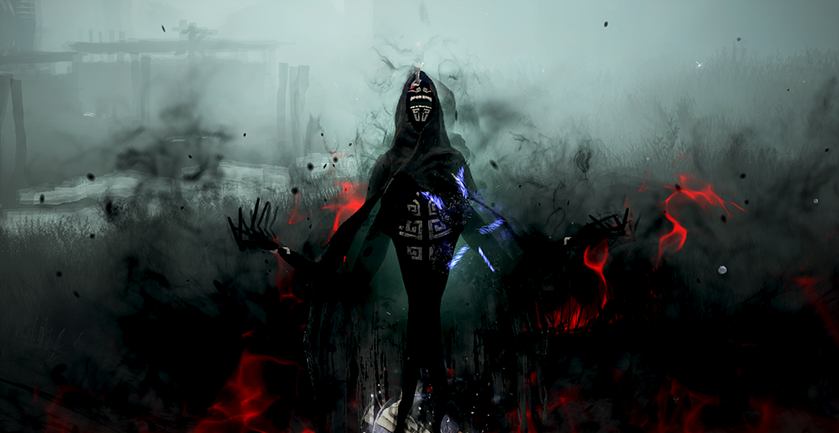
The Blackstar awakens and the ‘dark fog’ starts closing in after the first 4 minutes,
so open your map (Tab) to see where the fog is as well as your current location.
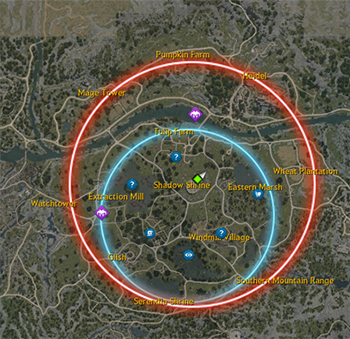
※ The Blackstar will always move towards the center of the circle, and you can also look up in the sky to find the location of the Blackstar as well.
In the dark fog, you will slowly start to lose HP and hungry Black Spirits will come after you.
Yet defeating monsters in the dark fog will restore a small portion of your HP,
and you will have a higher chance to obtain better items from boxes spawned there.
Also, Shadow Lords (bosses) and Sealed Relic Towers have a rare chance to spawn. Defeat them to gain powerful buffs.
Therefore, try to take advantage of the fog rather than simply running away from it.
[h3]■ Defeating Players[/h3]Reviving after dying during this point is impossible, where players will drop all gear in their position and be eliminated.
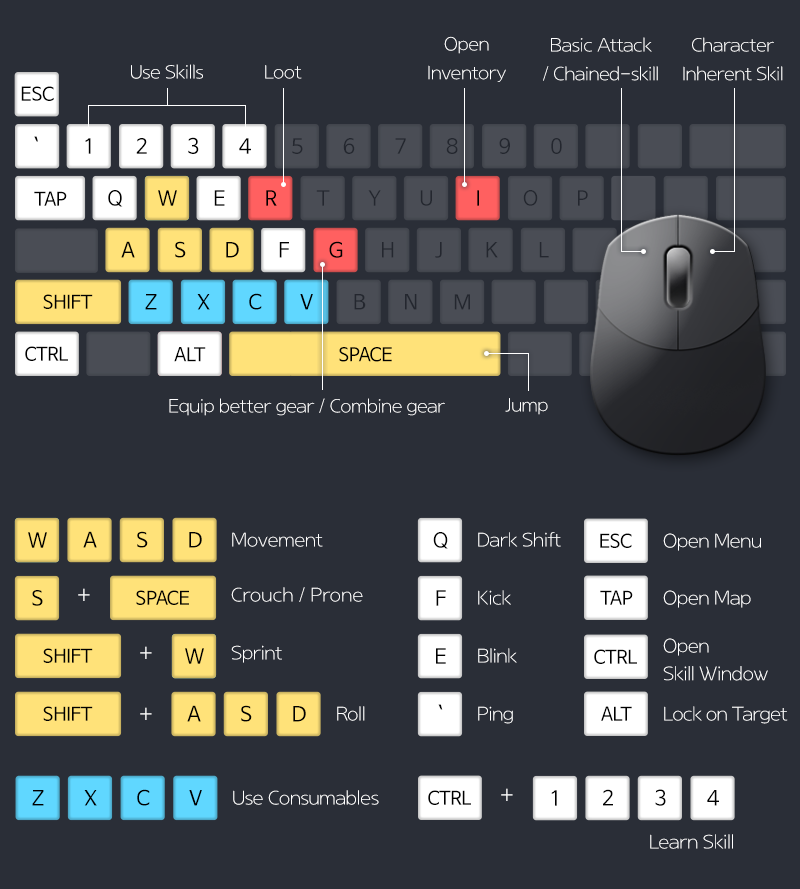
You can press R to obtain the dropped gear of players you’ve defeated, yet be wary of other players who may attack while you loot.
■ Victory in the Arena
The number of players remaining in the match will be displayed in the top left corner.
You win the match by defeating all other players and becoming the last one standing.
※ The contents of the game guide are subject to change depending on game updates.
There is no sin in killing and looting from your enemies.
The heroes that appear in Shadow Arena are shadow projects that Black Spirits calls forth.
Give it all you got and show that the hero you’ve chosen is the mightiest of them all!
[h3]1. Waiting to Start[/h3]When you first enter the arena, other players will be gathered at the shrine.
You can request to duel other players and practice using skills during this phase.
Challenge to a Duel [R]
- Focus the ‘reticle in the center of the screen’ on your target player, then press R to challenge them to a duel.
- When the player accepts the challenge, the duel will begin.
- Press ESC during the duel to cancel.
- Dueling in the shrine has no impact on victory in the arena.
- Even if any cooldowns occur during the duel, they will all reset once the arena begins.
- Focus the ‘reticle in the center of the screen’ on your target player, then press R to challenge them to a duel.
- When the player accepts the challenge, the duel will begin.
- Press ESC during the duel to cancel.
- Dueling in the shrine has no impact on victory in the arena.
- Even if any cooldowns occur during the duel, they will all reset once the arena begins.
[h3]2. Arena Commences[/h3]Once enough players have joined, a number at the center of the screen will begin counting down.
Once arena commences, you will transform into a Black Spirit for a short time, float towards the specific direction you’re facing and land at a random location.
You can move a bit farther in Black Spirit form, or you can press LMB to revert to your hero form and begin hunting for monsters.
[h3]3. Before the Blackstar Awakens (Start - 4 min)[/h3]■ Defeating Monsters
Once you’ve reverted to your hero form, you will need to acquire gear by defeating monsters.
You can obtain gear, skill books, consumables and buffs from monsters
and the faster you gain these, the greater your advantage over other players will be in the arena.
■ Defeating Players
Upon defeating players, you will gain buffs/skill points, as well as restore a good portion of HP.
In addition, for 3 sec you will gain an effect that allows you to ignore all debuffs.
Do note that you are not able to take other players’ items yet, they will be revived without any major penalties.
[h3]4. After the Blackstar Awakens (After 4 minutes)[/h3]■ Dark Fog
The Blackstar awakens and the ‘dark fog’ starts closing in after the first 4 minutes,
so open your map (Tab) to see where the fog is as well as your current location.
※ The Blackstar will always move towards the center of the circle, and you can also look up in the sky to find the location of the Blackstar as well.
In the dark fog, you will slowly start to lose HP and hungry Black Spirits will come after you.
Yet defeating monsters in the dark fog will restore a small portion of your HP,
and you will have a higher chance to obtain better items from boxes spawned there.
Also, Shadow Lords (bosses) and Sealed Relic Towers have a rare chance to spawn. Defeat them to gain powerful buffs.
Therefore, try to take advantage of the fog rather than simply running away from it.
[h3]■ Defeating Players[/h3]Reviving after dying during this point is impossible, where players will drop all gear in their position and be eliminated.
You can press R to obtain the dropped gear of players you’ve defeated, yet be wary of other players who may attack while you loot.
■ Victory in the Arena
The number of players remaining in the match will be displayed in the top left corner.
You win the match by defeating all other players and becoming the last one standing.
※ The contents of the game guide are subject to change depending on game updates.