Symantec Endpoint Protection error fix
Mercenaries!
We have received reports from users who use Symantec Endpoint Protection antivirus that the game does not run.
Here is a solution on how to have this fixed.
Step1.
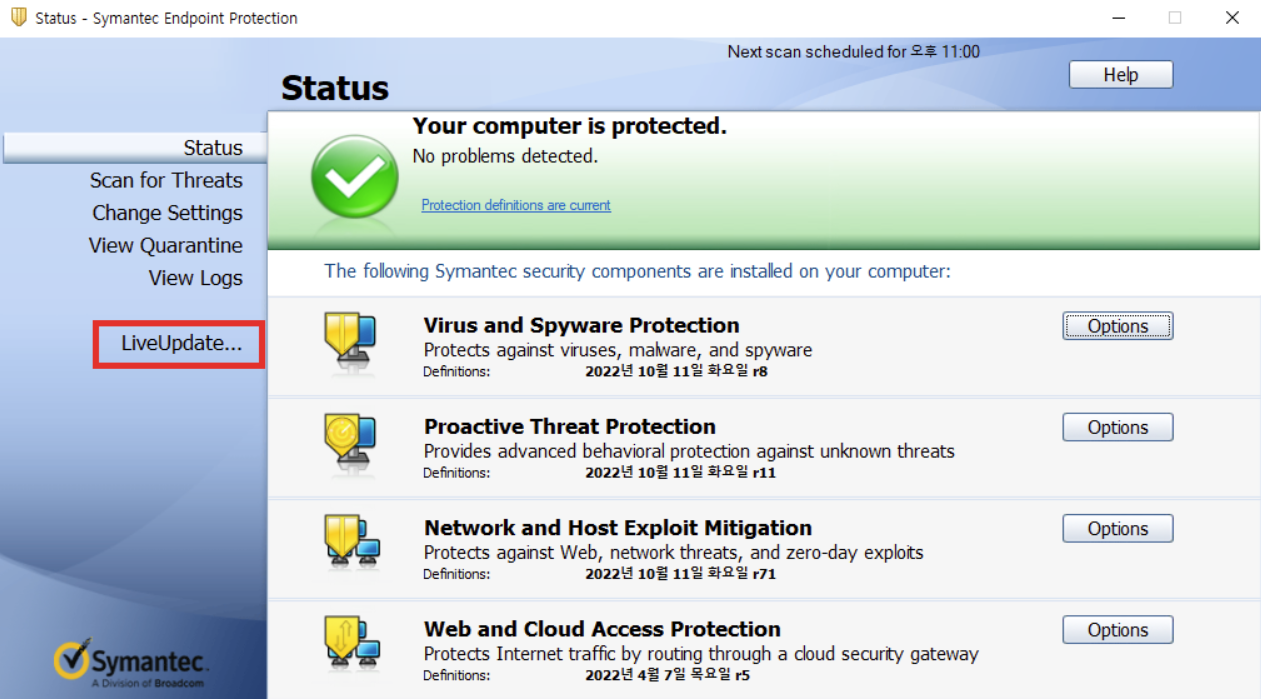
Please make sure to have Symantec Endpoint Protection updated to the latest version.
Step2.
Run Symantec Endpoint Protection and press Configure Settings on Exceptions.

Step3.
Make sure to add the A.V.A folder.
ADD > SONAR Exception > Folder
A.V.A folder location: (C:\Program Files (x86)\Steam\steamapps\common\A.V.A)

We hope this helps!
Thank you.
Sincerely,
Your AVA Global Operations Team
We have received reports from users who use Symantec Endpoint Protection antivirus that the game does not run.
Here is a solution on how to have this fixed.
Step1.
Please make sure to have Symantec Endpoint Protection updated to the latest version.
Step2.
Run Symantec Endpoint Protection and press Configure Settings on Exceptions.
Step3.
Make sure to add the A.V.A folder.
ADD > SONAR Exception > Folder
A.V.A folder location: (C:\Program Files (x86)\Steam\steamapps\common\A.V.A)
We hope this helps!
Thank you.
Sincerely,
Your AVA Global Operations Team