1. Carrier Command 2
  2. News

Carrier Command 2 News

Developer Spotlight - Fire Support


Dear players,

In developer spotlight posts, we discuss the detail and ideas behind Carrier Command 2.

In this post, we discuss fire support requests! Yes, in CC2 you can sit on the bridge of the carrier, then remote into another unmanned vehicle, then remotely fire weapons from a 3rd vehicle! It is actually quite simple...

When using the gimbal style cameras, you can track and laze targets on the ground. These are stabilized cameras with powerful optics, capable of up to 20x zoom. This style of camera is available on most vehicles, including aircraft, amphibious vehicles, and even the carrier.

When using this camera, you have the ability to request various types of fire support, directed at your target. You simply select the type of weapon you wish to use, and fire.

Once a fire target is issued, the process is automatic. Nearby vehicles with that weapon capability will respond by firing that weapon at the given coordinates. Some weapon types with vectoring such as guided missiles will continue to update the target position from the cameras laser and steer to follow the players aiming reticule.

Carrier Howitzer Cannon
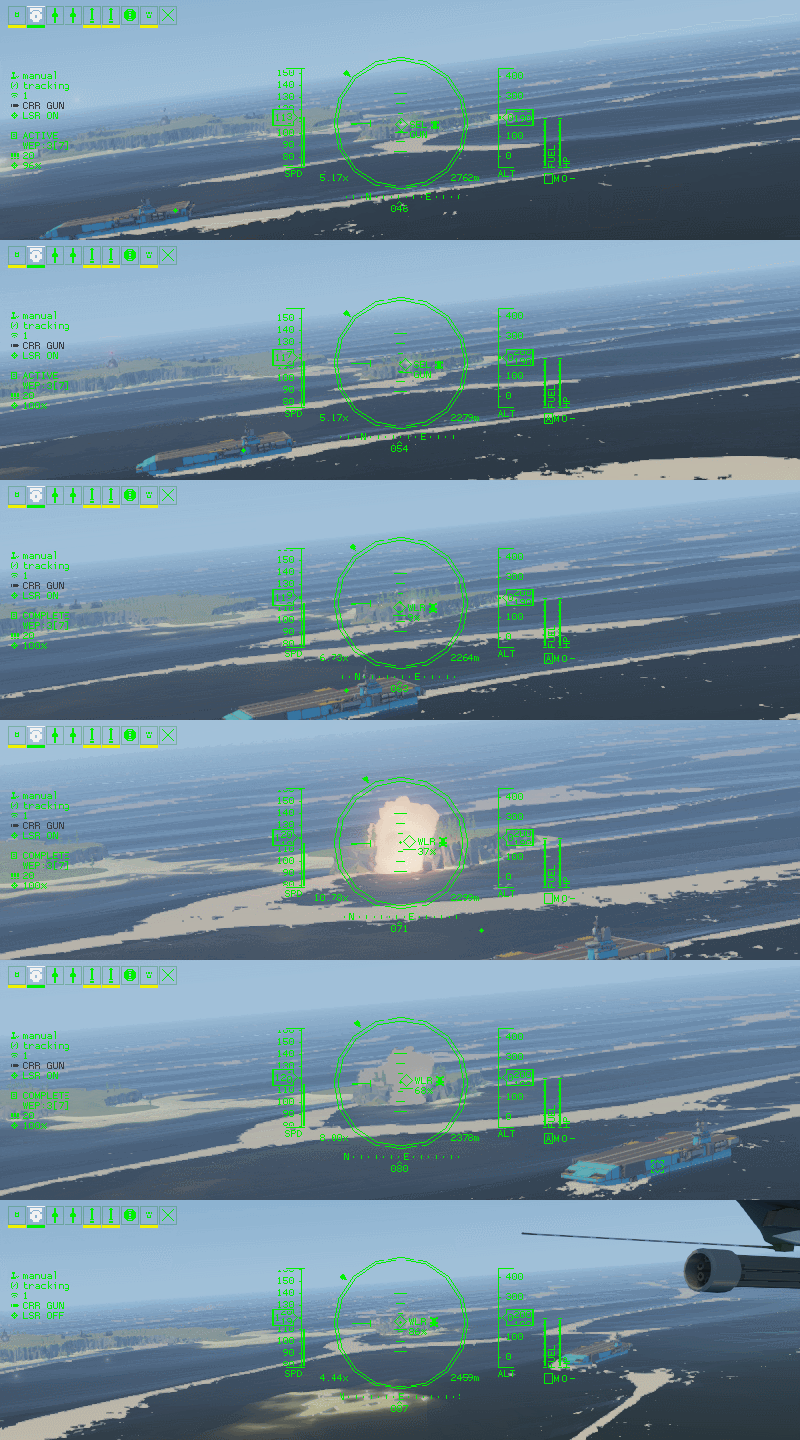


The first type of support weapon mounted on the carrier is a long range cannon, capable of firing a salvo of devastatingly explosive rounds. The accuracy is not pin-point, and the rounds will land in an area around the target, with huge area damage, so is not suitable where your own units are closely engaged.

This weapon type is very fun to use and illustrates how powerful the carrier is in the hands of the player.

Carrier Cruise Missile
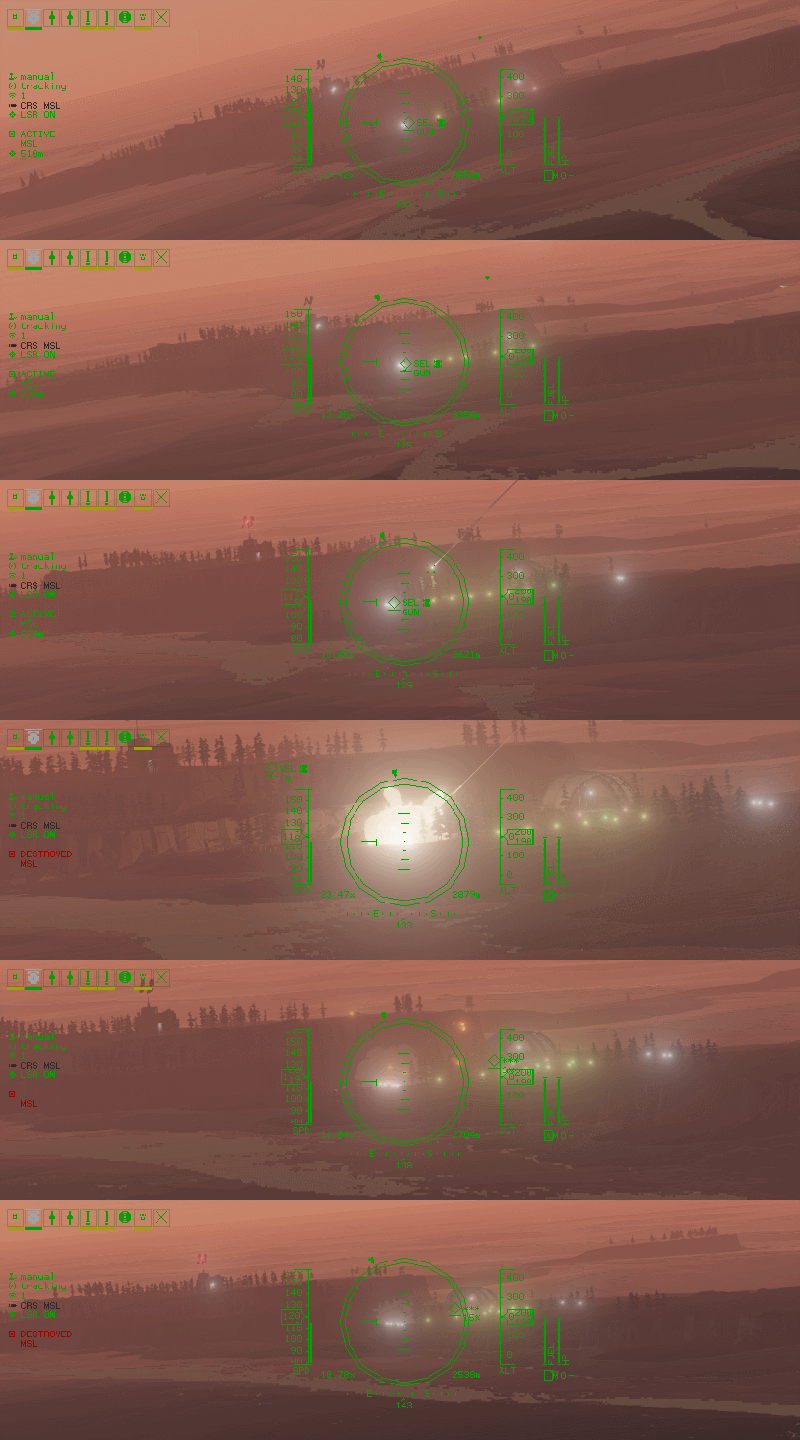


The next type of fire support available from the carrier is a cruise missile. The missile has very high range and can fly for many kilometres before reaching it's target. The payload is significant, but smaller than the howitzer shells. The weapon is highly accurate and will track the laser target, with enough blast radius to destroy multiple vehicles should they be close enough together.

This weapon is ideal for pre-landing strikes, to eliminate key enemy units that would otherwise be able to resist invasion.

Laser Guided Missile
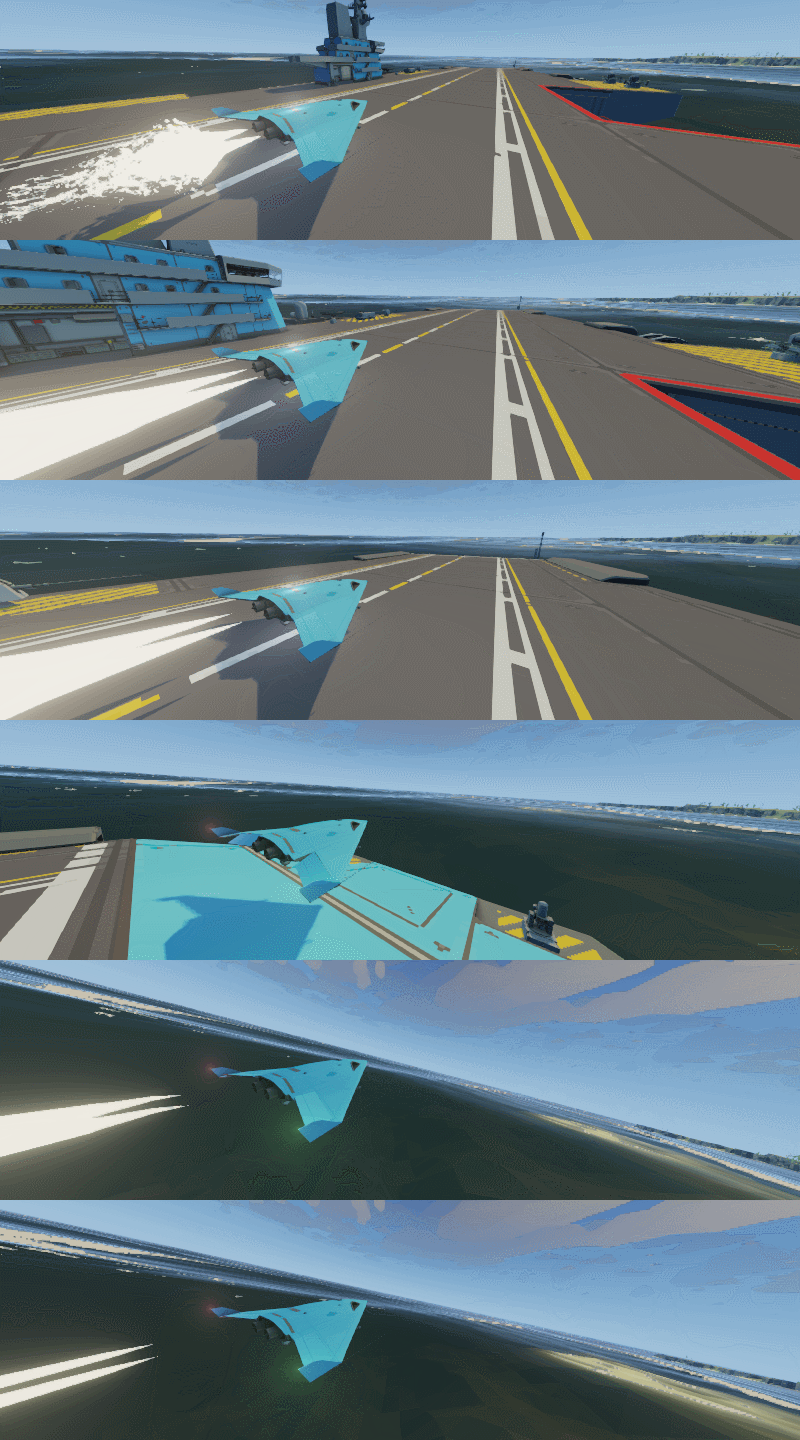


This fire support is a unmanned vehicle mounted missile. These missiles could be mounted on currently controlled vehicle, a nearby air or ground vehicle. The payload is much smaller but highly accurate and capable of eliminating an enemy vehicle in close proximity to your own forces.

Much love
The Carrier Command Developers

Developer Spotlight - Inventory, Manufacturing, Logistics


Dear players,

In developer spotlight posts, we discuss the detail and ideas behind Carrier Command 2.

In this post, we discuss inventory, manufacturing, and logistics as one of the main progression and scaling mechanics of Carrier Command 2.

In Carrier Command 2, you battle to capture islands. These islands contain valuable resources or manufacturing facilities, and are of huge strategic value. This is the basis of the original game from 1988.

To fight these battles you will need fuel, weapons, ammunition, equipment, and perhaps even replacement unmanned vehicles to cover your losses in battle. These resources must be manufactured, transported, stored, and equipped.


Manufacturing

Items are manufactured on islands. Each island has a facility type, and can only manufacture items within its category such as small ammunition or aircraft chassis. Manufacturing costs time and currency.

You can queue items for production on islands via the manufacturing and logistics map screen. When selecting an island, you can queue items within that islands category for manufacture. Manufacturing is a specialised process, and there is a refitting time for setting up manufacture of a particular item. This means it is much more time efficient to mass-produce than make just one of an item.

Logistics

You can move items around the world via logistics barges. These unmanned ships can pick up, transport and drop off cargo between islands or even the carrier.

When a barge is assigned to an island, it will pick up items from that island, and deliver them to the target. Barges can be assigned to multiple islands via the logistics map screen, as well as designating the logistics routes from island to island.

Once the routes and barges are assigned, logistics barges function autonomously, moving your inventory around the world to where you need it.

Inventory

The carrier has limited inventory capacity. You order items to be delivered or removed from the carrier via the order screen. This screen is a list of items showing how many of each item are manufactured and available in the logistics network, already on the carrier, and on order. You can increase or decrease the order to have items delivered or removed.


Game Design

In Carrier Command 2, your strategy often depends on having the right weapons and equipment available for use. This means the islands you capture, the items you produce, and the way you set up your delivery network is very important in sustaining your advance across the archipelago.

Good foresight and planning is also essential. Manufacturing and logistics takes time, so reviewing your stocks and thinking about what is important to manufacture ahead of the time at which you need it will avoid your progress being blocked.

The manufacturing and logistics takes a similar function to base building in other strategy games, although in another form. In Command and Conquer, Starcraft, or Age of Empires, a huge part of being an effective player is making sure you are harvesting enough resources, to produce the right buildings, to produce the right units, to fight your battle. In Carrier Command 2, this process is more pronounced, with distinct battles at islands, and calmer periods between battles where logistics can be primary.

This is also inspired by the original XCOM: Enemy Unknown (1994), another Microprose classic. This game had a similar gameplay loop, where the player would plan and design their overall strategies including fitting out vehicles and equipment in the first part of the game, then play through battles with that specific equipment in the second part of the game. These two cycles played into each other very well, with each part of the game having huge consequence on the other.

in XCOM (1994), doing the right research, ordering and manufacturing the right equipment was essential to being able to win the battles. Perhaps other players will have started their mission only to realise they didn't equip the right ammunition for their rifles on the Skyranger, like I did many times? The same relationship and consequence is true for Carrier Command 2. It is possible to fail, just as it is possible to play with great skill.

We are really enjoying sharing these details about the game and are really excited to see what you think. Let us know your thoughts in the comments! And tell us what you want to hear about next.

Much love
The Carrier Command Developers

Developer Spotlight - The Vehicle Control Station


Dear players,

In developer spotlight posts, we discuss the detail and ideas behind Carrier Command 2.

In this post, we discuss the vehicle control station where you deploy, manage, and control the unmanned amphibious and aerial vehicles from the carrier.

This is the main terminal for fighting over and capturing islands. In fact, this terminal is so central to the strategy gameplay, that there are 3 identical terminals for use in multiplayer, where many players can cooperate and coordinate their strategies together.

At this station, you use the vehicle control screen. The vehicle control screen has 2 modes: map mode and vehicle control mode.


Map Mode

The map mode is a simple map view, showing your own units and enemy units. You can select units to show their context menu, or drag units to issue orders such as moving or attacking.

You can zoom in and out, and pan to inspect the entire theatre of battle. All necessary information for a battle is available in map mode, in a simple, readable format, with detail hidden in tooltips.

Vehicles can be given several order types by simple dragging. Dragging a unit into open space creates a move order, dragging onto a team vehicle creates a support / follow order, dragging onto an enemy vehicle creates an attack order, dragging onto the carrier creates a dock order, and dragging onto its own waypoint creates a looping path. To extend move orders, players can simply drag the last waypoint to extend the route.


Vehicle Control Mode

When pressing the vehicle control button on the map, the screen transitions to vehicle control mode. This is a first person view from the selected vehicle.

From this view, you can select the various attachments on the vehicle, and take manual control of flight, cameras, and / or weapons. Control is toggled separately so you can take complete control, just drive and allow the AI or another player to gun, or vice-versa.

In vehicle control, the HUD is contextual and shows the HUD controls for the current vehicle type and weapon you have selected. Aircraft and land vehicles have different HUD indicators, and different weapon types have different targeting reticules and information.


We are really enjoying designing and developing these features and have a lot more to discuss.

What details or systems would you like to know more about? Let us know in the comments!

Much love
The Carrier Command Developers

Developer Spotlight - The Command Interface


Dear players,

In developer spotlight posts, we discuss the detail and ideas behind Carrier Command 2.

In this post, we want to tell you about how you interface with the various carrier systems, command strategy, and directly control the unmanned vehicles.

You interact with these systems using (diegetic) physical screens, buttons, switches, and control seats. These physical controls are arranged in stations, where the tools, actions and controls for a specific point in the game are at hand. Overlaid user interface is kept to the minimum.

In Carrier Command 2, we want the carrier bridge to be a rich world where every screen, button, switch and dial has a function and does something in the world. There are no cosmetic buttons and controls, no false doors.


The Screens

Complex interactions and data are handled by in-game screens. These include displaying map data, setting vehicle orders, listing inventory and system status, and more. These screens are modelled after CRT military and marine screens commonly found in navy ships produced during the cold war, and were the basis for the vision of science fiction of that era.

These screens are placed at stations, and multiple screens are often accessed from a single station. Many screens are most commonly used passively, where the player has vision of the screen, without it taking the focus of the players view.

The screens are low-resolution analogue screens, to reflect the interfaces and style of the original game, and pay tribute to this era of technology. In practical terms, this also works really well because you can still read all information when stood back from the screen. At this scale, information is minimal and can be displayed in a simple to understand way.


Literalism

In Carrier Command 2, placing the player in the narrative of the world, and making it feel relevant and authentic is extremely important to us. For this reason we wanted to avoid overlaid UI as much as possible. Diegetic UI helps set the mechanics and rules of the world, and makes it easier for the player to understand what tools are at their disposal and where these tools are.

This literalism is a newer concept in game design, with our favorite early uses being Tim Schafers in Grim Fandango and later the epic controller and interface of Steel Battalion.


Flow of Gameplay

We have arranged the carrier bridge into gameplay stations, to give the player the controls and functions they need at any point in that gameplay cycle. This minimizes the break in flow as a player walks between stations, if for just a couple of meters. In the middle of battle, it would feel obstructive to repeatedly move between screens, when quick decisions and actions are necessary. By grouping controls and interfaces by mode of gameplay, gameplay can flow without cluttering the interface with functions not required at that point in the game.

These game design decisions and directions are really important to us and we would love to hear what you think! We look forward to reading your feedback in the comments :-)

Much love
The Carrier Command Developers
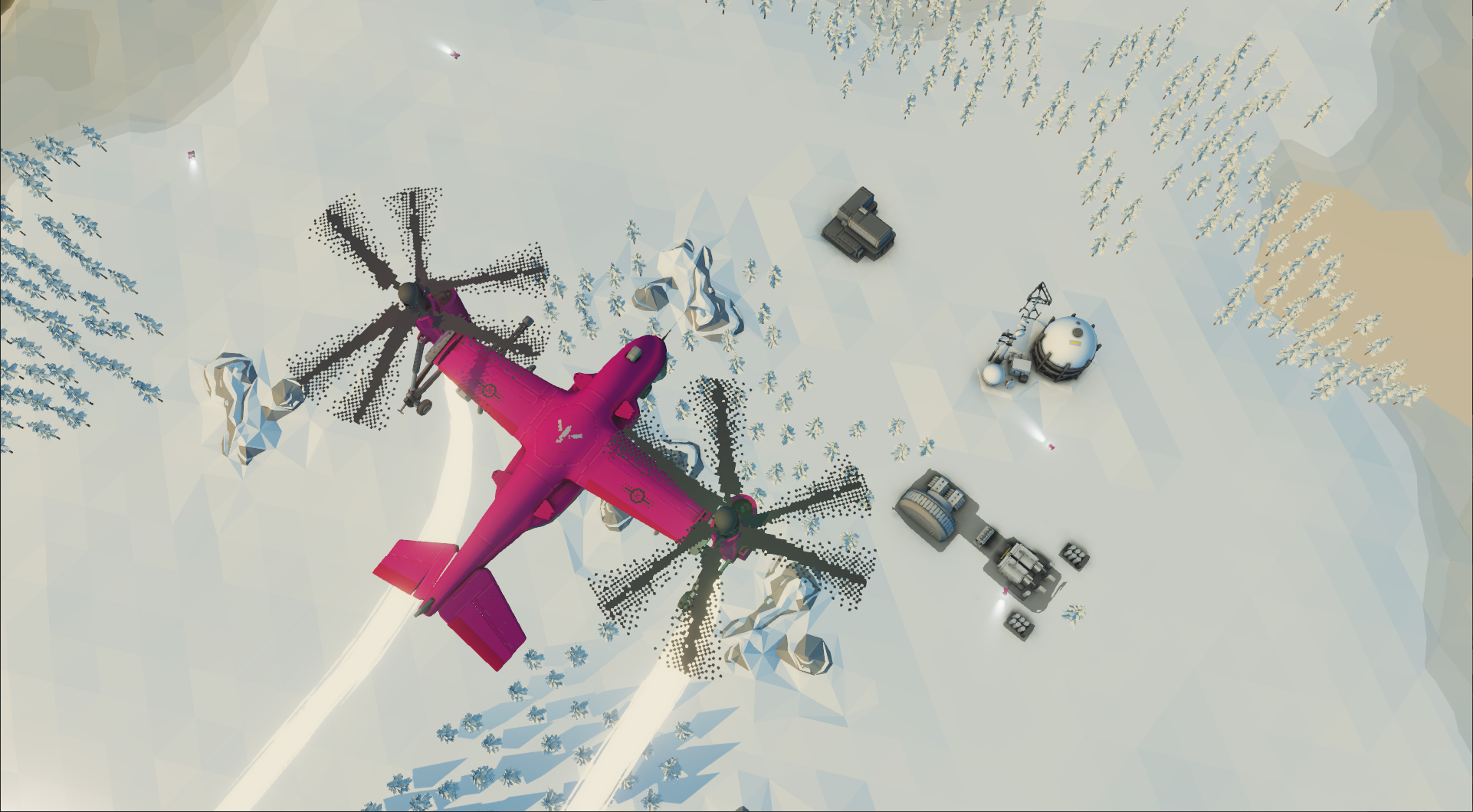
Developer Spotlight - Introducing the Spiritual Successor to the 1988 Classic


Dear Players,

In developer spotlight announcements, we will discuss aspects of Carrier Command 2 that we are really excited about, and aspects that make the game unique.

In this post, we will discuss the design basis for developing a sequel to the much loved and respected original Microprose classic of 1988. When Carrier Command released on the Amiga, ST, ZX, C64, and others, it was one of the first for true 3D gaming, and military simulation. This was an era of huge innovation, where the rules of game development were still being written.

For us, building a true spiritual successor is about respect for the original game as a ground breaking strategy and simulation game as intended by the original creators, Ian Oliver and Graeme Bird. CC 1988 gave the player a huge array of controls and commands, within a vast archipelago of volcanic islands. The depth of mechanics and decisions offered to the player is lost in modern games, but is what made CC 1988 so compelling and distinct.


An Experience True to the Original

Carrier Command 2 focuses on the strategy of commanding a carrier, from managing manufacturing, logistics, inventory, and loadouts to deploying units, performing manoeuvres, coordinating attacks, and assuming direct control of vehicles.

Each mechanic should support and develop these strategy aspects, from day-night cycle affecting vision and unit detection, weather affecting the ability to fly, or available inventory affecting potential strategies.


Deep Consequence

Interconnecting strategy with systems creates deeper mechanics, and deeper mechanics give a wider range of ways to play the game, a broader range of strategies, and more opportunities for players to play well. Simple interfaces and tools give the player huge authorship over their own approach.

In juxtaposition, there are also opportunities for things to go wrong, from losing a Manta, taking carrier damage, or running short of an essential item in your inventory. Being a great commander is no simple task, and the threat of defeat gives each encounter a meaningful importance.


A Homage to 1980s Retro Gaming

Carrier Command 2 heavily references science fiction design of the 1970s and 1980s as well as the style and feeling of video gaming of the era. Our intention is to make the game look and feel every bit as good as we remember these games in our rose tinted glasses.

Pixel art textures, low fidelity CRT screens, mechanical switches and buttons, are reminiscent of Ridley Scotts Alien or Bladerunner, Mamoru Oshii's Ghost in the Shell, and capture the era in a similar way to the The Last Night.

In future posts, we look forward to discussing more specific aspects in more detail. Let us know what you would like to hear more about in the comments!

We look forward to hearing your thoughts.

Much love
The Carrier Command Developers