1. Rhythm Quest
  2. News

Rhythm Quest News

Devlog 51 - Levels 5-2, 5-3, 5-4

The bad news is that it's been 2 months since my last devlog post! The good news is that I've finished 3 entire levels in that time:

[previewyoutube][/previewyoutube]
[previewyoutube][/previewyoutube]
[previewyoutube][/previewyoutube]

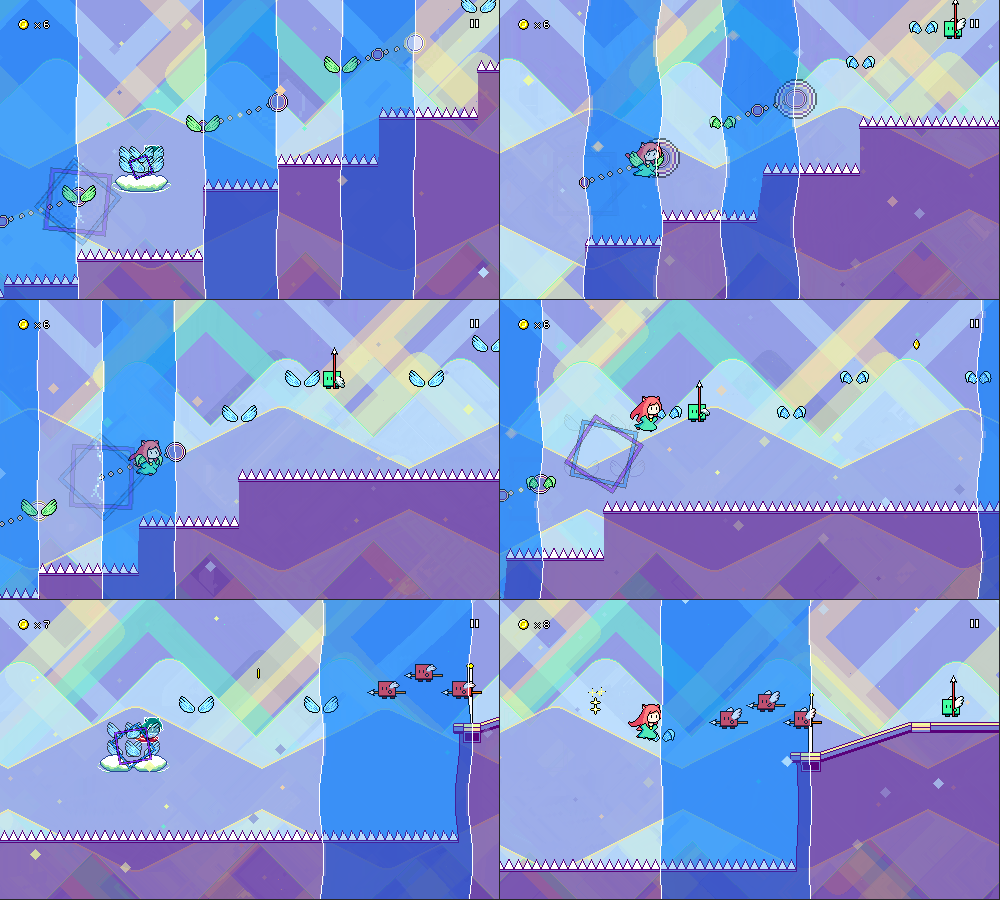
[h2]Level 5-2[/h2]

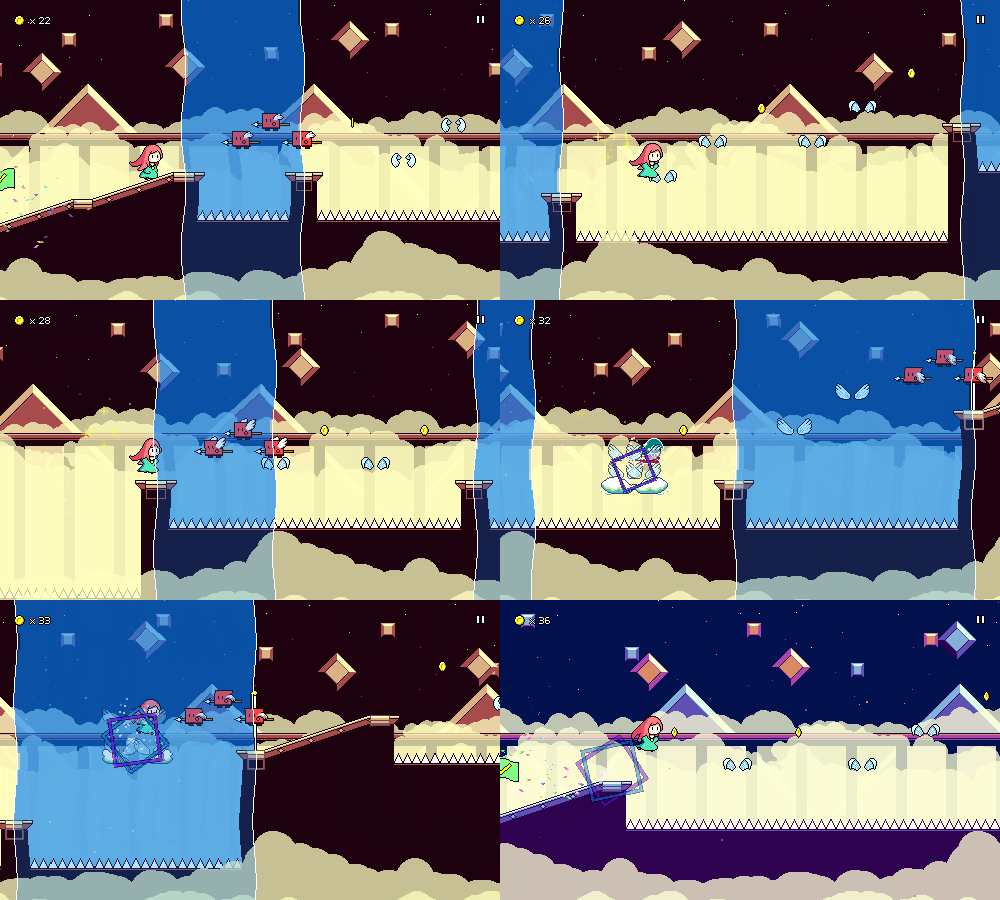
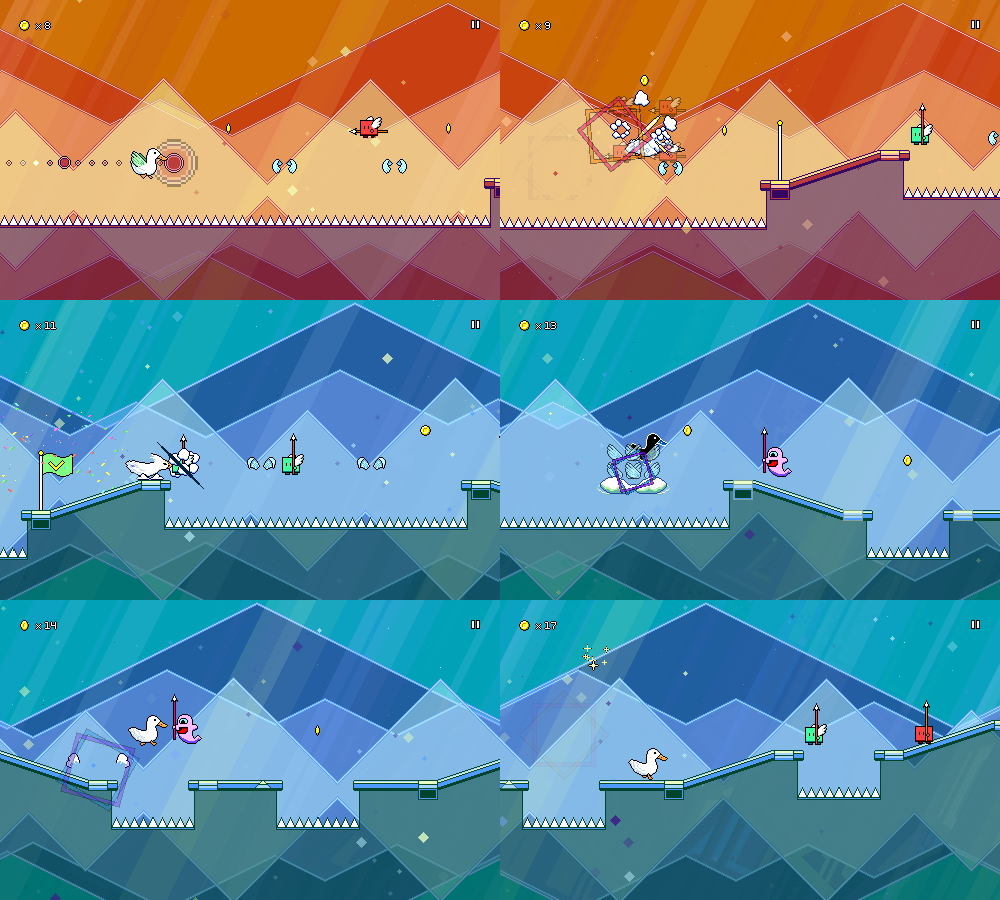
This level introduces green enemies that are placed at the beginning of a flight path, so you need to pretty both buttons and hold down the jump button as you do:
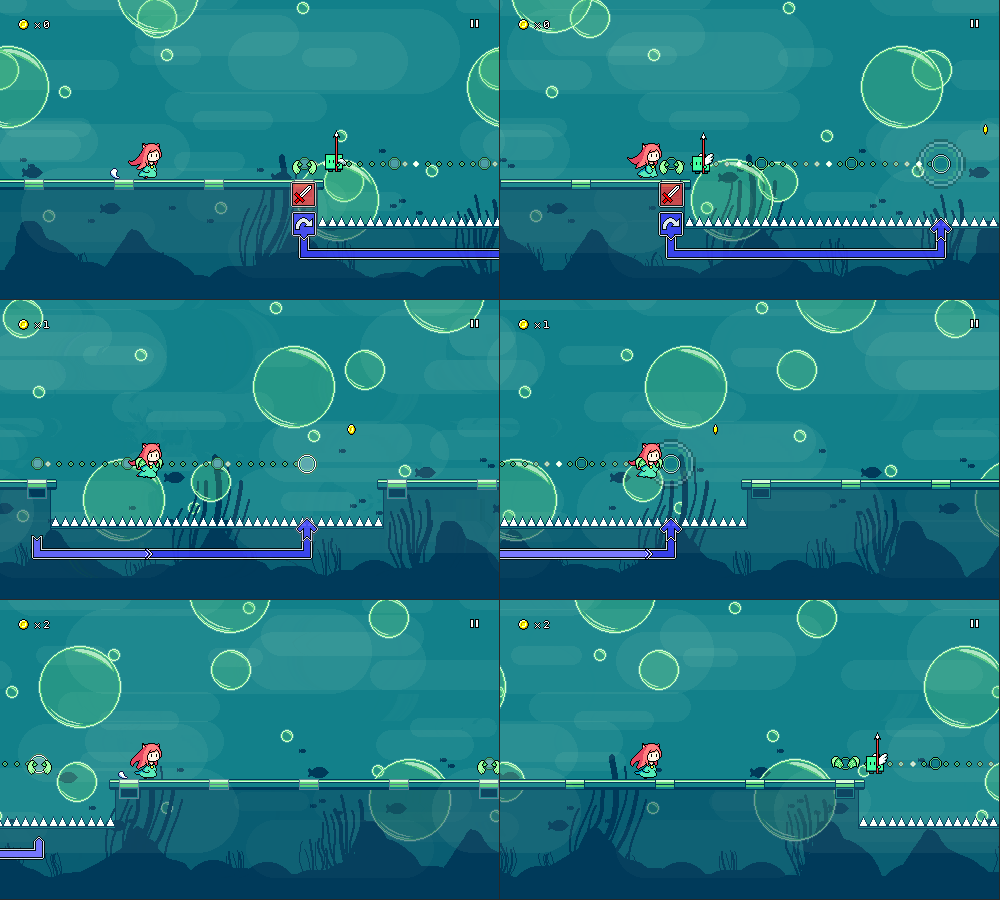


As with level 5-1, I wanted to try using large partially-translucent shapes for the backdrop. One of my experiments while drawing level 5-1 was these large circular bubble shapes that I didn't end up using, so I used them here instead, along with an "undersea" theme.


[h2]Level 5-3[/h2]

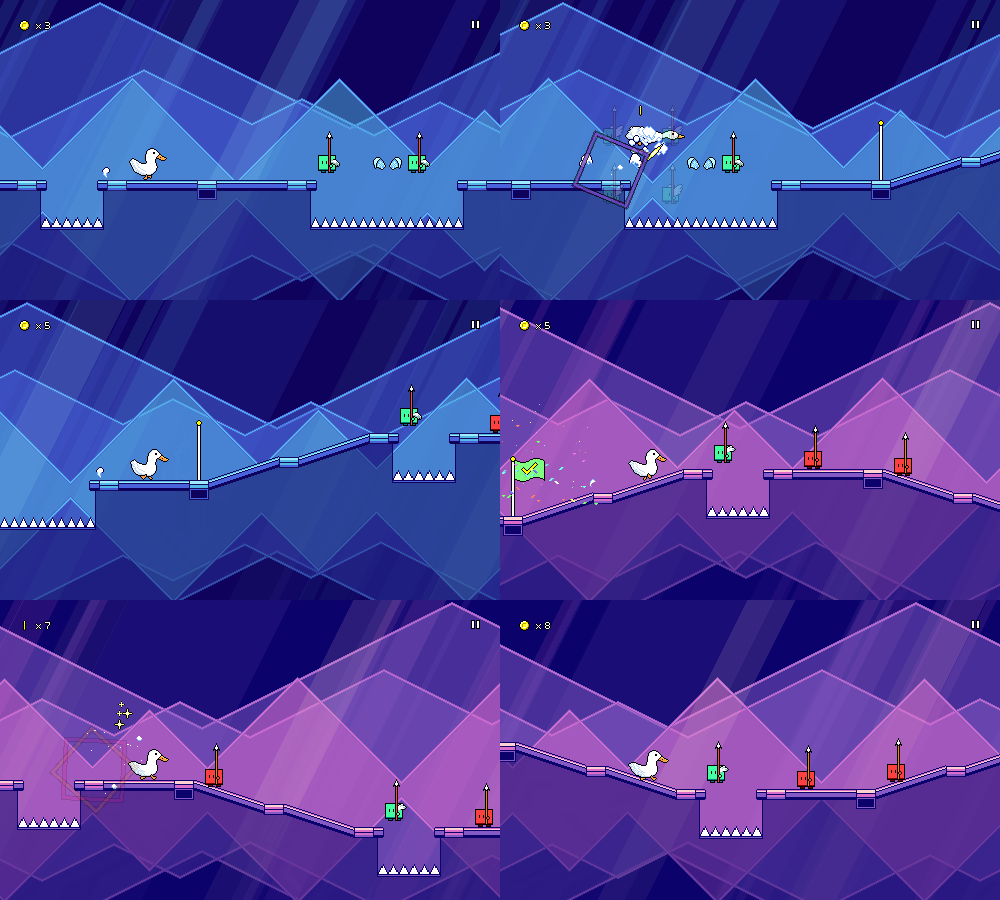
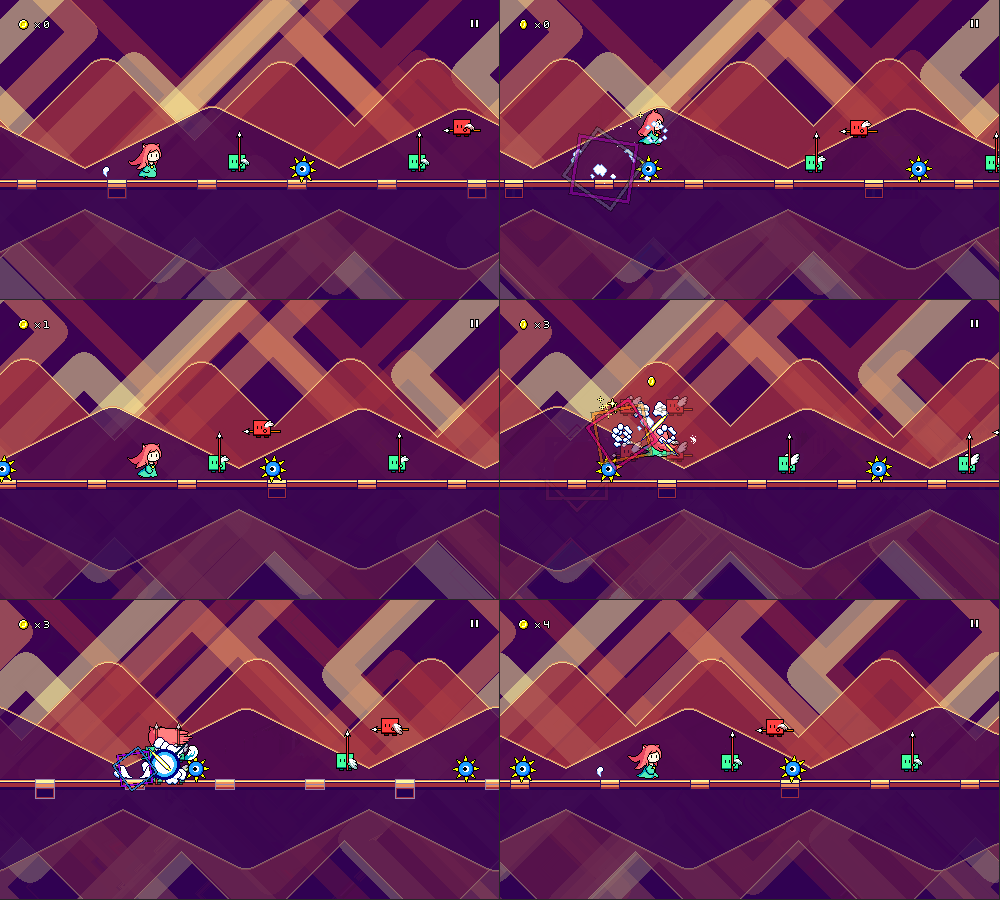
In this level we have green enemies combined with spike enemies:


We also get green enemies plus water columns:
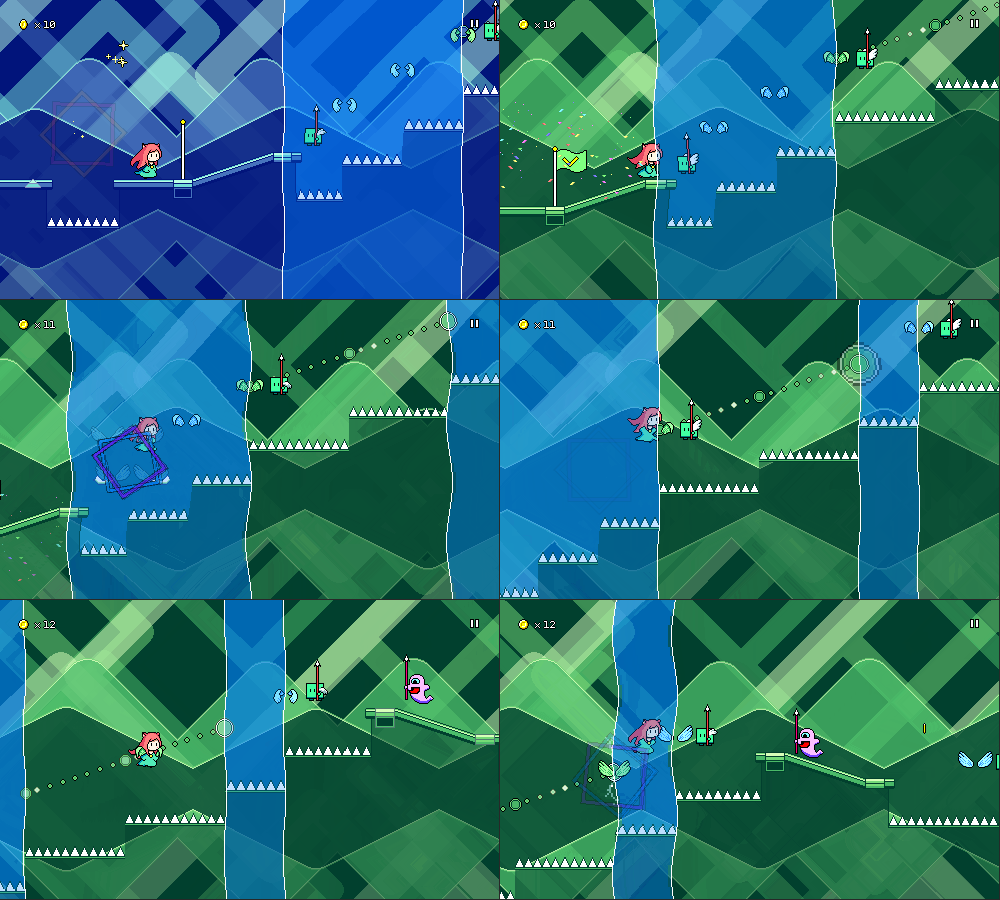


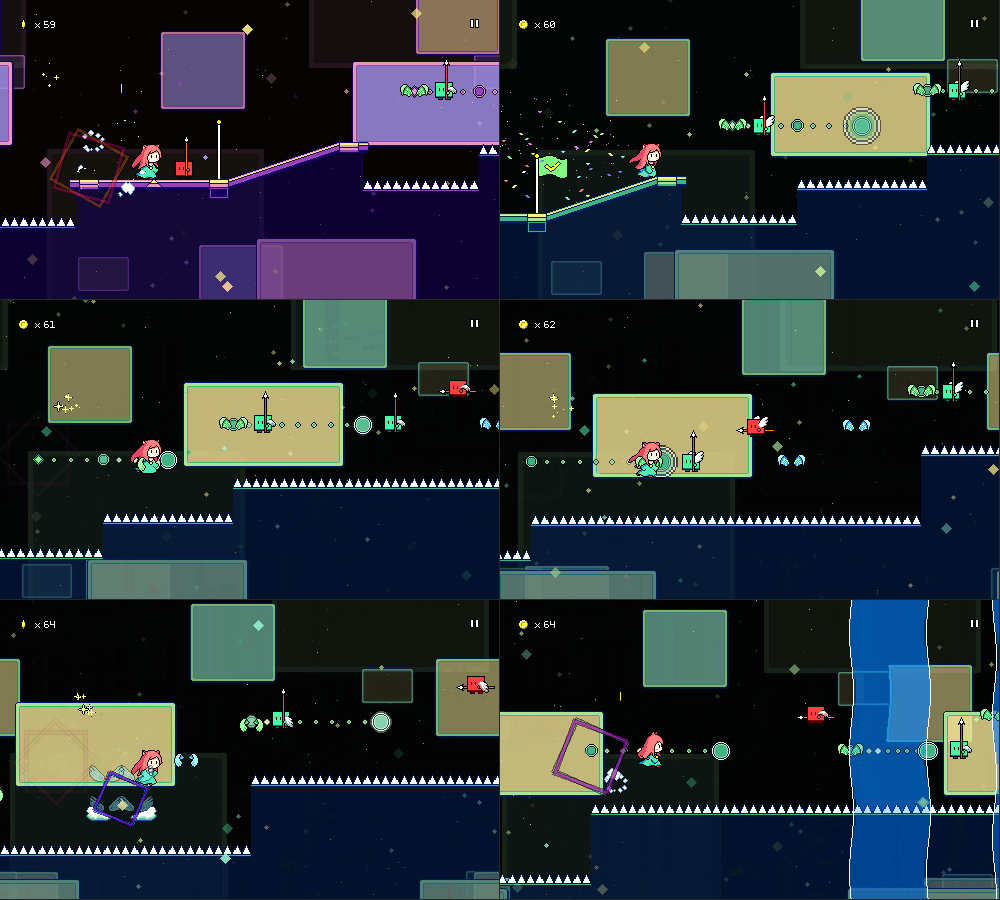
Visually, I decided to stick to the generally "geometric" theme for backdrops (matching level 5-1 pretty closely) and just used a bunch of thick lines at 45-degree angles that form a sort of maze-line pattern. Again, there's large translucent shapes at play here.


[h2]Level 5-4[/h2]

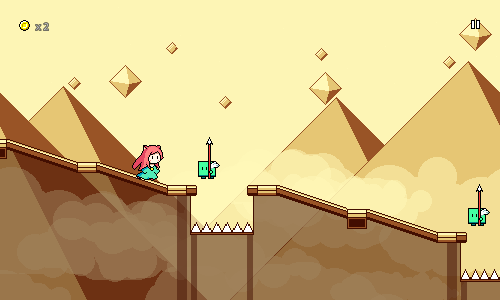
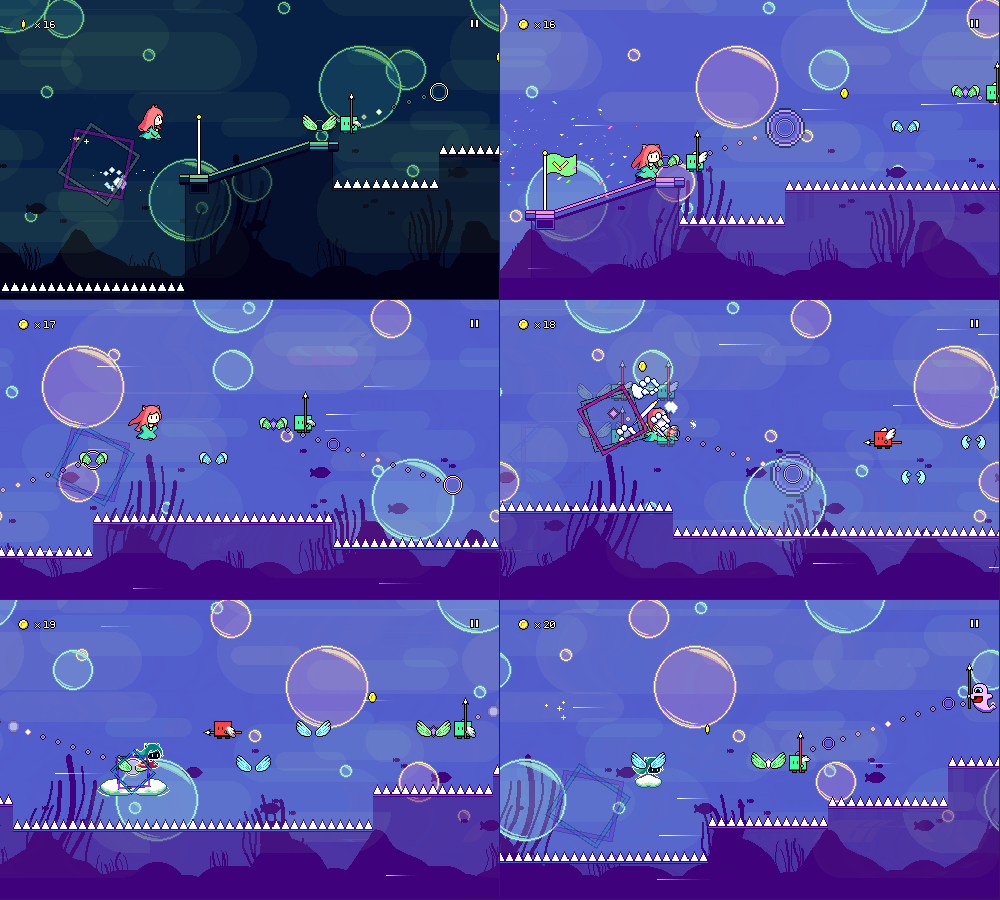
Level 5-4 introduces the tricky notion of placing a green enemy at the =end= of a flight path, so you need to release the jump button while pressing the attack button. This can be pretty tricky to get the hang of, so I made sure to dial the tempo back for this level to compensate.
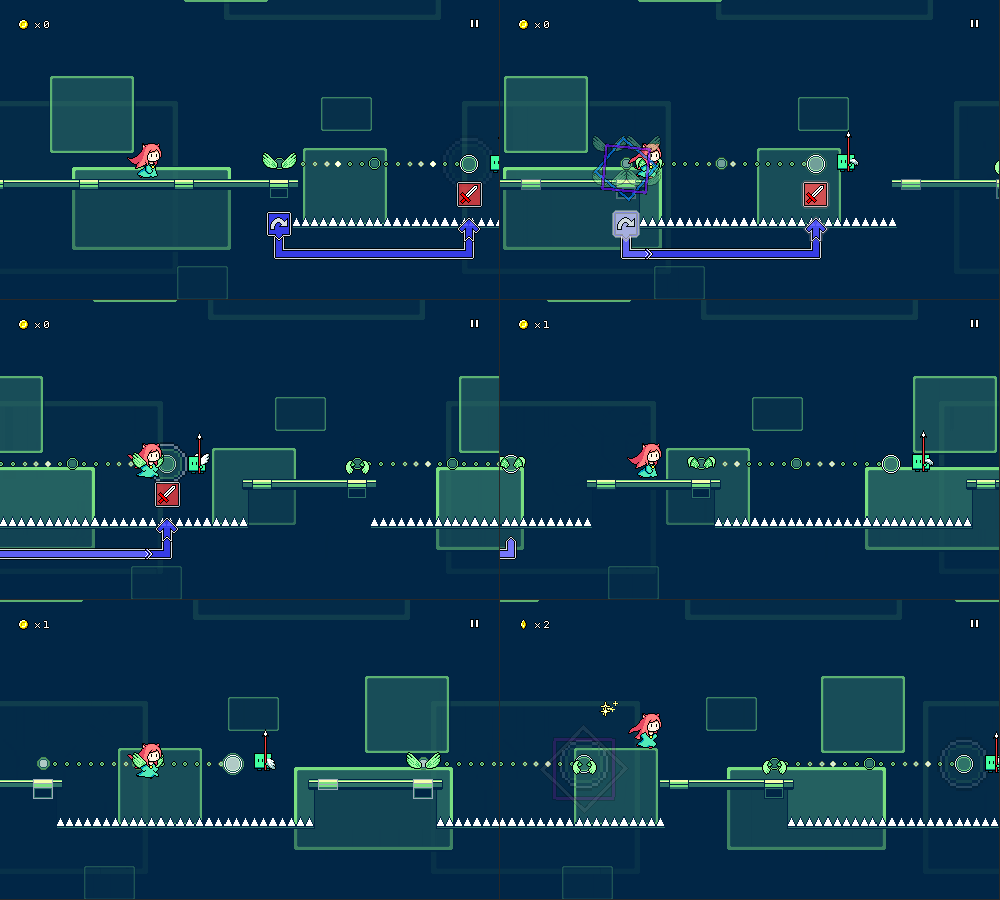


For the visuals here I kept things pretty simple and just used translucent rectangle shapes with colored borders. It may seem like I'm being lazy here, but at least I've managed to get away from the big cloud layers that I was seemingly using in every level for worlds 2 and 4!


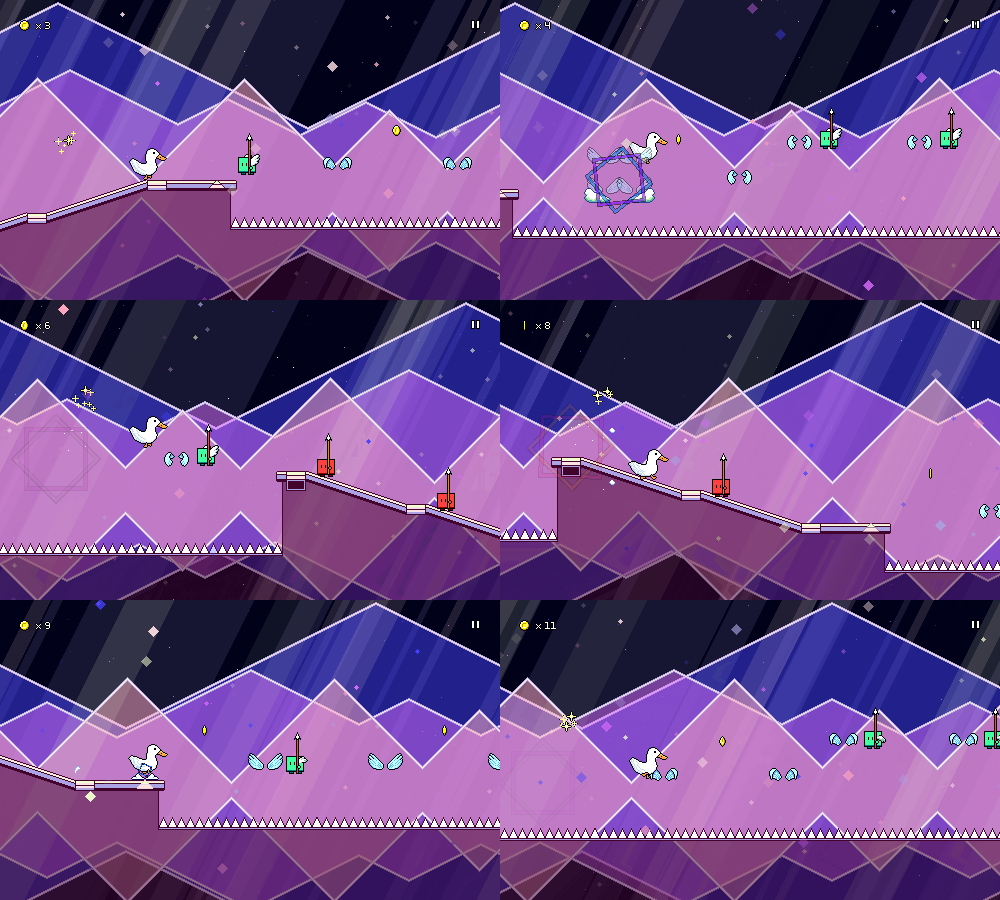
The patterns in world 5 actually introduce a new physical tapping motion, so I can see the potential for mixed reception of the charts and mechanics here -- something that I'll have to prove out and test in future user tests. For now, though, there's only one more level to complete in world 5, which means I'm about 80% done with all of the 30 main levels in the game! Level 5-5 won't have any new mechanics, just putting together everything on display that we've encountered so far.

Unfortunately there are some extenuating circumstances going on in my life that are pulling my attention a little bit away from Rhythm Quest. This isn't anything new (I had similar "real life" stuff to deal with in January, and late last year as well), just thought I'd note it in case anyone wonders why things might feel a little more quiet around here for a bit. My current focus is still on finishing out the 30 main levels before I turn back toward polish and other game features.
Rhythm Quest Demo v0.26.3 Released

The Rhythm Quest Demo has been updated to version 0.26.3! This patch fixes accessibility cue volume and makes some other minor tweaks.

Full changelog:

Version 0.26.3
- Fixed audio cue volume balance not affecting music/sfx volume
- Slightly increased saturation for wing sprites
- Fixed enemies sometimes fading in suddenly on respawn
- Fixed minor texture rendering issue during respawns
- Fixed level 1-1 tutorial not respecting screen filter
- Changed menu player control behavior
- Minor menu tweaks

Devlog 50 - Level 5-1

I've completed work on level 5-1, tentatively titled "Gleaming Glassway"! This is the first level in world 5 (Crystal Caverns). I've got a =ton= to talk about for this level, but first, here's a video of a full playthrough of it:

[previewyoutube][/previewyoutube]

[h2]Mechanical Identity[/h2]

World 5 is going to focus on the green "combo" enemies where you need to press attack and jump simultaneously. There are a bunch of different ways in which these can be used, such as:

By themselves
In the middle of an air jump pattern
Combined with the beginning of a flight path (press attack + hold jump)
Combined with the end of a flight path (press attack + release jump)
In combination with a spike enemy
Mixed in with water zones / ghost enemies


I'm hoping to introduce these slowly over the course of the world, especially the flight path-related ones since those might be tricky to get a handle on.

[h2]Musical References[/h2]

I've been trying to mull over musical style ideas for world 5 for a while now, and only recently had much success settling on something. I don't know exactly how to describe it succinctly, but it draws a little bit on "kawaii bass" influences, featuring big synth chord stacks that are sidechained to the kick drum.

World 4 was pretty "lush" and "atmospheric" in its overall sound so I wanted to contrast that a little by going for something a little more punchy and crisp. Not "dry" like the 8-bit style of world 3, but something a little more "upfront" if that makes sense. I referenced things like the vibe of the chorus in nachi - 賢者の極北 (Nhato Remix) and especially the big chords in the drops of Snail's House - Pixel Galaxy and did a sketch called "Flight Experiments" during One Hour Compo. That sketch worked out really well, so I took most of the same ideas and put them into the track for level 5-1.

[h2]Block Chords[/h2]

The main chorus features these characteristic chord stacks that I was mentioning earlier, along with some added arps to spice things up a bit. After freeing ourselves from the pentatonic scale limitation that I used in world 4, it's nice to go back to using 7ths and 9ths everywhere in these chords:

https://rhythmquestgame.com/devlog/50-chords.mp3

One interesting issue that came up with writing these sections was the rhythmic structure of the second chorus, which initially sounded like this with a "four on the floor" beat:

https://rhythmquestgame.com/devlog/50-fouronthefloor.mp3

It sounds okay, but in the context of the game, those first three quarter note chords (red enemies) are quite boring. In fact, the attack/jump patterns here go along with the main rhythm of the block chords, so there's really only one thing going on, which makes it very...monotonous, rhythmically. I ended up changing the drum beat around, adding another bassline layer, and ended up with this instead:

https://rhythmquestgame.com/devlog/50-interestingbeat.mp3

The tweak is subtle, but I think having two different rhythmic things going on at once really helps make it less boring and one-note.

[h2]Musical Cues[/h2]

Writing Rhythm Quest music is fascinating because there are rough rules that I find and discover for myself, but they usually aren't very strict. There are common patterns that I'll use a lot -- for example, flight paths are usually represented by sustained notes -- but those aren't always true: flight paths are sometimes represented by arpeggio patterns instead.

It's the same thing with these green enemies. Sometimes I represent them in the music with chords (jump + attack at the same time = 2 notes at the same time), but I've also developed 16th note rhythms that I've started to use for them instead:

https://rhythmquestgame.com/devlog/50-16ths.mp3


[h2]Other Details[/h2]

I actually really love everything going on in this song, there are so many little details here and there that I want to talk about that I enjoyed putting in.

One is this washed out glassy synth layer in the background that fills everything out and provides another element of rhythmic contrast. Here's what the first chorus sounds like =without= that synth:

https://rhythmquestgame.com/devlog/50-withoutlayer.mp3

And here's the version with it added in (listen for it!):

https://rhythmquestgame.com/devlog/50-withlayer.mp3

Listening to the first example you might not think that anything is "missing", but I really feel like this element helps fill in the space effectively even though it's in the background.

Just one more audio snippet for you all:

https://rhythmquestgame.com/devlog/50-outro.mp3

You'll notice that some of the leads have different timbres here than in earlier worlds -- I'm going to be trying to use alternate waveforms for my leads in world 5 to break away from the pulse/square waves that I use all the time.

Really love the high filtered noise fill that happens midway through this snippet as well, that's just a simple synthesizer using white noise that goes through a high-pass filter. Also, there's that glassy synth line in the background again!

[h2]Visual Identity[/h2]

World 4 used a lot of these translucent cloud layers (easy to draw!) to provide a lot of depth and adding additional colors to the scene without actually increasing the number of colors in my main palette (still always limited to 4 or 8 at a time!):


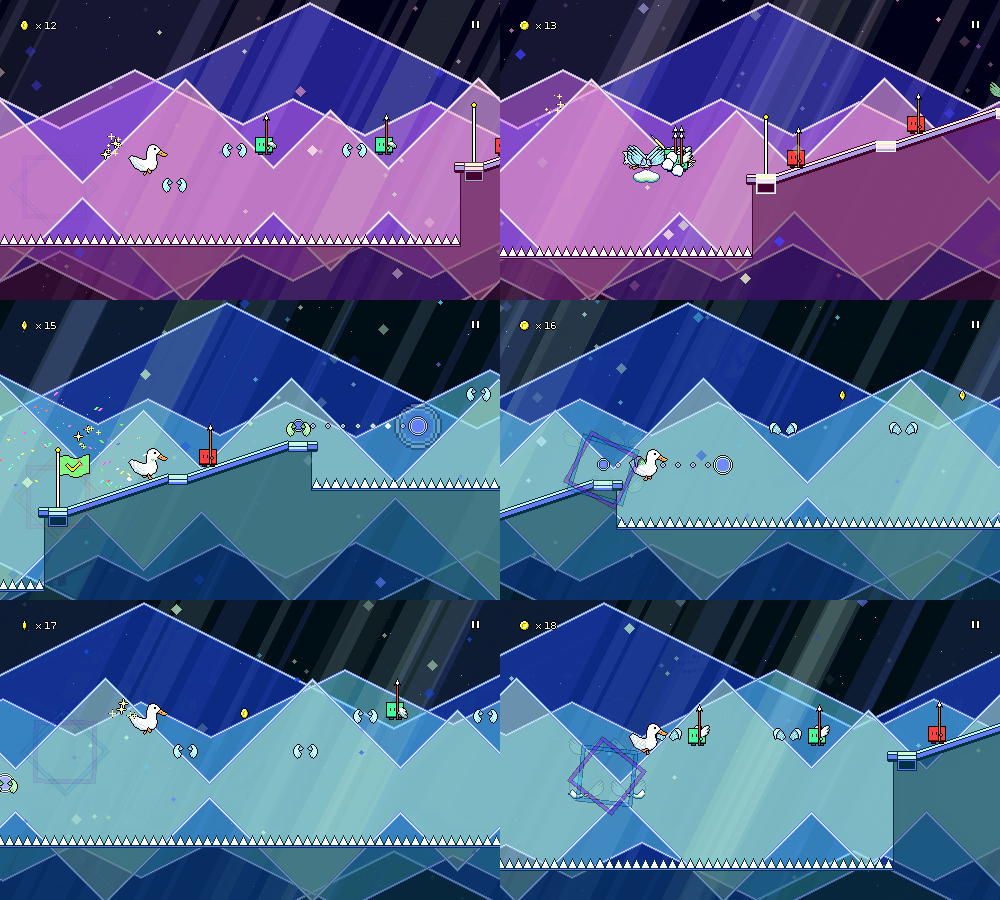
I knew I wanted to do something different in world 5, but I still liked the translucency effects, so I decided to take a different spin on it and instead of clouds, thought about other large transparent shapes, like bubbles and gemstones:


So here instead of having large bright cloud layers, I'm using geometric shapes (triangles, circles, diamonds) and using decorative outlines with translucent fill areas.

You'll notice a lot of parallax scrolling with the light beams, which I think really makes the scene click visually. They vary in width, sorting layer, and color/intensity, so they create nice subtle visual appeal when they scroll past / through each other.

Something else you'll notice is that the ground is also partially transparent here! I happened to stumble upon this idea and I think it really works for this world to set it apart from the others. It also makes it much easier to create visual interest on the bottom half of the screen since you get to see the (mirrored) bottom half of all the backdrops now.

I actually ran into some issues when I first implemented this, since my level generation code previously generated overlapping ground areas in some cases. This wasn't an issue when the ground was just a single opaque color, but when it's translucent, it's a problem:


Luckily, those cases weren't too rough to track down and fix.

During the chorus sections, I spawn simple diamond-shaped particles that fade in and out as they scroll by. Simple effect, but it fits the aesthetic of the level nicely and provides another element of parallax scrolling to add depth.


[h2]Menu Work[/h2]

Since this is a new world, I also needed a new menu theme for it. Here's a video of the transition between world 4 and world 5, so you can see what that sound like when you unlock world 5:

[previewyoutube][/previewyoutube]

Again, you can hear the use of block chords and sidechaining here, same ideas as within the level itself. I really like how different all of the menu themes are; you can actually hear my styles evolving and shifting over the course of the years as I work on the game and experiment with new sounds.

That's it for now! Next up is going to be level 5-2, which is probably going to start touching on green enemies + flight paths!

Rhythm Quest Demo v0.26.1 Released

The Rhythm Quest Demo has been updated to version 0.26.1! This patch implements some minor bugfixes and quality of life tweaks, as well as updated Sayuri sprites and a new Vietnamese localization.

Full changelog:

Version 0.26.1
- Updated Sayuri sprites to properly feature her ears
- Added "Perfect Clear Mode" / disable checkpoint setting in cheats
- Auto play mode no longer saves progress
- Buffer pause inputs during respawn
- Added Vietnamese translation
- Fixed bug that prevented click input on initial calibration screen
- Select TTS voice based on language for OSX
- Allow/implement pausing during level 1-1 tutorial sequence
- Fixed position warping bug when game loses focus or fails to update

Edit: Version 0.26.2 has been released, with a hotfix patch:

- Fixed broken jumping in level 1-1 tutorial sequence

New level added to demo! (v0.26.0 release)

The Rhythm Quest Demo has been updated to version 0.26.0! As thanks for reaching 10,000+ wishlists on Steam, this update includes a brand new level in the demo, level 3-4, which features the purple "ghost" enemy mechanic!


Full changelog:

Version 0.26.0
- Made level 3-4 avilable in the demo!
- Added missing pixel font diacritics for Polish
- Fixed Chinese, Ukranian localizations not forcing smooth font for low resolutions
- Save data validation tweaks
- Text wrap/padding tweaks
- Fixed doubled web browser link opens
- Fixed calibration squares sometimes not flashing
- Tweak graphics settings submenu layout
- Prevent mixing of different pixel fonts for unicode/non-unicode glyphs
- Keyboard bind displays now account for keyboard layout