[h3]
INTRODUCTION[/h3]
"Once there was an explosion, a bang which gave birth to time and space.”
An explosion called the "Death Stranding" hit humanity. Civilizations and societies on Earth collapsed, people were cut off from one another and lived in isolation. With a mission to reconnect and rebuild a decimated America, as Sam Porter Bridges, you’ll travel across the North American continent from east to west to unite the divided, one step at a time.
In your mission to reconnect America, you will also build connections with other players from all over the world via DEATH STRANDING’s unique game system, the “Social Strand System”.
SOCIAL STRAND SYSTEMTo provide some context around how this game system works here is an example: in your journey, you come across a mountain path that normally would be difficult to cross. But, a fellow player before you built a ladder to cross that same path, ultimately helping you in your journey. To show appreciation and recognition to a fellow player’s structure that has helped you, you can ‘like’ their structure. Likewise, a ladder or bridge that you built along your journey, might help another player in their journey as well, and they can, in turn, ‘like’ and recognize your structures also.
The intention behind the “Social Strand System” was to develop a system that creates a gentle connection between players through their actions, change the sense of gameplay, with the aim of providing a more fulfilling experience overall between players.
DEATH STRANDING DIRECTOR'S CUT is the definitive DEATH STRANDING experience and adds a number of new enhancements, missions, facilities, weapons, vehicles, and more.
Attention PC Players: Having Trouble Exporting Your Save Data from DEATH STRANDING over to DEATH STRANDING DIRECTOR’S CUT? Scroll to the bottom of the guide for step-by-step instructions.
[h3]
BEGINNER’S GUIDE[/h3]
To help ease players or “porters” into DEATH STRANDING DIRECTOR’S CUT, we have prepared a mini-guide that offers tips on how to traverse the world, manage your cargo, plan your routes, as well as provide details around the new facilities, equipment and how to connect with other players.
PART 1: MANAGING YOUR CARGOOrganizing and managing your cargo can improve the efficiency of making deliveries. If you load too much cargo for Sam to carry, his stamina will drain, which will affect his movement.
Accessible from the Cufflinks, go to “CARGO” to manage and adjust your cargo load.
Monitor Cargo Weight and BalanceCheck the cargo weight display color at the bottom of the “CARGO MANAGEMENT” screen to ensure you’re not exceeding Sam’s cargo carrying max. If the weight display remains white, this means that your cargo weight is ok and manageable. If the indicator turns yellow, this means that the weight of your cargo has increased to a level that will cause Sam to strain a bit and will adversely affect his movement. If the indicator turns red, this indicates that Sam’s cargo load is over the maximum which will greatly affect Sam’s mobility. Monitoring your cargo weight display will ensure you maintain optimal movement and performance when making deliveries.
 Cargo Optimization
It’s best practice to ensure the placement of your cargo sits closest to the center of gravity, or central, to Sam's body, as possible.
If you need a little guidance in the beginning, from the cufflinks menu, under the “CARGO” section, select "Auto-Arrange Cargo". This function will automatically adjust your load to a more optimal state.
However, keep in mind that there are special packages such as pizza that damage if placed vertically, so be sure to also keep an eye out on the type of cargo you’re carrying as well. Some cargo does have special instructions.
 Cargo Still Too Heavy? These Might Help!
Knowing and understanding the characteristics such as weight and balance of your cargo is important and will ultimately enable you to carry and manage even more cargo. If you’re still finding cargo a bit difficult to manage though, or alternatively, you’re wanting to try and maximize your cargo load and complete multiple orders at a time, there are some equipment options that can help.
For example, equipment such as floaters and power skeletons can make it easier for you to carry more cargo, even across more complex terrains. On national roads, long-distance mass transportation is also feasible, not to mention more comfortable, on-board vehicles, such as trucks and trikes. However, these equipment types and vehicles will drain battery power, so be sure to monitor and charge your batteries when you can.
The most important thing is to deliver your package without damaging it, and as you progress through the game, you’ll discover and unlock more equipment along the way that will assist you in delivering cargo. The terrain, climate, delivery conditions, all vary and can change at any moment, so ahead of each delivery it’s important to study the map topography and the details around each order. Doing this will help you make deliveries even more efficiently.
Finding efficient and creative ways can also lead to a variety of discoveries including new areas and locations, and more!
Watch Out for Cargo DeteriorationCargo container cases can get damaged and deteriorate in a variety of different ways. “Timefall” is a form of precipitation (rain, snow, etc.) that accelerates the passage of time, or ages, objects that it comes into contact with. Falling from high distances can also damage cargo as well. In any case, it’s always good to carry a can of “Container Repair Spray” with you to repair unexpected damage to cargo cases.
 PART 2: PLANNING YOUR ROUTE
Studying your map and the order details for a delivery is critical in preparing for what lies ahead in the precarious world of DEATH STRANDING. Mapping your route and finding the quickest and easiest way to cross rough terrain is central to the gameplay in DEATH STRANDING DIRECTOR'S CUT. Get familiar with your navigation system straight away to learn how to identify and plan your route effectively.
Using Your MapWhen you open the map screen, be sure to check the terrain to your destination by tilting the map. This will enable you to check the steepness of the terrain, which will aid you in planning your route ahead.
Sometimes it's faster to bypass and follow gentle terrain than to climb mountains with various height differences. Consider a route that seems easy for you to go. You can place multiple markers on the map and connect them with lines to help chart your delivery route. Guide markers also appear on the field whilst you’re playing to help you stay the course.
Switch to compass mode by pressing the “Compass” button to see your destination, and the route direction markers you’ve placed on your map, while you’re playing as well.
 Encountering Rugged Terrain
In the world of DEATH STRANDING, areas that can seem scenic and awe-inspiring can also have dangers lurking close by. Careful planning before you set out will always help; think ladders to climb a cliff edge, a rope to traverse rocky drops, and even Ziplines to help you slide across the skyline. However, unplanned challenges can also arise, and in some cases, you might not always have the right piece of equipment for the job. Sometimes it is helpful to look around and see what other players have left behind, it could prove useful. While these items help you overcome obstacles, they could also be your ticket to some breath-taking views.
WARNING: A FEW SPOILERS AHEAD…PART 3: NEW FACILITIESDEATH STRANDING DIRECTOR'S CUT expands upon the original and introduces new facilities including a firing range and racetrack.
Firing RangeIn the firing range, you can practice and hone your weapon skills through a variety of drills against enemies such as MULEs and BTs. You can also participate in ranked drills and compete against other players from around the globe for the best time score.
To access this area, complete [Order No.14] at Capital Knot City [K2] or [Order No.77] at the K2 West Distribution Center. A message will be provided by Die-Hardman recommending you to use the training area. You will then be able to access the “Firing Range” from any delivery terminal of a distribution centre or safe house.
 Racetrack
On the racetrack, you can use a variety of vehicles including trikes, trucks, even a new roadster, to time attack against other players
To access the racetracks, you must first reach Episode 3 and connect the Qpid to the “Junk Shop” Sam visits. Once you have received [Order No.35] and completed your delivery to the K4 South Distribution Center, you should receive an email from Thomas Sutherland regarding the “racetrack”. Once you have completed his request, head to the racetrack terminal located south of the Timefall Farm and deliver the following materials:
Chiral Crystals: 650
Metal: 2240
Ceramic: 1960
Once you have delivered the materials to the racetrack terminal you will have access to the racetrack. Get behind the wheel and you may be hooked on the smooth-riding.
 PART 4: NEW WEAPONS, EQUIPMENT AND MOREMaser Gun
The maser gun is a new weapon introduced early in the game that stuns human threats such as MULE soldiers with an electric shock.
When you receive [Order No.77] at the K2 West Distribution Center, once you clear it, you will be able to obtain this weapon. If you want to practice how to use it, go to the "firing range" and try the maser gun drills.
 Support Skeleton
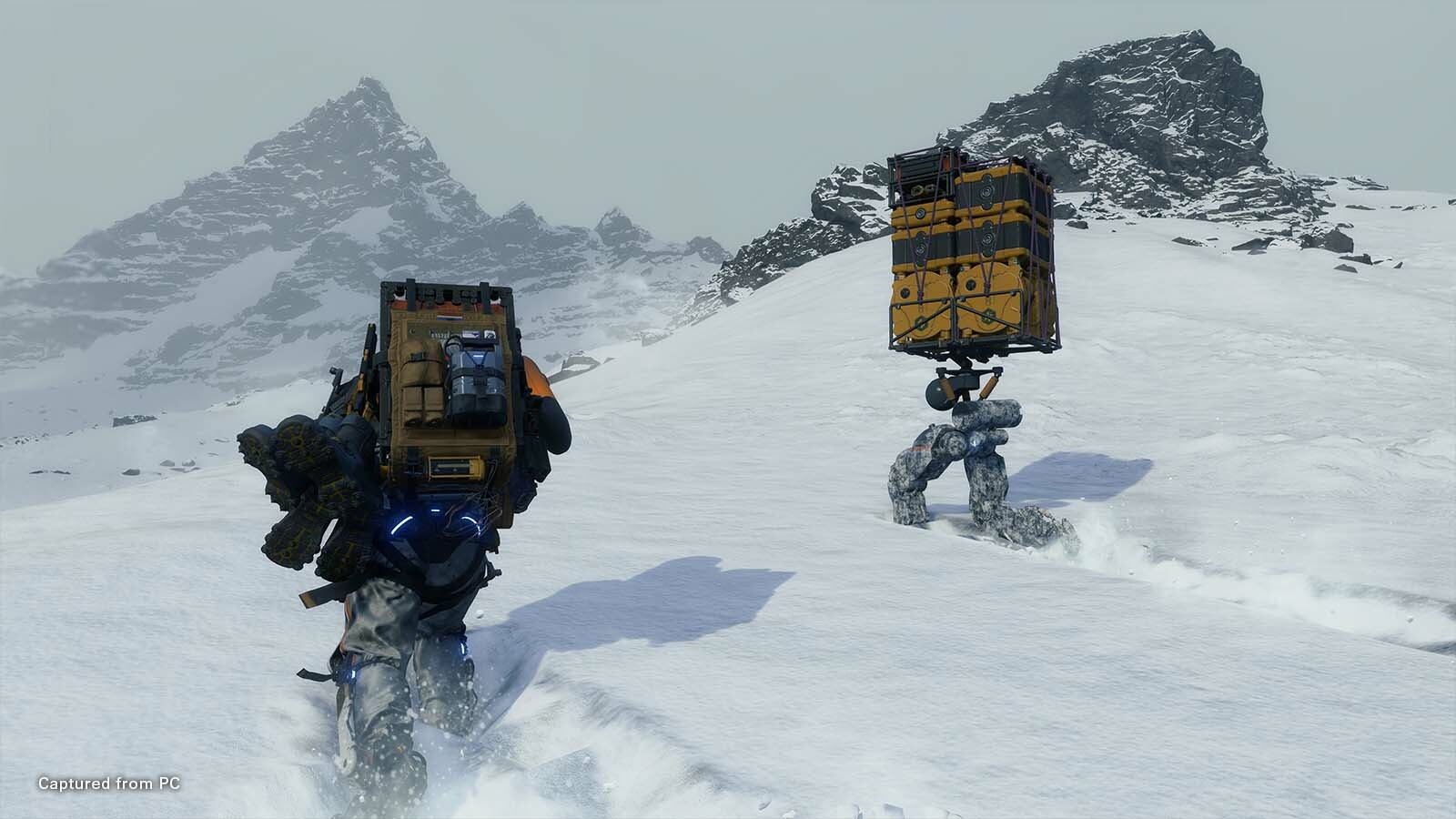
Support skeletons are new gear that support early-game delivery. Not only do they reduce the burden of carrying heavy loads, they also have a boost feature to increase your travel speed enabling you to make deliveries faster.
The boost feature does consume battery power, so be sure to monitor your batter charge meter.
The support skeleton will be available to fabricate after completing [Order No.77] which can be accessed via the terminal at the K2 West Distribution Center.
 Buddy Bot
The buddy bot is a support bot that is designed to carry cargo. It can be programmed to follow and assist you in carrying cargo, or instructed to make deliveries independently.
If you need a breather, the buddy bot can be a real convenient way to move a lot of cargo and get you to the nearest facility automatically.
Keep in mind though that the buddy bot can only be used within the Chiral Network range. Additionally, if a buddy bot is used to make a delivery order, your package rating max is capped and cannot exceed an “A” grade.
The buddy bot can be accessed after clearing [Order No. 83], which is made available at the same time as [Order No.41] which can be accessed at the K4 South Distribution Center.
 Jump Ramp
The jump ramp is a new structure that utilizes chiral crystal energy to propel you over long distances. The chiral crystal energy also reduces the landing impact following a jump as well.
Although the jump ramp can be one solution in helping you clear obstacles that hinder your delivery, depending on the amount of airtime you get launching off a jump ramp, you can also execute some really cool tricks while you’re airborne as well!
 Chiral Bridge
The chiral bridge helps you navigate narrow terrain and areas where a normal bridge that requires a foundation cannot be built. The chiral bridge also has a special ID to prevent the entry of MULEs soldiers and other enemies. However, be careful, the chiral bridge will become disabled if it comes into contact with “Timefall” (rain, snow).
 Cargo Catapult
Cargo catapults are structures that enable you to launch cargo over long distances. With this, you can deliver your cargo to a safe location, instead of trying to manoeuvre through challenging areas with a backpack full of cargo, such as mountain summits or huge crevasses. This new structure widens your options and opens up new ways to deliver your cargo safely and efficiently.
The cargo catapult can be accessed at the end of Episode 5 of the main story, you can build it by creating and equipping a portable chiral constructor, or PCC [Lv.2] at the distribution terminal.
 The Ruined Factory
The “Ruined Factory” is a newly added location that can be accessed when you clear both [Order No.7] and [Order No.8], both are available at the K2 West Distribution Center. Once those two orders are complete, [Order No.77] will then become available.
As you progress through the game, you'll gain deeper access into the Ruined Factory; who knows what you’ll discover?
 PART 5: FAST TRAVELFragile Jump
Want to save a little time in travelling around the world of DEATH STRANDING? The Fragile Jump enables you to instantly transport to known centers, facilities and safe houses within the Chiral Network.
To access this feature, continue to Episode 3, highlight Fragile’s umbrella in your private room and select "Fragile Jump". A list of locations will then be made available.
 PART 6: CONNECTION
In DEATH STRANDING DIRECTOR’S CUT, we have added new ways you can play and connect with other players.
Leaderboard RankingsYou can now compete with other players in a number of ways including firing range drills, boss rematches, lap times on the racetrack, and completing ranking order requests. Challenges are updated frequently, gain rewards depending on how high you rank.
Strand Contracts, Now More ConvenientAfter you’ve unlocked the “Bridge Links” option in the Cufflinks menu, an additional option to form strand contracts also becomes available. Strand contracts enable you to connect with other players, increasing the chances of their structures appearing in your world, and vice versa – there are a number of benefits to this.
Additionally, to make it easier to add players to your preferred contract network, a “Friend” tab has been added to the strand contract section as well.
PART 7: FINALLY…In this article, we introduced a few tips as well as some of the various elements added in DEATH STRANDING DIRECTOR'S CUT that we hope can help you on your way to reconnecting the world of DEATH STRANDING.
In the real world, it can still be difficult for some to actually hold hands with friends. We hope that this work helps us all in connecting our thoughts, so that we can move the world in a good direction, even if it’s just a little.
To everyone out there, keep on keeping on.
KOJIMA PRODUCTIONS
DEATH STRANDING DIRECTOR’S CUT is now available. For more information, please visit:
STEAM:
https://505.games/SteamDSDCLaunchFor PC Players: Having Trouble Exporting Save Data from DEATH STRANDING over to DEATH STRANDING DIRECTOR’S CUT, below is a step-by-step guide:
Before you start exporting your files, please ensure you have downloaded DEATH STRANDING’s 1.07 patch.
Important: We recommend that you do not delete your base game install until you have successfully imported the converted save into DEATH STRANDING DIRECTOR’S CUT.
To export your save data, please follow the instructions below:
1. Launch DEATH STRANDING version 1.07 or later on your PC with internet connection.*
2. Select “Load Game” on the title screen of DEATH STRANDING and start the game from the save data you wish to export to DEATH STRANDING DIRECTOR’S CUT.*
3, Open Cuff Links in front of a Delivery Terminal in a facility
4. Select “SYSTEM” → “Export Save Data” (*1)
5. Details about exporting saved data will be displayed. Check the information and select “OK”.
6. At this point, saved data of the running DEATH STRANDING will be exported and saved to the local storage.
7. Launch DEATH STRANDING DIRECTOR’S CUT on your PC. (*2)
8. Select “Load Game (Death Stranding Save Data)” on the title screen of DEATH STRANDING DIRECTOR’S CUT
9. You now can play the game from DEATH STRANDING saved data stored in local storage. Also, immediately after the game starts, a new save data of DEATH STRANDING DIRECTOR’S CUT will be created.
(*1) In order to select “Export Save Data” on Cuff Links in DEATH STRANDING, the following conditions must be met.
* Open Cuff Links in front of a Delivery Terminal in a facility.
* Any “Orders for Sam” MUST NOT be in progress. If you have “Orders for Sam” which are in progress, please complete them all before selecting “Export Save Data”.
(*2) To load save data which was exported from DEATH STRANDING, you need to launch DEATH STRANDING DIRECTOR’S CUT with the same account used to export DEATH STRANDING save data.


