1. Mabinogi
  2. News

Mabinogi News

Study Event Season 2
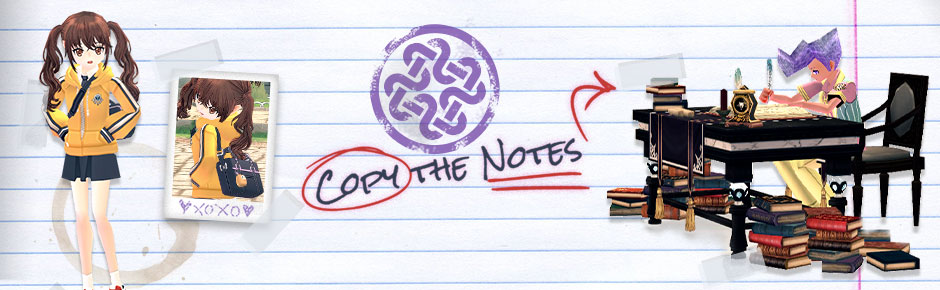


Siyu needs your help preparing for the exams again! Use the Standard Study Desk to copy notes from the Thick Books into a Notebook every day. The better the quality of your Notebook, the more rewards you'll earn! Check out the details below.

Event Details


Event Dates: Thursday, September 1st, After Maintenance - Thursday, September 29th, Before Maintenance
  • During the event, you will receive the quest, [Guide] Calling All Study Buddies.
  • Find Siyu in the Dunbarton Town Square.
  • Register a main character with Siyu.
  • You can only register one character per account.
  • You will receive the following event items after completing [Guide] Calling All Study Buddies:
    • 10,000 EXP
    • Unlock [Event] A Thorough Review[Event] Surefire Study Tactics and [Event] Hard Work Pays Off quests.
    • Standard Study Desk (Event)
    • 50 Thick Books
  • Log in to receive 50 Thick Books once per day.
  • The event resets daily at 7:00 AM PDT.
  • All event quests, items, and Blacksmith Manuals will be removed when the event ends.
 

Daily Quest
  • Each day, you will receive the daily quest: [Event] A Thorough Review.
  • Stay online for 36 minutes or longer to complete the quest.
  • When you complete the daily quest, you will receive:
    • 20,000 EXP
    • 50 Thick Books
  • Each day, you will receive the daily quest: [Event] Surefire Study Tactics.
  • Complete the quest every day by using the Standard Study Desk and Thick Books to copy the notes.
  • To copy the notes, you will need to craft a Notebook using the Thick Books.
  • You can craft a Notebook anywhere. One Thick Book will create one Notebook.
  • The craft success rate by grade will differ depending on the type of desk used. There are three desks:
    • Standard Study Desk (Event) (Received from [Guide] Calling All Study Buddies)
    • Smart Study Desk (Event) (Craftable)
    • Elite Study Desk (Event) (Craftable)
  • You can purchase a Blacksmith Manual to craft the Smart Study Desk (Event) and Elite Study Desk (Event) from Siyu.
    • The Smart Study Desk (Event) and Elite Study Desk (Event) Blacksmith Manuals will be removed when the event ends.
  • When you complete the daily quest, you will receive:
    • 20,000 EXP
    • 50 Thick Books


Achievement Quest
  • You will receive the [Event] Hard Work Pays Off after registering the main character. 
  • Complete the Surefire Study Tactics daily quest 15 times, then talk to Siyu, to receive the following:
    • 200,000 EXP
    • Study Hard Gesture Card 
      • When using the gesture, the character will pace back and forth continuously.
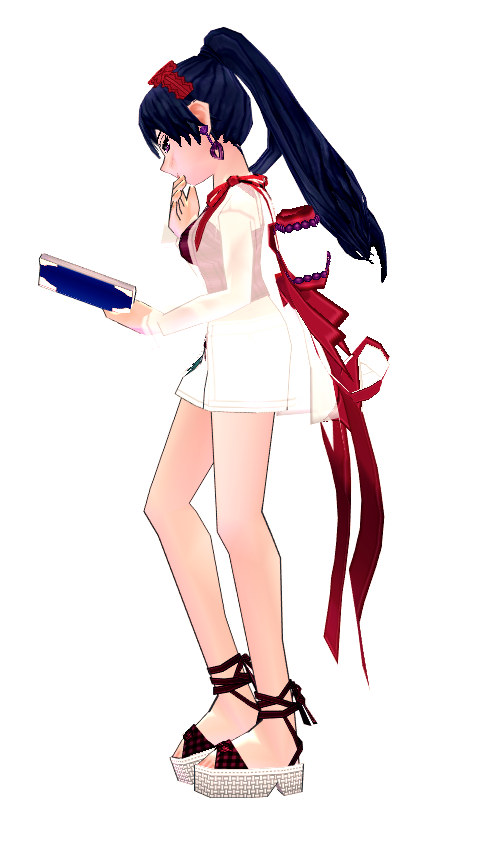

Crafting a Smart Study Desk and Elite Study Desk


You can purchase a Blacksmith Manual to craft the Smart Study Desk (Event) and Elite Study Desk (Event) from Siyu for 100,000 Gold.


Siyu's Rewards
  • Talk to Siyu to exchange each crafted Notebook for a reward.
  • The reward will depend on the Notebook quality.
Item Name
How to Obtain
Materials
Study Effect
Standard Study Desk (Event)

- Upon registering a main character

- Purchase from Siyu’s Shop for 1,000 Gold
N/A
 Slowest Study Time, less chance of high quality Notebooks
 Smart Study Desk (Event) (Tradeable)
 Craftable by Blacksmith Rank 6 or above

Each Time
 - Iron Ingot x1
 - Firewood x1 

Last Stage
- Iron Ingot x3
- Firewood x2
- Large Nail x1
Average Study Time, highest chance of high quality Notebooks 
 Elite Study Desk (Event) (Tradeable)
 Craftable by Blacksmith Rank 1 or above

Each Time
- Iron Ingot x2
- Firewood x2
- Fine Leather Strap x1

Last Stage
- Iron Ingot x5
- Firewood x3
- Large Nail x2
Fastest Study Time, average chance of high quality Notebooks


  • Memo Pads will increase your Exploration EXP by 10% when sold at an NPC Shop.
Siyu's Gift Box
  • *NEW* Siyu Sequel Figure
    • Grants Music Buff Effect +2 when placed on the Homestead.

  • *NEW* Piyu Sequel Figure
    • Grants Max Damage +5 when placed on the Homestead.
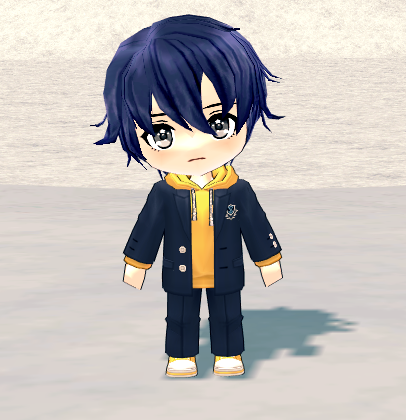
  • Trade Unlock Potion (Event)
  • Enchant Protection Potion
  • Repair Protection Potion
  • Golden Experience Fruit (500%) (expires in 7 days)
  • Golden Experience Fruit (300%) (expires in 7 days)
  • Golden Experience Fruit (expires in 7 days)
  • Golden Experience Fruit (50%) (expires in 7 days)
  • Heliodor (5 cm.)
  • Bloodstone (5 cm.)
  • Jade (5 cm.)
  • Tourmaline (5 cm.)
  • Pink Sapphire (5 cm.)
  • Jet (5 cm.)
  • Opal (5 cm.)
  • Phantom Quartz (5 cm.)
  • Tanzanite (5 cm.)
  • Ametrine (5 cm.)
  • Green Heliodor (5 cm.)
  • Red Heliodor (5 cm.)
  • Diamond (10 cm.)
  • Topaz (10 cm.)
  • Star Sapphire (10 cm.)
  • Emerald (10 cm.)
  • Aquamarine (10 cm.)
  • Garnet (10 cm.)
  • Jasper  (10 cm.)
  • Ruby (10 cm.)
  • Spinel (10 cm.)
  • Potion of Proficiency (Event) (expires in 7 days)
  • Production Failure Potion (Event) (expires in 7 days)
  • Special Tendering Potion S (Event) (expires in 7 days)
  • Special Tendering Potion (Event) (expires in 7 days)
  • Protection/DEF Buff Potion (Event) (expires in 7 days)
  • Stamina Buff Potion (Event) (expires in 7 days)
  • MP Buff Potion (Event) (expires in 7 days)
  • HP Buff Potion (Event) (expires in 7 days)
  • Combat 2x EXP Potion (30 min.) (expires in 7 days)
  • Heliodor (3 cm.)
  • Bloodstone (3 cm.)
  • Jade (3 cm.)
  • Tourmaline (3 cm.)
  • Pink Sapphire (3 cm.)
  • Jet (3 cm.)
  • Opal (3 cm.)
  • Phantom Quartz (3 cm.)
  • Tanzanite (3 cm.)
  • Ametrine (3 cm.)
  • Green Heliodor (3 cm.)
  • Red Heliodor (3 cm.)
  • Diamond (5 cm.)
  • Topaz (5 cm.)
  • Star Sapphire (5 cm.)
  • Emerald (5 cm.)
  • Aquamarine (5 cm.)
  • Garnet (5 cm.)
  • Jasper (5 cm.)
  • Ruby (5 cm.)
  • Spinel (5 cm.)
  • Wood Board
  • Finest Firewood
  • Fine Firewood
  • Average Firewood
  • Firewood
  • Cheap Silk
  • Common Silk
  • Fine Silk
  • Finest Silk
  • Fine Fabric
  • Finest Fabric
  • Cheap Leather
  • Common Leather
  • Fine Leather
  • Finest Leather
  • Cheap Leather Strap
  • Common Leather Strap
  • Fine Leather Strap
  • Finest Leather Strap
  • Full Recovery Potion (Event) (expires in 7 days)
  • Comprehensive Recovery 1000 Potion (Event) (expires in 7 days)
  • Comprehensive Recovery 500 Potion (Event) (expires in 7 days)
  • HP 300 Potion SE
  • MP 300 Potion SE
  • Stamina 300 Potion SE
  • Wound Remedy 300 Potion SE
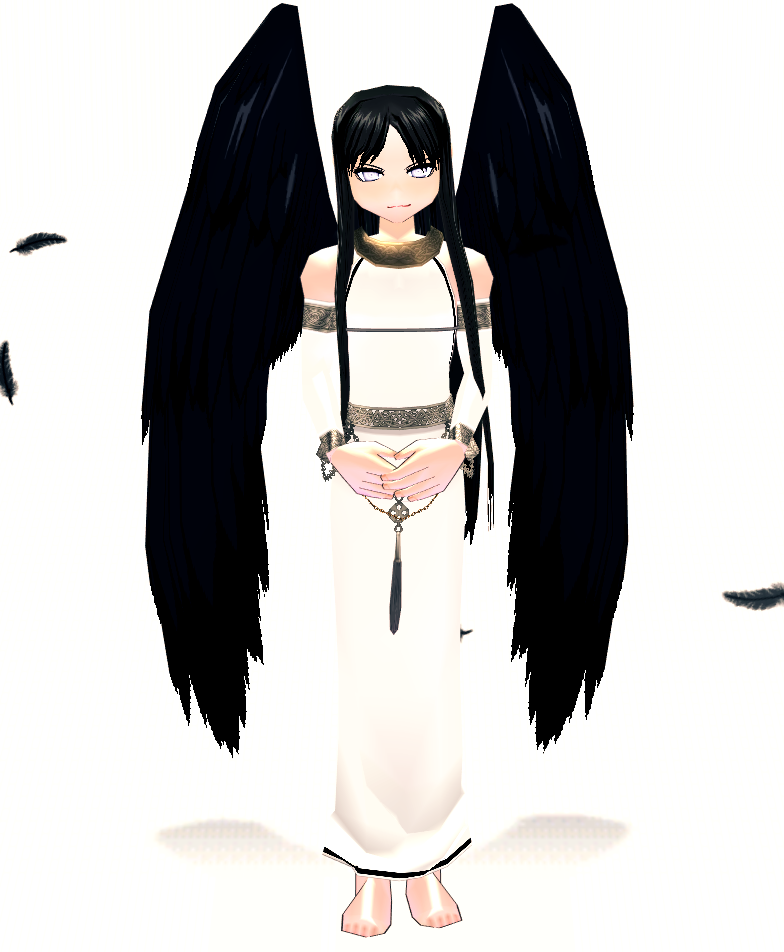
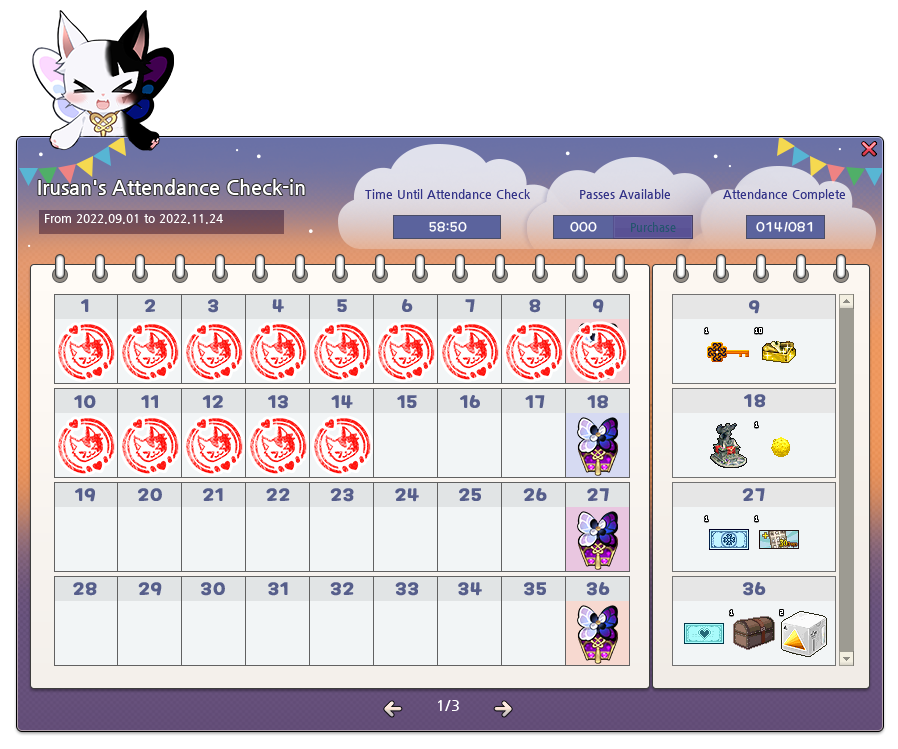
Irusan’s Check-in Attendance Season 2


Time to check in, meow! Log in everyday for new rewards, including the Morrighan outfit set. And if you finish the attendance calendar before the end of the event, there is a bonus attendance calendar with more rewards! Check out the details below.

Event Details


Event Dates: Thursday, September 1st, After Maintenance - Thursday, November 24th, Before Maintenance
  • During the event, you will receive the guide quest, [Guide] A Girl's Request.
  • Find A Girl in Need in front of the Unicorn Statue.
  • Register for the event with A Girl in Need.
  • Registration is available for the account, so you can participate in the event on any character.
  • Once registered, an Irusan icon will appear on your screen. 
    • You can view the calendar by clicking on the icon.
      • There are a total of 3 calendars. The first two calendars will each have 36 days, while the last calendar will only have 9 days of log in.
    • You can also view how many stamps you have, how much time is remaining before you receive a stamp, or how far along you are.
  • Stay logged in for 1 hour every day to receive a stamp.
    • Staying logged in on any character will count towards the 1 hour needed to collect a stamp.
    • If you still have time remaining on your calendar and it is already 7:00 AM PT, the remaining time will not reset.
    • If you log out and log in after 7:00 AM PT the next day without completing the previous day's attendance, the remaining time you had is still counted and you can continue to stay logged in to complete the attendance.
    • Once the attendance is complete, for the two situations above, you can no longer continue with the current day's attendance.
  • You will only receive 1 stamp per day.
  • Every weekend, you will receive 2 stamps per day (for a total of four).
  • Rewards that weren’t claimed from the event calendar can be claimed by talking to Lorna in various Uladh towns.
    • The rewards will be available for 1 week after the event ends from Thursday, November 24th, After Maintenance - December 1st, Before Maintenance.
    • When talking to Lorna after the event has ended, any unclaimed rewards will be sent to the character's Point Shop Inventory. 


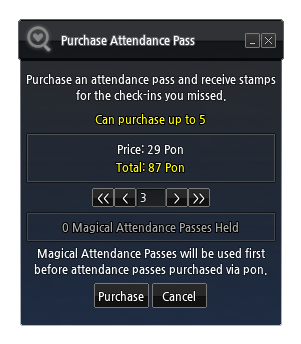
Attendance Pass Purchase
  • If you miss a day, you can purchase an Attendance Pass for 29 Pon.
  • The Attendance Pass will stamp one day you missed on the calendar.
  • The Attendance Pass is not an item that is stored in your inventory; instead, when purchased, the pass is immediately used.
  • The amount of passes you can buy increases daily, if you missed a previous day's login. It is increased by 2 on weekends.


Bonus Attendance Check
  • When you complete all 3 calendars, you will receive the quest, [Guide] The Champ of Stamps.
  • Talk to the Girl in Need to start the Bonus Attendance Check.
  • When you start this Bonus Attendance Check, the calendar is replaced with a new calendar.
  • There are a total of 27 attendance days with additional rewards.
Stamp Rewards


1st Calendar
  • Stamp 9
    • Style Tab Key (30 days)
    • Perfect Free Repair Kit
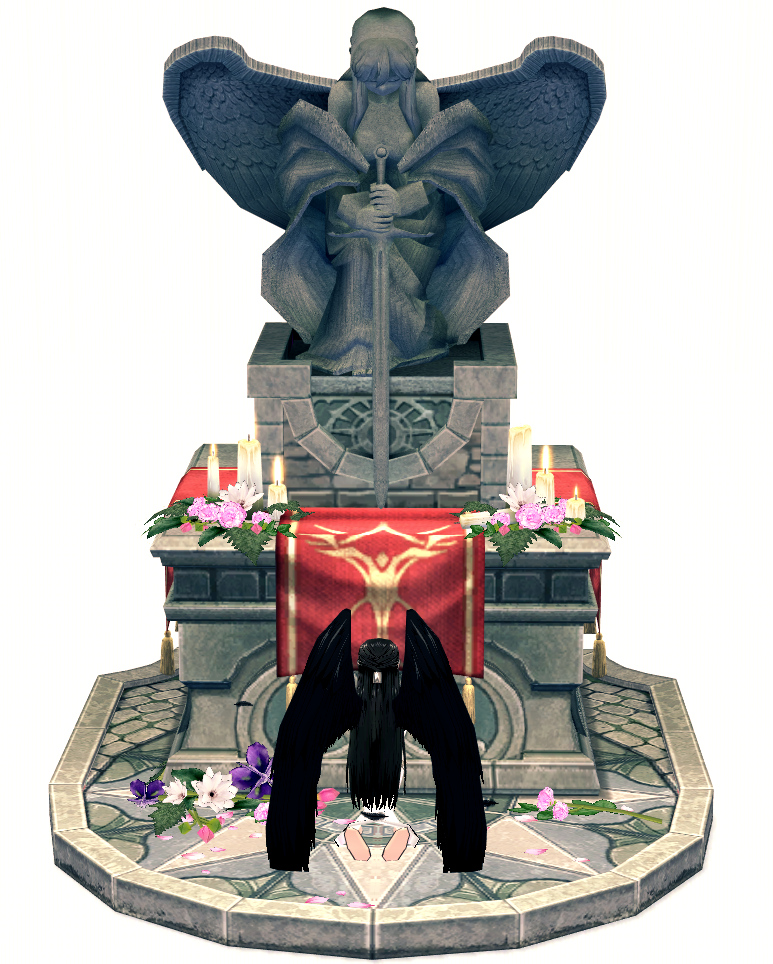
  • Stamp 18
    • *NEW* Goddess Altar
    • Golden Experience Fruit (500%)
  • Stamp 27
    • *NEW* Morrighan's Eyes Beauty Coupon 
    • Extra Equipment Slot Coupon (30 days)
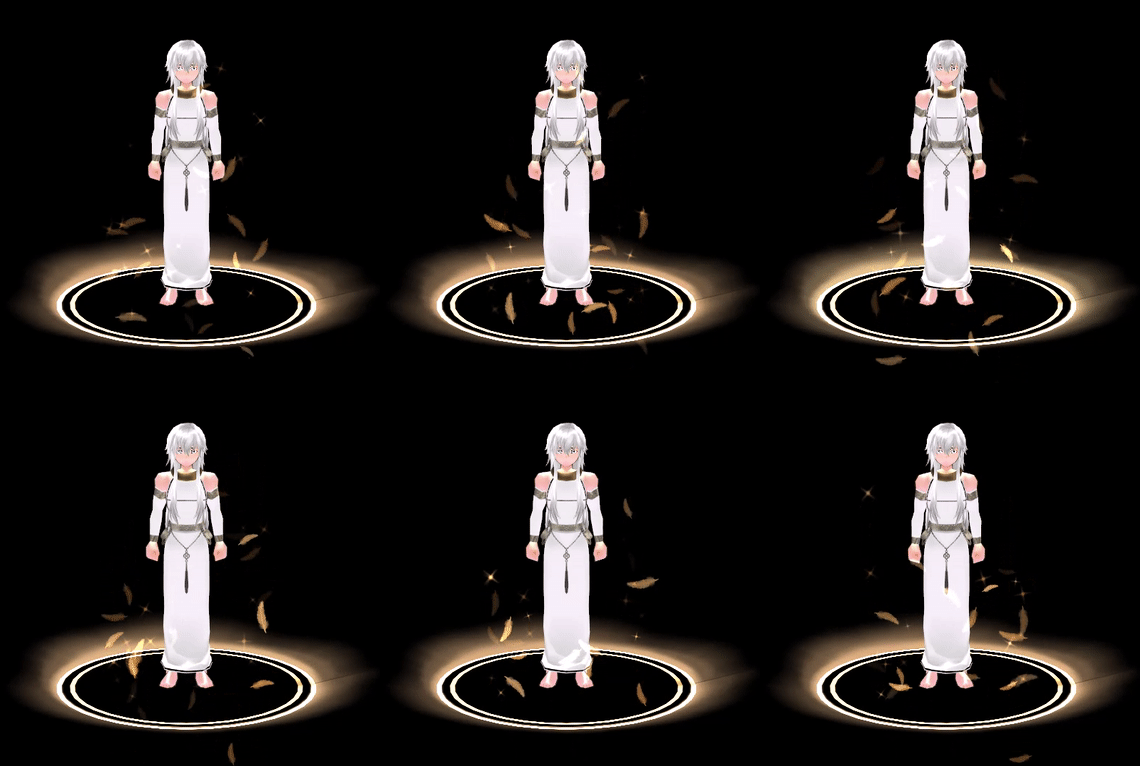
  • Stamp 36
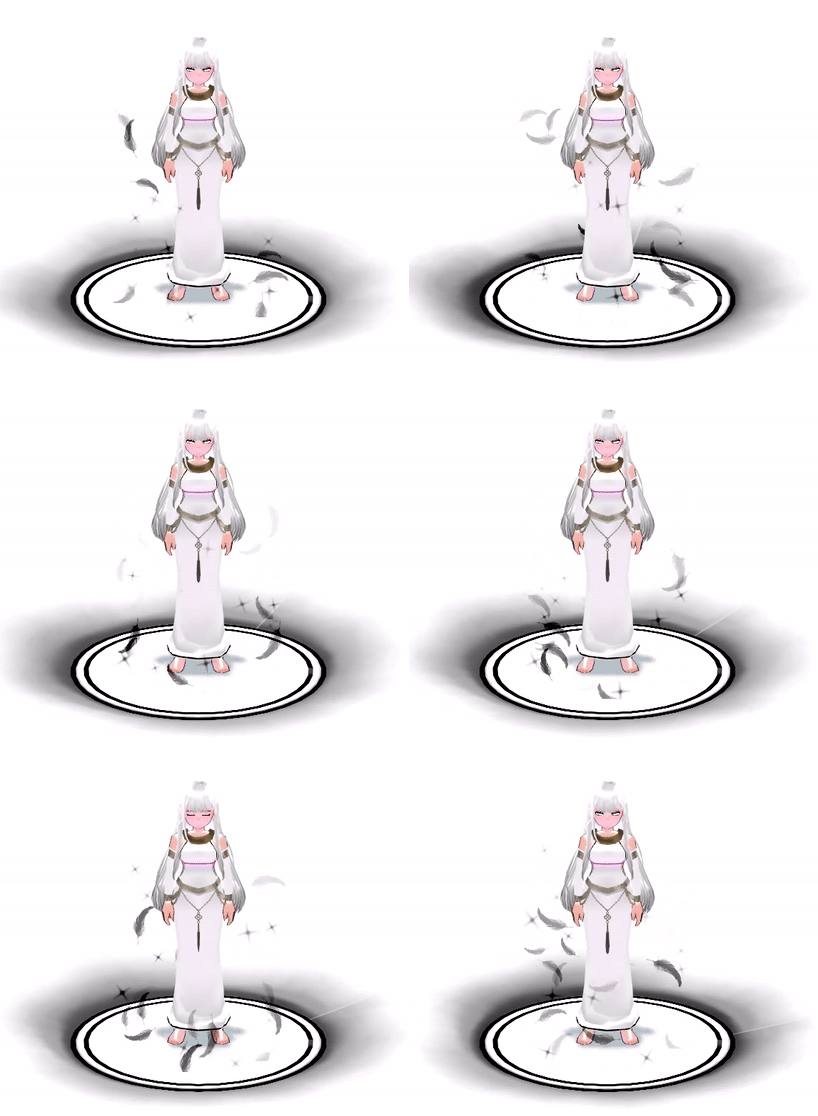
    • *NEW* Divine White Feather 2nd Title Coupon
      • Luck +30
    • Baltane Elite Mission Pass Selection Box
    • Orange Prism Box (Event)
2nd Calendar
  • Stamp 9
    • *NEW* Morrighan's Eyes (Awakened) Beauty Coupon
    • Unlimited Shadow Mission Pass x5 Box
  • Stamp 18
    • *NEW* Divine Black Feather 2nd Title Coupon
      • Luck +30
    • Rebirth Potion
    • Amplified Skill Training Seal (50)
  • Stamp 27
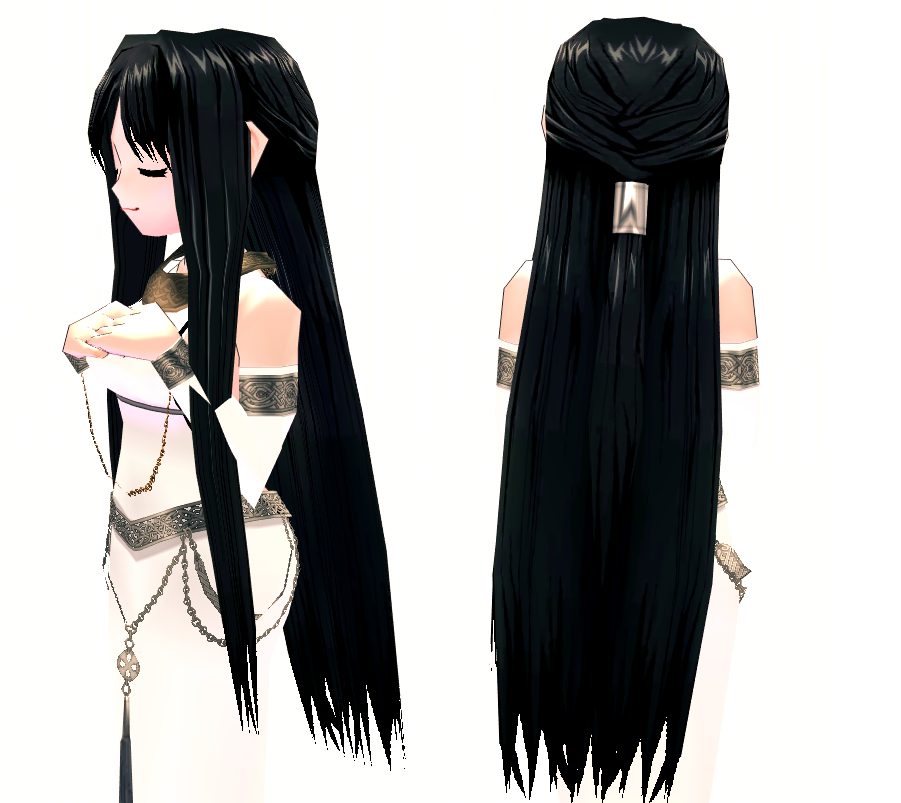
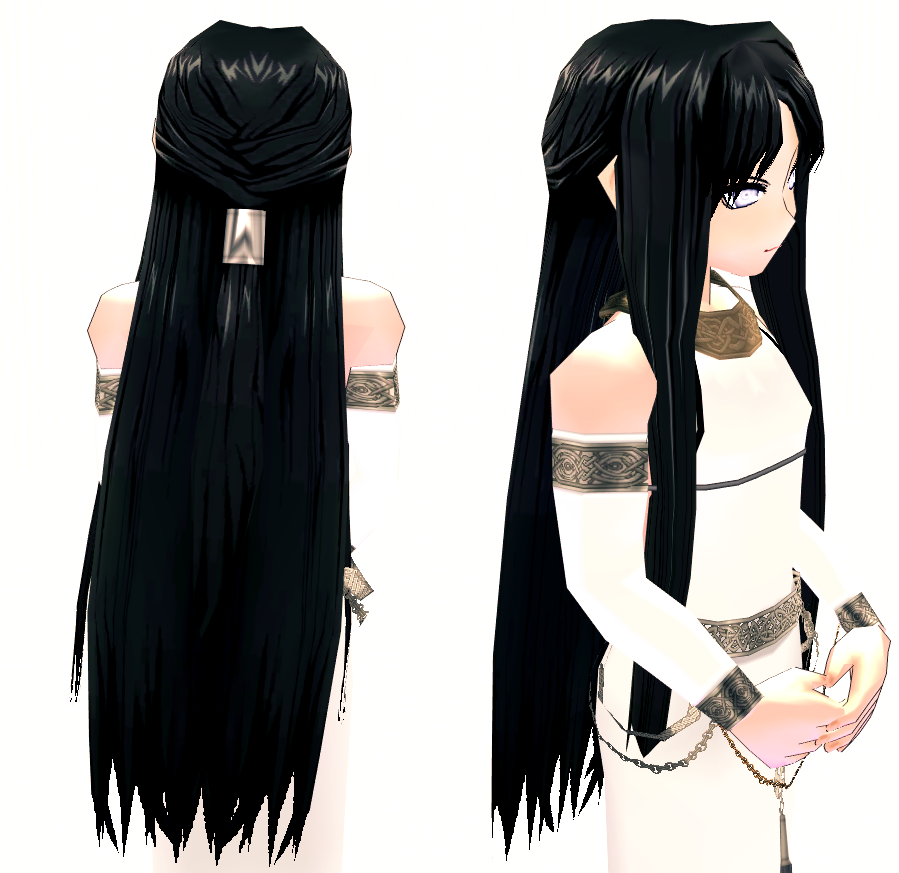
    • *NEW* Morrighan Wig Selection Box
      • Choose one of the following rewards:
      • Morrighan Wig (F)
      • Morrighan Wig (M)
    • Rusty Hammer of Proficiency (Event)
  • Stamp 36
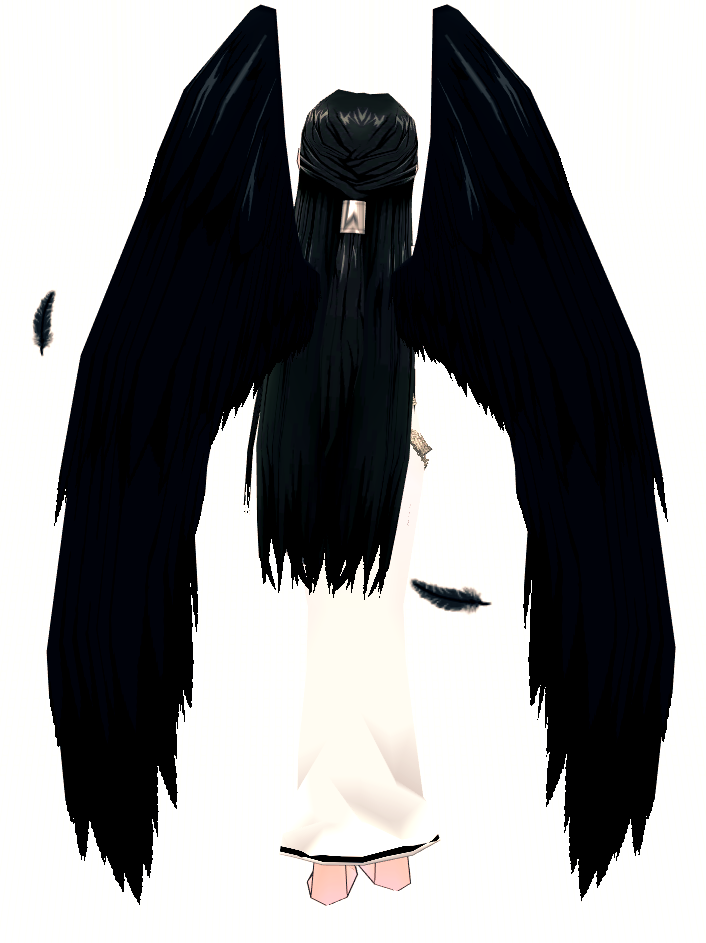
    • *NEW* Morrighan's Wings
    • Trade Unlock Potion (Event)
3rd Calendar
  • Stamp 9
    • NEW* Morrighan's Regalia Selection Box
      • Choose one of the following rewards:
      • Morrighan’s Regalia (F)
      • Morrighan’s Regalia (M)
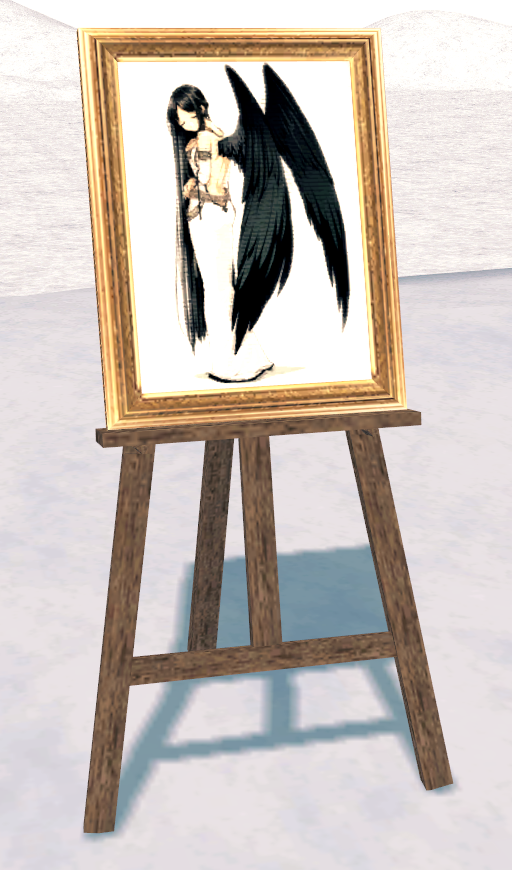
    • *NEW* Homestead Goddess Portrait Easel
    • Enchant Protection Potion
Bonus Calendar
  • Stamp 4
    • AP 50 Potion
    • *NEW* Irusan's Support Selection Box
      • Choose one of the following rewards:
        • Combat 2x EXP Potion and Full Recovery Potion Support Box
          • Combat 2x EXP Potion (30 min) x5 (Expires in 15 Days)
          • Full Recovery Potion (Event) x5 (Expires in 15 Days)
        • Speed Walk Potion Support Box
          • Speed Walk Potion 40% (10 min) x5 (Expires in 15 Days)
        • Power Potion Support Box
          • Light Physical Power Potion (2 Hours)(Event) x3 (Expires in 15 Days)
          • Light Magic Power Potion (2 Hours)(Event) x3 (Expires in 15 Days)
Stamp 9
  • Golden Hammer of Durability
  • Irusan's Support Selection Box
Stamp 13
  • Golden Experience Fruit (300%)
  • Irusan's Support Selection Box
Stamp 18
  • Hair Dye Ampoule Selection Box
    • Select one of the following dyes:
  • Irusan's Support Selection Box
Stamp 22
  • Unrestricted Dungeon Pass
  • Irusan's Support Selection Box
Stamp 27
  • Mysterious Spirit Stone (300%) (Not tradable)
  • Irusan's Support Selection Box

Quality of Life - Patch Notes - August 25th


Check out this month's Patch Notes below!

The following Events, Sales, and Promotions are running: Quality of Life Updates:
  • Several quality of life changes have been added. See the full post for more information: August Quality of Life Updates
    • Enchant Scrolls can now be traded once. (Applies to scrolls obtained after the August 25th update.)
    • Bag Order Settings have been added, so you can control the order of where obtained items go into your inventory.
    • New changes have been added to the Friends List.
    • And more!
The following bug fixes have been made to the game:
  • Fixed an issue where some players' hotkeys and pet menu settings reset after logging out.
  • Fixed an issue where players would encounter NGS errors more often.
  • Fixed various typos and grammar errors in some Commerce related tooltips.
  • Fixed an issue where players would abnormally receive the Memento Scenario event quest.
  • Fixed an issue where a character's neck would become detached from their body when wearing the Mysterious Thief outfit.
The following are known bugs:
  • There is an issue where you cannot Friend Summon using Fynn Pets. It will show the error, "Unavailable because the owner has opened a Personal Shop".
  • During the Kraken Rex boss fight, Kraken Rex will use an attack that will cause players to lose protection, semi-permanently, until they change channels or relog.
  • There is a typo in the Finishing Materials list when crafting the Dustin Silver Knight Greaves.
  • There is a known issue where some players are unable to obtain the G1 quest "Find Goro's Ring".
  • There is an issue where certain G3 cutscenes will not play, but still charge gold.
  • There is an issue where the Today Visitor Count does not reset to 0. When a visiting character visits the Homestead, the Today and Total Count accumulates normally.
  • The available upgrades in the Item Upgrade may overlap in the UI if the window is increased.
  • Homestead Anvils and Furnaces have settings to allow visitors to use them, but do not actually restrict the use of the items.
  • There is a slight graphical error where part of the hose is missing when a William or Butler Partner uses the Water Hose gesture.
  • Some Partner gestures that have them holding a weapon will appear as though the weapon is disconnected and floating.
  • There are Partner gestures that do not activate when a Partner has something equipped in their left hand.
  • There is an issue after using the Thunder skill, the character can't charge Thunder again until after the Thunder bolt hits/damages enemies.
  • If you try to change your style to an appearance already saved in a Beauty Slot, it will say it failed.
  • There is a minor visual issue with the Beauty Slot text if you scroll up and down after expanding the Beauty Slot.
  • The outline color when clicking on an empty Beauty Slot is incorrect.
  • There is text cut-off in the Buy Item UI when buying the Royal Society Appreciation Box from Melwyn.
  • The inventory image for the Mace of Mercy is incorrect.
  • Feeding a Pet Instructor Stick to a Level 100 Spirit weapon will cause the character to freeze.
  • If you had a unicode heart on your wedding ring, the heart appears as a question mark.
  • The Shaggy Perm hairstyle can be saved in a Beauty Slot.
  • Cobweb Mummy enemies do not appear in the Alby Advanced Dungeon.
  • Guilds are not appearing in the Guild List.
  • When you first open the Master Plan Inventory, it will incorrectly show as locked. Closing and reopening the inventory will fix the issue.
  • There is a minor graphical issue with the Special Shining Stage Concert Costume (M) when the character equipped with the outfit is running.
  • Scathach's hands do not match her skin color.
  • The Tail Chasers mini-game in Festia is currently inaccessible.
  • Guild stones can be placed very close to each other.
  • Some players have encountered an issue when using Fynn Sync for Corgi pets.
    • A further uncommon issue can occur where placing items into the pet's inventory will disappear.
  • There is untranslated text in the mini-map at La Terra Highland zone and south Pantay Swamp zone.
  • There is a typo in the world map for Errans Gorge.

[COMPLETED] Scheduled Maintenance - August 25th

The maintenance has completed as of 10:25 AM PDT. Thanks for your patience. 

Mabinogi will have a scheduled maintenance on August 25th. During this time, the game will be unavailable. Maintenance is expected to begin at 5:00 AM PDT and last approximately 6 hours.

Please note that the estimated length of time for each maintenance is subject to change without notification.

-Time- Thursday, August 25th

Pacific (PDT, UTC -7): 5:00 AM - 11:00 AM 
Eastern (EDT, UTC -4): 8:00 AM - 2:00 PM
Paris (CEST, UTC +2): 2:00 PM - 8:00 PM

To address the following: - The Mabinogi Team

August Quality of Life Updates


August Quality of Life Updates
  • Several graphical bugs affecting equipment have been fixed.
  • When selecting a normal pet as a sub-pet during Fynn Sync, a confirmation window will now appear.
  • If you attempt to rebirth shortly after being in combat, a notice window with the combat penalty will be displayed.
  • The "Max Bundle Size" information has been added to the item description for items that can be stacked.
  • The following NPC shops now sell the Trinity Staff item: Stewart, Castanea, Kirine, Heulfryn, Royal Physician (Tech Duinn Entrance), Berched, Finola, Lassar
  • The following dungeon passes can now be obtained from the Partner's Gift Box, Partner Laighlinne's Gift Box, and Partner William's Gift Box. 
    • Barri Basic Fomor Pass
    • Barri Intermediate Fomor Pass
    • Fiodh Intermediate Fomor Pass
    • Rabbie Basic Fomor Pass
    • Rabbie Intermediate Fomor Pass
    • Math Basic Fomor Pass
    • Math Intermediate Fomor Pass
    • Coill Basic Fomor Pass
    • Coill Intermediate Fomor Pass
  • Items will now automatically bundle in the inventory when purchased from an NPC shop (Ctrl+Click) or when acquiring the following items:
    • Pet Expedition rewards
    • Adventurer Seal
    • Festia VIP Pass
    • Dan Advancement Badge
    • Full Recovery Potion and Massive Holy Water of Lymilark when acquired from VIP Advanced Items
    • Onyx and Fine Onyx (during Halloween Events)
    • Note: This only applies to items without duration or trade count limits. 
  • It has been changed so that the "Rebirth" option in the character lobby is available only for pets that have a corresponding pet character card.
  • The "Get Same Animal Character" menu that appears when you right-click another pet character has been removed.
  • When transferring Erg to a weapon that has been trade unlocked, it has been changed so that the trade unlock status is maintained.
  • It has been changed so that when you obtain an Exclusive Enchant Scroll, it can now be traded one time. 
    • This includes enchantments received from monsters, treasure chests, or quest rewards. 
    • This change applies to items obtained after the August 25th update.
    • Exclusive Enchant Scrolls obtained through Enchant Burning will not be eligible for the one-time trade count.
    • Note: The Scroll Trade Unlock Potion cannot be used on Exclusive Enchant Scrolls that have remaining trade counts.
  • The "Complete All" function has been added to both the Baltane Squire’s Special Unit Training Board and Pet Expedition Bulletin Board so you can complete all ongoing missions at once.
  • The "Exclude Song Part" checkbox has been added to Composing. 
    • When selected, the Song part is excluded, and the available characters are distributed evenly between the Melody, Harmony 1, and Harmony 2 parts so that you can compose longer Score Scrolls.
  • Several changes have been made to the Friends List and message function to be more convenient.
    • It has been changed so that the friend request window does not disappear if the channel is changed while receiving a friend request.
    • You can now send and receive messages to others that you do not have added on the Friends List.
      • This can be disabled through the Friends List > Option > "Receive Messages from Friends Only" checkbox setting. 
      • Characters who have been blacklisted cannot send or receive messages from the party who blacklisted the character.
    • It has been improved so that the open chat window does not close when changing channels.
    • A new option to disable closing the chat window with the ESC key has been added. 
      • This can be enabled through the Friends List > Option > "Disable ESC from Closing Chat Window" checkbox setting.
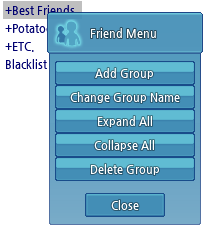
    • A new function to expand/collapse all groups in the Friends List has been added.
      • All groups can be expanded or collapsed at once via the button added to the Friend Menu. Right click on the group, then select Expand All or Collapse All.
      • You can also expand or collapse all groups at once by double-clicking a group name while holding down the Ctrl key.
  • The Combat and Horn message channels have been added, so it is now possible to separate system messages.
    • You can set up these channels via the Options > Game > Chat > Combat and Horn settings.
  • The notice message when the dungeon is cleared has been simplified for all difficulties of Sidhe Finnachaid (Curiosity, Fear, and Sorrow).
  • You can now skip the cutscene when entering Sidhe Finnachaid by choosing the "Enter (No Cutscene)" option through NPC Enn.
  • The following items can now be registered to a slot in the hotbar.
    • Full Recovery Potion
    • Phoenix Feather
    • Party Phoenix Feather
    • Advanced Phoenix Feather
  • A change has been made so that the trees will no longer obscure the camera vision in the second area of the Awakened Abyssal Lord Tech Duinn Mission.
  • The visibility of the portal pattern on the floor in the Falias area in Alban Knights Training Grounds has been improved.
  • It has been improved so that when the ALT key is pressed to view item name tags, the character name tags will not overlap and change the order of the name tags on the screen.
  • The name tags of summoned doll bags will no longer be visible when the ALT key is pressed.
  • Doll bags can now pick up items that dropped from monsters killed by the Baltane Squires in Baltane Missions.
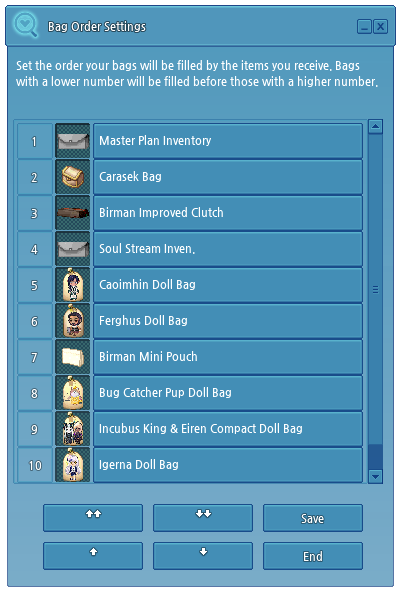
  • A function has been added to allow you to set the order in which items are placed into inventory bags when acquiring new items.
    • The "Bag Order Settings" menu is available as a newly added button at the top of the main inventory.
    • If you set the bag order, items will be placed in the order of the bag starting from number 1.
    • If there are empty slots in the basic inventory (Normal, Me, VIP), items will go into the main inventory first, then the bag inventory.
    • If the bag is tagged, the item is preferentially placed in the bag in which the tag is set.
    • However, in the case of equipment items, even if there are bags that have tags set, they will go into the clothing bag first.