1. Tiny Glade
  2. News

Tiny Glade News

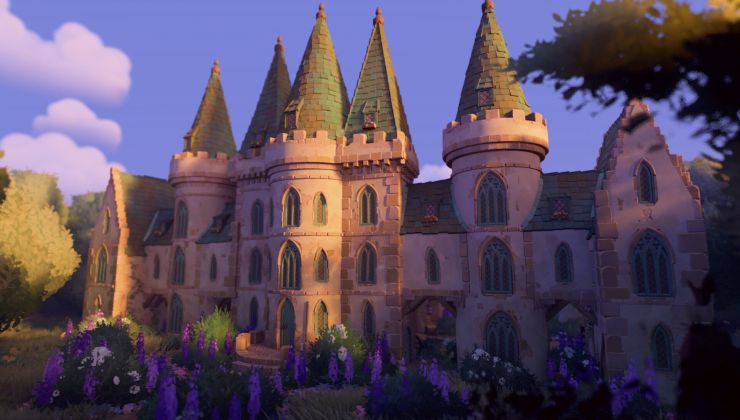
Tiny Glade is a gorgeous castle-doodling game that's real clever to relax with

Tiny Glade from Pounce Light arrives later this year and there's now a demo available. It's worth checking out, if you like games to fully relax with that have no actual goals.

Read the full article here: https://www.gamingonlinux.com/2024/06/tiny-glade-is-a-gorgeous-castle-doodling-game-thats-real-clever-to-relax-with

Demo Patch 1.2.1 is now live!

Hi folks! A small follow-up patch fixing a few crashes and streamlining graphics error reporting πŸ‘©β€πŸ”§πŸ‘©β€πŸ”§

Fixed game crashes:
  • Rebinding to a key we didn't have a string for. Now, instead of crashing the game, rebinding to a non-recognized key will display "???" (but will still allow you to rebind to it).
  • Sometimes going to the main menu while hovering over a gizmo was causing a crash.
  • Sometimes when placing a window or a lantern, the dormer roof assembly system couldn't get information about how that window or lantern was being transformed, given the context of its environment, and it made it everyone else's problem! How inconsiderate!

Clarified graphics initialization error reporting:
  • The graphics initialization error screen now uses the same format as the graphics card selection screen, and is easier to read
  • Graphics initialization failure is no longer reported as a crash, but instead includes a few troubleshooting tips.

Improved graphics card selection screen
  • (Windows) The missing NVIDIA graphics cards have been found. We've noticed that sometimes players have faulty Vulkan graphics drivers. When this occurs, other games might work fine if they use Direct3D, but Tiny Glade couldn't see any cards using those drivers. We now use DXGI (DirectX Graphics Infrastructure) to find the missing cards, and report that their drivers need to be reinstalled.
  • Replaced the thinking sheep emoji with a game banner, as some players reported the that the sheep looked shady

(and yea, we've just noticed the "your your" here πŸ˜…)

Thank you for sending us crash reports! πŸ’š They've been very helpful in identifying these issues.

P.S. We've noticed that Twitch Studio overlay prevents the game from starting on some Intel cards. We're still figuring out a workaround, but meanwhile, disabling the overlay or uninstalling Twitch Studio should help.

Aaaaaand we continue to investigate startup crashes. If you’re still experiencing issues with the game crashing for you on launch, please check our troubleshooting guide and if the game still doesn't work, please let us know!

Tiny Glade Next Fest Demo Stream!


(photo by Lian @Aikebert)

In celebration of our Steam Next Fest participation, we will be streaming Tiny Glade on the store page and answer questions about the game. Join us for some cozy diorama building πŸ₯°

Stream starts 06/11/2024 6:00 PM CEST / 12:00 Noon ET / 9:00 AM PT

See you there!

Love,
Ana & Tom

Demo Patch 1.2 is now live!

Here comes another patch, this time addressing a few building bugs πŸ°πŸ›

[h3]Building: [/h3]

* Placing windows & lanterns next to stone columns is now less restrictive. This should also address not being able to place a window if there is a hidden column on the inside of the building πŸ±β€πŸ‘€

* When a flat-roofed shape is fully inside another flat-roofed shape, the merlons are now correctly removed (just like they would be, if the shapes were only intersecting). This should make platform stacking easier and discovering it more intuitive ^^


* When erasing a wall, ivy is now more eagerly removed to prevent leftover bits left hanging mid-air

* Speaking of ivy, ivy is now properly removed from inside tall arches


[h3]Misc:[/h3]

* We heard that the in-game Discord button wasn't working for some of you. Hopefully it will now correctly redirect you!


We continue to investigate startup crashes. If you’re still experiencing issues with the game crashing for you on launch, please check our troubleshooting guide and if the game still doesn't work, please let us know!
Demo Patch 1.1.3 is now live!

Aaaand another follow-up patch addressing gameplay crashes this time πŸ‘©β€πŸ”§πŸ‘¨β€πŸ”§

Fixed gameplay crashes:
* Splitting a freehand wall with an eraser would sometimes result in an invalid state.
* Placing a corner window would sometimes result in a negative wall hole dimension, thus breaking the laws of the Tiny Glade universe!

Thank you for sending us crash reports! πŸ’š They've been very helpful in identifying these issues.

Quality of Life improvements:
* When panning the camera with keyboard keys in tilt-shift photo mode, it is 4x slower now. This should hopefully make it easier to frame your shots. The speed when panning with mouse MMB hasn't changed.
* Graphics card selection screen now says "Ignore & Play" instead of "Continue" to make it clearer that launching the game will not forcefully update your drivers.

We continue to investigate startup crashes. If you’re still experiencing issues with the game crashing for you on launch, please check our troubleshooting guide and if the game still doesn't work, please let us know!