We’re very excited to
launch Alpha 11 of Adaptory today!
While we’re still focusing on
Early Access content, this is a major demo update that adds new buildings and a beautiful new night soundtrack, along with significant improvements and quality of life features. The full patch notes are listed below.
You can
download a copy on itch.io, or play the demo on Steam for free today:
https://store.steampowered.com/app/2201620/Adaptory/
[h2]Storage boxes[/h2]
Explorers can now build
storage boxes allowing you to store away unused resources and items, cleaning up your base, and improving game performance. Explorers will automatically put unused resources in these boxes, and fetch resources from the boxes when they’re needed.
Each storage box can be configured to store different materials or items, so (for example) you can put all of your food in one, and building materials in another.
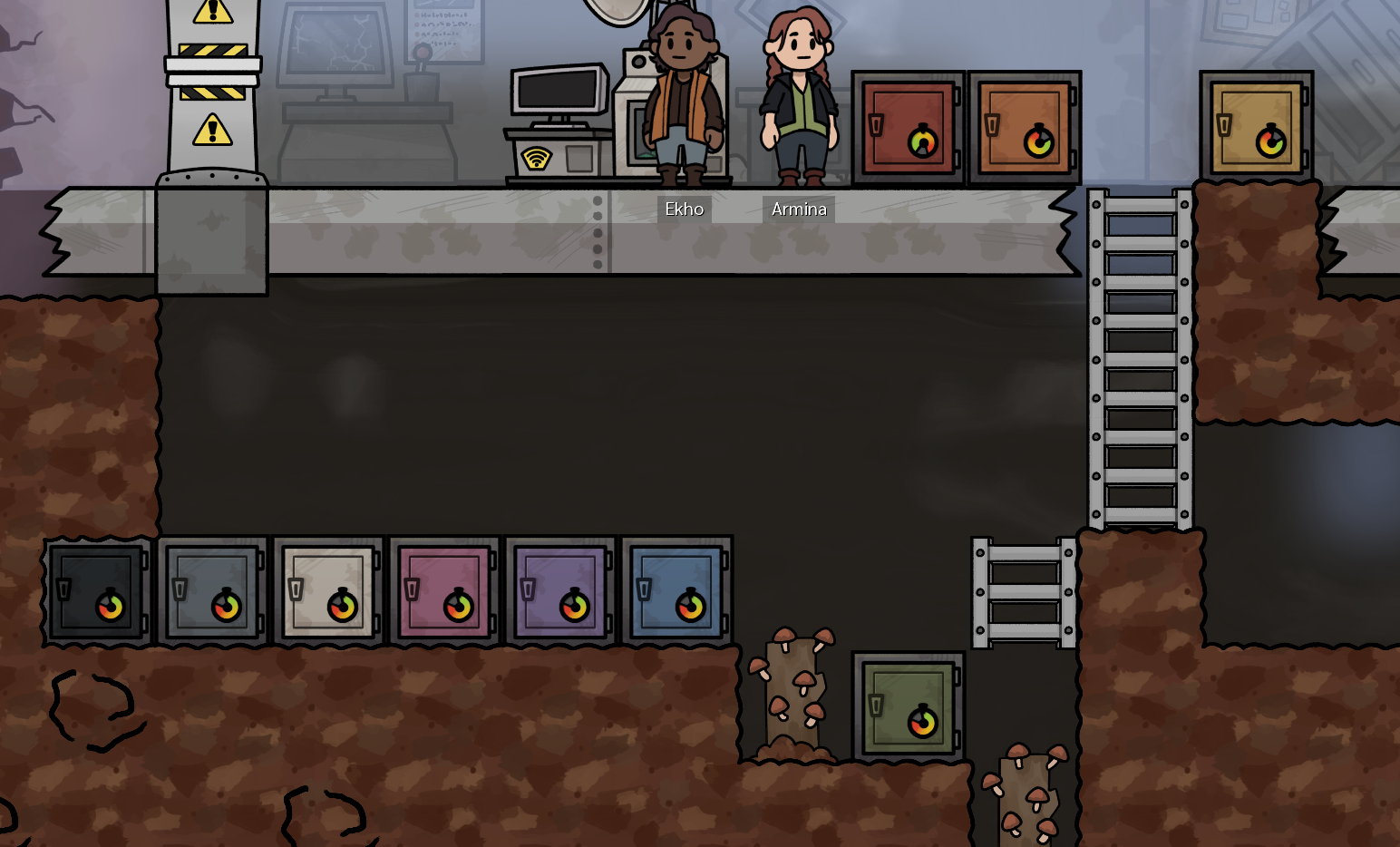 Such a clean and organised base! You can also customise each storage box with one of ten different colours
[h2]Night soundtrack[/h2]
Our incredible composer
Sai Natarajan has updated all of the existing music tracks to have new night versions, which seamlessly transition as the sun sets and night begins.
[previewyoutube][/previewyoutube]
Seamless day/night cycle soundtrack transitions[h2]Power network improvements[/h2]
The status of each power network is now rendered in the power overlay, making it more obvious when a network is satisfied or under heavy load:
- Red = power demanded but no power available
- Yellow = power available but not enough to satisfy all demands
- Green = power available and sufficient to satisfy all demands
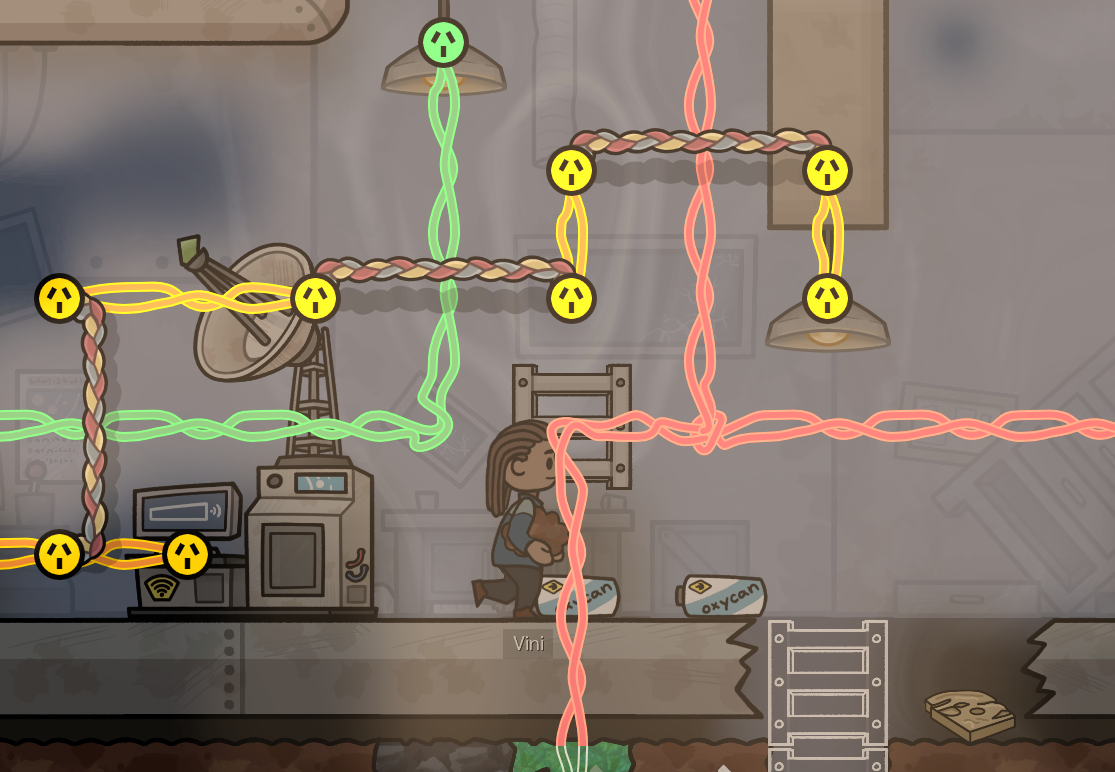 The status of each power network and power connection is now shown in the power overlay
Alpha 11 also includes a new
wire bridge building, allowing you to build more complex power networks by jumping over existing wires.
[h2]Rewritten save file format[/h2]
The file format of save games
has been rewritten; in a nutshell, by using JSON instead of YML, saving and loading games is now up to 30x faster.
IMPORTANT: Any old saves that you have should continue to work for now (and if they don’t,
please let me know!), but make sure that you migrate your save files soon. Old .ymlz saves will not be supported after Alpha 11.
[h2]Quality of life improvements[/h2]
Alpha 11 should be much more fun to play. To the amazing
community testers who have helped test these features and provided feedback – thank you very much!
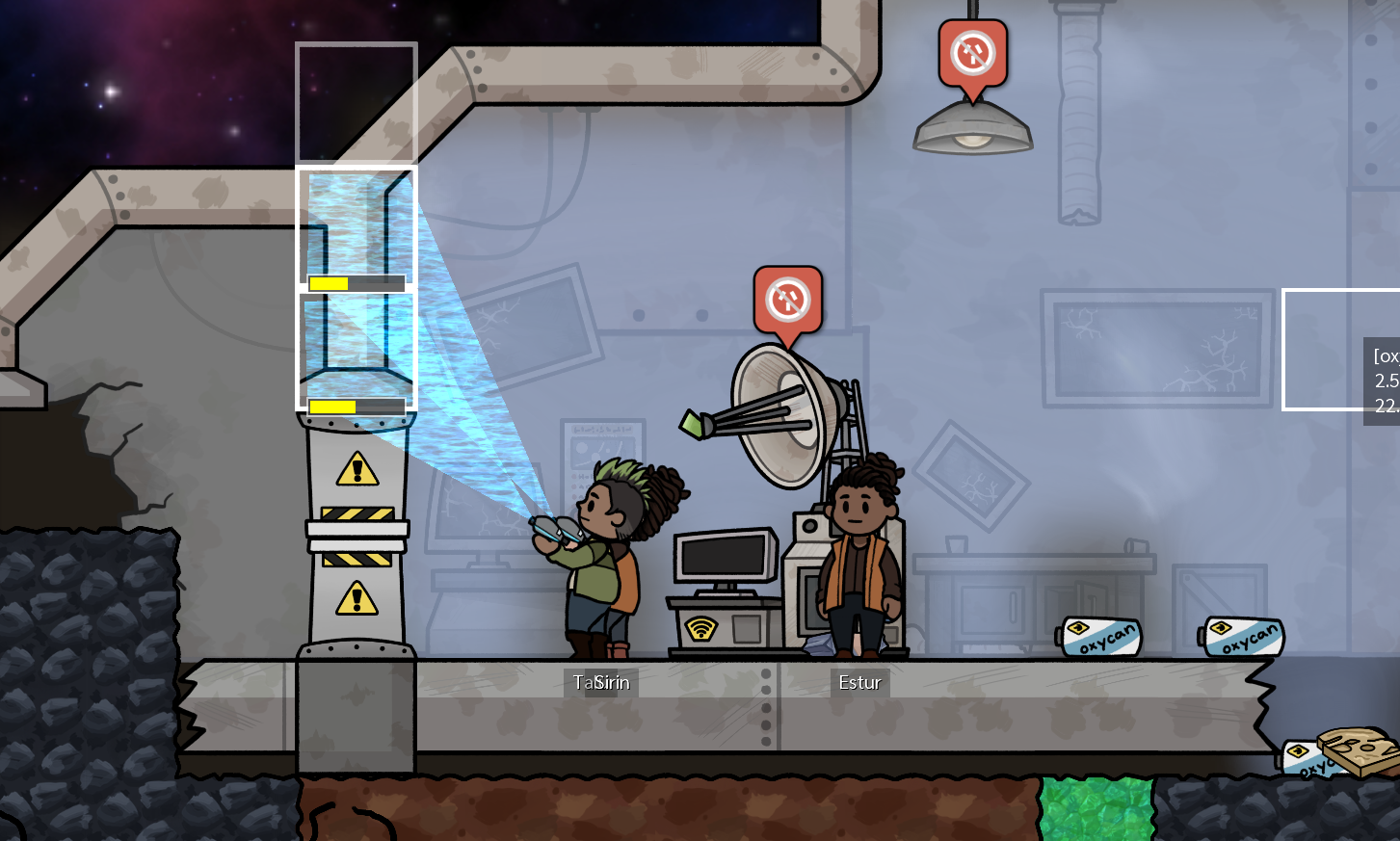 You can now build tiles directly on top of ship tiles, without having to deconstruct them first
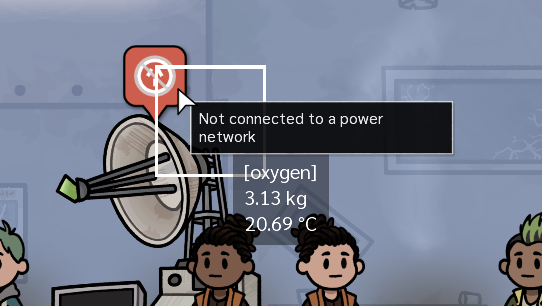 Overlay icons now show a tooltip describing what's going on at a glance
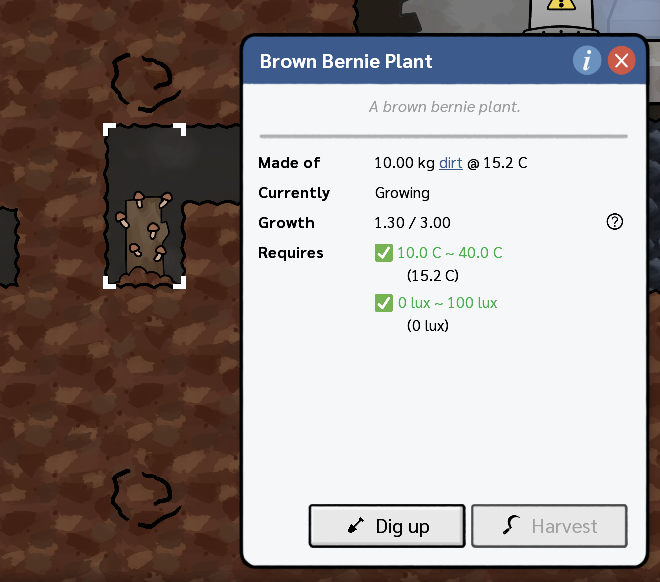 Wild plants can now be dug up using the DIG world action
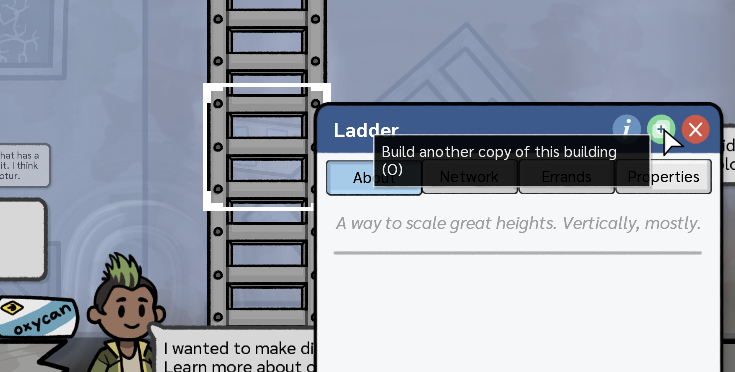 You can now quickly build a copy a building or build errand by pressing O
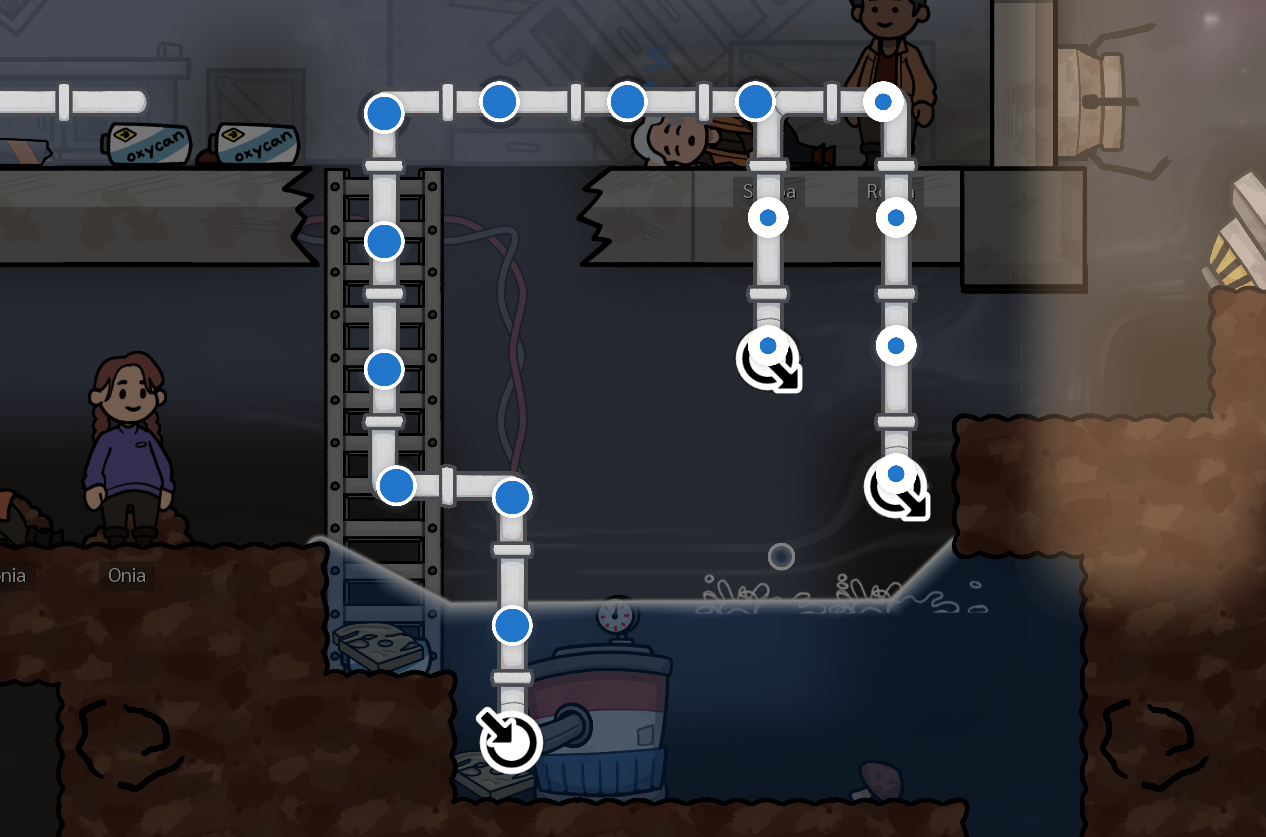 Liquid network simulations should now be more understandable and less buggy
[h2]And, as always, lots more[/h2]
There are lots and lots of other improvements in this release, bug fixes, and performance optimisations. This includes significant work and polish on the liquid network simulations and animations – these should now be much more understandable with fewer bugs.
The full patch notes are listed below.
----
Release notes for Adaptory 0.13 (Alpha 11)
[h2]New features[/h2]
- The file format of save games has been rewritten
- Saving and loading games as .jsonz should be 5-30x faster than the old file format .ymlz
- Old save games should still work, but will not be supported after Alpha 11
- Make sure to migrate any old save games!
- New building: Wire bridge
- The wire bridge allows you to connect two power networks together over other wires
- Wire bridges are also rotatable
- New building: Storage box
- Explorers can build storage boxes to automatically store away unused resources and items, giving you a cleaner base
- Storage boxes are configurable and allow you to specify the maximum mass, and the types of materials and items that can be stored within it
- You can also customise the colour of each storage box to one of ten different colours
- Items stored within a storage box conduct heat with the storage box itself, not with the cell containing the box
- Some buildings can now rotated (default keyboard shortcut = R for clockwise, or shift+R for counter-clockwise)
- The status of each power network and connection is now rendered in the power overlay (F2):
- Red = power demanded but no power available, or not connected to any network
- Yellow = power available but not enough to satisfy all demands
- Green = power available and sufficient to satisfy all demands
- Added an incredible day/night cycle to all music tracks in the demo
[h2]Quality of life[/h2]
- You can now build tiles directly on top of ship tiles, without having to deconstruct the ship tile first
- Explorers will still need to supply the new tile with materials before starting building; they won't deconstruct the ship tile first, otherwise you might end up losing resources to space before the build would be completed
- Added "Copy building" button to dialogs, and the keyboard shortcut O, to build a copy of the selected building or build errand
- Added a new keyboard shortcut Ctrl+S to quickly autosave the current game
- Added "Continue game" button in the main menu to quickly load the latest save file
- Added tooltips to gas, liquid, and power network overlay icons when hovered over
- Added "no connection" overlay icons to all remaining buildings that require a connection to a power network – including the transmitter provided at the start of the game
- Added connected power network information to the Network tab of selected power wires
- Plants can now be dug up using the DIG world action
- Selecting a plant will now display their current temperature and light level, if these are required for the plant to grow
- The resource counter can now be toggled visible/hidden, and in new or migrated games, defaults to hidden
[h2]Simulation[/h2]
- Changed the order of simulations so that buildings are updated before new mass packets are created in the liquid pipe network
- Liquids that are stored within a pipe, but are not currently moving through the network, are now rendered as pipe bulges outside of the liquid network overlay
- Mass stored within a pipe that is not moving as part of a mass packet is now also rendered as a pipe bulge
- Fixed the liquid network simulation so that all pipes, not just empty pipes, are able to transfer up to their maximum throughput
- Item types now have a "unit mass" representing the mass required to make up "one" of that item
- Doors now provide an "internal ceiling", allowing explorers to stand on top of them even if the door is currently open
[h2]Internal[/h2]
- Changed the method used to interpolate between moving characters (e.g. explorers, items, and mass packets) so rendering should be much smoother at a wider range of FPS
- Reduced the width of borders and whitespace on most dialogs and buttons, giving the game a bit more room to breathe
- Added a "blocked" overlay icon for trees, coal generators, oxygen generators, and vents that are currently full and unable to emit into the world due to high pressure
- Slightly increased errand accessibility calculation performance
- Improved the performance of selected object UIs for objects that rarely change (e.g. tiles)
- Improved rendering performance of selected object UIs by not having to always rerender the UI after every simulation step
- Added new sound level sliders for voices and SFX
- Added --window-size=NxN command line option to set the size of the game window mode, e.g. --window-size=1440x900
- Added in-game database pages for oxygen candles and artefacts
- In-game database pages for item types now include their default element and default unit mass, if relevant
- In-game database pages for buildings now include whether they have internal ceilings or internal floors
- Added links from explorers' "carrying" item/material to the relevant page in the in-game database
- Added tooltip to the item types listed in the resource counter (top left), showing the number of items that are reserved and accessible
- Increased the height of the building list, which now shows up to seven building types before a scrollbar appears (at default UI scaling)
- The power network usage tab now separates battery discharge from other available power generation as two separate line items in Watts
- By default, the mouse cursor is no longer captured in fullscreen mode
- Added link to the official Adaptory wiki
[h2]Balance[/h2]
- Increased door light absorption factor from 2.5% to 100%
- Doors no longer allow light through while closed
- The distress transmitter has been embiggened from 1x2 to 2x3 and has brand new art and animations, to make it more visible to new players
- Reduced tree maximum output pressure into existing oxygen from 1000kg to 10kg
- Reduced tree maximum output pressure into a different element from 10kg to 5kg
[h2]Accessibility[/h2]
- Increased the opacity of resource counter background colour, to improve readability
- Added keyboard shortcut Delete to deconstruct selected buildings or cancel pending build errands
- Dialogs for reading alerts and explorer priorities can now be closed with Enter and Escape
- The game can also now be closed at the main menu by pressing Escape
[h2]Fixes[/h2]
- Fixed a number of rare crashes that could occur when loading a game saved with autosave
- Fixed a crash that would occur when a liquid pump that was not completely filled would try and absorb a different element
- Fixed a crash that could occur when a liquid building with contents was deconstructed while in the liquid network overlay
- Fixed a bug where two liquid masses being transferred into the same pipe in the liquid network could result in one mass being deleted
- Pipes can no longer hold two masses with two different elements
- (Hopefully) fixed an issue with Mac fullscreen not being fully exclusive
- (Hopefully) fixed an issue where cursors could disappear when using Mac fullscreen
- Fixed an issue where light levels would sometimes not visually update during the night cycle
- Fixed a rare crash that could occur when trying to calculate tile accessibility while buildings were being built or deconstructed
- Fixed a bug where interactive elements within scrollable user interface areas, within other scrollable areas, would not be correctly interactable
- Fixed a crash that could occur if an explorer carrying one element tried to start carrying a different element
- When building or deconstructing a large building, the explorers' laser now renders to cover the full area
- Updated the crashed ship tileset to not show a vertical gap above the front door
- Fixed a bug where you could construct buildings out-of-bounds, e.g. trees or solar panels at the edges of the world
- Fixed dialog icon buttons (such as close, info, or copy buttons) not being interactable across their entire bounds
- Fixed the power network status tab displaying incorrect values (e.g. 5 W demand for a network with a 25 W light)
- Fixed explorers getting stuck trying to open a locked door if standing on top of it
- Fixed label word wrapping on buttons
- Fixed word wrapping on the meteor shower alert at 150%+ UI scale
- The world camera can no longer go to +/- infinity, and instead will always show some part of the game world
- Fixed the game resizing the window when applying options if the game was maximised while in windowed mode
- Fixed a crash if trying to enter in a world seed, save game title, or explorer name that was too long (5k+ characters)