1. War Thunder
  2. News

War Thunder News

Screenshot Competition - Alpha Strike!


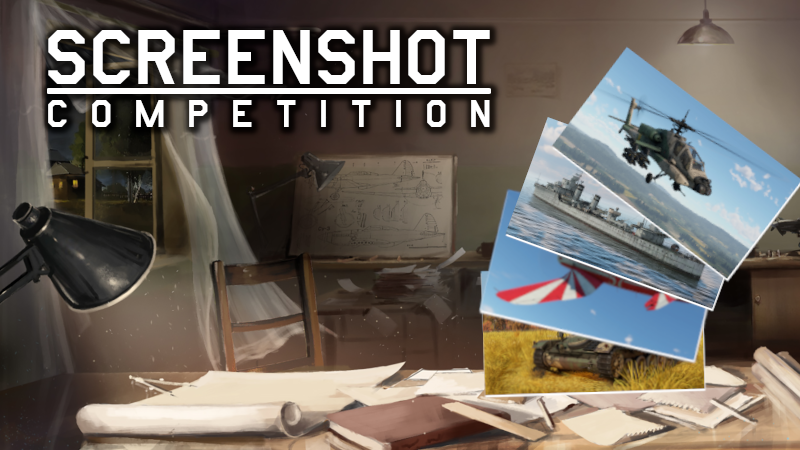
Welcome to the 111th War Thunder Steam Screenshot Competition!


Tan camouflages come in all different shades. But, this is great- as desert environments do, too. Thanks for sharing your screenshots with us! Last week the major update Alpha Strike was released. What’s your favorite part? The three most popular and three selected by us will get 300 GE. See the winners down below!

[h2]Let’s begin the 111th edition of our competition![/h2]

Create a stunning screenshot and submit it on the War Thunder Steam Community Hub with the tag #WTscreen111. You have time until the 22nd of March to submit your screenshot.

After that date, 6 winners will be selected (3 of which will be the highest rated by the community and 3 selected by our judges), each of which receive a reward of 300GE.

[h3]Terms:[/h3]
    Your screenshot must include a vehicle or location that was introduced in the major update, Alpha Strike. You must add the #WTscreen111 tag (title cannot have any other text in it).
    Artists may only win by popular vote once per four screenshot competitions.
  • Screenshots need to be compliant with the War Thunder rules.
  • You need to be the author of the screenshot.
  • Screenshot needs to be new. You cannot use those which have previously been published or used in other competitions.
  • We will only accept raw screenshots from the game. You cannot use any editing software nor any other visual enhancements (like Nvidia Ansel filters).
  • You can use filters and settings built into War Thunder.
  • You can use the replay functionality built into War Thunder.
  • Rewards will be delivered to the author's account within 14 working days.


[h2]And now, time for the winners of the competition’s 110th edition - Desert Storm![/h2]

[h3]Winners selected via community votes:[/h3]
https://steamcommunity.com/sharedfiles/filedetails/?id=3182510857
https://steamcommunity.com/sharedfiles/filedetails/?id=3180763554
https://steamcommunity.com/sharedfiles/filedetails/?id=3178070344

[h3]Winners selected by our judges:[/h3]
https://steamcommunity.com/sharedfiles/filedetails/?id=3176116276
https://steamcommunity.com/sharedfiles/filedetails/?id=3178377985
https://steamcommunity.com/sharedfiles/filedetails/?id=3176300887

Each winner will get 300GE! Congratulations and see you next week!

Update 2.35.0.31


[h3]Ground Vehicles[/h3]
  • T-80 — a bug where the commander could fire and aim the gun instead of the gunner has been fixed.
  • ZBD04A — external fuel tanks have been added. Second-stage ammunition has been moved from the floor to the right sponson. A more detailed armor scheme in the area of the front lights has been added.
  • Video hints for the laser rangefinder and LWS/LR modification has been fixed.
  • A bug where the destruction of charges did not lead to their ignition has been fixed.

[h3]Aircraft[/h3]
  • A bug where some aircraft did not have an aiming camera has been fixed.
  • Mirage 2000-5F — incorrect display of the RWR in cockpit view has been fixed.
  • F-5E FCU — a bug where researching the “New boosters” modification led to a decrease in the aircraft’s roll rate has been fixed.

[h3]Interface[/h3]
  • A bug that caused searching in the Spectator Camera settings to not work has been fixed.
  • A bug that caused the “Activate” button to not change to the “Buy” button when activating a personal discount item has been fixed.
  • A bug where the outlines of vehicles were not displayed in replays when the corresponding button was pressed has been fixed.
  • A bug when receiving some awards caused their icons to be displayed in a compressed form in the messages window has been fixed.
The current provided changelog reflects the major changes within the game as part of this Update. Some updates, additions and fixes may not be listed in the provided notes. War Thunder is constantly improving and specific fixes may be implemented without the client being updated.

Following the Roadmap: Additions in the First Major Update of 2024


War Thunder’s first major update of 2024, Alpha Strike, has been released and with it a fistful of Roadmap features from the Spring to Summer 2024 Roadmap!

Haven’t had time to check out how these features work yet? In this article, we’ve rounded up each addition and explained how they’ve been implemented into the game. Let’s jump right in.

[h2]Game Mechanics and Gameplay (1/3) [/h2]

[h3]Aircraft fuel slider[/h3]
You’re now freely able to adjust the amount of fuel for your aircraft, ranging between the previous existing minimum and maximum amount. Those times where 10 minutes of fuel was too little and 20 minutes was too much is no more!


[h3]Resolved duplicated stock air-to-air missiles [/h3]
This issue caused stock missiles (typically 2) and the identical missile type that could be unlocked through modifications to be put into two separate groups. In battle, this became frustrating when wanting to switch between different missile types, as there was an extra group to go through. These missiles are now together.


[h3]Object destruction synchronization improvements[/h3]
The synchronization of destruction of fences, bushes and other objects on maps has been improved! In short, this means that the server now “believes” the client regarding the destruction of any of these objects using any weapons (not without making some checks on the possibility of such destruction). The objects you shoot and destroy now stay destroyed, except for some unavoidable desynchronization issues that may occur. This was implemented into the game about a month ago, and we’ve kept a close eye on it to ensure it has worked properly.


[h3]Minimap detection zones for aircraft [/h3]
In Ground Realistic Battles, enemy aircraft who are lurking around friendly air spawn points and helipads can be a nuisance. To help counter this, we’ve added minimap detection zones around these areas.

If an enemy is flying in your team’s enemy detection zone, you’ll be able to see them on the map, regardless of what vehicle you’re using. In an aircraft they’ll show as a map marker of what type of aircraft they’re in, and in a ground vehicle there’s a red arrow on the minimap. For the enemy, they can see that they’re in one of these zones by shaded areas on the map.


Enemy’s perspective inside the detection zone

Ally’s perspective of this enemy in their detection zone while in an aircraft

Ally’s perspective of this enemy in their detection zone while in a ground vehicle

The aircraft detection zone from different perspectives (click to expand)

The size of an aircraft detection zone may differ depending on the distance between each team’s spawn points. If the distance between them is less than 15 km, then the radius of the detection zone is 2 km. If it’s more, the radius will be 5 km instead.

[h3]A new set of tutorials for guided weapons[/h3]
With the addition of several types of weapons into the game, figuring out which keybinds are needed can be overwhelming. To help with this, we’ve added a set of step-by-step tutorials on how to use these missiles. To access this, click on the “Battles” button at the top left of the hangar and then “Tutorial”. Here, there’s a wide range of tutorials for AGM and AAMs to guided bombs that you can choose from. Select the mode you’d like to test them in, and we’ll help you through it. You can also access these tutorials by navigating to the modifications window of an aircraft, selecting the weaponry modification once it’s unlocked and clicking the “Test” button.


[h3]Improvements to the replenishment mechanics on allied capture points[/h3]
One important asset of allied capture points is the ability to replenish ammunition. There were some quirks in this system however, and within this Roadmap feature we’ve aimed to make it a more seamless and smooth experience. This is what we’ve done:
  • You can now replenish partially spent ammunition: on allied capture points, you’re now able to replenish partially used belts, magazines and launchers for multiple missiles or rockets instead of needing to use up all of the ammunition. This typically affects SPAA vehicles, but applies to many other vehicles as well.
  • The maximum reload time of ammunition has been reduced: on allied capture points, the maximum reload time for all rounds, rockets and missiles has been reassessed and reduced where necessary.
  • The replenishment progress mechanic on allied capture points has been improved: let’s say you’re replenishing on an allied capture point, but had to move to another part of it since you were being shot at. The replenishment progress is now paused until becoming static again, where it will continue from where it left off. In addition to this, moving out of a capture point doesn’t cause the progress to be lost. Instead, it starts gradually decreasing and can be continued when going back into the capture point.


Video of this here

[h2]Interface (1/3)[/h2]
The destruction log, also known as the killfeed, shows all types of important information regarding who’s destroyed who in a battle. Sometimes though, you simply don’t want to see all of this information at once. We’ve added the “Show ammunition type in the destruction log” and “Show squadron names in the destruction log” options to the Battle interface settings, giving you more flexibility on what you want to see.


[h2]Social Features (1/3)[/h2]


As mentioned in the Roadmap news, development takes time and some features may not be able to meet planned release dates. With that being said, there’s two social features that are postponed for the time being.

[h3]Integrating the Steam friends list[/h3]
This feature is not ready for release yet — we’re still working on it, and it’ll be released in a future It’s Fixed update. In the subsequent article for this update, we’ll be discussing it in more detail.

[h3]Wish-list vehicles in-game[/h3]
The wishlist feature is not ready for release yet too, as we’re still currently working on the technical aspects to ensure that it works correctly once it’s added. We’ll also release this feature in a future It’s Fixed update, and in the subsequent article for this update, we’ll discuss it in more detail too.


That’s all for today! Until next time,
The War Thunder Team
Happy St. Patrick’s Day!


St. Patrick’s Day, one of Ireland’s main holidays, is just around the corner! On March 17th, Ireland and several countries around the world celebrate St. Patrick, the famous missionary and patron saint of Ireland. Along with it, Irish culture is also celebrated on this day, where the country’s flags, plus shamrocks are hung, and participants in parties and parades dress up in green.

[h2]Earn the “Leprechaun Hat” decal![/h2]
For this day you can play to get this themed decal.

When: From March 15th (11:00 GMT) until March 18th (07:00 GMT).
Task: Play 3 battles using any vehicle at rank III or higher to receive the “Leprechaun Hat” decal! 

Additional details:
  • You must use a minimum of rank III.
  • Your activity must not be below 70%.
  • You can complete the task in random battles, except for Enduring Confrontation missions, [Assault] mode and Helicopter PVE battles.
  • Track your progress in the hangar by clicking Nickname → Achievements → Holidays → St. Patrick’s Day.
  • You can find the decal in the “St. Patrick’s Day” tab in the Customization menu.


"Leprechaun Hat" decal

Update 2.35.0.26


[h3]Ground Vehicles[/h3]
  • Damage to ammunition modules when directly hit by kinetic or shaped charge ammunition has been increased.
  • M1A1 HC — a bug that caused the dozer blade to be missing from the model has been fixed.
  • M10 — a bug that caused some modules to be missing in x-ray mode has been fixed.

[h3]Aircraft[/h3]
  • A bug during long sessions that caused AGMs and air-to-air missiles to visually remain on their hardpoints after being fired has been fixed.

[h3]Naval Vessels[/h3]
  • A bug where an incorrect number of destroyed guns was shown in the hit camera on some ships has been fixed.
  • Incorrect reading of 0% in the hit camera when deselecting a target has been fixed.

[h3]Other[/h3]
  • Screen flickering that occured after minimizing out of the game during a loading screen and then tabbing back in to full-screen window mode has been fixed.
  • Terrain rendering artifacts that appeared where an enemy was destroyed has been fixed.
The current provided changelog reflects the major changes within the game as part of this Update. Some updates, additions and fixes may not be listed in the provided notes. War Thunder is constantly improving and specific fixes may be implemented without the client being updated.