1. Path of Exile
  2. News

Path of Exile News

Zizaran's Racing Gauntlet Event Starts on November 14th!

This November, community streamer Zizaran is organising a 10-day Racing Gauntlet Event. Racers will compete and earn points by levelling their characters, killing bosses and exploring the depths of the Azurite Mine. This will take place in a Private HCSSF League with all damage mods and increased monster life active. The prize pool is funded by the community and sponsors who teamed up with Zizaran to support this event.

[previewyoutube][/previewyoutube]

[h2]Start Time and Information on How to Join[/h2]
The event will have all Damage Mods enabled as well as Increased Monster Life via the Private League System. Players will receive points based on levels and specific boss kills.

Start time: November 14th at 3:00 PM GMT (countdown available here). The event will last for 10 days.

Players will be able to join the event on November 10th at 3:00 PM GMT (countdown is here), first come first serve until the Private League is full (there are 10,000 slots). The invite link will be available in the join-here section of the Racing Discord here.

[h2]Prize Pool[/h2]
The prize pool is crowdfunded by sponsors and community streamers such as Steelmage, Alkaizerx, Octavian0 , Datmodz, Baker, DS_Lily, Zizaran and more! Streamers and their communities will be able to create a bounty with the money they fundraise for the event. Bounties are custom rewards that the community will create together to reward players. Pay attention to their social media for more announcements regarding when and what their fundraisers will be!

Zizaran's sponsors will be matching all donations to the prize pool (up to $25,000). The total prize pool will be split as follows:
  • Development Cost: 5% - To be distributed amongst Community Developers who help the event.
  • Minus bounties placed by streamers and their communities during the fundraisers.
  • 1st: 35%
  • 2nd: 20%
  • 3rd: 10%
  • 4th: 8%
  • 5th: 7%
  • 6th: 6%
  • 7th: 5%
  • 8th: 4%
  • 9th: 3%
  • 10th: 2%
  • 11th-15th: Arcane Seraph Wings + Dusk Weapon Effect
  • 16th-20th: Hydra Wings + Kraken Portal


[h2]Random Draw[/h2]
Leveling your characters and reaching certain Delve depths can put you in random microtransaction and physical prize draws (provided by sponsors)! For example, if you reach level 90 and Delve Depth 200 with one character you would be in the draw to win any of the prizes below! You can gain more than 1 ticket per account for the microtransaction/physical prizes, however you cannot win more than one prize per category below:


[h2]Where to Watch[/h2]
If you would like to keep an eye on exciting moments of the race, be sure to check out Zizaran's Youtube Channel where Skryah and OMGItsJousis will be cooking up highlights!

[h3]Click here to learn how to join the event and find out more information about rules, point system and prizes, or if you'd like to contribute to the event.[/h3]

Special thank you to community members Faderon, MrMadakey, ManWithHat, OMGItsJousis, Skryah and Vauche for their contributions to the event as well as Viyro for organising.

Good luck to everyone who's participating!


3.12.4d Deployment and Full Patch Notes

We're in the process of deploying the 3.12.4d update that introduces the Stash Tab folders and affinities system, as well as a number of improvements and bug fixes. Check out the full patch notes below:

  • Added support for Stash Tab Folders and Stash Tab Affinities. Stash Tab Folders can have stash tabs placed in them, allowing you to organise your stash tabs however you'd like. Additionally, stash tabs can now have Affinities applied to them. The Stash Tab Affinity system allows you to designate a stash tab to store selected specialised item types in. Ctrl+clicking an applicable item from your inventory into your stash will always send it directly to the stash tab with an affinity set for that item, regardless of which stash tab you currently have open. Affinities are available for the following item types: Currency, Map, Essence, Divination Card, Fragment, Unique, Delve, Blight, Metamorph and Delirium.
  • Perception doors in Repository Heists can now be walked through as soon as the door is visibly opened.
  • The quality effect granted by Anomalous Lesser Poison now grants "chance to gain a Frenzy Charge on Killing Blow against Enemies with at least 5 Poisons" as the previous quality effect did not work.
  • The Azurite Mine is now capped at Depth Level 65,535.
  • Spectred They of Tul no longer use abilities when not in combat.
  • Improved the variability of ground textures in the Glacial Expanse Hideout.
  • Updated the Towering Hideout features to more closely match its preview video.
  • Fixed an issue where Gianna could fail to open a Heist door when in a Grand Heist Wing which also contained Nenet.
  • Fixed an issue which could cause Agility Jobs to not be completable if the Job was aborted after the lever had been pulled.
  • Fixed an issue introduced in 3.12.4b which could cause "increased Job Speed" modifiers to instead reduce Job Speed.
  • Fixed an issue where Engineering and Agility traps could get into a state of being unable to be deactivated during Lockdown if you had previously deactivated them during the Imminent Lockdown period.
  • Fixed an issue where stacks of currency that were converted to a different currency type as a result of a Heist Trinket modifier didn't retain the correct stack size. This affects Chromatic Orbs and Jewellers Orbs.
  • Fixed a bug where the Jeweller's Touch prophecy didn't respect Heist enchantments which restrict the colour of sockets to a specific colour.
  • Fixed an issue which could cause distant Delve areas to not be clickable, preventing you from travelling to it.
  • Fixed an issue where The Purifier's weapons were unable to perform any attacks.
  • Fixed an issue which prevented the quality effects on Anomalous Caustic Arrow, Anomalous Onslaught Support and Divergent Nightblade Support from working.
  • Fixed an issue where Shift-Attacking an enemy with Flicker Strike could bypass Flicker Strike's maximum range.
  • Fixed an issue which could prevent throwing Mines after using Shield Charge.
  • Fixed a rare issue where the order, names and colours of Stash Tabs were not correctly inherited from those in the parent league.
  • Fixed an issue on Mac where enabling Antialiasing Quality caused the game to only display Bloom effects.
  • Fixed an instance crash that could occur during the Arakaali, Spinner of Shadows encounter.
  • Fixed a client crash that could occur when exiting Path of Exile.
  • Fixed a client crash that could occur on Mac when opening the Map Device.

New Stash Tab Folders and Affinities System

We are currently in the final phase of testing the new Stash Tab Folders and Stash Tab Affinities systems. If we find no issues during testing, they'll be deployed tomorrow! In the meantime, we wanted to share more information on exactly how they'll work.

[h2]Stash Tab Folders[/h2]
Stash Tab Folders allow you to sort your stash tabs into categories. This allows you better options for organising your stash tabs in order to save space and make it easier to navigate between your tabs. Any stash tab (other than league-specific race reward tabs) can be put into a stash tab folder.


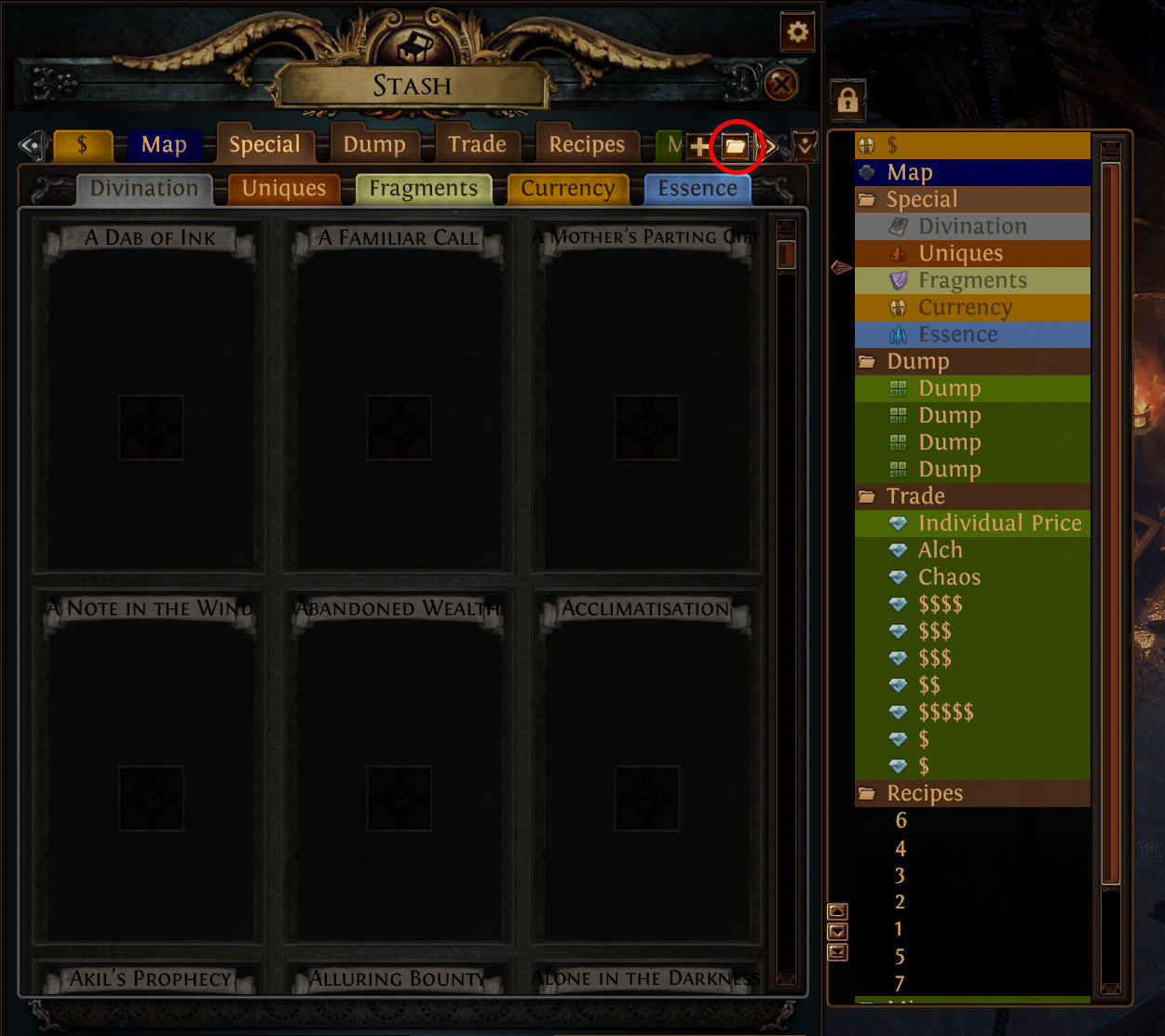
To create a new stash tab folder, navigate to the tab you'd like to put in the folder then click the 'folder' icon. This will automatically put that tab into a new folder and lets you give the folder a name. To add more stash tabs to an existing folder, simply click the tab you'd like to add and drag it in. To remove them, you can simply drag them out again.

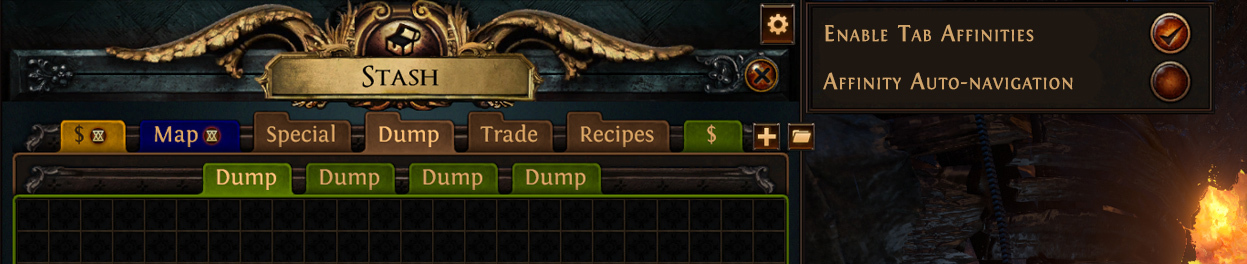
There's no limit to the number of folders you can make. You can also access your folders via the dropdown menu.

[h2]Stash Tab Affinities[/h2]
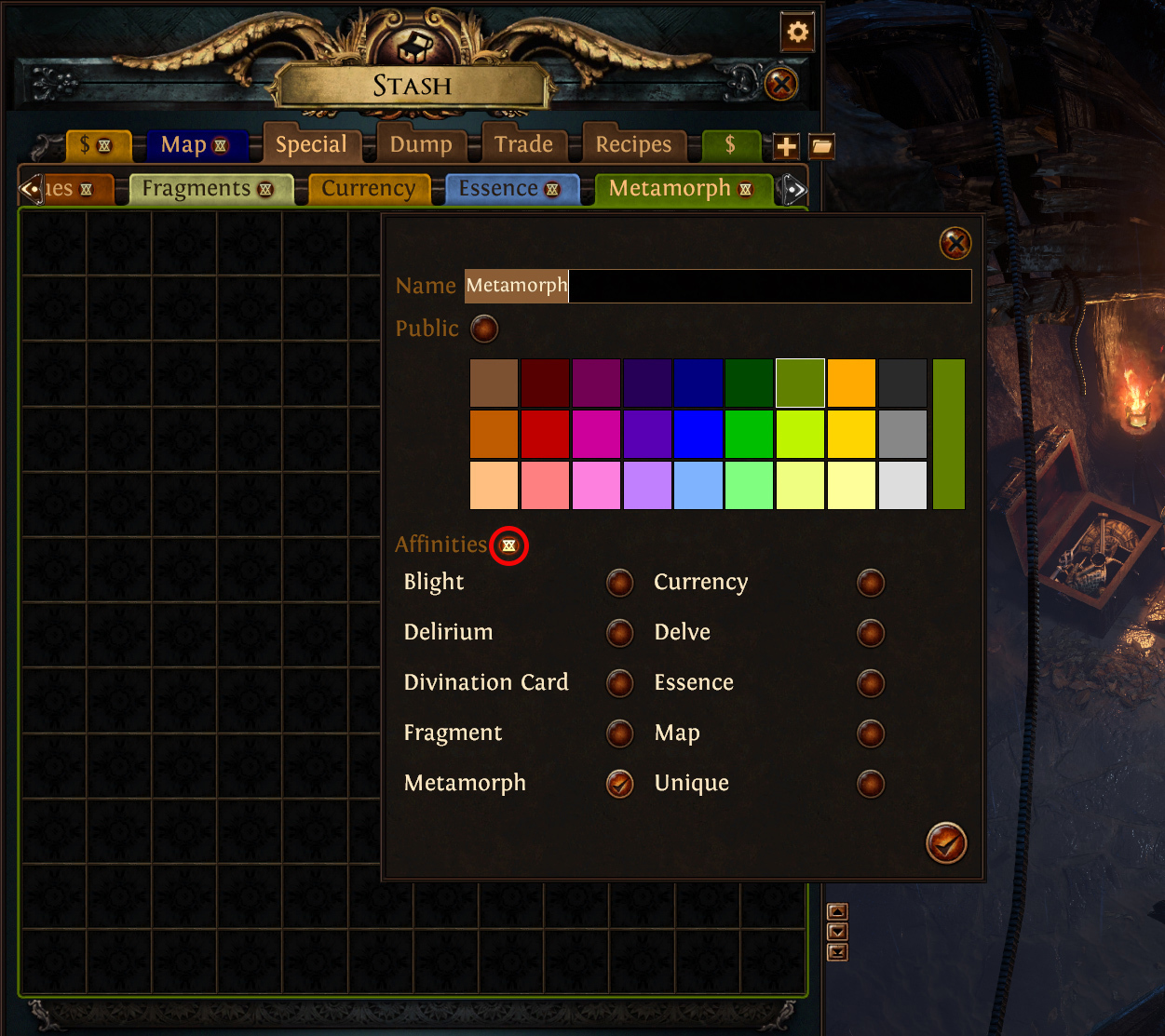
The Stash Tab Affinity system allows you to designate a stash tab to store selected specialised item types in. Ctrl+clicking an applicable item from your inventory into your stash will always send it directly to the stash tab with an affinity set for that item, regardless of which stash tab you currently have open.

Any stash tab (including free ones!) can have affinities set on it. Specialised tabs can only have the relevant item type set as an affinity - for example, you can't send your maps to your currency tab. You can set affinities for the following item types: Currency, Map, Essence, Divination Cards, Fragment, Unique, Delve, Blight, Metamorph and Delirium. While you can set an affinity on any stash tab type, only items that have designated spaces in the aforementioned specialised tabs work with the affinity system.


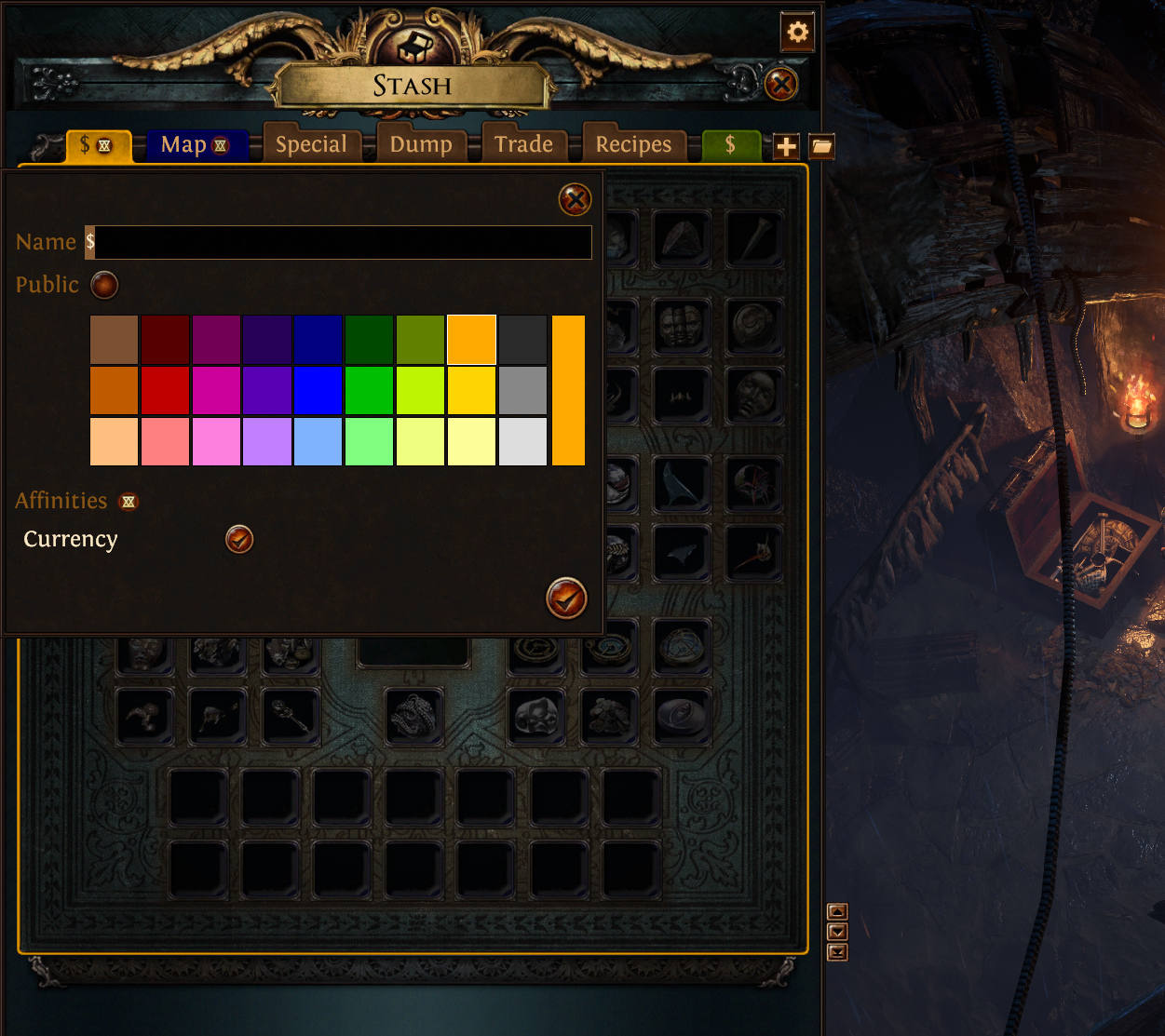
To set an affinity, right click your preferred tab as if you were going to rename it and select which items you'd like to have sent to that tab. Once the affinities are set, there will be an icon on the stash tab that indicates that it's an affinity tab so that you can easily find it again later.

You can set the affinity on your specialised tabs. For example, if you set the Currency affinity on the Currency tab, your currency items will automatically be placed in the currency tab when you ctrl+click into your stash tab. However, if you have a Currency tab and set the Currency affinity on another tab, it'll prioritise the other tab. In this instance, you would need to open the Currency tab in order to ctrl+click your currency into it, as you have always done.

You can only set an affinity type to one tab at a time but you can have multiple affinities set on a single tab. For example, you can only have a single tab with the 'Currency' affinity set but you could have a tab that had both 'Maps' and 'Currency' set. If you choose to add an existing affinity to another tab, it will automatically be removed from the first one.


There's an option at the top right to enable or disable all stash affinities. You can also toggle it so that when you ctrl+click an affinity item into your stash tab it will automatically navigate to your designated stash tab.


[h2]Console Implementation[/h2]
Stash Tab Folders need some further work to be compatible with console platforms. The affinity system should also be possible but will need some extra implementation work in order to make it work with the console's trade market system. We are still working out the exact details here and will share them once we have more information.

Community Showcase

Our players never cease to amaze us not only with their builds but also with the Path of Exile inspired fan art they create. We've selected several entries recently submitted to our forum and social media as well as some Twitch clips that we found entertaining to share with the wider community.

Witch Cosplay by envatilea

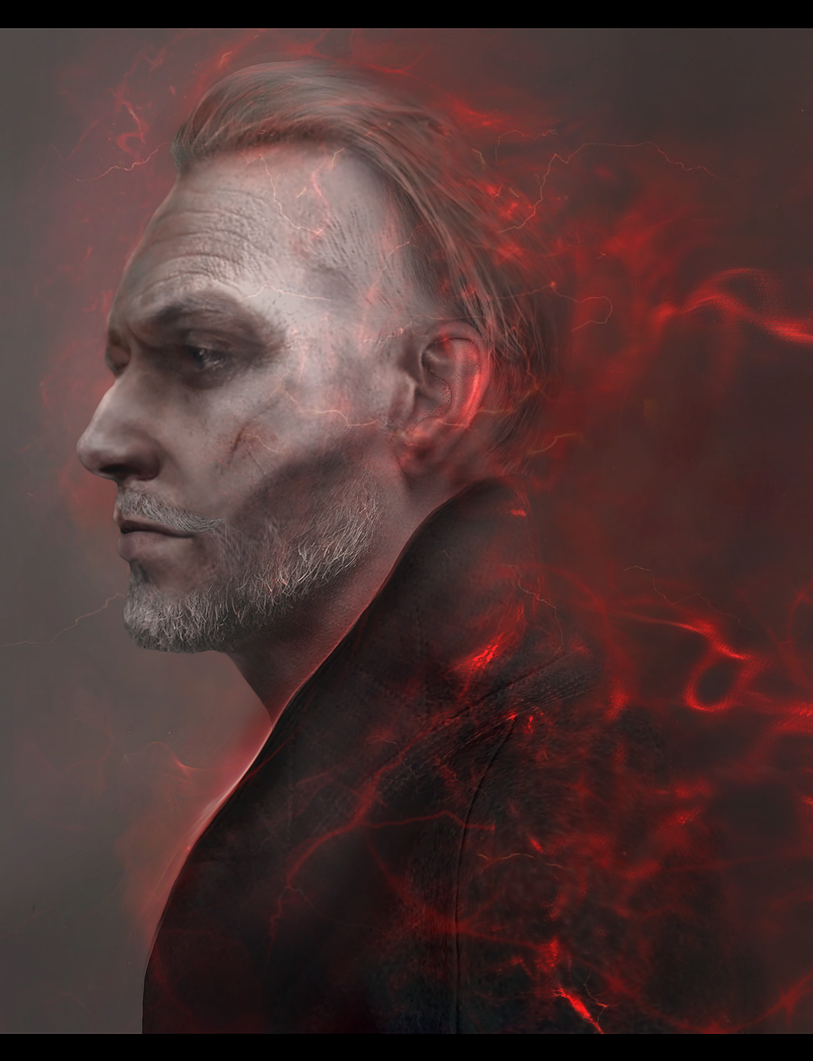
Sirus Fan Art by SMOKOwita

'Hey Rookie!' by timqq

Click here to watch Twitch clips.

Hideout Competition Highlights

Last week we started our Hideout Competition and have already received dozens of awesome submissions! To give you some inspiration, we'll be showcasing some of the entries in the coming weeks. For today's news post we recorded a video with several hideouts submitted by our players since the start of the competition.

[previewyoutube][/previewyoutube]
Here is a list of hideouts featured in this video: