1. Creativerse
  2. News

Creativerse News

Creativity: Evolved — Creativerse R63


This is a big one. And it’s long overdue. But it’s finally here!

In keeping with our tradition of making a game for the community, this update contains some of our all-time most requested features, all geared toward unlocking the game’s full creative potential.
  1. Creative Worlds — A new kind of world where you can fly, hover, and get an infinite supply of every item in the game.
  2. Paintable Blocks — You can now customize the color of any block or item and create swatches to quickly change the look of your builds.
  3. Creative Camera — A full suite of filters and visual tools, including a detachable drone camera for getting epic shots of your builds.

Another popular request has come from players near and dear to our heart: Creativerse Pro members. They’ve repeatedly asked us to add more features to the Pro version. In this update we are increasing the value of Pro in two ways: 1) While anyone can join a Creative World, only Pro members can create and customize them. 2) Pro members now get discounts on everything in the store. In fact, many of the premium recipe blocks are currently FREE for Pro members.

The future is bright for Creativerse. This update is just the start. We have exciting plans and a ton of content in the pipeline. Thank you for being on this journey with us!


[h2]New Features and Content[/h2]
[h3]Creative Worlds[/h3]
  • Unlimited items! The sky is literally the limit
  • Hover Ability! Double tap the jump button to toggle hover mode
  • Flat worlds! At world creation, choose “Flat Grass” or “Flat Sand” in the template drop down for a blank canvas experience
  • Turn on Creator Mode while in a Creative World by pressing “ESC” and selecting “Enable Creator Mode” just above Game Settings (and repeat the process to toggle back to “adventure” mode)
  • While in Creator Mode...
    • Your inventory and “adventure” quickbar are replaced by an all-item selection menu and a “creative” quickbar
    • You cannot equip a weapon; however mobs will ignore you regardless of world settings
    • Toggle back to “adventure” mode to do things like moving your touchstone or attacking mobs
  • World owners can decide whether to grant Creator Mode to all players, specific players, or tie its access to a permissions level (e.g. admins only)
  • Creating and customizing Creative Worlds is an exclusive Creativerse Pro feature
  • Not a Pro member? You can still access the Creator Mode features by playing in someone else’s Creative World


[h3]Paintable Blocks[/h3]
  • Change the color of every block and item that can be placed in the world, including lights and even smoke
  • Build customized swatches, with the option to designate a primary and secondary color (press “.” to open swatch builder)
  • Add your swatches to a paint quickbar to quickly switch between colors while playing (hold “Ctrl” to open quickbar)
  • With a swatch selected, blocks will be painted as you place them; or you can hold “Ctrl” and left mouse click to paint already placed or found blocks
  • Blueprint capture blocks will retain your custom paint settings


[h3]Creative Camera[/h3]
  • Capture epic screenshots with new visual tools and filters (press “~” to toggle)
    • Color settings (brightness, contrast, saturation)
    • Fog control
    • Bloom sliders
    • Tilt shift
    • Vignette effects
    • And much more!
  • Player movement is possible in camera mode (press left “Alt” to toggle)
  • Detachable drone camera (press “O” while in camera mode to toggle)
    • Separate from your player character to get at impossible angles, clip through terrain, and channel your inner Roger Deakins
    • Keyframe animation! While in drone mode, toggle back to Creative Camera (press left “Alt”) to access keyframe animation buttons


[h3]New Costumes[/h3]
  • Monkey King Costume - Full Set
  • Unicorn Costume - Full Set
  • Unicorn Sword (a cosmetic version of the elusive Rainbownator 5000)
  • Emperor's Blade
  • All existing costumes now have helmets!
    • First Fantasy Helmet
    • Master Creator Helmet
    • Metal MK1 Helmet
    • Electro Cycle Helmet
    • Fury Warrior Helmet


[h2]Improvements[/h2]
  • World Management and Search Menu expanded
  • Post processing filters and block art retouches


[h2]Bug Fixes[/h2]
  • Canvas Flower Icon fixed
  • Trailer stuttering during first world intro fixed
  • Friendzilla quest spawn instruction fixed
  • Glowing and Brown mushrooms texture changes in Planters fixed
  • Dustevils and Troggington can now drown (yikes). Pebbles, being crab-like animals, are immune. WEEE.
  • Ritzy Pigsy Hotel Couch corner misalignment fixed
  • Grass color is lighter throughout worlds
  • Player no longer floats on Halloween Spooky Bench
  • Block phasers deleting blocks when player walks too far away resolved
  • Framerate drops when returning to previously built world fixed
  • Excavator's yield fixed
  • Trog traps’ glitches, drops, and gameplay fixed
  • Loud sounds from gates and trap doors fixed
  • A ton of under the hood bugs


[previewyoutube][/previewyoutube]

r.63

Something is coming...


Creativity: Evolved

Coming to Creativerse on February 19

The Under the Hood Update

Greetings, Creators!

You may have noticed that the team has put out a steady stream of patches up until now, ironing out the wrinkles and swatting bugs left and right. Today's update is similar but on a bigger scale, with particular focus on optimizing the game's performance. This included an engine upgrade (Unity 2018), rebuilding old code, lots of tinkering and elbow grease, and extensive testing on the worst, most min-spec PCs we could find. As a result, the Under the Hood Update offers a smoother, more optimized experience, along with a bunch of smaller improvements and bugfixes. It’s certainly not the end of performance fixes, but it's a pretty good foundation for more.


Patch Notes


Updates, Additions, and Tweaks:
  • Major Engine upgrade to Unity 2018
    • Assorted bug fixes related to engine upgrade
    • New graphics quality settings
  • Mud is now craftable using Water and Dirt
  • Water no longer requires any mining cell to be pulled
  • Max view radius has been increased
  • Lava and Corrupted Water can now be pulled by Diamond mining cell
  • Hidden Temple and Medieval Chests no longer require Stone mining cell to pull
  • Selection highlight in Action Bar is a little wider and easier to see
  • Gift Boxes are rotatable in any direction
  • Pet information window is simultaneously dismissed with its associated pet
  • Lilly pads can now be put in containers
  • Automatic text censoring logic has been improved to try and help reduce the number of false positives, i.e “Grass”


Bug Fixes:
  • Pet bubbles render on top of water correctly
  • Glowing mushrooms are glowing again
  • Pets are properly dirty after harvesting (get the soap ready!)
  • New adventures show up under the New category
  • Fixed a few issues with Pets disappearing (i.e in some instances, pets that were told to “Stay” would either disappear or wind up clumped together)
  • Fixed a few issues related to player names (such as when a user is banned)
  • Decogorgeous Door disappears at the same distance as other doors
  • Blocky the Snowman is visible when placed in a container
  • Fixed snow caps spreading and showing up inconsistently (how rude!)
  • Fixed issues related to recipes not carrying over between worlds properly
  • Magic Snow Globe should no longer create snow when placed in displays
  • Fixed an issue that prevented purchase of block kits for a moss block-customized blueprint
  • All firework types give off sound effects
  • Sleeping in a bed for the first time no longer triggers a “New Area Discovered” message/ reveals a grid on the map
  • Mobs can now be attacked while they are in a teleporter
  • Customizing Curtains no longer create error blocks around them
  • Frozen Container no longer mysteriously hides itself after leaving and returning to an area
  • /setspawn should work again
  • @ and other symbols can now be correctly used in text fields regardless of the keyboard layout
  • Safe walk now prevents players from walking off slopes
  • Player preferences are now tied to your Steam account instead of the client


From Jeremy: "Small easter egg, when you save your costume customization in the menu, a high res screen of your character is saved to C:\Users\your user\AppData\LocalLow\PlayfulCorp\Creativerse\avatar

r62


The Creatiscapes of Destiny Contest! [Winners Announced]


Take Your Best Shot 2:The Creatiscapes of Destiny Contest


Update: Destiny has spoken, and the winners have been announced here

Hello there, Creators!

A lot has happened in Creativerse since our last screenshot contests: from new avatar costumes to a ton of blocks to new mobs, or as we call them- DrEvilB’s pets... There is quite a lot of new stuff to show off. That got us thinking: what better way than to raise the bar than with some stylish screenshots?

The challenge: We want amazing, thrilling, fantastical, horrific, and just plain awesome screenshots to welcome you, our players, because you deserve nice things. We are going big for 2019 – 15 of your screenshots will be added to Creativerse as loading screens!


Prizes

  • Grand Prize (15): Fifteen grand prize winners will each receive:
  • $20 Steam Gift Card
  • Ultra-Rare Trophy Gauntlet Skin
    • Your Choice: Gold, Silver, Bronze
  • Have your work and name immortalized in the halls of Creativerse fame!


How to Enter

  • Take your best shot in Creativerse, upload it, and post the link down below.
  • OR if you are tweet-savvy, tweet us your screenshot using the hashtag #CreativerseContest
  • If you go down this route, make sure you are following us @creativersegame or allow public DMs so we can contact the winner.


How to Win!


Think to yourself: what would YOU like to see before you enter your world? What excites, amazes, and inspires. Perhaps there is an epic town you want to showcase, or you capture that perfect Creativerse sunset. Team photos, fancy Miru dance shots… if it delights, it is right!

Rules & Restrictions


  • The deadline for the entries is 11:59 AM CST Monday, March 25th
  • Important: screenshots should be 1920X1080 resolution, to transfer their awesomeness into game
  • Screenshots must be in PNG or JPEG formats
  • No UI: use the /hud command to hide interface and get a beautiful shot
  • No copyrighted stuff.
  • Limit one entry per person: look at this as a photography contest and blow our socks off!
  • Double check your email is registered in Creativerse so we can contact you if you win.
  • No purchase necessary


Q&A with QB


Q: How do I upload a screenshot to Steam?
QB: Easy peasy, Creator!: We wrote a guide on how to upload a screenshot to Steam here.

P.S Creativerse’s camera drops PNG screenshots straight into a folder on your desktop, so that is all taken care of!

Q: Do I need to do anything fancy, like add the Creativerse logo to my photo?
QB: No photoshop skills needed. In fact, we want raw screenshots. You know, full of ART. We will take care of the logo adding for you.

Q: Do I have to build everything in the screenshot?
QB: Imagine this contest is a photography contest. We are looking for angles and new perspectives. (However, it’s good manners to ask before, I always say!)

Q: Neato. Any more tips?
QB: Unleash your inner creator! By the way, you smell nice!


My Ritzy Pigsy Valentine!


Hello there, Creators!

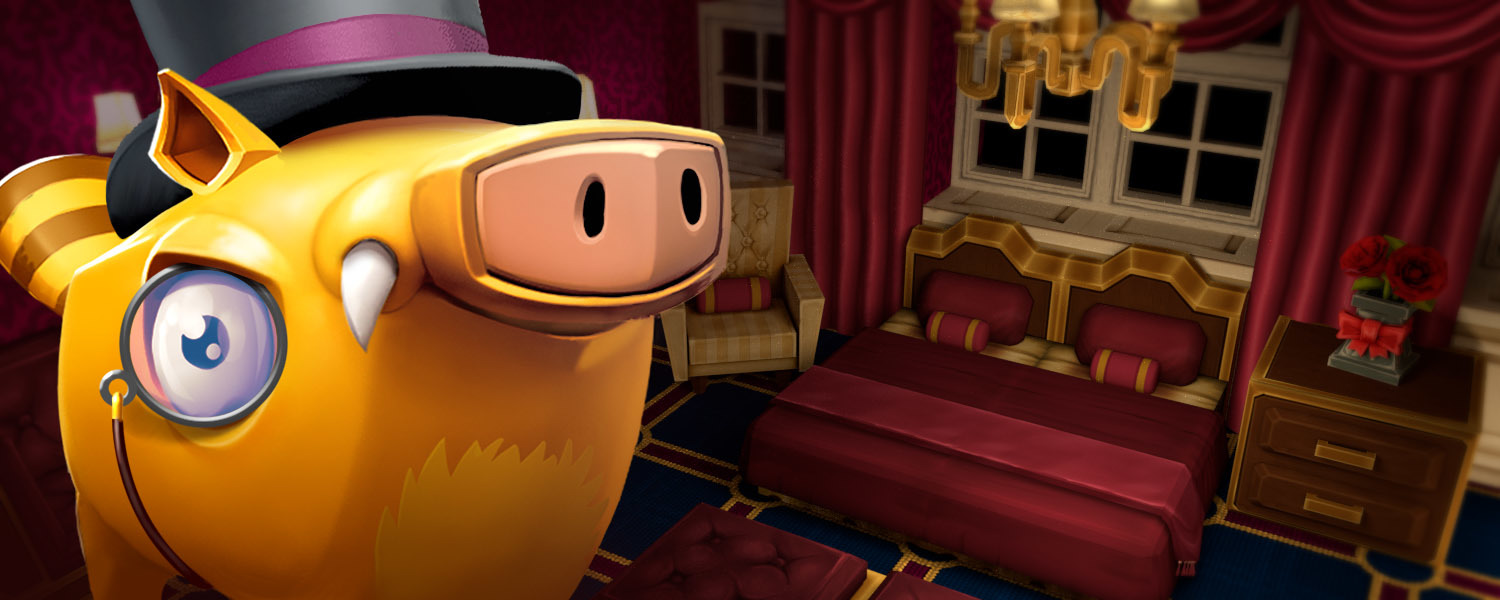
You may have wondered what’s with the hullabaloo surrounding Pigsy. Well, it just so happens that this is the Year of the Pig! In commemoration, we have gone all out with some luxurious creature comforts. From Luxurousity Lamps to Deluxrative Dressers, you can create your own lovely, cozy, or decadent builds with the Ritzy Pigsy Hotel Super Bundle. They've left us crushing pretty hard and we hope you'll like them!


Features and Content
  • The Ritzy Pigsy Hotel Super Bundle (available in the store)
    • 18 Lovely new recipes to help you build your pet pigsies the most fabulous hotel, dahling! Including...
      • Deluxrative Dressers
      • Cabernatious Cabinets
      • Cherishizing Chairs
      • Charmacious Chandeliers
      • Cushceptional Couches
        ...and MORE!
  • Year of the Pigsy
    • This update is all about Pigsy! All pigsy and pigsy-like mobs (e.g. Boss Hog) have a chance to give the plum blossom and pig lantern recipes.
      • There is a small chance from drops, a better chance if you feed and harvest your pets, and an even better chance if you feed them their favorites!
  • New Forbidden Red Wood variations
    • Forbidden Red Wood Slab
    • Forbidden Red Wood Eighth
    • Forbidden Red Wood Stairs
    • Forbidden Red Wood Stairs Inner Corner
    • Forbidden Red Wood Stairs Outer Corner


Bug Fixes
  • Fixed harvesting mushrooms to give more than 1
  • Fixed lighting issue with lumite slabs
  • Improved world filter


Happy Valentina Day from the team!

;)

r.61