Update 0.4: Crafting, Smelting and lots of new Items
Hi folks,
The crafting update for the new version is now available! It introduces loads of new items and objects, a new crafting functionality, iron ore and the ability to smelt it, as well as many bugfixes and other changes!
Crafting: It works a bit different compared to the Java version: You no longer have to access a workbench to see the crafting recipes, instead you can access all recipes at any time. If you want to craft an item, the particular workbench just needs to be in your proximity. To keep the crafting menu structured, there are various categories and sub-categories. There is also a search bar which allows you to search for a particular recipe.
Please note that many recipes - or more precisely, the required ingredients - are still placeholders: The reason behind this is that many basic crafting resources are still missing. We will update the crafting recipes in the future.
Please also keep in mind that you can currently access all recipes. In a future update we want to add additional requirements for crafting modern and advanced items (which will then be unlocked the further you progress).
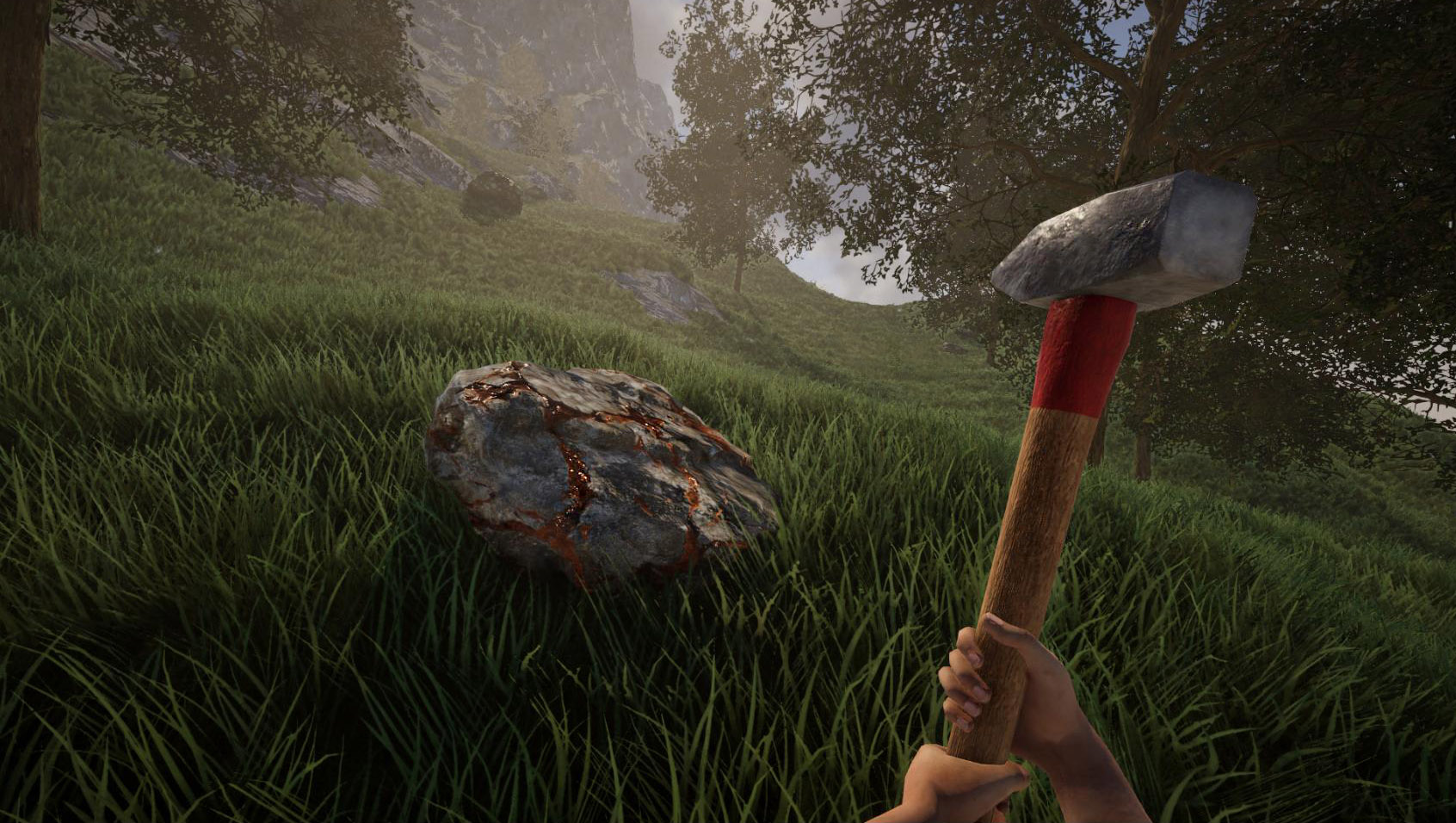
Ore smelting: We've introduced iron ore and a primitive smelting furnace for now. Smelting mostly works like in the Java version: You place ores in the furnace, fuel the furnace then wait until the ore is smelted. However, the new version introduces a few changes to make your life easier: To place ores quickly, you can keep your mouse button pressed while moving your mouse over the individual slots. Once the ores are smelted, there is a radial menu available to take all ingots at once from the furnace.
There is also another detail when smelting ores: Ores now begin to glow before they turn into ingots. And while ingots are still hot (i.e. glowing), they cannot be taken from furnaces. This is a preparation for another feature we want to introduce in a future update.
By the way: You can now adjust the time it takes to smelt ores. Of course this works in both singleplayer and multiplayer.
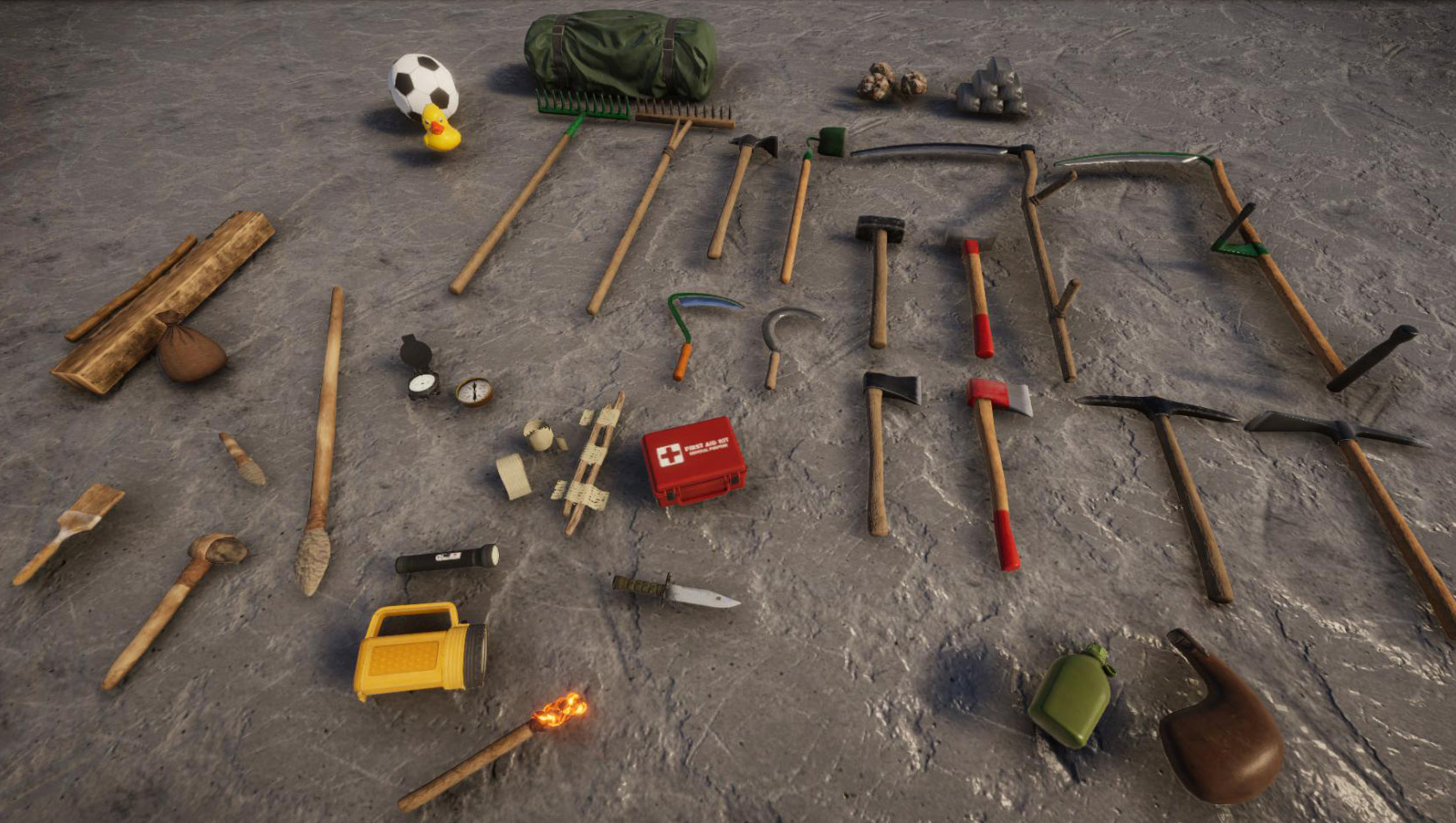
Items: In order to make sure that the crafting menu isn't too empty, this update introduces a bunch of new items. We've migrated many tools from the Java version to the new version - and created new textures with much higher detail for them from scratch. This covers the axes, sledgehammers, rakes, hoes, scythe and sickle. We've also added a new steel scythe and steel sickle (these tools weren't available in the Java version before). These tools (except the hoes) are fully functional.
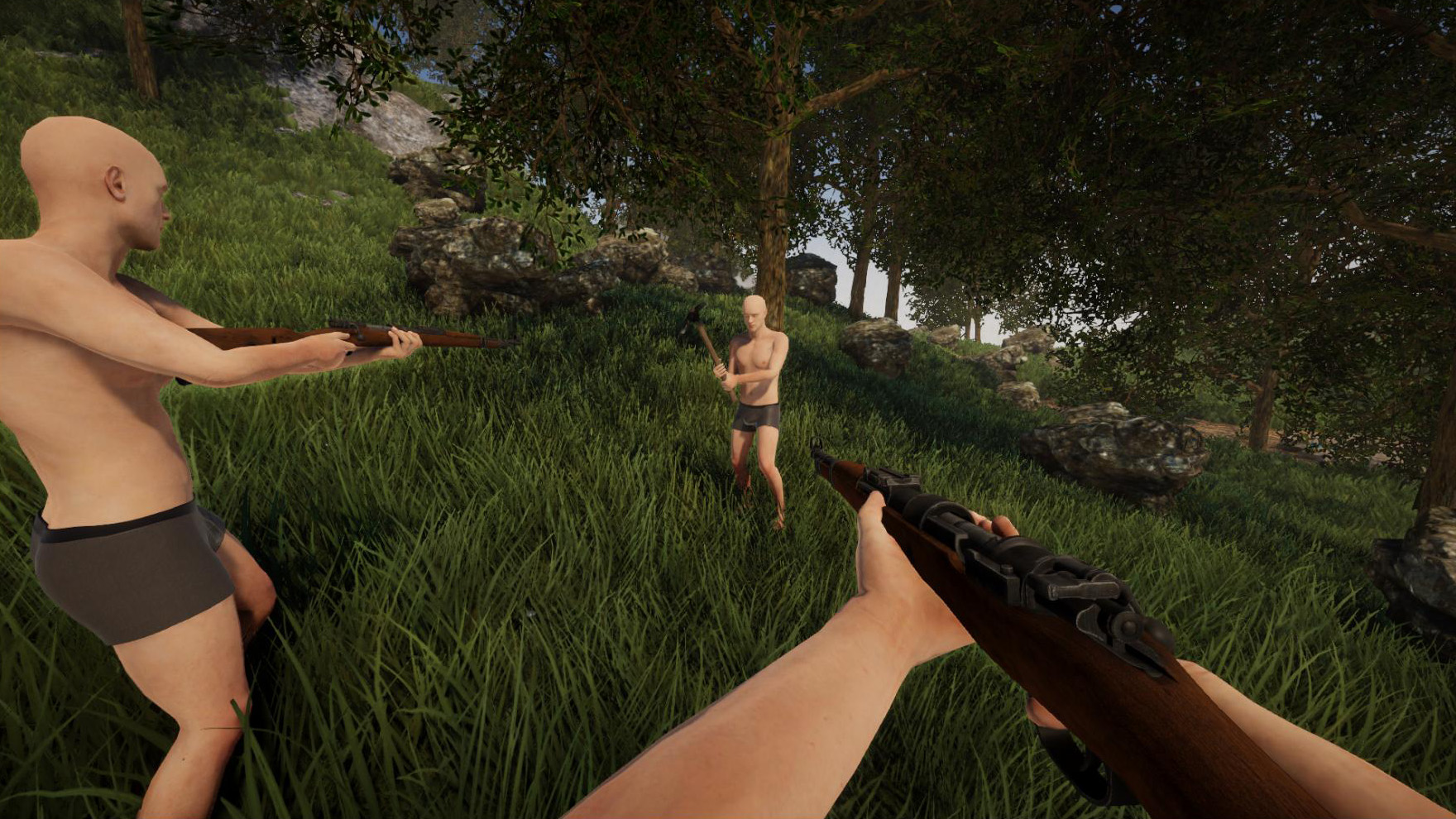
We've also added new flashlights, a penlight, a canteen and waterskin, some medical items (bandage, splint and medkit), compasses and other items. One special item we've added is a spear: It serves both a melee weapon, but can also be thrown.
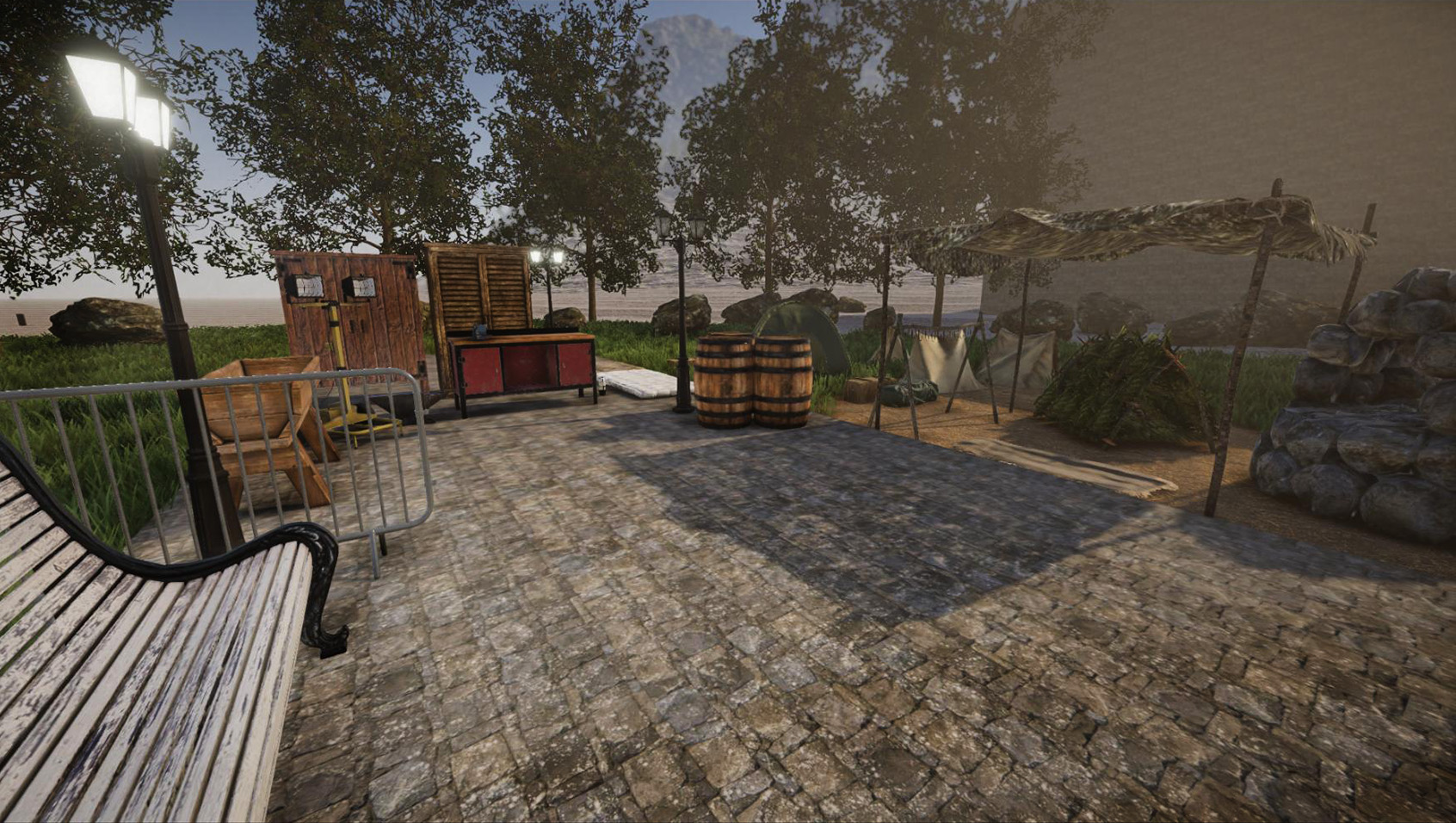
Objects: There are also new objects available, including tents, a new workbench, anvil and various other objects. In addition to that, there are now also a few lamps available. One special features regarding lamps is that you can change the light color (we've added a new color picker for that) and brightness.
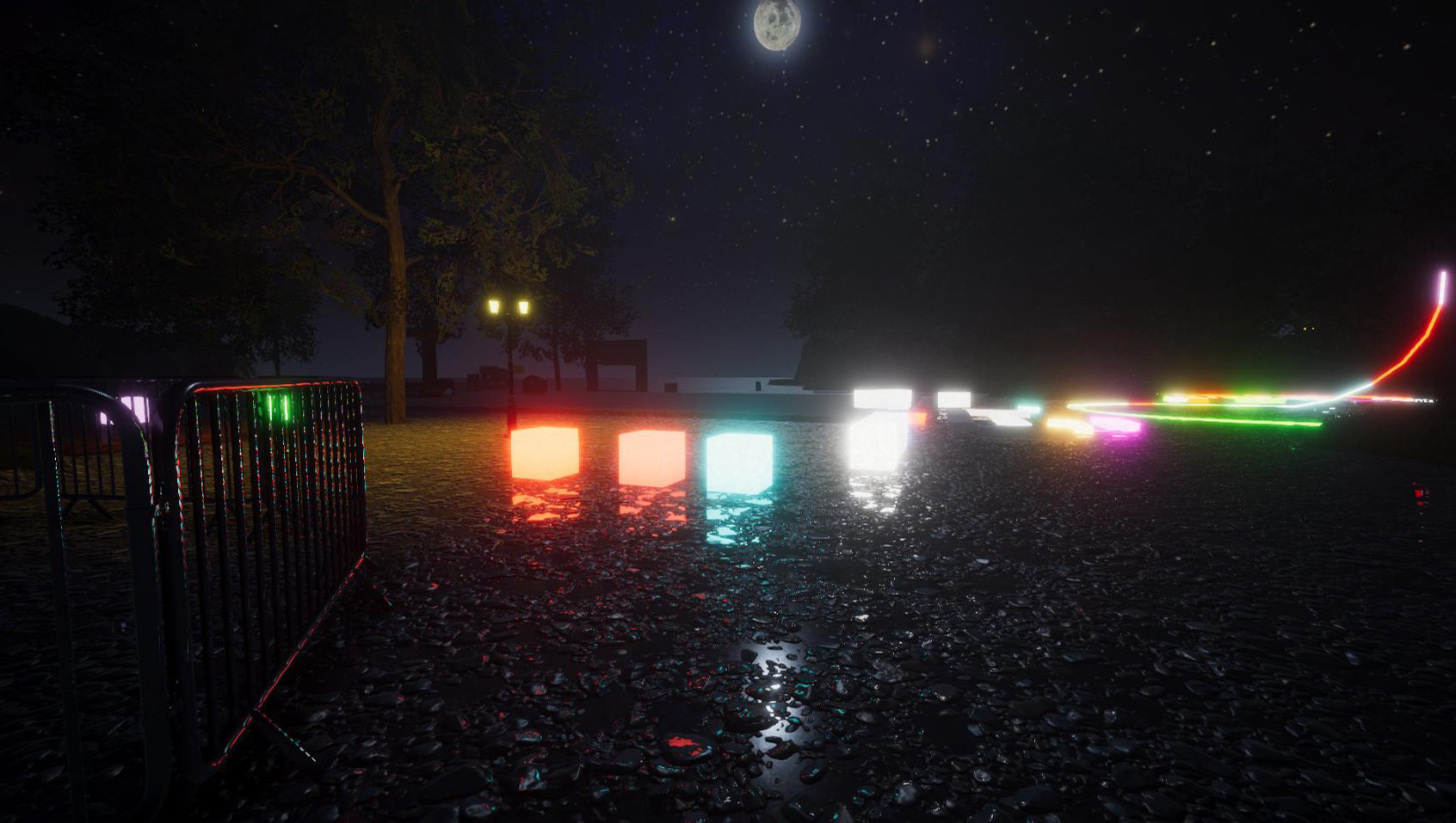
Luminous blocks are now also fully functional: Just like any construction element, they are fully resizable. Use them for neon signs, as LED strip lights etc. Like regular lamps, you can change their color, brightness and turn them on or off (just hold your interaction key while looking at them). Once electricity is implemented, it will give you full control over these elements.
Building: This update introduces a new "undo" command, which is quite handy. Use it to revert the last destructive actions. By default, it tracks the most recent 50 actions.
This update also fixes several bugs (especially regarding permissions in multiplayer) and introduces some useful changes. For instance, doors can be blocked by construction elements. In addition to that, the paint roller works much faster now (there is now also a new paint brush, which now behaves like the paint roller previously did). Please find the full changelog attached.
Stay tuned for the next update, which will introduce blueprints. Many parts of that update are already implemented, so it will take a lot less time until it's ready. After the next update, we will focus on finalizing the world generation.
[h2]Changelog 2021-01-12 (0.4):[/h2]
The crafting update for the new version is now available! It introduces loads of new items and objects, a new crafting functionality, iron ore and the ability to smelt it, as well as many bugfixes and other changes!
Crafting: It works a bit different compared to the Java version: You no longer have to access a workbench to see the crafting recipes, instead you can access all recipes at any time. If you want to craft an item, the particular workbench just needs to be in your proximity. To keep the crafting menu structured, there are various categories and sub-categories. There is also a search bar which allows you to search for a particular recipe.
Please note that many recipes - or more precisely, the required ingredients - are still placeholders: The reason behind this is that many basic crafting resources are still missing. We will update the crafting recipes in the future.
Please also keep in mind that you can currently access all recipes. In a future update we want to add additional requirements for crafting modern and advanced items (which will then be unlocked the further you progress).
Ore smelting: We've introduced iron ore and a primitive smelting furnace for now. Smelting mostly works like in the Java version: You place ores in the furnace, fuel the furnace then wait until the ore is smelted. However, the new version introduces a few changes to make your life easier: To place ores quickly, you can keep your mouse button pressed while moving your mouse over the individual slots. Once the ores are smelted, there is a radial menu available to take all ingots at once from the furnace.
There is also another detail when smelting ores: Ores now begin to glow before they turn into ingots. And while ingots are still hot (i.e. glowing), they cannot be taken from furnaces. This is a preparation for another feature we want to introduce in a future update.
By the way: You can now adjust the time it takes to smelt ores. Of course this works in both singleplayer and multiplayer.
Items: In order to make sure that the crafting menu isn't too empty, this update introduces a bunch of new items. We've migrated many tools from the Java version to the new version - and created new textures with much higher detail for them from scratch. This covers the axes, sledgehammers, rakes, hoes, scythe and sickle. We've also added a new steel scythe and steel sickle (these tools weren't available in the Java version before). These tools (except the hoes) are fully functional.
We've also added new flashlights, a penlight, a canteen and waterskin, some medical items (bandage, splint and medkit), compasses and other items. One special item we've added is a spear: It serves both a melee weapon, but can also be thrown.
Objects: There are also new objects available, including tents, a new workbench, anvil and various other objects. In addition to that, there are now also a few lamps available. One special features regarding lamps is that you can change the light color (we've added a new color picker for that) and brightness.
Luminous blocks are now also fully functional: Just like any construction element, they are fully resizable. Use them for neon signs, as LED strip lights etc. Like regular lamps, you can change their color, brightness and turn them on or off (just hold your interaction key while looking at them). Once electricity is implemented, it will give you full control over these elements.
Building: This update introduces a new "undo" command, which is quite handy. Use it to revert the last destructive actions. By default, it tracks the most recent 50 actions.
This update also fixes several bugs (especially regarding permissions in multiplayer) and introduces some useful changes. For instance, doors can be blocked by construction elements. In addition to that, the paint roller works much faster now (there is now also a new paint brush, which now behaves like the paint roller previously did). Please find the full changelog attached.
Stay tuned for the next update, which will introduce blueprints. Many parts of that update are already implemented, so it will take a lot less time until it's ready. After the next update, we will focus on finalizing the world generation.
[h2]Changelog 2021-01-12 (0.4):[/h2]
- [New] Added lots of new items:
- Tools for cutting trees: axe and steel axe
- Tools to deconstruct blocks: sledgehammer and steel sledgehammer
- Tools to smooth the ground: rake and wooden rake
- Tools for cultivation: hoe and steel hoe (not usable yet)
- Tools for cutting grass: scythe, steel scythe, sickle and steel sickle
- Receptacles: canteen and waterskin
- Compasses: old and modern version
- Light sources: torch, penlight, flashlight and spotlight
- Medical items: bandage, leg splint and medkit
- Weapon: primitive spear (which can also be thrown)
- Primitive items: stone axe, stone knife
- Other items: soccer ball, rubberduck, combat knife, pouch and various resources
- Tools for cutting trees: axe and steel axe
- [New] Added ore smelting:
- Added primitive smelting furnace for now (more furnaces will follow)
- Smelting mostly works like in the Java version
- Smelting duration can be customized in the settings
- Mouse button can be held while placing ores (faster placing)
- Radial menu on furnace gives option to take all smelted ingots at once
- Ores begin to glow before they turn into ingots
- Ingots cannot be taken from furnaces while they're hot (i.e. while glowing)
- Added primitive smelting furnace for now (more furnaces will follow)
- [New] Updated engine to version 2021.2
- [New] Luminous material (ID 800) is now fully functional
- [New] Added new crafting stations: modern workbench and anvil
- [New] Added two tents: one-person-tent and modern tent
- [New] Added shelters: primitive shelter and two canopies
- [New] Added other objects: woodenbarrels, trough, old bench, cabinet, crowdbarrier, meat dryer, mattress
- [New] Added lights: two bulkhead lamps, street lamp and floodlight
- [New] A radial menu can be accessed on luminous materials and lamps (hold interaction key) to change light color and brightness
- [New] Added "undo" command to revert the last destructive actions (only in creative mode)
- [New] Added option to select the active monitor (if more than one monitor is connected)
- [New] Added animations for sitting (on chairs) or lying (on beds)
- [New] Added "chatnamesuffix" permission (info), to add a suffix to the player chat name
- [New] Added "usealllights" and "useallobjects" permissions (general)
- [New] When using the "item" console command to get a construction element, you can now append a color code (e.g. "item block #FF0000")
- [New] Plain grass terrain texture is now available
- [New] Added console command "bag" to spawn a pouch containing other items
- [New] Added console command "shutdown" in multiplayer to shut down the server
- [New] Added console command "serverinfo areas" to get a list of all areas (including all info)
- [New] Added console commands "loadpreset" and "savepreset" to load/save a build size preset (similar to radial menu)
- [New] Added option (graphics settings) to disable glass distortion and refraction
- [New] Added option (misc settings) to toggle grid visibility on the preview element
- [New] Added option to always show the grid on terrain (set "Game_AlwaysShowTerrainGrid" in config to "true")
- [New] Mouse wheel scroll direction can now be changed in controls settings
- [New] Double-clicking an item in inventory (or shift+click) moves it to the hotbar and vice versa
- [New] Added "zoom toggle" key binding to controls settings
- [New] Pressing the "Adapt to World Element" key while the paint roller is equipped now applies the color of the world element to the paint roller
- [Change] Reworked many sound effects
- [Change] Blocked doors and chests can no longer be opened (need feedback)
- [Change] Player nametags can now be modified through permissions (prefix, suffix, color)
- [Change] Fly mode and creative mode are now disabled when entering an area where they are not permitted
- [Change] Improved performance when rendering lots of dense construction elements
- [Change] Small improvements in terms of performance when having lots of lights in the scene
- [Change] It's now possible to sit on benches
- [Change] Paint roller now instantly paints elements (while the new paint brush now behaves like the paint roller previously did)
- [Change] Server header image no longer gets stretched when using different aspect ratio than 2:1
- [Change] Quickslots are now slightly bigger (size can be changed in config)
- [Change] Color changes on construction elements (via "edit" command) work faster now (i.e. take less time to update the mesh)
- [Change] Improved ingame time sync in multiplayer
- [Change] Game window (when playing in windowed mode) is now resizable)
- [Bugfix] Fixed wrong ingame time on multiplayer servers
- [Bugfix] Fixed player permission group not working properly after reconnecting to a server
- [Bugfix] Fixed default new player permission in multiplayer not being set correctly
- [Bugfix] Fixed admin tag not being shown in player list for admins
- [Bugfix] Fixed wrong UV scale on cone and pyramid block shapes
- [Bugfix] Fixed item animations of other players sometimes not being properly reset in multiplayer
- [Bugfix] Fixed missing localization in multiplayer menu and player list
- [Bugfix] Fixed error on Mac when trying to join a multiplayer server
- [Bugfix] Fixed issues regarding LAN mode on Mac
- [Bugfix] Fixed UI issues while scrolling
- [Bugfix] Alt key no longer gets stuck when tabbing to the desktop
- [Bugfix] Fixed wrong message when using the "edit texture" console command
- [Bugfix] Fixed construction elements as item having wrong texture
- [Bugfix] Fixed issues with removing large scaled objects