[p]Hi Prospectors!
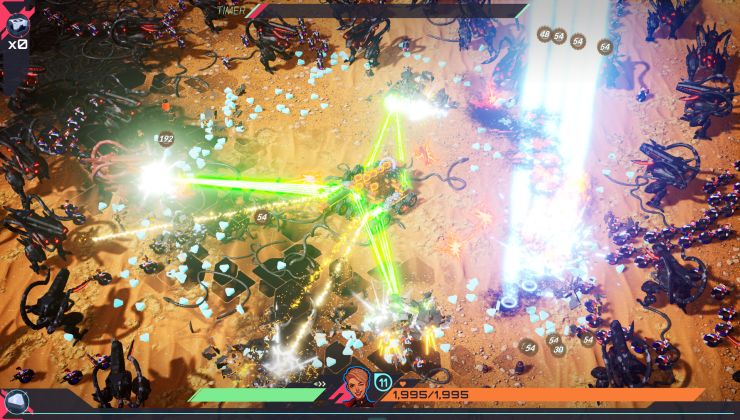
We’re back to show off a very fundamental part of TerraTech Legion that isn’t so common in the bullet-heaven genre – Building! We’re going to speak through a few fundamentals of our building system, and we’ll highlight some cool additions we’ve made since the demo.
As always, our game is in development, and is subject to change. Let’s get into it![/p]
Tech Building
[p]
[/p][h2]The Basics[/h2][p]Blocks have attach points (APs) that form the connections between blocks. You can rotate or flip blocks, using the
WASD and
F keys respectively, to position them how you’d like. You can manually pick blocks back up from your Tech and place them into the inventory or use the handy-dandy
Shift+Click shortcut to remove them from your Tech quickly.
Leaving a block with an improper connection will cause it to hang – hanging blocks will fall off the next time you attach a block without connecting the hanging block. If you aren’t sure about a change, you can use the
Z shortcut to undo and the
Y shortcut to redo your change. You can quickly reference these shortcuts on the control ribbon at the bottom of the screen.
[/p]
[p]
![]()
[/p]
[p]
![]()
[/p]
[h2]Block Info[/h2][p]You’ll make lots of decisions when building your Tech, and there’s a lot of information that you’ll become accustomed to when making these decisions – luckily, there are accessible ways to access this information quickly.
Hovering over a block will show you its info panel, which will show you its different attributes, its description, and other information about special blocks – holding
Shift will expand this info panel.
Hovering over a weapon block will show you its firing arc in addition to its info panel. The firing arc shows where the weapon will fire; other blocks will disrupt this firing arc, so it’s important to check firing arcs when your Tech is packed full of blocks.
Lastly, there are blocks that we call modifier blocks - or mod blocks - these blocks will adjust the attributes of other blocks on your Tech, and if you hover over a mod block, the blocks affected by the mod block will highlight and pulse.
[/p]
[p]
![]()
[/p]
[p]
![]()
[/p]
[h2]Putting it to Action[/h2][p]Now that we’ve explained the basic and advanced fundamentals of building in TerraTech Legion, we will teach you some ways to put these tips and tricks into action.
Using weapon mounts is a good way to buff your weapons and give them a clear firing arc at the same time! The block categories in the buff table often helps focus on the strongest attributes of your Tech, and can help highlight its shortcomings. Lastly, you can flip blocks to cleverly place them on your Tech in obscure places that help use all the space on your Tech effectively.
[/p]
[p]
![]()
[/p]
[p]
![]()
[/p]
[p][/p][p]That’s it for today, Prospectors. Thanks for reading our fundamentals on building, if you’d like a deeper dive on our design principles of building in a roguelite bullet-heaven, then please let us know.
Don’t forget to wishlist TerraTech Legion if you’re as excited for it to release as we are.
Until next time, Prospectors!
- Team Legion
[/p]