Offer: Object 490, Scorpion Kastet, BM Oplot
Commanders!
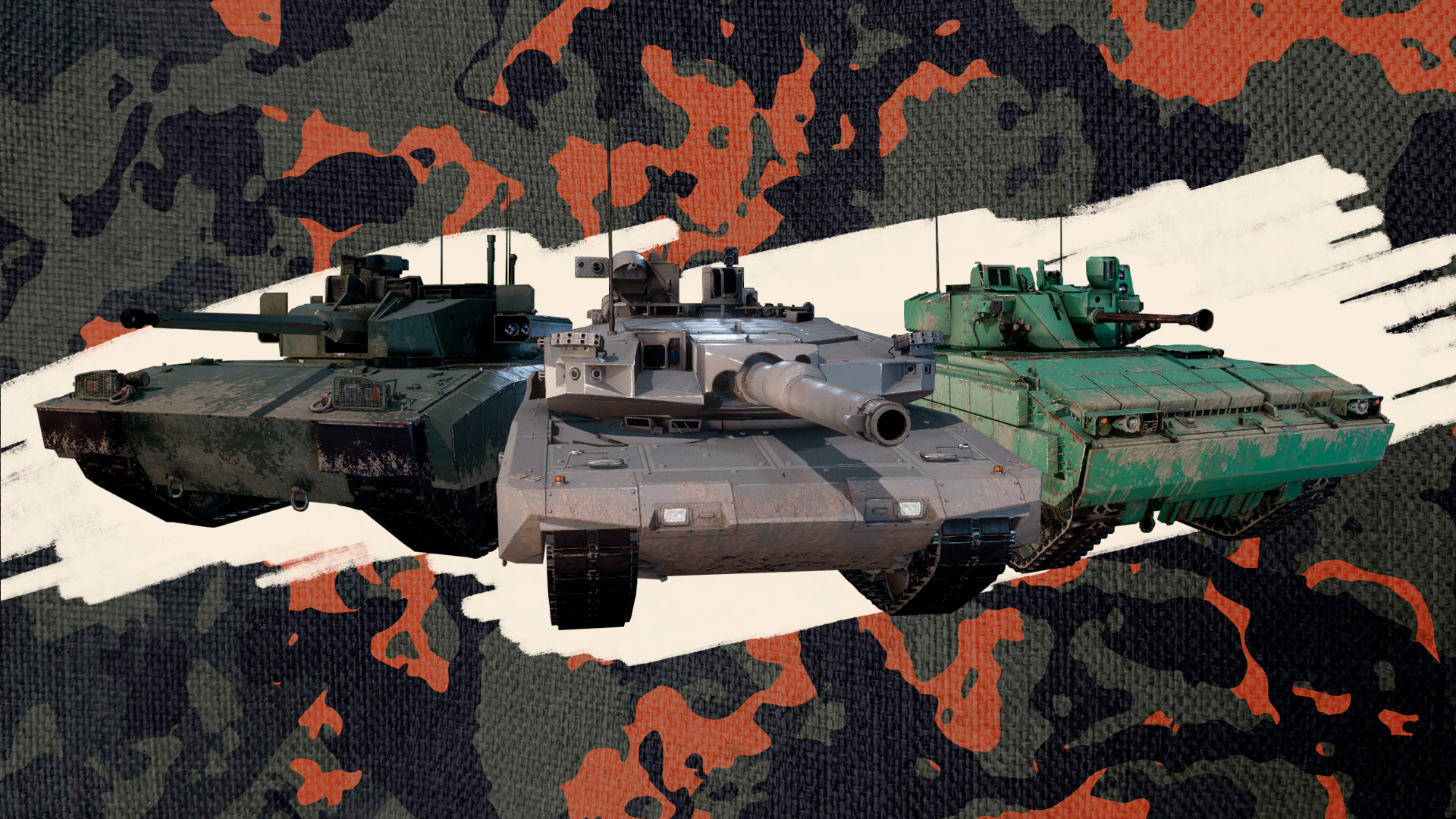
This week, we’ve prepared another set of attractive items for you:
[h2]Object 490[/h2]
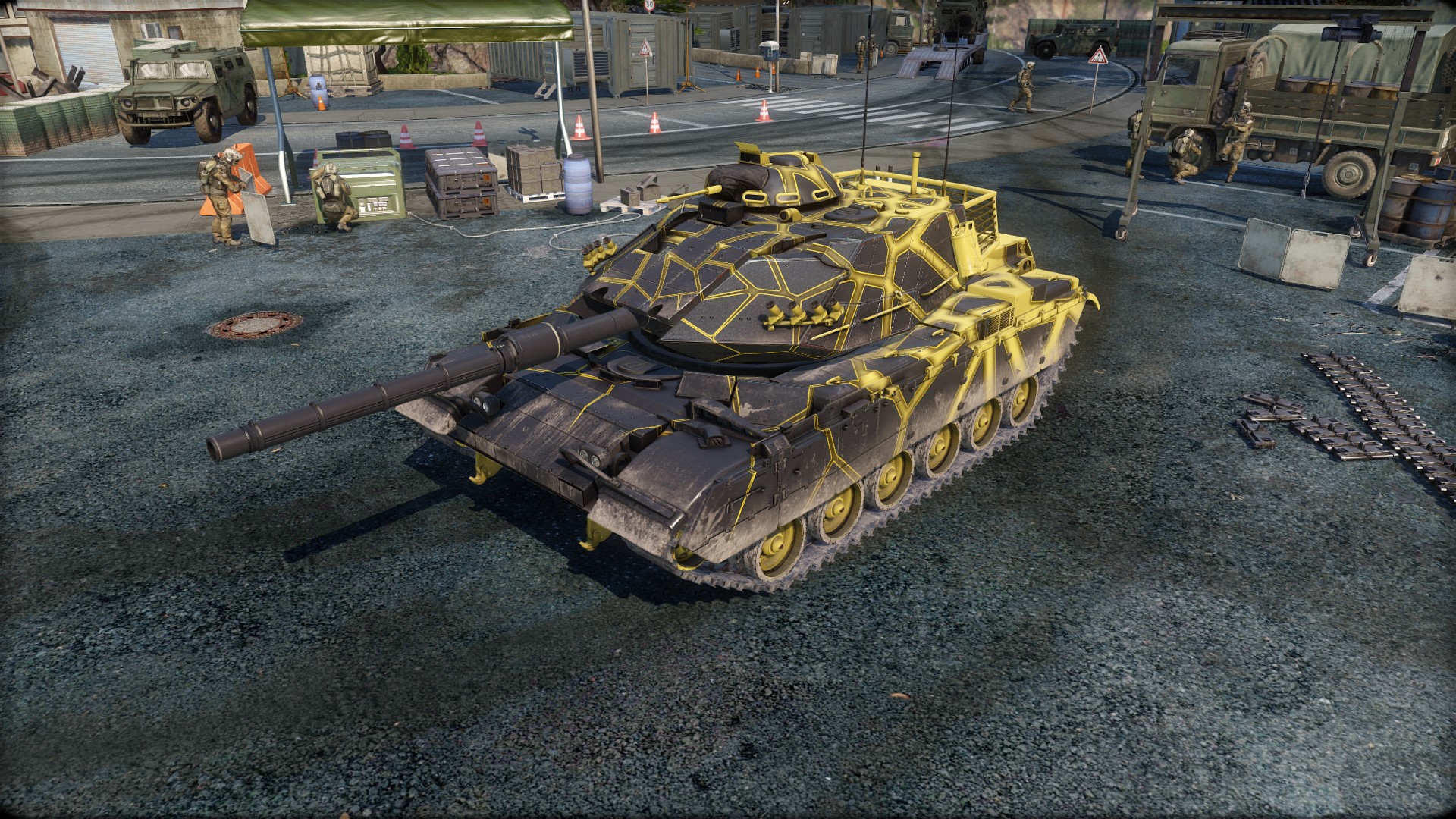
The Object 490 Main Battle Tank was an advanced concept from the waning days of the Soviet Union. Designed in the 1980s, it represented a radical departure from the MBT paradigm. Its distinct wedge-like shape, along with the fact that the crew was located in the back, offered unparalleled levels of protection. But the most interesting part of the design was its double suspension paired with two engines, allowing the vehicle to stay mobile even after suffering significant damage. However, the conclusion of the Cold War put an end to this design, along with many other advanced Soviet projects. You can learn more about this vehicle in our dedicated article.
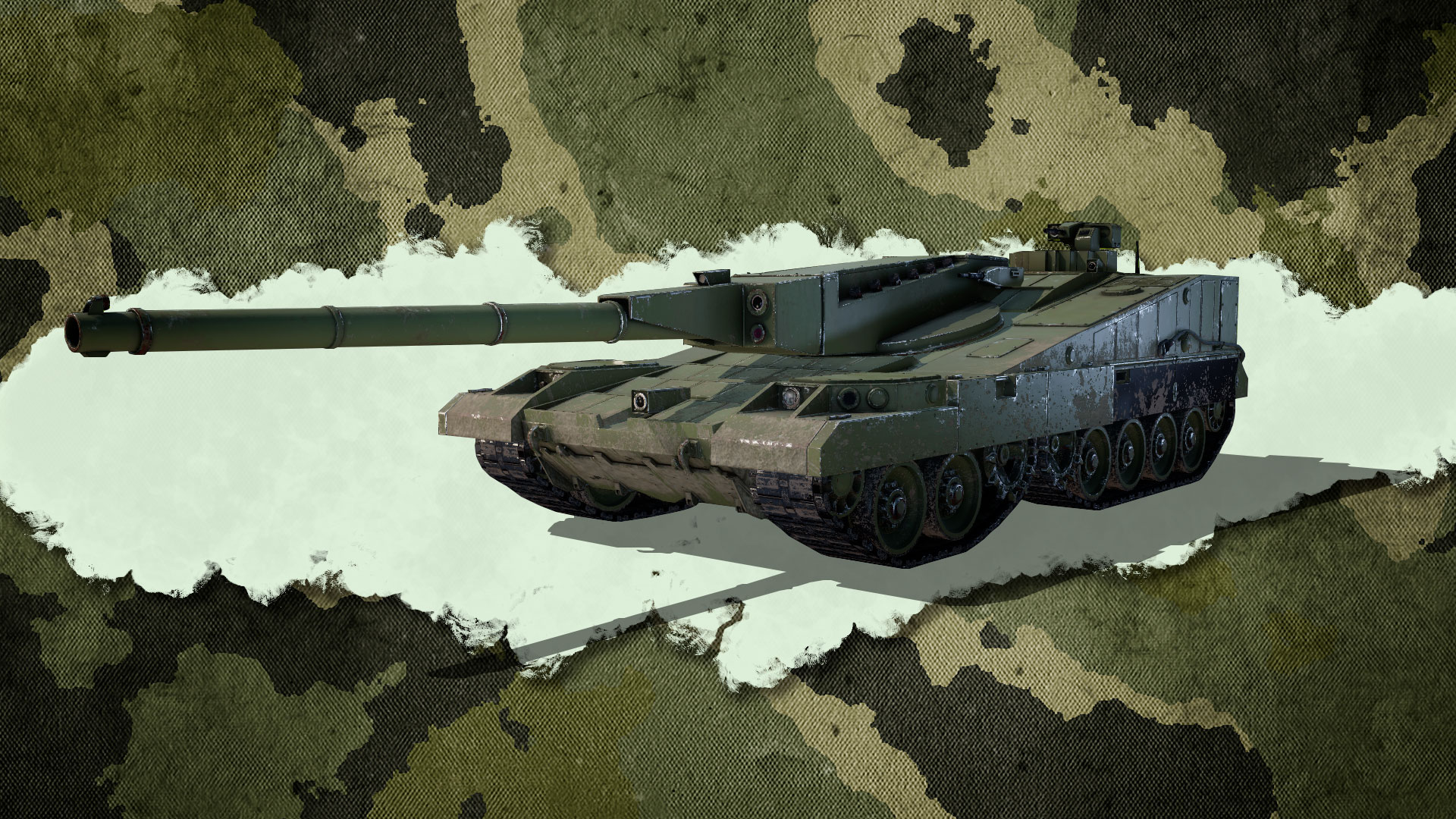
In Armored Warfare, the Object 490 Tier 10 Premium MBT is perhaps the best armored vehicle in the game. It’s a true behemoth that is almost impossible to slow down, let alone knock out, and concentrated effort is required to stop one of these things when encountering them on the battlefield. The combination of extremely thick armor and a powerful 152mm gun makes this tank incredibly deadly, even though these advantages are balanced by its mediocre agility and the fact that its gun is only forward facing. This MBT is ideal for you if you prefer slow, methodical advances while dealing massive amounts of damage with each shot. If you keep your flanks secure, you’ll be all but impossible to stop.
This vehicle is available via Loot Crates, which drop Object 490 parts. Collect 100 Object 490 parts from these Loot Crates to assemble the whole vehicle.
[h2]Scorpion Kastet[/h2]
This vehicle is basically a commercial modernization of the old Scorpion Light Tank by replacing its original turret with a new one of Ukrainian origin called Kastet. It was designed specifically with the Kingdom of Jordan in mind and was shown to general public in 2016. Unfortunately, it failed to gain any traction and it’s unlikely this vehicle will ever be mass produced. You can learn more about this vehicle in our dedicated article.
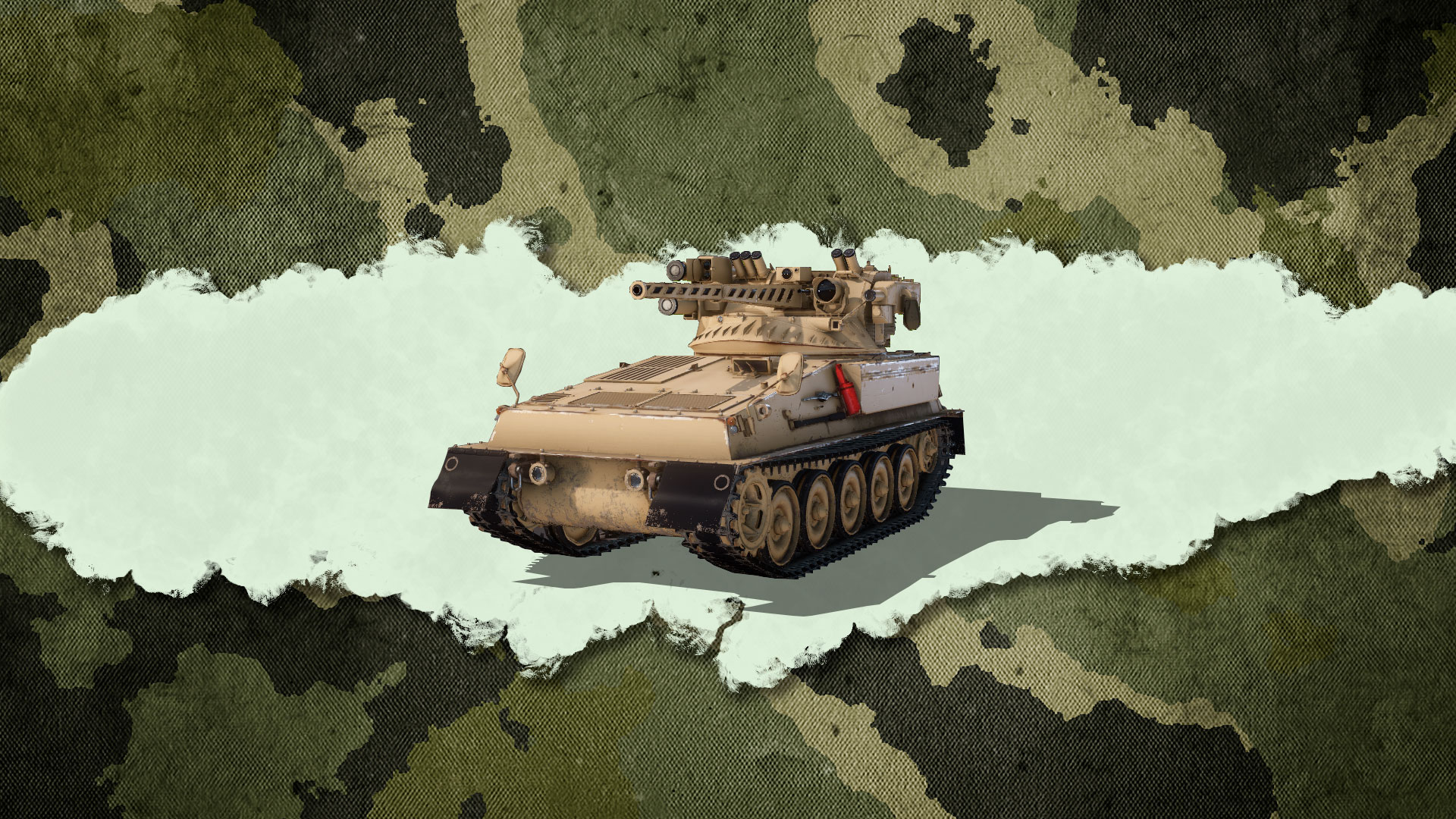
In Armored Warfare, the Scorpion Kastet is a Tier 6 Premium Armored Fighting Vehicle. It is one of the deadliest AFVs in the game thanks to the combination of blazing speed, amazing agility, powerful automatic cannon and advanced guided missiles. All these traits make this highly mobile, if somewhat fragile AFV the weapon of choice for many advanced players. who can use it to dance around their opponents, dealing one blow after another.
[h2]BM Oplot[/h2]
The Oplot is a heavily upgraded T-84 Ukrainian Main Battle Tank, which is based on an older design called T-80UD. It is currently the best tank the Ukrainian military industry can offer. You can read more about its history in our dedicated article.
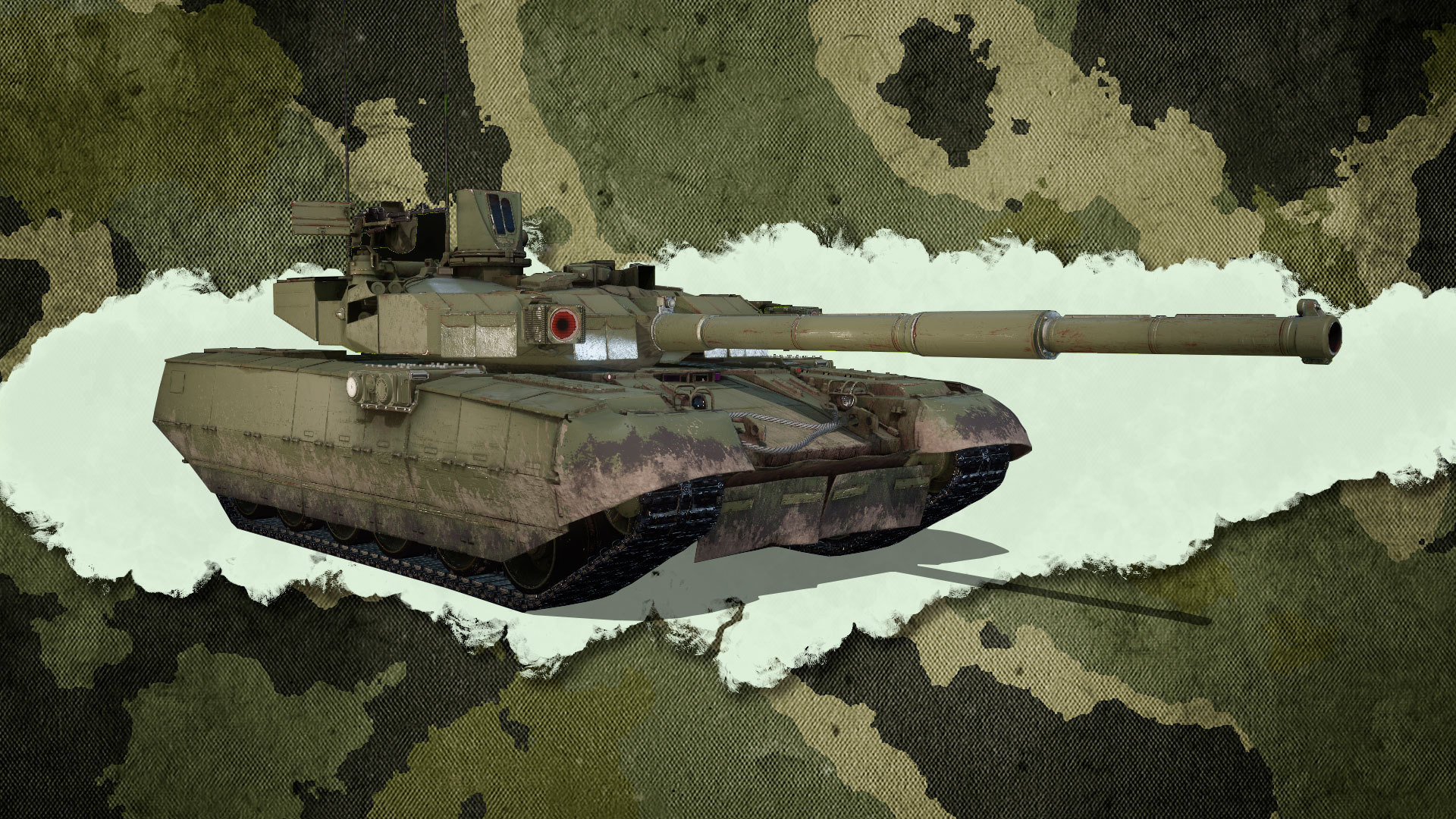
In Armored Warfare, the BM Oplot is a Tier 9 Premium Main Battle Tank with a playstyle similar to the T-80U. Power-wise, it’s roughly on par with the T-90MS of the same Tier, but it has a very unique ability. Its advanced Duplet armor consists of several ERA layers, making it able to negate more than one HEAT shell impact. It takes several precise hits aimed at the same location to break through it, making it a very resistant vehicle on the battlefield.
We hope that you will enjoy the offer and, as always:
See you on the battlefield!
This week, we’ve prepared another set of attractive items for you:
- Object 490 Tier 10 Premium Main Battle Tank (via Loot Crates)
- Scorpion Kastet Tier 6 Premium Armored Fighting Vehicle (available directly)
- BM Oplot Tier 9 Premium Main Battle Tank (available directly)
[h2]Object 490[/h2]
The Object 490 Main Battle Tank was an advanced concept from the waning days of the Soviet Union. Designed in the 1980s, it represented a radical departure from the MBT paradigm. Its distinct wedge-like shape, along with the fact that the crew was located in the back, offered unparalleled levels of protection. But the most interesting part of the design was its double suspension paired with two engines, allowing the vehicle to stay mobile even after suffering significant damage. However, the conclusion of the Cold War put an end to this design, along with many other advanced Soviet projects. You can learn more about this vehicle in our dedicated article.
In Armored Warfare, the Object 490 Tier 10 Premium MBT is perhaps the best armored vehicle in the game. It’s a true behemoth that is almost impossible to slow down, let alone knock out, and concentrated effort is required to stop one of these things when encountering them on the battlefield. The combination of extremely thick armor and a powerful 152mm gun makes this tank incredibly deadly, even though these advantages are balanced by its mediocre agility and the fact that its gun is only forward facing. This MBT is ideal for you if you prefer slow, methodical advances while dealing massive amounts of damage with each shot. If you keep your flanks secure, you’ll be all but impossible to stop.
This vehicle is available via Loot Crates, which drop Object 490 parts. Collect 100 Object 490 parts from these Loot Crates to assemble the whole vehicle.
[h2]Scorpion Kastet[/h2]
This vehicle is basically a commercial modernization of the old Scorpion Light Tank by replacing its original turret with a new one of Ukrainian origin called Kastet. It was designed specifically with the Kingdom of Jordan in mind and was shown to general public in 2016. Unfortunately, it failed to gain any traction and it’s unlikely this vehicle will ever be mass produced. You can learn more about this vehicle in our dedicated article.
In Armored Warfare, the Scorpion Kastet is a Tier 6 Premium Armored Fighting Vehicle. It is one of the deadliest AFVs in the game thanks to the combination of blazing speed, amazing agility, powerful automatic cannon and advanced guided missiles. All these traits make this highly mobile, if somewhat fragile AFV the weapon of choice for many advanced players. who can use it to dance around their opponents, dealing one blow after another.
[h2]BM Oplot[/h2]
The Oplot is a heavily upgraded T-84 Ukrainian Main Battle Tank, which is based on an older design called T-80UD. It is currently the best tank the Ukrainian military industry can offer. You can read more about its history in our dedicated article.
In Armored Warfare, the BM Oplot is a Tier 9 Premium Main Battle Tank with a playstyle similar to the T-80U. Power-wise, it’s roughly on par with the T-90MS of the same Tier, but it has a very unique ability. Its advanced Duplet armor consists of several ERA layers, making it able to negate more than one HEAT shell impact. It takes several precise hits aimed at the same location to break through it, making it a very resistant vehicle on the battlefield.
We hope that you will enjoy the offer and, as always:
See you on the battlefield!