1. Whirligig
  2. News

Whirligig News

Version 4.671 Update

Hi everyone

As some of you are aware I've been updating and updating (not so much recently, it's amazing how Christmas and new year can slip you up). I'm now coming to the end of this update cycle.

Because I'm close to the default update I would love to hear from the people using the betas at the moment of any issues you might be having.

The latest version in beta is Version 4.671 and should fix issues from previous versions that include gamepad issues, crosshair showing issues and probably a few other things. So only minor changes from the previous upload but if you've not tried the latest betas then there are some significant changes from the previous default build include more rooms, better optimisation, a shortcut menu, bug fixes and more.

So if you haven't tried the latest beta give it a go.

I suggested a new feature and you haven't added it yet?

I very much reach out to the community to get ideas for features and improvements I can make. I've had a lot of suggestions that I want it implement but I've not had a chance to implement them as I've been working on this default update and an Oculus Go/GearVR version (if you want to try the beta email me [email protected]). As we are coming to the default release I will soon be back to adding new feature and improving the player again.

I apologise to all that hoped that their feature will be added soon. I really really hope that I will be back adding these new features once this default build is release. I want to improve Whirligig and make it the tool that you the users really want.


Keyboard shortcut keys issue

I've been working on fixing problems with the keyboard shortcut and mapping and this latest beta should be the most stable so far. However if you are going from the default then make sure you reset the keyboard controls back to default. The setup will be mapped all wrong otherwise. When I release the default build I will have this happen automatically but for now I'm leaving it manual to make things easier for people working their way through the betas.

How to try the Betas

https://www.youtube.com/watch?v=E0g9ICfaxbU

Note on replying to this message

In discussion you get a notification if someone has replied to a post but if you post at the bottom of a news feed then you don't get that notification so it can be easily to miss a reply. I check these news post regularly (mostly). If you do post here with an issue or suggestion please check manually to see if I've replied to your comment. I don't want people to think I'm ignoring them :)

And Finally

So what do I want from you? I really really want to hear bug reports and issue feedback. It would be really good to make this update the best, most optismed, feature laden and bug free version yet. With your help in letting me know of any issues I hope I can achieve this.


If you continue liking Whirligig I'm continue to improve it :)

Hope you all had a merry Christmas and have a Happy New Year.

Keep watching

Phil
Whirligig 4.64 beta release

And here comes another beta. Work on different rooms and a new shortcut menu added. Probably some other stuff as well. Details below.

Rooms


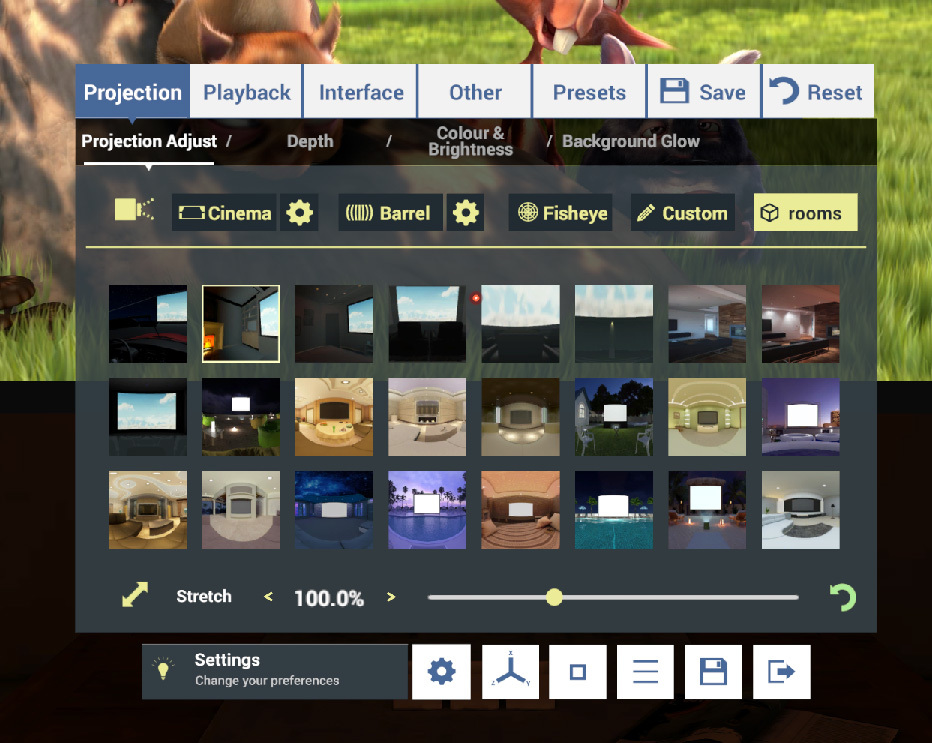
Rooms menu has been redesigned. Lots of new image based Rooms added. Check them out under settings/projection/rooms. Basically 15 new rooms have been added. These are based on stereo 360 degree images so aren't as dynamic as the orginals but they have been lurking in Themes for too long and needed to be properly used.

Explorer Update
'images', 'Video' and 'other' options have been added to the right so that you can limit what is displayed. Just click on each to show or remove from selection. These selections are saved and will remain the same the next time you load Whirligig.

Optimisation in all menus
Hopefully this should fix the progressive slowdown that was occurring. I'm also hoping that this will improve dropdown menu speed.

Shortcut menu
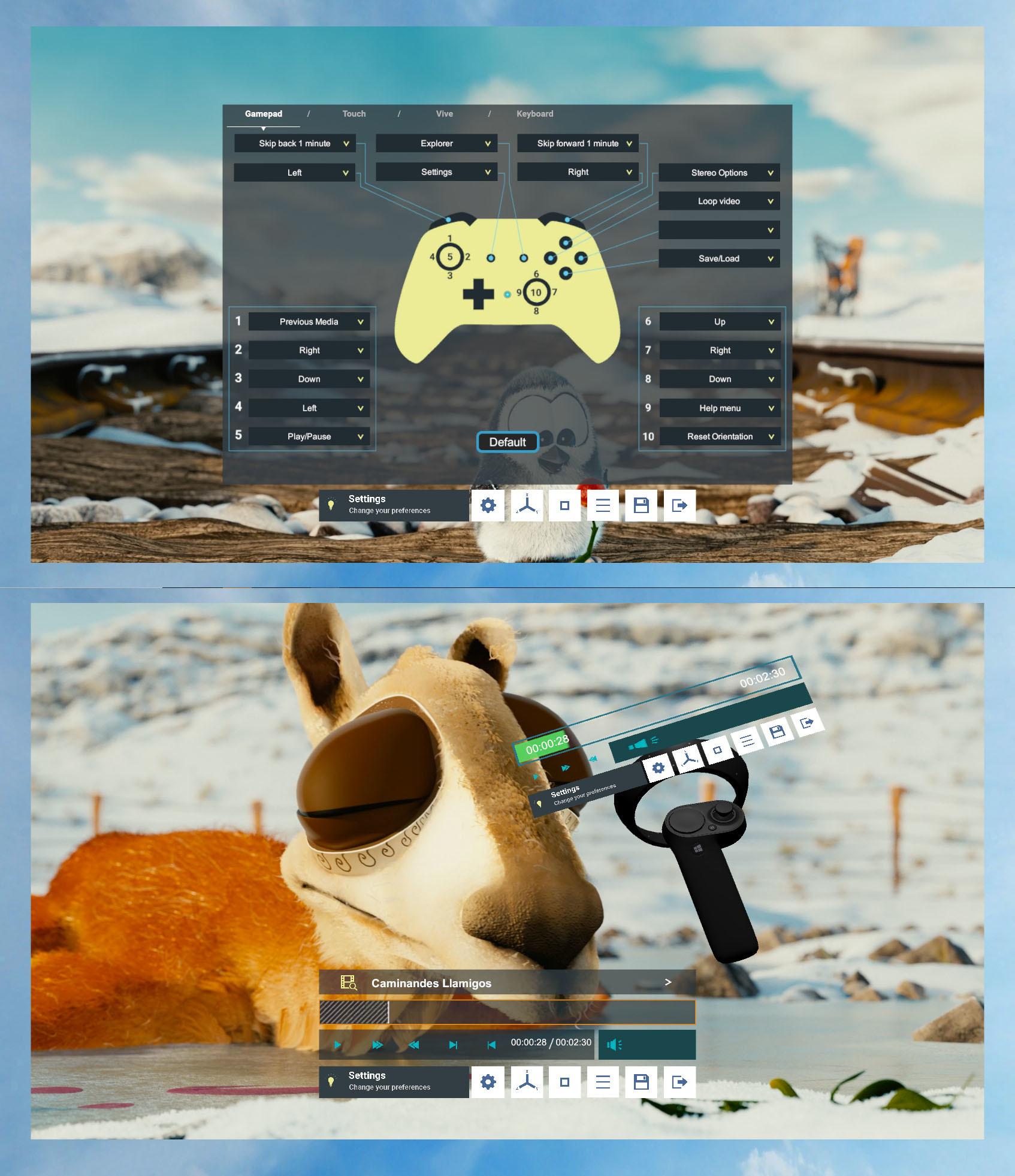
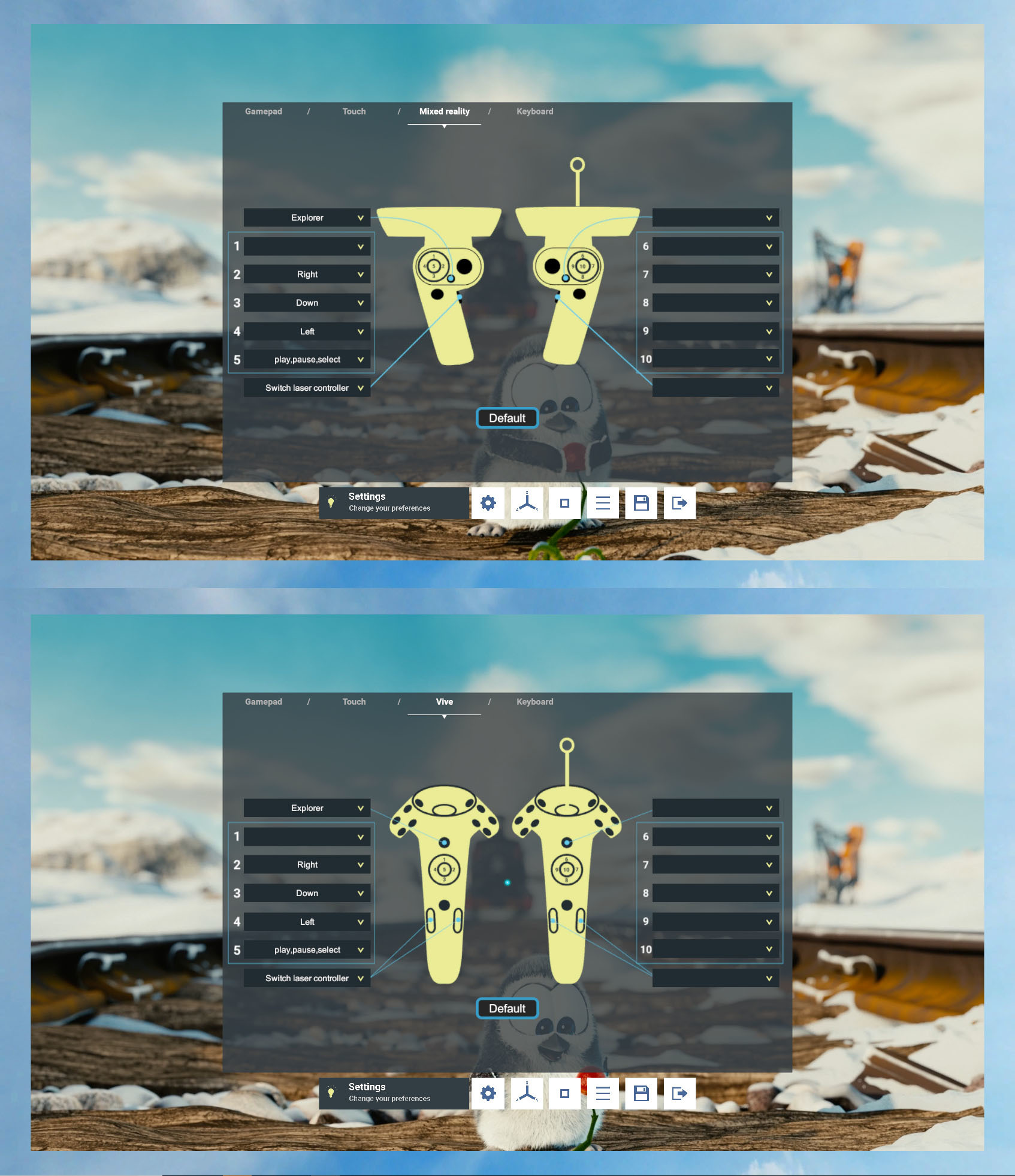
This is a new feature that allows you to bring up a shortcut menu to user defined options. This has been created to add functionality to the Oculus GO/GearVR version and improve usability overall. The shortcut menu can be mapped to the controllers like other options and the Shortcut menu buttons can be mapped in the inputs menu under settings/other/inputs. I've also updated the default options in the gamepad, keyboard and touch controllers so if you want them to be mapped to a standard key simply go in and hit default on each of the control options.

Plugins and SDK's

All the plugins, SDK's and Unity3D versions have been updated to the latest release.

I’m sure there is a load of other stuff I’ve missed and if I think of it I let you know. There has been quite a few changes in this update so if you run into bugs please let me know.

Spanish and Chinese language support
Change the language under settings/interface/languages.

This is still at it's early stages so expect it not to be perfect and some translations to be missing. I've asked my brother and a friend to do the translations so far. These will be updated more on the final release. Please let me know what you think of this, is it worth it and how I can improve it. I want to support multiple languages but it's a long process to update everything so it's taken me a while to implement. Hopefully once things slow down I'll be able to properly finalise it and increase the number of translations.

How to try the Betas

https://www.youtube.com/watch?v=E0g9ICfaxbU

Note on replying to this message

In discussion you get a notification if someone has replied to a post but if you post at the bottom of a news feed then you don't get that notification so it can be easily to miss a reply. I check these news post regularly (mostly). If you do post here with an issue or suggestion please check manually to see if I've replied to your comment. I don't want people to think I'm ignoring them :)

And Finally

So this is a continuation of the updates that I've wanted to include. Some are still work in progress but I hope each time I update I add more features and improve the overall experience of Whirligig. I'm currently working on a version for Oculus Go and GearVR which has guided a few of my updates recently. This hasn't stopped me from added features though so I will try and update them parallel. If you're interested in trying the Oculus Go beta email me [email protected],

I hope you continue to enjoy Whirligig and happy Watching :)

Whirligig 4.63 beta release

Hello again

I've not been releasing many updates recently as I've been working on the Oculus Go and GearVR version. This version is currently in beta and not released yet. If you want to try the beta let me know by email me [email protected]

However I've still been improving the player and trying add new features along the way and I've done quite a bit of optimization. here are some of the new features:

- Room projection changed. Hopefully this will be an improvement. I’m currently adding new room updates so this was part of that. Note living room is a bit dark at the moment but will be fixed very soon.

- New rooms added. Loft day time, Loft night time and Large cinema.


- Font update. Hopefully this should improve the look of the UI.

- Update to all the plugins and Unity3D build.

- Adding support for multi language support. Currently I have a preliminary option for Chinese (I have a Chinese friend helping me out with that) I hope to add Spanish soon as well. The option to change the language is under settings/interface/main options.

- Added an option to hide controllers when playing, under settings/other/input.

- Fixed issues with the keyboard layout being wierd or wrong. This might require resetting keyboard options.

- Code optimisation.

In truth I think I've done loads more changes but I don't really know what they are. If you see any I've forgotten to mention let me know.

How to try the Betas

https://www.youtube.com/watch?v=E0g9ICfaxbU

Note on replying to this message

In discussion you get a notification if someone has replied to a post but if you post at the bottom of a news feed then you don't get that notification so it can be easily to miss a reply. I check these news post regularly (mostly). If you do post here with an issue or suggestion please check manually to see if I've replied to your comment. I don't want people to think I'm ignoring them :)

And Finally


So that's this times update. I've got a lot of requests for new features which I hope to work on soonish. I'm still working on the Oculus Go version and need to release that. The biggest thing that's stopping that release is network location support. If you have any ideas how to implement that in Unity3D let me know.

You can check out the list of features I'd like to add here:
http://www.whirligig.xyz/new-page/

I am still up for more suggestion though. I added new rooms in the last update because I saw a nice asset on the store and knew how to implement it so for my own sanity I added some. You might suggest something that will be easy for me to add and might get put in soon.

Anyway I hope you like this beta. If you have any problems let me know. Adding bugs can often happen especially if you're trying to improve the code.

Thanks for supporting Whirligig allow me to keep going with the project.

All the best and happy watching.

Phil

Whirligig 4.54 release

Edit: This is the release note for the beta but do represent this release. I will be improving this new feed but I just needed to get the update out there instead of dotting the i's and crossing the t's on all this stuff.

I hope you like it and let me know if you have any problems or suggestions for future updates. If you really like it good reviews are always welcome :)

Notes:
The Oculus SDK has been updated to the latest so make sure you have the latest updates installed.

There will soon be a release of this on the Oculus Store and Viveport. I want to make sure that there isn't any real problems before releasing on them as it's much harder to switch back if there is. For this reason any problems you find please let me know so I can do my best to fix them :)

-------------------------------------------------------

Hello everyone

So we are sooo close now to a full default release update. I intend this beta release to be the last release before then and the only thing I want different is any bug fixes that I'm currently not aware of.

So where do we begin. The truth is I've not been keeping a full check on the updates I've included so I will be highlighting the biggest I can think of and know that there are a load of others that I've forgotten to include. So here comes the list.

1. Rewritten into C Sharp

Full programming language change. I've rewritten Whirligig to be entirely in C Sharp. This although a massive change shouldn't have an impact on the main running of Whirligig, although during the switch over I've also tried to optimise some of the code. Hopefully this should make Whirligig a bit more stable and quicker. This in the long run is to help with my ability to convert Whirligig to run on Android devices so I can support headsets such as the Oculus Go and Vive Focus.

2. Settings Menu Update
I've got a designer friend in to help with remaking the settings menu to make a lot of the hidden features more accessible and also make it easier to find and add new feature. During this process I've rewritten the code for this menu so again improving the ability to add new features and hopefully it works a bit smoother.


3. Improved Input Menu
The input menu needed an overhaul in both design and code. The previous versions coding meant that it was very slow and had a chance of breaking. This new menu system works in a similar way to before but is much cleaner in both design and code. Hopefully it should feel smoother and more stable.


4. Worked on the main design of the UI
In the redesign of the menu I've also remade the main UI. One of the less know, but big features of Whirligig is the ability to change the menu design to other premade ones of varying degrees of complexity and colour. This was an opportunity to remove some of the old basic designs, remake the main default design to be much more simple and provide better access to the other menus. If you don't like the simplicity of the new design you can simply go back to the old one.


5. A new Second monitoring system
Whirligig has for a long time had the ability to have none VR support. When you don't have VR attached you can use the player as a 360 degree 3D video player with anaglyph. This feature, again like so many other features has been a bit hidden. I decided to dust it off, improve it and make it a part of the player properly. What this means is you can now have your desktop monitor work as a second screen with full mouse support so while a friend is watching the video in VR you can be navigating and using the player with the mouse on screen. Also allowing you to look around with the mouse. I feel this feature has many very useful applications. I often work in a situation when I have to demonstrate videos to people and this automatically makes my life easier.


6. Force Mono
When watching some 3D films sometimes the 3D is done so badly that it is just better to be able to turn it off. This allows you to do that while still maintaining the 3D settings such as Over Under, Side by Side.

7. All major plugins, engine and SDK's updated to their latest release.
Keeping these up to date helps to make Whirligig as stable and powerful as it can be.

6. Drag and drop media onto window
This works well with the new Monitoring options as they don't lock the mouse cursor when the menu is up so it's straight forward to go to a directory and just drag and drop into the window to load that window.

6. Disable mouse and controllers
If you want you can disable the mouse and the controllers just leaving the head mounted cursor.

How to try the Betas

https://www.youtube.com/watch?v=E0g9ICfaxbU

Note on replying to this message

In discussion you get a notification if someone has replied to a post but if you post at the bottom of a news feed then you don't get that notification so it can be easily to miss a reply. I check these news post regularly (mostly). If you do post here with an issue or suggestion please check manually to see if I've replied to your comment. I don't want people to think I'm ignoring them :)

And Finally


So these are currently the updates I think people might be most interested in. As I say I've updated so much, there are defiantly many features, bug fixes and improvements I haven't listed here. To biggest thing to note is that this is the last Beta release before the default build updates on all platforms Oculus, Vive and Steam. There won't be any new features. This is being put out to check for bugs before being released as default. For that reason if you find any problems with this build please let me know. I'm very much in debt to the community for bug reports and feedback. A lot of the updates are directly because of feedback so I take the community very seriously in helping to improve Whirligig.

Apart from all that I hope you enjoy this release and look forward to hearing what you have to say :)

Until next time

Happy watching

Phil

New version 4.2 Beta release new features, new fixes

So I've been releasing betas without announcements for a little while. Here is the beta version 4.2 with a list of all of the features, updates and fixes since last time.

Updates in since version 4.19

Ive tried to catagrise these a bit better as things like bug fixes and plugin and engine updates aren't that interesting. So I've started with new features first and hopefully that makes it easier to get to the good stuff :)


New features and larger changes


  • Mono when paused option so you can have it mono when the menu is visible. available from the setting menu/general 01 and good when watching 3D films where the 3D comes into the room.

  • Added new background glow menu. Available from the settings/buttons menu. This feature allows you to change the size, saturation and brightness on the glow.

  • Increased the size of the settings menu.

  • Added tool tips to settings menu. In an effort to improve the settings menu I've added tool tips. This is a small addition to hopefully a big overhaul to the settings menu that should come soon.

  • New feature, resume from previous time. This feature when turned on (go to settings and switch on "Resume from previous") when you load Whirligig a dialogue box will appear asking if you would like to resume from previous time location.

  • Added a new menu and changed other of the other menus. This is going towards a new menu system which will allow changing menu colours.

  • System where if you go into a menu from setup it will return to the settings after quitting that menu.

  • Changed Mixed reality laser angle so it matches the laser in the Windows mixed reality home.


Plugin and engine updates


  • Unity3D 2017.3.1f1
  • Updated Oculus SDK's
  • Updated Steam SDK for Unity3D.
  • Updated AVpro plugin for Unity3D.


Major bug fixes


  • Unity3D 2017.3.1f1
  • Fixed Hotspot issues.
  • Fixed when video ends options.
  • Fixed command line loading problems.
  • Fixed load by command line when used in conjunction with included ini files.
  • Fixed ini file load on startup with Commandline feature load.
  • Fixed issue with the shortcuts in explorer where the shortcuts 1 to 4 wouldn’t work with the Vive controllers and in general if you held it a certain length of time.
  • Fixed issue with explorer being able to access folders in the root or a folder inside another folder of the same name.


Already an update on the 4.2, now 4.21

So I've looked at the initial feedback and I've updated one feature which I hope will be appreciated by a few. Stretch now is reporcented in percent rather that an arbitrary number. So the default is 100% and 200% is twice the width and 50% is half. The maximum on the main UI is 200% you can go above this using the keys but not the slider. I think this will be enough for most peoples use. This is to fix the problem for half width SBS videos which need to be double the width. It's only the first version so there might be sone display bugs in the numbers but hopefully not.

The other update is that pause when HMD removed has now been improved to include Vive (posible MR headset but I haven't tested it) support and two new options have been added to this including restart media and reset YAW when removed. Hopefully this all works well fingers crossed.

Feedback on both these options would be very appreciated.

How to try the Betas

https://www.youtube.com/watch?v=E0g9ICfaxbU

Note on replying to this message

In discussion you get a notification if someone has replied to a post but if you post at the bottom of a news feed then you don't get that notification so it can be easily to miss a reply. I check these news post regularly (mostly). If you do post here with an issue or suggestion please check manually to see if I've replied to your comment. I don't want people to think I'm ignoring them :)

And Finally

So this update, if you haven't updated since the last announced beta is feature packed. I hope to continue updating and improving as usual in the future betas to come. However I do need to update the default build for Oculus, Vive and Steam Stores. The place I want to get to is a better looking settings menu and more streamlined menus menu so that people can choose the look of the main UI with more ease.

So as usual any feedback is welcome. If you run into bugs or have suggestion for new features please let me know.

Until the next update.

Happy watching

Phil