Version 4.752 pushed to default build
Hi all
So driven by the fact that the Index controllers need support in the main build I've finally got round to updating the default build to the latest beta.
The development of the betas has included a lot of new features, bug fixes, plugin, sdk and Unity version updates. I've gathered as much of the most important ones together for you to peruse below.
[edit]
Whirligig 4.757
So based on the comments and in an effort to fix as much of the issues as possible I've made a few more changes.
[edit][edit]
Whirligig 4.7572
Changed the way that riftcat works so that it should work with gamepads now.
Added another fix for countries that use "," instead of "." for decimals. Hopefully this will fix any problems for people from these countries. Let me know if you still have problems.
Now back to the previous updates.
New features and improvements
Updates SDK's, Plugin's, Unity
Bug Fixes
If you discover bugs
This is quite a big update with a lot of changes to the core structure of Whirligig. Because of this I might of failed to see new bugs that I've added. Please get in touch here or post on the Steam forum or email me [email protected] I really want to make sure this is a quality update for all users of Whirligig and build a good bases to go forward. The more feedback I can get the better I can make forthcoming updates.
If you have Issues
There are a couple of things you can try. Try resetting the player completely:
https://steamcommunity.com/app/451650/discussions/0/154642901285181817/
You can also return to the previous default build in the betas. To change between betas follow this guide I made:
https://youtu.be/E0g9ICfaxbU
The version of the previous default is
whirligig_early_access_v.4.72
If things are really bad for everyone I'll need to revert back to the previous default but hopefully with you're help I can fix any of the issues you might be having and we can stick with this version going forward.
And Finally
So these are the updates in this default build release. I hope you like them. I'll be working on some small things in the next update which will occur over the next couple of weeks. These will most likely be small changes to fix some UI bugs and improve the stability. If you have any problems let me know so I can include fixes in these updates as well.
And finally finally, thanks for all your support and I look forward to hearing your thought.
Until next time, happy watching :)
So driven by the fact that the Index controllers need support in the main build I've finally got round to updating the default build to the latest beta.
The development of the betas has included a lot of new features, bug fixes, plugin, sdk and Unity version updates. I've gathered as much of the most important ones together for you to peruse below.
[edit]
Whirligig 4.757
So based on the comments and in an effort to fix as much of the issues as possible I've made a few more changes.
[edit][edit]
Whirligig 4.7572
Changed the way that riftcat works so that it should work with gamepads now.
Added another fix for countries that use "," instead of "." for decimals. Hopefully this will fix any problems for people from these countries. Let me know if you still have problems.
- Index controller defaults added. If you are upgrading rather than running for the first time go into inputs and hit defaults.
- Steam and Oculus controller code updated to improve the left right handed support and general improve the detection and working of it.
- Downgraded from Unity3D 2019 to 2018. 2019 was causing troubles with colour grading in DirectShow and possible other issues.
- Added Left and right selection to the input menu and have it stick when you restart Whirligig.
- Added grip options for the Oculus touch in the input options.
Now back to the previous updates.
New features and improvements
- Index controller support.
- Added memory of previous FOV for Barrel and Fisheye when browsing.
- Replaces all the texture loads with a different method which improves load times and removes pauses in VR.
- Added Mixed Reality Controller inputs for the joysticks.
- Added Polish language option. Very kindly provided by a user :).
- Changed SteamVR SDK to v2
- Images refresh when replaced while viewing.
- Hide timebar option so that it doesn’t show up in the playback when skipping forward and backward. Setting/interface/Show progress bar...
- Whirligig now remembers the volume from your previous session.
- Text in UI sharpness improved for better legibility.
- Playlist option improved and added to settings menu. Still in beta.
- Added the ability to delete files through the shortcut menu. Add this shortcut in the input menu.
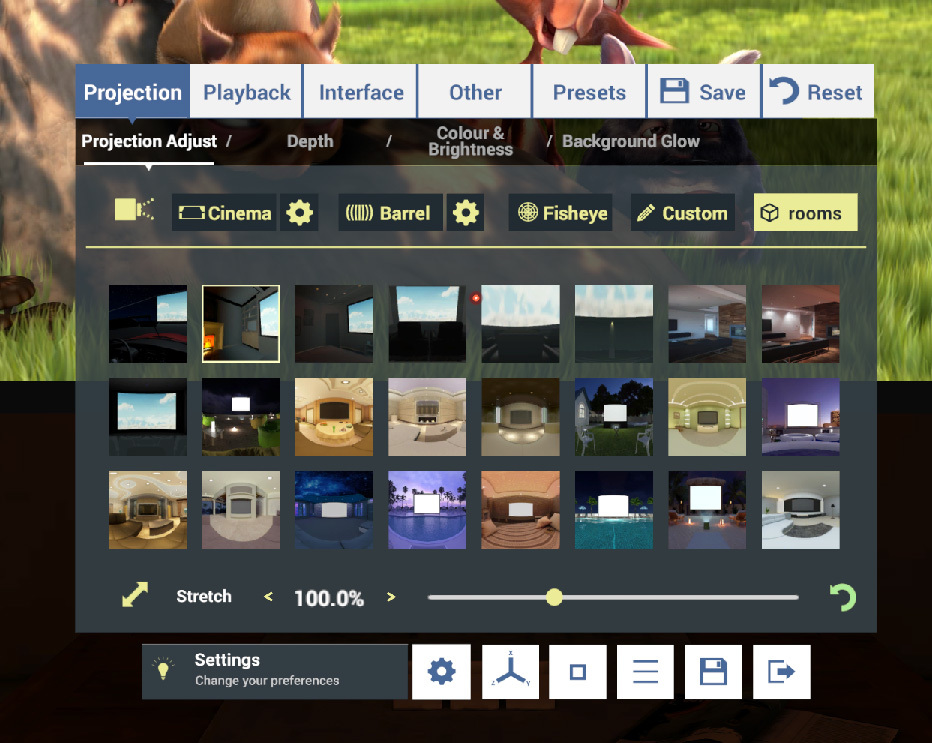
- New environment loft added.
Updates SDK's, Plugin's, Unity
- Oculus SDK
- Unity3D
- SteamVR
- AVpro Video plugin
Bug Fixes
- Double tap of skip forward/backward fixed.
- Corrected reversed backwards/forwards on position panel.
- Fixed scrolling on input menu.
- Fixed double click issue when going from next previous media.
- Fixed tilt up not moving smoothly on hotkeys.
- Fixed (hopefully) the issue with non English setup machines.
- Fixed issue with Windows Mixed Reality controllers.
- Fixed warp restore from preset and depth change.
- Fixed keyboard shortcut restoring to default on each start.
- Fixed Suppressed loading settings checkbox.
- Fixed force mono on all videos. Settings/projections/Depth/
- Fixed Oculus remote not working.
- Fixed fitlers in browser not remember properly.
- Made it so you can't select no filters in the explorer.
If you discover bugs
This is quite a big update with a lot of changes to the core structure of Whirligig. Because of this I might of failed to see new bugs that I've added. Please get in touch here or post on the Steam forum or email me [email protected] I really want to make sure this is a quality update for all users of Whirligig and build a good bases to go forward. The more feedback I can get the better I can make forthcoming updates.
If you have Issues
There are a couple of things you can try. Try resetting the player completely:
https://steamcommunity.com/app/451650/discussions/0/154642901285181817/
You can also return to the previous default build in the betas. To change between betas follow this guide I made:
https://youtu.be/E0g9ICfaxbU
The version of the previous default is
whirligig_early_access_v.4.72
If things are really bad for everyone I'll need to revert back to the previous default but hopefully with you're help I can fix any of the issues you might be having and we can stick with this version going forward.
And Finally
So these are the updates in this default build release. I hope you like them. I'll be working on some small things in the next update which will occur over the next couple of weeks. These will most likely be small changes to fix some UI bugs and improve the stability. If you have any problems let me know so I can include fixes in these updates as well.
And finally finally, thanks for all your support and I look forward to hearing your thought.
Until next time, happy watching :)