1. Stellar Tactics
  2. News

Stellar Tactics News

Patch 0.180 - The new drone mining system and 10 more ships updated
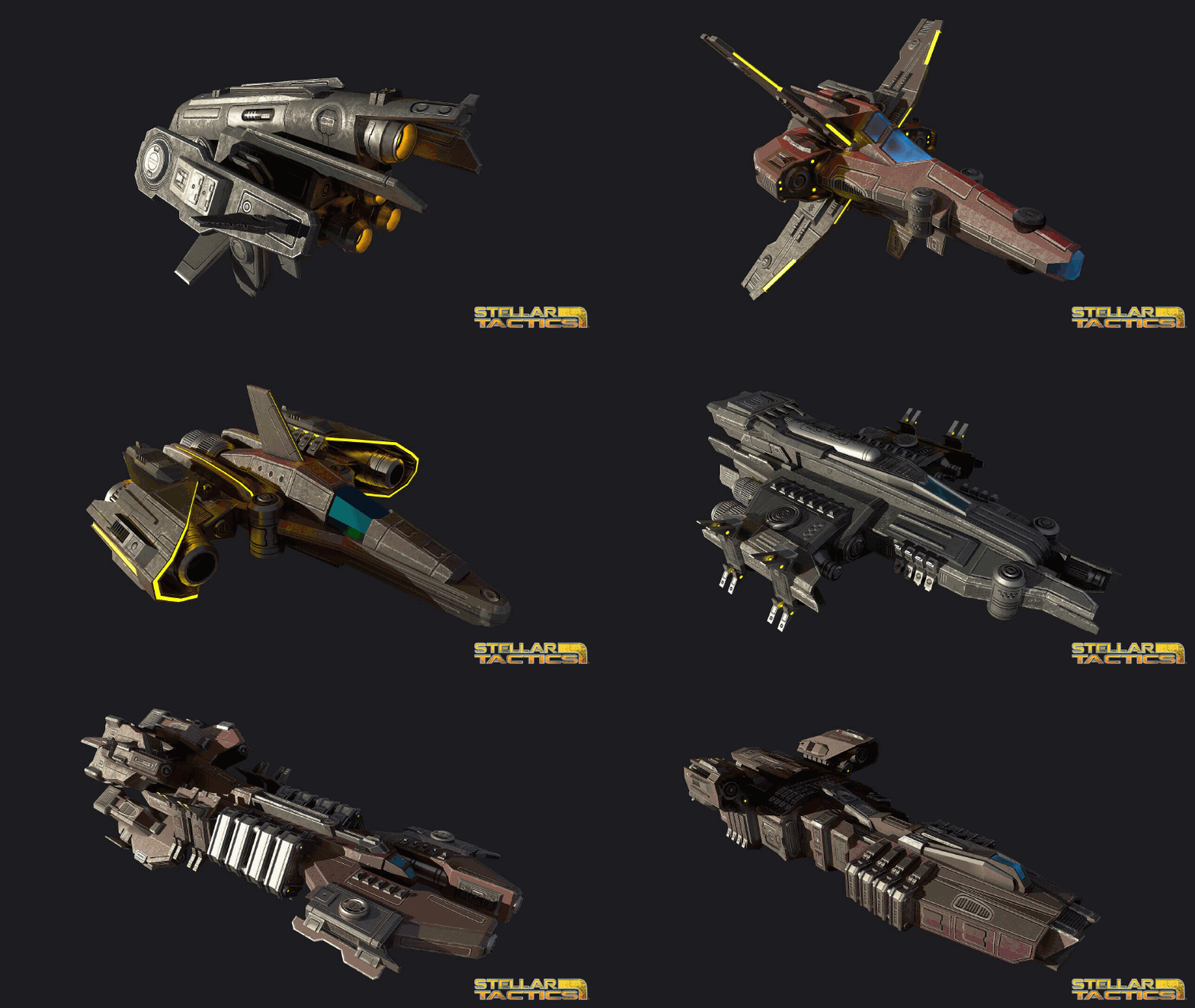
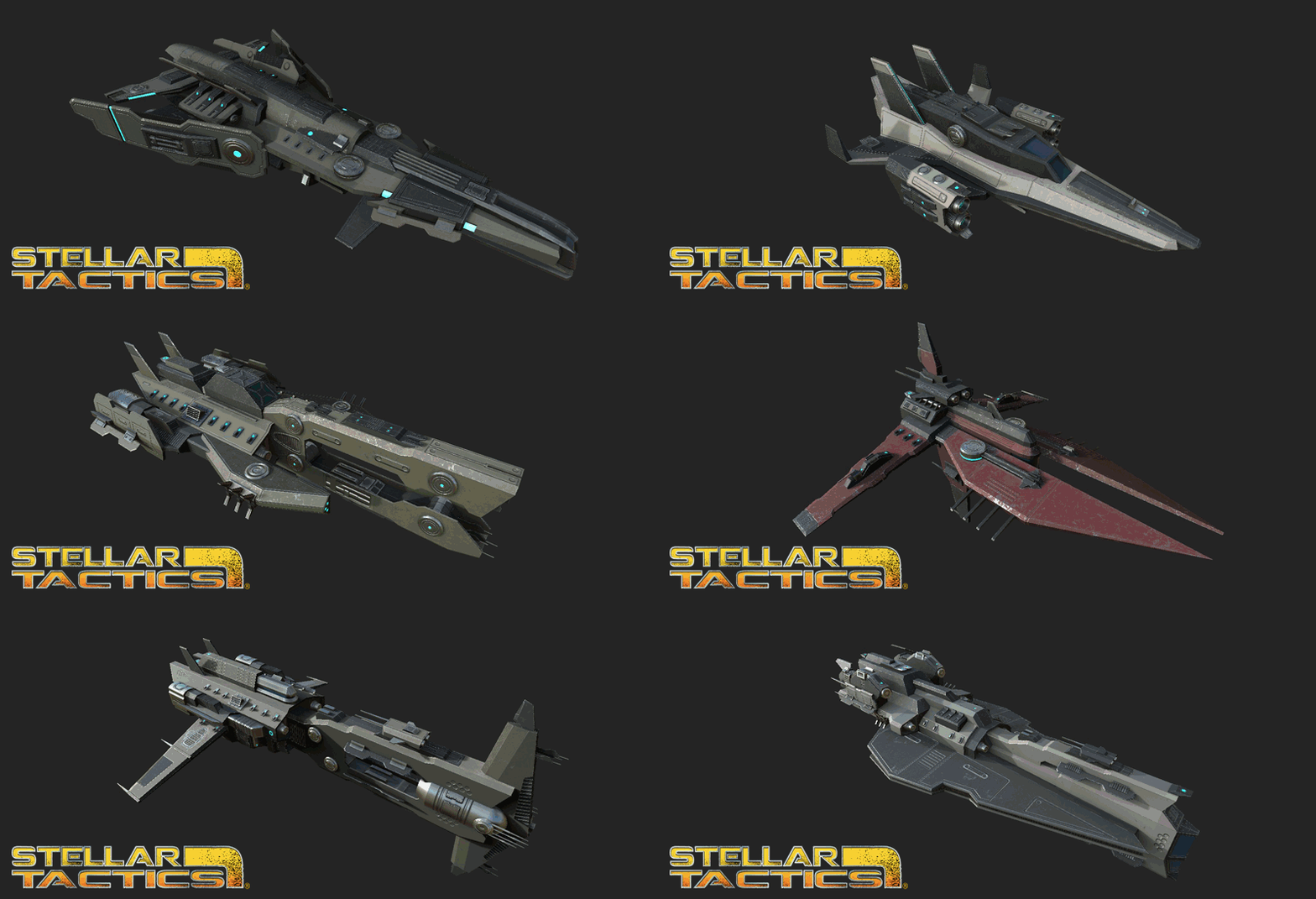
Ten more ships updated!

Aries LATK-2
Vagabond EX-4
Wanderer EX-2
Arden LM-2
Revenant ATK-5
Corsair HATK-2
Ashaton MATK-3
Kraken HATK-7
Traveler EXP-2
Trident MATK-7

https://youtu.be/3cq99khcXo0

The new drone mining system is in the game. Here is how it works.

You can now purchase mining drones at any ship equipment vendor. The total maximum number of drones you can have active and on your ship is 20. Drones on your ship are transferred to any ship you are actively flying so, if you transfer to another ship, any drones aboard your current ship get transferred along with your cargo. Drones are fairly expensive, however, they pay for themselves in a few runs and are a great way to make money while exploring the universe.

Drones have a maximum capacity of 1000 units. When they are deployed, the drones fly to the targeted planetary resource node and mine until full. You can use the drone manager to manage your drones, check their status and set their AI (more on the drone manager below).

Drones have two AI states:
Automatic – Drones will mine a node until full and then fly to the nearest station and unload and sell their cargo. You will get a notification when cargo is sold and credits will be added to your account when the transaction is complete. Drones sell cargo at the base universal average for any resource type. This option is ideal for players who want to earn extra income in a semi-automated fashion to pay for ship and equipment upgrades. If a drone sells a full cargo hold of ore, you will receive mining experience on the crew member assigned to the weaponry station.

Manual – Drones will mine a node until full and then set their status to “IDLE”. The drone will wait on the planets surface until you enter the star system the drone is located at and retrieve the drone. The drone will fly to your ship (assuming you have enough cargo space) and unload the drone to your cargo hold and return itself to storage. This option is designed for players who want to engage in the future trading and crafting features. They can then refine the ore and/or trade crafted items, raw and refined ore. This option will require a ship with a fairly high cargo capacity. If the drone fills its cargo bay, you will receive mining experience on the crew member assigned to the weaponry station.

Deploying a drone:
To deploy a drone you will first need to scan a planet. If that planet has any resources they will be displayed on the planet map in the upper right corner of the screen. Higher skill in scanning will display more nodes if there are any and provide higher quality scan results. The higher the quality of the resource node, the more resources it has available to mine. Higher quality resource nodes also provide higher returns as they are usually rich in valuable resources.

Select the node on the planets surface and the “deploy drone” icon will be displayed below the planet info panel along with the number of available drones you have to deploy. Select the icon and a drone will be launched. The drone will fly to the surface of the planet, the node icon on the planet map will change to let you know a drone is assigned and the drone will be added to the drone manager list.

Retrieving a drone:
Eventually, drones will deplete the resource. A drone with a depleted resource (or a drone that was set to manual that has a full cargo bay) will be displayed in the Drone Manager as “IDLE”.

To retrieve the drone, fly your ship to the system where the drone was deployed, select the drone in the list and click the “Retrieve” button at the bottom of the drone manager. The drone will return to your ship, unload if it has any cargo and set itself to storage. The drone will be removed from the drone manager.

Drone Manager
The drone manager can be accessed while in space via a new icon in the lower left of the screen. You can see how many drones you have and how many are deployed. Every deployed drone is listed and selecting any drone will show you it’s current status ( mining, traveling, idle etc.).

You can also access the drone manager from the Log->Map in space or when at stations or mission locations. Selecting a drone will center the map on the system where the drone is deployed.

If you select a drone while in FTL space, the system the drone is located at will be selected in the upper left system panel making it easy for you to target and approach that system for drone retrieval.

NOTE: Currently “Gas” nodes retrieve ore. I’ll make the changes needed to harvest various gas nodes when I get the trading system in the game.

There is a new in-game guide entry for the drone mining system.

Thanks as always for supporting Stellar Tactics and have a great weekend!
Patch 0.177 Stability and player suggested QoL updates

Hi all! I decided to set this week aside for a major update to the loading code, QoL improvements suggested by the community and a number of urgent fixes. No screenshots this week, just a bunch of things you've asked for that I needed to "get done". Here are the updates and fixes. Hope you all have a great weekend and thanks as always for supporting Stellar Tactics!

UPDATED: Improved loading speed when moving between areas.
UPDATED: Autosaves now take place before transitioning between areas.
UPDATED: Autosaves are now displayed at the top of the load/save menu under the quick-save slot. You can no longer overwrite or delete autosaves.
UPDATED: When saving over an existing save game, that save games current name is displayed by default with a new time stamp in the save confirm dialog.
UPDATED: Increased the animation speed when swapping weapons.
UPDATED: Ship equipment merchants will always carry at least one mining laser.
UPDATED: NPC ships can now be intercepted when micro-warping.

UPDATED: Added new logic for approaching NPC ships so you follow at a distance once in range. This should make intercepting ships in star systems much easier.
--Reduced the speed of NPC ships that are micro-warping to destinations so you can intercept.
--When you are micro-warping and you target a ship and press the "Approach" icon, you will now approach that ship and match that ships speed once you are in attack range.
--If you target another ship or stellar object, you will accelerate back to full micro-warp speed.
--If the targeted ship arrives at it's destination while you are following the ship, you will drop out of micro-warp in range of that ship.

UPDATED: Increased the frequence of drops for several rare mods (Frequency Modulators and Projectile Weapon Barrels).

UPDATED: End turn options now have dedicated key binds:
[1] - Delay Turn - If you have a full bar of AP, this option will let you delay your turn in the turn order.
[2] - Defend - A chance to reduce or completely mitigate the next attack on this character.
[3] - End combat turn

UPDATED - When you are ready to end your turn, you can now press [SPACE] a second time to end your turn so you do not need to manually select a end turn option. This is the same as selecting the new keybind [3].

UPDATED: Another tweak to the number of ships traveling to/from systems.

FIXED: Fixed a rare random lockup when transitioning between areas. This includes a major overhaul of the loading code when transitioning between areas. If you have any issues moving between areas, please post on the bug forums. I've tested this heavily and everything seems to be working as intended. I'll keep an eye on the bug forums over the next few days to make sure the new system is working as expected for everyone.
FIXED: A rare bug related to high faction levels not populating the system object list (upper left menu when in space) correctly.
FIXED: A rare bug related to high faction levels not displaying correct faction information in faction UI on the star map.
FIXED: The names of equipped devices are now correctly displayed when rolling over the icons on the tool bar.
FIXED: Particle systems were not triggered when launching to space when you first recieve your ship.
FIXED: If a rollover tooltip is visible and you leave a menu using the ESC key, that tooltip is hidden correctly.
FIXED: A visual glitch in the new game cinematic when exiting the crio-chambers.
FIXED: When starting a new game, after the intial cinematic, you will not be able to edge scroll until your implants are activated. You can also recenter the camera on your crew with the "Q" key and access the help menu "H".
FIXED: You can no longer select the end turn option "Delay Turn" if you do not have a full bar of AP.

Patch 0.173 - 10 more ships updated and a few fixes


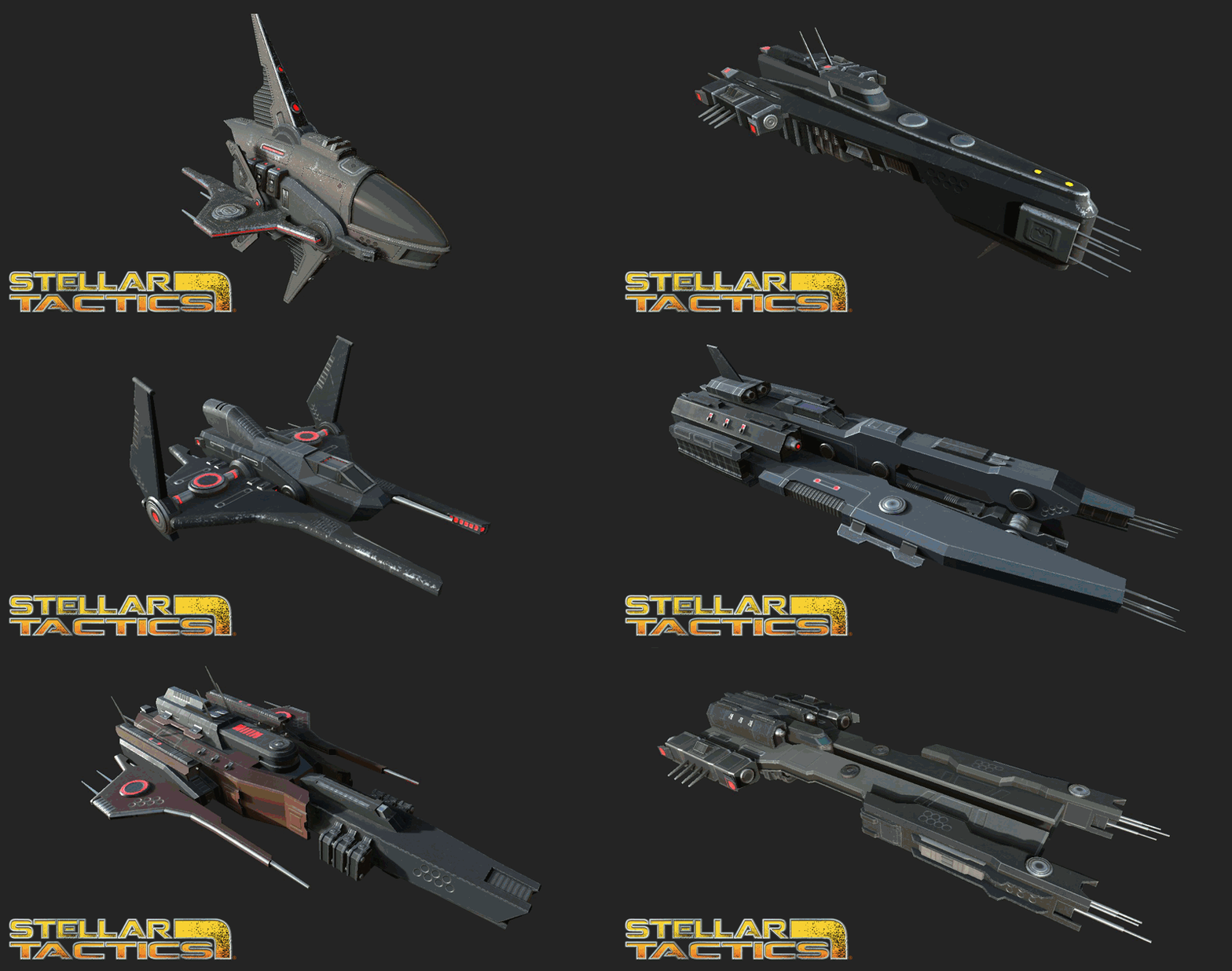
Another patch today. I'm updating 10 more ships and posting a few updates and fixes. Patch notes are fairly short as I spent most of my time getting the updated ship models in the game this week.

Sol EX-2
Starfox EX-4
Pike ATK-2
Mace AK-7
Starhawk EXG-3
Shrike ATK-2
Starnova EXG-2
Hammer ATKG-1
Crate MRCH-2
Crate MRCH-4

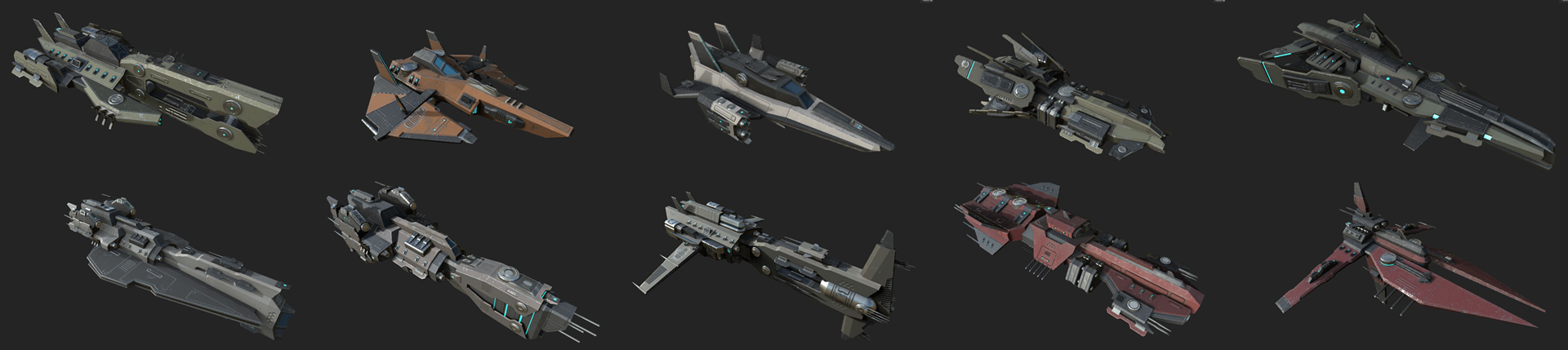
I have one more set of 10 ships ready to implement and will get those in for the next patch, likely a week or two before that's ready. The next patch will also include the new planetary resource mining system.

Here are the notes for fixes and updates:

UPDATED: Another 10 ships have had their models replaced with final ship models
UPDATED: A higher chance for rare and legendary items from elite ships
UPDATED: Drops from elite ships are more likely to be items you can use on your current ship
UPDATED - Better handling of AI ship traffic between systems - still working on this
FIXED - Turret mount points are now hidden correctly when a ship explodes
FIXED - Ship engine lights now scale correctly with the power to engines
FIXED - A bug related to ships spawning into star systems

Hope you all have a great weekend and as always, thank you for supporting Stellar Tactics!

Patch 0.172 - Improved combat pacing, sell your scan data and star map search

Hi all - another patch is ready for release. Today I'm adding a few things - specifically a first pass at improving the pace of combat, new elite ship crews, the ability to sell all the scan data you've been accumulating and a new search feature for the star map. Here are the notes and I hope you enjoy the changes!

ADDED: You will now find elite crews flying around the universe. They are marked with a skull icon. These ships are a bit more difficult than regular ships, however, they are not so overpowered as to be impossible. I recommend that your ship have balanced energy levels as displayed in the ship ship screen so your turrets and shields are charging at the highest possible levels.
--These ships have a much higher chance of dropping legendary and rare gear - double the normal drop rate for these items.
--They never drop basic gear - exceptional is the lowest quality tier.
--Loot from these ships is usually usable on the ship you are flying.
--Check the ships faction before attacking non-hostile elite ships. You will take a faction hit for destroying them.

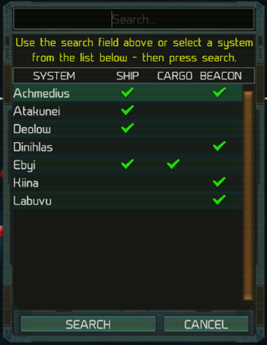
ADDED: The starmap search feature is in the game now. When you open the search menu in the log->starmap UI, you can enter the name of any system and press search to center the map on that star system and set it as your target in the upper left target HUD (if you are in FTL space). You will also get a list of any systems that have stored ships, cargo storage and beacons. Selecting a system from that list and pressing search will center the star map on that system. I'll be doing more work on the log->starmap and on the star map itself so you can better identify systems that have active missions, stored ships cargo, and active beacons.
--IMPORTANT - The search database is populated once you leave Achmedius and start traveling across the map. Search data when first entering Achmedius at the start of the game is limited.


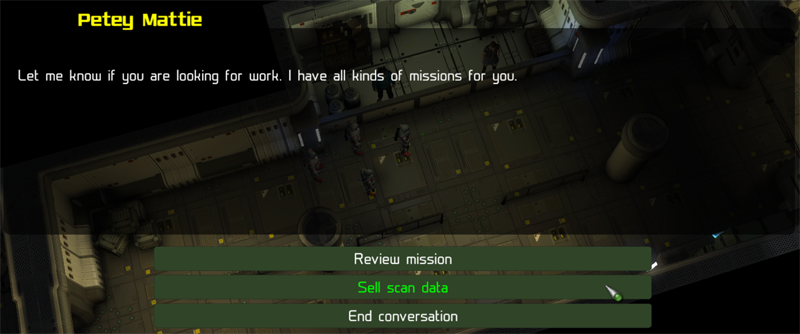
ADDED: You can now sell all that scan data you have been collecting. All faction agents now have an additional option available when you speak with them - "Sell scan data". Faction agents are only interested in scan data in a 6x6 sector grid around them. If any scan data is available they will pay you a one time fee for that information. The price paid for scan data is based on the quality of the scan. When you scan planets, the quality of the scan is based on the level of your electronics skill. That quality value has been recorded since the launch of the game in Early Access, so, if you have scanned hundreds of planets you should see a nice reward. As your electronics skill improves, planetary scan quality is increased. You also gain a small faction bonus with the agents faction when you sell scan data based on the amount of data sold.

SPACE:
UPDATED: Balanced ship shield regeneration and charge levels so they are a bit more in line with what I would expect. Still working on this especially with some of the larger cargo ships.

UPDATED: Increased afterburner speed while in combat. As always, this is a tradeoff. Capacitors are depleted at an accelerated rate if you are flying a ship that is not an interceptor or light fighter.

UPDATED: When you loot cargo from destroyed enemy ships, you now get a small power boost to your shields in addition to any loot you tractor to your cargo hold.

UPDATED: If you are mining, you have a decreased chance of being detected in all systems by scavvers and raiders. Eventually this will be moved to a device you can purchase and equip on your ship (Signature Suppressor). These devices will be of varying qualities and suppress your electronics signature. Your turrets must be actively mining for the effect to be active. For now, the effect is set at a moderate level. There is always some degree of risk when mining. I'm still working on this system and will make changes over time based on player feedback.
--HOSTILE SYSTEM WITH STATION - Moderate chance of attack if turrets engaged. Ships mining in these systems will likely attack you after a period of time.
--HOSTILE SYSTEM NO STATIONS - Low chance of attack if turrets engaged
--WARY, NEUTRAL OR FRIENDLY SYSTEM WITH OR WITHOUT STATIONS - Low chance of attack if turrets engaged

UPDATED: The universe should feel a bit more alive. Adjustments made to AI ship destination and task processing. Still more work to do on this and I'll be adding a few interesting things over time.

GROUND:
UPDATED: Movement and combat animation speed. These are not the new animations - just a quick first pass at improving the pace of combat before the new animations go in the game.
--General movement speed increased while out of combat.
--Movement speed significantly increased while in combat
--Combat animation speed increased
--Weapon reload speed increased
--NOTE: A few attack types are still a bit slow - this is related to the SFX assigned to that weapon. I'll be cleaning this up with the new animations. There are also a few SFX like full auto and burst on some weapons that have a small sound bug that needs to be fixed

FIXED: Changing weapon fire modes while using the combat queue works again.
FIXED: Improved performance when scrolling star map
FIXED: When the fine aiming key is pressed ( [E] by default ) you will no longer move when clicking an enemy.
FIXED: Heavy weapon mercs will now be assigned the correct weapon type when spawning in the game environment and when initially assigned to your crew.
FIXED: A rare combat lockup related to opening inventory at the exact moment a team members turn was being switched.
FIXED: A combat lockup related to movement while items are in your combat queue. Movement is no longer allowed if you have queued combat attacks. You will need to clear your queue [BACKSPACE] before moving. A message is sent to the log if you are trying to move when a queue is active. I'll be adding a queue indicator to the screen in a future patch.
FIXED: Display of navigation path information is now disabled if you have attacks in your combat queue.
FIXED: Status effects in top rollover info bar while in ground combat are now updated immediately.

Whats coming next?
Passive ground based mining - You will be able to purchase and launch drones to resource nodes on planets where they will mine until full and then notify you so you can retrieve them and sell the ore.


10 more of the ship replacement models will be going in the game:
Pharris Sol EX-2
Pharris Starfox EX-4
Pharris Pike ATK-2
Pharris Mace AK-7
Pharris Starhawk EXG-3
Pharris Shrike ATK-2
Pharris Starnova EXG-2
Pharris Hammer ATKG-1
Pharris Crate MRCH-2
Pharris Crate MRCH-4

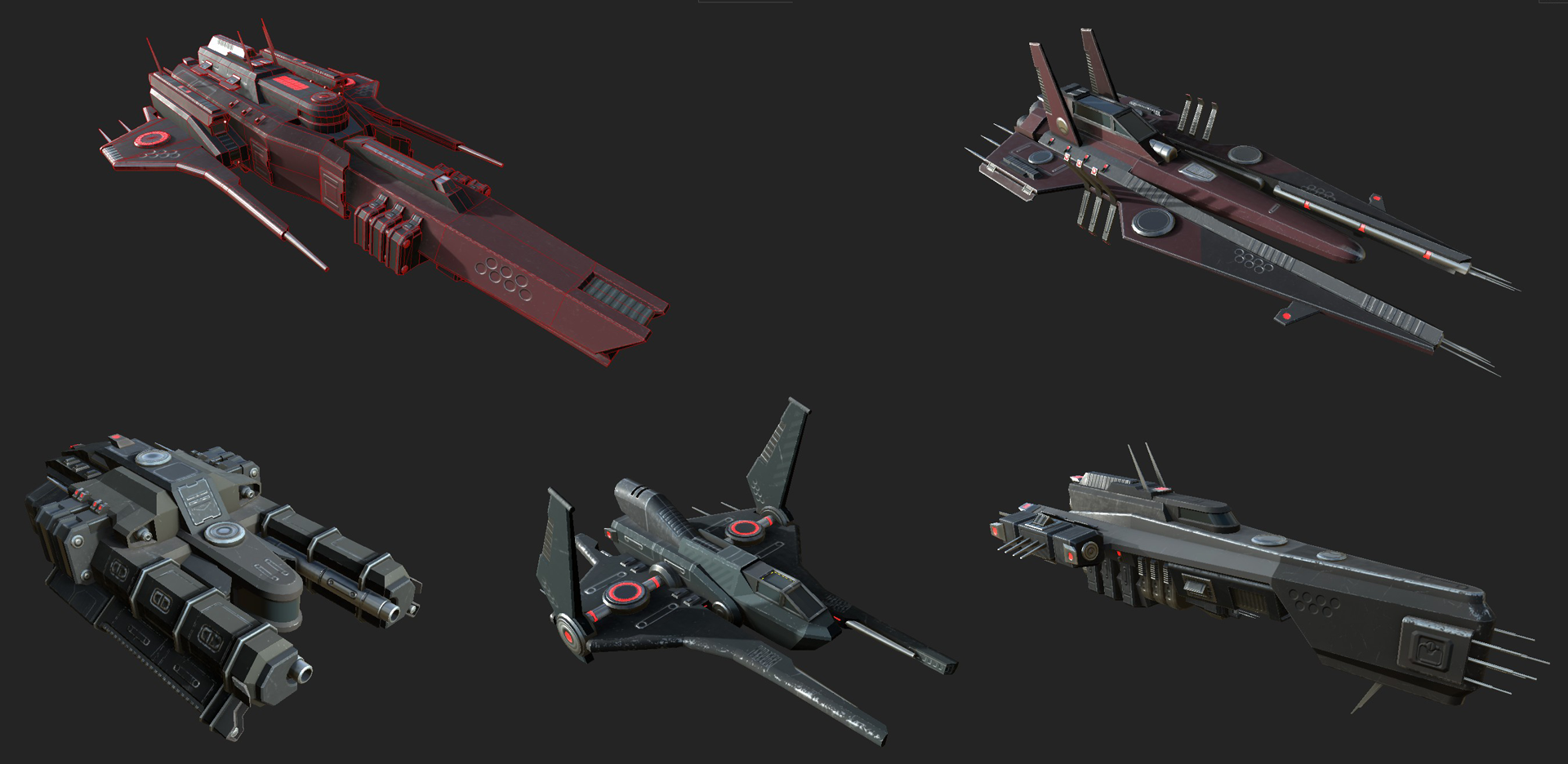
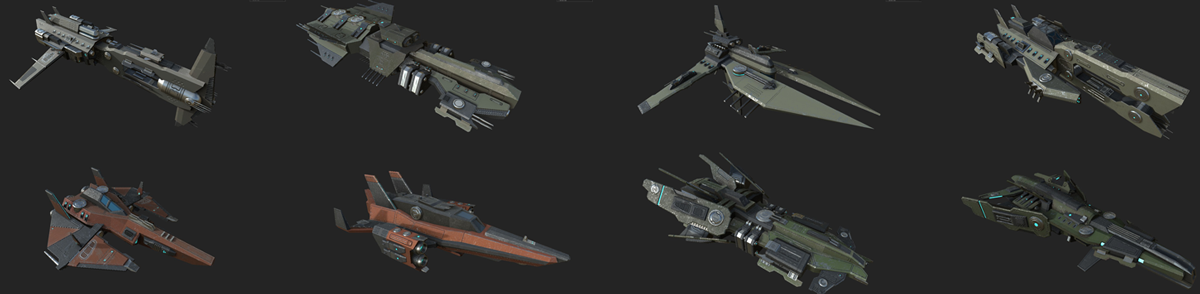
And one last screenshot of more ships being worked on.

Patch 0.171 Updated ship models and cargo storage


Hi all - hope you enjoy the patch. New ship models, cargo storage and a number of bug fixes.

UPDATED SHIPS: 10 of the 40 ships have been updated with final ship models. I'll continue adding the final models as they are completed. If you have any of the following ships, the next time you enter space you will be flying the new-shiny-updated version of the ship. There have been no changes to your equipment - just load and go. Hope you like them...
Victory FT-2 - Light Fighter
Arrow FT-1 - Light Fighter
Triumph ITC-4 - Interceptor
Rovah MK-1 - Explorer
Talon ATKR-2 - Medium Fighter
Khaal ATKR-4 - Heavy Fighter
Tarsus MRCH-2 - Light Merchant
Severin MRCH-2 - Light Merchant
Heron MRCH-3 - Light Merchant
Exetor ATKR-7 - Heavy Fighter

CARGO STORAGE: The cargo storage system is included in this patch. It is a pre-requisite for some of the work I need to do next and had to go in now. On most stations in the universe and at the Achmedius trade station, you can now purchase cargo storage space. Once you purchase storage space, it is yours forever - there are no upkeep costs and you will have 200 "slots" to store cargo items on that station.

Cargo storage is accessed via a "terminal" near the entrance of any non-hostile station that offers trade services, merchants and faction agents. You can press "TAB" to highlight the new terminals. Selecting the terminal will give you an option to purchase storage on that station. Once purchased, you can move cargo from your cargo hold to storage and back.


You can place ore, ship equipment (turrets, shields etc.) and in the future commodities and refined ore. You cannot store regular gear in cargo storage (ground weapons, armor etc.). You have a stash for all of that.

Cargo storage differs from ship cargo space. That is, a "slot" can hold unlimited stacked items. For example, lets say you have 200,000 units of raw iron ore. Placing that ore in your cargo storage will only take one of the 200 slots - a slot is just that, an item of any single type takes up a single slot. Every ship component you place in storage takes a slot because each ship component is unique. On a ship, storage is calculated in cubic meters. So, if your ship has 1000 cargo, you will only be able to move 1000 units of iron ore from your stations cargo storage container to your ship assuming your cargo hold on your ship is empty. Cargo storage is only available on any station where you purchase it.

I'll be adding a way for you to track where your storage (and ships) are located in the universe in a future patch. For now, just make a note of where you purchased storage or set it up in Achmedius. You can always jump there from other systems.

So, why cargo storage?
--You may want to store ore or commodities until you can find the best sell price in the Universe.
--You may find a shiny Legendary warp drive for a ship you don't have yet and do not want to clutter up your cargo hold.
--Refining storage (a future feature) - You will be able to refine raw ore and store it in station storage until you can bring your massive cargo ship and haul it to your favorite sell point.

And a few bug fixes:
FIXED: Tab targeting when in space combat would occasionally cause a crash to desktop.
FIXED: A very rare bug that could leave characters in a state where they could not move.
FIXED: Mercs with heavy weapons now apply the correct default heavy weapon settings when recruited so their default weapons function correctly. Any default merc heavy weapons can be removed and then equipped again to reset the weapon so it functions.
FIXED: A bug that could occasionally initiate a combat attack when using the rotate key.
FIXED: When in combat and moving, you can no longer select the rotate function which could have locked up the game in rare cases.
FIXED: You can no longer switch fire modes on your weapon once a combat attack has been started.
FIXED: It was possible after initially hacking a chest or locker to click that chest or locker after a successful hack, displaying the hacking interface. This is no longer possible. There is a now a small delay before you can attempt to hack a chest or locker gain (2 seconds).
FIXED: After hacking a locker, there was a delay before loot was displayed. Loot is now displayed immediately.
FIXED: When the entire stack of items was sold to a vendor (ore), a "phantom" cargo item could be left in the inventory. This could happen multiple times resulting in an incorrect display of the number of cargo items in your cargo hold.

And a glimpse of several of the second set of ship model replacements that will come in a future patch. Next up, some enhancements to the star map in the log to allow for system searches, display of cargo storage locations and ships stored on stations. I'll also be working on the passive drone mining system, a pass at space combat balance and more. I'll keep you all posted as I make progress. Hope you all have a great weekend and thanks for supporting Stellar Tactics!