1. Rec Room
  2. News

Rec Room News

Rec Room UPDATE - the "All That and a Bag of Chips" Edition

[h2]TLDR[/h2]
  • Added Music Mode B)
  • We fixed a large performance regression with R2 rooms, and performance should be back to where it was a few weeks ago.
  • We fixed a longstanding issue with room reports - you can now include all the details you need or want to include with your room reports. Thank you rec roomers for flagging this one!
  • It's now more difficult for loading players to break rooms and we're providing better logs for loading issues.
  • A whole lotta chips are out of beta, check the list below!
[h2]Full Body Avatars[/h2]
  • We've convinced the hand grip animations to stop being stubborn and actually update the grip values when you change your grip. It's, it's, it's, hmm... Grippy !
  • Beginning a new experiment for some new players to start as a Full Body Avatar when loading into the game for the first time.

## Rooms 2.0
  • We fixed a performance regression where players would lose a significant amount of performance in R2 rooms compared to R1 rooms. Let us know if you're seeing improvement this week!
  • Multi-selecting components with the connect tool now properly parents the object boards without causing any existential crises.
  • Ribbon tubes from R1 rooms now have their passports and can travel safely to R2 without getting lost in the code.
  • Fixed an issue where R2 invention containers and shapes were playing hide and seek and not tracking to the correct invention. They've been caught and are now behaving.- We made external parent wires hidden when in a lower scope. This fixes the behavior of "Hide Higher Scope Boards" so that the wires of higher scope boards are hidden in addition to the chips, now you'll no longer get floating wires.
[h2]General Improvements & Bug Fixes[/h2]
  • Fixed the broken room report UI where there was an aggravating text bug that would make it difficult to type a lot of details in a room report. you can now include all the details you need or want to include with your room reports. Thank you rec roomers for flagging this one"
  • Spammers be gone, we disabled the "Go To" button for non-friends in all situations.
  • Leaguers can now sign in relief, we fixed an issue where teleport and snap rotating players could send items through the ground.
  • The maker pen menu buttons now have a consistent font size and won't go through identity crises when clicked.
  • Expanded out a white bar UI issue with the Friendotron.
  • Made it more difficult for loading players to break rooms.
  • Improved the messages for circuit errors you get when a player receives CV2 events before they've fully loaded.
  • The Gun Handle Released event was feeling shy and refused to fire after reloading, but we've boosted its confidence with a pep talk and some bubbly. It's now firing as expected!- We have removed Portrait Mode! You will enter the game on mobile in Landscape mode from now on.

  • We've added a new voice chat setting for those of you who like to play music or have their mic tuned just the way you like it. You can find "Music Mode" in the "Advanced Microphone Settings" section of the audio settings page.- Improvements to the 'copy code' and 'share link' buttons.

  • "Copy code" button copies just the code now.

  • Changed the text on the "copy link" button to "share link".

  • Screens and mobile players can now press buttons even when you're reeeeeally reaaaaally close to them. Like super close.
  • Fixed scroll snapping when changing pages in the Watch, so now it'll look silky smooth B)
  • Added a "view invention details" button for both R1 and R2 inventions. When you have any part of an invention selected, a menu option will be available that says "View Invention Details", which will then take you to the invention details page. Pretty neat, huh?
  • When deleting points from a curve shape (MakerPen), you can delete all but two points instead of one so that the bad things don't happen :)
  • The report button should now appear on player profiles that are blocking you. No spam reporting for being blocked please, but do report if you've experienced CoC breaking behavior.

  • The following chips are now out of beta! (including some event ones ahead of RecCon!)

  • NavMesh Sample Position
  • Objective Marker
  • Objective Marker Attach To Player Or Object
  • Objective Marker Get Color
  • Objective Marker Get Current Distance
  • Objective Marker Get Distance Enabled
  • Objective Marker Get Enabled
  • Objective Marker Get Fade Threshold
  • Objective Marker Get Label
  • Objective Marker Get Label Enabled
  • Objective Marker Get Position
  • Objective Marker Get Target Object
  • Objective Marker Get Target Player
  • Objective Marker Set Color
  • Objective Marker Set Distance Enabled
  • Objective Marker Set Enabled
  • Objective Marker Set Fade Threshold
  • Objective Marker Set Label
  • Objective Marker Set Label Enabled
  • Objective Marker Set Position
  • Quick Chat Table
  • Quick Chat Table Set Enabled
  • Leaderboard Get Projector Enabled
  • Leaderboard Set Projector Enabled

  • Spawnable tools: Leaderboard Projector

  • And some chips have been added to beta ahead of this year's RecCon!

  • Add Chip: Destination Event Constant
  • Add Chip: Destination Event Variable
  • Add Chip: List
  • Go To Event
[h2]RRStudio[/h2]
  • Added a new field to the Canvas Interaction component in Rec Room Studio to let you force control hints to show up for all platforms on a canvas. You can also use this to suppress control hints on all platforms, in case of an extra dense UI.
  • By default, Screens players always see control prompts for UI, and touch players do not. This default is not new behavior, but is subject to change in the future.
  • The Grabber template in RRStudio got a little TLC to stop those pesky non-serialized component issues.

Please see here for convenient links to controls, tutorials, comfort options, etc.:https://recroom.com/community

We love to hear your feedback, so please don't hesitate to let us know what you think.
Rec Room UPDATE - the "Bool spits lazy facts" Edition

[h2]TLDR[/h2]
  • Bool chips are now lazy but also faster and more efficient!
  • Your saved outfits with custom shirts can be worn again. Show me that fit!
  • The Pathfinder will make better choices on where it is going (or not going).
[h2]Full Body Avatars[/h2]
  • Addressed that pesky issue where custom shirts in saved outfits were playing hide-and-seek. They're back, front and center where they belong.
  • Fixed an issue where VR players in Full Body Avatar could experience minor hand jitters under certain circumstances.
[h2]General Improvements & Bug Fixes[/h2]
  • Bool chips got smarter and lazier, now they'll stop working as soon as they know the answer, saving heat and preventing circuit errors. Bool chips will now 'short circuit' when possible, such that they do not evaluate the remaining inputs when the output can already be determined. This includes 'And', 'Or', 'Nor', and 'Nand'.
  • Put an end to the twisty-turny drama with tube and ribbon curves snapping. You can no longer snap grid point rotation when creating a curve with a tube or ribbon. When grid snapping was on, the curve control points could end with rotations that did not match user expectations.
  • Added a new Circuit Board Maker Pen "Scale Control Panel Offset" tool setting. The setting defaults to true/on - maintain current behavior. When it is set to false/off, the control panel will maintain a constant distance from the object when the object is uniformly scaled.
  • Squashed the bug where tapping a deep link might take you on an unexpected detour to your Dorm instead of where you wanted to go. Now you'll land where you intended, no surprise pit stops!
  • Eliminated a persistent autocomplete dropdown bug where autocomplete options appear persistent on the screen even when players aren't actively interacting with the input text field.
  • We uncrossed our wires to fix a bug where when using wire on an input circuit pin, the config menu wouldn't always pop up on your maker pen UI.
[h2]Rooms 2.0[/h2]
  • Taught Pathfinder to listen better to the Rec Room Object Reset chip, it's finally maturing :,)
  • Pathfinder also learned to think before acting. If it gets two requests during the same frame, it'll now go with the most recent one, like the true multitasker it is.
[h2]RRS[/h2]
  • We optimized slow Studio Function Animator method calls to
    Animator.SetFloat(string name, ...)
    ,
    Animator.SetBool(string name, ...)
    and
    Animator.SetInteger(string name, ...)
    to substantially reduce performance impact when these are called frequently.
  • Squashed an exception that could occur during a domain reload when the Asset Palette tab is open.

Please see here for convenient links to controls, tutorials, comfort options, etc.:https://recroom.com/community

We love to hear your feedback, so please don't hesitate to let us know what you think.
Rec Room UPDATE - the "Dry Eyes" Edition

[h2]TLDR[/h2]
  • Updated grabbable items and consumables for Full Body Avatars, now you can finally pour water into your mouth (instead of your eyes) on Screens!
  • Touchpad component changes
  • Patched glitch-grabbing exploit for longbow and goblin wand
[h2]Full Body Avatars[/h2]
  • Sometimes hands felt a bit clunky when releasing grabbed items, like there was a kind of ghost collider getting in the way of whatever you were holding as soon as you dropped it. We found the ghost and exorcized it. (Who you gonna call? Coach busters!)
  • We took a pass at the 500+ items you can grab in the game and updated how they look in your hand and how you look when drinking and eating. For example, you'll no longer pour the water bottle into your eye when trying to take a drink on screens. There are just a few challenging outliers (like the Rec Royale Glider) that need some special love - we'll get to those in a future update.
  • Fixed watch lag and anchoring in VR for FBA.
  • Repositioned FBA seated positions to align with bean offsets.
[h2]General Improvements & Bug Fixes[/h2]
  • Reduced temporary memory allocations during circuit execution by removing extra enumerator allocations in foreach loops caused by the interface.
  • Function definition nodes can now be cloned and put into inventions.
  • When wiring together incompatible ports on chips in a beta room, a conversion chip will automatically be inserted between them when possible.
  • Fixed a bug that could cause issues with Player Boards for joining players with a custom voice rolloff player trait.
  • Added a setting to Interaction Volume V2 to allow creators to hide/show the outline while hovering.
  • Fixed a bug where party or club chat would be un-selectable when switching tabs.
  • Fixed the size of room and item card loading placeholders that were loading in at the wrong size.
  • Fixed an issue where bogus VR tracking data could cause rendering issues
  • Okay, don't get too mad at us, but we had to patch the glitch-grabbing exploit for the bow and the wand in VR. Sorry, gang.
  • Fixed broken behavior after unlinking an account from a device. Don't worry, guys - we turned it off and back on again.
  • Fixed a bug where some text validation was not run on Xbox input prompts.
[h2]Rooms 2.0[/h2]
  • Baked a fix for issues with non-hierarchical NavMesh baking in R2 rooms.
  • Fixed an issue where when using the connect tool to reparent objects in R2, a selected item may go out of scope and should no longer be selected
[h2]RRS[/h2]
  • Fixed issues with the copying of Clamp, Rotator, and Piston content from legacy rooms and pasting them into Rooms 2.0 rooms.
  • Square up! Cubemaps will now have a more optimal texture format automatically applied for mobile platforms.

Please see here for convenient links to controls, tutorials, comfort options, etc.:https://recroom.com/community

We love to hear your feedback, so please don't hesitate to let us know what you think.

Rec Room UPDATE - the "We added a TLDR Section!" Edition

[h2]TLDR[/h2]
  • Starting Tuesday an experiment for "My Dorms" is starting - check your creation tab on the watch!
  • The crafting cost of the Stone Axe has been lowered in MLM.
  • 10x more recording time in Holotars V2!
  • Loading and networking issues have been improved.
[h2]My Little Monsters[/h2]
  • The Stone Axe crafting cost has been lowered to 1 Wood, 1 Stone, and 1 Crystal.
  • Objective markers display on wood, stone, and crystal right outside the first portal.
[h2]General Improvements & Bug Fixes[/h2]
  • Players shouldn't fail to load into rooms as frequently.
  • The maximum Holotar (V2) recording duration has been increased from 30 seconds to 300 seconds - that's 10x more time for recording brainrot!
  • Pressing the 'Clear' button on a Holotar recording window will now display a confirmation button before deleting the recording.
  • Moved the Animation gizmo controls to their own Maker Pen menu tab.
  • 'Toggle Button Set Is Pressed', 'Print Text To Screen', and 'Clear Screen' chips will now consume the correct amount of "network heat" when used. Network heat is the name we use for how much data is sent over our network, and because these chips weren't counting correctly, the networking in some rooms was breaking. Yay, thermodynamics!
  • Cloud lists are now out of beta!
  • Fixed a bug where functions without exec ports could return incorrect values if multiple calls were made during the same exec.
  • Monitor rooms for corruption and refuse to save them if corruption is detected in rooms, invention creation, or invention spawning.
  • Pressing the 'Clear' button on a Holotar recording window will now display a confirmation button before deleting the recording.
  • Fixed up some old bugs around fist bumps and high fives making them easier to trigger.
  • Removed placeholder text when the UI is loading.
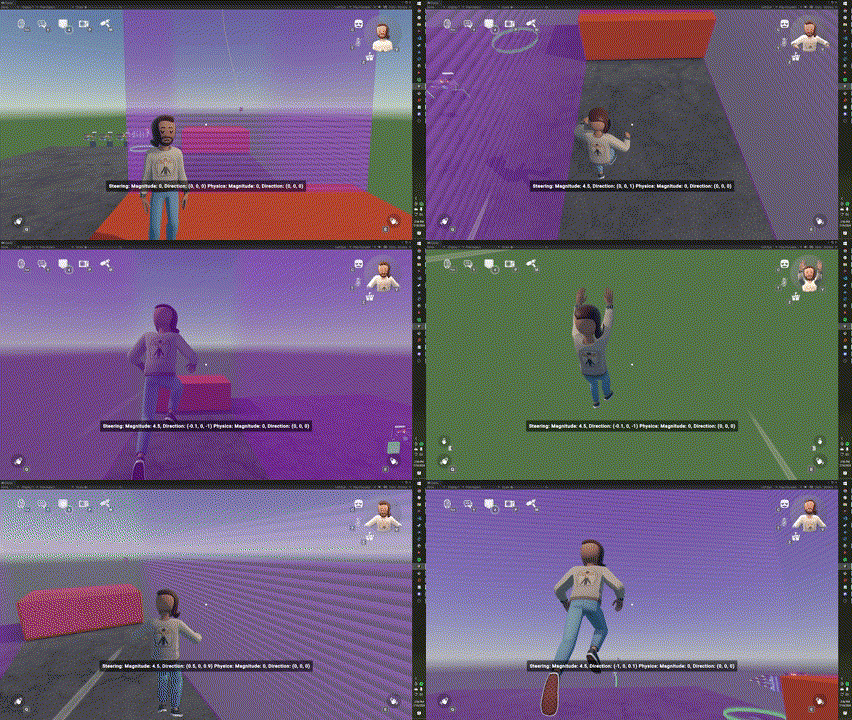
  • New LocalPlayerSetGravityDisabled node will let you turn off gravity for the local player!
  • Once you're floating around you can use custom locomotion or the new PlayerGetPhysicsVelocity, PlayerSetPhysicsVelocity, and PlayerSetSteeringVelocity nodes to finely control your movement.
  • Fixed an issue that prevented 'Data Table Get Column Count' and 'Data Table Get Row Count' from being configured to a data table.
  • Toggle Button components now have a 'Synced' toggle, allowing their pressed state to be unsynced between players.
  • Translated an untranslated Progress tab label in the profile page.
[h2]Rooms 2.0[/h2]
  • Fixed the issue where
    Equip Object to Dominant/Off Hand
    chips failed when used on a handle not in a hierarchy.
  • Replicators can now be included in inventions.
[h2]Experiments[/h2]
  • We're trying out some Token Store layout changes over the next few weeks. We've also fixed a few bugs and made some general improvements related to token purchasing.
  • We're launching an experiment this Tuesday on adding "My Dorms" to your creation tab in the watch. Make multiple dorm rooms, save them for later, and swap out the look of your room for the seasons or events!
[h2]Rec Room Studio[/h2]
  • Added new Asset Palette UI to streamline creation workflow.

Please see here for convenient links to controls, tutorials, comfort options, etc.:https://recroom.com/community

We love to hear your feedback, so please don't hesitate to let us know what you think.

Rec Room UPDATE - The "My Little Template" Edition

[h2]Cross-room Party Voice Chat[/h2]
  • Cross-room party voice chat is now available! Communicate with your friends in different rooms and keep in touch no matter what you're up to, all within Rec Room!
[h2]Rooms 2.0[/h2]
  • The Eyedropper tool is now available!
  • Custom Locomotion: Request Steering chip now supports instant acceleration (zero acceleration duration). 0-60? More like 0 to the digital future, amirite?
  • Players can now rename containers from the MakerPen Hierarchy window.
  • Fixed the reset bug for
    Reset Room
    and
    Rec Room Object Reset
    chips.
  • Reparenting multiple objects at once will now maintain any circuit connections between their Object Boards.
  • Fixed an issue where clicking the edit button would edit out of circuit boards.
[h2]Full Body Avatar[/h2]
  • There were some discrepancies with how floating bean and full body items looked, especially for glasses items. We wrote some automation to seek out these offenders and discovered mismatches in how the shaders were authored between our floating bean and full body items - so now they're fixed!
  • Fixed a bug where head scale wasn't displaying correctly on FBAs when changing rooms.
[h2]General Improvements & Bug Fixes[/h2]
  • Fixed a bug where the Holotar scale did not match the player avatar size when scale was 1.
  • Text may be a little sharper on some platforms (but shouldn't be too noticeable).
  • Hands will no longer sync if you are typing into a sensitive text field in VR (passwords, personal info, private messaging, etc.). Does not apply for insensitive text fields, though. They wouldn't really care anyways!
  • Restored the avatar snapshot as your default profile photo for new players.
[h2]Rec Room Studio[/h2]
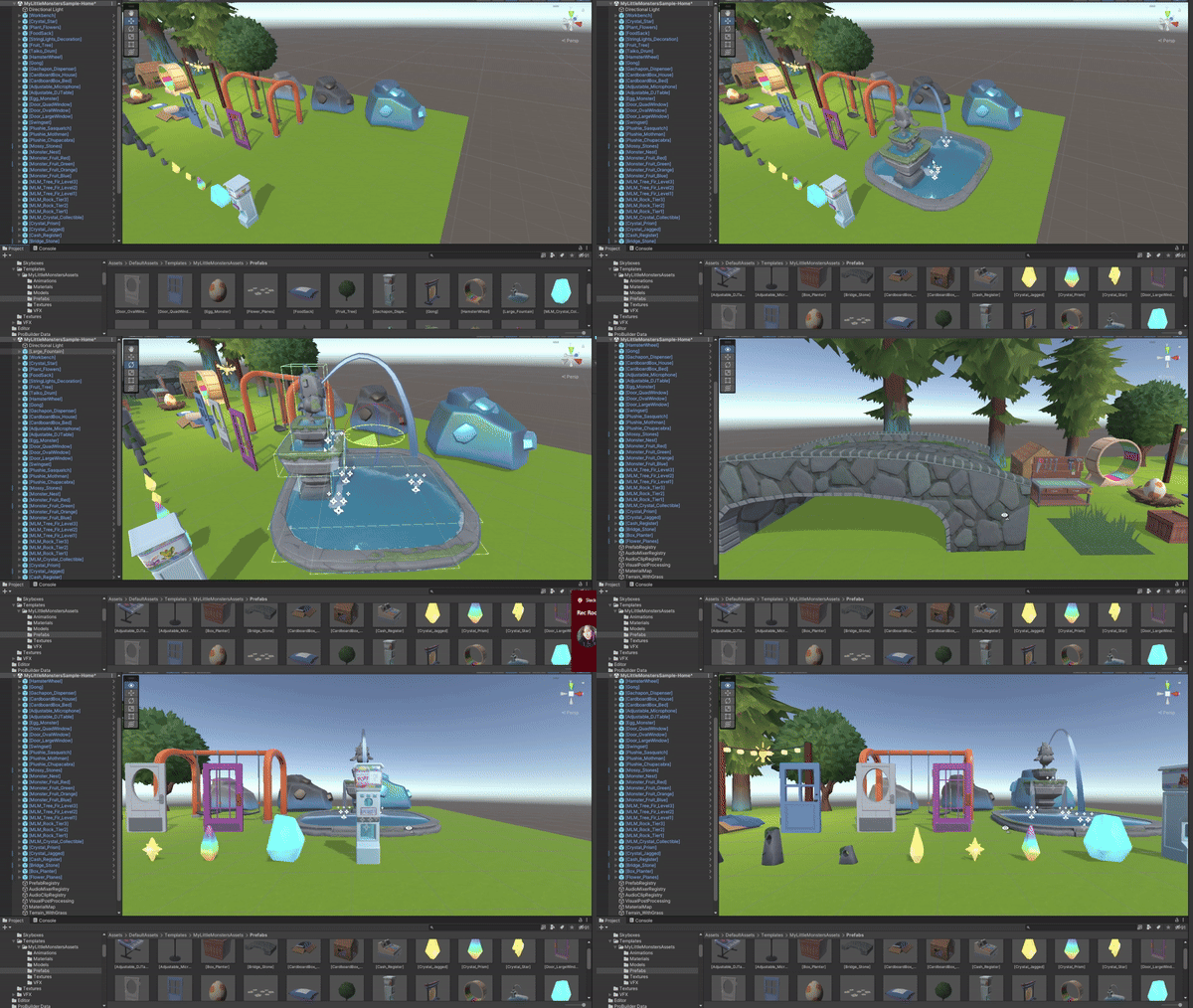
  • New projects created using the Rec Room Studio launcher will now include default assets from My Little Monsters! We also have a new kit-based Template Room available from the Create menu in-game, so even if you can't use Rec Room Studio, you can find all these assets and use them!
  • Added the new "Instance Recolor" component which allows you to have different per-instance colors without using multiple Materials to do so. Instance Recolor can also be used with Studio Functions to dynamically change the color of objects from Circuits!
  • A new validation error will appear when the
    AudioMixerRegistry
    specifies an invalid
    Studio Mixer
    object.
  • Fixed an issue where textures used by Terrain, RawImage, or ParticleSystem components appeared at a lower resolution than intended.
  • Prevented an issue with cameras in VR by ensuring that the camera doesn't have 'Target Eye' set to 'Both"
[h2]Experiments[/h2]
  • Some new players may start out in third person (with the option to toggle to first person, of course!)
  • Some players may have access to the new pinch feature, which can change the camera perspective and zoom on Touch.

Please see here for convenient links to controls, tutorials, comfort options, etc.:https://recroom.com/community

We love to hear your feedback, so please don't hesitate to let us know what you think.