1. Stormworks: Build and Rescue
  2. News

Stormworks: Build and Rescue News

Stormworks Version 1.0 Out Now!


Dear Stormworkers,

Version 1.0 is here!

Check out the new trailer.

Remember, Version 1.0 is just the beginning. We have big plans for many minor and major updates as development continues as normal, as well as loads of time put aside for fixing and improving the game.

Experimental branch is live! To access experimental branch and the new modular engines, go to your Steam library, right click on Stormworks, then go to the Betas tab. Here you should be able to select the "experimental" beta.

There is a huge amount in this update. Please see below for the full change log, but lets briefly recap the biggest new features in todays update!
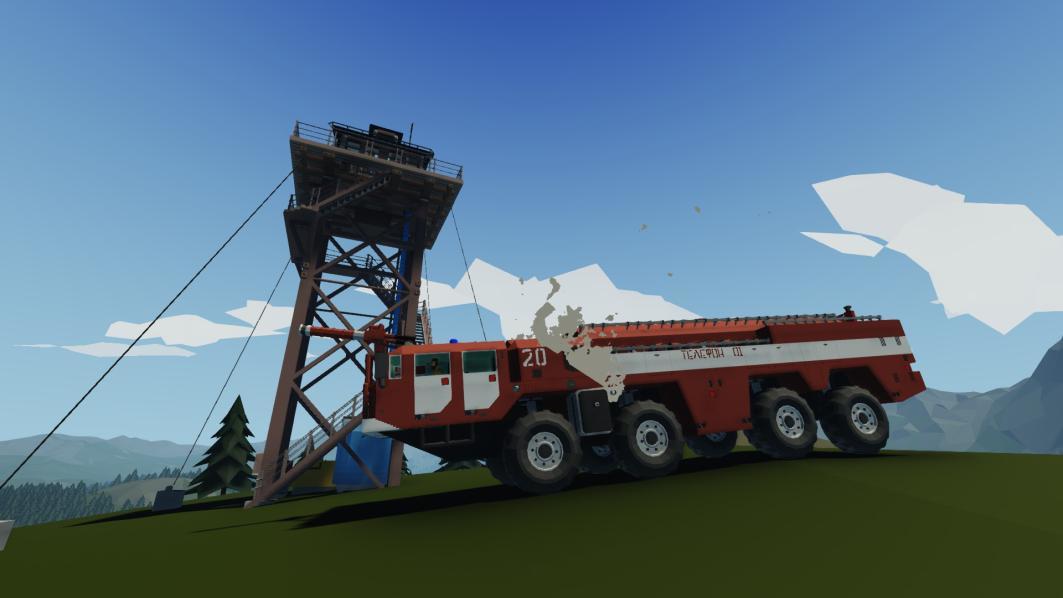


New LUA Game Modding

We have added a whole new type of content creation in Stormworks - game scripting! We have added scripts to the mission editor, and a whole new API for controlling the game from here. We used this to make the new missions, tutorial, and cargo system, but is can also be used for servers, or creating new games within the Stormworks world.

First Person Body, Tools, Equipment

You now have a body when in first person mode, and can use handheld tools and equipment. There is repair tools, medical equipment, tracking and illumination equipment and more!

Spreadable Vehicle Fire

Fire on vehicle now spreads! Fire creeps along surfaces, damages components, and hurts players. Fire can quickly get out of control and is a huge new design consideration when creating Stormworks vehicles. Fire respects doors and is compartmentalised.

New Career and Missions, Tutorial, Logistics

There are new procedural missions, the new tutorial, and a container cargo handling system. There is now a huge amount more to do in the world of Stormworks, and much more to come, with an open API for creating gameplay content.

New Customisation Menu

You now have full control of game settings, real time from within the game. Infinite fuel and electric, teleporting, damage, first person, map visibility and more!

Weather Simulation & Seasons

Weather is now locally simulated, and more extreme. Expect stronger winds, bigger waves, and predictable weather systems and storms.


Thank you to all players who bought, played, discussed, shared on the workshop, suggested features, and reported bugs, for helping us reach this huge milestone! It is a huge privilege that so many of you have chosen to spend so much time playing our game, and it means a lot.

There is so much more to come in the world of Stormworks, and we look forward sharing this journey with you all as we continue to make Stormworks as good as it can be!

Much love
The Stormworks Developers

Patch Notes

v1.0.0


Major Feature - First Person Tools and Features
Major Feature - Playlist Lua Scripts with extensive custom mission and gamemode support
Major Feature - Weather Simulation and Map Overlays with Seasons
Major Feature - Vehicle Fire Spread
Major Feature - Creative Menu is now Custom Menu and has many new customisation options and tools
Major Feature - New Tutorial and Procedural Mission Playlists
Major Feature - New First person experience and animations
Major Feature - Multiplayer Improvements and Optimisation

Major Feature - Experimental Steam Branch
Experimental Feature - Modular Engine Parts

Feature - Manual doors can now have custom names
Feature - Wind no longer affects 'indoor' areas
Feature - Damaging Engine / Electrical components now causes spreadable fires
Feature - Added small visual marker at the center of the location editor
Feature - Mission editor location naming
Feature - Player nameplates light up when speaking
Feature - Audio system overhaul
Feature - Added Video Tutorials button to the menu
Feature - Populated some areas with NPCs

Rework - Removed Basic Mode
Rework - Removed Tech-Tree and Stock
Rework - Career mode now uses a predefined ruleset and is treated as a standalone hardcore mode
(Players looking for a more personalised career experience can now customise Stormworks in 'Custom' mode)
Rework - Creative mode is now part of Custom mode
Rework - Carrying heavy equipment / bodies now slows the player
Rework - Weather can now be more violent at its peak
Rework - Winches now have linear speed
Rework - Removed all old preset mission playlists
Rework - Less important map icons now take up less space
Rework - $30k Starting cash
Rework - Automatic charging and refunding for fuel spawned
Rework - New island generation pattern
Rework - Removed "Loading Vehicles" notification
Rework - Dead bodies can now be picked up
Rework - Updated rope hook mesh
Rework - Doors on islands can now be opened without purchasing the island
Rework - Engine temperature scaling/cooling

Fix - Chat message crash
Fix - Greatly increased speed of inventory in the vehicle editor
Fix - Pivots selling for more than their cost
Fix - Game Date not syncing in mp
Fix - Rain splashes on water surface
Fix - Disabled Mission Editor for mp clients
Fix - Disabled Loading other saves during mp
Fix - Animation when holding Sprint and Walk
Fix - Rain falling through glass
Fix - NPCs not benefiting from outfits
Fix - Infinite jumps when colliding with carried NPCs
Fix - Taking damage on teleport
Fix - Wheel shadows desyncing at speed
Fix - Several situations where controls are sticky
Fix - CTD on despawning subgrid with new wheels
Fix - Characters always try to look North
Fix - Rendering issues with max FOV in compartments that are underwater
Fix - Diving hitbox mismatching the animation
Fix - CTD on game close
Fix - Flame damage boxes on rotating jet nozzles
Fix - Train wheel data tooltips
Fix - Rail nodes remember the track signal state
Fix - NPC detach from ladder stopping following
Fix - Radar now only triggers Radar Detectors when it is the most relevant detected contact
Fix - Glass material on laser detector
Fix - Water cannon fluid connection
Fix - Killing carried NPCs upon fast travel
Fix - Diagonal railing surface issue
Fix - Additive paint selection
Fix - Editor opens load vehicle screen after attempting to spawn an out of budget vehicle
Fix - CTD for players in seats
Fix - Increase "indoor" box on starter island cottage
Fix - Tooltips for seats, rope-hooks, winches, connection gripper, and paintable indicators
Fix - Water cannon actuation
Fix - SR Latch description to match behaviour
Fix - Increased mass of premade fluid tanks
Fix - Gearbox uses default gear ratio when spawned but unpowered
Fix - Recentered 7x7 high grip tyre mesh
Fix - Circuit breaker uses forced color when rendering
Fix - Electric heater breaking completely after 1 damage
Fix - Moved beginner island edit grid down
Fix - Spotlight volumes weak rendering
Fix - Component damage is now capped at 50
Fix - Survivors looping 'play once' animations when carried
Fix - Disappearing ragdolls
Fix - Updated distance sensor descriptions to show correct range
Fix - Variable and on/off fluid valves now require Electric
Fix - Laser beacon rendering when mirrored
Fix - Rotors no longer make sound when folded
Fix - Unpowered lights no longer attempt to render
Fix - CTD if a follower was suddenly unloaded
Fix - Animals are now buoyant inside compartments
Fix - Radar and Sonar now only detect targets above and below sea-level respectfully
Fix - Survivor temperature and oxygen network sync
Fix - Chatbox storing infinite messages (now 128 cap)
Fix - Microprocessor memory register
Fix - Breath bar not recovering while wearing diving equipment
Fix - Rain rendering underwater
Fix - Hide chat in photo mode
Fix - Updated diesel engine descriptions
Fix - Static vehicle draining power by default
Fix - Fixed electric relay default state
Fix - Carried survivors dying when teleporting
Fix - Physics and render issues with props at speed
Fix - Engines now fully cut out when EMP'd
Fix - Camera IR laser
Fix - Accumulating lag when looking at a tooltip
Fix - Adjusted mega-island, arctic-base and mp-island 'indoor' hitboxes

F2 developer debug modes have now been removed

Old mission spawning system support has now been removed
Unchecking all playlists will no longer spawn default missions


First Person Items
============
Binoculars
Cable
Compass
Defibrillator
Fire Extinguisher
First Aid Kit
Flare
Flaregun
Flaregun Ammo
Flashlight
Hose
Night Vision Binoculars
Oxygen Mask
Radio
Radio Signal Locator
Remote Control Unit
Rope
Strobe Light
Strobe Light Infrared
Transponder
Welding Torch
Underwater Welding Torch


New Playlist Lua Script exclusive callbacks and functions
============

g_savedata = {}
The g_savedata table is saved to xml between sessions, you can place variables and tables inside if you want them to persist across sessions.
when loading from file the g_savedata table will overwrite any identical variables declared within the script

peer_id can be passed as -1 to send for all peers


Matrix Functions (4x4)
=================
matrix = matrix.multiply(matrix1, matrix2)
matrix = matrix.invert(matrix)
matrix = matrix.transpose(matrix)
matrix = matrix.identity()
matrix = matrix.rotationX(radians)
matrix = matrix.rotationY(radians)
matrix = matrix.rotationZ(radians)
matrix = matrix.translation(x,y,z)
x,y,z = matrix.position(matrix)
dist = matrix.distance(matrix1, matrix2)

Server Functions
================

server util
===========
server.announce(name, message)
server.whisper(peer_id, message)
server.notify(peer_id, title, message, NOTIFICATION_TYPE)

ui_id = ui.getMapID()
server.removeMapID(peer_id, ui_id)
server.addMapObject(peer_id, ui_id, POSITION_TYPE, MARKER_TYPE, x, y, z, parent_local_x, parent_local_y, parent_local_z, vehicle_id, object_id, label, vehicle_parent_id, redius, hover_label)
server.removeMapObject(peer_id, ui_id)
server.addMapLabel(peer_id, ui_id, LABEL_TYPE, name, x, y, z)
server.removeMapLabel(peer_id, ui_id)
server.addMapLine(peer_id, ui_id, start_matrix, end_matrix, width)
server.removeMapLine(peer_id, ui_id)

server.setPopup(peer_id, ui_id, name, is_show, text, x, y, z, is_worldspace, render_distance)
server.removePopup(peer_id, ui_id)
server.createPopup(peer_id, ui_id)

player
===========
name = server.getPlayerName(peer_id)
PLAYER_LIST = server.getPlayers()
matrix = server.getPlayerPos(peer_id)
server.teleportPlayer(peer_id, matrix)
server.killPlayer(peer_id)
server.setSeated(peer_id, vehicle_id, seat_name)
x,y,z = server.getPlayerLookDirection(peer_id)

vehicle
===========
vehicle_id = server.spawnVehicle(matrix, playlist_index, component_id)
vehicle_id = server.spawnVehicleSavefile(matrix, save_name)
server.despawnVehicle(vehicle_id, is_instant)
matrix = server.getVehiclePos(vehicle_id, voxel_x = 0, voxel_y = 0, voxel_z = 0)
name = server.getVehicleName(vehicle_id)
server.teleportVehicle(matrix, vehicle_id)
server.cleanVehicles()
server.pressVehicleButton(vehicle_id, button_name)
server.getVehicleFireCount(vehicle_id)
server.setVehicleTooltip(vehicle_id, text)
is_simulating = server.getVehicleSimulating(vehicle_id)
server.setVehicleTransponder(vehicle_id, is_active)
server.setVehicleEditable(vehicle_id, is_editable)

mission
===========
path = server.getPlaylistPath(playlist_name, is_rom)
server.spawnObject(matrix, OBJECT_TYPE)
is_found, matrix = server.getObjecPos(object_id)
object_id = server.spawnFire(matrix, size, magnitude, is_lit, is_initialzied, is_explosive, parent_vehicle_id, explosion_point, explosion_magnitude)
server.despawnObject(object_id, is_instant)
object_id = server.spawnCharacter(matrix, (outfit_id))
object_id = server.spawnAnimal(matrix, animal_type, scale)
server.despawnCharacter(object_id, is_instant)
hp, matrix = server.getCharacterData(object_id)
server.setCharacterData(object_id, hp, is_interactable)
server.setCharacterItem(object_id, slot, EQUIPMENT_ID, is_active)
tutorial_completed = server.getTutorial()
ZONE_LIST = server.getZones(tag(s))
is_in_zone = server.isInZone(matrix, zone_name)
matrix = server.spawnMissionLocation(matrix, playlist_index, location_index)
server.spawnMissionObject(matrix, playlist_index, location_index, object_index)
server.despawnMissionObject(object_id, is_instant)
count = server.getPlaylistCount()
PLAYLIST_DATA = server.getPlaylistData(playlist_index)
LOCATION_DATA = server.getLocationData(playlist_index, location_index)
OBJECT_DATA = server.getLocationObjectData(playlist_index, location_index, object_index)
server.setFireData(object_id, is_lit, is_explosive)
is_lit = server.getFireData(object_id)
matrix = server.getOceanTransform(matrix, min_search_range, max_search_range)
is_in_area = server.isInTransformArea(matrix_object, matrix_zone, zone_x, zone_y, zone_z)

game
===========
server.setGameSetting(setting_name, bool)
GAME_SETTINGS = server.getGameSettings()
server.setCurrency(amount)
amount = server.getCurrency()
days_survived = server.getDateValue()
system_time = getTimeMillisec()

http
===========
server.httpGet(port, request)

admin
===========
server.banPlayer(peer_id)
server.kickPlayer(peer_id)
server.addAdmin(peer_id)
server.removeAdmin(peer_id)
server.addAuth(peer_id)
server.removeAuth(peer_id)

Callback Functions
==================
onTick(world_ticks)
onCreate()
onDestroy()
onCustomCommand(full_message, user_peer_id, is_admin, is_auth, command, args ...)
onChatMessage(sender_name, message)
onPlayerJoin(steam_id, name, peer_id, is_admin, is_auth)
onPlayerSit(peer_id, vehicle_id, seat_name)
onPlayerRespawn(peer_id)
onPlayerLeave(steam_id, name, peer_id, is_admin, is_auth)
onToggleMap(peeer_id, is_open)
onPlayerDie(steam_id, name, peer_id, is_admin, is_auth)
onVehicleSpawn(vehicle_id, peer_id, x, y, z)
onVehicleLoad(vehicle_id)
onVehicleTeleport(vehicle_id, peer_id, x, y, z)
onVehicleDespawn(vehicle_id, peer_id)
onSpawnMissionObject(object_id, name, OBJECT_TYPE, playlist_name)
onVehicleDamaged(vehicle_id, damage)
httpReply(port, request, reply)
onFireExtinguished(x,y,z)

Types and info
==================

POSITION_TYPE |
0 = fixed,
1 = vehicle,
2 = object

MARKER_TYPE |
0 = delivery_target,
1 = survivor,
2 = object,
3 = waypoint,
4 = tutorial,
5 = fire,
6 = shark,
7 = ice,
8 = search_radius

LABEL_TYPE |
0 = none,
1 = cross,
2 = wreckage,
3 = terminal,
4 = military,
5 = heritage,
6 = rig,
7 = industrial,
8 = hospital,
9 = science,
10 = airport,
11 = coastguard,
12 = lighthouse,
13 = fuel,
14 = fuel_sell,

NOTIFICATION_TYPE |
0 = new_mission,
1 = new_mission_critical,
2 = failed_mission,
3 = failed_mission_critical,
4 = complete_mission,
5 = network_connect,
6 = network_disconnect,
7 = network_info,
8 = chat_message,
9 = network_info_critical,

PLAYER_LIST |
{ [peer_index] = {["id"] = peer_id, ["name"] = name, ["admin"] = is_admin, ["auth"] = is_auth}}

ZONE_LIST |
{ [zone_index] = { ["name"] = name, ["transform"] = matrix, ["size"] = {x, y, z}, ["radius"] = radius, ["type"] = ZONE_TYPE , ["tags"] = {
Upcoming - Version 1.0 September 17th 2020


Dear Stormworkers,

There is less than a week left to go before the big Version 1.0 update, as Stormworks leaves early access on September 17th 2020.

Version 1.0 Countdown

On launch the price will increase by 25%, so buy now to avoid paying the higher price. If you already own Stormworks, then Version 1.0 is a free update like all major updates have been before.

With just a few days left to go, lets go over the exiting new major updates included in this release:

Experimental Branch

We are launching the new experimental branch at the same time as Version 1.0. The new experimental branch will be available to all players and have the most up to date, in development features, ready for your feedback. On launch, this will include the new modular engines, where you can build your own custom engines from component blocks.

New LUA Game Modding

The new lua game scripts allow you to write missions, events, actions, game mods, server scripts, and much more using the new scripts and API provided. This is a huge new part of the game and gives players so much control and influence in Stormworks. We can not wait to see the mods players start to create. New API will be developed with the help of experimental branch.


First Person Character

In first person, you will have a body, and view the world through the eyes of your character.

First Person Tools & Equipment

You will pick up inventory items, and use tools and equipment in first person. This includes repair tools, firefighting equipment, rescue equipment, ropes, hoses and cables.

Spreadable Vehicle Fire

Fire will spread across the surfaces of vehicle blocks, slowly spreading and progressing across a vehicle. This can quickly get out of control, so you will be aggressively tackling fires, relying on fire fighting vehicles, hand held hoses, fire extinguishers, and whatever other means of fire fighting you have equipped yourself with.


New Career and Missions

The new career (built with the new LUA API) introduces procedural missions which can occur anywhere across the map. These missions may be at a known location, you may have to search an area, or track an emergency transponder signal, They may involve fire fighting, casualty rescue or other emergencies. Career mode is a fixed set of hardcore rules with a survival focus, but if you prefer different settings, the new "Custom" mode allows you to set your options any way you wish.

New Logistics

The new cargo handling system (also built with the new LUA API) introduces container terminals. These terminals produce cargo, which are individually addressed to other terminals. Delivering cargo pays well but can be expensive with fuel and vehicle costs. Build your own cargo handling business, or just make a little cash on the side to help grow your coastguard fleet.

New Tutorial

The new tutorial introduces the world of Stormworks, and the new missions. Expect a brief and basic, non-intrusive instruction as you complete your first mission. There is also several new video tutorials to help new players get started in the vehicle editor created by MrNJersey. These videos go over the basics of the vehicle editor, as well as take you through the stages of building your first boat.


New Customisation Menu

The new Custom menu replaces the creative menu. This menu includes all the old options and plenty of new ones, with all settings being modifiable in real time, in game, without going back to the main menu or starting a new game. Change damage settings, reveal the map, hide map icons, allow teleporting and noclip, infinite fuel and electric, and despawn vehicles.

Weather Simulation & Seasons

The new weather system means that weather in one location will be different in a different location. From the map, you can view information on temperature, precipitation, visibility, and wind. The weather system will simulate and change over time, and to some limited degree, you can predict weather changes due to a prevailing easterly wind. Weather is now stronger and more extreme. You do not want to get caught in the cold, the rain, or at worst, a violent storm with high winds, powerful enough to blow your ship off course and make it very difficult to land.

Just a few days left! We can't wait to share this new update with you. Join us on the Official Stormworks Discord on Thursday for the big launch.

Much love
The Stormworks Developers

Upcoming: V1.0 Sept 17th, Spreadable Fire System


Dear Stormworkers,

On Thursday 17th September 16:00 UTC, Stormworks Version 1.0 will release. This week we are announcing previously unannounced features and details.

Version 1.0 Countdown

Spreadable fire is being added in Version 1.0. This new fire system has been frequently requested, and many players even predicted this feature would be added based on hints in previous upcoming announcements (well done!).


In the new spreadable fire system, fire spreads across surfaces, slowly creeping across the surface of a vehicle. This means that fire can spread into a significant and overwhelming problem if not tackled quickly, in a similar way to how the wild fires can quickly overwhelm the player and grow beyond a fightable size. This also means that fire is a much greater threat to players, and greater attention must be given to fire suppression systems, and fire fighting equipment.

The fire damages components that it touches. This means that as fire spreads across a vehicle, the function of the blocks it reaches is destroyed. Vehicles will slowly lose function as they are eaten by fire.


The fire also damages players that it touches. Players may now want to consider fire escape routes on larger vehicles and consider potential risks, escape distances, alternative routes, emergency escape lighting, signage, refuge points, and more.

Submergence in water extinguishes fire. Fire will not creep below the water line on the outside of a ship, and waves will wash fire away. Internal water also extinguishes fire, so flooding a compartment to put out the fire is a viable strategy.


Fire extinguishers and water hoses extinguish fire. Fire can be fought with vehicle component based water cannons, hand held extinguishers, and hoses.

The fire is compartmentalised and won't jump through walls or closed doors. The fire creeps along the surface and will only cross through a seal-able door if it is open.


We are very excited about the new fire system and cannot wait to share it with you in less than 2 weeks.

Let us know what you think, and let us know your thoughts on how we can use this system in the new missions!

Much love
The Stormworks Developers

v0.10.36 (The Tracking Gimbal Camera Update)


Dear Stormworkers,

This week we have fully reworked the gimbal camera with a host of upgrades, all focused around search and rescue gameplay!

The new stabilized gimbal camera now has a laser, stabilization, and target tracking modes. The laser works in a similar way to the existing laser distance sensor - when activated, the laser points along the direction that the camera is facing, giving the range to contact of the laser. The GPS coordinates of the laser target are also output to the composite output of the camera.

The new stabilization option means that as the vehicle rotates and tilts, the camera will counter this motion in order to continue to face in the same direction. This gives a much smoother experience for camera operation, making it much easier and more comfortable for a camera operator to use the camera.


The new tracking option locks the camera to look at the current laser target. As the vehicle moves around, the camera continues to track the same position, making it easier for a camera operator to keep track of what they are looking at.

The gimbal camera continues to have an infrared mode to display night vision, while the camera properties allow the option of an IR laser beam rather than a visible one.

This new update focuses on search and rescue gameplay, which is a big focus of v1.0, releasing on Sept 17th 2020. Some of the new missions do not have exact coordinates, and players must begin search operations in order to find craft in distress or persons overboard. These new camera options and functions focus on this new gameplay and the simulation game experience of Stormworks.


We look forward to hearing what you think! Please let us know how you find the new gimbal camera, and any other ideas you have about improving the search and rescue gameplay.

With just 3 weeks left until version 1.0, we are hard at work focusing on improving the new features and improving the quality of the game as much as possible.

Much love
The Stormworks Developers

Patch Notes

v0.10.36

Feature - Laser Gimbal Camera

Fix - Fixed surface shape of electric diode bottom faces
Fix - Added laser tag to laser distance sensor

Upcoming - Version 1.0 Missions, Objectives and Tasks In Depth


Dear Stormworkers,

Version 1.0 is fast approaching with just 4 weeks to go before the big release (17th September 2020)!

This week we discuss what you will be able to do outside of the vehicle editor, in the world of Stormworks. As previously discussed, Version 1.0 is focused on game-play, vehicle operation, and creating a challenging and dangerous world to test your vehicles and your abilities.

When working on Version 1.0, the first element we added was server side LUA scripting. Within LUA, we can manage many different elements of the game (and are adding new functionality all the time), and we can modify and reload these scripts in game as we are testing. The effect is that it's much easier and quicker to build an idea with a much more powerful set of tools. This is what we have been building with it:

Rescue Missions


The new missions are a complete re-imagining of what missions are and how they work in Stormworks. Missions are now generated procedurally, and can appear in thousands of locations across the Stormworks world.

Land missions may begin with a notification that an aircraft is in distress with engine failure, and have activated their emergency transponder. Checking the map, you might see a huge area outlined in red, with a tooltip explaining that this is the search area for the aircraft.

Before heading out, you may want to check you have the necessary equipment. A search operation can take some time, so if the mission will run into the night you may wish to equip illumination flares, night vision goggles. Are casualties expected? Check you have a defibrillator and med kits. With this mission, a transponder locator is a very good idea and will greatly assist locating the downed aircraft.

Once locating the aircraft, you will know more about the situation at the landing site. How damaged is the aircraft? How many casualties are there? Are there fires? As you get close, the mission will update with extra information on your objectives - perhaps you need to put out fires, recover the flight recorder, or simply rescue survivors to any hospital facility (not just the specific hospital island like the old missions).

Casualties may have minor injuries requiring simple med-kit treatment, or otherwise have been incapacitated. You cannot use a defibrillator in the water, so you may need to move incapacitated survivors to safety first before attempting to revive them. This is all against the clock, as incapacitated casualties will eventually die. If you damage your own vehicle or a survivor is incapacitated during the rescue, the new first person equipment also means you have the chance to recover the situation, repair your vehicle, and revive the survivor.

This is just one possible type of mission and story that the player could encounter. Others could include towing a vessel with engine failure, fighting a fire on an oil tanker, delivering inspectors to investigate regulation violations, recovering a person overboard, or any other scenario the script can generate. Meanwhile, this is all within a world with a day-night cycle, the all new weather simulation with stronger winds. Situations may change, where fire or structural collapse could cause a vessel to start sinking.

Please let us know your thoughts on other mission types - there is still time before the big release, and plenty of time after as we continue to develop the game!

Logistical Operations


If you fancy making some money on the side, various cargo terminals are present around the map. At these locations, you will find cargo addressed to various other terminals, as well as information on rewards for delivery.

Delivering the cargo to the correct destination will result in a cash reward, and can be a great way of generating money. You can reinvest this cash in building bigger container ships, cargo handling equipment, or even logistical networks with unmanned barges. In limited fuel mode, fuel is a resource that costs money, so you will need to balance the rewards against the costs of business.

We are currently developing this as a series of container terminals, where the player can move containers around the world to develop revenue. However, this system has huge potential for expansion - simply by tagging cargo terminals with info on what type of cargo may spawn there, and what type of cargo it will accept, you can create logging logistics, working mines, and other industries.

The Workshop


The most important part of the new LUA game modding, is that it can be shared on the Steam workshop. This means all players will have access to the same tools that we do to create these new in game stories and systems, and we are very excited to see what players come up with.

The new experimental branch also allows us to get feedback from players on new LUA functionality and develop it further, while giving players information on what new functions they can start to use in upcoming releases. We expect a new phase of collaboration with players as build our own stuff, but also support you with your creations.

LUA scripts can also access vehicles, locations, and other rigging data from all mission scripts that are active, meaning players can build simple packages that interact with the existing official LUA scripts with little or no code - you could create a crashed mission location, medical ship, container terminal or other content, and simply by following the correct naming convention and tagging objects with the right names, they will be used by our script and other scripts as content. This type of extensibility makes it really easy to mix and merge workshop locations into the game in a seamless and simple way.


As I am sure you can tell, we are super excited about the upcoming release. We are working hard to get all the extra features, fixes, and finishing items into this release and are doing everything we can to make Version 1.0 as good as it can be.

We also have some great minor updates planned - check back next week for a really cool new minor update!

And remember - if you or your friends do not yet own Stormworks - the price is increasing on 17th September 2020, so be sure to get it at the current, lower price.

Much love
The Stormworks Developers