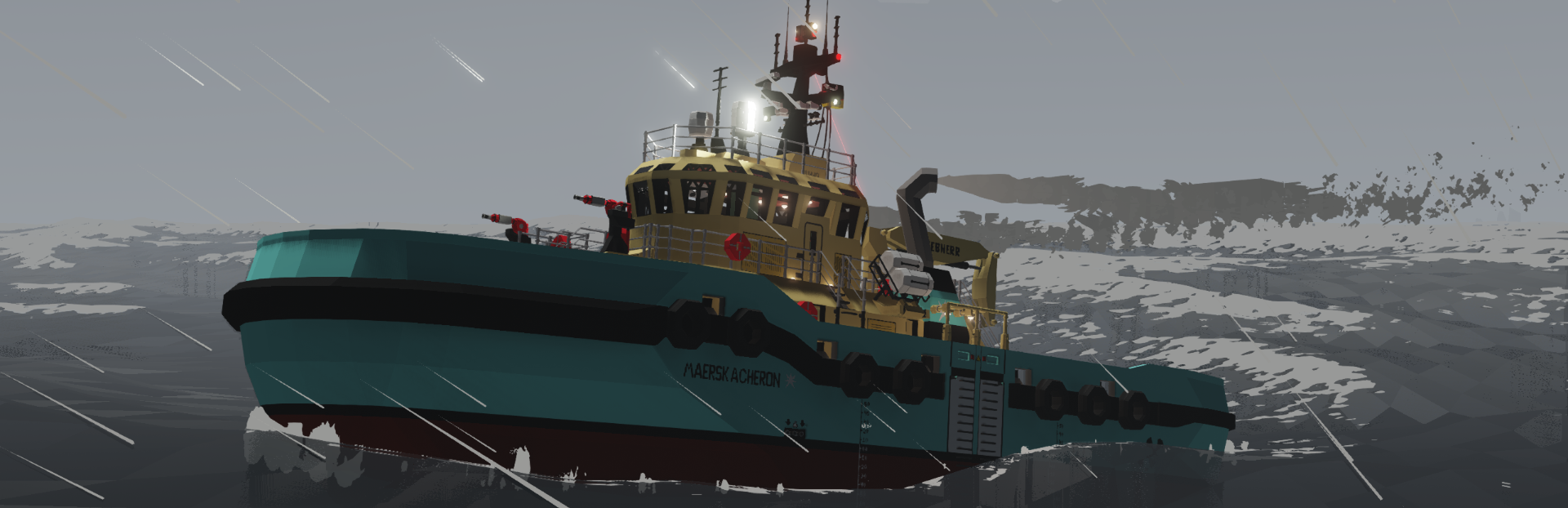
1. Stormworks: Build and Rescue
  2. News

Stormworks: Build and Rescue News

v1.3.4 - Hot Fixes and Improvements!


Dear Stormworkers,

What an incredibly exciting week so far! We are absolutely blown away by the awesome player creations being shared in the #vehicle-showcase on the Discord and in the Steam workshop! It is amazing to see players having fun with the new parts!

The Search & Destroy weapons DLC has been overwhelmingly successful, with thousands of players purchasing within minutes of launch, immediately entering the global top sellers chart on Steam, thousands attending the live stream launch party, and a new record for concurrent players in game!


We have been working hard to resolve any new issues with this update, and have been releasing daily patches as we make improvements. See below for the full patch notes.

For players who are struggling to get weapons to fire, the answer is to start a new game - weapons are not turned on in saves created before the update!


Our focus has moved on from this update to quality issues and bug fixes, but we have been reading all your feedback and are considering many of the requests for new weapons ideas.

Our update schedule continues. Expect hot fixes to continue next week, and Friday updates alternating between feature updates one week, and bug fix focused updates the next.


We look forward to reading more feedback, playing with your workshop creations, and maybe even joining players for a little multiplayer! Let us know your thoughts in the comments!

Much love
The Stormworks Developers


Patch Notes

v1.3.1

Fix - random crash while holding C4 handheld equipment
Fix - C4 placement preview not appearing on surfaces very close to the player
Fix - modular engine components not outputting RPS logic value

v1.3.2

Fix - compsite outputs for laser point sensors, some other logic parts, etc

v1.3.3

Fix - wind particle rendering issue causing white flickering, particularly for MacOS users
Fix - remove impact sfx and screenshake from secondary frag projectiles to reduce audio cutoffs
Fix - resolved CTD when merging bodies

v1.3.4

Feature - added blood effect options (full, reduced, off)
Rework - radars no longer consume electric when off, rescaled electric consumption based on size
Rework - added blue editor arrows to radars
Rework - added trigger binding to controller options
Rework - weapons ai addon characters can now be killed
Rework - added fire to weapons ai addon killed units
Rework - updated radar descriptions to use turns unit
Fix - weapon drum mesh and small warhead meshes now correctly aligned
Fix - fixed crash related to radar properties menu
Fix - fixed crash when returning vehicle to workbench from the map
Fix - fixed issue where AI ships would not path correctly after loading game
Fix - fixed radars rendering with pitch angle
Fix - fixed missile radar detection orientation
Fix - changed some audio changes back to attempt fix for new macos audio issue
Fix - undeprecated sonars
Fix - fix crash related to loading in objects
Fix - fix softlock when detonating lots of C4
Fix - corrected addon documentation example for getPlayerName and getAITarget
Fix - AI ships now only spawn in ocean rather than occasionally on land
Fix - added correct surfaces to bottom of radar parts

Stormworks: Search & Destroy Weapons DLC Out Now!


Dear Stormworkers,

The Search & Destroy Weapons DLC is out now!

https://store.steampowered.com/app/1542360

In Stormworks: Search & Destroy, you can equip yourself with pistols, rifles, grenades, C4 and spear guns, build modular vehicle weapons including mini-guns, cannons, bombs and guided missiles, then battle enemy AI navy and air force across the world of Stormworks. Jump onto multiplayer and test your war machines with your friends!

This new DLC has been in development for a very long time. Thank you to the many players who have given us their feedback and called for this update, it has been great fun to build and really rewarding for us.

There is a huge list of features and changes, so be sure to check the change log below.

You can get this new DLC on the Stormworks: Search & Destroy store page.

Many of you have been making military vehicles for a long time. We are so excited to see these vehicles now begin to function as such, as well as all your new creations and interesting weapon systems!

If you are not getting the DLC - not to worry - all the parts are added into the base game as cosmetic items, so workshop items will still be cross-compatible!

Much love
The Stormworks Developers


v1.3.0

Feature - [DLC] Modular Vehicle Weapons
Feature - [DLC] Handheld Weapons
Feature - [DLC] Conquest Mode Addon
Feature - New Handle Seat
Feature - Multiplayer Optimization Pass and Networking Layer Fixes
Feature - Logic/Render Thread Optimization Pass
Feature - Addon editor Generic Graph Nodes and Links
Feature - Advanced AI Pathing using Addon Nodes and Links
Feature - Screen Shake Improvements and Settings

[DLC] Features:
Explosive and EMP Warhead Blocks
Modular Machine Guns, Cannons and Autocannons
Rocket Launchers
Modular Ammo Feeding System, Handheld Ammo Boxes and Shells
Handheld Equipment Hand Grenade and C4
Handheld Equipment SMG, Rifle, Pistol and Speargun

Ammunition Payloads:
Kinetic - Basic direct impact damage, Cheaper than other ammo types
High Explosive - Large splash radius around the impact
Fragmentation - Small splash radius, Spawns secondary projectiles
Armor Piercing - Less base damage, Penetrates through vehicle blocks based on velocity
Incendiary - Less base damage, chance to start fires on vehicle blocks

Rework - Hitbox reworks and headshots
Rework - Radars now output and input using turns instead of radians/degrees
Rework - Improved soundscape and audio filtering
Rework - Players now take damage while incapacitated, shortening the window in which they can be revived
Rework - Reloading handheld equipment with secondary fire applies to - flareguns, spearguns, pistol, smg, rifle
Balance - Radar max ranges increased 10x

Fix - Damaged rope anchors no longer continue to transfer data/electric
Fix - Increased follower tether range in MP to compensate for server side inconsistencies
Fix - Vehicle save thumbnails being very zoomed in
Fix - Jet engines no longer flood when vehicle damage is disabled
Fix - Jet engines no longer overheat when engine overheating is disabled
Fix - Infinite spawning issue in multiplayer
Fix - onVehicleUnload not being called for vehicles that are force despawned by the game
Fix - Vehicles occasionally loading outside of load range; becoming stuck
Fix - Removed 4 non-functional tiles from the addon editor
Fix - Radars missing from research group
Fix - Radar rendering issues
Fix - Greatly reduce radar random noise
Fix - Missing buoyancy surfaces on radars
Fix - Missing Pitch Angle slider on radars
Fix - MP health/incapacitated desync after respawning

The train track tiles have now been included in the Addon Editor.

Addons:

- Documentation has been refactored into several new tabs for easier browsing.

- Addon zones now have a direction indicator
- Added the trainline tileset to the available tiles.
- Improved the speed of object lookup functions.
- PathFindOcean now uses custom paths definde with the "ocean_path" tag, and a default paths playlist has been added.

- Added setAITargetVehicle(vehicle_id)
- Added setAITargetCharacter(object_id)
- Added ISLAND = getStartIsland() (ISLAND = {name, x, y, z})
- Added is_local = server.getVehicleLocal(vehicle_id)
getVehicleLocal is now used in the default scripts as protection while a vehicle is loading

- New AI Plane Pilot mode 2 - Gun Run
- New AI Heli Pilot mode 3 - Gun Run
- New Gunner AI Type - Aims and shoots at the target char/vehicle, accounting for drop/range of a linked weapon.
- New Designator AI Type - Aims a camera at the target char/vehicle, pulling the Trigger when locked on.
(Weapons/Cameras can be linked to a seat by naming them identically)

- Added several new icons to addMapObject.
- All map object icons now render their radius if the value is > 1.
- addMapObject and addMapLine now have optional rgba parameters.

- The new Weapons DLC gamemode script contains a guide to adding your own vehicles for the AI to command

v1.2.29 - The Advanced Radar Update!


Dear Stormworkers,

This week we have reworked radar to be able to detect vehicles that are outside of load range, be simpler to use, and have more realistic limitations.

The new radar parts come in 5 sizes: the smallest is just a single voxel, there are 2 medium vehicle sized units, the radar dish and the AWACS style units. The larger units are more powerful with greater ranges.


The new radar is much easier to use and produces a simple composite signal with the most recently detected contacts. The first 8 on/off channels show if a target is detected, while the number channels tell you the range, pivot and pitch angles, and time since detection for the contact.

You can set the pivot and pitch field of views to set your detection arcs, as well as your sweep mode (static, clockwise and anti-clockwise rotation, and wiper modes). You can also pitch your detector up and down.


Increasing the field of view of your radar does reduce the effective range , while narrow fields give the best range.

The most important aspect of the new radar parts is the ability to track vehicles that are outside of load range. This is vital for fighting the enemy AI air and navy (in the upcoming weapons expansion), where radar gives the player the essential ability to gather intelligence, avoid the enemy force, or engage from range.


We are really excited to hear what you think!

See you soon for the Weapons DLC launch stream on Tuesday!

Much love
The Stormworks Developers


Patch Notes

v1.2.29

Feature - Added 5 new advanced radars
Fix - Seats remove reliance on logic node label string checking to fix logic nodes breaking when using language packs
Fix - Seat fix trigger description using equipment keybind instead of trigger keybind
Fix - Seat descriptions not specifying the composite output channels for look x & look y

Stormworks: Search & Destroy - Launch Party on Oct 5th!


Dear Stormworkers,

Join the developers 1 hour before launch of the new Weapons DLC for the launch party on a Steam live stream!

We will be on live stream, answering questions, chatting about Stormworks, shooting guns and blowing stuff up.

We have been working on weapons for years so this will be a huge moment for us. We look forward to sharing it with you all. Click to set reminder and join us for the party!

Click 'Set a reminder' on the right and see you soon!

Much love
The Stormworks Developers

v1.2.27-28 - The Look Direction Output Update!


Dear Stormworkers,

In this minor update, we add mouse look direction output logic nodes to seats!

All seats now have 2 new logic nodes - look dir X and look dir Y. The values that are outputted relate to which direction you are facing. This direction is relative to the seat. This means that moving your mouse doesn't just change your view direction - it is also outputting your mouse input as logic data!


What is this Useful For?

This means you can use look direction input for controlling anything that takes numbers. This includes flight controls and turrets.

We have been mostly using these new nodes for controlling robotic weapons turrets in the new weapons DLC, but the applications are much further reaching and we are really excited to see what players use these new nodes for.

As always, this minor update comes with some hot fixes and improvements. Please see the change log below for details.


We are continuing work on the new Search and Destroy expansion and are really excited for the launch in just a couple of weeks time. More news next week!

Much love
The Stormworks Developers


Patch Notes

v1.2.27-28

Feature - New Look-Direction output logic nodes for seats
Feature - New Trigger seat output node and keybind

Fix - Wind turbine elevator clipping with the floor and breaking
Fix - HTTP requests now use 127.0.0.1 instead of localhost to support WINE/Proton users
Fix - Small spelling issue in the tutorial

Lua API:

server.setVehicleSeat(vehicle_id, seat_name, axis_w, axis_d, axis_up, axis_right, button1, button2, button3, button4, button5, button6, **trigger**)