Windows Mixed Reality for SteamVR Beta Updated
Windows Mixed Reality for SteamVR Beta has been updated to build 1.2.230. This build contains the following changes:
[h2]Introducing Settings[/h2]
A common source of feedback we've received is that modifying the settings exposed by the Windows Mixed Reality for SteamVR plugin is painful, involving modifying vrsettings files that might get overwritten by later releases. With this release we're introducing a new visual experience for changing settings that impact our plugin.
To try it out, launch SteamVR while using your Windows Mixed Reality headset and pull up the SteamVR dashboard either by clicking the thumbstick on your controller or by clicking the Steam icon in the Windows Mixed Reality mini-menu.
From there, you'll notice the familiar Windows Mixed Reality logo in the SteamVR dashboard. Click it with your controller to pull up the settings experience where you can now modify settings. No more clunky text files!
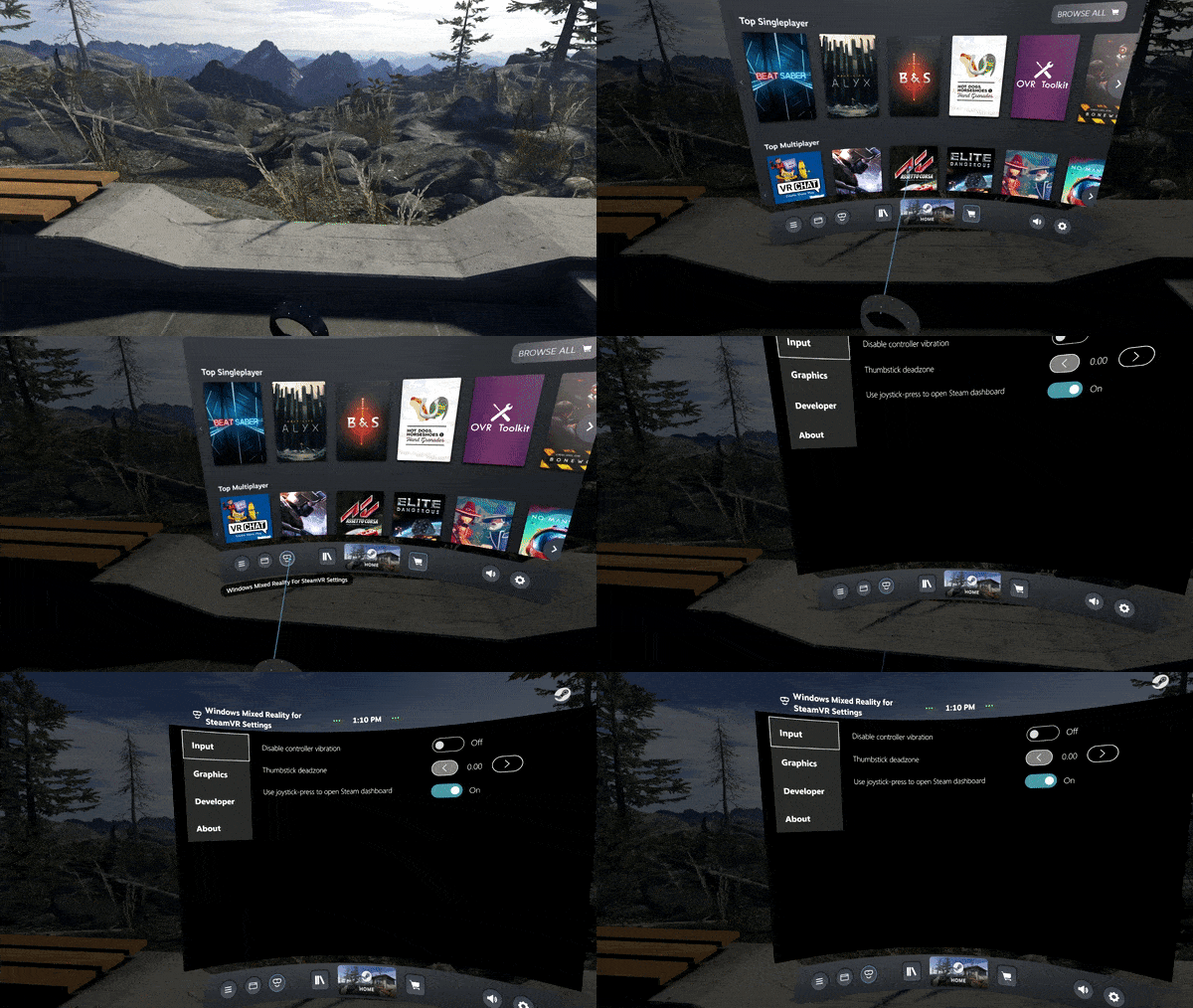
Please try the settings out and let us know what you think!
[h2]Introducing Settings[/h2]
A common source of feedback we've received is that modifying the settings exposed by the Windows Mixed Reality for SteamVR plugin is painful, involving modifying vrsettings files that might get overwritten by later releases. With this release we're introducing a new visual experience for changing settings that impact our plugin.
To try it out, launch SteamVR while using your Windows Mixed Reality headset and pull up the SteamVR dashboard either by clicking the thumbstick on your controller or by clicking the Steam icon in the Windows Mixed Reality mini-menu.
From there, you'll notice the familiar Windows Mixed Reality logo in the SteamVR dashboard. Click it with your controller to pull up the settings experience where you can now modify settings. No more clunky text files!
Please try the settings out and let us know what you think!