1. Valheim
  2. News

Valheim News

Patch 0.214.300 (Public Test)

Time for some hotfixes! Aside from what we address in this patch, we are also looking into an issue related to some worlds being reset when playing on Xbox. Additionally, we have a fix for an issue that could cause worlds to be different on Xbox versus PC, which could cause buildings to break. These two issues have been our highest priority and are working as fast as we can to get them fixed and implemented!

An important note here, is that when this is fixed it means that certain worlds on the Xbox version will have terrain changes in small areas of the world. Worst case, if you’ve built a lot in one of these areas, buildings there may break. Unfortunately there is no better solution for this, as the areas need to match with the PC versions for crossplay and all future world generation, and we truly apologise for the trouble this causes some players. Luckily this is something only a small number of players will notice at all. We try our best to ensure that these issues do not happen, but sometimes it’s unavoidable and we are truly sorry for any inconvenience.

Remember that you can use the “Manage Saves” button in the world selection to recover a world if you’ve run into any world issues. And also, if you are having an unplayable game in the latest patch, you can always run the last stable version by changing to the ‘default_old’ branch on Steam.


[h2]Abbreviated Patch Notes:[/h2]

[h3]Fixes & Improvements[/h3]
* Left handed mouse fixed
* Manual saving bug fixed
* Swap Triggers controller option added
* Text & UI fixes
* Performance & various bug fixes

[h2]Detailed Patch Notes[/h2]

[h3]Fixes & Improvements:[/h3]
* Manual save no longer causes you to respawn where you saved and can be called to a dedicated server if you are on the admin list
* Left handed mouse should now work correctly again
* Added “Swap Triggers” to control options, to be able to fix a potential issue for PlayStation controllers
* Fixed performance issues in main menu
* Fixed some special characters appearing as squares and symbols should look more like they did before
* Hovertext and text input on signs should now be displayed correctly and can use \t and \n symbols
* Text on signs should now be lit correctly and no lower glow
* Various UI & text fixes that were being displayed incorrectly
* Engine updated to unity version 2020.3.41f1

[h3]Console:[/h3]
* Added graphic setting “Balanced Mode” with 40 FPS and 1440p on Series X and 900p on Series S
* Right stick now only controls the character rotation in character screen
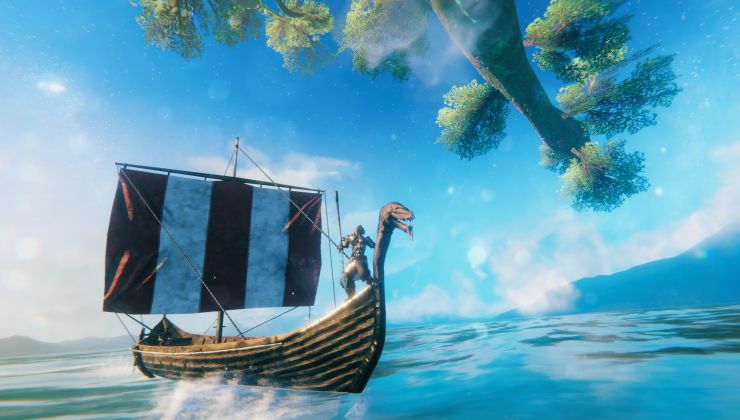
Valheim got a big patch with performance upgrades and controller improvements

Valheim continues to get improvements and it's easily one of my favourite survival games, it's just fantastic with a couple of friends. This new update should make it even better.

Read the full article here: https://www.gamingonlinux.com/2023/03/valheim-got-a-big-patch-with-performance-upgrades-an-controller-improvements

Patch 0.214.2

Time for another patch with a chunky assortment of fixes! Several bugs have been corrected (both coding bugs and Seeker behaviours) and some Quality of Life improvements have been made, along with some performance optimisations. We have also added a “save” button, so you no longer have to worry about when your last autosave might have been.

[h2]Abbreviated Patch Notes:[/h2]

* Various fixes for the Mistlands
* Various menu and UI improvements
* Added manual save button
* Various performance optimisations
* Localisation improvements


[h2]Detailed Patch Notes:[/h2]

[h3]Gameplay & Balance:[/h3]
* Mistlands giant helmet and sword will now properly drop both iron and copper scrap as intended
* Seeker soldier and ticks should now respawn correctly in dungeons, and ticks starred ticks chance increased from 10% to 20% as intended.

[h3]Fixes & Improvements:[/h3]
* Added Munin to Ribcage locations in Mistlands
* Added saving icon to HUD and delayed the "bad connection icon" when saving
* All game texts have been optimised for better clarity and performance
* Reworked button prompts to a new visual style, added some missing buttons, etc.
* Key hints are now displayed in a horizontal line rather than vertical list and visible in all needed contexts
* Kicked players get a proper message
* Menu selection markers should now be displayed correctly in all languages
* Fixed several focus loss scenarios when using a gamepad
* Haldor’s lines are now translated correctly
* Build menu has been widened to avoid overlapping other interface items
* D-Pad should now be usable in all menus
* Controller and keyboard usage of menus improved
* Skills menu should now work correctly with gamepad and show tooltips correctly
* Mistlands boss should no longer escape her room during rare occasions (changes have been made to how ownership of objects work when transferred to another player; specifically checking the positions)
* Fixed a bug that caused projectiles to sometimes miss even though it obviously should have connected
* Durability bar on item in the inventory and action bar is now only visible if the item has been damaged
* Fixed a visual bug that showed servers that were being pinged as offline
* Thatch roof i-corner 45o can now support itself and will protect underlying beams from rain properly
* Thatch & darkwood roof top 26o middle beam point fixed

[h3]Quality of Life:[/h3]
* Added alternative controller layout and changed layout to be more readable. Build snapping is a toggle in the alternative layout, and has an icon when active
* Added manual save button to the pause menu that displays last save time
* Crafting menus and quick use bar now have cycling navigation when using gamepad
* You can now use the sticks to move to and from a container inventory from the player inventory directly rather than changing menu focus
* Crafting station is now focused when opening a crafting station
* Language can now be changed without restarting the game
* If a server is unjoinable for version mismatch or other restriction this will shown when attempting to join a game from the server list immediately rather than having to wait for the game to load

[h3]Performance:[/h3]
* Performance of distant mountain shadows greatly increased, and added a setting to turn off distant shadows completely. (This may increase performance significantly for players with older graphic cards)
* Performance increased while in dungeons
* Performance improved when using many map pins
* Performance improved while using the inventory with many items
* Network stability and performance improvements for crossplay
* Improved cloud save performance on Microsoft Store version.
* Memory optimizations for textures and fonts

Patch 0.214.2 (Public Test)

Time for another patch with a chunky assortment of fixes! Several bugs have been corrected (both coding bugs and Seeker behaviours) and some Quality of Life improvements have been made, along with some performance optimisations. We have also added a “save” button, so you no longer have to worry about when your last autosave might have been.

[h2]Abbreviated Patch Notes:[/h2]

* Various fixes for the Mistlands
* Various menu and UI improvements
* Added manual save button
* Various performance optimisations
* Localisation improvements


[h2]Detailed Patch Notes:[/h2]

[h3]Gameplay & Balance:[/h3]
* Mistlands giant helmet and sword will now properly drop both iron and copper scrap as intended
* Seeker soldier and ticks should now respawn correctly in dungeons, and ticks starred ticks chance increased from 10% to 20% as intended.

[h3]Fixes & Improvements:[/h3]
* Added Munin to Ribcage locations in Mistlands
* Added saving icon to HUD and delayed the "bad connection icon" when saving
* All game texts have been optimised for better clarity and performance
* Reworked button prompts to a new visual style, added some missing buttons, etc.
* Key hints are now displayed in a horizontal line rather than vertical list and visible in all needed contexts
* Kicked players get a proper message
* Menu selection markers should now be displayed correctly in all languages
* Fixed several focus loss scenarios when using a gamepad
* Haldor’s lines are now translated correctly
* Build menu has been widened to avoid overlapping other interface items
* D-Pad should now be usable in all menus
* Controller and keyboard usage of menus improved
* Skills menu should now work correctly with gamepad and show tooltips correctly
* Mistlands boss should no longer escape her room during rare occasions (changes have been made to how ownership of objects work when transferred to another player; specifically checking the positions)
* Fixed a bug that caused projectiles to sometimes miss even though it obviously should have connected
* Durability bar on item in the inventory and action bar is now only visible if the item has been damaged
* Fixed a visual bug that showed servers that were being pinged as offline
* Thatch roof i-corner 45o can now support itself and will protect underlying beams from rain properly
* Thatch & darkwood roof top 26o middle beam point fixed

[h3]Quality of Life:[/h3]
* Added alternative controller layout and changed layout to be more readable. Build snapping is a toggle in the alternative layout, and has an icon when active
* Added manual save button to the pause menu that displays last save time
* Crafting menus and quick use bar now have cycling navigation when using gamepad
* You can now use the sticks to move to and from a container inventory from the player inventory directly rather than changing menu focus
* Crafting station is now focused when opening a crafting station
* Language can now be changed without restarting the game
* If a server is unjoinable for version mismatch or other restriction this will shown when attempting to join a game from the server list immediately rather than having to wait for the game to load

[h3]Performance:[/h3]
* Performance of distant mountain shadows greatly increased, and added a setting to turn off distant shadows completely. (This may increase performance significantly for players with older graphic cards)
* Performance increased while in dungeons
* Performance improved when using many map pins
* Performance improved while using the inventory with many items
* Network stability and performance improvements for crossplay
* Improved cloud save performance on Microsoft Store version.
* Memory optimizations for textures and fonts