1. Deadside
  2. News

Deadside News

Update 0.1.6

Anti-cheat client module updated (more than 400 cheaters already detected and banned)

Fixed exploits with multiple logins of the same character

Admin panel updates:
- promoted admins can now spawn items
- loot spawn chance multiplier (10 = default, 1 = almost no loot, 50 = max loot)
- restart schedule description now shows server local time
- banlist increased from 100 to 500 elements
- offline character can be manually banned
- kill logs (still work in progress)

Fixed a bug with voice chat not working on some private servers
Fixed a bug with heavy assault helmets armor
Fixed bugs with head penetrating geometry in some animations
Update 0.1.5

WIPE

What will be wiped:
- Character inventories
- Reputation points
- Safe zone storages
- Loot stashes and base storages
- Bases that were built inside construction/water blockers using various exploits

What will NOT be wiped:
- Bases

New server-side character save system
Fixes all known item duplication methods

New safe zone storages save system
Significantly increases server performance

Server admin panel features
- Spawn any in-game item
- Teleport to map marker
- Restart schedule with message ("Server will be restarted in XX minutes"). You can use in-game schedule (with messages) and existing g-portal's schedule (without messages) simultaneously.
- Server MOTD (Message Of The Day) - shown in chat when a player logs in
- Custom broadcast message with optional auto-send interval

Missions
- New mission near Beregovoy's port
- Increased missions spawn frequency
- Significantly increased chances to get rare camo clothes

Other fixes & changes
- Graphic bugs ("flying" trees and other objects)
- Anticheat updates and optimizations
- Fix for "Server unavailable (error code 4)" in some situations
- Advanced diagnostics for network-related issues, including "Server unavailable (error code 4)"
- Fixed base disassembling can be blocked by loot stash
- Fixed loot stash can be placed inside safe zones and inside construction/water blockers
- Base radius is now taken into account when buildihng a base near construction/water blockers
- Fixed bots can't see leaning players properly
- Text in chat doesn't fit chat window in windowed mode
- Logging out while crouched and then logging in can sometimes push character to extreme heights or on top of objects/bases
- Increased voice chat audible distance from 20m to 50m
- Fixed server name text overflow in the server browser
- Doesn't allow multiple spaces in server name
- Server admin chat messages now have distinct color

About the upcoming wipe

Dear Deadsiders, there will be wipe of the character inventories, safe zone storages and all boxes soon after next update release due to fix of the bug, leading to items duplication.
Bases themself will remain intact, except for those that were built in zones not designated for construction. Every container will be deleted too.

We hope for your understanding.

New content in development

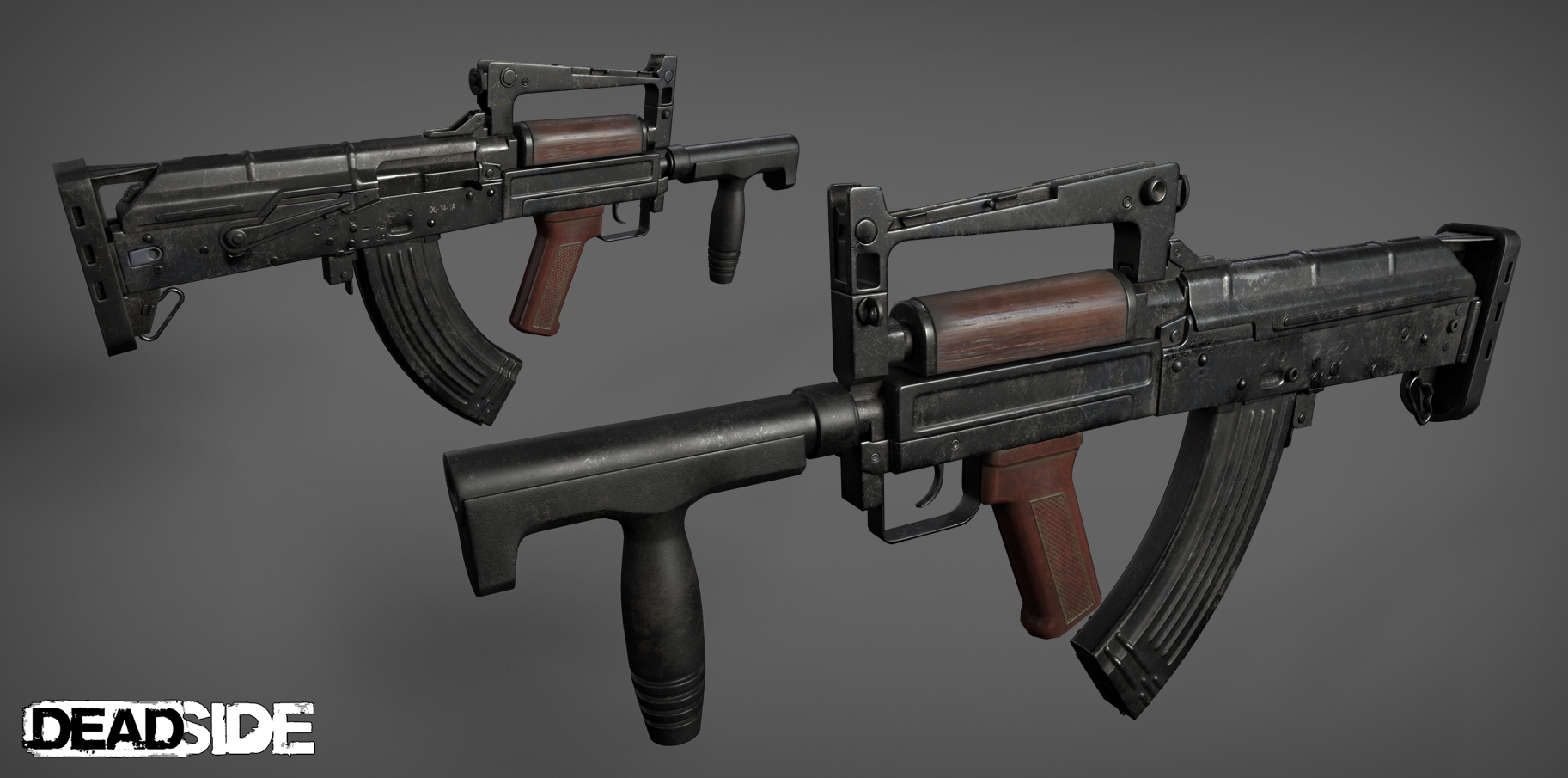
Friends, while our programmers are working on improving the performance of the game and problems with duplicates of items, the art department continues to increase the content.
Many weapons samples are almost finished and we will gradually begin to introduce you to them.

OTs-14 Groza


Steyr AUG

Test server

Dear friends, it’s been almost a month since the launch of the game in early access. All this time we’ve been hard working to organize our future plans on supporting and further developing of the game. Today we want to reveal to you that we’re opening official test server. Every upcoming big update will be tested on separate server first, especially those that will consist of the changes for gameplay, netcode and other important mechanics of the game. It will allow us to minimize the possibility of an update to include new bugs along with a fix for the old ones. It will also allow us to collect each of your suggestion about upcoming update and make necessary adjustments before its release. And you will be able to directly affect the quality of the future update.

So how do you get into future server? That’s pretty simple. You’ll need to update the game to test version. In steam library you need to find Deadside, right click on it and choose «Properties». In the window that appears you go to Betas tab and here choose «testserver».

ATTENTION! Your game has to be closed while you’re doing this.

After you do that your game will update to the test version and you will be able to connect to the test server. It can be found in the list of the official servers and called «Official TestServer».

ATTENTION! In order to play the ordinary servers you will need to do the same thing, but in the Betas tab you choose «NONE – Opt out of all beta programs».

Objectives for each test and changelogs will be posted here: https://steamcommunity.com/app/895400/discussions/8/

We will be very grateful for your help. Let’s try our best together to make the game as we all want her to be – big, interesting, fun and most important, error-free!