1. Volcanoids
  2. News

Volcanoids News

Workshop Update Coldfix

[h3]First of all...[/h3]

Thank you for your patience and all the feedback on the modding guides! We are constantly reflecting on your feedback and adding more info to places that are not explained well enough. And we will continue doing that until the guides are easy to follow and clear for everyone.

So if you ever get stuck on some step, don't hesitate to post into the modding-help channel in our Discord (and tag Tomas#9155, he specifically requests that) or in the Workshop forum. And please always mention the guide you have an issue with and which section. It will help us a ton!

Patch Notes


[h3]Main Game Fixes[/h3]
  • Added Mod info window when loading saves (it informs you about the differences between mods set in main menu, and mods set in the save file)
  • Steam launch dialog on Linux allows you to choose between OpenGL and Vulkan
  • "Load game" menu now shows settings and delete buttons above each save (it used to show only when you hovered over them)
  • Improved player's jumping, giving you a better chance to escape from spots where you'd previously stay stuck
  • Fixed multiple issues where you'd get stuck in spectator view above the submarine when loading a save
  • Fixed broken armor equipping animation
  • Fixed issues where mods caused connection problems in multiplayer games
  • Fixed issue with the Captain not having a proper dress code for the Halloween event
  • Fixed wrong order of the new dragon and skeleton decals for paint jobs

[h3]Steam Workshop[/h3]
  • Added new tags: starter, design, visual

  • Starter tag - Used for any mod, that affects the starter drillships (starter drillship = the first drillship you capture in the game after completing the first few quests for the Captain)
  • Design tag - Used for mods that adjust devices in the starter drillships
  • Visual tag - Used for mods that change paint jobs of the starter drillships, for example, a mod that would give a starter drillship a dragon paintjob

[h3]Mod SDK Fixes[/h3]
  • All creation scenes are now automatically duplicated and available for modders
  • Duplicated creation scenes have the option to be reset to the default state when Mod SDK gets a new update (this is optional)

[h3]Mod Guide Fixes[/h3]
  • In general we added and keep adding more information to all Captains modding guides based on your feedback
  • The guides are being constantly tested, and any reported issue is being reflected

[h3]New Captain Mod[/h3]
  • Blind Cogs - COGs are blinded from constant work in dark caves with super bright lava. It is almost impossible for them to spot you unless they are fired upon, or damaged in any other way. If that happens, they will charge in the direction of incoming fire and fight back!

[h3]Mod Fixes[/h3]
  • Large Backpack - Fixed issue with dropped backpacks having only 32 slots, when it was supposed to be 100
  • New Crew - Captains skin no longer stretches in random directions when wearing a modded armor
  • Advanced Armor - Fixed issue with armor preventing revive or respawn
  • Advanced Armor - Fixed issue where wearing armor would block you from changing skin in wardrobe
  • Green Eruption - Is finally green again
  • Cosmetic Modules - Now support paint jobs
  • Submarine Pier Chests - Saving and loading now works correctly
  • Auto Burrow - Fixed issue where clients could not change settings of this feature
  • Additive Scene - Fixed issues with saving and loading
  • Interior Device - Fixed wrong camera position when player was seated in the throne
Wrap up


That's it for now folks! Once again, if you get stuck somewhere in one of the modding guides, don't hesitate to reach out to Tomas on Discord or post in the Workshop forum (+ mention the guide and section).

If you have any questions, suggestions, or concerns, post them in the comments below. Stay tuned on our socials for sneak peeks from the next update. And as always...

Have a blast y'all!

- Rich and the team

Join the community on Discord
Follow us on Twitter and Instagram for more sneak peeks and teasers
Subscribe to our Newsletter to get notified only when there's a new update release or dev log

https://store.steampowered.com/app/951440/Volcanoids/

Spooky season has entered Volcanoids

[h3]WATCH OUT[/h3]

The island got spookier!


And Martin from our team also made this mod with Halloween decals for the drillship: https://steamcommunity.com/sharedfiles/filedetails/?id=2634643953


Lastly, Volcanoids is 20% off during the Steam Halloween sale!

Adding something for Halloween was sort of a last-minute decision but we still wanted to give you guys something. Next year around we plan to do a lot more for it.

Happy Halloween y'all!

- Rich and the team

Join the community on Discord
Follow us on Twitter and Instagram for more sneak peeks and teasers
Subscribe to our Newsletter to get notified only when there's a new update release or dev log

https://store.steampowered.com/app/951440/Volcanoids/

Steampunk base-building survival game Volcanoids gets Steam Workshop support

Volcanoids is such a fantastic idea for a survival game. You build a base inside a big moving drill, that you continually upgrade and extend and now you can enhance it in many new ways with Steam Workshop support.

Read the full article here: https://www.gamingonlinux.com/2021/10/steampunk-base-building-survival-game-volcanoids-gets-steam-workshop-support

Workshop Update is AVAILABLE NOW

[previewyoutube][/previewyoutube]

[h3]The Steam Workshop support is here[/h3]

And with it, almost 60 different mods already available in the workshop for you to play and tinker with!

There are mods for every area of the game. Gun mods, enemy mods, character mods, building mods, quality of life mods, I don't even know what to call these... mods and more!

To celebrate the workshop release, Volcanoids is 25% OFF this week!

We also created a Workshop forum and a bunch of modding-related channels in our Discord so feel free to discuss all things modding there.

Shout out to Melodic Albuild, Lord Gregory, Labyrinth, and everyone else who already jumped in and started creating their own mods and guides for the community!

Last thing I want to mention in this section is that the mods you'll see below are what we call "official mods" which means that they are from us, the devs. All are posted under the Captain's Steam account. The reason why we made them is to show you what can be done with the workshop support and create some foundation.

Now, they are fully at your service. The support is here, as well as the guides and documentation (+ more on the way). So feel free to use these mods, adjust and republish them, or create your own from scratch!

What's new?
when it comes to mods

[h3]Gun Mods[/h3]
The revolver, shotgun, SMG, and sniper all got their modded counterparts with different attributes. Get this mod


[h3]Enemy Mods[/h3]

Add a creepy giant drill head that's inspired by the Pyramid Head from Silent Hill. I highly recommend not running into him during the ash storm. Get this mod


Mix up the battlefield even more with new COG soldiers. Get this mod


[h3]Character Mods[/h3]
Finally, everyone in the crew will be able to have a different character. Just add the wardrobe device to your drillship and pick one of the characters. Get this mod


[h3]Building Mods[/h3]

Add the new heat extractor structures around the map. Get this mod


Finally be able to enter houses in the villages. Get this mod


[h3]Armor Mods[/h3]
Equip new types of armor that look like you put them together from COG scraps. And on top of looking badass, they will also give your entire crew different buffs such as faster production. Get this mod


[h3]Module Mods[/h3]

Turn your drillship into a certified battleship with these new turrets. Get this mod


Fill the bland empty spaces on your drillship with these shiny cosmetic modules. Get this mod


[h3]Quality of Life Mods[/h3]

Increase your character's backpack inventory with the Large Backpack mod. Get this mod

Sprint for as long as you need with the Infinite Stamina mod. Get this mod

Regenerate your health without med packs with the Slow Passive HP Recovery mod. Get this mod

[h3]And a lot more...[/h3]

Check out all the mods

Core Game Patch Notes


[h3]New Features[/h3]
  • Added community suggested decal sets - dragon, skeleton, corn
  • Build tool now shows all device variants above the toolbar
  • Added option to change save file settings (hover over a save file and gear icon appears) - you can even change a save file that was singleplayer to multiplayer so friends can join you
  • Added option to delete save files (hover over a save file and cross icon appears)


[h3]Fixes[/h3]
  • Fixed critical issue where mortars and grenades from COGs destroyed your devices inside the drillship, even when walls were not breached yet
  • Fixed paint jobs on COG drillships
  • Fixed issue with brown chests around the map not syncing well for host and client
  • Fixed in-game chat issues
  • Fixed issue where some players would get stuck in spectator view while loading a save file
  • Components being used for production are no longer destroyed if the station gets destroyed or removed
  • Multiple game crashing fixes


How to add mods to your game


It's really simple. Just follow this guide once and I bet you will remember the steps from then on.

1. Start Volcanoids and click on the "Mods" button in main menu and then the "Open Workshop" button.


2. Steam overlay will open on the workshop page. Here you can browse all the available mods. If the author is the Captain, then it's from us.


3. Once you find the mod you want to try, just click on the green "subscribe" button.


4. Then use the SHIFT + TAB combination to hide the Steam overlay and the mod will appear in the mod table. Now just click the checkbox and then the "Apply Configuration" button.


5. The game will restart and you're good to go. To double-check if the mods applied when you start a new game this table with mods should appear telling you which mods you are playing with.


How to make mods


For anyone who would like to start making mods, we put together this separate guide that goes into detail on how to set everything up: https://steamcommunity.com/sharedfiles/filedetails/?id=2625530587

FAQ


[h3]Can we play multiplayer with the mods?[/h3]
Yes! The way it works is that the person who creates the server has to choose the mods (as shown above) and then anyone who joins him/her will automatically download those mods without having to do anything.

[h3]Is there any way I can remove mods from my save file?[/h3]
Yep, check out the guide below. When you hover over a save file the gear icon will appear. Click on it and the "Edit settings menu will appear. All the way down is an "edit" button. Click it to open the mod menu. There uncheck any mods you want removed, click "ok" and then "save and start". The game will restart and the save will load without the mods you unchecked.


[h3]Which mods are from the dev team? [/h3]
All the mods that have the Captain as the author, are from us. We call those the "official mods" and they are fully at your service. You can use them, adjust and republish them, whatever you want. Any mods that don't have the Captain as the author are from the community. Browse all the official mods here.

[h3]Why don't you just add this to the vanilla game?[/h3]
The reason is that with the workshop in place, we have this fast prototyping ground where no idea is too crazy to be done. Anything can be quickly put together and checked out in the game without having to worry about how it will affect the gameplay for everyone. Things are not super polished, and bugs can appear here and there.

This is a huge shortcut in development and a powerful tool that can give us a better idea of what you guys like and want in the game. If a specific mod becomes super popular, you bet we will consider adding it in the vanilla game! We look at it as an opportunity to create a new form of communication between you and us.

[h3]Why adding the workshop now, is the development coming to an end?[/h3]
Not even close haha. The reason why we're adding workshop now is similar to why we added multiplayer so soon as well. Because it's real pain to add it later on in the development when there might be some stuff implemented that didn't take workshop into account etc.

What we've worked on besides workshop


We realize that no matter how cool we make the mods, some of you are simply not fans of modding. But don't worry, even though this update has been dedicated to adding the workshop support, we parallelly worked on a lot of new things for the vanilla game.

I don't want to spoil too much but among other things we've been making good progress on the island map rework as well as the lore aspect of the game that will tie into the map locations. Basically, we are committed to fixing the repetitiveness of the island areas.

DISCLAIMER: Almost everything you see on the 2 pictures below (except the stuff you already know like the drillship) is placeholder, meaning it's not final art and will look a lot different once it gets released. We are using these low poly assets to get a sense of the scale and different locations.


Wrap up and bonus leak


Can't wait to see what mods you guys will come up with! As always, if you got any questions, feedback or suggestions, don't hesitate to let us know in the comments below.

Have a blast y'all!

- Rich and the team

Join the community on Discord
Follow us on Twitter and Instagram for more sneak peeks and teasers
Subscribe to our Newsletter to get notified only when there's a new update release or dev log

https://store.steampowered.com/app/951440/Volcanoids/

Workshop Update Release Date & Preview Branch

Hey everyone!

We got a lot to cover: the release date, preview branch, how the workshop works, and more!

So first things first, the Workshop Update drops...

[h3]October 18, 2021[/h3]

That's less than a week from today!! Phew, we got some work to do.

[h3]Live on Preview Branch[/h3]

That being said the update is now available for testing on the Preview Branch. So if you feel like checking the mods RIGHT NOW, you can! Just see the "How to play with mods" section below.

We created a Workshop forum and a bunch of modding channels in our Discord so feel free to discuss everything workshop related there.

All patch notes will be posted in the Preview Branch forum and our Discord leading up to the official release next Monday.

Lastly, keep in mind that some stuff is not final yet and will be fixed before the update releases.

Some of the mods we've been preparing


[h3]Giant Drillhead[/h3]
To keep up with the Spooktober spirit we added a Giant COG with a drill for its head. Used the Pyramid Head from Silent Hill as a reference. Mod link


[h3]Lava Factories[/h3]
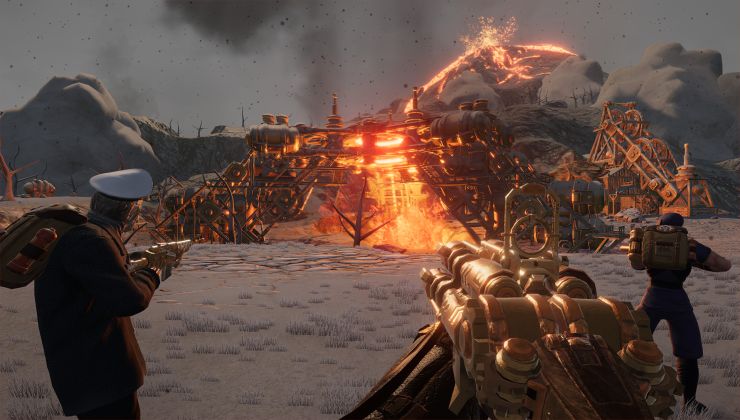
New type of building that will can be found around lava pools. Mod link


[h3]Skins[/h3]
A variety of new skins will be available. Mod link


[h3]Submarine Driving[/h3]
Take the submarine for a drive. But don't scratch it! or the Captain will kill you. Mod link


[h3]New Enemy Type[/h3]
Mod link


[h3]COG Armor[/h3]
Apart from being able to take more damage, they will also give the crew buffs such as faster production. Mod link


[h3]Dancing[/h3]
When the eruption drops. Mod link


[h3]And many more...[/h3]

How to play with mods


It's really simple. Just follow this guide once and I bet you will remember the steps from then on.

1. First, you need to be on the Preview Branch, the screenshot below shows how to switch branches.


2. Start Volcanoids and click on the "Mods" button in main menu and then the "Open Workshop" button.


3. Steam overlay will open on the workshop page. Here you can browse all the available mods. Easy way to check if the mod is "official", meaning it's made by the dev team, is to see the author. If the author is the Captain, then it's from us and the mod should 100% work (don't quote me on that tho haha).


4. Once you find the mod you want to try, just click on the green "subscribe" button.


5. Then use the SHIFT + TAB combination to hide the Steam overlay and the mod will appear in the mod table. Now you just click the checkbox and click the "Apply Configuration" button.


6. The game will restart and you're good to go. To double check if the mods applied when you start a new game this table with mods should appear telling you which mods are you playing with.


How to make mods


For anyone who would like to start making mods, we put together this guide that goes into more detail on how to set everything up: https://steamcommunity.com/sharedfiles/filedetails/?id=2625530587

FAQ


[h3]Can we play multiplayer with the mods?[/h3]
Yes! The way it works is that the person who creates the server has to choose the mods (as shown above) and then anyone who joins him/her will automatically download those mods without having to do anything.

[h3]Which mods are from the dev team? [/h3]
As mentioned in the guide, the mods that have Captain as the author, are from us. We call those the "official mods" which just means that they should do what's stated in their description, shouldn't break anything in your game, and that we will continue updating them. Check out all the official mods

[h3]Why don't you just add this to the vanilla game?[/h3]
The reason is that with the workshop in place, we have this fast prototyping ground where no idea is too crazy to be done. Anything can be quickly put together and checked out in the game without having to worry about how it will affect the gameplay for everyone. Things are not super polished, and bugs can appear here and there.

This is a huge shortcut in development and a powerful tool that can give us a better idea of what you guys like and want in the game. If a specific mod becomes super popular, you bet we will consider adding it in the vanilla game! We look at it as an opportunity to create a new form of communication between you and us.

[h3]Why adding the workshop now, is the development coming to an end?[/h3]
Not even close haha. The reason why we're adding workshop now is similar to why we added multiplayer so soon as well. Because it's real pain to add it later on in the development when there might be some stuff implemented that didn't take workshop into account etc.

Wrap up and bonus leak


Hope everything is clear! If not drop a question below, harass me on Discord, whatever works for you and I'll try my best to help!

Have a blast with the mods, don't break them too much, and keep an eye out on our socials. I'll be leaking some more stuff and got some giveaways planned too!

Cheers everyone,

- Rich and the team

Join the community on Discord
Follow us on Twitter and Instagram for more sneak peeks and teasers
Subscribe to our Newsletter to get notified only when there's a new update release or dev log

https://store.steampowered.com/app/951440/Volcanoids/