1. Dwarf Fortress
  2. News

Dwarf Fortress News

Video Dev Log! Gameplay, Menus, Zones

Hello!

Victoria here from Kitfox Games. Dropping in to let you know that we just uploaded an Autumn Dev Update that shows all the things Tarn and the team have been working on -- with gameplay! This includes items we've previously discussed before like the new menus and zones, but now you can see it in action.

[previewyoutube][/previewyoutube]

This video update is in lieu of the usual text update you'd normally get on Thursday. But things will continue like normal after this. :)

Also if you missed it, Tarn was on Rock Paper Shotgun to play Dwarf Fortress with Nate Crowley, the author of the run longing series The Basement of Curiousity. You can see that here.

That's all from me! Hope you enjoy the update.

- Victoria

Activity Zones & The Sanctum of Lunch ⚒️

Hello!

This time in Main Screen News, we have activity zones. These are places where dwarves perform tasks or socialize without requiring construction materials like workshop do.
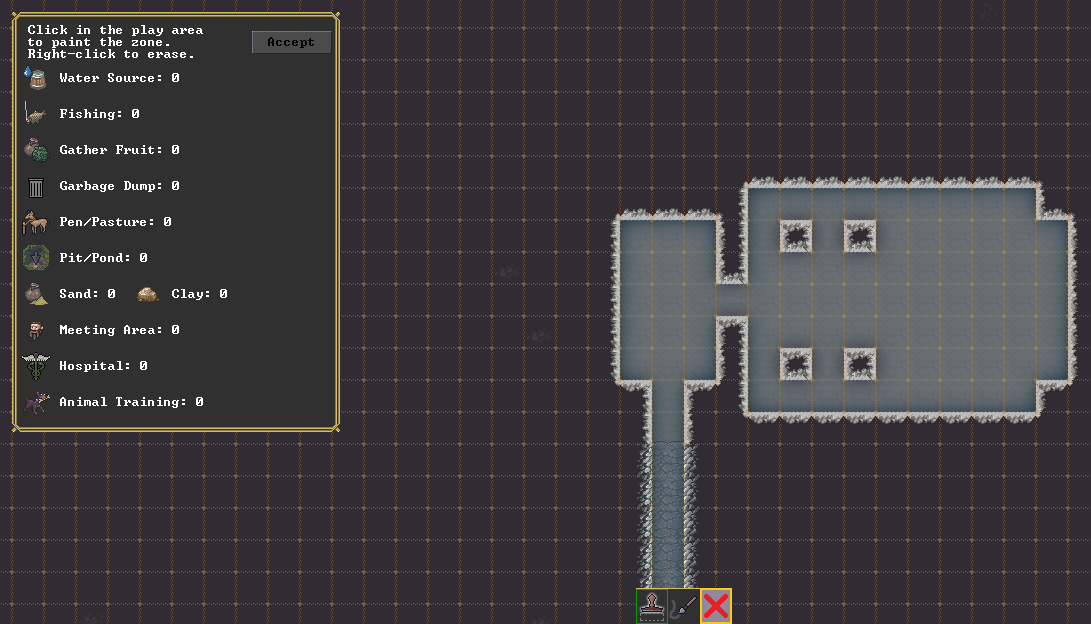


Dwarves need buckets of water for a variety of reasons, they can also fish, gather fruit from trees with stepladders, dump unwanted items, fill a pit, pond or moat with various beings, keep animals in a pasture, grab sand or clay for further use, fix each other up in the hospital, train animals, or just hang out.

The process begins by painting a zone:
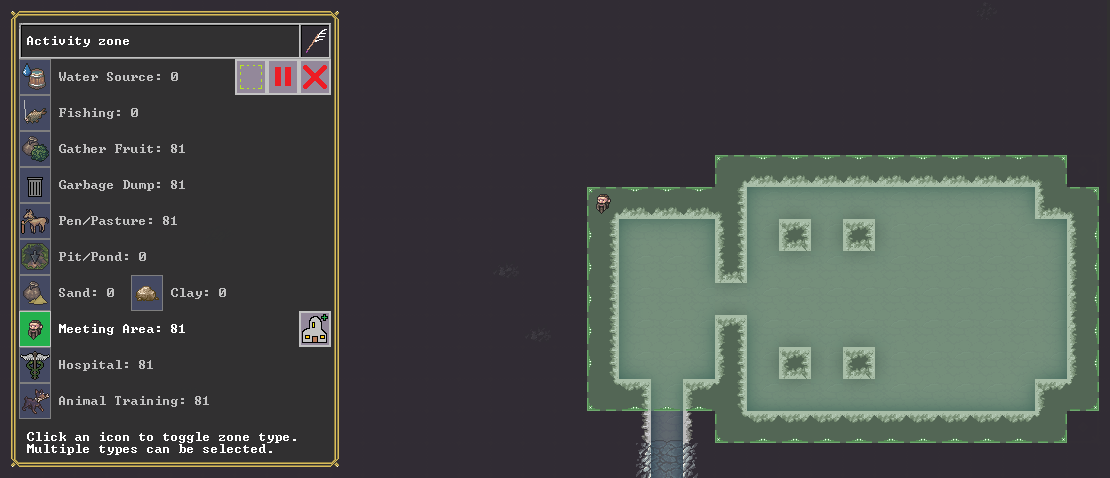


This currently works by placing rectangles or free painting with the mouse. The Classic version also has a wall-sensitive paint we'll pick up later. This zone has been designated as a meeting area, where dwarves will come and chat. Importantly, the meeting area can be given a specific function with the assign location button (one of five icons that still have Tarn-placeholder-art in this image, the rest done by Meph.)

Here I've pressed the assign location button, and we have four choices.
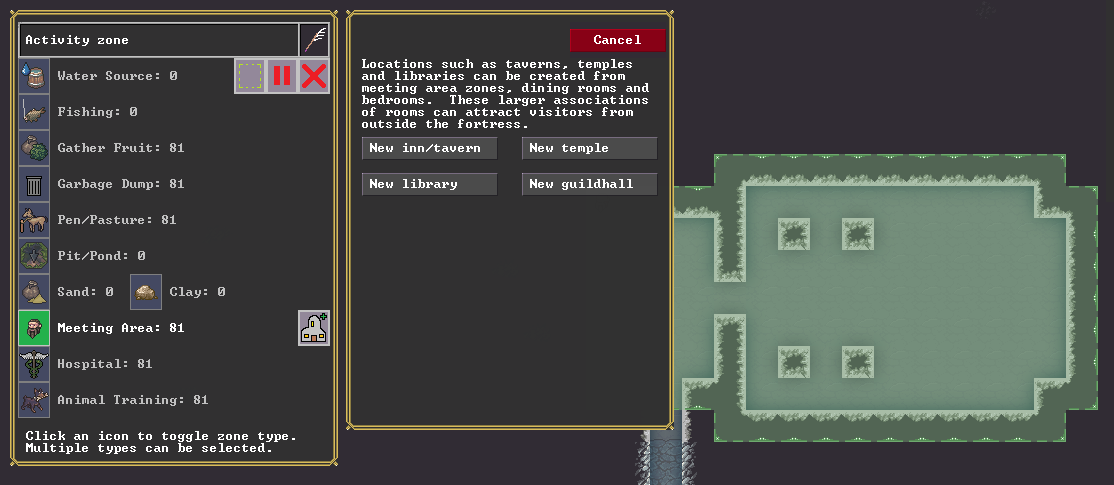


The space below gets filled with locations as you create them. You can have as many locations as you want, and the same location can be attached to multiple zones to create larger multi-purpose complexes under the same umbrella.
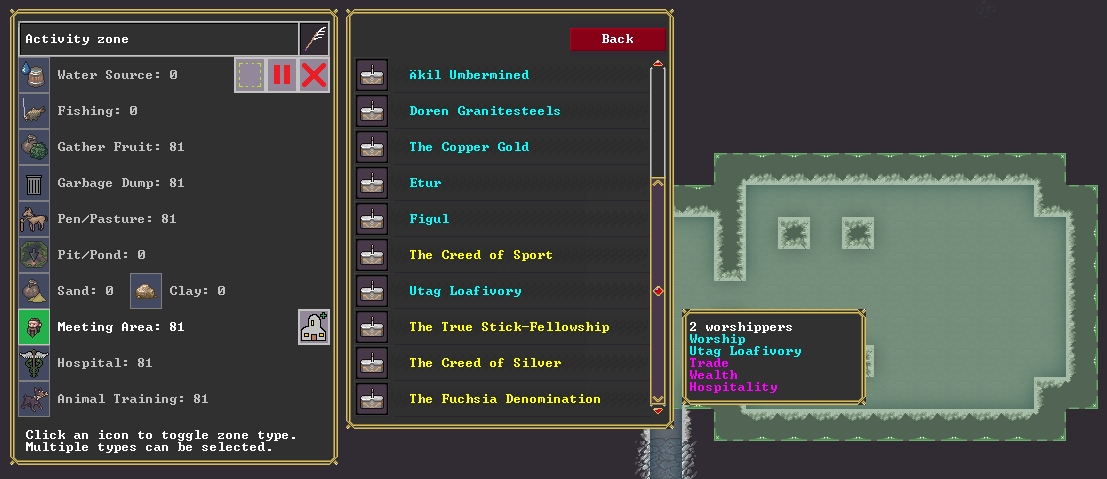


I've selected the temple option and scrolled down through the deity list to the organized religions.

These are currently listed in chronological order, which is why we see a native dwarven religion for this world, the Creed of Sport, above a deity selection, Utag Loafivory. Utag Loafivory is a human god of trade, wealth, and hospitality that made their way to the dwarves several decades prior, through a few different organized religions, and two of our dwarves are members of the Utag religion "The True Stick-Fellowship." I'll pick this one for our new temple.
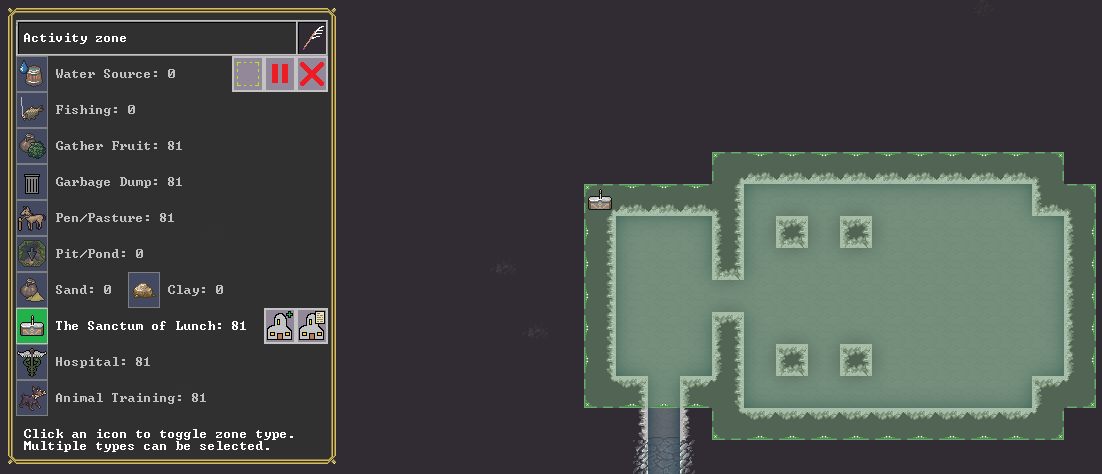


Annnnd the game leaned heavily into the hospitality aspect - "The Sanctum of Lunch." Very good. There's a new Tarn icon there to go into location details, where you'll be able to rename the location if it comes up with something unfavorable, as well as setting priests and other attached occupations.

Unlike placed buildings, zones can overlap. (I recorded the gif at 10FPS in GifCam, so it's a bit choppier than the game itself.)
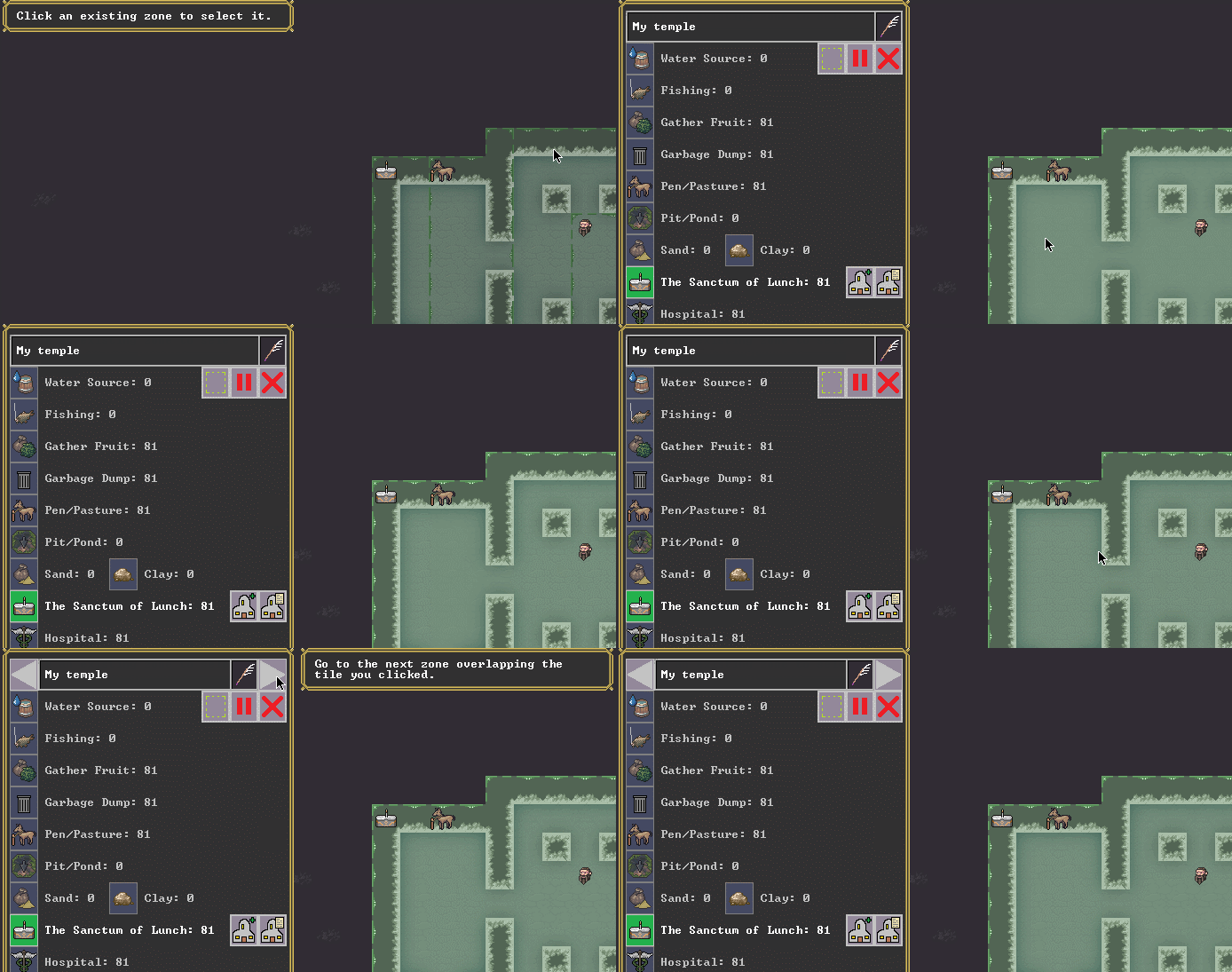


This doesn't come up all the time, but if you do decide to overlap zones, you can now switch between them in a few different ways with the mouse, as seen above.

We also have the ability to repaint zones, if you'd like to expand a given zone without creating it again from scratch, or even move it somewhere entirely different.
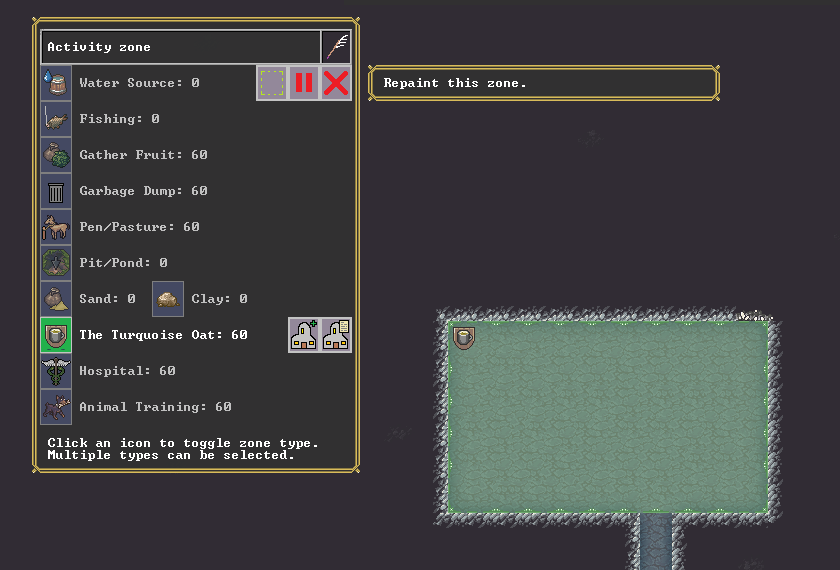


The boxed text is from a tooltip, which is also a DF novelty! There are many tooltips available here, and we'll continue adding them as we go.
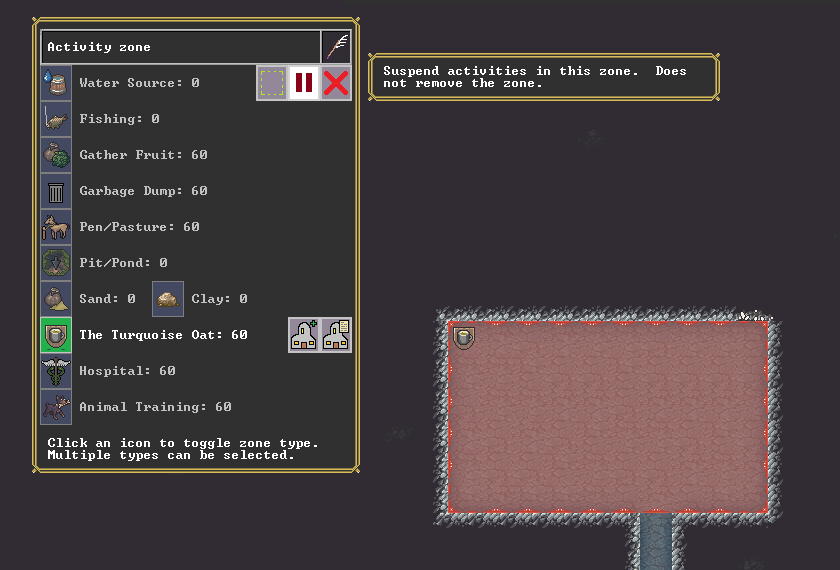


Zones can be suspended temporarily or removed permanently. Zones are currently visible only from the zone mode, as in Classic DF, so they won't clutter up the display otherwise.

- Tarn

[h3]Kitfox's Note[/h3]

Hiya!

PAX Online is coming up, and that means Tarn will be on some panels... and they're completely online and free!


This is our entire schedule in terms of PAX panels, but there are two that will involve Tarn in particular:


EDIT (Sept 12): Updated times to say EST, which originally said PST. Sorry!

All information on where to watch, description, and who else is involved in the links provided. Here's a thread of links for the other panels we're involved in too. Hope to see you at a few of them. :)

Cheers,

Victoria
Mini maps and disembowelment 🗺️

Hi again!

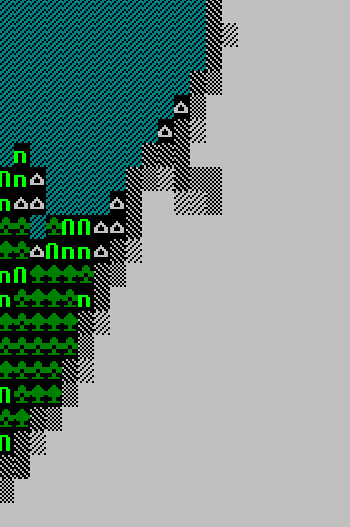
The work on the main screen continues. This time, we'll show a preliminary version of the minimap. In Classic DF, we try to give the player some notion of their surroundings with a text image:


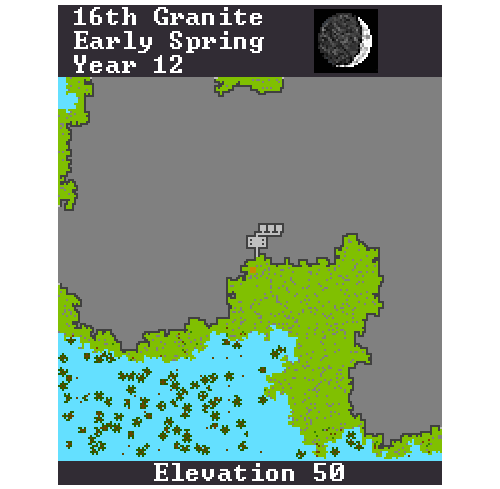
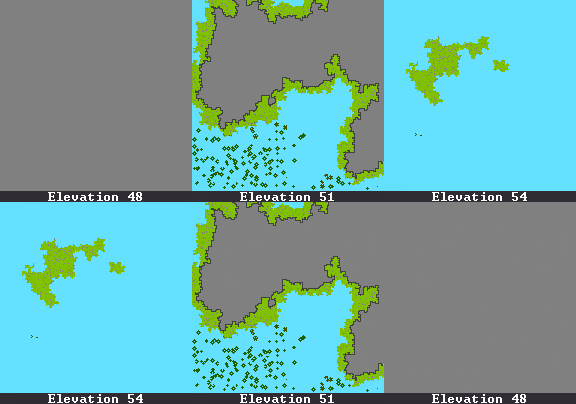
For a given elevation slice of a hillside, you get some sky, some terrain, and some solid rock. As you move up and down, the minimap gives you a basic picture of what's going on. But of course now, we have the power of pixels to improve this:


You can see here a pixel-perfect representation of the tiles of a fort, including a large room and some little rooms that I carved out at this elevation. These are colors I picked myself, so we'll likely see some improvements here. But along with the ramp images and the multi-level display, this should help you visualize how your fort looks. Here it is in action, complete with trees going up into the sky area as the camera repositions:


We also have the date and some additional information here which used to be hidden away in a different screen. We haven't finalized the main screen layout, so this is more subject to change than usual.

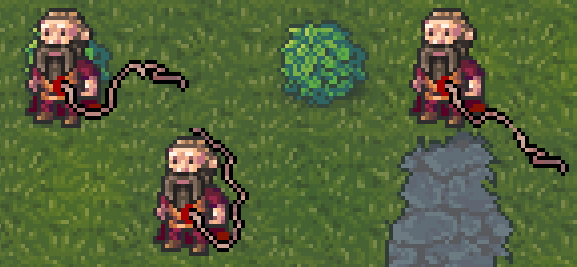
Next, we have guts, courtesy of Meph. We haven't been showing a lot of dwarves to this point, since they are still in progress, so the following image is of our placeholder dwarves... our placeholder dwarves after having been subjected to the disembowelment debug function.


Note the directionality -- as the dwarves walk about, the earthworm-like viscera drag around behind them. This normally involves a bit more blood, but we're still working on it.

- Tarn

⚒️ New UI Art! ⚒️

Hello again!

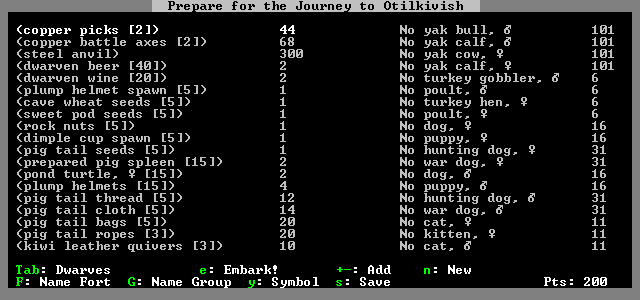
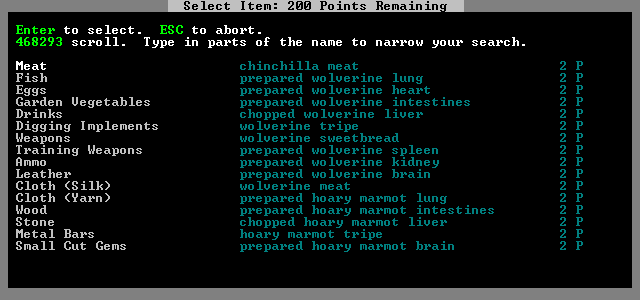
This time, we have an example of the new interface to show you. First, let's look at the old version of the embark screen:


Dwarf Fortress of course has been a text game up to this point, but even in that limited framework there are some elements lacking here! There's no indication for instance that both of these lists scroll or how to do it. The bottom options are a random jumble.

When you press the key to buy a new item, it takes you to a whole new screen:


This one does have scrolling instructions but still no indication of how many pages there are. The mouse doesn't work anywhere.

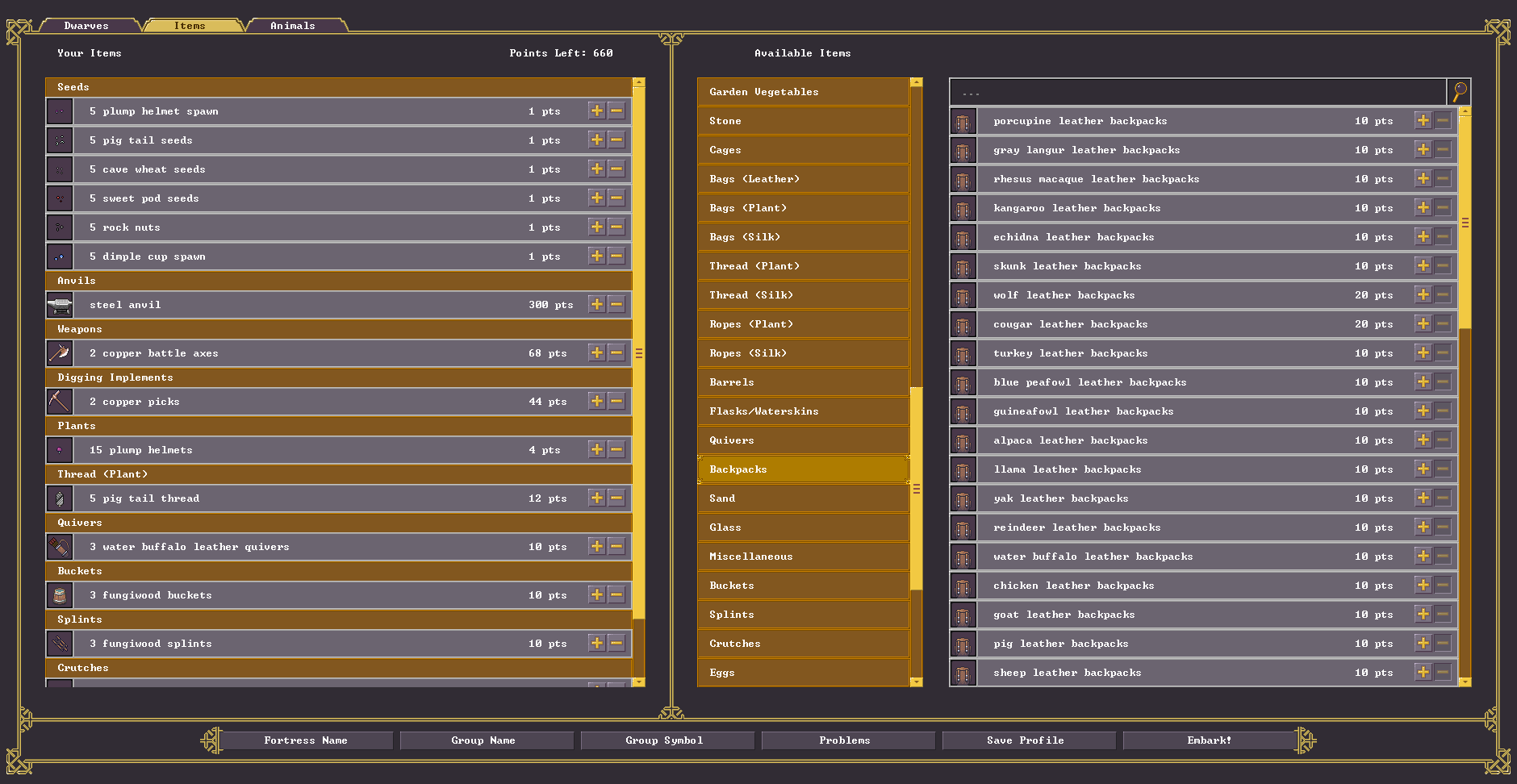
Here is where we are in the version we are working on:


This screen is mainly mouse-driven. The scrolling and purchase options are more clear, and we've cleaned up the options on the bottom as well.

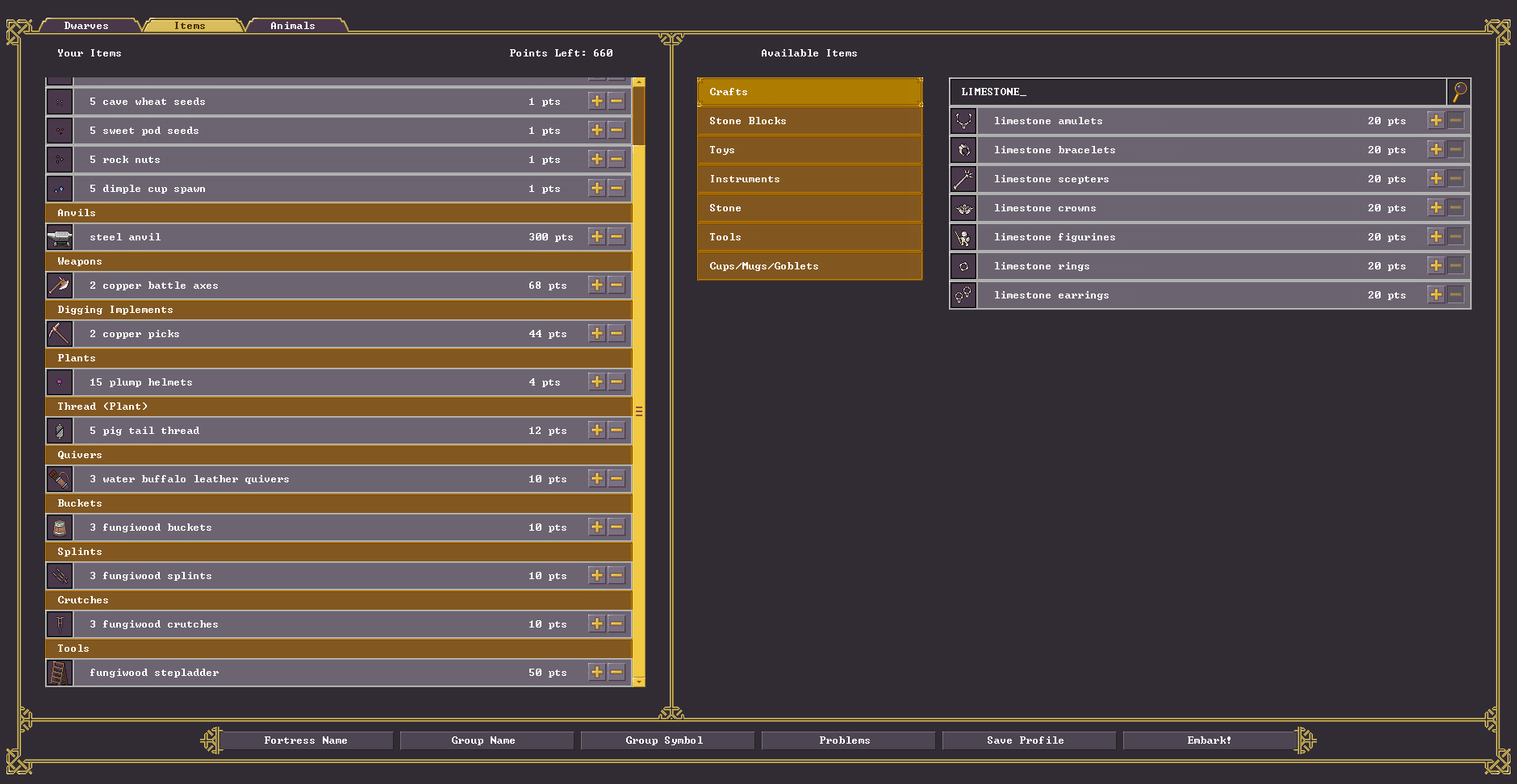
You can continue to narrow your selections with a text filter as below:


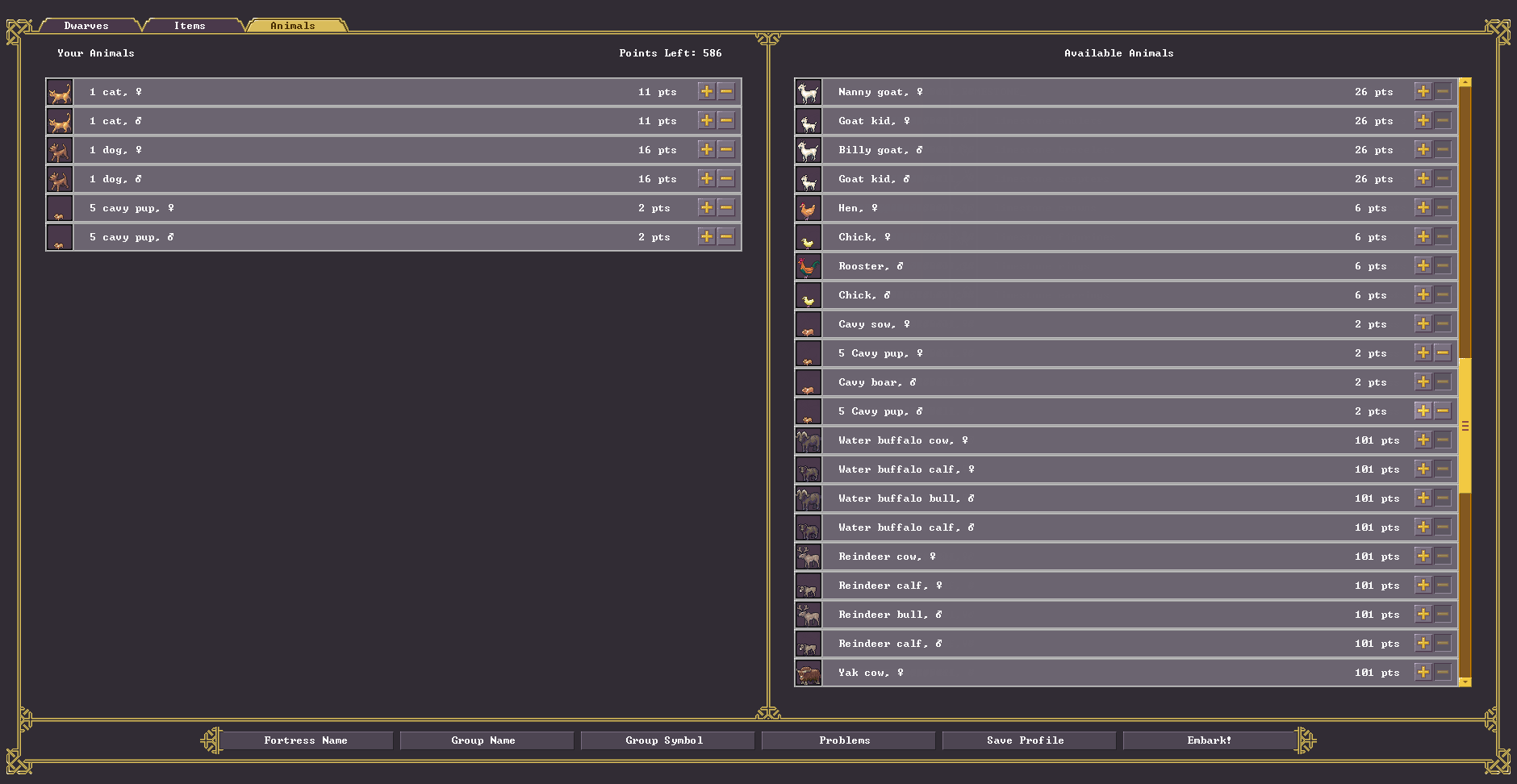
The animals have been moved to a third tab:


Meph drew the border and Mike drew the buttons, bars and the rest, and also gave me various layout advice. Mike also has a widescreen monitor, which has helped correct issues there - this screen currently uses a customizable working area ~2000 pixels wide, centered, while the main screen uses the full width of the display for the more graphical play area.

This screen also sizes down fairly well, to a point. The menu widths compact and finally the border is removed (except for the tabs at the top), so the game is playable at smaller resolutions and window sizes.

We haven't yet finalized the order of the listed items (which are still somewhat random, as opposed to, say, sortable alphabetically or by point value.)

We're continuing to work on the main screen to get it up to this new standard. It'll be exciting to share that when it is ready!

- Tarn

[h3]Kitfox's Note[/h3]

If you sign up for the newsletters, you'll be able to see the full size versions of the images! (And they'll be delivered to your inbox.) You can sign up here and view the web version of the newsletter here.

- Victoria

Mischievous gremlins & vacationing dogs 🐕

Hi!

The base creature pictures have been completed! As you can tell from some of the previous posts, that's a lot of animals, ha ha, as well as various fantasy critters. This also frees up Mike to do a pass on my ghastly programmer-art screens, which we should be able to show next time, while Meph continues work on items and buildings, as well as some additional work with derived creature types, like baby animals and zombies.

Here is one of the fantasy creatures, a mischievous gremlin.


Mischief here can be quite serious mischievous; gremlins like to jump on pressure plates, free animals from cages, and pull levers. Since pressure plates and levers are often linked up to important floodgates or drawbridges, they can be troublesome indeed.

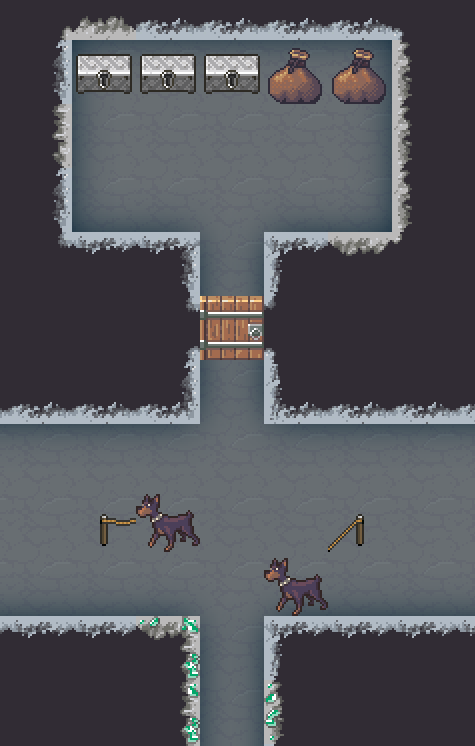
Gremlins are good at sneaking, but a war dog placed at an entrance or strategic intersection is an option (you can always take them off the ropes if you want them to have a vacation from work with all their dwarf friends.)


Placing dwarf guards on patrol routes or having mechanically important areas behind some general bustle is also feasible, though gremlins wait in hiding for opportunities and can often slip through during breaks in hallway traffic. It's important not to leave a lever that can destroy your entire fortress too close to the deep cavern entrances, ha ha. If you are feeling ambitious, you can set up false levers near the caves to lure gremlins, and link them to traps that collapse or flood the lever room.

- Tarn

P.S.

Episode 24 of Dwarf Talk is here. The volume levels are a bit better this time, and the other host returned, so the original lineup is all back together, talking about the interface and playing with the myth generator.