1. Colonize
  2. News

Colonize News

DevBlog #03 - Terrain Creation

We want the Colonize game to have accurate maps, authentic scenery, trees, animals, mountains, meadows, and everything as it was in the 17th century. We try to get as close to it as possible, so we make each map according to the elevation map of the given area.

[h3]Let's show you how we created the Roanoke map![/h3]

The environment of the first Roanoke Colony, located on Roanoke Island off the coast of North Carolina, was a mix of coastal plains, forests, and wetlands. The region was also known for having abundant resources, such as timber and fertile soil, which helped the colony establish itself.

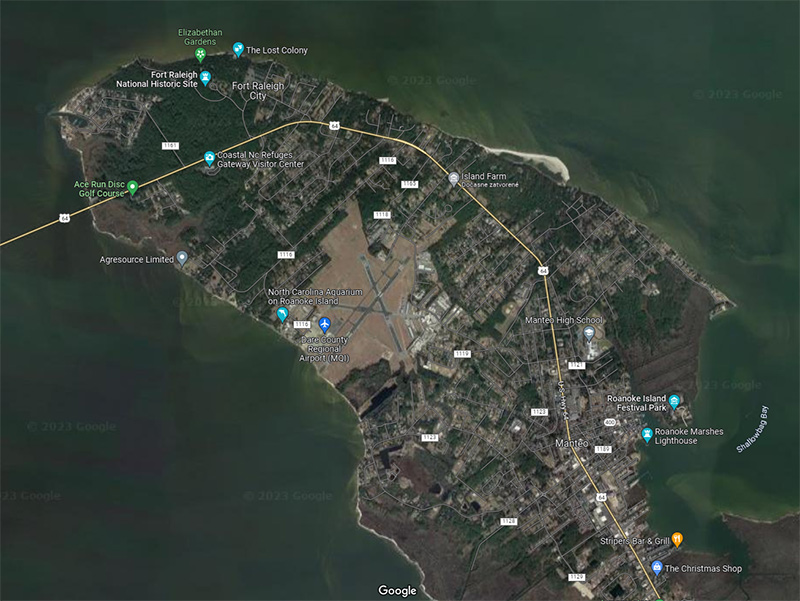
We chose a part of Roanoke Island, specifically around the city of Fort Raleigh. Currently, you can see that there is an airport, and the overall development of the given area is relatively large. Almost most of the land is already in use. That's why we had to invent a little and adapt the terrain to our needs.


As for technical restrictions, the terrain must be 1x1km in size, have a maximum height of 30-35m, and the construction area of the land is 1m above sea level and must be completely flat. That's why we had to re-engage some semi-automatic processes in the Houdini program, which we already introduced last time.

For input, you have raw data, mostly in poor quality, but they serve well. The data goes through several changes, adding various noise displacements, adjusting the beaches, defining the constructible surface, and meeting all the technical conditions mentioned above.
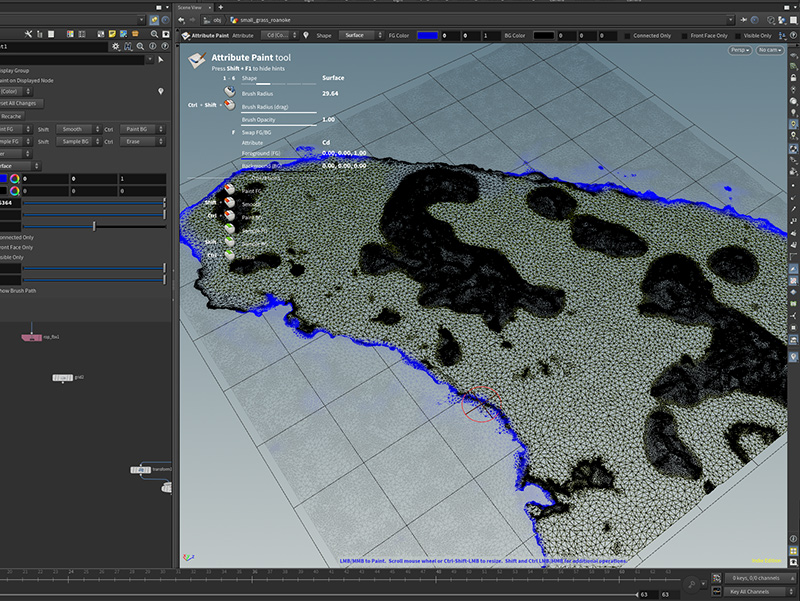


Next, painting the required masks for the shader to create the final appearance in Unity is necessary, but more on that later.
Play with dev

Let's play together !

Steam Next Fest - Demo available!

Quick announcement for everyone, even for the duration of STEAM NEXT FEST, there will be a demo. Still the same version as the Colonize Prologue.

The reason why we are doing this is the same as was for Base Builder Fest, but here is a quick recap here:

The answer is that we are a small indie team with a lot of experience but without a previously published game. Therefore, releasing the Colonize Prologue version of the game was a condition for further funding of the project. This was, of course, very successful and, at the same time, convinced our distributor to invest in us and trust us.

But at one point, we had to decide what to do next, and we dug through the whole game from the basics, so we stopped and concentrated on development. Of course, this did not allow us further to develop the Colonize demo or Colonize Prologue game. So we decided to offer it on the main page and demo to make ourselves visible in the upcoming event, Base Builder Fest.

I hope we have made it clear enough, and at the same time, we promise that we will contact you more regularly in the form of blogs on STEAM as we continue with the game.

Thank you for being so supportive!

DevBlog #02

Houdini is a 3D animation and visual effects software that has gained popularity among game developers for its powerful tools and capabilities. Houdini offers game developers a versatile and flexible solution for creating high-quality game assets. Its node-based system allows artists to quickly build, modify and iterate on their models, making it ideal for fast-paced game development.

More info about Houdini here - Houdini Website

We use Houdini mainly for tasks that can be repeated or mostly that can be automated. For example, the creation of LOD models, the creation of collision objects, or even for creating masks.

For example, if we want the buildings to be covered with snow, nicely from top to bottom, so that there is no snow under the roof, it is quite a problem. Unity cannot tell what is below or above, or it would take a lot of computing power. That's why we automated the rendering of the mask to UV2, where it seems like the light is casting from above, and everywhere it hits, there will be snow, and where not, there will be no snow, obviously.

Houdini processes all the buildings together, creates a new UV space for all buildings, and renders a black-and-white mask. The amazing thing is that if we add or modify buildings in the future, we just need to press one button, and everything will be generated again automatically.

Brilliant, isn't it?


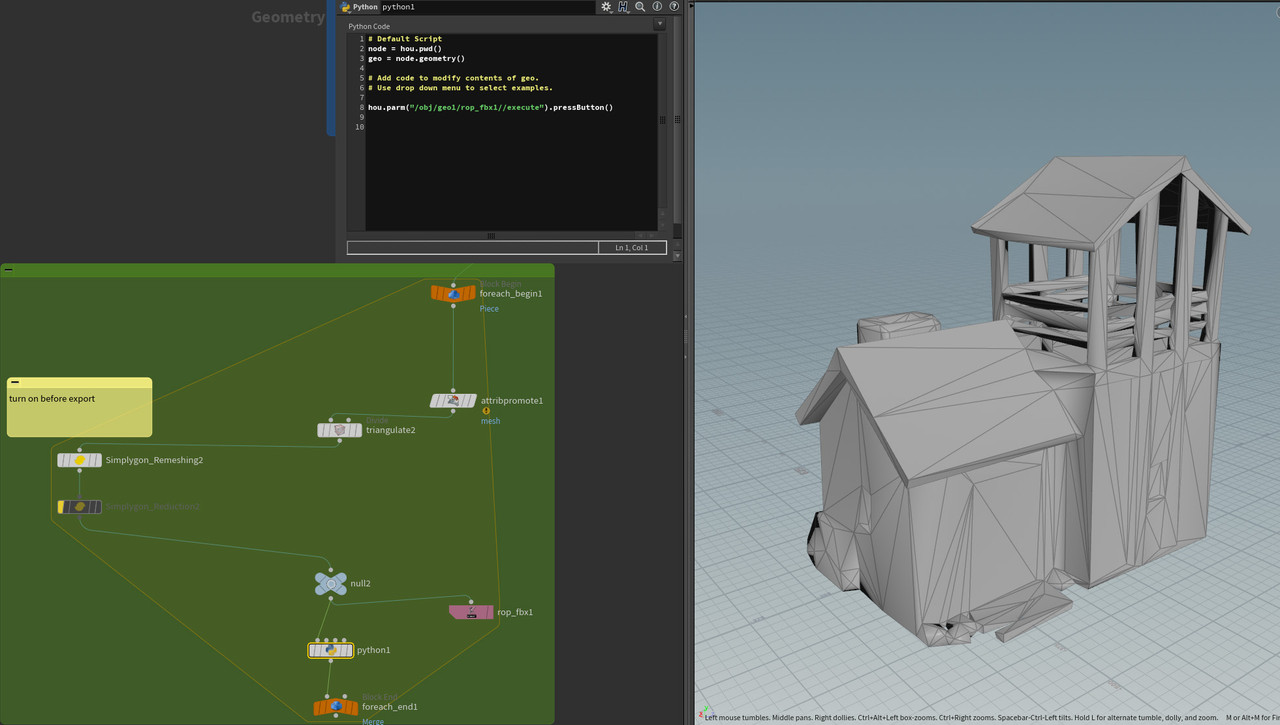
We also use Microsoft's Simplygon solution, free for smaller teams like us. It can beautifully, quickly, and effectively reduce the polycount of models. Connecting it to a simple loop and a bit of python code will always help us process all models automatically and save them to disk.

How much time can we save? At least hundreds of hours if one person had to do it all manually, not to mention if the masks had to be drawn by hand.

See you in the next dev blog!

DevBlog #01

As promised, we are starting a DevBlog, so you can see how the Colonize is being done! Let us get into it, and the first blog is about buildings, which are essential for every building game, right?

[h2]What is the process of creating buildings?[/h2]

First, we have to find the proper references. We use books and, of course, the Internet, and we think about how they might have looked then. Many buildings still standing from the 16th century have already been reconstructed.

We also have to look at the aesthetics of the buildings. Of course, we want the game to be faithful, but at the same time, we want to satisfy our artistic hearts and the players. Above all, buildings must be beautiful!

The building model goes through several rounds of comments until we get to something we like, and it makes sense for a potential resident or worker. We are trying to think how the building would be built by someone who will use it regularly. Does he want stairs there? Does it need windows? Does it need a place to store raw materials?

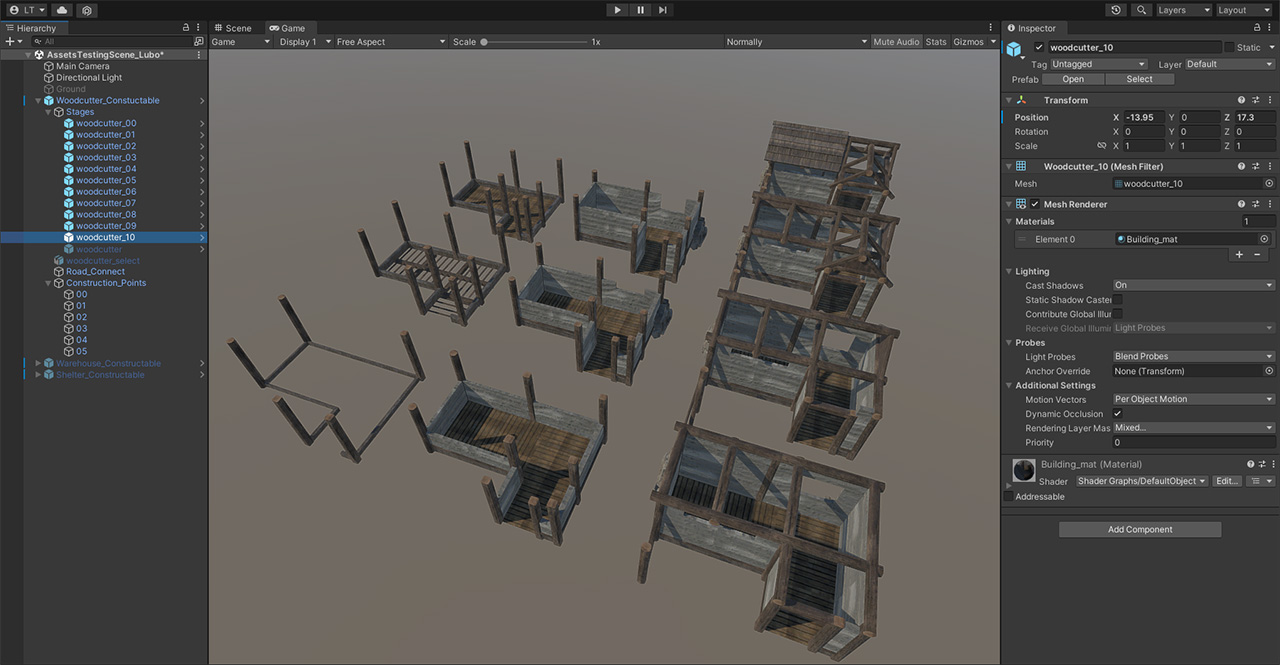
If the building is finished, the next part comes where we have to make 10-15 levels of how the building is being built, which is quite laborious and lengthy work. If we have at least 30 buildings in the game, then we must create at least 300 models, which requires strong nerves and a lot of patience.


Then comes the automation of some extra steps in Houdini, which we'll talk about next time!

Cheers
--sanchez--