1. Railway Empire 2
  2. News

Railway Empire 2 News

Steam Daily Deal Railway Empire 2

[h2]Steam Daily Deal on Railway Empire 2 [/h2]

[h3]Up to 25% off with our great offers below !!![/h3]
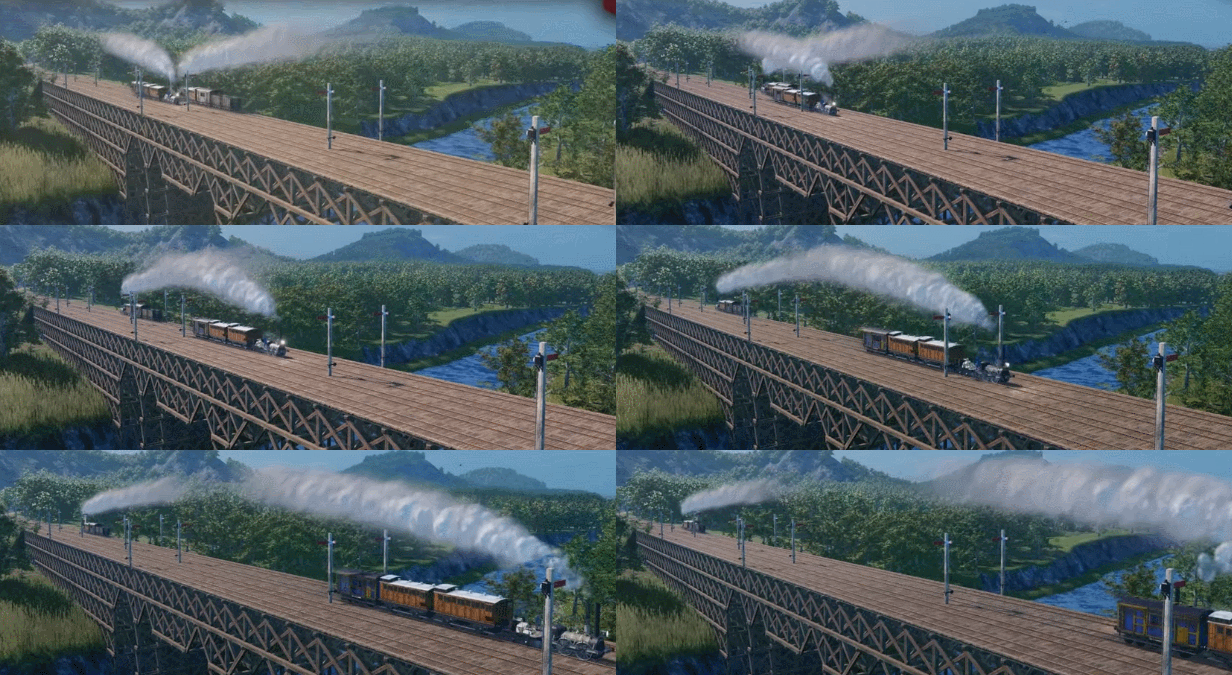


Attention, Tycoons

To celebrate the arrival of the free Quality of Life Update 1.3 for Railway Empire 2 we want to provide you with some great offers.

For example you can save 25% on the Railway Empire Deluxe Edition.
Please keep in mind the train with the offers has arrived and will be staying at the station for a limited time only!

So please make sure to check out our offers below before the train is leaving the station:


All offers are also available directly via the official Steam Store Page of Railway Empire 2 below:

https://store.steampowered.com/app/1644320/Railway_Empire_2/


Railway Empire 2 - Update 1.3

Railway Empire 2 - Quality of Life Update 1.3


Tycoons!

We have just delivered Railway Empire 2’s Update 1.3 to Steam, Xbox Game Pass across console and PC Game Pass for PC, Epic Games Store, PlayStation 4|5, Xbox Series X|S, and Xbox One consoles (supported through Smart Delivery).
This update includes the addition of several new shortcuts, an option to hide the UI, and trains now bypassing stations if they didn’t plan to stop at them and the bypass track isn’t too long.

Please find the full Changelog below.

[h3]Quality of Life Additions[/h3]
  • Added: More custom shortcuts
    Multiple new keyboard shortcuts have been added to the game. These shortcuts can be viewed and customized in the Key Bindings menu: Options -> Controls -> Keyboard Layout
    • Construct New Rail Line: Z
      Open the “Create New Rail Line” panel.
    • Demolish: ENTF
      Opens the demolish panel.
    • Global Confirm: RETURN
      Affects all modal dialogs, as well as in track building.
    • Cycle Rail Lines + : PgUp
      In the World View: Cycle through the trainlines to the right
    • Cycle Rail Lines - : PgDn
      In the World View: Cycle through the trainlines to the left
    • Adjust rail height + : POS_1
      During rail building, while hovering over a rail point, increase the height of the track.
    • Adjust rail height - : END
      During rail building, while hovering over a rail point, decrease the height of the track.
    • Rotate Building + : I
      In building mode, rotates the building to the right.
    • Rotate Building - : O
      In building mode, rotates the building to the left.
    • Tilt Camera + : Y
      Tilts the camera upwards.
    • Tilt Camera - : X
      Tilts the camera downwards.
    • Open Task List Screen: F2
      Opens the Task List Screen.
    • Open Company Screen: F3
      Opens the Company Screen.
    • Open Research Screen: F4
      Opens the Research Screen.
    • Open Engine Shed Screen: F5
      Opens the Engine Shed Screen.
    • Open Personnel Screen: F6
      Opens the Personnel Screen.
    • Open Multiplayer Screen: F7
      Opens the Multiplayer Screen.
    • Open Rail Lines List: J
      Opens the list of all rail lines to the left information interface.
    • Open City List: K
      Opens the list of all cities to the left information interface.
    • Open Flow of Good: L
      Opens the flow of goods display to the left information interface.
    • Open Additional Overlays: Ö
      Opens the additional overlays to the left information interface.
  • Added: Option to hide UI
    The “Photo mode on/off” option has been added to the key bindings menu. It is now possible to hide the UI by pressing the F11 key.
  • Added: New option "Align Railpoints to terrain", where track construction will follow the incline of the terrain rather than cutting straight through every hill and across every drop
    The “Align Railpoints to terrain” option has been added to the Gameplay options menu. If set to “on”, when placing a “Track Point” on a planned track segment which deviates from the terrain’s height, the “Track Points” height is set to the terrain’s height.
  • Added: Trains avoid stations now if they do not plan to stop at that station and if there is a quick way around
    Then train logic and behavior has been changed. If trains do not plan to stop at a city train station, they will now try to use an alternative track to bypass the city train station. The alternative track must not be too long, or they will fall back to drive through the train station.
  • Added: New “Track utilization” overlay
    The “Track utilization” checkbox has been added to the “Additional Overlay” menu (This menu can be accessed by pressing on the “i” icon in the top left corner of the screen). When this option is turned on, tracks will now be given a colour based on their train usage: from white (low usage) to dark red (high usage).
  • Added: New Highlights for tunnels, bridges, and gridirons in track construction
    While being in “Track Construction” mode, certain track parts are now coloured differently to allow for a better distinction between them. Gridirons are now coloured in an orange & white dashed line, Tunnels in a purple & white dashed line, and Bridges in a blue & white dashed line.
  • Added: New “Connected citizens” metric to company overview
    The “Connected Citizens” information has been added to the “Company” menu. The number of citizens connected by the player will now be displayed there.
  • Added: New “Number of businesses” metric to “Flow of goods”
    The “Number of businesses” information has been added to the “Flow of Goods” menu. When selecting a resource, the total number of businesses located on the map is displayed there.
  • Added: New Option to hide rail line information window while a train is focused
    While having a train selected, a new “Retract” button is now available to hide the UI. The button is located below the “Delete Rail Line” button.
  • Added: New “Apply to all” button to maintenance post window
    The “Transfer to All” button has been added to the “Maintenance Post” menu. The button behaves the same as the “Transfer to All” button from the Maintenance depot. When clicking this button, the current settings of the selected building are applied to all other buildings of the same type.
  • Added: Path of goods through warehouses to “Flow of goods”
    When selecting resources in the “Flow of Goods” menu, the overlay now also shows the path of goods through warehouses.
  • Added: New ”Number of citizens” metric to city list
    When selecting “Cities” in the “City List” menu, the number of “Citizens” is now displayed below each city name.
  • Added: Last camera position in ”Ride along” mode is now saved
    The last camera position used during a “Ride Along” is now saved when leaving and reentering this mode.
  • Added: After adding a new station building, the buildings information window will open so that the player can make adjustments to the new building
    After building a new extension at a train station through the “Construction Extension” menu, the newly created building’s overlay is now immediately displayed.
  • Added: New ”Switch between cities” arrow buttons in the city information window
    When selecting an owned city, arrow icons to switch between player owned cities are now displayed in the city overlay next to the its name.
  • Added: New arrows showcasing connections between rail line stops when constructing/viewing a rail line
    While creating or editing a new rail line, the connections between train stations are now additionally indicated with arrows pointing between the different connections.
  • Added: New Option to adjust volume of locomotive sounds
    The “Trains” sound slider has been added to the Sound Options menu. The sound volume of trains can now be separately adjusted via this menu.
  • Added: Currently selected train is now highlighted in Rail Lines overview
    When selecting a train, the corresponding train in the “Rail Lines” menu will now be highlighted with an arrow pointer.
  • Added: New Warning in rail line information window if prioritized goods couldn't be transported (automatic loading)
    A new warning has been added if a rail line is unable to transport prioritized goods. When hovering over the exclamation mark, a detailed message with the reason why the prioritized good can’t be transported is now displayed.
  • Added: New Warning in the rail line information window if goods couldn't be loaded (manual loading)
    A new warning has been added if a rail line is unable to load prioritized goods. When hovering over the exclamation mark, a detailed message with the reason why the prioritized good can’t be loaded is now displayed. Example: “Unable to load prioritized good. Unable to load [resource] in [train station]: No demand for this good”.
  • Added: Increased character limit while naming train lines to 69


[h3]Further adjustments[/h3]
  • The maximum engine speed of several locomotive engines has been adjusted.
    • Maximum engine speed for Inyo, Mountain and Texas increased.
    • Maximum engine speed for Forquenot, T16, P8, and Bay AA_I decreased.
  • Reduced speed when using the "ride along" feature
    The game speed in the “Ride Along” feature has been adjusted to give a better viewing experience while following the train.
  • Various smaller improvements on wagons, like reduced initial dirt, missing lights, colors, etc.
    Several visual improvements have been made to train wagons. Adding visual effects like lights, improvements to colors and objects, fixed “level of details” with some wagon types, and reduced dirtiness / dirt levels on a new train are a few of the additions.
  • Reduced water consumption of waiting trains
    Waiting trains now consume less water when they are stationary. This means they need fewer stops at the “Supply Tower”.


[h3]Fixes[/h3]
  • Fixed an issue where the research for speed bonus was also applied to all future locomotives of other decades, instead of only engines of the same decade. This fix only applies to new save games.
  • Fixed a graphical glitch in the "Manual Loading" interface where it looked like you could unload goods in cities that don’t have demand for that good.
  • Fixed an issue with manual signals where trains didn't detect the next viable stop correctly.
  • Fixed an issue where the Refrigerator car was always unlocked on Europe map.
  • Fixed some issues where goods sometimes weren't properly transported via warehouses.
  • Fixed an issue with task generation where the player had to connect too many cities to the network.
  • Fixed an issue where automatically built factories were positioned in front of train stations, blocking future track construction.
  • [Controller] Fixed an issue where players were unable to confirm track priority.
  • Fixed some text-alignment issues within the Arabic localization.
  • [Journey to the East] Fixed an issue where, in some eras wrong luxury wagons were displayed.
  • [Journey to the East] Fixed an issue where Seasonal Snow was not available on the Balkans map.
  • [Journey to the East] Fixed an issue where luxury passengers weren't loading and unloading properly.

All Aboard Travellers! We're Headed to Constantinople

Railway Empire 2 - Journey to the East Out Now

Welcome all new and experienced railroad travellers! Join us on the latest adventure with Railway Empire 2's first DLC - Journey to the East. Now available on PC, Xbox Series X|S, Xbox One, and PlayStation 4|5.

[previewyoutube][/previewyoutube]

Set your sights beyond the cities of Western Europe, to the bustling cities of the Ottoman Empire and find yourself at the crossroads between Europe and Asia in historic Constantinople. As you make your way east, enjoy the rich history and culture of the Balkans in South-Eastern Europe on the new Balkan regional map. You can travel in style aboard one of six new historically accurate locomotives, including the Bavarian S 3/6, and transport over 10 new luxury goods.

Build the railroad of your dreams as you treat your esteemed passengers with new Luxury Train Connections. These opulent carriages offer the latest and greatest accommodations of the 19th century and add great opportunity to grow your empire’s wealth. Set higher ticket prices and maximize your revenue. If you can attract wealthy patrons, they are undoubtedly worth every penny!

Railway Empire 2 – Journey to the East, is available now on PC, Xbox Series X|S, Xbox One, and PlayStation 4|5.

[h3]Features:[/h3]
  • Destination Constantinople: This Railway Empire 2-DLC features the new, fully voiced scenario, Journey to the East (1881-1890).
  • Eastbound: New regional map “Balkan" with new city buildings and station building for the southern regions of the map.
  • Variety of goods: More than 10 new luxury products, including Golden Honey, Exotic Olives, and Luxurious Carpets.
  • Colossal Power: Six new locomotives, including the Bavarian S 3/6 and the CFR 142 Carpathian Pride.
  • The Glamour of the Fin de Siécle: The new feature Luxury Train Connections can be researched from 1870 onwards providing new luxury wagons. Adjust the pricing for those lines to reach a higher revenue per passenger.
  • Go with the Vibe: Ten new themed music tracks and 19 jingles to create a more immersive campaign and map.

Railway Empire 2 - Update 1.2

Railway Empire 2 - Update 1.2


Tycoons!

We have just delivered Railway Empire 2’s Update 1.2 alongside our first DLC, Journey to the East for Steam, Xbox Game Pass across console and PC Game Pass for PC, Epic Games Store, PlayStation 4|5, Xbox Series X|S and Xbox One consoles (supported through Smart Delivery).
This update includes several fixes, such as fixes for manual signals and for blocked gridirons.

Please find the full Changelog below.

[h3]Fixes:[/h3]
  • Fixed several issues where trains would ignore manual signals/manual signals not working (directional signals and stop signals).
  • Fixed an issue where a train on a Gridiron could be facing and blocking other trains trying to enter the Gridiron.
  • Added: Customizable key binds for manual signal placement:
    • Place directional signals
    • Place stop signals
    • Place or modify a directional signal
    • Place or modify a stop signal
    • Remove all signals
  • Fixed an issue where in the Scenario 13 ‘Sitting on the Fence’ - Rheims was not demanding the required Weapons or Canned Food in some situations.
  • Fixed an issue with the last mission of the Balkan scenario where the framerate would drop when having the “Connect X train stations” task active.
  • Fixed an issue where the frame rate would drop when opening the track building, this was especially noticeable on the older generation consoles.
  • Fixed an issue where the customized maintenance limit value of the maintenance depot carried over to later campaign missions instead of resetting to the default 60%.
  • Fixed an issue where the competitor merger option was cheaper than buying shares first before merging companies. Direct Merger is now 25% more expensive than buying shares first.
  • Fixed an issue where competitors were still expanding when 100% of their shares were in possession of the player.
  • Fixed an issue where players were unable to rename rail lines in Russian, Arabic, Korean, and Japanese.

Railway Empire 2 - Roadmap #2

Railway Empire 2 - Roadmap #2


Attention, Tycoons,
Today, the post train arrived with exciting news straight from the Railway Empire 2 Team: The roadmap train continues forward with the next major stops in sight.
Our development train already reached 2 vital stations, with a giant freight train full of fixes and the much-requested manual signals!

Ahead of us, in February 2024, lies our first DLC stop: “Journey to the East”. Hop aboard and take the train from Vienna to Constantinople and embark on a mission to connect the European capitals to the Ottoman Empire. Deploy new locomotives, produce and transport new goods, and attract wealthy travellers with the brand-new Luxury Rail Line mechanic, transporting them back and forth from the Danube River to the Bosporus.…

Following, we have the previously announced Quality of Life Update, which will further ensure your journey will be a smooth one.
Originally, the QoL update was intended to be our third update after the manual signals. Due to the complexity of the implementation of this anticipated feature, we had to change our plans and move the release of the update back, which ends up putting it behind the release of the Journey to the East DLC. We understand that having to wait this long for updates is disappointing and we are aware of the wishes and requests that you still have for Railway Empire 2. We will keep working on the game and releasing further updates accordingly, just like we did with the predecessor. Please keep sharing your feedback and thoughts with us!

Lastly, ahead on the horizon, we have a second DLC approaching, which promises to be a truly electrifying experience.
We will keep working hard on releasing Updates for Railway Empire 2 and on improving the game.

All aboard!

Your Railway Empire 2 Team