1. War Thunder
  2. News

War Thunder News

German Unity Day


32 years ago, on October 3rd 1990, Germany was reunited after several decades of separation. We congratulate our German players during one of the main national holidays!

[h2]
From October 3rd (13:00 GMT) until October 6th (07:00 GMT)
[/h2]

[h3]Play 3 battles on the German vehicles (rank III or above, activity 70%) to get a special decal “German Unity”.[/h3]

“German Unity” decal

The task may be completed in random battles, except for Enduring Confrontation and [Assault] missions. Track your progress by clicking your nickname, Achievements → Holydays → German Unity Day.

Find the achieved decal in the customization menu, “Holidays” tab.


Premium vehicles Sea Hawk Mk.100 and Pz.Sfl.Ic are temporarily available during the special event.

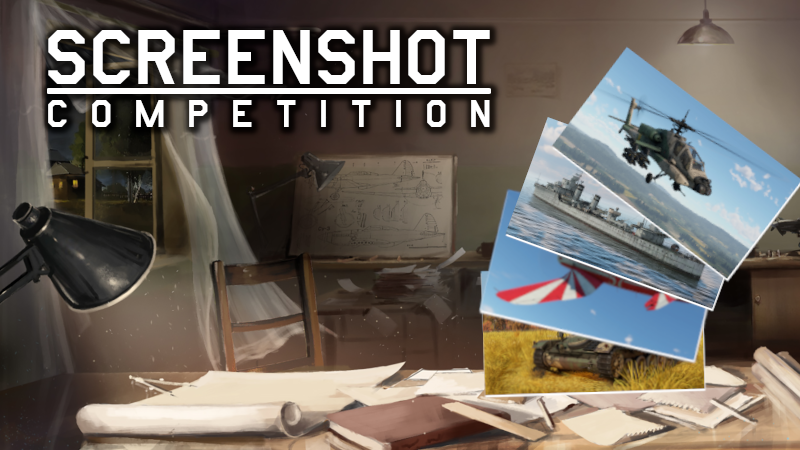
Screenshot Competition - Concours d'Elegance!


Welcome to the 35th War Thunder Steam Screenshot Competition!


Your screenshots from last week were quite picturesque! Who knew War Thunder had so many great spots to stop for lunch? The three most popular and three selected by us will get 300 GE. See the winners down below!

[h2]Let’s begin the 35th edition of our competition![/h2]

Create a stunning screenshot and submit it on the War Thunder Steam Community Hub with the tag #WTscreen35. You have time until 07.10.2022 to submit your screenshot.

After that date, 6 winners will be selected (3 of which will be the highest rated by the community and 3 selected by our judges), each of which receive a reward of 300GE.

[h2]Important addition: Screenshot theme - Concours d'Elegance![/h2]

[h3]Terms:[/h3]
  • We all spend lots of time sprucing up our most favorite vehicles in War Thunder. This week, it is time to see who has the most glamorous and elegant of them all!
    You must add the #WTscreen35 tag (without other text).
  • Screenshots need to be compliant with the War Thunder rules.
  • You need to be the author of the screenshot.
  • Screenshot needs to be new. You cannot use those which have previously been published or used in other competitions.
  • We will only accept raw screenshots from the game. You cannot use any editing software nor any other visual enhancements (like Nvidia Ansel filters).
  • You can use filters and settings built into War Thunder.
  • You can use the replay functionality built into War Thunder.
  • Rewards will be delivered to the author's account within 7 working days.


[h2]And now, time for the winners of the competition’s 34th edition - Out for a Picnic![/h2]

[h3]Winners selected via community votes:[/h3]
https://steamcommunity.com/sharedfiles/filedetails/?id=2867248022
https://steamcommunity.com/sharedfiles/filedetails/?id=2866837041
https://steamcommunity.com/sharedfiles/filedetails/?id=2867212636

[h3]Winners selected by our judges:[/h3]
https://steamcommunity.com/sharedfiles/filedetails/?id=2868457322
https://steamcommunity.com/sharedfiles/filedetails/?id=2868648734
https://steamcommunity.com/sharedfiles/filedetails/?id=2868912253

Each winner will get 300GE! Congratulations and see you next week!

National Day of the People's Republic of China


Every year, on the 1st of October, the central squares in China will be decorated with compositions of fresh flowers, Chinese lanterns, dragon figures and see folk festivals and performances on the streets that will continue for several days in the “golden week”. This day marks the main public holiday in China.

We want to congratulate all our Chinese players! We wish them prosperity and welfare!

[h2]
From 13:00 GMT on the 30th of September until 07:00 GMT on the 7th of October.
[/h2]

[h3]Perform 3 battles in Chinese vehicles (from rank III and with an activity of 70% or higher) and get the “Emblem of PRC” decal.[/h3]


“Emblem of PRC” decal
You can find the decal in the “Holidays” tab in the Customisation menu.


Complete the task in random battles, except for Enduring Confrontation missions and [Assault] mode.
Track your progress in the hangar by clicking Nickname → Achievements → Holidays → National Day of the People's Republic of China.


First time in War Thunder! The premium Type 69-IIa main battle tank is temporarily available for purchase only until October 7th. The Premium version features smoke grenade launchers, as well as turret screens against shape-charged munitions. The Type 69-IIa wields a domestic Chinese rifled 100mm gun with unique rounds, such as Type 44 armor-piercing high-explosive shell, as well as a more powerful HE round.

Planned Battle Rating changes - September 2022


We continue to monitor the Battle Ratings of vehicles and their competitive capabilities. Below you will find a list of the changes we want to make in September 2022.

View the changes here

Leave your feedback here

It’s fixed! №64

In this digest we would like to tell you about our continuing work on improvements and fixes in the game. You can find information about all updates that have been released in War Thunder on the website special section.

[h3]
Please feel free to leave your feedback on these changes in the dedicated "It’s fixed! №64" thread
[/h3]


Container auto-drop


Any suspended container reduces flight characteristics - this applies to a container full of unguided rockets, it also applies to an empty one as they all affect the resistance of oncoming airflow! Previously we introduced the ability to get rid of some empty suspended containers. Now we are making that mechanic automatic!

Depending on the type, containers can be dropped separately or after one type of ordnance is completely used up.

For your convenience we have left the setting to enable or disable this feature: “Automatic dropping of empty weapon containers”.


Stationary Moving target


UAVs are great for everything - they are great scouts, they help your whole team and your squad mates and they give you a nice opportunity to annoy the enemy by buzzing in their ear. But the trouble is that once you have launched your scouting UAV - your vehicle has been left motionless waiting for a lucky hunter.

That was the way it used to be. Now you can control the UAV from a moving vehicle if you set the direction of movement and turn on cruise control before launching the UAV. Don’t be like a rock. Keep moving!


Saving your rear!


We have fixed a bug with the incorrect display of the chaffs counter when firing them separately. Also, one flare and one chaff will be dropped in one shot. Good luck dodging that missile.

More improvements


For this digest we have prepared a large set of useful fixes and game improvements. Be sure to read the full list below - there are many interesting things.

Once again, many thanks for all your bug reports that you submitted using our special service.

Update 2.19.0.49


[h2]Aircraft[/h2]
  • Mixed countermeasures loadout release has been fixed.
  • One flare and one pack of chaff are now released each time a player presses the button.
  • Empty weapon container automatic jettison has been added. For some types of weapon, separate weapon containers are dropped right after the last round has been fired from them, for some types of weapon containers are dropped only after all ammo of selected type are fired from all of them.
  • Automatic jettison can be disabled with the game option “Empty weapon containers automatic jettison”. The option is enabled by default.
  • The IR AAM seeker reticle will no longer disappear from the HUD near the lock on range limit.
  • R-530F seeker will no longer constantly lose its target.

[h2]Ground Vehicles[/h2]
  • AMX-13 (HOT) — a missing delay between grenade launcher shots has been restored.
  • AMX-30 DCA, Falcon — missed localization for the 30mm APHE round has been fixed.
  • A bug has been fixed that prevented description of the AA machine gun belt in the modifications menu.
  • When the cruise control is enabled, a vehicle now continues to drive while switching to the UAV.

[h2]Naval[/h2]
  • Z20 Karl Galster, T31 — universal and main calibre guns now able to group for simultaneous bursts.
  • SMS Helgoland — armoring of the conning bridges, bow and stern armour belts have been corrected. The deck armour over the universal guns has been reduced from 45 to 25 mm.

[h2]Interface[/h2]
  • A bug has been fixed where squad icons were not displayed in the statistics in replays.
  • A bug has been fixed where squad icons in the statistics menu might be displayed incorrectly out of vertical line.
  • A bug has been fixed that prevented a selected squadron vehicle from displaying in the squadron points window.
  • Now, in the squadron point window, a new selected vehicle is highlighted.
  • Incorrect position of the death counter in the statistics window has been fixed.

[h2]Locations[/h2]
  • 38th Parallel, Frozen Pass, Karelia - a bug has been fixed where trees and terrain elements might disappear in the scope view in some areas of locations.
  • A bug has been fixed where bushes remained still in other players' views after a player’s vehicle went through them.

[h2]Other changes[/h2]
  • New collection trophies appear in the ingame store for players without access to the Market.
  • A bug has been fixed where a latency flash indicator was disabled in the graphics settings on the PC version.
The current provided changelog reflects the major changes within the game as part of this Update. Some updates, additions and fixes may not be listed in the provided notes. War Thunder is constantly improving and specific fixes may be implemented without the client being updated.