1. War Thunder
  2. News

War Thunder News

World War Mode News


World War returns! Let’s talk about the news and improvements in the long-anticipated gaming mode, as well as share our future plans.

Read more about World War Mode

Inter Season
New World War format! Now, in addition to seasons, World War operations will be periodically launched as a regular game event. In such launches, we will be able to present new mechanics, scenarios of operations and missions, or conduct mass testing. Like in other gaming events, you can try something new for yourself or dive into the forgotten old goodness. In some cases, the launch might be timed to a significant historical event and supported by more valuable and unique rewards. In addition, the first in a day battle in World War mode will bring you the “First Battle” Battle Trophy, which contains boosters, wages, orders, universal back-ups and modifications to vehicles used in the battle, including the Talismans!

Second Battle of El Alamein: 80 years later
From November 17th (12:00 GMT) until November 21st (12:00 GMT) join the “Battle of El Alamein” operation of the World War and get a special decal!

November 1942 saw the end of what is believed to be the decisive battle in the North African theatre in World War II. British troops under the command of General Montgomery defeated the forces of Field Marshal Rommel, and an unstoppable retreat of the Axis forces began.

For this date, we have updated the “Second Battle of El Alamein” scenario in World War — the fixed set of vehicles in armies has been changed to groups of vehicles (the mechanics similar to the “Attack from the Sea” season).

Participants in the event will have a chance to receive a commemorative decal, the emblem of the Queen's Own Cameron Highlanders. To do this, you need to score 15,000 mission points in the battles of any operation you like. You are not required to be in a squadron and it is not necessary to play in the operations of your squadron as well.


Operations on different servers
The “server issues” were among the most notable complaints before, especially, high ping and packet loss in World War sessions. Many players assumed that this was due to the high load on the servers, but the reason was the choice of the server cluster for the created session. In the battles of the World War, a logic was used in which matchmaking automatically selected the appropriate cluster according to the players in the queue for this battle. The session cluster on the server was selected by which cluster there were more players in the queue. As a result, for example, at nighttime for Europe, many sessions were held on the servers of the North American region, since the majority of players were from there at that time.


Now, before creating an operation, squadron leaders must select appropriate clusters in a prioritised list. When an operation is created, the cluster with the highest rating from both leaders is selected and this cluster is assigned to the session, displayed in the upper right side of the operation screen. All battles created in this operation will start on the servers of this cluster.

New mechanics for finding, joining and returning to an operation
You probably know that World War mode can be played by non-squadron players, as well as not only for your squadron. Previously, any player might find a battle in the World War battle list and join it, then a player could stay in the operation or get back to the battle list and join another battle. First of all, this approach prevents the player experiencing immersion in the gaming mode, since they are unable to understand the plot, essence and importance of the situation. Secondly, a huge and clumsy battle list was difficult to browse and affected the infrastructure greatly. We decided to completely abandon the battle list.

Now, in the World War menu players will see an operation join buttons for each side. By clicking the button the game will try to find an appropriate operation with a player’s chosen options, including side and server list. After joining the operation it remains in the World War window and you’ll be able to return back to the operation by clicking the button “Back to [the number of operation]”. If you don’t like the operation. you can find a new one.

For squadron players there will be an active button “Join the [the number of battle]” if your squadron is currently involved in the World War operation.


Changes for squads
Playing in a “mercenary” squad that isn't a part of squadron was also difficult - squad members did not know what the leader was currently doing and in which battles they want to play. And when the leader found the right battle squad members immediately found themselves in a window to prepare for battle and couldn’t familiarise themselves with the operation. They only had to confirm their readiness and join the battle.

Now all squad members will see the leader’s operation instead of the “To Battle” button in the hangar and also additionally in the squad widget. Using these buttons will mean that you can easily and quickly get to the operation of your squad leader, discuss it and make some important decisions together. The presence of squad members in the operation automatically marks them as ready to participate in the operation’s battle - you will only have to confirm the readiness of the crews before entering battle (press the “Ready” button once instead of twice as before).

When the squad leader exits the World War operation the “To Battle” button and squad widget take on their usual appearance and you can play random battles again as before.

Vehicle research
Each World War mode operation involves two game nations and uses a limited vehicle list for each nation. For experienced players it is often the case that all these and surrounding vehicles are researched and the penalty of researching high ranked vehicles can discourage them from playing this mode. Since you can not choose what you are playing in World War mode we decided to remove the penalty for research on high-ranked vehicles in this game mode.
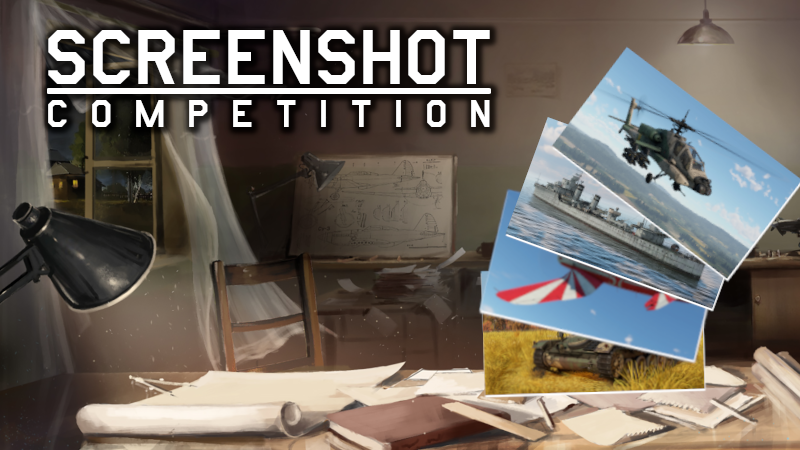
Screenshot Competition - Lakes, Rivers & Oceans!


Welcome to the 41st War Thunder Steam Screenshot Competition!


The stunts from last week were impressive!! Evel Knievel and Flight Lieutenant Alan Pollock would likely be very proud! The three most popular and three selected by us will get 300 GE. See the winners down below!

[h2]Let’s begin the 41st edition of our competition![/h2]

Create a stunning screenshot and submit it on the War Thunder Steam Community Hub with the tag #WTscreen41. You have time until 18.11.2022 to submit your screenshot.

After that date, 6 winners will be selected (3 of which will be the highest rated by the community and 3 selected by our judges), each of which receive a reward of 300GE.


[h2]Important addition: Screenshot theme - Lakes, Rivers & Oceans![/h2]

[h3]Terms:[/h3]
    Many maps in War Thunder have something in common- Water! Do you have a screenshot of your tank going for a splash, or are you just flying by?
    You must add the #WTscreen41 tag (without other text).
  • Screenshots need to be compliant with the War Thunder rules.
  • You need to be the author of the screenshot.
  • Screenshot needs to be new. You cannot use those which have previously been published or used in other competitions.
  • We will only accept raw screenshots from the game. You cannot use any editing software nor any other visual enhancements (like Nvidia Ansel filters).
  • You can use filters and settings built into War Thunder.
  • You can use the replay functionality built into War Thunder.
  • Rewards will be delivered to the author's account within 7 working days.


[h2]And now, time for the winners of the competition’s 40th edition - Stuntman![/h2]

[h3]Winners selected via community votes:[/h3]
https://steamcommunity.com/sharedfiles/filedetails/?id=2885436513
https://steamcommunity.com/sharedfiles/filedetails/?id=2884628146
https://steamcommunity.com/sharedfiles/filedetails/?id=2884556074

[h3]Winners selected by our judges:[/h3]
https://steamcommunity.com/sharedfiles/filedetails/?id=2886688560
https://steamcommunity.com/sharedfiles/filedetails/?id=2884636102
https://steamcommunity.com/sharedfiles/filedetails/?id=2885865123

Each winner will get 300GE! Congratulations and see you next week!

Polish Independence Day


At the end of 18th century Poland was partitioned, its territories annexed by nearby empires. But at the end of WWI Russia bowed out of the war, while Austria-Hungary and Germany capitulated. It allowed Poland to regain its freedom in 1918 — and it celebrates its Independence Day on November 11th, the anniversary of the end of World War I.

[h2]
From November 11th (12:00 GMT) until November 14th (07:00 GMT)
[/h2]

[h3]Play 3 battles using a British vehicle (rank III or higher, with an activity of not less than 70%) to receive the “Polish Phoenix” decal.[/h3]


“Polish Phoenix” decal

Complete the task in random battles, except for Enduring Confrontation missions and [Assault] mode. Track your progress in the hangar by clicking Nickname → Achievements → Holidays → Polish Independence Day.


You can find the decal in the “Holidays” tab in the Customisation menu.


During the event Witold Łanowski’s P-47M-1-RE Thunderbolt interceptor will be available for purchase for Golden Eagles.

People's Liberation Army Air Force Day


Soon after the People's Liberation Army of China was formed, it created its own Air Force on November 11th, 1949. At first it consisted mostly of Soviet aircraft, but now it boasts a wide range of Chinese-made aircraft and is among the three largest air forces in the world.

[h2]
From November 11th (09:00 GMT) until November 14th (07:00 GMT)
[/h2]

[h3]Play 3 battles using Chinese aircraft (rank III or higher, with an activity of not less than 70%) to receive the “Emblem of the People's Liberation Army Air Force” decal.[/h3]


“Emblem of the People's Liberation Army Air Force” decal

Complete the task in random battles, except for Enduring Confrontation missions and [Assault] mode. Track your progress in the hangar by clicking Nickname → Achievements → Holidays → People's Liberation Army Air Force Day.


You can find the decal in the “Holidays” tab in the Customisation menu.

War Thunder 10 Years Anniversary Twitch Drops!


Hello friends!

We invite you to celebrate the 10th anniversary of War Thunder with your favorite Twitch streamers — and receive Twitch Drops for it!

[h2]Rewards for watching streams from November 10th (12:00 UTC) until November 21st (12:00 UTC)[/h2]
  • «10th Anniversary» Decorator (Fleet)
  • «10th Anniversary» Decorator (Ground forces)
  • M1A2 SEP «10th Anniversary Camo»
  • Q-5L «10th Anniversary Camo»
  • AHS «10th Anniversary Camo»
  • Hugin «10th Anniversary Camo»


Special decoration


[h3]“WT10 — Fire Front RBm 5x5” Tournament Streams[/h3]

During the weekends of November 12th-13th and 19th-20th from 17:00 GMT until 19:30 GMT you’ll be able to receive Drops while watching streams of War Thunder competitions on Twitch EsportsReady channels with the support of studio FLIEGONODROM.

WATCH THE STREAMS

Daily quizzes will be held among the viewers of the streams, with premium sets from the Gaijin.net store as prizes. Join the official War Thunder e-sport Discord server! The hottest topics and hundreds of friends are waiting for you!


[h2]Twitch Drops FAQ[/h2]
[expand]
[h3]— What are Twitch Drops?[/h3]
These are game rewards for stream viewers on Twitch.

[h3]— You mean I can get something in War Thunder?[/h3]
Yep! The longer you watch War Thunder streams, the more rewards you’ll get.

[h3]— Awesome! What do I need to do to be able to get the rewards?[/h3]
You need to link your Gaijin and Twitch accounts:
1. Sign up or enter your Twitch account details on the website.
2. Enter the information from your Gaijin account you are playing War Thunder with on this page and click the “Link” button.

3. Press the “Allow” button!

[h3]— What broadcasts do I need to watch to be able to earn rewards?[/h3]
Watch War Thunder streams marked “Drops enabled!”.

[h3]— How do I know that I have received a reward?[/h3]
You will receive a reward message on the Twitch broadcast page. Once you see it, you will need to click on the “Get” button. You can also do this in your Drops inventory.

[h3]— Which platforms are rewards available for?[/h3]
Rewards are available for everyone who plays War Thunder on PC, PlayStation 4, PlayStation 5, Xbox One and Xbox Series.

[h3]— How do I enable Drops on my channel if I’m a streamer?[/h3]
In short, participate in our Partnership Program, enable Drops in your settings and stream War Thunder:


ATTENTION! We want each active and passionate War Thunder streamer to find a new audience thanks to Twitch Drops. As such, in no way do we encourage streamers who create their streams only for “farming” Drops using third party content, video clips and any other format that doesn’t include their direct participation with the game. Channels with such content will be disconnected from Drops.

[/expand]