1. Trappist
  2. News

Trappist News

v1.0.4 - Improvements to camera movement and zoom, and more

More than a few players have reported issues with camera movement and zoom.

Over the last week I've uploaded a few beta updates and with your feedback the camera controls feel much better now.

Thanks for your feedback and patience with this annoying issue!

The full changelog for v1.0.4 and the preceding betas:
- Fix Zima Blue transition when game speed is changed
- Consistent timing for jump to strategic view
- Upgrade to Unity 2022.3.21

v1.0.3 (beta):
- Tweak camera movement values, acceleration curves and friction
- Add more specific alert messages and add more hints
- Add missing supply alert message for Zima Blue

v1.0.2 (beta):
- Set threshold values for camera inputs
- Fixed the story triggers related to Zima freezing and thawing
- Fixed story triggers for the Graveyard events
- Add additional safe guards to prevent NullPointerExceptions

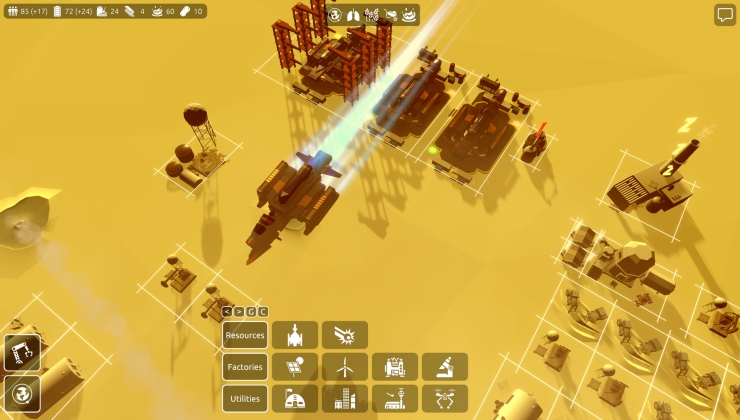
v1.0.3 - Second beta build for camera movement and zoom

This is another update in an attempt to fix the camera issues.

The issues are the result of how input events are processed on very fast machines with gaming mice. Especially the scroll wheel can have a lot of variation in how the input is processed by Unity.

I've tested the game on a variety of hardware but mostly on the lower end of the spectrum. Not the very fast gaming machines many of you seem to have!
It takes a bit of guess work on my end to determine how the inputs should be processed, and what the effects of my tweaks will be.

I would like to ask your help to try out this beta build.

To try this build: right-click on Trappist in the library page and select "Properties". Among the available tabs will be the "Betas" tab.


If you don't see this tab yet, you can refresh by exiting and re-opening Steam.

I've only uploaded a Windows build. That is where the issues have been reported. If you have similar issues with Linux or macOS, do let me know!

These betas also contain fixes for other issues that have been reported. So if you don't have any camera issues you're still welcome to try the beta.

Thanks for your patience while I try to sort this out!

The v1.0.3 changelog:
- Tweak camera movement values, acceleration curves and friction
- Add more specific alert messages and add more hints
- Add missing supply alert message for Zima Blue

Explore a solar system in colony-builder Trappist

Trappist is a new colony-builder that space sci-fi fans should take a look at, giving you access to a whole solar system to travel around and colonize multiple planets and moons.

Read the full article here: https://www.gamingonlinux.com/2024/03/explore-a-solar-system-in-colony-builder-trappist

v1.0.2 - Beta build for camera movement and zoom issues

More than a few players have reported issues with camera movement and zoom.

I've been working to track down the cause, but because I don't experience the issue myself it's surprisingly difficult to fix something that seems so simple.

I would like to ask your help to try out possible fixes. I've uploaded a beta build for you to try out.

To try this build: right-click on Trappist in the library page and select "Properties". Among the available tabs will be the "Betas" tab.


If you don't see this tab yet, you can refresh by exiting and re-opening Steam.

I've only uploaded a Windows build. That is where the issues have been reported. If you have similar issues with Linux or macOS, do let me know!

These betas also contain fixes for other issues that have been reported. So if you don't have any camera issues you're still welcome to try the beta.

Thanks for your patience while I try to sort this out!

The full v1.0.2 changelog (so far):
- Set threshold values for camera inputs
- Fixed the story triggers related to Zima freezing and thawing
- Fixed story triggers for the Graveyard events
- Add additional safe guards to prevent NullPointerExceptions

Update notes for v1.0.1

I'm very excited to see so many of you have enjoyed Trappist in this first week since launch!

Some of you encountered bugs and in this first patch I try to address most of the bugs players have reported. Including fixes for unlocking new buildings and achievements.

I've started work on the quality of life suggestions you've made. You can now pause, slow or speed up time in the game with buttons added to the top of the screen.

The time controls required changes to how the game handles input. And I hope this also addresses some of the reported issues with zoom.
The Options menu now has sliders to further adjust the camera movement and zoom speeds.

Big thanks to all the community members that posted their issues and suggestions!

The full changelog for v1.0.1:
- Unlock the Robot Assembly Line when a moon colony reaches the second development Tier
- Unlock Landing Pads on the Ark
- Control game time, speed it up, slow it down or pause the game while giving orders
- Changed how the game processes controller axis inputs for smoother camera movement
- Added settings to speed up or slow down the camera movement, zoom and rotation in the Options menu
- Fixed NullPointerException when attempting to show a tooltip in the Cryo Storage panel
- Fixed NullPointerException when Cargo Drop Pod was collected
- Fixed the triggers to unlock the Laser powered digging implement and Dry Feet achievements
- Increased Wind Mill rotation speed