1. 001 Game Creator
  2. News

001 Game Creator News

Steam Summer Sale + New Version

It's that time again - another Steam Sale! We've also updated 001 Game Creator with a bunch of fixes and QoL improvements!

Steam Summer Sale


From TODAY until JULY 9TH you can grab 001 Game Creator for 60% off with our MMORPG Kit, Enhanced RPG Kit, Visual Novel Kit and Retro Music Pack for 15% off and our 3D FPS Kit and PnC Adventure Kit for 30% off!

https://store.steampowered.com/app/347400/001_Game_Creator/

https://store.steampowered.com/app/564681/001_Game_Creator__3D_FPS__Survival_Horror_Kit/?snr=1_5_9__405

https://store.steampowered.com/app/567360/001_Game_Creator__Point__Click_Adventure_Kit/?snr=1_5_9__405

https://store.steampowered.com/app/564680/001_Game_Creator__MMORPG_Kit/?snr=1_5_9__405

https://store.steampowered.com/app/977250/001_Game_Creator__Enhanced_RPG_TurnBased_Battles/

https://store.steampowered.com/app/1042950/001_Game_Creator__Visual_Novel_Kit/

https://store.steampowered.com/app/951950/001_Game_Creator__Retro_Fantasy_Music_Pack_Volume_1/?snr=1_5_9__405

New Version (v2019.003.000)


We've updated 001 Game Creator to v2019.003.000 which features a bunch of fixes to reported bugs as well as a few QoL improvements. Here are some highlights:

- Fixed mesh collisions from not using correct formation; model file must be re-imported for changes to take effect.
- Fixed not properly updating non-realtime fields when using "Update Interface" event.
- Fixes to gamepad use values when handling unplugged devices or when window loses focus.
- Fixed undo/redo issues with blockings.
- Fixed imported 3D model textures occasionally flickering a black color.
- Added "Reset" button to image manipulator (accessible when right-clicking a graphic and selecting Effects from the drop down menu)

As always, you can find the full change log here.

Events / Use Value Wiki Pages


Additionally, we've added two new pages to our Wiki for Events and Use Values respectively. These pages serve as a complete list of all events and use values that can be found in the engine, along with all their descriptions.
Week-long Sale + New Version!

If you've got 001 Game Creator on your wish list, now's the time to act! Be sure to also check out the changes we've made in the latest version of 001.

Week-long Sale!


Grab 001 Game Creator (and its associated DLC Kits) while it's cheap! Because from now until May 13th you can get 001 for 60% off - while the MMORPG, 3D FPS and PnC Kits are 30% off and our Enhanced RPG Kit and Retro Music Pack are 15% off!

https://store.steampowered.com/app/347400/001_Game_Creator/

https://store.steampowered.com/app/564680/001_Game_Creator__MMORPG_Kit/?snr=1_5_9__405

https://store.steampowered.com/app/564681/001_Game_Creator__3D_FPS__Survival_Horror_Kit/?snr=1_5_9__405

https://store.steampowered.com/app/567360/001_Game_Creator__Point__Click_Adventure_Kit/?snr=1_5_9__405

https://store.steampowered.com/app/977250/001_Game_Creator__Enhanced_RPG_TurnBased_Battles/

https://store.steampowered.com/app/951950/001_Game_Creator__Retro_Fantasy_Music_Pack_Volume_1/?snr=1_5_9__405

Visual Novel Kit


Don't forget that we also recently released our latest DLC Kit - Our Visual Novel Kit. There are no discounts for this one (since we only just recently released it) but it's a great expansion for those of you interested in creating interactive stories and 'choose your own adventure' style games!

https://store.steampowered.com/app/1042950/001_Game_Creator__Visual_Novel_Kit/

NEW Version (v2019.002.001)


We've also updated 001 Game Creator to v2019.002.001 which features a couple of improvements and fixes. Most notably is the improved responsiveness of loading games with many sprites - those of you with larger projects will likely benefit from this the most!

We've also made a few quality of life improvements such as making all events and use values accessible when using the search (it used to abide by the event filters and whether or not "Include All" was checked) and also added some extra help buttons to the Variables window (to point to the relative parts of the Wiki) to help those of you struggling with Collections and Tables in particular.

As always, you can see all changes by checking out our change log.

Visual Novel Kit Released!

From MMORPGs to 3D First-Person Shooters, Point & Click Adventures and more! 001 Game Creator continues to grow and today we're pleased to announce our latest expansion with the release of our Visual Novel Kit that allows you to effortlessly create interactive stories and 'choose your own adventure' games.


https://store.steampowered.com/app/1042950/001_Game_Creator__Visual_Novel_Kit

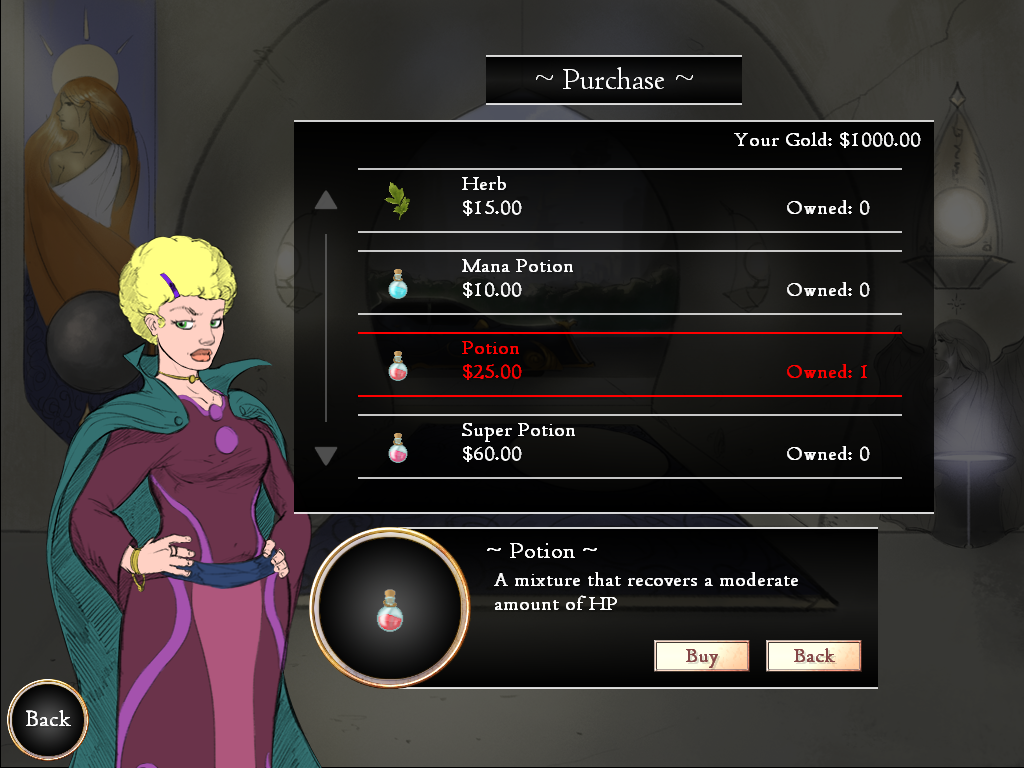
Our Visual Novel Kit features all of the functionality you'd expect to see in any other Visual Novel, like a robust dialogue system with player choices and auto/skip functions, a fetch quest system that allows you to present items/gifts to characters (and a shop to buy said items from), the ability to travel to different locations, and a colourful cast of 16 unique characters (both male and female) befitting of a fantasy/steampunk setting - with a variety of different character emoticons!


New Version (2019.002.000)


In addition to the release of our Visual Novel Kit, we've also updated 001 Game Creator to v2019.002.000 which contains a handful of new features and minor fixes. For example, we've added a "Retrieve Text Height" use value in the Field editor and fixed an issue with Steam IDs resetting in the Game Settings window.

For the full list of changes, please see our change log here.

Feature Requests


We're delighted to see so many of you making use of our Feature Request Vote Box and have been monitoring it closely to see what new features we should prioritise next. We recently fixed an issue that prevented users from upvoting the same idea after the 24hr window had passed. If you were one of those affected by this feel free to cast your votes again.

That's All For Now!


We're currently brainstorming new ideas for future DLC Kits based on user demand. As always, if you'd like to suggest your ideas you can do so by submitting them to our Feature Request Vote Box and upvoting ideas/suggestions that you support.

New Version - UNICODE Improvements and Startup Crash Fixes

We've updated 001 Game Creator to v2019.001.003 which includes some very important fixes to our initial UNICODE implementation and mobile builds!

UNICODE Implementation Fixes


In our last announcement, we revealed our first implementation of UNICODE support in 001 Game Creator (a long-time requested feature from our community). Since then, we've worked with our users on refining this implementation - most notably in fixing an issue with certain international configurations of Windows that would cause characters to display incorrectly.


Additionally, we've made it easier to add/remove certain blocks of characters to your fonts with the appropriately named "Add Block" and "Remove Block" buttons. There's even a "Custom" option, where you can specify a UNICODE hex range to add specific groups of characters!


We will continue to improve our UNICODE implementation over the coming weeks/months so that all necessary parts of the engine can display these characters correctly. We'd also like to thank those of you that have been helping us to improve our UNICODE implementation!

Numerous Editor Start Up Crash Fixes


While working to re-create the UNICODE problems some users were experiencing, we noticed several areas where 001 Game Creator would crash upon start up if the user's video card didn't properly support windowed swap chains, advanced material shaders, texture colour mapping, or large textures used by system fonts.

If you've previously experienced crashes when starting 001 Game Creator then these fixes should make a huge difference!

Android/iOS Build Fixes


Another important fix in this update is the Android/iOS build functionality that wasn't working as intended. You should now be able to build your game for Android and iOS without issue - we've also fixed an issue where built APK files would crash upon start up!

Additionally, for those of you with larger games, we've fixed an issue that resulted in an error during the build process.

As always, you can see a full list of changes here: http://001gamecreator.com/changes/

New Version With UNICODE Support! + Steam Sale

We've got some exciting news to share with you all today - including the announcement of an extended Steam Lunar Sale and a new version of 001 Game Creator with our initial implementation of UNICODE support!

EXTENDED Steam Lunar Sale!


From February 4th to February 18th 001 Game Creator will be 60% off - with our MMORPG, 3D FPS and Point & Click Adventure DLC Kits being 30% off and our Retro Music Pack being 15% off. For most, the Steam Lunar Sale ends on February 11th but we're following the sale with a week-long sale of our own to extend the Steam Lunar Sale from one week to two!

https://store.steampowered.com/app/347400/001_Game_Creator/

https://store.steampowered.com/app/564680/001_Game_Creator__MMORPG_Kit/?snr=1_5_9__405

https://store.steampowered.com/app/564681/001_Game_Creator__3D_FPS__Survival_Horror_Kit/?snr=1_5_9__405

https://store.steampowered.com/app/567360/001_Game_Creator__Point__Click_Adventure_Kit/?snr=1_5_9__405

https://store.steampowered.com/app/951950/001_Game_Creator__Retro_Fantasy_Music_Pack_Volume_1/?snr=1_5_9__405

Full UNICODE Support (Beta)


Perhaps one of the most requested features, and also one of the most challenging features to implement, is the ability to fully support UNICODE characters to allow for foreign languages like Russian and Chinese (which previously weren't supported).

With 001 being built on VB6 (which doesn't natively support UNICODE characters) this was always seen as an impossible feature request...That is until now! We'll spare you the boring technical details and just say that a new discovery was recently found that would allow 001 to support these characters with only a little work on our end - and so we're pleased to announce that UNICODE support is finally available in 001 Game Creator!

However, since this is still only our first implementation, we'd like to hear input/feedback from our community! There are also still some things not implemented to support UNICODE fully in some parts of the engine.

(Some screenshots showcasing Russian characters):


Please Note: You'll need to explicitly add UNICODE characters to your font files first - otherwise they won't be recognised in-game!


Improvements To Fonts


Our UNICODE implementation has also had an added benefit to fonts in general as we've now managed to pack characters in better which means that the padding option is no longer necessary in most cases. As such, the look of characters will appear more natural than before (where spacing wasn't being properly obeyed)

We've also enlarged font images from 2048x1024 to 2048x2048 so that fonts can store more characters!

A Few Smaller User-Requested Features


While UNICODE support is one of the largest feature requests implemented in this version - we've also taken the time to implement a few smaller requests that didn't require much time to add. These include:

Change Reverse, Rising and Falling Speed Events - Three new events that change the Reverse Speed, Rising Speed and Falling Speed of Actors has been added.


Screen Size/Orientation Changed Interface Trigger - A brand new Interface Trigger has been added that runs whenever the size of the game window is changed (Windows/HTML5) or when the orientation of the screen is changed (iOS/Android).


Change Currency Symbol Visual Setting - You can now effortlessly change the currency symbol used for Money by going to Game Settings > Visual Settings. This is also useful, given the implementation of UNICODE and the various different types of currencies used around the globe.


You can see the full list of changes for v2019.001.000 over on our website here: https://001gamecreator.com/changes/

Until Next Time...


We'll continue to improve UNICODE support over the next few months so please let us know if you run into any problems!

We've also been keeping an eye on our Feature Requests page and will be looking into some of these in the coming months as well!