1. Rec Room
  2. News

Rec Room News

Rec Room UPDATE - the "Rectober 2024" Edition

[h2]TLDR[/h2]
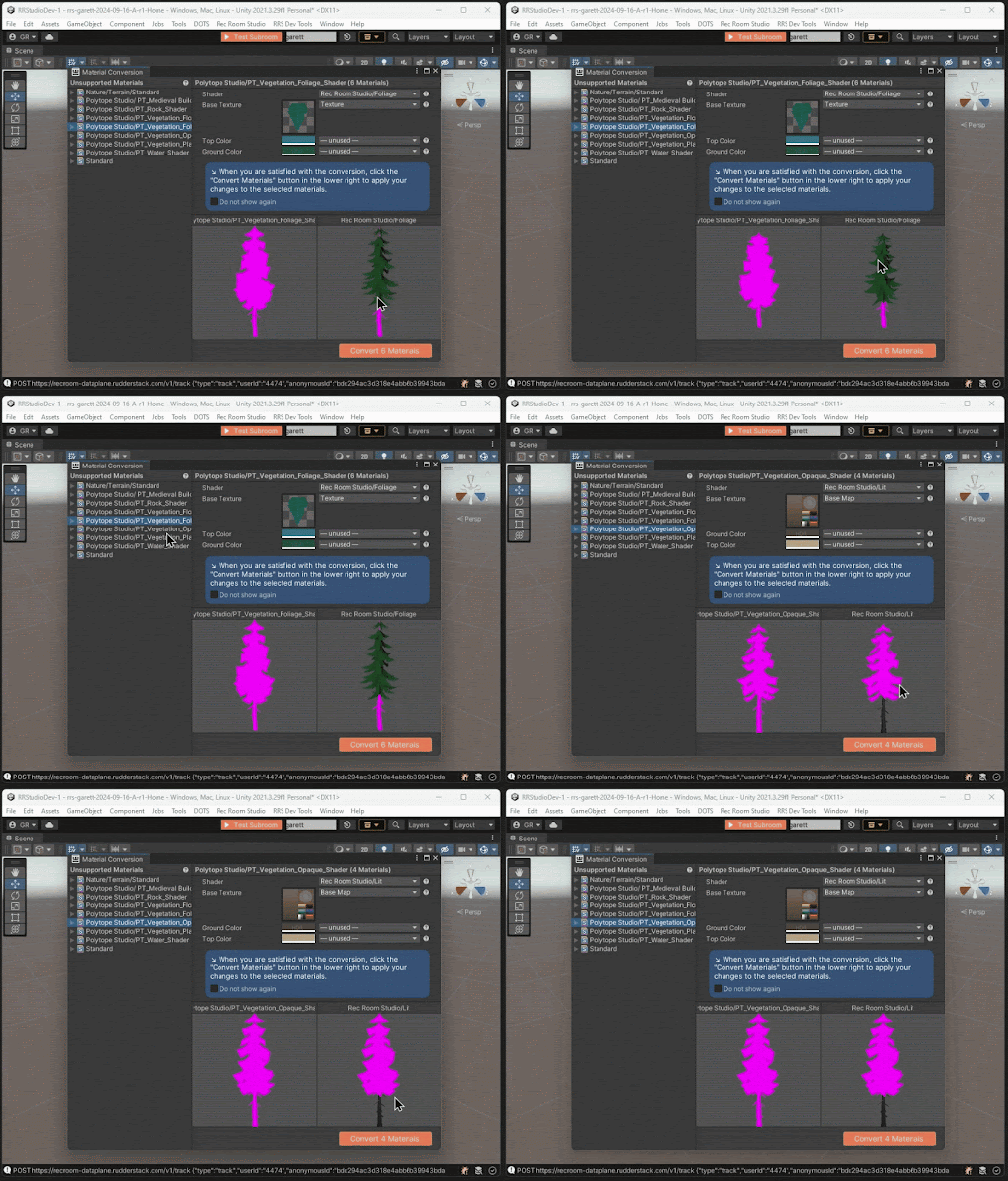
  • The Material Conversion tool is now available! Check out our dev blog for info on how to use it.
  • Spooky season is upon us, join us for Rectober!
  • Name limits have been increased for invention, inventory, and offer names.
[h2]Rec Room Studio[/h2]
  • The new Material Conversion window assists you in converting third-party materials to render properly in Rec Room.
[h2]General Improvements & Bug Fixes[/h2]
  • Fixed an issue where 'back' arrows wouldn't appear in Watch Store Carousels.
  • Fixed a bug with the background app splash screen on iOS.
  • Spooky scary new Rectober app icon on mobile O_O
  • Increased the max character limit for invention, inventory item, and offer names to 40 characters!

Please see here for convenient links to controls, tutorials, comfort options, etc.:https://recroom.com/community

We love to hear your feedback, so please don't hesitate to let us know what you think.
Rec Room UPDATE - the "Fully Functioning" Edition

[h2]TLDR[/h2]
  • You can now customize your Reactions from your Profile page!
  • Functions! Check out all the new chips you can use inside of Functions below.
  • Fixed holster placement issues in VR and the handshake interaction between VR and other platforms.
  • Optimize your meshes in RRS with the click of a button using ProBuilder Optimization!
[h2]Avatars[/h2]
  • Your avatar shoes just got an update! We added feet data... don't make it weird.
  • Fixed a bug that added a nose and eyebrows to saved outfits when loading in Modern Bean.
  • Fixed a bug where the Watch would disappear when switching body types.
[h2]Functions[/h2]
  • Function Call Nodes can now be used in inventions!
  • Fixed a bug where Functions could end up in a bad state after deleting one of their output ports. They should now... function correctly (ba-dum-tssssss).

  • The following chips are now usable inside of Functions:

  • Data Table Get All Rows Containing
  • Data Table Get Column Count
  • Data Table Get First Row Containing
  • Data Table Get Row Count
  • Data Table Read Cell
[h2]Rooms 2.0[/h2]
  • Added LocalPlayerSetLocomotionVFXEnabled. This new chip allows you to disable various feedback effects in R2 so you can cleanly replace them with custom effects.

  • Fixes for Hierarchy view:

  • Gamepads are now able to reorganize hierarchy!
  • You can now scroll through hierarchy view on touch platforms.

  • You can now 'undo' the "Edit Out and Move Selected" operation.

  • Fixed a bug where the "Select Entire Invention" button in the "options" menu could result in invalid selections.
  • The "Make Invention" option in the Makerpen options menu will now appear even if you have part of another invention selected.
[h2]General Improvements & Bug Fixes[/h2]
  • Take your Reactions to the next level with basic customization on your Profile page!

  • Fixed an issue where in VR if you physically moved or rotated yourself in your play area, the hip equip slots would become incorrectly placed. This issue was prominent in Rec Royale, now you should be able to catch Ws without fumbling through your weapons!

  • Adjusted the hip slots volume placement when VR player goes into crouch and prone to reduce false positives.

  • We heard your feedback that the new default shirt for costumes was causing clipping issues. Now, when you equip a costume that hides torso items, you'll see the old default shirt again.

  • Improved the Screens-to-VR Handshake interaction, so for Screens players interaction with VR players:

  • The prompt for accepting a handshake from a VR player changed from "Add Friend" to "Extend Hand". (The VR player can complete the interaction.)
  • The progress bar around the prompt was removed since it only requires a tap.

  • For handshake offers started this way, the Screen player's gesture will return to neutral after a completed handshake.

  • Faster load times for the Makerpen.
  • Object highlights/outlines on mobile are now scaled correctly for iOS, Android, and Quest.
  • Fixed certain grid lists of room cards having missing rows.
  • Cleaned up UI hydration for controller users.
  • Fixed visibility on some advanced microphone settings to match platform capabilities.
  • Fixed incorrect sizing on the Play search page.
  • Fixed a bug where some users with a lot of saved outfits weren't able to log in.
  • We changed the default t-shirt for new users to the Untucked Tee.
  • Fixed an error on the bug report page.
  • Storefront boot performance optimization.
[h2]Rec Room Studio[/h2]
  • A new component called ProBuilder Optimization can now be used to save memory when using ProBuilder by creating optimized Unity meshes for runtime! If you add the component to your existing ProBuilder Mesh objects, you can use the Optimize button in the Inspector to create an optimized mesh. If you need to edit the mesh again with ProBuilder, the Edit button restores the original ProBuilder Mesh component.
[h2]Experiments[/h2]
- Starting an experiment for a new title screen landing page that will affect some players. This will give players the ability to join friends that are already online in public rooms from the title screen!- Starting an experiment for party size warnings when traveling to a room too small for the size of your party. No Bean or FBA left behind!

Please see here for convenient links to controls, tutorials, comfort options, etc.:https://recroom.com/community

We love to hear your feedback, so please don't hesitate to let us know what you think.

Rec Room UPDATE - the "Nothing to See Here" Edition

[h2]Read the title.[/h2]
  • For real.
  • Did you even read the update name?
  • Nothing to see here. It's in the title.
  • Totally not gearing up for something in the future.
  • Literally no updates are in here today.
[h2]Are you still reading these?[/h2]
  • Last week's update was large.
  • The shipnotes were like a mile long!
  • That's a lot of scrolling.
  • Don't you wanna take a break?
  • This is your chance to find a new favorite room.
  • Tell your friends you love them.
  • Maybe get some boba from the place nearby.
  • Are pumpkin spice lattes back yet?
  • I've never tried one but I think this is the year.
[h2]I swear there's nothing substantial here.[/h2]
  • Seriously.
  • Stop reading.
  • Fine, I'll give you what you want.
  • A little glimpse into our dark and twisted reality.
  • It's an update in preparation for some stuff coming later.
  • Stuff that's, like, cool and lit and stuff.
  • +10,000 aura type beat.
  • Definitely not anything sus.
[h2]I'll be honest[/h2]
  • We are working on some cool stuff and can't wait to share it with you. Might not be the next ship or the ship after that, but this ship is here to help us make some upgrades to do those things.
  • Make sure to RSVP to RecCon and Gribbly's keynote for a look at what's coming Soon(tm) (and beyond!)

  • Thanks for reading all this.

  • Especially you, Sk0l ;)

  • tt4n, see y'all at RecCon!

Please see here for convenient links to controls, tutorials, comfort options, etc.:https://recroom.com/community

We love to hear your feedback, so please don't hesitate to let us know what you think.

Rec Room UPDATE - the "Upgraded Bean" Edition

[h2]TLDR[/h2]
  • We're starting the Upgraded Bean experiment tomorrow - see if you're part of the experiment and let us know what you think!
  • Room contributors can now only be added by invitation.
  • Added chips that detect the player's input type.
  • Added a text filter to Event Sender and Event Receiver nodes which now allow you to sort and filter!
[h2]Avatars[/h2]
  • Some of you will soon have the option to try the Upgraded Bean Avatar, as opposed to your normal everyday Bean. Check it out and let us know how you like it - and if you really want to go back to your normal Bean Avatar, we added a switch so you'll be able to change back and forth no problem.
  • We updated how Full Body scaling works to allow your arms to better fit your avatar. Make sure you have good measurements and enjoy a better embodiment of your avatar!
  • Hat Adjustments work on Full Body. You can finally adjust the hat position of all of your favorite hats with full body avatars. And as part of this work, we also fixed the bug so you can "Use Legacy Position" once again for full body avatars (and eventually for the floating bean ;)
  • Made it so that Upgraded Bean players in VR won't have their camera level scale with their avatar's height.
  • Improved the performance of Avatar Customization windows.
[h2]General Improvements & Bug Fixes[/h2]
  • Made progress shortening the MakerPen's initial load time!
  • Room contributors must now be added by invitation.
  • We implemented a fix for mobile that makes fog more transparent and less harsh.
  • Some custom shirts that were priced under 1000 tokens weren't visible in the Watch, but now they are! :)
  • Added the new chips Local Player Is Using Controller, Local Player Is Using Touch, Local Player Is Using Keyboard and Mouse nodes, which have been added to the palette to assist creators in detecting the player's input type.
  • We addressed an issue that allowed the creation of corrupted inventions by ensuring when the MakerPen is dropped to take an invention photo and then picked up, the editing state of the MakerPen is restored.
  • Added a text filter to Event Sender and Event Receiver nodes which now allow you to sort and filter!
  • In Rooms 1, cloning a simple prop (Ex: basketball) using a directional clone handle would result in the clone being at the wrong position. We implemented a fix which disables collisions on the clone source so the clone won't immediately collide.
  • Fixed an issue where Sawhorse hats weren't appearing. We really had to start busting ghost hats the first week of spooky season?
  • Also fixed Sawhorse item thumbnails not showing up in Gift Notifications.
  • Added fixes for notifications in VR where the menu button wasn't behaving properly. Bad button! Bad!!!
  • Fixed an issue where the 'favorite friend' badge was getting cut off.
  • Added auto-assignable player tags in the updated Room Permissions tab.
[h2]Rooms 2.0[/h2]
  • Fixed an issue where a shape could end up with negative scale values when the scale tool was used. Now scaling will stop and you will receive a notification that you can not scale farther.
  • Increased the maximum amount of inventory items allowed in a Reward from 100 to 1,000,000. That's a lot!
  • Added polish to the MakerPen UX in the Hierarchy Tab.
  • Got rid of some settings in the Rooms 2 Permissions tab that were exclusive to R1.
[h2]Rec Room Studio[/h2]
  • New functionality is now available for Lights in Studio Rooms! The Universal Additional Light Data component now exposes an option for per-light specular contribution. Lights that have been upgraded to support specular contribution that are Spot lights also now can use the Inner Spot Angle to change the light attenuation.
  • Fixed a bug which caused buttons and some other Asset Palette prefabs to appear rotated incorrectly when dropped into the scene view.
  • Added a fix to avoid a bug in Unity that could prevent rooms from loading when the Unity project path contains multi-byte UTF-8 characters.
[h2]Experiments[/h2]
  • You know how on Screens you can pick up a blob of Shapes, pretend to throw it, and it will just stay stuck in the air? Well, what if instead of that you could precisely place the Shapes where you want? Now you can, which we hope makes building blocks and board game type experiences a bit more possible. Currently all Rooms 1 Shapes set to Decoration or Environmental have this as their main action (instead of pretending to throw them) but we hope to expand the capability to more objects in the future.
  • Added an experiment for when opening the customization page in the navigation bar, the page will display a back button, and clicking it will display the last Watch page instead of closing the Watch.
  • Starting an experiment that will replace imposter rendering with item thumbnails in the store. This shouldn't affect what you see, but will consume less memory!- Just putting it in here one more time, but we'll be starting the started an experiment for the Upgraded Bean, with rollouts to more players coming soon. Thanks for reading all the way down here btw, have a cookie (you earned it) :)

Please see here for convenient links to controls, tutorials, comfort options, etc.:https://recroom.com/community

We love to hear your feedback, so please don't hesitate to let us know what you think.

Rec Room UPDATE - the "Fall Cleaning" Edition

[h2]TLDR[/h2]
  • Fixed some bugs and issues.
  • Cleared out old code.
  • Starting a new experiment for some players that will show their entire FBA on the Title Screen instead of just your torso!
[h2]General Improvements & Bug Fixes[/h2]
  • Fixed a bug that would show an extra light strip above the "My Dorms" tab.
  • Fixed a bug where the 'free gifts' screen would cause the client to become unresponsive.
  • Fixed an issue where when trying to buy a gift, it took you to the 'item details' page instead of picking out who to gift.
  • Fixed an offset issue in the Watch UI that could happen anywhere, but most often on lower end platforms.
  • Reduced the amount of 401 errors players were receiving - the threshold for these errors is now higher, so you shouldn't see them as often!
  • Did some fall cleaning and cleared out some old dead experiment code.
  • Also fixed some memory regression with store pages in the Watch.
[h2]Experiments[/h2]
  • Beginning an experiment with changes to how the avatar appears on the Title Screen, showing the entire Full Body Avatar rather than just the upper torso. Now you can admire your legs in all their splendor and glory - before even signing in!

Please see here for convenient links to controls, tutorials, comfort options, etc.:https://recroom.com/community

We love to hear your feedback, so please don't hesitate to let us know what you think.